Z7RBRVXPortable Bluetooth Speaker
BRAVEN LC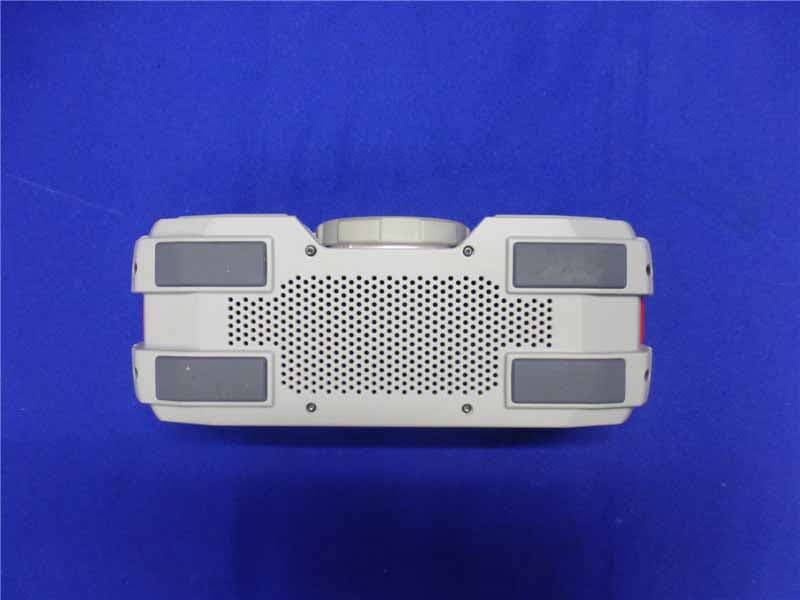
Click to zoom
Application Details
- Equipment Class
- DSS - Part 15 Spread Spectrum Transmitter
- Date of Grant
- Feb 23, 2014
- Application Purpose
- Original Equipment
- Date of Application
- Feb 23, 2014
- Equipment Note
- Portable Bluetooth Speaker
- Frequency Range
- 2402.00000000 - 2480.00000000
- Company
- BRAVEN LC
- Country
- United States
Documents & Files
Document Text
Text extracted from the exhibit documents filed with the FCC. Open a document above to read the original.
Users Manual
QUICK START GUIDE QUICK START GUIDE SEE MORE ONLINE WWW.BRAVEN.COM/TUTORIALS BATTERY INDICATOR LIGHTS POWER SWITCH BATTERY CHECK BUTTON PAIRING / ANSWER-END CALL / PAUSE-RESUME MUSIC INDOOR/OUTDOOR SOUND MODES SWITCH BRAVEN CHARGING PORT EXTERNAL USB CHARGING PORT VOLUME DOWN / SKIP BACK (PRESS AND HOLD) 3.5 MM AUDIO-IN JACK •20% •40% •60% •80% •100% VOLUME UP / SKIP TRACK (PRESS AND HOLD) TURN ON & BLUETOOTH ® PAIRING PAIRING TWO TOGETHER – WIRELESS STEREO-PAIRING WATER RESISTANT FEATURES TIE DOWN STRAP INSTALLATION INDOOR/OUTDOOR SOUND MODES 1 2 3 4 5 TURN ON & BLUETOOTH® PAIRING To get started press the power button for 2-3 seconds. When you release the power button you will hear the BRAVEN power-up drone. (When you’re finished listening press the same button again for 2-3 seconds to turn your BRAVEN off.) In order to pair your BRAVEN to your cell phone, tablet, or other Bluetooth® enabled source (hereafter referred to as a “device”), first activate Bluetooth® on the device (see your device’s instruction manual for information on activating its Bluetooth® settings). 1 Then press and hold the play button on your BRAVEN until you hear the BRAVEN pairing call. Next go to your device’s Bluetooth® settings and select “BRAVEN BRV-X” from the list. (If asked for a passcode enter “0000”) Your BRAVEN will remember the last 8 devices it has paired with. PAIRING WITH NFC If your device is NFC enabled, you can quickly pair via the BRAVEN BRV-X speaker’s “NFC logo”. First, ensure that NFC on your device is turned on. Then place your NFC-enabled device directly over the NFC logo on the BRAVEN BRV-X speaker. Hold it in place until you see a prompt on your device asking you if you want to pair to the BRAVEN BRV-X speaker. You may need to adjust the positioning of the device on the NFC logo to ensure the device’s internal NFC transmitter aligns with the BRAVEN BRV-X speaker’s internal NFC receiver. NOTE: If your BRAVEN does not have an active Bluetooth® connection and is left on, it will shut itself off after 30 minutes to preserve the battery. To restart your BRAVEN you will need to press and hold the power button for 2-3 seconds. PAIRING TWO TOGETHER – WIRELESS STEREO-PAIRING Want even bigger sound? If you have two BRAVEN BRV-X units (yeah, you should probably get two), you can pair them together for left and right stereo using “True Wireless” technology. Here’s how you do it: First be sure to disconnect all Bluetooth® connections (if any) on your device and remove any previously paired BRAVEN BRV-X speakers from your device. Next, press and hold the battery check button on both BRAVEN speakers for 5 seconds until you hear a sonar sound from both speakers. Within 30 seconds, a second beep will indicate a True Wireless connection between the BRAVEN BRV-X speakers. 2 3 Now that the speakers are talking to one another, you need to get them talking to your device, follow the steps in section 1 to pair your device with one (not both) of your BRAVEN BRV-X units. When you turn off either of the BRAVEN BRV-X speakers while connected in True Wireless, both speakers will turn off. When you’re ready to rock again in True Wireless, press the power button on both BRAVEN BRV-X speakers within 5 seconds of each other. The BRAVEN BRV-X speakers will automatically reconnect to each other and to the previously connected device. You will hear two beeps indicating True Wireless is reestablished. Note: True Wireless technology only supports one active Bluetooth® connection to your device at the same time. If any other Bluetooth® device (other than the paired BRAVEN BRV-X speakers) is simultaneously connected to your device, the BRAVEN BRV-X audio will distort. If distortion occurs, power down all other Bluetooth® devices in range of your phone/tablet, other than the Braven BRV-X. Refresh the Bluetooth® connections on your phone/tablet by turning Bluetooth® off and then back on. True Wireless is now reestablished. To break the True Wireless connection, press and hold the battery check button until the connection stops. For troubleshooting and tutorial videos, please go to www.BRAVEN.com/TrueWireless WATER RESISTANT FEATURES The BRAVEN BRV-X is IPX5 Water Resistant. BRAVEN BRV-X speakers are not intended to be submerged in water, but are resistant to rainfall, water jets, and water splashing. Thread the now-bare strap up through the bottom of the post on one side of the speaker and pull the strap through to the post on the other side. Continue to thread the strap down through the second post. IMPORTANT - To ensure your BRAVEN BRV-X speaker is prepared for use in a wet environment, remove all cable connections and tightly close the end water cap. If the water cap is not properly closed, the BRAVEN BRV-X will not be water resistant. TIE DOWN STRAP INSTALLATION The included strap is designed to help you take your BRV-X anywhere you want to go. TO INSTALL THE STRAP: The strap should be threaded through the two aluminum posts found at each end of the speaker. Unclip one of the buckles, and unthread the strap from release buckle. 4 RELEASE BUCKLE 5 Once you have the strap threaded through both posts, rethread the end of the strap back through the release buckle and click that buckle into place on top of the speaker. (The strap should not wrap around the speaker). Pull the straps coming out of the buckles on both ends to tighten the strap to the speaker. USE THE STRAP TO ATTACH YOUR SPEAKER TO OTHER OBJECTS: Unclick one of the buckles. Remove the release buckle from the strap by unthreading the strap from the release buckle. Set the release buckle aside. Once you have disconnected the release buckle, unthread the strap through one of the speaker’s posts. Wrap the strap around a suitable object and thread the strap back through the exposed post. Rethread the end of the strap back through the removed release buckle and click that buckle into place. Pull the strap tight to ensure that you’ve properly affixed your speaker to the obj…
Text truncated - open the document above for the full version.
Cover Letter(s)
DATE : Jan 13, 2014 Equipment Autorisation Division Federal Communications Commission 7435 Oakland Mills Road Columbia, MD 21046 FCC ID: Z7RBRVX Product Name: Portable Bluetooth Speaker Request for Confidentiality Pursuant to Sections 0.457 and 0.459 of the commissions rules, we hereby request that the following documents be held confidential: (List here the documents for which you are seeking confidentiality – for example ...) • Schematics • Block diagram • Operation description These materials contain trade secrets and proprietary information and are not customarily released to the public. The public disclosure of this information might be harmful to the company and provide unjustified benefits to our competitors. Dated this: Jan 13, 2014 By: C K Li Signature Printed Title: Senior Director of Quality and Engineering On behalf of : Braven LC Telephone: 1-949-250-4929 6001 Oak Canyon Irvine, CA 92618| P H: 949-250-4929 FX: 949-250-4928
External Photos
R AUDIX Technology (Shenzhen) Co., Ltd. FCC ID:Z7RBRVX page Audix Technology (Shenzhen) Co., Ltd. Report No. ACS-F14034 14-1 14. PHOTOGRAPH OF EUT Figure 1 General Appearance of the EUT Figure 2 General Appearance of the EUT R AUDIX Technology (Shenzhen) Co., Ltd. FCC ID:Z7RBRVX page Audix Technology (Shenzhen) Co., Ltd. Report No. ACS-F14034 14-2 Figure 3 General Appearance of the EUT Figure 4 General Appearance of the EUT R AUDIX Technology (Shenzhen) Co., Ltd. FCC ID:Z7RBRVX page Audix Technology (Shenzhen) Co., Ltd. Report No. ACS-F14034 14-3 Figure 5 General Appearance of the EUT Figure 6 General Appearance of the EUT
ID Label/Location Info
Screen pri nt / Pad Print in cool grey 11C on Black versions.
Internal Photos
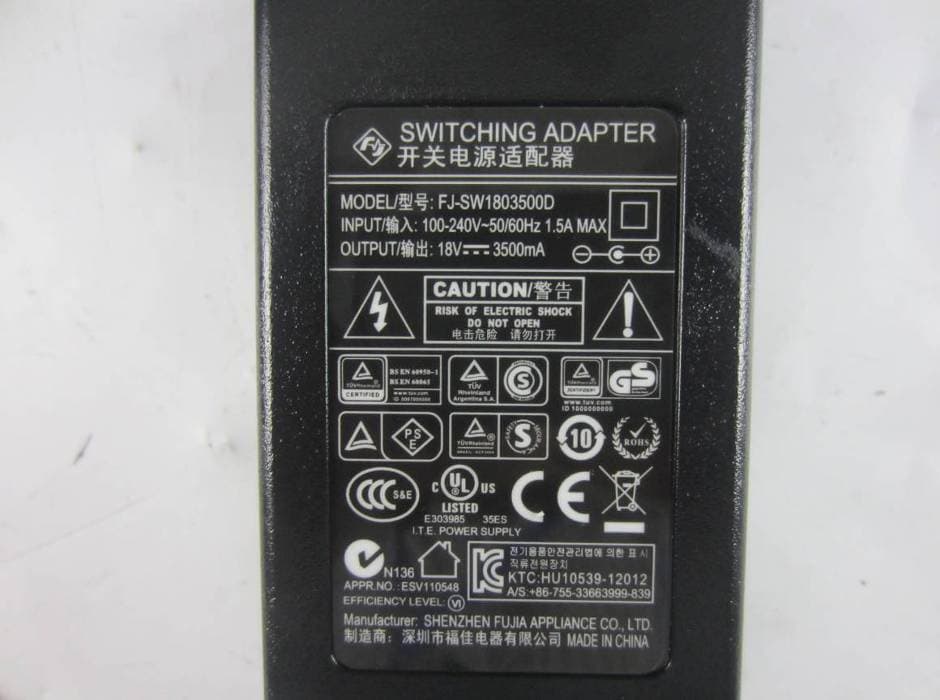
R AUDIX Technology (Shenzhen) Co., Ltd. FCC ID:Z7RBRVX page Audix Technology (Shenzhen) Co., Ltd. Report No. ACS-F14034 14-4 Figure 7 General Appearance of the EUT Figure 8 Inside of the EUT R AUDIX Technology (Shenzhen) Co., Ltd. FCC ID:Z7RBRVX page Audix Technology (Shenzhen) Co., Ltd. Report No. ACS-F14034 14-5 Figure 9 Inside of the EUT Figure 10 Inside of the EUT R AUDIX Technology (Shenzhen) Co., Ltd. FCC ID:Z7RBRVX page Audix Technology (Shenzhen) Co., Ltd. Report No. ACS-F14034 14-6 Figure 11 Inside of the EUT Figure 12 Component side of the PCB R AUDIX Technology (Shenzhen) Co., Ltd. FCC ID:Z7RBRVX page Audix Technology (Shenzhen) Co., Ltd. Report No. ACS-F14034 14-7 Figure 13 Component side of the PCB Figure 14 Component side of the PCB R AUDIX Technology (Shenzhen) Co., Ltd. FCC ID:Z7RBRVX page Audix Technology (Shenzhen) Co., Ltd. Report No. ACS-F14034 14-8 Figure 15 Component side of the PCB Figure 16 Component side of the PCB R AUDIX Technology (Shenzhen) Co., Ltd. FCC ID:Z7RBRVX page Audix Technology (Shenzhen) Co., Ltd. Report No. ACS-F14034 14-9 Figure 17 Component side of the PCB Figure 18 Component side of the PCB R AUDIX Technology (Shenzhen) Co., Ltd. FCC ID:Z7RBRVX page Audix Technology (Shenzhen) Co., Ltd. Report No. ACS-F14034 14-10 Figure 19 Component side of the PCB Figure 20 Component side of the PCB R AUDIX Technology (Shenzhen) Co., Ltd. FCC ID:Z7RBRVX page Audix Technology (Shenzhen) Co., Ltd. Report No. ACS-F14034 14-11 Figure 21 Component side of the PCB Figure 22 Component side of the PCB R AUDIX Technology (Shenzhen) Co., Ltd. FCC ID:Z7RBRVX page Audix Technology (Shenzhen) Co., Ltd. Report No. ACS-F14034 14-12 Figure 23 Speaker Figure 24 Speaker R AUDIX Technology (Shenzhen) Co., Ltd. FCC ID:Z7RBRVX page Audix Technology (Shenzhen) Co., Ltd. Report No. ACS-F14034 14-13 Figure 25 Power Adapter#1 Figure 26 Power Adapter#2
RF Exposure Info
Product Name:Portable Bluetooth Speaker Model Number: BRV-X FCCID: Z7RBRVX RADIO FRREQUENCY EXPOSURE COMPLIANCE RESULT : PASS Test standard : According to 447498 D01 General RF Exposure Guidance v05 The 1-g and 10-g SAR test exclusion thresholds for 100 MHz to 6 GHz at test separation distances ≤ 50 mm are determined by: [(max. power of channel, including tune-up tolerance, mW)/(min. test separation distance, mm)] ·[√f(GHz)] ≤ 3.0 for 1-g SAR and ≤ 7.5 for 10-g extremity SAR, where f(GHz) is the RF channel transmit frequency in GHz Power and distance are rounded to the nearest mW and mm before calculation The result is rounded to one decimal place for comparison Worse case is as below: [2.402MHz 6.186 dBm(4.155 mW) output power] (4.155mW /5mm) ·[√2.402(GHz)]= 1.288 <3.0 for 1-g SAR Then SAR evaluation is not required
Test Report
R AUDIX Technology (Shenzhen) Co., Ltd. FCC ID:Z7RBRVX Audix Technology (Shenzhen) Co., Ltd. Report No. ACS-F14034 FCC PART 15C TEST REPORT FOR CERTIFICATION On Behalf of BRAVEN LC Portable Bluetooth Speaker Brand Name Model Number BRAVEN BRV-X FCC ID: Z7RBRVX Prepared for : BRAVEN LC 6001 Oak Canyon, Irvine, CA 92618 USA Prepared By : Audix Technology (Shenzhen) Co., Ltd. No. 6, Ke Feng Rd., 52 Block, Shenzhen Science & Industrial Park, Nantou, Shenzhen, Guangdong, China Tel: (0755) 26639496 Report Number Κ ACS-F14034 Date of Test Κ Jan. 08 ~ 11, 2014 Date of Report Κ Feb. 14, 2014 R AUDIX Technology (Shenzhen) Co., Ltd. FCC ID:Z7RBRVX Audix Technology (Shenzhen) Co., Ltd. Report No. ACS-F14034 TABLE OF CONTENTS Description Page 1.SUMMARY OF STANDARDS AND RESULTS ......................................................... 1-1 1.1.Description of Standards and Results .................................................................................. 1-1 2.GENERAL INFORMATION ......................................................................................... 2-1 2.1.Description of Device (EUT) ............................................................................................... 2-1 2.2.Tested Supporting System Details ....................................................................................... 2-2 2.3.Block Diagram of connection between EUT and simulators ............................................... 2-2 2.4.Test information ................................................................................................................... 2-3 2.5.Test Facility.......................................................................................................................... 2-4 2.6.Measurement Uncertainty (95% confidence levels, k=2) .................................................... 2-4 3.POWER LINE CONDUCTED EMISSION MEASUREMENT ................................. 3-1 3.1.Test Equipment .................................................................................................................... 3-1 3.2.Block Diagram of Test Setup ............................................................................................... 3-1 3.3.Power Line Conducted Emission Test Limits...................................................................... 3-1 3.4.Configuration of EUT on Test ............................................................................................. 3-1 3.5.Operating Condition of EUT................................................................................................ 3-2 3.6.Test Procedure...................................................................................................................... 3-2 3.7.Conducted Emission at Mains Terminals Test Results ........................................................ 3-2 4.RADIATED EMISSION MEASUREMENT ................................................................ 4-1 4.1.Test Equipment .................................................................................................................... 4-1 4.2.Block Diagram of Test Setup ............................................................................................... 4-2 4.3.Radiated Emission Limit Standard: FCC 15.209 ................................................................. 4-3 4.4.EUT Configuration on Test..................................................................................................4-3 4.5.Operating Condition of EUT................................................................................................ 4-3 4.6.Test Procedure...................................................................................................................... 4-3 4.7.Radiated Emission Test Results ........................................................................................... 4-4 5.CONDUCTED SPURIOUS EMISSIONS ..................................................................... 5-1 5.1.Test Equipment .................................................................................................................... 5-1 5.2.Limit..................................................................................................................................... 5-1 5.3.Test Procedure...................................................................................................................... 5-1 5.4.Test result ............................................................................................................................. 5-1 6.CARRIER FREQUENCY SEPARATION TEST ........................................................ 6-1 6.1.Test Equipment .................................................................................................................... 6-1 6.2.Limit..................................................................................................................................... 6-1 6.3.Test Results. ......................................................................................................................... 6-1 7.20 DB BANDWIDTH TEST ........................................................................................... 7-1 7.1.Test Equipment .................................................................................................................... 7-1 7.2.Limit..................................................................................................................................... 7-1 7.3.Test Results .......................................................................................................................... 7-1 8.NUMBER OF HOPPING FREQUENCY TEST .......................................................... 8-1 8.1.Test Equipment .................................................................................................................... 8-1 8.2.Limit.............................................................................................................................…
Text truncated - open the document above for the full version.
Test Setup Photos
R AUDIX Technology (Shenzhen) Co., Ltd. FCC ID:Z7RBRVX page Audix Technology (Shenzhen) Co., Ltd. Report No. ACS-F14034 13-1 13. HOTOGRAPH OF TEST 13.1.Photos of Power Line Conducted Emission Test R AUDIX Technology (Shenzhen) Co., Ltd. FCC ID:Z7RBRVX page Audix Technology (Shenzhen) Co., Ltd. Report No. ACS-F14034 13-2 13.2.Photos of Radiated Emission Test 30-1000MHz R AUDIX Technology (Shenzhen) Co., Ltd. FCC ID:Z7RBRVX page Audix Technology (Shenzhen) Co., Ltd. Report No. ACS-F14034 13-3 Above 1000MHz
Contact Information
Applicant
Sally Namie
Test Firm
Audix Technology (Shenzhen) Co.Smart Tsai
Technical Specifications
| # | Rule Parts | Frequency Range | Power Output |
|---|---|---|---|
| 1 | 15C | 2.40 GHz - 2.48 GHz | 4.15 mW |
Other Applications from BRAVEN LC
Z7RBXXL
Dec 02, 2015Braven BRV-XXL Speaker
Equipment Class
DSS - Part 15 Spread Spectrum Transmitter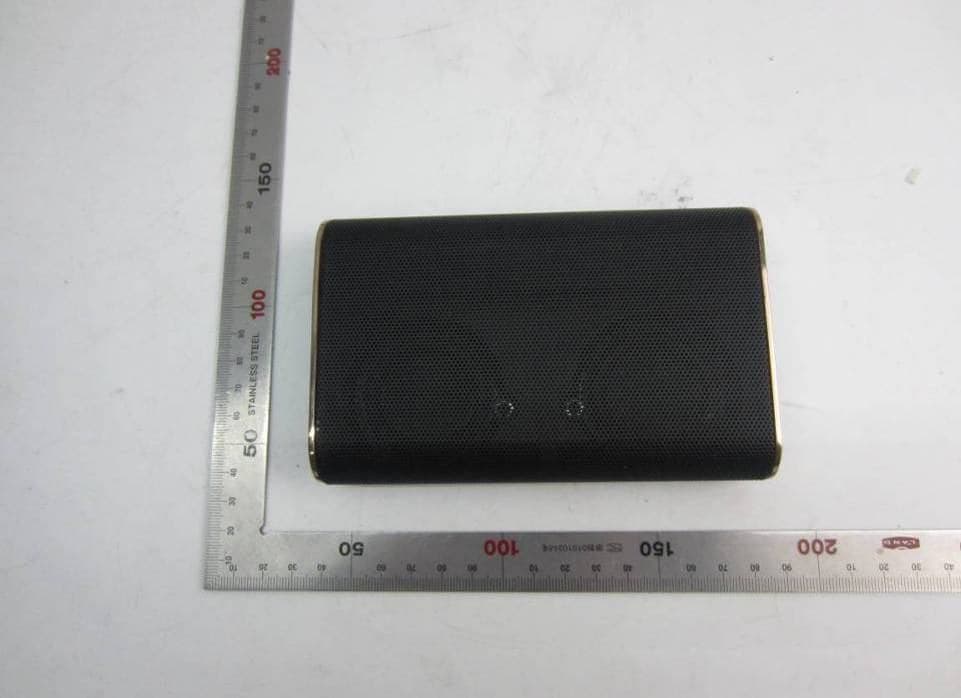
Z7RBKS
Oct 26, 2015Portable wireless speaker
Equipment Class
DSS - Part 15 Spread Spectrum Transmitter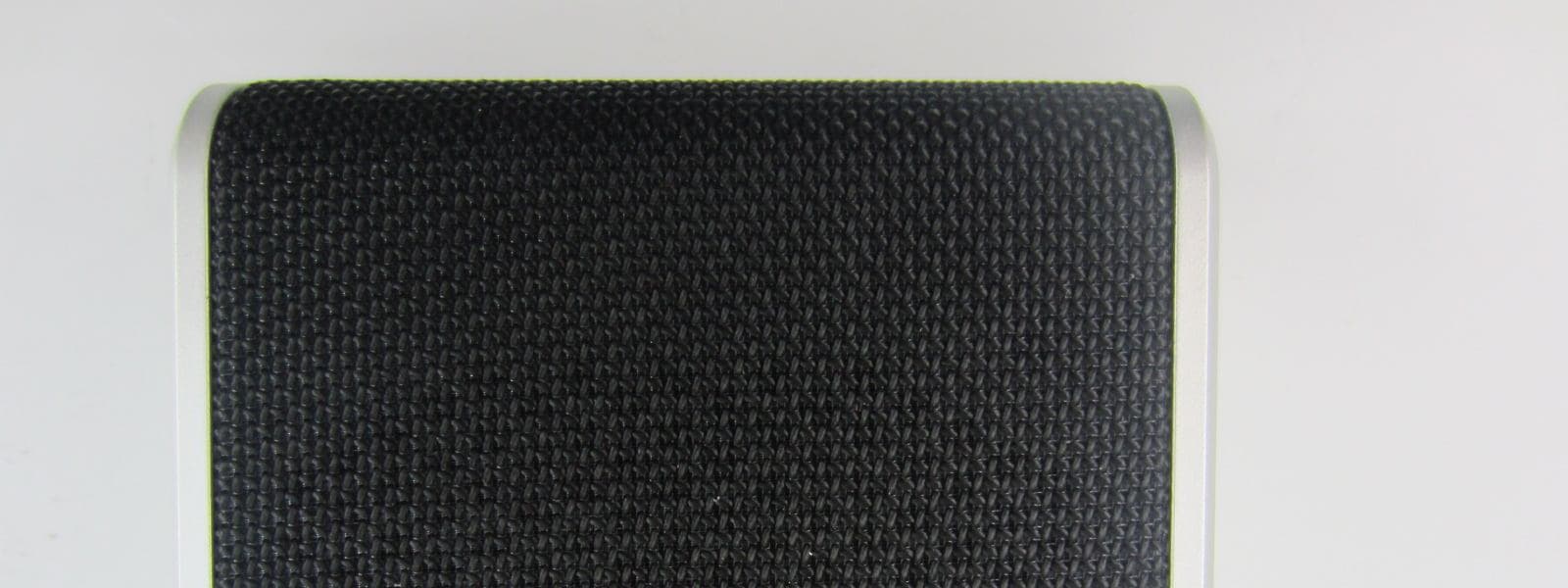
Z7RBBRG
Jul 09, 2015Bluetooth Speaker
Equipment Class
DSS - Part 15 Spread Spectrum Transmitter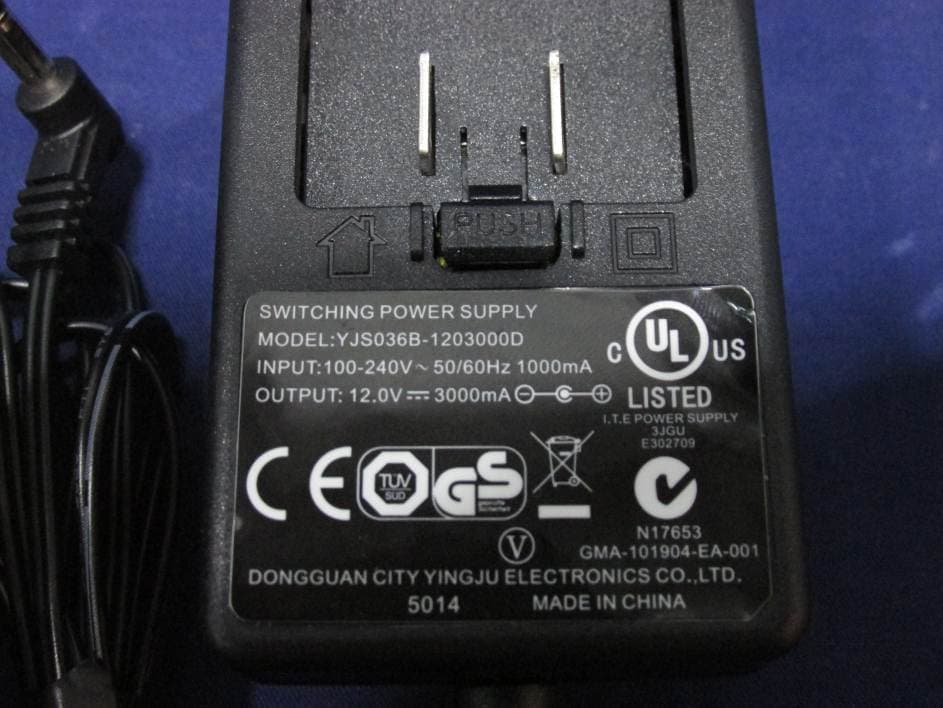
Z7RBBAL
Apr 13, 2015BLUETOOTH SPEAKER
Equipment Class
DSS - Part 15 Spread Spectrum Transmitter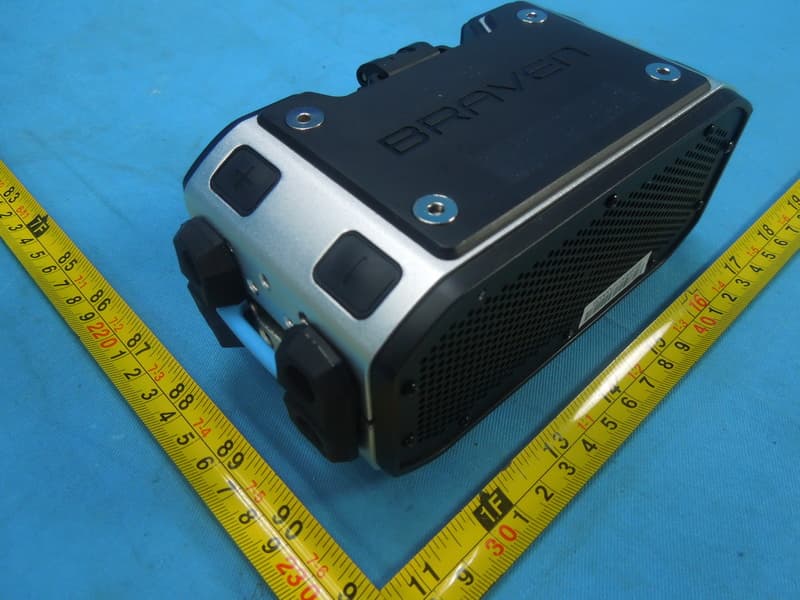
Z7RBPRO
Feb 10, 2015Portable Audio
Equipment Class
DSS - Part 15 Spread Spectrum Transmitter