Z7RZ6Bluetooth Speaker
BRAVEN LC
Click to zoom
Application Details
- Equipment Class
- DSS - Part 15 Spread Spectrum Transmitter
- Date of Grant
- May 24, 2012
- Application Purpose
- Original Equipment
- Date of Application
- May 24, 2012
- Equipment Note
- Bluetooth Speaker
- Frequency Range
- 2402.00000000 - 2480.00000000
- Company
- BRAVEN LC
- Country
- United States
Documents & Files
Document Text
Text extracted from the exhibit documents filed with the FCC. Open a document above to read the original.
Users Manual
Wireless Range Password Change Password? Supported Profiles User Msnual Model Name: BZ600 , BZ600RBA , BZ600GBA , BZ600GBA-I , BZ600RBA-I , BZ625 , BZ625BGB , BZ625GEB , BZ625BGB-I , BZ625GEB-I , BZ650 , BZ650SBA , BZ650SBA-I FCC ID: Z7RZ6IC:10013A-Z6 At least 10M (33 feet) NO password on V3.0 devices, On older devices use "0000" No !! Description Usage Enhanced Data Rate (EDR)Advanced Audio Distribution Profile(A2DP)1.2, Hands-Free Profile (HFP)1.5, Headset Profile (HSP) 1.1SBC Stereo Streaming(yes)AVRCPAudio/Video Remote ControlProfile(yes) Response Phone/Pair Button(MFB) Press for 5 seconds = GO INTOPAIRING MODEPress for 0.5 second = PICK UP CALL(when incoming call) After pairing success and playingmusic .The music will be paused ifpressed for 0.5 seconds to 5seconds .The music will be p la y in g PAIRING - Press answer button for 5 seconds to go into pairing mode .White LED will be flashes 1 time every 0.4 seconds.PAIRED (CONNECTED): White LED will be flashes 1 time every 5seconds .There is a sound at the same time when connection is made.INCOMING CALL -Press answer button to answer call. The white LED will be flashes 2 times every 2 seconds when on the phoneEND CALL -Press answer button to end call. It will go back common state .White LED will be flashes 1 time every 5 secondsREJECT CALL - When there is a coming call ,If someone doesn't want to answer the call,Long press answer button for 3 seconds to reject call.Then it will go back to common state .White LED will be flashes 1 timeevery 5 seconds MUTE - When on the phone. Press and hold answer button for 3 seconds Volume Up Button Increase Volumeseconds .The music will be playing again if pressed for 0.5 seconds to 5seconds. As soon as button is pressed = Volume increase one increment there are16 incrementsPress and hold for 2 seconds = To next songAt maximum volume = have a beep at maximum volume. MUTE When on the phone . Press and hold answer button for 3 seconds could be mute the call .And Press and hold answer button for 3 secondsagain will be back on the phone.RESET -In pairing mode. Press and hold the answer button for 5 seconds to clear the previous pairing information LED lights up solid 2 seconds toconfirm memory cleared. Then returns to pairing mode, and light flashesever y .4 sec. Volume Down 3.5 audio in Switch in upward position = ON , The white LED will be flashes 5 times(0 2 seconds is on 0 2 seconds is off repeat 5 times ) There is aWhen audio is inserted, the sound level should be controlled by thespeaker Decrease Volume As soon as button is pressed = Volume decrease one increment (thereshould be 16 increments)Press and hold for 2 seconds = To previous songAt minumin volume = Beep at minimum volume(No Beep sound atminimum volume) Stereo input Power On/Off Switch Micro USB Port Turns speaker power on and off times(0 . 2 seconds is on , 0 . 2 seconds is off , repeat 5 times ) . There is a sound after 3 seconds. And then go into common (The white LED will beflashes 1 time every 5 seconds) Power ON sound will start play in 3seconds or less.Switch in downward position = OFF, The white LED will be flashes faster5 times. The power off sound will play. For charging speaker charges Speakercharging: LED in solid whiteCharging completed: white LED is off Battery Check Button Line-out Port (3.5mm Stereo output) Use for connecting other speakers,when plugged into, the speaker willstill keep playing. Using 3.5mm to 3.5mm auxiliary cable (included), plug one end intospeaker and the other end into another speaker, to create more volume,Volume is controled by original speakerAs soon as button is pressed, The LED ring display the colors for every 30% of power as follows: 100-70% white, 35-70% Blue, 0-35% red.Plug into USB port on speaker with the USB charge cable supplied with external device, and charge device from speakers battery.There is a beep sound every 2 minutes and white LED will flash 2 time if low battery (under 3 4v) , It will be auto shut down if the voltage of Shows amount of power in battery. USB Port battery (under 3 . 4v) , It will be auto shut down if the voltage of bluetooth less than 3.2V. When speaker is on but not connected to a cellphone (not in use ). There is no any beeps or sounds until the speakerhas not been in use for 29minutes and 50 seconds. then there are 3beeps, and then turn off immediately . If Audio cable or the USB outcable is plugged in, auto shut off will not happen. Charges external devices Connect with the second cell phone After the first cell phone connected with speaker .The secondcell phone start to connecting with speaker (Pairing method issame as the first cell phone):Press answer button for 5 secondsto go into pairing mode(The first cell phone is auto-disconnected with speaker at this moment ) .White LED will beflashes 1 time every 0.4 seconds.After connected.White LED willbe flashes 1 time every 5 seconds .There is a sound at the sametime when connection is made. After the second cell phoneconnected with speaker,then select the "connect" on setting ofthe first cell phone to connect with speaker.(No need to re-pairing again).then 2 cell phone is connecting with speaker atthe same time.When one of the cell phone on the line.The systemwill be automatically rejects the other calling from the Common state LED flashes 1 time ever y 5 seconds It will not auto shut down (all of our bluetooth products will not setting auto shut down if it has connect with a cell phone . user will think that there is problem of the bluetooth products if It will shut down after 30mins . and they need to switch on again )If the speaker is connected to an external speaker through the line out .and a phone call is comes in .You will hear the coming sound from 2 speaker . after you pick up the call .you will hear the sound from two speaker also . If speaker no power . The softare setting is : Plug into USB port on speaker with the USB charge cable supplied with external device, and charge device from speakers batter…
Text truncated - open the document above for the full version.
Cover Letter(s)
May Fe d Aut FCC Re: Pur s requ 1: B 2: C 3: O 4: P Th e rele app Th e all a app Sin c Da B R y 24, 2012 deral Comm thorization C ID: Z7RZ : Confiden suant to Se uests confid Block Diagra Circuit Diagra Operational D Parts List e above mat ased to the licant and p e Applicant u accompanyi lication. cerely, niel Hill RAVEN LC 2 munication and Evalu Z6 ntiality Re ctions 0.457 ential treatm m am Description terials conta e public. The rovide unjus understands ng docume n C n Commiss uation Divis quest 7 and 0.459 ment of infor ain trade se e public dis stified benef that pursua ntation will sion sion 9 of the Com rmation appl ecrets and p sclosure of t fits to its com nt to Rules 0 not be mad mmission’s R ied this app proprietary these matte mpetitors. 0.457, disclo e before th Rules, the a lication as o information ers might be osure of this e date of th applicant he outlined belo not custom e harmful to s Application he Grant for ereby ow: marily o the n and r this
External Photos
TOP VIEW OF BZ650SBA BOTTOM VIEW OF BZ650SBA LEFT VIEW OF BZ650SBA RIGHT VIEW OF BZ650SBA FRONT VIEW OF BZ650SBA BACK VIEW OF BZ650SBA OPEN VIEW OF BZ650SBA TOP VIEW OF BZ600RBA BOTTOM VIEW OF BZ600RBA LEFT VIEW OF BZ600RBA RIGHT VIEW OF BZ600RBA FRONT VIEW OF BZ600RBA BACK VIEW OF BZ600RBA TOP VIEW OF BZ625 BOTTOM VIEW OF BZ625 LEFT VIEW OF BZ625 RIGHT VIEW OF BZ625 FRONT VIEW OF BZ625 BACK VIEW OF BZ625
ID Label/Location Info
Bluetooth Speaker Model Name: BZ600 FCC ID: Z7RZ6 IC:10013A-Z6 BZ600, BZ600RBA, BZ600GBA, BZ600GBA‐I, BZ600RBA‐I BZ625, BZ625BGB, BZ625GEB, BZ625BGB‐I, BZ625GEB‐I BZ650, BZ650SBA, BZ650SBA‐I
Internal Photos
INTERNAL VIEW-1 OF BZ650SBA INTERNAL VIEW-2 OF BZ650SBA INTERNAL VIEW-3 OF BZ650SBA INTERNAL VIEW-4 OF BZ650SBA Bluetooth Antenna INTERNAL VIEW-5 OF BZ650SBA
Test Report
FCC Test Report Report No.: AGC08F120503F2 FCC ID : Z7RZ6 PRODUCT DESIGNATION : Bluetooth Speaker BRAND NAME : N/A MODEL NAME : BZ600, BZ600RBA, BZ600GBA, BZ600GBA‐I, BZ600RBA‐I BZ625, BZ625BGB, BZ625GEB, BZ625BGB‐I, BZ625GEB‐I BZ650, BZ650SBA, BZ650SBA‐I CLIENT : BRAVEN LC DATE OF ISSUE : May 22, 2012 STANDARD(S) : FCC Part 15 Rules REPORT VERSION : V1.0 Attestation of Global Compliance Co., Ltd. CAUTION: This report shall not be reproduced except in full without the written permission of the test laboratory and shall not be quoted out of context. Report No.: AGC08F120503F2 Page 1 of 49 VERIFICATION OF COMPLIANCE Applicant BRAVEN LC 3601 N.University Ave, Ste. 150,Provo,UT 84604, USA Manufacturer LANYA ELECTRONIC CO., Ltd. 3-5F,Workshop of 6,Lijingcheng Science&Technolagy Industrial Area, The East Road of Industrial AREA,longhua Street,Bao′an District, Shenzhen CityGuangdong Province,P.R.China Product Designation Bluetooth Speaker Brand Name N/A Test Model BZ650SBA Series Model BZ600, BZ600RBA, BZ600GBA, BZ600GBA-I, BZ600RBA-I BZ625, BZ625BGB, BZ625GEB, BZ625BGB-I, BZ625GEB-I BZ650, BZ650SBA-I Model Difference All above models are the same except for material quality of shell, battery capacity and color. FCC ID Z7RZ6 Report Number AGC08F120503F2 Date of Test May 15, 2012 to May 21, 2012 WE HEREBY CERTIFY THAT: The above equipment was tested by Attestation of Global Compliance Co., Ltd. The test data, data evaluation, test procedures, and equipment configurations shown in this report were made in accordance with the procedures given in ANSI C63.4 (2003) and the energy emitted by the sample EUT tested as described in this report is in compliance with radiated emission limits of FCC Rules Part 15.247. Tested By: Leo Lee May 22, 2012 Reviewed By: Forrest Lei May 22, 2012 Approved By: Solger Zhang May 22, 2012 Report No.: AGC08F120503F2 Page 2 of 49 TABLE OF CONTENTS 1. GENERAL INFORMATION ............................................................................................................................ 4 1.1 PRODUCT DESCRIPTION ....................................................................................................................... 4 1.2 TABLE OF CARRIER FREQUENCYS ..................................................................................................... 4 1.3 RECEIVER INPUT BANDWIDTH ............................................................................................................. 5 1.4 EXAMPLE OF A HOPPING SEQUENCY IN DATA MODE ...................................................................... 6 1.5 EQUALLY AVERAGE USE OF FREQUENCIES AND BEHAVIOUR ....................................................... 6 1.6 RELATED SUBMITTAL(S) / GRANT (S) ................................................................................................. 6 1.7 TEST METHODOLOGY ........................................................................................................................... 6 1.8 MEASUREMENT UNCERTAINTY ........................................................................................................... 6 1.9 TEST FACILITY ........................................................................................................................................ 7 1.10 SPECIAL ACCESSORIES ..................................................................................................................... 7 1.11 EQUIPMENT MODIFICATIONS ............................................................................................................. 7 2. SYSTEM TEST CONFIGURATION ............................................................................................................... 8 2.1 CONFIGURATION OF TESTED SYSTEM ............................................................................................... 8 2.2 EQUIPMENT USED IN EUT SYSTEM ..................................................................................................... 8 3. SUMMARY OF TEST RESULTS ................................................................................................................... 9 4. DESCRIPTION OF TEST MODES ................................................................................................................. 9 5. PEAK OUTPUT POWER ............................................................................................................................. 10 5.1 MEASUREMENT PROCEDURE ............................................................................................................ 10 5.2 TEST SET-UP (BLOCK DIAGRAM OF CONFIGURATION) .................................................................. 10 5.3 MEASUREMENT EQUIPMENT USED .................................................................................................. 11 5.4 LIMITS AND MEASUREMENT RESULT ............................................................................................... 11 6. 20 DB BANDWIDTH .................................................................................................................................... 12 6.1 MEASUREMENT PROCEDURE ............................................................................................................ 12 6.2 TEST SET-UP (BLOCK DIAGRAM OF CONFIGURATION) .................................................................. 12 6.3 MEASUREMENT EQUIPMENT USED .................................................................................................. 12 6.4 LIMITS AND MEASUREMENT RESULTS ............................................................................................. 12 7. CONDUCTED SPURIOUS EMISSION ........................................................................................................ 14 7.1 MEASUREMENT PROCEDURE ..................................................................................................... ....... 14 7.2 TEST SET-UP (BLOCK DIAGRAM OF CONFIGURATION) .......................................................…
Text truncated - open the document above for the full version.
Test Setup Photos
CONDUCTED EMISSION RADIATED EMISSION
Contact Information
Applicant
Sally Namie
Test Firm
Attestation of Global Compliance Shenzhen Co. Ltd.Forrest Lei
Technical Specifications
| # | Rule Parts | Frequency Range | Power Output |
|---|---|---|---|
| 1 | 15C | 2.40 GHz - 2.48 GHz | 2.00 mW |
Other Applications from BRAVEN LC
Z7RBXXL
Dec 02, 2015Braven BRV-XXL Speaker
Equipment Class
DSS - Part 15 Spread Spectrum Transmitter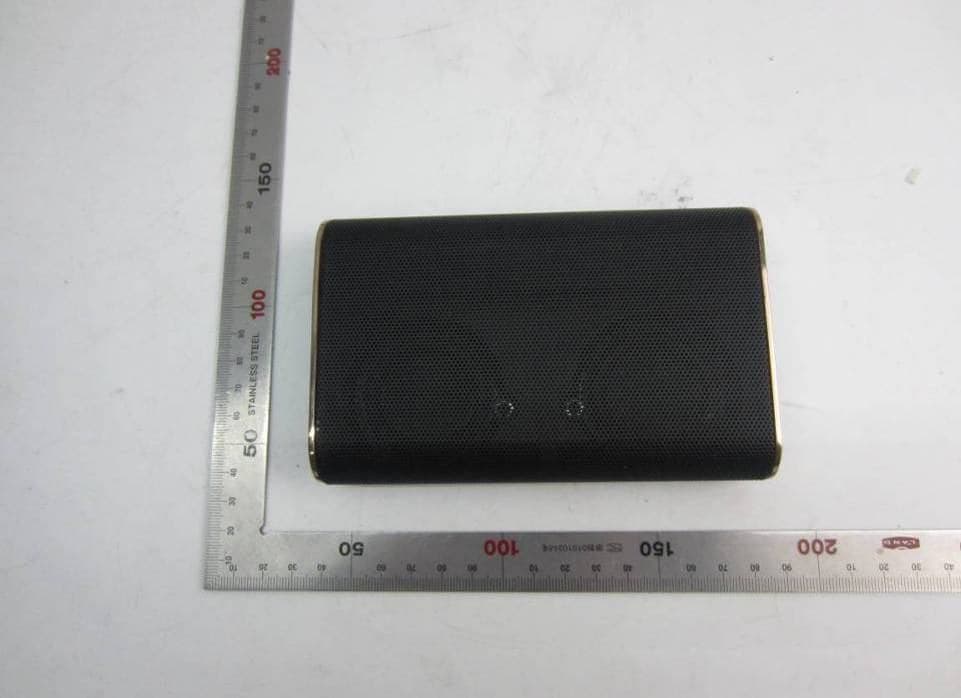
Z7RBKS
Oct 26, 2015Portable wireless speaker
Equipment Class
DSS - Part 15 Spread Spectrum Transmitter
Z7RBBRG
Jul 09, 2015Bluetooth Speaker
Equipment Class
DSS - Part 15 Spread Spectrum Transmitter
Z7RBBAL
Apr 13, 2015BLUETOOTH SPEAKER
Equipment Class
DSS - Part 15 Spread Spectrum Transmitter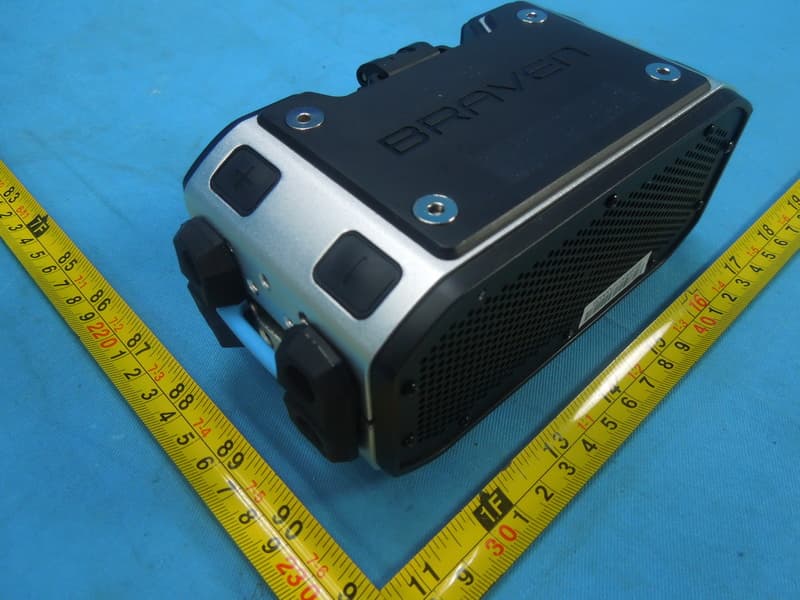
Z7RBPRO
Feb 10, 2015Portable Audio
Equipment Class
DSS - Part 15 Spread Spectrum Transmitter