ZVJ-T510Cruz T510
Velocity Micro, Inc.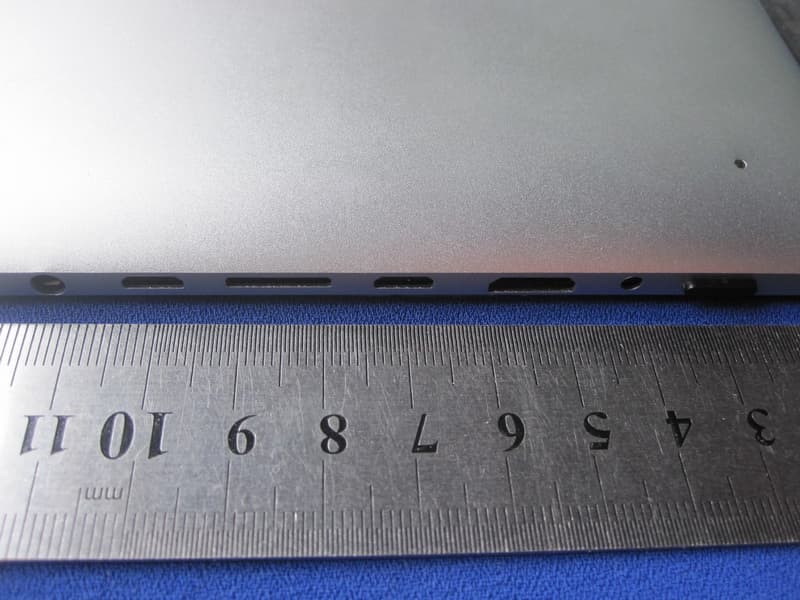
Click to zoom
Application Details
- Equipment Class
- DSS - Part 15 Spread Spectrum Transmitter
- Date of Grant
- Apr 16, 2012
- Application Purpose
- Original Equipment
- Date of Application
- Apr 16, 2012
- Equipment Note
- Cruz T510
- Frequency Range
- 2412.00000000 - 2462.00000000
- Company
- Velocity Micro, Inc.
- Country
- United States
Documents & Files
Document Text
Text extracted from the exhibit documents filed with the FCC. Open a document above to read the original.
Users Manual
T510 Offi cial User Guide 2 TABLE OF CONTENTS WELCOME I. GET ACQUAINTED II. HAND GESTURES III. GETTING STARTED IV. YOUR HOMESCREEN V. CONNECTING TO WI-FI VI. EMAIL SET UP VII. SAVING BATTERY VIII. MICRO SD CARDS IX. DEVICE STORAGE X. TRANSFER FILES XI. FILE FORMATS XII. KINDLE FOR ANDROID XIII. READING EPUBS XIV. CAMERA XV. AMAZON APPSTORE XVI. INSTALLING APPS XVII. PREINSTALLED APPS XVIII. QUICK OFFICE XIX. FILE MANAGER XX. MULTIMEDIA XXI. SYSTEM REQUIREMENTS XXII. SUPPORT XXIII. CONTACT US XXIV. FCC INFORMATION XXV. WARRANTY INFORMATION 3 4-6 7-8 9-10 11-12 13-15 16-17 18 19 20 21-22 23 24-25 26 27 28-29 30-31 32-33 34 35 36-37 38 39 40 41 42-43 1. Note ●This product is a highly advanced product, do not di sassemble yourself. ●Protec t t he product from s trong shocks such as dropping. ●Avoid using this product the following conditions: high and low temperatures, moist, dusty, magnetic fields strong environments or long-term exposure to sunlight. ●Please use only a slightly moist cotton cloth to clean the product shell, do not use any chemical cleaning solution. This product should not be exposed to liquids. ●Using headphones at high volumes to long periods of time can cause hearing damage. ●Avoid active use of this device while in traffi c, especially when using headphones. ●Please only us e the permitted batteries, chargers and accessories. Any other products can vi olate the warranty regulations and may be dangerous. ●Please follow the relevant local environmental regulations to deal with obsolete machines and accessories. ●The manufacturer takes no res ponsibility for loss of data caused by either hardware or software. The user is responsible for performing backups and saving of important data. Thanks for Choosing CRUZ Thank you for purchasing a Velocity Micro CRUZ T510! We appreciate your business and know you’ll love your brand new multimedia device. This guide is intended to help you with initial setup of your device and to familiarize you with the Android operating system. Stay Up to Date For the latest updates, news, giveaways, downloads, and support tips, be sure to follow CRUZ on facebook and twitter! Check out our homepage at www.CRUZtablet.com for details! Registration Before we get started, we recommend that you register your CRUZ T510 if you did not do so already via the initial set up process. Registering your product allows you to get the most out of our CRUZ technical support. To register your product, please visit: www.CRUZtablet.com/support 23 com/support 4 Getting Acquainted I. GET ACQUAINTED ABCDEFG H I J K L M N 45 A. Power Button The power button is located on the top left-hand corner of the device. While running, this button is also used to send the CRUZ into “Sleep” mode, as well as waking the device up B. DC-5V Plug your power adapter in to charge the internal battery. C. HDMI Out Connect to a monitor, TV, or projector for lossless display transfer. D. Host Micro USB Connect external devices or install drivers via the Host USB. E. Micro USB Connect your PC via USB. F. mSD Card Slot Insert a microSD Card for additional storage. G. Headphone Jack Connect earbuds through this port for a personal media experience. H. Camera Forward-facing camera used for video-chat application like Skype. I. Google Search Search your device or find an answer quickly on the web. I. GET ACQUAINTED 6 Getting Acquainted I. GET ACQUAINTED J. Status Bar Located at the bottom of the screen, the status bar contains the three icons that will be your primary means of navigation. From left to right, you will find “Back”, “Home”, “Recent Apps”, and “Settings”. The status bar also displays Wi-Fi connectivity, battery life, and the time. K. Apps Menu Tap to view all apps installed on the device. L. Applications Your Home-screen is very much like the desktop on a computer. It is a place for app shortcuts. M. Orientation Lock Press to lock your Cruz into portrait or landscape (disables auto-rotation). N. Volume Buttons Exterior buttons that control the device’s volume (+/-). 67 II. HAND GESTURES Tapping Touch your finger to the screen and remove immediately to select an item on the screen. This is the equivalent of a mouse “click” on a computer. Dragging Press and hold your finger on the screen, then slide in the desired direction. Long-Pressing Press and hold your finger on the screen for 2-3 seconds. Oftentimes, this will open menu options or perform an app-specific function. 8 Scrolling Sliding your finger up and down in a vertical motion scrolls through menus, websites, and lists. The quicker you slide your finger, the greater the momentum and speed of the on-screen scrolling motion. Swiping Sliding your finger left and right scrolls horizontally. Some eReader apps are designed to turn the page in the direction you swipe. II. HAND GESTURES Pinching Positioning your thumb and index finger roughly 1-inch apart while “pinching” or “spreading” them typically zooms in or out, respectively. 9 To start your CRUZ, press the on/off button located on the top right corner of the device. When you first turn on the CRUZ, you will be greeted with a CRUZ logo, and then your Homescreen. The display has a screen timeout by default set to 5 min. If the unit is left inactive for that period of time, the screen will go dark as if turned off. However, it is simply in standby mode. Tap the power button and a screen will appear with a white padlock button in the center of the screen. This is your Lock Screen. Drag the padlock to the right to unlock. The battery should have a nominal charge on it out of the box and should charge fairly rapidly. Charge your T510 via the included AC Adapter. Battery life will vary due to many conditions, especially when using Wi-Fi and maximum screen brightness. Sleep Mode and Powering Down To save battery, you should put your CRUZ in sleep mode by turning off the LCD display. To do this, tap (not hold) the power button. Tap again to bring up the lock screen. In standby mode, the bat…
Text truncated - open the document above for the full version.
Cover Letter(s)
Velocity Micro, Inc. FCC Declaration of Conformity Number: CF302 Version: V03 Date: 22-08-2011 A declaration of conformity can only be issued by a U.S. entity based on a test report from an accredited laboratory. Accredited laboratories are located in the US, or in a country where the FCC has signed an MRA with. For a full list of accredited laboratories recognized by the FCC, please go to the FCC website https://fjallfoss.fcc.gov/oetcf/eas/reports/TestFirmSearch.cfm and for Test Firm Type, select “Accredited”. Additional information on administrative requirements for Declaration of Conformity can be found in KDB Publication Number 349827. We, (responsible party must be a legal entity registered within the U.S., see FCC rule part 2.909 (2), must a U.S. address, such as importer or local manufacturer) Company Name: Velocity Micro, Inc. Address: 7510 Whitepine Rd., Richmond, VA 23237, United States Postal/Zip: City: Richmond State/Province: West Virginia Country: United States Contact Person: Mr. Ms. Name: Tamer Eldin Function: Product Manager Email: [email protected] Web: Phone: 804-897-6166 ext 237 Fax: 804-897-4777 declare for the equipment identified by: Product Description Cruz Type or Model(s) T510 Tradename or Brand(s) N/A that: (if the DoC test reports are available at this moment, please cross item a below) a). The following test reports, issued by an FCC accredited Laboratory, are subject to this declaration: Accredited Test Firm or Laboratory name: Test Report Number: Date of issue: (if no DoC test report is available at this moment, then if you agree with the statement made in item b below, please cross item b below) b). DoC testing is pending at this moment, but we will execute and finish the required DoC testing in an FCC accredited Laboratory before marketing the device in the U.S. Attestation: In addition to our declaration above, we also will ensure to label the equipment with the FCC logo, the name of the manufacturer and model number, as required by the FCC rule part 15.19. City and Country: Date: Name: (this must be a person) Function: Signature: (or official company stamp) Richmond, United States 04/10/2012 Tamer Eldin Product Manager This device complies with Part 15 of the FCC Rules. Operation is subject to the following two conditions: (1) this device may not cause harmful interference, and (2) this device must accept any interference received, including interference that may cause undesired operation. DoC
Cover Letter(s)
Velocity Micro, Inc. FCC Authorization Letter Number: CF304 Version: V03 Date: 01-08-2011 We, (the approval holder) Company name Velocity Micro, Inc. Address 7510 Whitepine Rd., Richmond, VA 23237, United States City Richmond Country United States declare that the following representative (agent): Name (person) Justin Zhang Company name Shenzhen Toby Technology Co., Ltd. Address 10/F., A Block, Jiada R & D Bldg., No.5 Songpingshan Road, Science & Technology Park City Shenzhen Country China is hereby authorized to apply the following equipment for certification on our behalf: Product Description Cruz Type or Model(s) T510 Tradename or Brand(s) N/A We also authorize Teleconformity (Mr. M. Koop, Manager Certification, Address: Rietven 31, 7534NH Enschede, the Netherlands) to apply and sign this application for certification, registration or filing on our behalf (as representative agent or certifier). Attestation: City and Country: Date: Name: (this must be a person) Function: Signature: (or official company stamp) Richmond, United States 04/10/2012 Tamer Eldin Product Manager
Cover Letter(s)
Velocity Micro, Inc. FCC Confidentiality Request Number: CF303 Version: V02 Date:17-06-2011 To: Federal Communications Commission Equipment Authorization Branch 7435 Oakland Mills Road Columbia, MD 21046 Pursuant to 47 CFR Section 0.459(a) & (b), we, (the applicant / grantee) Company name Velocity Micro, Inc. Address 7510 Whitepine Rd., Richmond, VA 23237, United States City Richmond Country United States request for this certification filing under: Grantee Code Product Number FCC ID: ZVJ -T510 to maintain permanent confidentiality for the following documents submitted within this application: (please cross what is applicable, or add other documents, provide the file name and description) Exhibit File Name Description x Operational Description Circuit Description x Block Diagrams Block Diagram x Schematics Diagrams Schematic Diagram Bill of Materials Above materials contain secrets, proprietary and technical information, which would customarily be guarded from competitors under 47 CFR, section 0.457(d)(2). Disclosure or publication or any portion of this company confidential material to other parties could cause substantial competitive harm and provide unjustified benefits for competitors. We understand that pursuant to 47 CFR section 0.457(d)(1)(ii) disclosure of the applicant and all accompanying documentation will not be made before the date of the grant. The documents indicated as confidential above, are not publicly available elsewhere. Attestation: City and Country: Date: Name: (this must be a person) Function: Signature: (or official company stamp) Richmond, United States 04/10/2012 Tamer Eldin Product Manager
External Photos
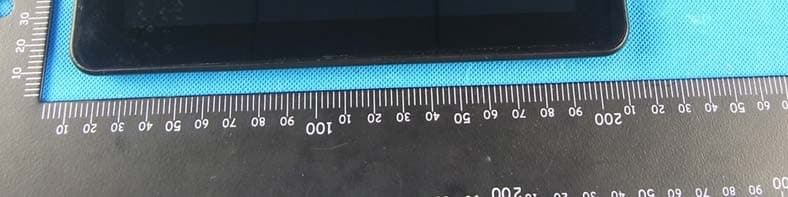
Report No.: TB-RF123734 Page: 3 of 9 TB-RF-075-1.0 Appendix III EUT External Photographs Photo 1 Appearance of EUT Photo 2 Appearance of EUT Report No.: TB-RF123734 Page: 4 of 9 TB-RF-075-1.0 Photo 3 Appearance of Adapter
ID Label/Location Info
Report No.: TB-RF123734 Page: 2 of 9 TB-RF-075-1.0 Appendix II ID Label Location FCC ID LOCATION
ID Label/Location Info
Report No.: TB-FCC123734 Page: 1 of 9 TB-RF-074-1.0 Appendix IID Label FCC ID: ZVJ-T510 This device complies with part 15 of the FCC Rules. Operation is subject to the following two conditions: (1) This device may not cause harmful interference, and (2) this device must accept any interference received, including interference that may cause undesired operation.
Internal Photos
Report No.: TB-RF123734 Page: 5 of 9 TB-RF-075-1.0 Appendix IV EUT Internal Photographs Photo 4 Inside of EUT Photo 5 Appearance of PCB Report No.: TB-RF123734 Page: 6 of 9 TB-RF-075-1.0 Photo 6 Appearance of PCB Photo 7 Appearance of PCB Report No.: TB-RF123734 Page: 7 of 9 TB-RF-075-1.0 Photo 8 Appearance of PCB Photo 9 Appearance of PCB Antenna
RF Exposure Info
FCC MPE Calculation EUT Description: Cruz (Tablet) Company: Velocity Micro, Inc. Model: T510 FCC ID: ZVJ-T510 Mobile position: lap/table Frequency: 2412-2462 MHz (11 channels) Modulation: 11b: DSSS (DBPSK, DQPSK, CCK), 11gn(HT20): OFDM (BPSK, QPSK, 16QAM, 64QAM) Mid-Channel: 2.437 GHz (Channel 6) Mid-Channel Peak Power, Conducted: 12.06 dBm == 16.10 mW Highest Peak Power measured: 12.20 (11b/Ch11) == 16.60 mW we take worst case value for further calculation, even if measured less in the mid-channel. Antenna Gain: G = 0 dBi For devices intended for the General Population and used in an uncontrolled manner, routine evaluation (SAR) for this device is not required, because the source-based time-averaged power (average conducted power or average radiated EIRP, whichever is the highest) is below the: Low threshold of 60/f for distances < 2.5 cm. High threshold of 60/f for distances < 20 cm. Calculation: Limit = 60/2.437 = 24.62 mW P radiated, max = P conducted, dBm + G dBi = 12.20 dBm + 0 dBi == 12.20 dBm = 16.60 mW Conclusion: The emitted power appears to be (far) below the required limit, so PASS. Note 1: f shall be the mid-band frequency expressed in GHz; the limit calculated with this mid-band frequency applies to all channels. For PTT with body-worn or face-held modes, d is the distance from the device case to a parson’s body; for modules with antennas inside laptops, d is the distance from the antenna to the person’s body. Note 2: Average Power levels are always equal or below the measured Peak Power levels, which means that calculating the EIRP using the Peak power can be considered as worst case.)
Test Report
Shenzhen Toby Technology Co., Ltd. Report No.: TB-FCC123734 Page: 1 of 64 TB-RF-074-1.0 10/F., A Block, Jiada R & D Bldg., No.5 Songpingshan Road, Science & Technology Park, Nanshan District, Shenzhen, China Tel: +86 75526509301 Fax: +86 75526509195 FCC Radio Test Report FCC ID: ZVJ-T510 Report No. : TB-FCC123734 Applicant : Velocity Micro, Inc. Equipment Under Test (EUT) EUT Name : Cruz Model No. : T510 Serial No. : N/A Brand Name : N/A Receipt Date : 2012-02-22 Test Date : 2012-02-23 to 2012-03-07 Issue Date : 2012-03-08 Standards : FCC Part 15, Subpart C(15.247) Test Method : ANSI C63.4:2003 Conclusions : PASS In the configuration tested, the EUT complied with the standards specified above, The EUT technically complies with the FCC requirements Test/Witness Engineer : Approved& Authorized : This report details the results of the testing carried out on one sample. The results contained in this test report do not relate to other samples of the same product. The manufacturer should ensure that all products in series production are in conformity with the product sample detailed in the report. Report No.: TB-FCC123734 Page: 2 of 64 TB-RF-074-1.0 Contents CONTENTS.............................................................................................................................................2 1. GENERAL INFORMATION ABOUT EUT.............................................................................4 1.1 Client Information.................................................................................................................4 1.2 General Description of EUT (Equipment Under Test)...................................................4 1.3 Block Diagram Showing The Configuration of System Tested.....................................5 1.4 Description of Support Units..............................................................................................5 1.5 Description of Test Mode....................................................................................................6 1.6 Description of Test Software Setting................................................................................6 1.7 Test Facility...........................................................................................................................7 2. TEST SUMMARY.......................................................................................................................8 3. CONDUCTED EMISSION TEST.............................................................................................9 3.1 Test Standard and Limit......................................................................................................9 3.2 Test Setup.............................................................................................................................9 3.3 Test Procedure.....................................................................................................................9 3.4 Test Equipment Used........................................................................................................10 3.5 EUT Operating Mode........................................................................................................10 3.6 Test Data.............................................................................................................................10 4. RADIATED EMISSION TEST................................................................................................13 4.1 Test Standard and Limit....................................................................................................13 4.2 Test Setup...........................................................................................................................14 4.3 Test Procedure...................................................................................................................15 4.4 EUT Operating Condition.................................................................................................15 4.5 Test Equipment..................................................................................................................16 4.6 Test Data.............................................................................................................................16 5. RESTRICTED BANDS REQUIREMENT.............................................................................29 5.1 Test Standard and Limit....................................................................................................29 5.2 Test Setup...........................................................................................................................29 5.3 Test Procedure...................................................................................................................29 5.4 EUT Operating Condition.................................................................................................30 5.5 Test Equipment..................................................................................................................30 5.6 Test Data.............................................................................................................................30 6. BANDWIDTH TEST.................................................................................................................37 6.1 Test Standard and Limit....................................................................................................37 6.2 Test Setup...........................................................................................................................37 6.3 Test Procedure...................................................................................................................37 6.4 EUT Operating Condition.................................................................................................37 6.5 Test Equipment....................................................................................................…
Text truncated - open the document above for the full version.
Test Setup Photos
Report No.: TB-RF123734 Page: 8 of 9 TB-RF-075-1.0 Appendix V EUT Test Photographs Photo of Setup for Radiated Emission (Above 1 GHz) Photo of Setup for Radiated Emission (Bellow 1 GHz) Report No.: TB-RF123734 Page: 9 of 9 TB-RF-075-1.0 Photo of Setup for Conducted Emission
Contact Information
Applicant
Tamer Eldin(Product Manager)
Technical Contact
TeleconformityMark Koop
[email protected]+31 84 8395876
Rietven 31 · Enschede, Overyssel · Netherlands
Test Firm
Bontek Compliance Testing Laboratory LtdTony Wu
Technical Specifications
| # | Rule Parts | Frequency Range | Power Output |
|---|---|---|---|
| 1 | 15C | 2.41 GHz - 2.46 GHz | 17.00 mW |
Other Applications from Velocity Micro, Inc.
ZVJT508
Jul 10, 2012MID
Equipment Class
DTS - Digital Transmission System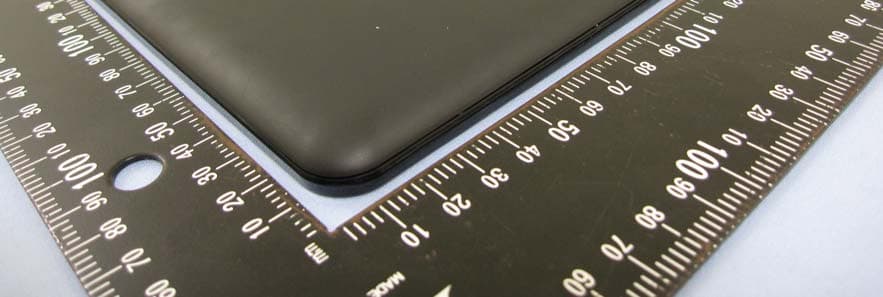
ZVJVMT408V1
Sep 05, 2011Media Tablet
Equipment Class
DTS - Digital Transmission System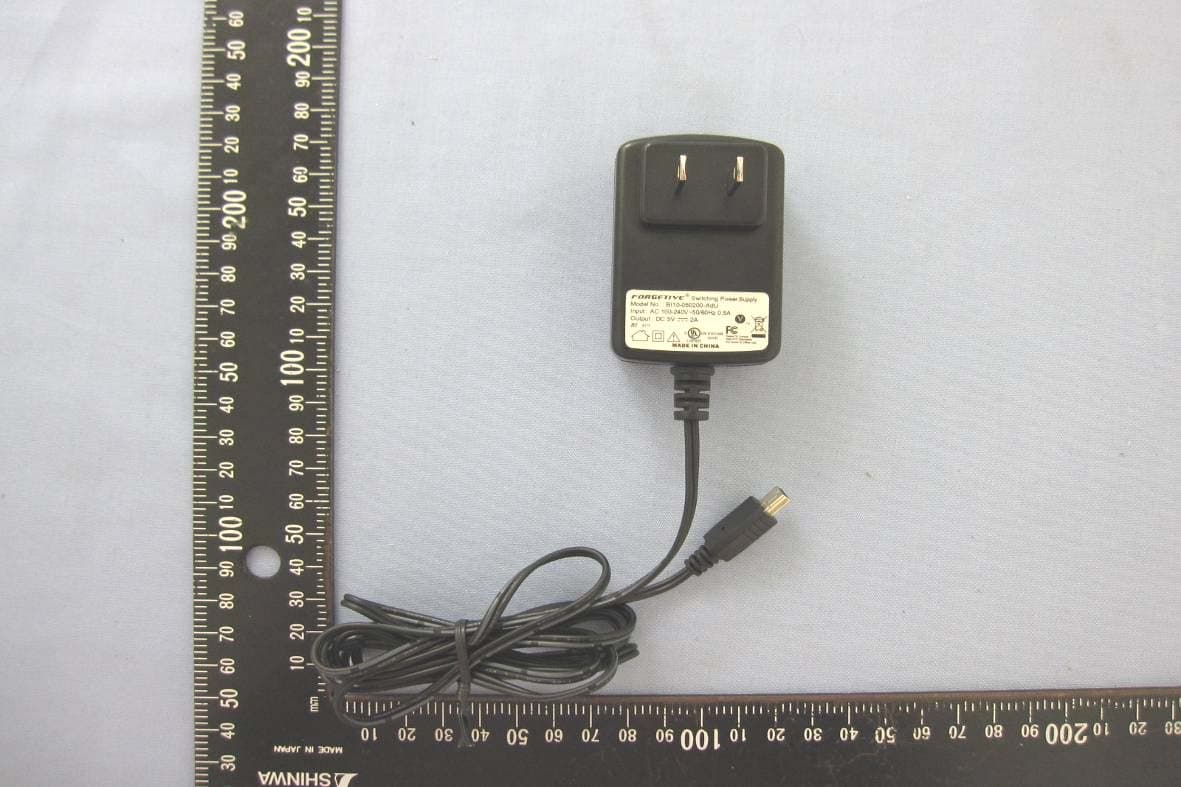
ZVJVMT410V1
Aug 28, 2011Media Tablet
Equipment Class
DTS - Digital Transmission System