2AAWX-IPD-337Steno Keyboard Folio for iPad Air
Incipio, LLC
Click to zoom
Application Details
- Equipment Class
- DSS - Part 15 Spread Spectrum Transmitter
- Date of Grant
- May 07, 2014
- Application Purpose
- Original Equipment
- Date of Application
- May 07, 2014
- Equipment Note
- Steno Keyboard Folio for iPad Air
- Frequency Range
- 2402.00000000 - 2480.00000000
- Company
- Incipio, LLC
- Country
- United States
Documents & Files
Document Text
Text extracted from the exhibit documents filed with the FCC. Open a document above to read the original.
Users Manual
HARD SHELL ULTRA-THIN BLUETOOTH KEYBOARD FOLIO Setup Guide WHAT’S IN THE BOX? _ MAIN FEATURES _ • Folio with Bluetooth wireless keyboard • USB to Micro USB charging cable • User documentation • Auto standby to save energy. • Built-in rechargeable battery which can be charged through a standard Micro-USB interface. • Light-weight and compact design for ultimate portability. • Can pair with up to 3 devices. • Hard-shell dual-sided protection • Adjustable viewing angles. • Sliding QWERTY keyboard with optimized key spacing • Magnetic closure OVERVIEW: LEDSTATUS Blue (Blinking) Charge Error Red (Blinking) Red (On) Blue (On) Pairing Low Battery Charging System Error STATUS INDICATORS POWER BUTTON IPAD HOME SCREEN BRIGHTNESS + BRIGHTNESS -SEARCHVIRTUALPREVIOUSNEXT TRACK MUTEVOLUME –VOLUME + LOCK SCREEN PICTURE BROWSING SWITCH LANGUAGE PLAY / PAUSE BLUETOOTH CONNECT PAIRING BUTTON This Bluetooth keyboard can connect to 1 external device at a time and can store the last 3 paired devices’ information. By default, the keyboard will search the last paired device. If it can’t find the last paired external device, it will automatically search and pair with the second external device, then the third one. If there is no keyboard operation within 10 minutes or the external device is away from Bluetooth’s operating distance for more than 10 minutes, the keyboard will enter into standby mode. You can touch any key to wake the keyboard. Keyboard will be awake in 2-3 seconds (the external device must be in the valid connecting distance). BLUETOOTH OPERATION DESCRIPTION _ KEY FUNCTIONS _ To access the functions on the keyboard, press and hold the Function (Fn) key and combine with the desired hotkeys on keyboard. CHARGING GUIDE _ BATTERY CHARGING • The red LED indicator will blink when battery is low. • Connect the Micro-USB cable to the keyboard charging interface. • Connect USB-A to the power adaptor or USB interface of computer or other power sources. • The red LED indicator will be lit steady during charging and turn off once charging is complete. BLUETOOTH KEYBOARD PAIRING & CONNECTING _ 1. Toggle the power ON, the blue LED indicator will be lit for 3 seconds and then turn off. 2. Press the CONNECT button, the blue LED indicator will begin to blink, the keyboard is now ready to connect to the device. 3. Turn on and unlock Pad. Click on the Pad [setting] icon. 4. Tap Bluetooth and make sure it is turned on. 5. Your iPad Air will search for a list of available devices. 6. Under Available Devices, select the Incipio’s iPad Air Bluetooth keyboard to pair it with your iPad Air device, and then input the paired password as displayed on iPad Air screen. 7. Once Bluetooth keyboard is connected successfully, the blue LED indicator will turn off. TROUBLESHOOTING _ UNABLE TO CONNECT 1. Make sure the power switch is ON position. 2. Make sure the keyboard is within the operating distance. 3. Make sure the battery is charged. 4. Make sure the iPad Air device’s Bluetooth is enabled. 5. Make sure Bluetooth keyboard has been paired with the iPad Air device. 6. Clear the paired record of external device and close the bluetooth function, then pair again. UNABLE TO CHARGE KEYBOARD 1. Make sure the USB power cord is connected properly to the keyboard and the power source. 2. Make sure the power source is working properly. FCC STATEMENT _ WARNING: Changes or modifications to this unit not expressly approved by the party responsible for compliance could void the user’s authority to operate the equipment. NOTE: This equipment has been tested and found to comply with the limits for a Class B digital device, pursuant to Part 15 of the FCC Rules. These limits are designed to provide reasonable protection against harmful interference in a residential installation. This equipment generates, used and can radiate radio frequency energy and, if not installed and used on accordance with the instructions, may cause harmful interference to radio communications. However, there is no guarantee that interference will not occur in a particular installation. If this equipment does cause harmful interference to a radio or television reception, which can be determined by turning the equipment off and on, the user is encouraged to try to correct the interference by one or more of the following measures: • Reorient or relocate the receiving antenna. • Increase the separation between the equipment and receiver. • Connect the equipment into an outlet on a circuit different from that to which the receiver is connected. • Consult the dealer or an experience radio/TV technician for help. This device complies with Part 15 of the FCC Rules. Operation is subject to the following two conditions: (1) This device may be cause harmful interference, and (2) this device must accept any interference received, including interference that may cause undesired operation. Shield cables must be used with this unit to ensure compliance with the Class B FCC limits. IIC STATEMENT _ This device complies with Industry Canada license-exempt RSS standard(s). Operation is subject to the following 2 conditions: (1) This device may not cause any interference, and (2) this deice must accept any interference, including interference that may cause undesired operation of the device. Under Industry Canada regulations, this radio transmitter may only operate using an antenna of a type and maximum (or lesser) gain approved for the transmitter by Industry Canada. To reduce potential radio interference to other users, the antenna type and its gain should be chosen that the equivalent isotropically radiated power (e.i.r.p.) is not more than that necessary for successful communication. • Bluetooth Specification: Version 3.0 • Frequency: 2.4-2.480GHz • Wave Receiving Sensitivity: -78dBm(standard), ultra-low radiation • Rated Output Power: 4 dBm • Operating Distance: 10 meters • Modulation System: GFSK • Operation Voltage: 3.0 ~ 4.2V • Operating Current: <3.0mA • Sleeping Current: < 40 μA …
Text truncated - open the document above for the full version.
External Photos
R AUDIX Technology (Shenzhen) Co., Ltd. FCC ID:2AAWX-IPD-337 page Audix Technology (Shenzhen) Co., Ltd. Report No. ACS-F14097 14-1 14. PHOTOGRAPH OF EUT Figure 1 General Appearance of the EUT Figure 2 General Appearance of the EUT R AUDIX Technology (Shenzhen) Co., Ltd. FCC ID:2AAWX-IPD-337 page Audix Technology (Shenzhen) Co., Ltd. Report No. ACS-F14097 14-2 Figure 3 General Appearance of the EUT Figure 4 Inside of the EUT
ID Label/Location Info
--- —
Internal Photos
R AUDIX Technology (Shenzhen) Co., Ltd. FCC ID:2AAWX-IPD-337 page Audix Technology (Shenzhen) Co., Ltd. Report No. ACS-F14097 14-3 Figure 5 Battery of the EUT Figure 6 Component side of the PCB R AUDIX Technology (Shenzhen) Co., Ltd. FCC ID:2AAWX-IPD-337 page Audix Technology (Shenzhen) Co., Ltd. Report No. ACS-F14097 14-4 Figure 7 Component side of the PCB Figure 8 Component side of the PCB R AUDIX Technology (Shenzhen) Co., Ltd. FCC ID:2AAWX-IPD-337 page Audix Technology (Shenzhen) Co., Ltd. Report No. ACS-F14097 14-5 Figure 9 Component side of the PCB Figure 10 Component side of the PCB
RF Exposure Info
Product Name:Steno Keyboard Folio for iPad Air Model Number: IPD-337 FCCID: 2AAWX-IPD-337 RADIO FRREQUENCY EXPOSURE COMPLIANCE RESULT : PASS Test standard : FCC KDB Publication 447498 D01 V05 Since maximum peak output power of the transmitter is<10mW, i.e. 0.5977mW<10mW, hence the EUT is exclueded from SAR evaluation according to FCC KDB Publication 447498 D01:General RF Exposure Guidance V05.
Test Report
R AUDIX Technology (Shenzhen) Co., Ltd. FCC ID:2AAWX-IPD-337 Audix Technology (Shenzhen) Co., Ltd. Report No. ACS-F14097 FCC PART 15C TEST REPORT FOR CERTIFICATION On Behalf of Incipio Technologies, Inc. Steno Keyboard Folio for iPad Air Model Number: IPD-337 FCC ID: 2AAWX-IPD-337 Prepared for : Incipio Technologies, Inc. 6001 Oak Canyon, Irvine, CA 92618 Prepared By : Audix Technology (Shenzhen) Co., Ltd. No. 6, Ke Feng Rd., 52 Block, Shenzhen Science & Industrial Park, Nantou, Shenzhen, Guangdong, China Tel: (0755) 26639496 Report Number : ACS-F14097 Date of Test : Mar.15~19, 2014 Date of Report : Mayr.05, 2014 R AUDIX Technology (Shenzhen) Co., Ltd. FCC ID:2AAWX-IPD-337 Audix Technology (Shenzhen) Co., Ltd. Report No. ACS-F14097 TABLE OF CONTENTS Description Page 1. SUMMARY OF STANDARDS AND RESULTS ......................................................... 1-1 1.1. Description of Standards and Results .................................................................................. 1-1 2. GENERAL INFORMATION ......................................................................................... 2-1 2.1. Description of Device (EUT) ............................................................................................... 2-1 2.2. Tested Supporting System Details ....................................................................................... 2-2 2.3. Block Diagram of connection between EUT and simulators ............................................... 2-2 2.4. Test information ................................................................................................................... 2-2 2.5. Test Facility.......................................................................................................................... 2-3 2.6. Measurement Uncertainty (95% confidence levels, k=2) .................................................... 2-3 3. POWER LINE CONDUCTED EMISSION MEASUREMENT ................................. 3-1 3.1. Test Equipment .................................................................................................................... 3-1 3.2. Block Diagram of Test Setup ............................................................................................... 3-1 3.3. Power Line Conducted Emission Test Limits...................................................................... 3-1 3.4. Configuration of EUT on Test ............................................................................................. 3-2 3.5. Operating Condition of EUT................................................................................................ 3-2 3.6. Test Procedure...................................................................................................................... 3-2 3.7. Conducted Emission at Mains Terminals Test Results ........................................................ 3-2 4. RADIATED EMISSION MEASUREMENT ................................................................ 4-1 4.1. Test Equipment .................................................................................................................... 4-1 4.2. Block Diagram of Test Setup ............................................................................................... 4-2 4.3. Radiated Emission Limit Standard: FCC 15.209 ................................................................. 4-3 4.4. EUT Configuration on Test.................................................................................................. 4-3 4.5. Operating Condition of EUT................................................................................................ 4-4 4.6. Test Procedure...................................................................................................................... 4-4 4.7. Radiated Emission Test Results ........................................................................................... 4-4 5. CONDUCTED SPURIOUS EMISSIONS ..................................................................... 5-1 5.1. Test Equipment .................................................................................................................... 5-1 5.2. Limit..................................................................................................................................... 5-1 5.3. Test Procedure...................................................................................................................... 5-1 5.4. Test result ............................................................................................................................. 5-1 6. CARRIER FREQUENCY SEPARATION TEST ........................................................ 6-1 6.1. Test Equipment .................................................................................................................... 6-1 6.2. Limit..................................................................................................................................... 6-1 6.3. Test Results. ......................................................................................................................... 6-1 7. 20 DB BANDWIDTH TEST ........................................................................................... 7-1 7.1. Test Equipment .................................................................................................................... 7-1 7.2. Limit..................................................................................................................................... 7-1 7.3. Test Results .......................................................................................................................... 7-1 8. NUMBER OF HOPPING FREQUENCY TEST .......................................................... 8-1 8.1. Test Equipment .................................................................................................................... 8-1 8.2. Limit..............................................…
Text truncated - open the document above for the full version.
Test Setup Photos
R AUDIX Technology (Shenzhen) Co., Ltd. FCC ID:2AAWX-IPD-337 page Audix Technology (Shenzhen) Co., Ltd. Report No. ACS-F14097 13-1 13. HOTOGRAPH OF TEST 13.1.Photos of Power Line Conducted Emission Test R AUDIX Technology (Shenzhen) Co., Ltd. FCC ID:2AAWX-IPD-337 page Audix Technology (Shenzhen) Co., Ltd. Report No. ACS-F14097 13-2 13.2.Photos of Radiated Emission Test 30-1000MHz R AUDIX Technology (Shenzhen) Co., Ltd. FCC ID:2AAWX-IPD-337 page Audix Technology (Shenzhen) Co., Ltd. Report No. ACS-F14097 13-3 Above 1000MHz
Contact Information
Applicant
Joey Landeis
Test Firm
Audix Technology (Shenzhen) Co., Ltd.Smart Tsai
Technical Specifications
| # | Rule Parts | Frequency Range | Power Output |
|---|---|---|---|
| 1 | 15C | 2.40 GHz - 2.48 GHz | 597.70 µW |
Other Applications from Incipio, LLC

2AAWX-GP109B
Aug 24, 2021Wireless Charging Pad
Equipment Class
DCD - Part 15 Low Power Transmitter Below 1705 kHz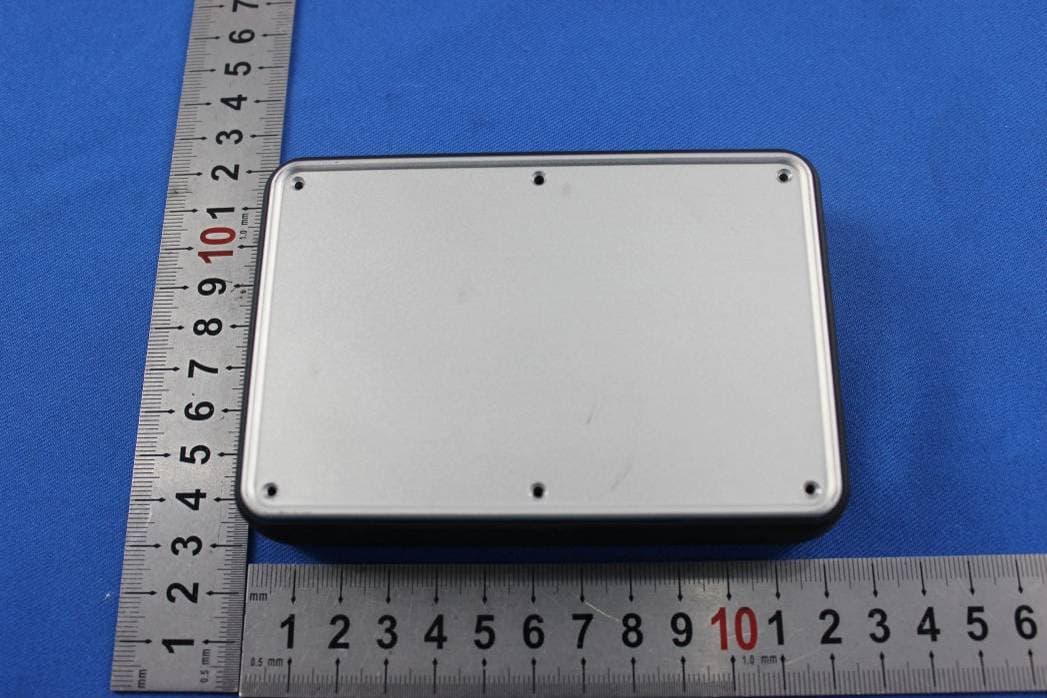
2AAWX0114402
Nov 30, 2015Smart Mobile Power Pack
Equipment Class
DTS - Digital Transmission System
2AAWX-UNV107
Oct 22, 2015Incipio Universal Bluetooth Keyboard for 7 inch Tablet
Equipment Class
DSS - Part 15 Spread Spectrum Transmitter
2AAWXPW-201
Mar 01, 2015PROMPT AUTO Visual Notification Car Charger
Equipment Class
DTS - Digital Transmission System
2AAWX-IPD-346
Aug 21, 2014Steno Keyboard Folio for iPad Mini
Equipment Class
DSS - Part 15 Spread Spectrum Transmitter