2ACS63TXController of 8.75 inch Drone
ZEGO ELECTRONIC COMPANY LIMITED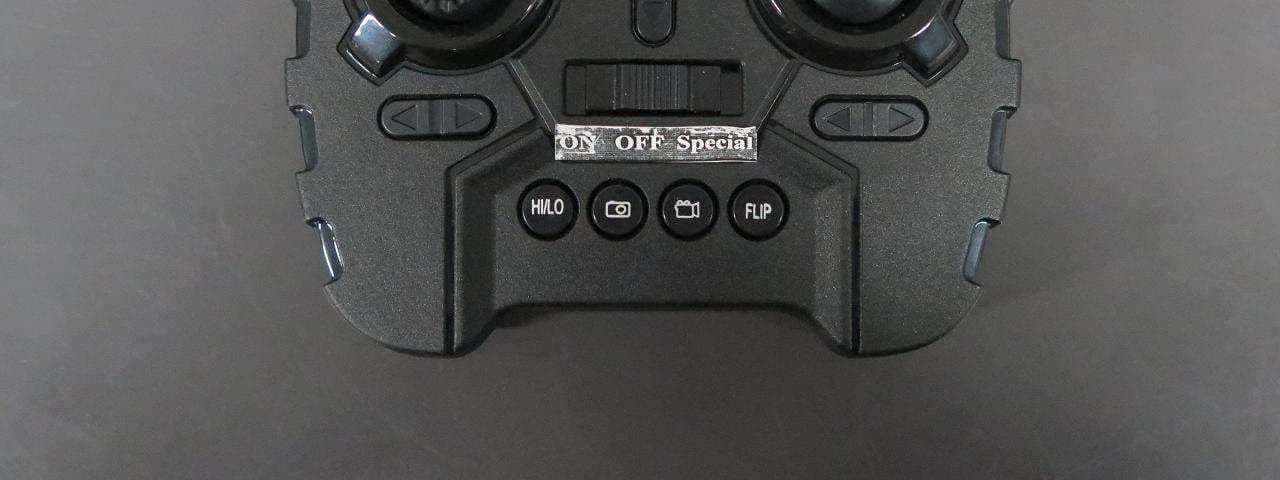
Click to zoom
Application Details
- Equipment Class
- DXX - Part 15 Low Power Communication Device Transmitter
- Date of Grant
- Jul 20, 2015
- Application Purpose
- Original Equipment
- Date of Application
- Jul 20, 2015
- Equipment Note
- Controller of 8.75 inch Drone
- Frequency Range
- 2402.00000000 - 2475.00000000
- Country
- Hong Kong
Documents & Files
Document Text
Text extracted from the exhibit documents filed with the FCC. Open a document above to read the original.
Users Manual
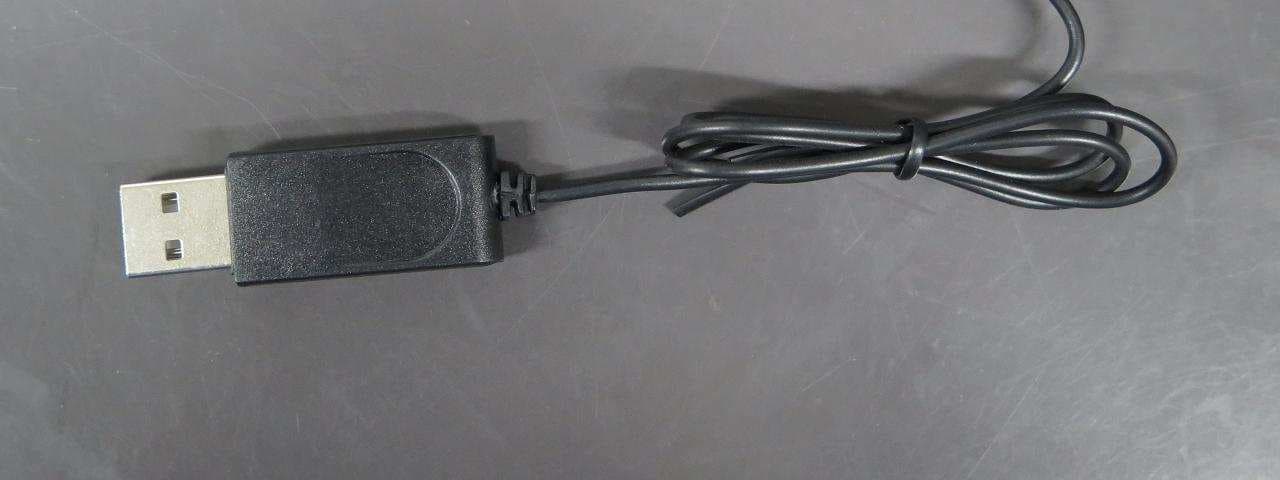
TM Zeraxa Drone with Camera User’s Guide 6001352 6001352_UG_EN_030315.indd 13/3/2015 2:52:37 PM 23 Install Batteries in the Remote Control 1. On the remote control, set the ON/OFF/Special switch to OFF. 2. Use a screwdriver to open the battery compartment. 3. Insert four AA batteries (not included), matching the polarities (+ and –) marked inside. Use alkaline batteries for optimal performance. Replace the cover. Note: If the remote control’s LED flashes during use, the batteries are low and should be replaced. We hope you enjoy your Zeraxa Drone with Camera from RadioShack. Please read this user’s guide before setting up and using your drone. CHOKING HAZARD! Small parts. Not for children under 3 years. Package Contents •Zeraxa Drone with Camera • Remote Control •USB Charging Cable • Spare Blades (2) •3.7V Drone Battery • User’s Guide Specifications Power ....................................................................................................................... Drone ...........................................................3.7V lithium polymer battery Remote control ................................................................4 × AA batteries Lens Resolution .................................................................................640 × 480 Control Distance ...................................................................200 ft. (60.96m) Specifications are subject to change and improvement without notice. Actual product may vary from the images found in this document. Fly Safely •When flying outdoors, keep the drone away from power lines, trees, weeds, and water. •When flying indoors, keep the drone away from walls, air conditioning, air vents, fans, breakable objects, and other obstacles. •Do not fly the drone near or at other people or animals. •Keep eyes, hands, hair, and loose clothing away from moving blades. •If the drone crashes, the SD card may fall out and be lost. •Adult supervision is recommended at all times. 6001352_UG_EN_030315.indd 2-33/3/2015 2:52:37 PM 45 Charge the Drone Battery Your drone uses a lithium polymer battery for power. 1. Use a screwdriver to open the drone battery compartment door. 2. Take out the battery. Holding the battery connector (NOT the cable), carefully unplug the battery from the drone. 3. Use the USB charging cable to connect the battery to a USB power source, such as a laptop. The LED on the USB connector lights red during charging, and turns off when charging is complete. A full charge takes about 100 minutes. A fully charged battery provides up to 5 minutes fly time with camera function. 4. After charging, unplug the USB charging cable. Do not attempt to overcharge the battery. Caution: Use and charge only the supplied lithium battery with the included USB charging cable. Using any other battery and cable may damage the drone. LED Battery Notes •Always let the drone battery cool before recharging. •Dispose of old batteries promptly and properly. Do not burn or bury them. Use only fresh batteries of the required size and recommended type. •Do not mix old and new batteries, different types of batteries (standard, alkaline, or rechargeable), or rechargeable batteries of different capacities. •If you do not plan to use the drone for a long period, remove the batteries from the remote control. Batteries can leak chemicals that can damage electronic parts. Lithium Battery Notes •Do not puncture or crush. Do not disassemble. •Do not dispose of lithium batteries in the trash. •If the electrolyte in the cells should get on your skin, thoroughly wash with soap and water. If in the eyes, rinse thoroughly with cool water. Immediately seek medical attention. •Follow the manufacturer’s instructions for charging the drone and do not charge longer than recommended. Unplug the charging cable when the drone is charged. •Do not attempt to charge or operate damaged toys. 6001352_UG_EN_030315.indd 4-53/3/2015 2:52:38 PM 67 ON/OFF Back LEDs (green) Camera Lens Front LEDs (white) Rotor Blades (4) Body LEDs (red) 6001352_UG_EN_030315.indd 6-73/3/2015 2:52:38 PM 89 Left/Right Slide Trim Photo Left/Right Turning Trim Forward/Reverse Movement Trim ThrottleSteering Forward Backward Slide right Slide left Ascend Descend Turn right Turn left LED ON/OFF/Special HI/LO Switch between high speed (double beep) and low speed (single beep). FLIP Turn stunt mode on/off. . Video 6001352_UG_EN_030315.indd 8-93/3/2015 2:52:39 PM 1011 Get Ready to Fly 1. Plug the drone battery into the socket, insert the battery and its cable into the battery compartment, and secure the compartment door. 2. Turn on the drone. The LEDs under the arms and on top of the body flash. 3. Place the drone on level ground. 4. Set the remote control’s ON/OFF/Special switch to ON. The remote control's LED flashes. 5. Move the throttle all the way up and then down to pair the remote control with the drone. The drone’s blades remain still during pairing. When paired, all LEDs on both the remote control and drone stop flashing and light steadily. Note: If pairing fails, turn off the drone and remote control and repeat the steps above, or change locations to avoid electrical interference. 2 1 Screw Fly Your Drone 1. With the drone on the ground, move the throttle forward to fly. 2. To land your drone, slowly move the throttle backward to descend. Avoid moving the throttle too quickly, as it can stop the blades instantly and cause the drone to crash. 3. When you finish flying the drone, turn off the remote control and drone. Disconnect and remove the drone battery. Trim Your Drone Push the throttle forward and observe how the drone reacts. Forward/Reverse Movement Trim: If the drone tends to move forward, press 6 ; if it tends to move backward, press 5 . Left/Right Slide Trim: If the drone tends to slide right, press 3 ; if it tends to slide left, press 4 . Left/Right Turning Trim: If the drone tends to turn right, press 3 ; if it tends to turn left, press 4 . Note: The remote control beeps …
Text truncated - open the document above for the full version.
Cover Letter(s)
ZEGO ELECTRONIC CO.,LTD Federal Communications Commission Authorization and Evaluation Division Confidentiality Request regarding application for certification of FCC ID: 2ACS63TX. Pursuant to Sections 0.457 and 0.459 of the Commission’s Rules, we hereby request confidential treatment of information accompanying this application as outlined below: Exhibit Type File Name Block Diagram 2ACS63TX BlkDia.pdf Schematics 2ACS63TX Schem.pdf Operational Description 2ACS63TX OpDes.pdf The above materials contain trade secrets and proprietary information not customarily released to the public. The public disclosure of these materials may be harmful to the applicant and provide unjustified benefits to its competitors. The applicant understands that pursuant to Section 0.457 of the Rules, disclosure of this application and all accompanying documentation will not be made before the date of the Grant for this application. Sincerely, ZEGE ELECTRONIC CO., LIMITED ------------------------------- Jade Wang Vice-general Manager
External Photos
External Photo
ID Label/Location Info
Label Sample
Internal Photos
Internal Photo
Test Report
TEST REPORT Report No. : AT0039649(9) Date : 30 Jan 2015 For and on behalf of CMA Industrial Development Foundation Limited Authorized Signature : Page 1 of 28 Mr. WONG Lap-pong, Andrew Manager Electrical Division FCC ID: 2ACS63TX Application No. : LS050602(2) Applicant : Zego Electronic Company Limited (Shenzhen Yangri Electronic Ltd) Room 703, Kowloon Building, 555 Nathan Road, Kowloon, HK Sample Description : One(1) item of submitted sample stated to be Controller of 8.75” Drone of Model No. 6001352 and 6001360 Sample registration No. : RS056841-001, RT006327-001 Radio Frequency : 2402MHz – 2475 MHz Transceiver Rating : 4 x 1.5V AA size batteries No. of submitted sample : Six (6) set (s) Date Received : 31 Dec 2014, 22 Jan 2015 Test Period : 12 Jan 2015 to 30 Jan 2015. Test Requested : FCC Part 15 Certificate Test Method : 47 CFR Part 15 (10-1-12 Edition) ANSI C63.4 – 2009 Test Engineer : Mr. LEUNG Shu-kan, Ken Test Result : See attached sheet(s) from page 2 to 28. Conclusion : The submitted sample was found to comply with requirement of FCC Part 15 Subpart B and C. Remark : All two models are the same in circuitry and components; and therefore model 6001352 was chosen to be the representative of the test sample. The difference between the tested model and the declared model(s) is/are the Model no. and Color TEST REPORT Report No. : AT0039649(9) Date : 30 Jan 2015 Page 2 of 28 FCC ID: 2ACS63TX Table of Contents 1 General Information ................................................................................................................................... 3 1.1 General Description ............................................................................................................................ 3 1.2 Location of the test site ....................................................................................................................... 4 1.3 List of measuring equipment............................................................................................................... 5 1.4 Measurement Uncertainty ................................................................................................................... 6 2 Description of the radiated emission test ................................................................................................... 7 2.1 Test Procedure .................................................................................................................................... 7 2.2 Test Result .......................................................................................................................................... 8 2.3 Radiated Emission Measurement Data ............................................................................................... 9 3 Description of the Line-conducted Test ................................................................................................... 13 3.1 Test Procedure .................................................................................................................................. 13 3.2 Test Result ........................................................................................................................................ 13 3.3 Graph and Table of Conducted Emission Measurement Data .......................................................... 13 4 Photograph ............................................................................................................................................... 14 4.1 Photographs of the Test Setup for Radiated Emission and Conducted Emission ............................. 14 4.2 Photographs of the External and Internal Configurations of the EUT .............................................. 14 5 Supplementary document ......................................................................................................................... 15 5.1 Bandwidth ......................................................................................................................................... 15 6 Appendices ............................................................................................................................................... 16 TEST REPORT Report No. : AT0039649(9) Date : 30 Jan 2015 Page 3 of 28 FCC ID: 2ACS63TX 1 General Information 1.1 General Description The equipment under test (EUT) is a transmitter for 8.75” Drone. The EUT is power by 4 x 1.5V AA size batteries. It operates at 2402MHz – 2475 MHz. There are buttons and joysticks on the EUT. When the buttons are pressed or the joysticks are moved, the EUT will transmit radio control signal to receiver. The brief circuit description is listed as follows: - U3 and its associated circuit act as MCU - U4 and its associated circuit act as RF circuit - U1 and its associated circuit act as power supply circuit - Y1 and its associated circuit act as oscillator - S1, S2, S3, S4, S5, S6, S7, S8, S9, S10 and its associated circuit act as copter control TEST REPORT Report No. : AT0039649(9) Date : 30 Jan 2015 Page 4 of 28 FCC ID: 2ACS63TX 1.2 Location of the test site FCC Registered Test Site Number: 552221 Radiated emissions measurements are investigated and taken pursuant to the procedures of ANSI C63.4 – 2009. A Semi-Anechoic Chamber Testing Site is set up for investigation and located at: Ground Floor, Yan Hing Centre, 9 – 13 Wong Chuk Yeung Street, Fo Tan, Shatin, New Territories, Hong Kong. Conducted emissions measurements are investigated and also taken pursuant to the procedures of ANSI C63.4 – 2009. A shielded room is located at : Ground Floor, Yan Hing Centre, 9 – 13 Wong Chuk Yeung Street, Fo Tan, Shatin, New Territories, Hong Kong. TEST REPORT Report No. : AT0039649(9) Date : 30 Jan 2015 Page 5 of 28 FCC ID: 2ACS63TX 1.3 List of measuring equipment Equipment Manufacturer Model No. Serial No. Calibration Due Date Calibration Period EMI Test Receiver R&S ESCI 100152 28 Aug 2015 1Year Spectrum Analyzer R&S FSV40 100628 02 Feb 2…
Text truncated - open the document above for the full version.
Test Report
TEST REPORT Report No. : AT0039649(9) Date : 30 Jan 2015 Tested by: Reviewed by: Mr. LEUNG Shu-kan, Ken Mr. WONG Lap-pong, Andrew Page 27 of 28 FCC ID: 2ACS63TX A6. 20dB Bandwidth Plot Bandwidth 1 (2402MHz) Bandwidth 2 (2433MHz) TEST REPORT Report No. : AT0039649(9) Date : 30 Jan 2015 Tested by: Reviewed by: Mr. LEUNG Shu-kan, Ken Mr. WONG Lap-pong, Andrew Page 28 of 28 FCC ID: 2ACS63TX A6. 20dB Bandwidth Plot Bandwidth 3 (2475MHz) ***** End of Report *****
Test Report
TEST REPORT Report No. : AT0039649(9) Date : 30 Jan 2015 Tested by: Reviewed by: Mr. LEUNG Shu-kan, Ken Mr. WONG Lap-pong, Andrew Page 25 of 28 FCC ID: 2ACS63TX A5. Band Edge Lower edge (Peak measurement) Lower edge (Average measurement) TEST REPORT Report No. : AT0039649(9) Date : 30 Jan 2015 Tested by: Reviewed by: Mr. LEUNG Shu-kan, Ken Mr. WONG Lap-pong, Andrew Page 26 of 28 FCC ID: 2ACS63TX A5. Band Edge Upper edge (Peak measurement) Upper edge (Average measurement)
Test Setup Photos
Test Setup Photo Front view (30MHz – 1GHz) Rear view (30MHz – 1GHz) Front view (9kHz – 30MHz) Rear view (9kHz – 30MHz) Front view (1GHz – 25GHz) Rear view (1GHz – 25GHz)
Contact Information
Applicant
JADE WANG(VICE-GENERAL MANAGER)
Test Firm
CMA Industrial Development Foundation LimitedJoey Kwok
[email protected]+852 2690 8255
Technical Specifications
| # | Rule Parts | Frequency Range | Power Output |
|---|---|---|---|
| 1 | 15C | 2.40 GHz - 2.48 GHz | - |
Other Applications from ZEGO ELECTRONIC COMPANY LIMITED
2ACS64RX
Aug 19, 2015Copter of Vektor Drone
Equipment Class
DXX - Part 15 Low Power Communication Device Transmitter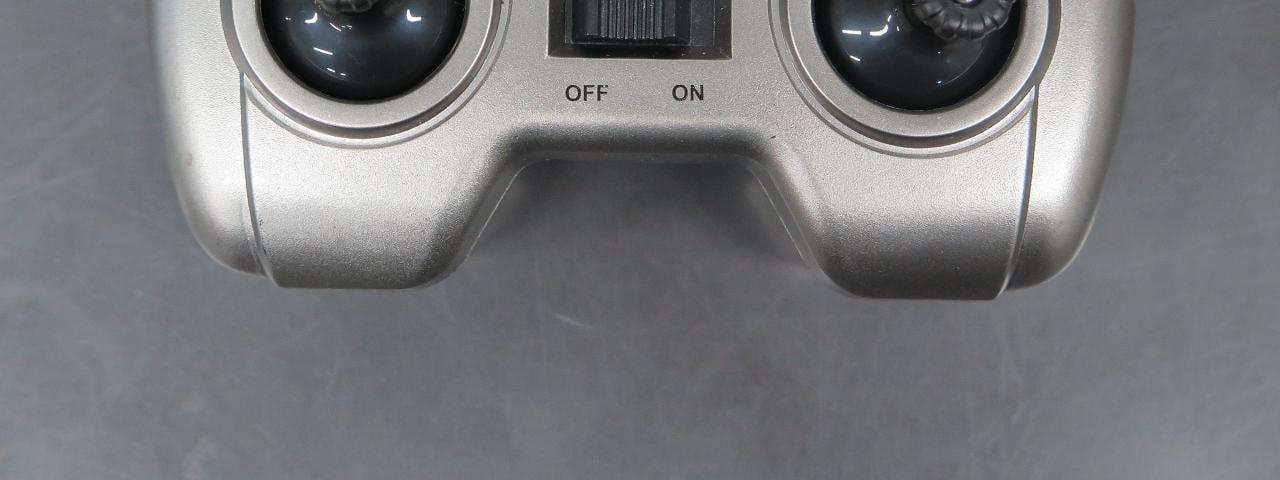
2ACS65TX
Aug 19, 2015Controller of Dominator Drone
Equipment Class
DXX - Part 15 Low Power Communication Device Transmitter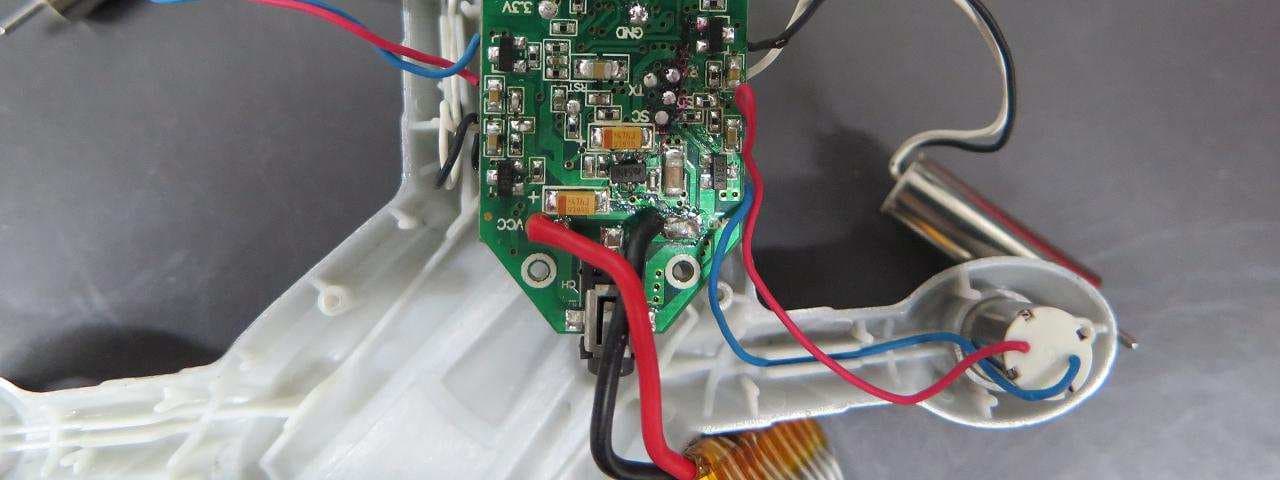
2ACS67RX
Aug 19, 2015Copter of Battle Drone
Equipment Class
DXX - Part 15 Low Power Communication Device Transmitter
2ACS67TX
Aug 19, 2015Controlller of Battle Drone
Equipment Class
DXX - Part 15 Low Power Communication Device Transmitter
2ACS65RX
Aug 19, 2015Copter of Dominator Drone
Equipment Class
DXX - Part 15 Low Power Communication Device Transmitter