2AL8S-0235CC16IP Camera
ZHEJIANG UNIVIEW TECHNOLOGIES CO LTD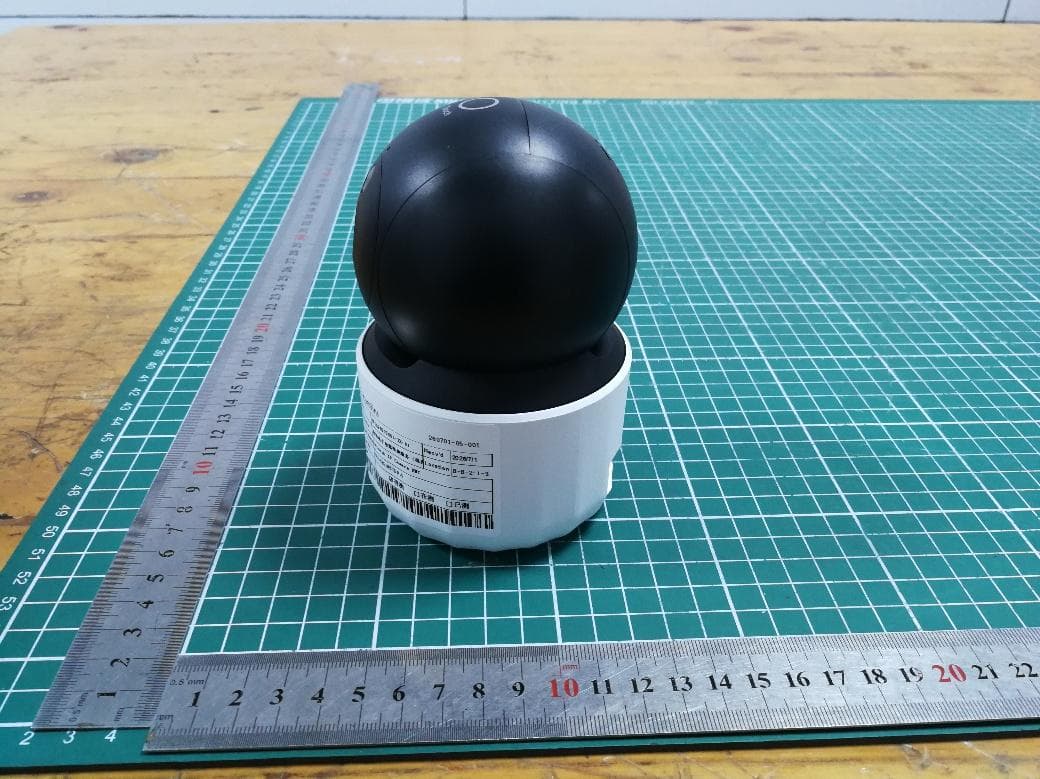
Click to zoom
Application Details
- Equipment Class
- DTS - Digital Transmission System
- Date of Grant
- Jul 31, 2026
- Application Purpose
- Original Equipment
- Equipment Note
- IP Camera
- Frequency Range
- 2412.00000000 - 2462.00000000
- Country
- China
Documents & Files
Document Text
Text extracted from the exhibit documents filed with the FCC. Open a document above to read the original.
Users Manual
Disclaimer and Safety Warnings V1.00 1 Preface The content of this section is designed to ensure that users use the product correctly to prevent dangers or property loss caused by improper operation. Before using this product, be sure to read this manual carefully. Please keep this manual properly for future reference. About This Manual We recommend that you use this manual under the guidance of a professional. This manual is designed for use with multiple product models, and it is not possible to list the appearance and functions of each product individually. Please refer to the actual product for use. This manual is intended for multiple software versions, and the illustrations and descriptions in this manual may be different from the actual GUI and functions of the software. Despite our best efforts, technical or typographical errors may exist in this manual. Our company cannot be held responsible for any such errors and reserves the right to change the manual without prior notice. Users are fully responsible for the damages and losses that arise due to improper operation. Our company reserves the right to change any information in this manual without any prior notice or indication. Due to such reasons as product version upgrade or regulatory requirement of relevant regions, this manual will be periodically updated. This manual will be updated in real time according to the laws and regulations of the relevant regions. For specific details, please refer to the product's paper copy, QR code, or official website. In case of any discrepancy between the paper copy and the electronic version, the electronic version shall prevail. About This Product If the product you have chosen is a video product, please strictly adhere to the applicable laws and regulations. You can visit our official website to inquire about the relevant content. Instructions for Use This document serves as a guide for use only. All statements, information, and suggestions contained in this document do not constitute any express or implied warranty. We assume no responsibility for any special, incidental, consequential, or indirect damages resulting from the use of this manual or the use of our products, including but not limited to losses due to loss of business profits, data or document loss, and product malfunction or information leakage caused by cyber-attack, hacker attack, and virus infections. Due to uncertain factors such as the physical environment, there may be discrepancies between the actual values of some data and the reference values provided in the manual. In case of any questions or disputes, the company's final interpretation shall prevail. 2 Formatting Conventions The UI formatting conventions used in this document are as follows: Format Meaning Bold Bold means UI elements (button names, menu names, window names, etc.), e.g., Click Save. > Indicate a sequence of actions, e.g., click Device Management > Add Device, which means first click Device Management, and then click Add Device. Symbol Conventions This document uses various distinctive symbols to highlight areas that require special attention during the operation process. The meanings of these symbols are as follows: Symbol Meaning NOTE: Provides tips and additional information related to the operation and use of the product. CAUTION: Alerts to matters that requires attention during operation, as improper handling may lead to product damage, data loss, or functional abnormalities. WARNING: The annotations following this symbol demand extra attention, as improper handling could potentially cause personal injury. Legal Statement Copyright Statement All parts of this document, including but not limited to text, images, and graphics, are copyrighted and belong to our company (hereinafter referred to as "we" “us”). Without our written permission, no organization or individual may excerpt, copy, translate, modify, or disseminate any part or all of the content of this manual in any form. The products described in this manual may contain software copyrighted by us and any potential licensors. Without the permission of the relevant rights holders, no one may copy, distribute, modify, excerpt, decompile, disassemble, decrypt, reverse engineer, rent, transfer, sublicense, or engage in any other actions that infringe upon the software copyright in any form. 3 Export Compliance Statement Our company complies with applicable export control laws and regulations worldwide, including that of the People's Republic of China and the United States, and abides by relevant regulations relating to the export, re- export and transfer of hardware, software and technology. Regarding the product described in this manual, our company asks you to fully understand and strictly abide by the applicable export laws and regulations worldwide. EU Authorised Representative UNV Technology EUROPE B.V. Treubstraa 1, 2288 EG, Rijswijk, Netherlands. If you have any feedback, please contact us at [email protected]. Disclaimer of Liability We assume no responsibility and offer no compensation for any special, incidental, consequential, or indirect damages resulting from the use of this manual or our products, including but not limited to losses related to lost business profits, data, or document loss. The product described in this manual is provided on an "as is" basis. Unless required by applicable law, this manual is only for informational purpose, and all statements, information, and recommendations in this manual are presented without warranty of any kind, expressed or implied, including, but not limited to, merchantability, satisfaction with quality, fitness for a particular purpose, and noninfringement. Users must assume total responsibility and all risks for connecting the product to the Internet, including, but not limited to, network attack, hacking, and virus. We strongly recommend that users take all necessary measures to enhance the protection of networ…
Text truncated - open the document above for the full version.
Users Manual
Français Caméra Wi-Fi panoramique et inclinable * signifie que les composants sont en option et sont fournis uniquement avec certains modèles. 1 Présentation de l'appareil 2 Connexion des câbles 3 Utilisation de l'appareil Utilisez l'application pour scanner le code QR présent sur le dessous de l'appareil ou sur le guide de démarrage rapide, puis suivez les instructions à l'écran pour ajouter l'appareil. État des indicateurs Bleu clignotant Bleu fixe Rouge fixe Rouge clignotant État de l’appareil Démarrage En attente de connexion réseau Fonctionnement normal Échec de la connexion Wi-Fi Réinitialisation Vous pouvez reconfigurer la fonction du bouton tactile via l'application. Par défaut, appuyer et maintenir le bouton pendant 2 secondes permet d'appeler l'application ou de mettre fin à l'appel. Pour réinitialiser l'appareil, appuyez et maintenez le bouton RST enfoncé plus de 3 secondes dans les 10 minutes suivant la mise sous tension. Connexion réseau: Prend en charge les connexions sans fil et filaires. Si vous utilisez le mode sans fil, veuillez ne pas connecter le câble réseau. Connexion électrique Connectez l'appareil à l'alimentation électrique conformément aux spécifications indiquées sur le dessous de l'appareil. Italiano Telecamera Wi-Fi con Pan & Tilt * Opzionale, disponibile solo con alcuni modelli. 3 Utilizzo del dispositivo Utilizzare l'app per scansionare il codice QR sul fondo del dispositivo o sulla guida rapida e seguire le istruzioni sullo schermo per aggiungere il dispositivo. Stato dell'indicatore Lampeggiamento blu Blu fisso Rosso fisso Rosso lampeggiante Stato del dispositivo Avvio in corso In attesa di connessione di rete Funzionamento normale Connessione Wi-Fi non riuscita Ripristino 1 Introduzione al dispositivo È possibile riconfigurare la funzione del pulsante Touch sull'app. Per impostazione predefinita, premere e tenere premuto il pulsante per 2 secondi chiamerà l'app o terminerà la chiamata. Per resettare il dispositivo, premere e tenere premuto il pulsante RST per più di 3 secondi entro 10 minuti dall'accensione. 2 Collegamento dei cavi Connessioni di Rete: Supporta connessioni wireless e cablate. Se si utilizza la modalità wireless, non collegare il cavo di rete. Connessione di alimentazione: Collegare il dispositivo all'alimentazione secondo le specifiche indicate sul fondo del dispositivo. Nederlands Pan & Tilt Wi-Fi-camera * betekent optioneel en alleen meegeleverd bij bepaalde modellen. 1 Inleiding apparaat U kunt de functie van de aanraakknop op de app opnieuw instellen. Standaard wordt, wanneer u de knop 2 seconden ingedrukt houdt, een oproep via de app geplaatst of beëindigd. Om het apparaat opnieuw in te stellen, houdt u de RST-knop langer dan 3 seconden ingedrukt binnen 10 minuten nadat het apparaat is ingeschakeld. 3 Gebruik van het apparaat Gebruik de app om de QR-code op de onderkant van het apparaat of in de snelstartgids te scannen, en volg de aanwijzingen op het scherm om het apparaat toe te voegen. Indicatorstatus Knippert blauw Vast blauw Ononderbroken rood Knippert rood Apparaatstatus Opstarten Wachten op netwerkverbinding Normale werking Wi-Fi-verbinding mislukt Bezig met herstellen 2 Kabelaansluiting Netwerkverbinding: Ondersteunt zowel draadloze als bekabelde verbindingen. Als u de draadloze modus gebruikt, sluit u dan geen netwerkkabel aan. Voedingsaansluiting: Sluit het apparaat aan op de voeding volgens de specificaties aangegeven op de onderkant van het apparaat. Deutsch Pan & Tilt WLAN-Kamera * bedeutet optional und wird nur für bestimmte Modelle mitgeliefert. 3 Geräteverwendung Verwenden Sie die App, um den QR-Code auf der Unterseite des Geräts oder im Schnellstartguide zu scannen, und folgen Sie den Anweisungen auf dem Bildschirm, um das Gerät hinzuzufügen. Statusanzeige Blaues Blinken Dauerhaft blau Dauerhaft rot Blinkt rot Gerätestatus Gerät fährt hoch Warten auf Netzwerkverbindung Normaler Betrieb Wi-Fi-Verbindung fehlgeschlagen Zurücksetzen 1 Einführung des Geräts Sie können die Funktion der Touch-Taste in der App neu konfigurier en. Standardmäßig wird durch zweisekündiges Drücken und Halten der Taste die App aufgerufen oder der Anruf beendet. Um das Gerät zurückzusetzen, drücken und halten Sie die RST-Taste länger als 3 Sekunden, innerhalb von 10 Minuten nach dem Einschalten des Geräts. 2 Kabel anschließen Netzwerkverbindung: Unterstützt sowohl drahtlose als auch kabelgebundene Verbindungen. Wenn Sie den drahtlosen Modus verwenden, schließen Sie bitte das Netzwerkkabel nicht an. Stromanschluss: Schließen Sie das Gerät gemäß den auf der Unterseite des Geräts angegebenen Spezifikationen an die Stromversorgung an. Čeština Kamera Wi-Fi s Pan & Tilt * znamená volitelné a dodávané pouze s určitými modely. 3 Použití zařízení Pomocí aplikace naskenujte QR kód umístěný na spodní straně zařízení nebo v rychlém průvodci a následujte pokyny na obrazovce, abyste zařízení přidali. Stav indikátoru Blikající modrá barva Trvalé svítění modré barvy Trvale svítí červeně Blikající červená barva Stav zařízení Spouštění Čekání na síťové připojení Normální provoz Selhání připojení Wi-Fi Probíhá resetování 1 Úvod k zařízení Funkci dotykového tlačítka můžete překonfigurovat v aplikaci. Ve výchozím nastavení se po podržení tlačítka po dobu 2 sekund spustí hovor přes aplikaci nebo bude hovor ukončen. Chcete-li zařízení resetovat, stiskněte a podržte tlačítko RST déle než 3 sekundy během 10 minut od jeho zapnutí. 2 Připojení kabelem Sítové připojení: Podporuje bezdrátová i kabelová připojení. Pokud používáte bezdrátový režim, nepřipojujte síťový kabel. Připojení napájení: Zařízení připojte ke zdroji napájení podle specifikací uvedených na spodní straně zařízení. Dansk Pan & Tilt Wi-Fi-kamera * betyder valgfrit og leveres kun med visse modeller. 3 Anvendelse af enheden Brug appen til at skanne QR-koden på undersiden af enheden eller i hurtigvejledningen, og følg skærmvejledningen for at tilføje enheden. Statusindikator Blinkende blå Konstant blå Konstant…
Text truncated - open the document above for the full version.
Users Manual
Quick Guide V1.01 Uniarch * * uniarch_globalUniarch Global uniarch_global ×1 ×1 ×1 ×1 Quick Guide 12 3 ∅6.0~6.5mm ≥30mm 45 21 Log in/Sign up 3 Add Device Follow the on-screen instructions to add the device. Quick Guide OR Add Device Español Cámara Wi-Fi con Pan & Tilt * indica que es opcional o se suministra sólo con ciertos modelos. 1 Presentación del dispositivo 2 Conexión del cable 3 Uso del dispositivo Utilice la aplicación para escanear el código QR situado en la parte inferior del dispositivo o en la guía rápida, y siga las instrucciones en pantalla para añadirlo. Estado del Indicador Parpadeo azul Azul fijo Rojo fijo Parpadeando en rojo Estado del dispositivo Iniciándose Esperando conexión de red Funcionamiento normal Error de conexión Wi-Fi Reiniciando Puede reconfigurar la función del botón táctil desde la aplicación. De forma predeterminada, mantener pulsado el botón durante 2 segundos permitirá llamar a través de la aplicación o finalizar la llamada. Para restablecer el dispositivo, mantenga pulsado el botón RST durante más de 3 segundos en los 10 minutos posteriores a su encendido. Conexión de red: Compatible con conexiones inalámbricas y por cable. Si utiliza el modo inalámbrico, no conecte el cable de red. Conexión de alimentación: Conecte el dispositivo a la fuente de alimentación según las especificaciones indicadas en la parte inferior del dispositivo. Português 8 Image When enabled, the image will rotate 180°, suitable for inverted mount scenarios. Image Rotation ×1 ×1 SD 6 79 * significa opcional e fornecido apenas com determinados modelos. 1 Introdução do Dispositivo 2 Ligação de cabos 3 Utilização do Dispositivo Utilize a aplicação para digitalizar o código QR na parte inferior do dispositivo ou no guia rápido, e siga as instruções no ecrã para adicionar o dispositivo. Estado do Indicador Azul a piscar Azul fixo Vermelho fixo Vermelho intermitente Estado do dispositivo A iniciar À espera da ligação de rede Funcionamento normal Falha na ligação Wi-Fi A reiniciar Pode reconfigurar a função do botão Touch na aplicação. Por predefinição, premir e segurar o botão durante 2 segundos irá ligar a aplicação ou terminar a chamada. Para reiniciar o dispositivo, prima e segure o botão RST durante mais de 3 segundos dentro de 10 minutos após ligar o dispositivo. Ligação de Rede: Suporta ligações sem fios e por cabo. Se utilizar o modo sem fios, não ligue o cabo de rede. Ligação de energia: Ligue o dispositivo à alimentação de acordo com as especificações marcadas na parte inferior do dispositivo. Câmera Wi-Fi com Pan & Tilt English Pan&Tilt Wi-Fi Camera * means optional and supplied with certain models only. 3 Device Usage Use the app to scan the QR code on the bottom of the device or on the quick guide, and follow the on-screen instructions to add the device. Indicator Status Blinking blue Steady blue Steady red Blinking red Device Status Starting up Waiting for network connection Normal operation Wi-Fi connection failed Resetting 1 Device Introduction You can reconfigure the Touch button function on the app. By default, pressing and holding the button for 2 seconds will call the app or end the call. To reset the device, press and hold the RST button for more than 3 seconds within 10 minutes of powering it on. 2 Cable Connection Network connection: Supports both wireless and wired connections. If using wireless mode, please do not connect the network cable. Power connection: Connect the device to the power supply according to the specifications marked on the the bottom of the device. APP OR Internet Internet Internet OR Quick Guide OROR
Test Report
广州市高科中实通信技术有限公司 GaokeAntCo.,Ltd. 第1页共8页 产品规格承认书 SpecificationForApproval 客户名称: Customer 浙江宇视科技有限公司 供应商: Supplier 广州市高科中实通信技术有限公司 客户料号: CustomerP/N 产品名称: ProductionName WIFI铁片天线 产品型号: ProductionNumber GKZS-WIFI-TP1413-S 供应商确认盖章(SupplierSignature) 工程师Engineer审核Checkedby批准Approvedby 黄裕明谢倩菊杨敬松 2025年08月25日2025年08月25日2025年08月25日 客户确认盖章(CustomerSignature) 工程师Engineer审核Checkedby批准Approvedby 年月日年月日年月日 注:客户确认盖章后,请将此承认书回传到我公司。 广州市高科中实通信技术有限公司 地址:中国广东省广州市从化区神岗广从南路22号 Tel:020-87080630/87080639/87080632 Fax:020-87080731 http://www.gkzs.com.cn 广州市高科中实通信技术有限公司 GaokeAntCo.,Ltd. 第2页共8页 变更履历表 DescriptionRecord 版本 Version 修改内容 ContentRevised 创建者 Modifier 日期 Date A/0初始新建谢勉艾2023.07.11 A/1更新图纸、实物图谢勉艾2023.12.15 A/2增加包装方式谢勉艾2024.07.11 A/3更新包装按2PCS/格96PCS/盘胡梅娇2025.08.25 广州市高科中实通信技术有限公司 GaokeAntCo.,Ltd. 第3页共8页 一、产品结构图纸(mm) 14±0.2 7.85±0.2 3.5±0.2 1.5±0.2 9.1±0.2 1±0.2 1±0.2 3.75±0.2 6±0.2 9.6±0.2 13.1±0.23±0.2 标记位置更 改 内 容 版本 签名/日期 图样名称 表面处理 第三视角: 审 核 工 艺 标准化 批 准 产品型号 比例 图样编号 单位 mm 版本页次 材 料 重 量 设 计 宿迁可耐可特有限公司 1/1A0 混合 WIFI铁片天线 GKZS-WIFI-TP1413-S 弯折侧面图 正面图 背面图 二、产品实物图 广州市高科中实通信技术有限公司 GaokeAntCo.,Ltd. 第4页共8页 三、天线技术参数 天线形式(Antennaform)WIFI铁片天线 工作频率(workingFrequency)2400-2500MHz、5150-5850MHz 增益(Gain) 3.37dBi(均值)、3.94dBi(峰值)@2400-2500MHz 3.38dBi(均值)、3.89dBi(峰值)@5150-5850MHz 天线效率(Antennaefficiency) 58.22%(均值)、60.02%(峰值)@2400-2500MHz 53.35%(均值)、57.00%(峰值)@5150-5850MHz 电压驻波比(VSWR)<1.5 极化方式(Ploriaztion)线极化 辐射方向(Radiationpattern)全向 馈电阻抗(impedance)50Ω 天线尺寸(Overaldimensions)14.26x13mm 重量(Weight)<2.0g 工作温度(OperatinTemp)-40°C~80°C 广州市高科中实通信技术有限公司 GaokeAntCo.,Ltd. 第5页共8页 四、天线性能测试 1 、回波损耗 & 驻波比 广州市高科中实通信技术有限公司 GaokeAntCo.,Ltd. 第6页共8页 3 、方向图( 2D 及 3D 图) 广州市高科中实通信技术有限公司 GaokeAntCo.,Ltd. 第7页共8页 4 、效率曲线图 5 、增益曲线图 广州市高科中实通信技术有限公司 GaokeAntCo.,Ltd. 第8页共8页 五、包装说明 第二步:预计2500PCS/箱(实际以出货为准) 第三步:内附出货检验报告, 在箱外侧面左上角贴标签,封口。 第一步:2PCS/格 96PCS/盘
Test Setup Photos
EFGX26060549-IE-01-Setup Photos 1 / 2 EFGX26060549-IE-01-Setup Photos 2 / 2
Test Report
Page 1 of 27 EUROFINS ELECTRICAL TESTING SERVICE (SHENZHEN) CO., LTD. RADIO TEST - REPORT FCC Compliance Test Report for Product name: IP Camera Model name: Uho-S3E-M3TDP-A, Uho-S3E-M5TDP-A FCC ID: 2AL8S-0235CC16 Test Report Number: EFGX26050549-IE-02-E05 Eurofins Electrical Testing Service (Shenzhen) Co., Ltd. Phone: +86-0755-829118671 Room 20 of 2/F., 1/F., Building 2, Spring Block & Room 102, Building 8 Fax: +86-0755-82910749 Autumn Block, Meishenghuigu Innovation Park, No.83, Dabao Road, Bao’an District, Shenzhen, Guangdong, China Page 2 of 27 Content 1 General Information 3 1.1 Notes 3 1.2 Testing laboratory 4 1.3 Details of applicant 4 1.4 Details of manufacturer 4 1.5 Application details 5 1.6 Test item 5 1.7 Test standards 6 2 Technical test 7 2.1 Summary of test results 7 2.2 Test environment 7 2.3 Measurement uncertainty 7 2.4 Test mode 8 2.5 Test equipment utilized 9 2.6 Auxiliary equipment used during test 10 2.7 Test software information 10 2.8 Test setup 11 2.9 Test results 13 3 Technical Requirement 14 3.1 Conducted emission AC power port 14 3.2 Duty cycle 15 3.3 6dB bandwidth 16 3.4 99% Occupied Bandwidth 17 3.5 DTS fundamental emission output power 18 3.6 Power spectral density 21 3.7 Conducted Band Edge & Conducted Spurious Emissions 24 3.8 Spurious emissions & Restricted Band 25 4 Test Setup Photos 27 5 External Photos 27 6 Internal Photos 27 7 Appendix 27 Test Report No.: EFGX26050549-IE-02-E05 Eurofins Electrical Testing Service (Shenzhen) Co., Ltd. Room 20 of 2/F., 1/F., Building 2, Spring Block & Room 102, Building 8, Autumn Block, Meishenghuigu Innovation Park, No.83, Dabao Road, Bao’an District, Shenzhen, Guangdong, China Telephone: +86-755-82911867, Fax : +86-755-82910749 Page 3 of 27 1 General Information 1.1 Notes The results of this test report relate exclusively to the item tested as specified in chapter “Description of test item” and are not transferable to any other test items. Eurofins Electrical Testing Service (Shenzhen) Co., Ltd. is not responsible for any generalisations and conclusions drawn from this report. Any modification of the test item can lead to invalidity of test results and this test report may therefore be not applicable to the modified test item. The test report may only be reproduced or published in full. Reproducing or publishing extracts of the report requires the prior written approval of the Eurofins Electrical Testing Service (Shenzhen) Co., Ltd. This document is subject to the General Terms and Conditions and the Testing and Certification System of Eurofins Electrical Testing Service (Shenzhen) Co., Ltd., available on request or accessible at www.eurofins.com. Operator 2026-07-30 Bruce Zheng / Project Engineer Date Eurofins-Lab. Name / Title Signature Technical responsibility for area of testing: 2026-07-30 Albert Xu / Lab Manager Date Eurofins-Lab. Name / Title Signature Test Report No.: EFGX26050549-IE-02-E05 Eurofins Electrical Testing Service (Shenzhen) Co., Ltd. Room 20 of 2/F., 1/F., Building 2, Spring Block & Room 102, Building 8, Autumn Block, Meishenghuigu Innovation Park, No.83, Dabao Road, Bao’an District, Shenzhen, Guangdong, China Telephone: +86-755-82911867, Fax : +86-755-82910749 Page 4 of 27 1.2 Testing laboratory Eurofins Electrical Testing Service (Shenzhen) Co., Ltd. Room 20 of 2/F., 1/F., Building 2, Spring Block & Room 102, Building 8, Autumn Block, Meishenghuigu Innovation Park, No.83, Dabao Road, Bao’an District, Shenzhen, Guangdong, China Telephone : +86-755-82911867 Fax : +86-755-82910749 The Laboratory has passed the Accreditation by the American Association for Laboratory Accrediation (A2LA). The Accreditation number is 5376.01 The Laboratory has been listed by industry Canada to perform electromagnetic emission measurements, The CAB identifier is CN0088 1.3 Details of applicant Name : Zhejiang Uniview Technologies Co., Ltd. Address : No. 369, Xietong Road, Xixing Sub-district, Binjiang District, Hangzhou City, 310051, Zhejiang Province, China Telephone : ./. Fax : ./. 1.4 Details of manufacturer Name : Zhejiang Uniview Technologies Co., Ltd. Address : No. 369, Xietong Road, Xixing Sub-district, Binjiang District, Hangzhou City, 310051, Zhejiang Province, China Telephone : ./. Fax : ./. Test Report No.: EFGX26050549-IE-02-E05 Eurofins Electrical Testing Service (Shenzhen) Co., Ltd. Room 20 of 2/F., 1/F., Building 2, Spring Block & Room 102, Building 8, Autumn Block, Meishenghuigu Innovation Park, No.83, Dabao Road, Bao’an District, Shenzhen, Guangdong, China Telephone: +86-755-82911867, Fax : +86-755-82910749 Page 5 of 27 1.5 Application details Date of receipt of application : 2026-05-27 Date of receipt of test item : 2026-05-27 Date of test : 2026-05-27 to 2026-07-30 Date of issue : 2026-07-30 1.6 Test item Product type : IP Camera Test Model : Uho-S3E-M3TDP-A, Uho-S3E-M5TDP-A Sample ID : 260527-38-001 Brand : ./. HW version : ./. SW version : ./. Ratings : DC 5V,1.5A; PoE 48V,0.25A Test voltage : DC 5V RadioTechnical data Radio Tech. : WLAN 2.4G Modulation : DSSS, OFDM, DFDMA Antenna type : Internal antenna Maximum antenna gain : 3.83dBi Additional information : All models are the same, except for the model name. 1. Power supply’s information: No. Model Manufacturer Technological data 1 TPA-141A050150UU01 SHENZHEN TIANYIN ELECTRONICS CO., LTD. Input: AC 100-240V, 50/60Hz 0.3A Output: DC 5V,1.5A The above sample(s) and sample information was/were submitted and identified on behalf of the applicant. Eurofins assures objectivity and impartiality of the test, and fulfills the obligation of confidentiality for applicant’s commercial infor- mation and technical documents. Test Report No.: EFGX26050549-IE-02-E05 Eurofins Electrical Testing Service (Shenzhen) Co., Ltd. Room 20 of 2/F., 1/F., Building 2, Spring Block & Room 102, Building 8, Autumn Block, Meishenghuigu Innovation Park, No.83, Dabao Road, Bao’an District, Shenzhen, Guangdong, China Telephone: +86-755-82911867, Fax : +86-755-82910749 Page 6 of 27…
Text truncated - open the document above for the full version.
Test Report
EFGX26050549-IE-02-E05 Appendix 76 / 105 Mode: AX40 Channel: 2422MHz Test Graph Suspected Data List NO. Frequency [MHz] Reading [dBμV/ m] Level [dBμV/m] Factor [dB] Limit [dBμV/m] Margin [dB] Height [cm] Angle [°] Det Polarity Verdict 1 2310.0000 37.01 39.68 2.67 74.00 34.32 150 17 PK Vertical PASS 2 2372.6600 43.49 46.50 3.01 74.00 27.50 150 38 PK Vertical PASS 3 2379.2900 46.64 49.69 3.05 74.00 24.31 150 0 PK Vertical PASS 4 2383.4500 48.64 51.66 3.02 74.00 22.34 150 356 PK Vertical PASS 5 2387.4800 49.72 52.66 2.94 74.00 21.34 150 0 PK Vertical PASS 6 2390.0000 47.71 50.66 2.95 74.00 23.34 150 319 PK Vertical PASS Note:(1)Level=Reading+Factor (2)Margin=Limit-Level EFGX26050549-IE-02-E05 Appendix 77 / 105 Mode: AX40 Channel: 2422MHz Test Graph Final Data List NO. Frequency [MHz] Factor [dB] PK Reading [dBμV/ m] PK Value [dBμV/m] PK Limit [dBμV/m] PK Margin [dB] AV Reading [dBμV/ m] AV Value [dBμV/m] AV Limit [dBμV/m] AV Margin [dB] Height [cm] Angle [°] Polarity Verdict 1 2310.0000 2.67 37.63 40.30 74.00 33.70 25.44 28.11 54.00 25.89 150 164 Horizonta l PASS 2 2372.0100 3.02 46.46 49.48 74.00 24.52 34.07 37.09 54.00 16.91 150 75 Horizonta l PASS 3 2382.6700 3.02 51.65 54.67 74.00 19.33 35.33 38.35 54.00 15.65 150 94 Horizonta l PASS 4 2384.4900 3.04 52.74 55.78 74.00 18.22 36.88 39.92 54.00 14.08 150 99 Horizonta l PASS 5 2388.5200 2.94 55.34 58.28 74.00 15.72 38.51 41.45 54.00 12.55 150 96 Horizonta l PASS 6 2390.0000 2.95 51.46 54.41 74.00 19.59 38.50 41.45 54.00 12.55 150 136 Horizonta l PASS Note:(1)Level=Reading+Factor (2)Margin=Limit-Level EFGX26050549-IE-02-E05 Appendix 78 / 105 Mode: AX40 Channel: 2452MHz Test Graph Final Data List NO. Frequency [MHz] Factor [dB] PK Reading [dBμV/ m] PK Value [dBμV/m] PK Limit [dBμV/m] PK Margin [dB] AV Reading [dBμV/ m] AV Value [dBμV/m] AV Limit [dBμV/m] AV Margin [dB] Height [cm] Angle [°] Polarity Verdict 1 2483.5000 3.46 50.99 54.45 74.00 19.55 37.9 41.36 54.00 12.64 150 17 Vertical PASS 2 2484.8500 3.53 53.45 56.98 74.00 17.02 38.94 42.47 54.00 11.53 150 360 Vertical PASS 3 2485.5000 3.50 53.7 57.20 74.00 16.80 39.51 43.01 54.00 10.99 150 321 Vertical PASS 4 2488.5000 3.50 51.5 55.00 74.00 19.00 38.59 42.09 54.00 11.91 150 4 Vertical PASS 5 2490.5000 3.56 51.85 55.41 74.00 18.59 39.44 43.00 54.00 11.00 150 334 Vertical PASS 6 2500.0000 3.50 45.35 48.85 74.00 25.15 25.43 28.93 54.00 25.07 150 321 Vertical PASS Note:(1)Level=Reading+Factor (2)Margin=Limit-Level EFGX26050549-IE-02-E05 Appendix 79 / 105 Mode: AX40 Channel: 2452MHz Test Graph Final Data List NO. Frequency [MHz] Factor [dB] PK Reading [dBμV/ m] PK Value [dBμV/m] PK Limit [dBμV/m] PK Margin [dB] AV Reading [dBμV/ m] AV Value [dBμV/m] AV Limit [dBμV/m] AV Margin [dB] Height [cm] Angle [°] Polarity Verdict 1 2483.5000 3.46 52.76 56.22 74.00 17.78 37.57 41.03 54.00 12.97 150 130 Horizonta l PASS 2 2484.5000 3.50 56.76 60.26 74.00 13.74 41.55 45.05 54.00 8.95 150 96 Horizonta l PASS 3 2485.2500 3.52 56.51 60.03 74.00 13.97 38.03 41.55 54.00 12.45 150 76 Horizonta l PASS 4 2485.7000 3.49 56.31 59.80 74.00 14.20 34.46 37.95 54.00 16.05 150 76 Horizonta l PASS 5 2488.5000 3.50 54.66 58.16 74.00 15.84 31.95 35.45 54.00 18.55 150 76 Horizonta l PASS 6 2500.0000 3.50 45.73 49.23 74.00 24.77 25.03 28.53 54.00 25.47 150 96 Horizonta l PASS Note:(1)Level=Reading+Factor (2)Margin=Limit-Level EFGX26050549-IE-02-E05 Appendix 80 / 105 Appendix I: Spurious emissions Test Result Note: The low frequency, which starts from 9 kHz to 30 MHz, is pre-scanned and the result which is 20 dB lower than the limit line is not reported. During the test, the Radiates Emission from 30MHz to 1GHz was performed in all modes with all channels. The test data of the worst-case (AX20-2412MHz) condition was recorded in this report. The measurement results above 18GHz were greater than 20dB below the limit, so only the radiated spurious emissions from 30MHz to 18GHz are reported. AC/DC Adapter mode: Suspected Data List NO. Freq. [MHz] Level [dBμV/m] Factor [dB] Limit [dBμV/m] Margin [dB] Height [cm] Angle [°] Polarity Verdict 1 55.3195 37.20 -16.52 40.00 2.80 150 184 Vertical PASS 2 83.9374 31.20 -20.31 40.00 8.80 150 283 Vertical PASS 3 155.627 6 21.73 -15.80 43.50 21.77 150 219 Vertical PASS 4 255.741 6 25.05 -17.65 46.00 20.95 150 33 Vertical PASS 5 371.862 2 27.42 -14.26 46.00 18.58 150 140 Vertical PASS 6 456.066 6 27.46 -11.63 46.00 18.54 150 103 Vertical PASS EFGX26050549-IE-02-E05 Appendix 81 / 105 Suspected Data List NO. Freq. [MHz] Level [dBμV/m] Factor [dB] Limit [dBμV/m] Margin [dB] Height [cm] Angle [°] Polarity Verdict 1 55.3195 28.14 -16.52 40.00 11.86 150 248 Horizontal PASS 2 83.9374 32.80 -20.31 40.00 7.20 150 177 Horizontal PASS 3 119.734 0 29.85 -17.57 43.50 13.65 150 82 Horizontal PASS 4 219.362 9 26.01 -19.12 46.00 19.99 150 99 Horizontal PASS 5 383.988 4 28.95 -13.82 46.00 17.05 150 80 Horizontal PASS 6 562.486 2 24.76 -9.61 46.00 21.24 150 72 Horizontal PASS EFGX26050549-IE-02-E05 Appendix 82 / 105 POE mode: QP Final Data List NO. Freq. [MHz] Factor [dB/m] QP Value [dBμV/m] QP Limit [dBμV/m] QP Margin [dB] Height [cm] Angle [°] Polarity Verdict 1 54.0075 -16.40 38.13 40.00 1.87 100 142 Vertical PASS 2 76.6812 -19.36 33.24 40.00 6.76 100 105 Vertical PASS 3 138.3975 -16.58 30.90 43.50 12.60 100 37 Vertical PASS 4 156.8275 -15.80 30.86 43.50 12.64 100 241 Vertical PASS 5 207.0250 -19.08 29.04 43.50 14.46 100 348 Vertical PASS 6 384.0500 -13.75 34.41 46.00 11.59 100 326 Vertical PASS EFGX26050549-IE-02-E05 Appendix 83 / 105 QP Final Data List NO. Freq. [MHz] Factor [dB/m] QP Value [dBμV/m] QP Limit [dBμV/m] QP Margin [dB] Height [cm] Angle [°] Polarity Verdict 1 45.8838 -15.91 37.41 40.00 2.59 100 12 Horizontal PASS 2 47.7025 -16.04 37.36 40.00 2.64 100 12 Horizontal PASS 3 49.6425 -16.15 36.81 40.00 3.19 100 12 Horizontal PASS 4 65.8900 -17.49 37.11 40.00 2.89 100 12 Horizontal PASS 5 77.2875 -19.45 31.92 40.00 8.08 100 12 Horizontal PASS 6 384.0500 -13.75 42.21 46.00 3.79 100 336 Horizontal PASS E…
Text truncated - open the document above for the full version.
Test Report
EFGX26050549-IE-02-E05 Appendix 49 / 105 11N40SISO_Ant1_2422_1000~26500 11N40SISO_Ant1_2437_0~Reference 11N40SISO_Ant1_2437_30~1000 EFGX26050549-IE-02-E05 Appendix 50 / 105 11N40SISO_Ant1_2437_1000~26500 11N40SISO_Ant1_2452_0~Reference EFGX26050549-IE-02-E05 Appendix 51 / 105 11N40SISO_Ant1_2452_30~1000 11N40SISO_Ant1_2452_1000~26500 11AX20SISO_Ant1_2412_0~Reference EFGX26050549-IE-02-E05 Appendix 52 / 105 11AX20SISO_Ant1_2412_30~1000 11AX20SISO_Ant1_2412_1000~26500 EFGX26050549-IE-02-E05 Appen…
Text truncated - open the document above for the full version.
Contact Information
Applicant
Feng Xu(Manager)
[email protected]Fax: +86 86509235
Technical Contact
Baihetian Innovative SolutionsKenneth Young
6837 Chase Rd · Dearborn, 48126 · United States
Test Firm
Eurofins Electrical Testing Service (Shenzhen) Co.Lynn Su
Technical Specifications
| # | Rule Parts | Frequency Range | Power Output |
|---|---|---|---|
| 1 | 15C | 2.41 GHz - 2.46 GHz | 24.83 mW |
Other Applications from ZHEJIANG UNIVIEW TECHNOLOGIES CO LTD
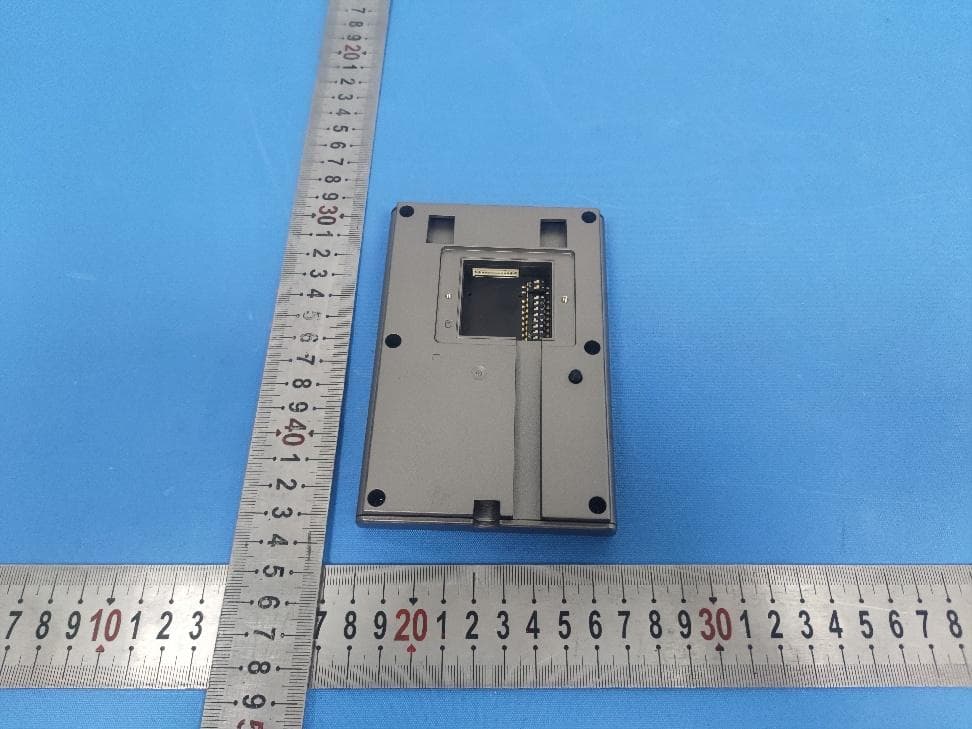
2AL8S-0231C1WB
Jun 01, 2026Card Reader
Equipment Class
DCD - Part 15 Low Power Transmitter Below 1705 kHz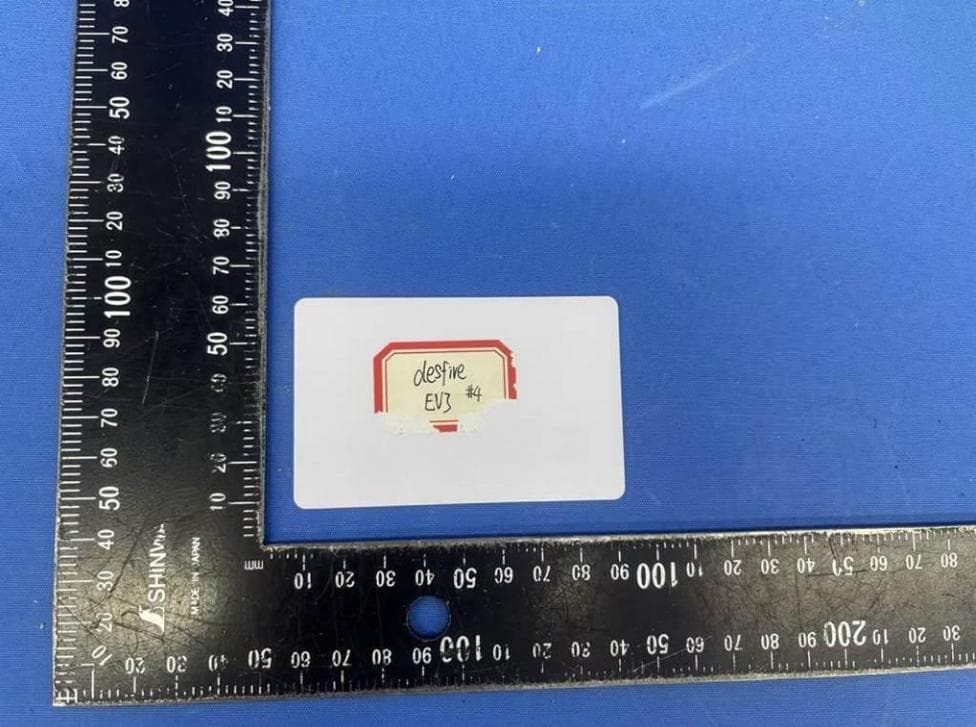
2AL8S-0231C1WH
Jun 01, 2026Card Enroller(Issuer)
Equipment Class
DCD - Part 15 Low Power Transmitter Below 1705 kHz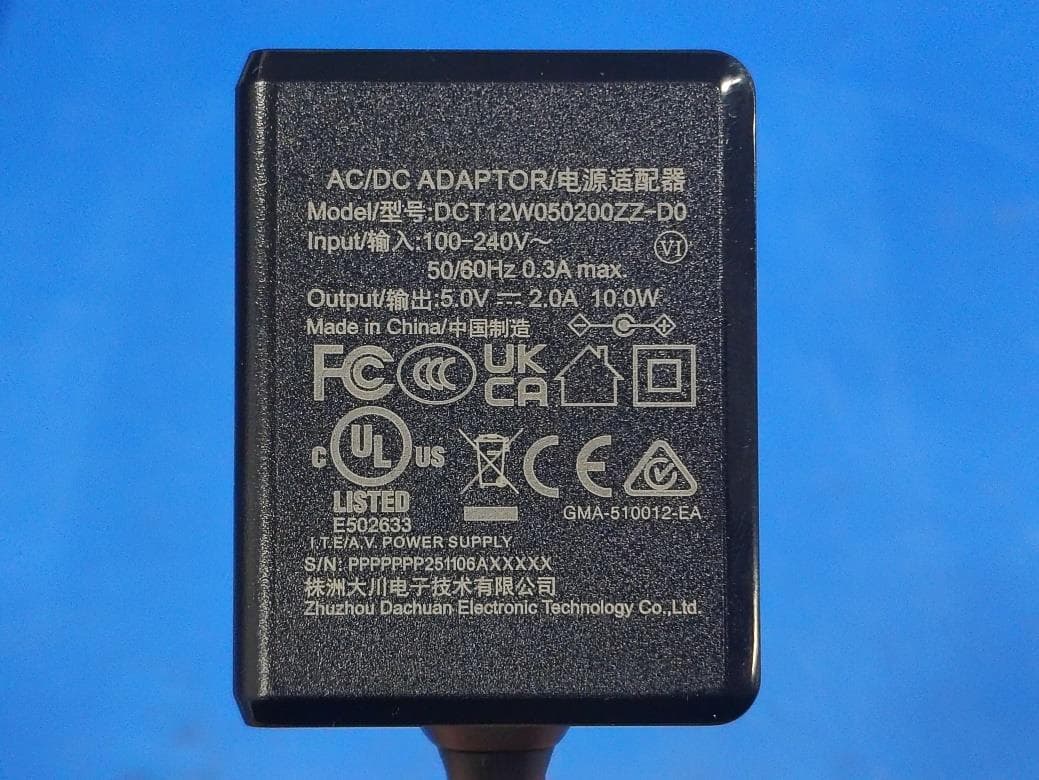
2AL8S-0235CBVN
Apr 14, 2026Main Station
Equipment Class
DTS - Digital Transmission System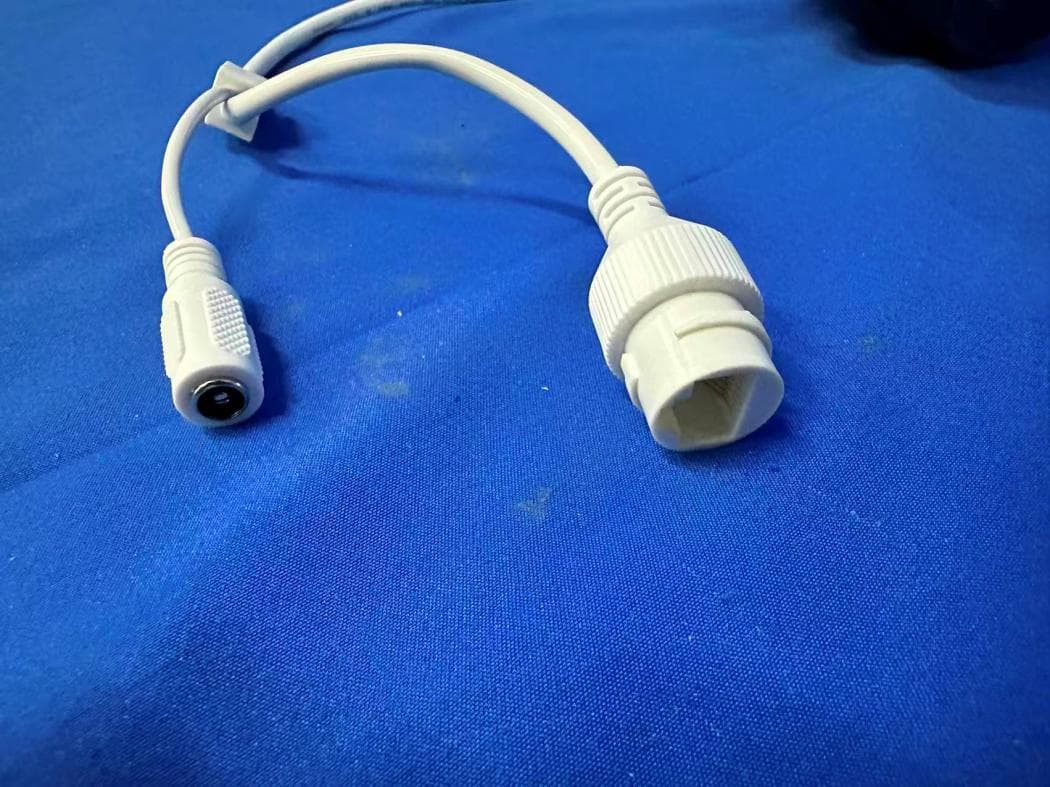
2AL8S-0235CBTC
Mar 11, 2026IP Camera
Equipment Class
DTS - Digital Transmission System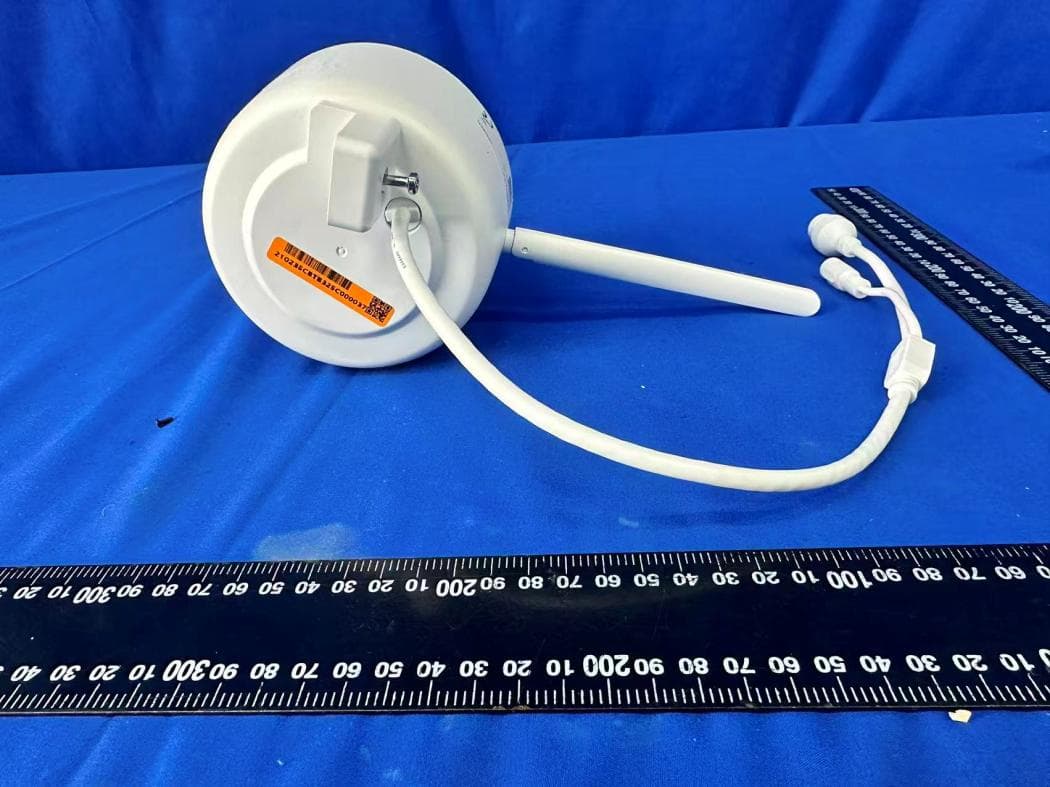
2AL8S-0235CBTB
Mar 11, 2026IP Camera
Equipment Class
DTS - Digital Transmission System