2APD3TS02smart watch
SHEN ZHEN TOMSTAR TECHNOLOGY CO., LTD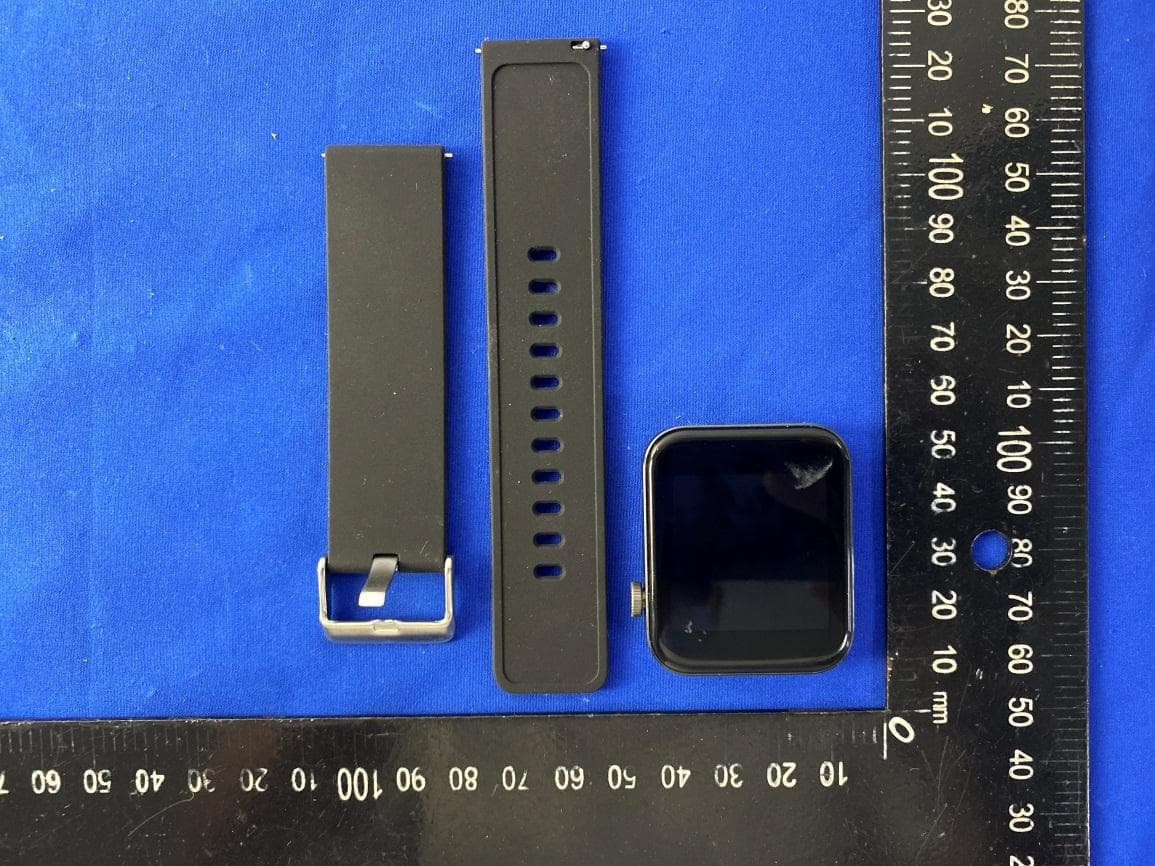
Click to zoom
Application Details
- Equipment Class
- JAB - Part 15 Class B Digital Device
- Date of Grant
- Jun 16, 2020
- Application Purpose
- Original Equipment
- Date of Application
- Jun 16, 2020
- Equipment Note
- smart watch
- Country
- China
Documents & Files
Document Text
Text extracted from the exhibit documents filed with the FCC. Open a document above to read the original.
Users Manual
Smart Watch Instruction Manual Combining low-power Bluetooth chip and high-tech sensor technology, the smart watch can monitor data related to sports and health such as walking, running, cycling, basketball, football, table tennis, heart rate, blood pressure and sleep. Meanwhile, it can synchronize information such as time, weather and message. It is also equipped with functions such as mobile phone loss prevention, sedentary reminder and alarm clock reminder. ■ How to Wear 1. 1. Refer to the figure to correctly wear the watch; 2. Buckle the watchband according to the comfort level (make the heart rate light close to your skin surface, and avoid looseness). ※ Function Operations ON/OFF ON: long press the key on the side for about 2s, and it will power on and the display is on after a vibration; OFF: long press the key on the side for about 2s, and it will power off after a vibration. Connect the watch to your mobile phone: download and install “FunDo” on the phone (two available ways): 1. IOS and Android: scan the QR code of the watch via mobile browser (settings – APP downloading) or directly scan the following QR code. Download the first one or scan it via WeChat. After you open the interface, click options in the upper right and use your mobile browser to open and download. 2. Android: search “FunDo” in the Yingyongbao to download; IOS: search “FunDo” in the APP Store to download. After it is downloaded, please allow all permissions occurred during the installation (the watch and mobile phone require to connect to Bluetooth 3.0 and Bluetooth 4.0, ensuring that all functions can be realized). How to connect to Bluetooth 4.0: After it is successful to download, you can find a turn-on notification prompt after opening “FunDo” and mobile Bluetooth, then click “OK”. Click “More” on the bottom right to add devices, then search “TSO2-LE” and click to connect (note: some Android phones need you to open its GPS function, otherwise, it may fail to search the watch Bluetooth name); How to connect to Bluetooth 3.0: Open the main menu of the watch – Bluetooth – search Bluetooth – select to activate Bluetooth – click the mobile Bluetooth name you intend to connect to – gain Bluetooth connection prompt – click “OK”(allow all mobile permissions) – click Bluetooth 3.0 to connect. How to check whether it is successful to connect: when you drop down the watch menu: green Bluetooth icon indicates that Bluetooth 4.0 is successfully connected; blue indicates that Bluetooth 3.0 is successfully connected; blue (the upper part) and green (the lower part) indicate that both Bluetooth 3.0 and 4.0 are successfully connected. How to set message notification: enter your mobile settings – APP management – find “FunDo” – permission management – allow all permissions – enter notification management – find “FunDo” and allow all permissions. Open “FunDo” – more – APP notification – open the background operation permission – enter and select “unlimited” – prompt to open self-starting after return – open self-starting – return - select and open APP such as QQ and WeChat that you want to synchronize information notifications to the watch. Note: if you log in to your WeChat account on the phone and computer at the same time, the account on the phone won’t receive any notification. Some mobile phones require to add “FunDo” in the power-saving white list, avoiding being turned off when it is out of battery. Fail to receive notifications: the watch only synchronizes notifications from your mobile phone such as call, message, QQ and WeChat. The watch won’t receive any information if your mobile phone fails to receive notifications. At this time, open your mobile settings – notification function – find the corresponding APP – allow notification. ■ Interface switch ● Dial plate switch: long press the dial plate interface for 3s to switch dial plates. Slide the screen left and right to switch the dial plate and click OK to switch. ● Drop down menu: slide the dial plate interface from the top to the bottom and the interface shows functions such as do not disturb mode, weather, brightness display, connection and settings icon. ● Measurement data interface: slide the dial plate from right to left to enter the interface that checks measurement data, then you are enabled to check today’s data such as walking, sleep, heart rate and ECG. ● Notification: slide the dial plate interface from left to right to enter the interface that checks notifications. After the successful pairing with your mobile phone, please open the switch of APP notification on the APP, then notifications received by your mobile phone will be synchronized to the watch. ● Main menu: slide the dial plate interface from the bottom to the top to enter the main menu. Enter each function and slide right to return. Simple Solutions to Frequently-asked Questions: sometimes, unstable connection between mobile phone and watch Bluetooth may occur due to the inconsistent Bluetooth protocols of mobile brands. At this time, turn off your mobile Bluetooth and try to connect again (or restore the watch to factory settings). If system halted occurs, please long press ON/OFF key for 10s to restart the watch. ● Introduction to Main Functions: ● Notification: enable to check instant messages of APP such as QQ and WeChat (such function requires to connect to your mobile “FunDo”). ● Pedometer: enable to check today’s walking steps, calorie burned and walking distance. It will automatically save all data of the day at 24:00 and it returns to 0. Users are enabled to check all data of the day and historical data in the APP, and change daily walking goal in the step counting interface. ● Sports Record: in the sports record interface, users are enabled to check all sports data saved in the sports mode. ● ECG Monitoring: adopting optical heart rate and ECG, it takes about 30s to monitor data. After a successful measurement, ToApp will appear in the interface. Check ECG that is saved in the mob…
Text truncated - open the document above for the full version.
Cover Letter(s)
SHEN ZHEN TOMSTAR TECHNOLOGY CO., LTD DATE :2020-6-5 Equipment Autorisation Division Federal Communications Commission 7435 Oakland Mills Road Columbia, MD 21046 FCC ID: 2APD3TS02 Product Name: smart watch Request for Confidentiality Pursuant to Sections 0.457 and 0.459 of the commissions rules, we hereby request that the following documents be held confidential: Schematics Block diagram Operation description These materials contain trade secrets and proprietary information and are not customarily released to the public. The public disclosure of this information might be harmful to the company and provide unjustified benefits to our competitors. Dated this 2020-6-5 By: Jun Li Signature Printed Title: Manager On behalf of : SHEN ZHEN TOMSTAR TECHNOLOGY CO., LTD Telephone: +86-0755-83588177
Cover Letter(s)
SHEN ZHEN TOMSTAR TECHNOLOGY CO., LTD DATE: 2020-6-5 Federal Communications Commission Authorization & Evaluation Division 7345 Oakland Mills Road Columbia, Maryland 21046 Authority to Act asAgent On our behalf, I appoint Shenzhen Zhongjian Nanfang Testing Co.,Ltd.; 1st Floor, Block No.B-C, 1/F., Building 2, Laodong No.2 Industrial Park, Xixiang Road, Bao’an District, Shenzhen, Guangdong, China;Bruce.Zhang, to act as our agent in the preparation of this application for equipment certification. I certify that submitted documents properly describe the device or system for which equipment certification is sought. I also certify that each unit manufactured, imported or marketed, as defined in the Federal Communications Commission’s regulations will have affixed to it a label identical to that submitted for approval with this application. For instances where our authorized agent signs the application for certification on our behalf, I acknowledge that all responsibility for complying with the terms and conditions for certification, still resides with SHEN ZHEN TOMSTAR TECHNOLOGY CO., LTD /1801-1808 Haiyun Building, No. 468 Minzhi Avenue, Longhua,Shenzhen, Guangdong, China Dated this 2020-6-5 By: Jun Li Signature Printed Title: Manager On behalf of : SHEN ZHEN TOMSTAR TECHNOLOGY CO., LTD Telephone: +86-0755-83588177
External Photos
Report No: CCISE200505101 Shenzhen Zhongjian Nanfang Testing Co., Ltd. Project No.: CCISE2005051 No.110~116, Building B, Jinyuan Business Building, Xixiang Road, Bao’an District, Shenzhen, Guangdong, China Telephone: +86 (0) 755 23118282 Fax: +86 (0) 755 23116366 Page 34 of 42 8 EUT Constructional Details Report No: CCISE200505101 Shenzhen Zhongjian Nanfang Testing Co., Ltd. Project No.: CCISE2005051 No.110~116, Building B, Jinyuan Business Building, Xixiang Road, Bao’an District, Shenzhen, Guangdong, China Telephone: +86 (0) 755 23118282 Fax: +86 (0) 755 23116366 Page 35 of 42 Report No: CCISE200505101 Shenzhen Zhongjian Nanfang Testing Co., Ltd. Project No.: CCISE2005051 No.110~116, Building B, Jinyuan Business Building, Xixiang Road, Bao’an District, Shenzhen, Guangdong, China Telephone: +86 (0) 755 23118282 Fax: +86 (0) 755 23116366 Page 36 of 42 Report No: CCISE200505101 Shenzhen Zhongjian Nanfang Testing Co., Ltd. Project No.: CCISE2005051 No.110~116, Building B, Jinyuan Business Building, Xixiang Road, Bao’an District, Shenzhen, Guangdong, China Telephone: +86 (0) 755 23118282 Fax: +86 (0) 755 23116366 Page 37 of 42
Internal Photos
Report No: CCISE200505101 Shenzhen Zhongjian Nanfang Testing Co., Ltd. Project No.: CCISE2005051 No.110~116, Building B, Jinyuan Business Building, Xixiang Road, Bao’an District, Shenzhen, Guangdong, China Telephone: +86 (0) 755 23118282 Fax: +86 (0) 755 23116366 Page 38 of 42 Report No: CCISE200505101 Shenzhen Zhongjian Nanfang Testing Co., Ltd. Project No.: CCISE2005051 No.110~116, Building B, Jinyuan Business Building, Xixiang Road, Bao’an District, Shenzhen, Guangdong, China Telephone: +86 (0) 755 23118282 Fax: +86 (0) 755 23116366 Page 39 of 42 Report No: CCISE200505101 Shenzhen Zhongjian Nanfang Testing Co., Ltd. Project No.: CCISE2005051 No.110~116, Building B, Jinyuan Business Building, Xixiang Road, Bao’an District, Shenzhen, Guangdong, China Telephone: +86 (0) 755 23118282 Fax: +86 (0) 755 23116366 Page 40 of 42 Report No: CCISE200505101 Shenzhen Zhongjian Nanfang Testing Co., Ltd. Project No.: CCISE2005051 No.110~116, Building B, Jinyuan Business Building, Xixiang Road, Bao’an District, Shenzhen, Guangdong, China Telephone: +86 (0) 755 23118282 Fax: +86 (0) 755 23116366 Page 41 of 42 Report No: CCISE200505101 Shenzhen Zhongjian Nanfang Testing Co., Ltd. Project No.: CCISE2005051 No.110~116, Building B, Jinyuan Business Building, Xixiang Road, Bao’an District, Shenzhen, Guangdong, China Telephone: +86 (0) 755 23118282 Fax: +86 (0) 755 23116366 Page 42 of 42 -----End of report------
Test Report
Shenzhen Zhongjian Nanfang Testing Co., Ltd. Report No: CCISE200505103 Authorized Signature: Bruce Zhang Laboratory Manager This report details the results of the testing carried out on one sample. The results contained in this test report do not relate to other samples of the same product and does not permit the use of the CCIS product certification mark. The manufacturer should ensure that all products in series production are in conformity with the product sample detailed in this report. This report may only be reproduced and distributed in full. If the product in this report is used in any configuration other than that detailed in the report, the manufacturer must ensure the new system complies with all relevant standards. This document cannot be reproduced except in full, without prior written approval of the Company. Any unauthorized alteration, forgery or falsification of the content or appearance of this document is unlawful and offenders may be prosecuted to the fullest extent of the law. Unless otherwise stated the results shown in this test report refer only to the sample(s) tested and such sample(s) are retained for 90 days only. 1 Cover Page FCC REPORT Applicant: SHEN ZHEN TOMSTAR TECHNOLOGY CO., LTD Address of Applicant: Room 2110-2116, Huafeng International Commercial Building, Xixiang, BaoAn district, Shenzhen, China Equipment Under Test (EUT) Product Name: smart watch Model No.: TS02 FCC ID: 2APD3TS02 Applicable standards: FCC CFR Title 47 Part 15 Subpart B Date of sample receipt: 19 May, 2020 Date of Test: 19 May, to 03 Jun., 2020 Date of report issued: 04 Jun., 2020 Test Result: PASS * * In the configuration tested, the EUT complied with the standards specified above. Report No: CCISE200505103 Shenzhen Zhongjian Nanfang Testing Co., Ltd. Project No.: CCISE2005051 No.110~116, Building B, Jinyuan Business Building, Xixiang Road, Bao’an District, Shenzhen, Guangdong, China Telephone: +86 (0) 755 23118282 Fax: +86 (0) 755 23116366 Page 2 of 18 2 Version Version No. Date Description 00 04 Jun., 2020 Original Tested by: Date: 04 Jun., 2020 Test Engineer Reviewed by: Date: 04 Jun., 2020 Project Engineer Report No: CCISE200505103 Shenzhen Zhongjian Nanfang Testing Co., Ltd. Project No.: CCISE2005051 No.110~116, Building B, Jinyuan Business Building, Xixiang Road, Bao’an District, Shenzhen, Guangdong, China Telephone: +86 (0) 755 23118282 Fax: +86 (0) 755 23116366 Page 3 of 18 3 Contents Page 1 COVER PAGE ....................................................................................................................................................... 1 2 VERSION ............................................................................................................................................................... 2 3 CONTENTS ........................................................................................................................................................... 3 4 TEST SUMMARY .................................................................................................................................................. 4 5 GENERAL INFORMATION .................................................................................................................................. 5 5.1 CLIENT INFORMATION ...................................................................................................................................................... 5 5.2 GENERAL DESCRIPTION OF E.U.T. ...................................................................................................................................... 5 5.3 TEST MODE .................................................................................................................................................................... 5 5.4 MEASUREMENT UNCERTAINTY ........................................................................................................................................... 5 5.5 DESCRIPTION OF SUPPORT UNITS ....................................................................................................................................... 6 5.6 RELATED SUBMITTAL(S) / GRANT (S) ................................................................................................................................... 6 5.7 DESCRIPTION OF CABLE USED ............................................................................................................................................ 6 5.8 ADDITIONS TO, DEVIATIONS, OR EXCLUSIONS FROM THE METHOD ............................................................................................. 6 5.9 LABORATORY FACILITY ...................................................................................................................................................... 6 5.10 LABORATORY LOCATION ............................................................................................................................................... 6 5.11 TEST INSTRUMENTS LIST ............................................................................................................................................... 7 6 TEST RESULTS AND MEASUREMENT DATA ................................................................................................ 8 6.1 CONDUCTED EMISSION ..................................................................................................................................................... 8 6.2 RADIATED EMISSION ...................................................................................................................................................... 11 7 TEST SETUP PHOTO ........................................................................................................................................ 17 8 EUT CONSTRUCTIONAL DETAILS ................................................................................................................ 18 Report No: CCISE200505103 Shenzhen Zhongjian Na…
Text truncated - open the document above for the full version.
Test Setup Photos
Report No: CCISE200505103 Shenzhen Zhongjian Nanfang Testing Co., Ltd. Project No.: CCISE2005051 No.110~116, Building B, Jinyuan Business Building, Xixiang Road, Bao’an District, Shenzhen, Guangdong, China Telephone: +86 (0) 755 23118282 Fax: +86 (0) 755 23116366 Page 17 of 18 7 Test Setup Photo Radiated Emission Below 1GHz Above 1GHz Report No: CCISE200505103 Shenzhen Zhongjian Nanfang Testing Co., Ltd. Project No.: CCISE2005051 No.110~116, Building B, Jinyuan Business Building, Xixiang Road, Bao’an District, Shenzhen, Guangdong, China Telephone: +86 (0) 755 23118282 Fax: +86 (0) 755 23116366 Page 18 of 18 Conducted Emission 8 EUT Constructional Details Reference to the test report No.: CCISE200505101 ------End of report------
Contact Information
Applicant
Jun Li
Test Firm
JianYan Testing Group Shenzhen Co., Ltd.Bruce Zhang
[email protected]+86 (0) 755 23118282
Technical Specifications
| # | Rule Parts | Frequency Range | Power Output |
|---|---|---|---|
| 1 | 15B | - | - |
Other Applications from SHEN ZHEN TOMSTAR TECHNOLOGY CO., LTD

2APD3-TG02
Mar 11, 2025Smart Watch
Equipment Class
DSS - Part 15 Spread Spectrum Transmitter2APD3-TS137L-A
May 06, 2024Smart Watch
Equipment Class
DSS - Part 15 Spread Spectrum Transmitter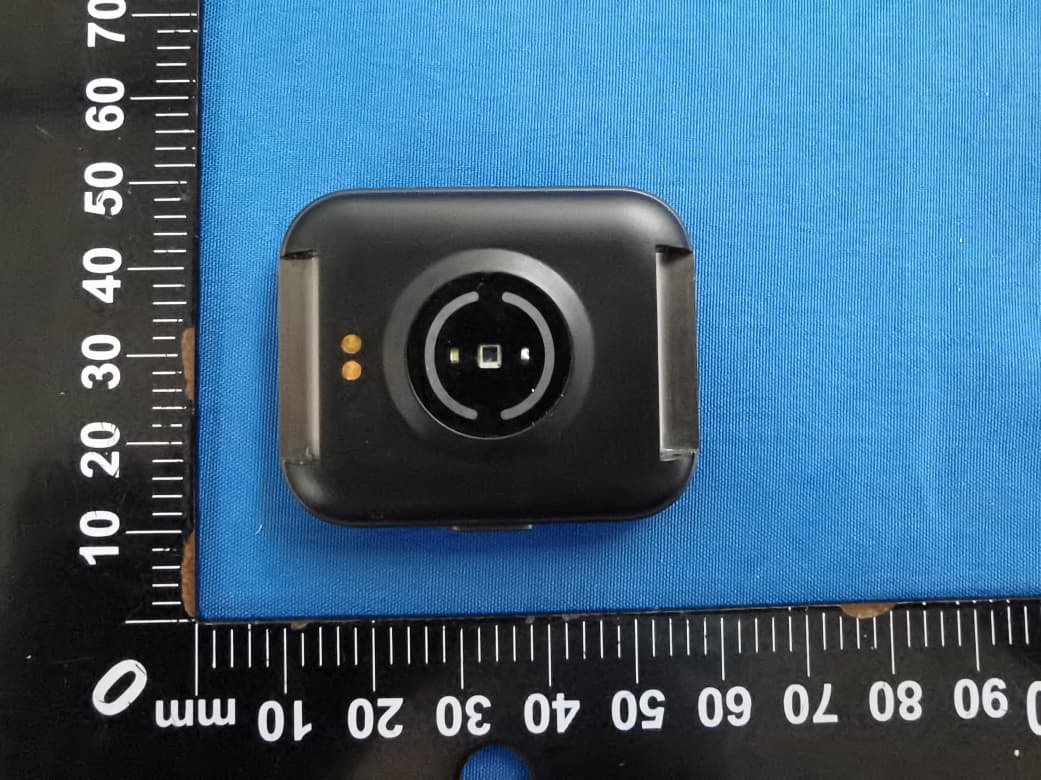
2APD3TS100
Jan 12, 2023Smart Watch
Equipment Class
DTS - Digital Transmission System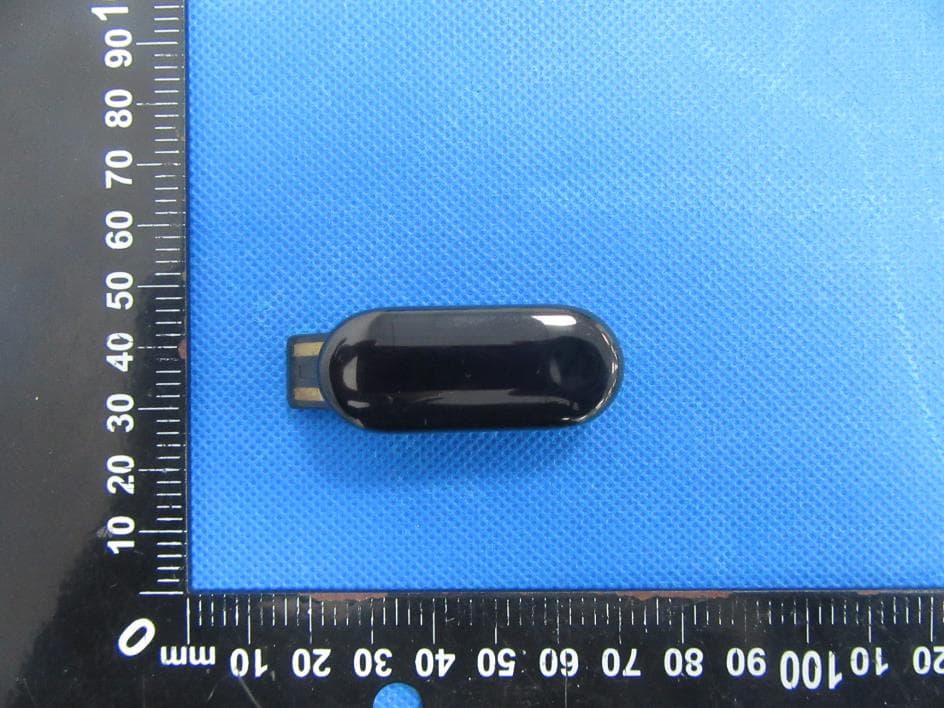
2APD3SB001
Dec 13, 2022Smart fitness band
Equipment Class
DTS - Digital Transmission System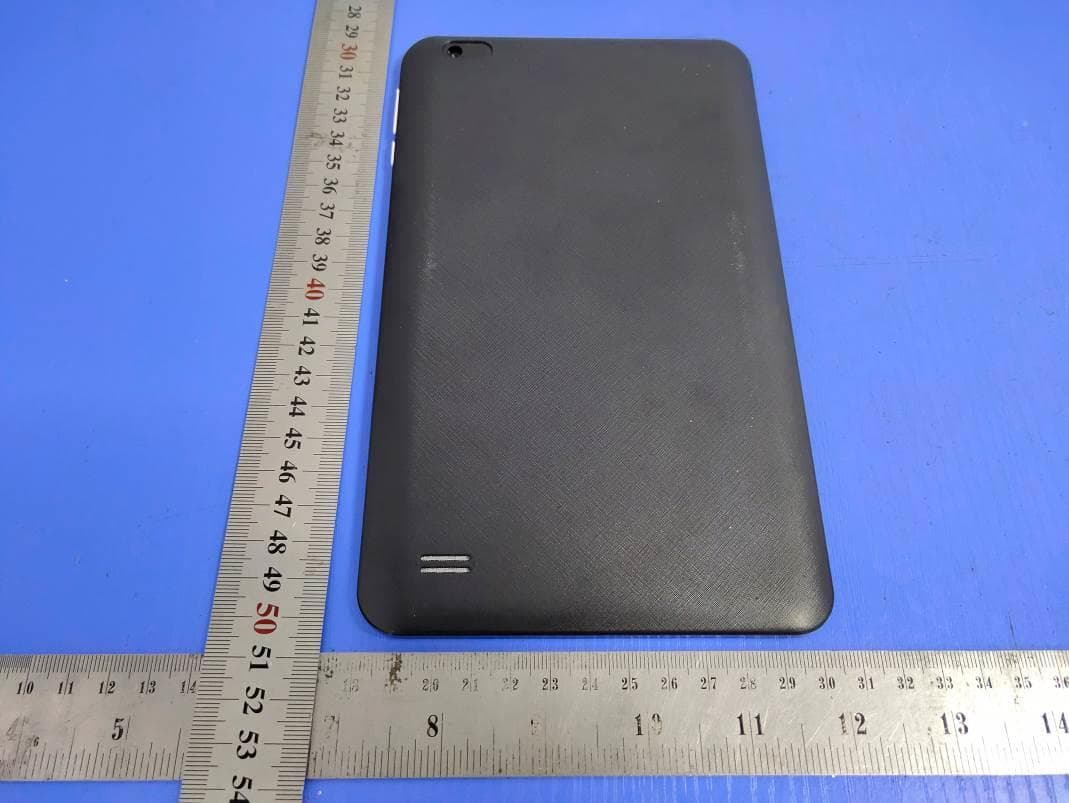
2APD3-EDT800
Jul 15, 2021Tablet PC
Equipment Class
DTS - Digital Transmission System