2APXW-ASMHS01AIRSPEED MOBILE HOTSPOT
Wingtech Group (Hong Kong) Limited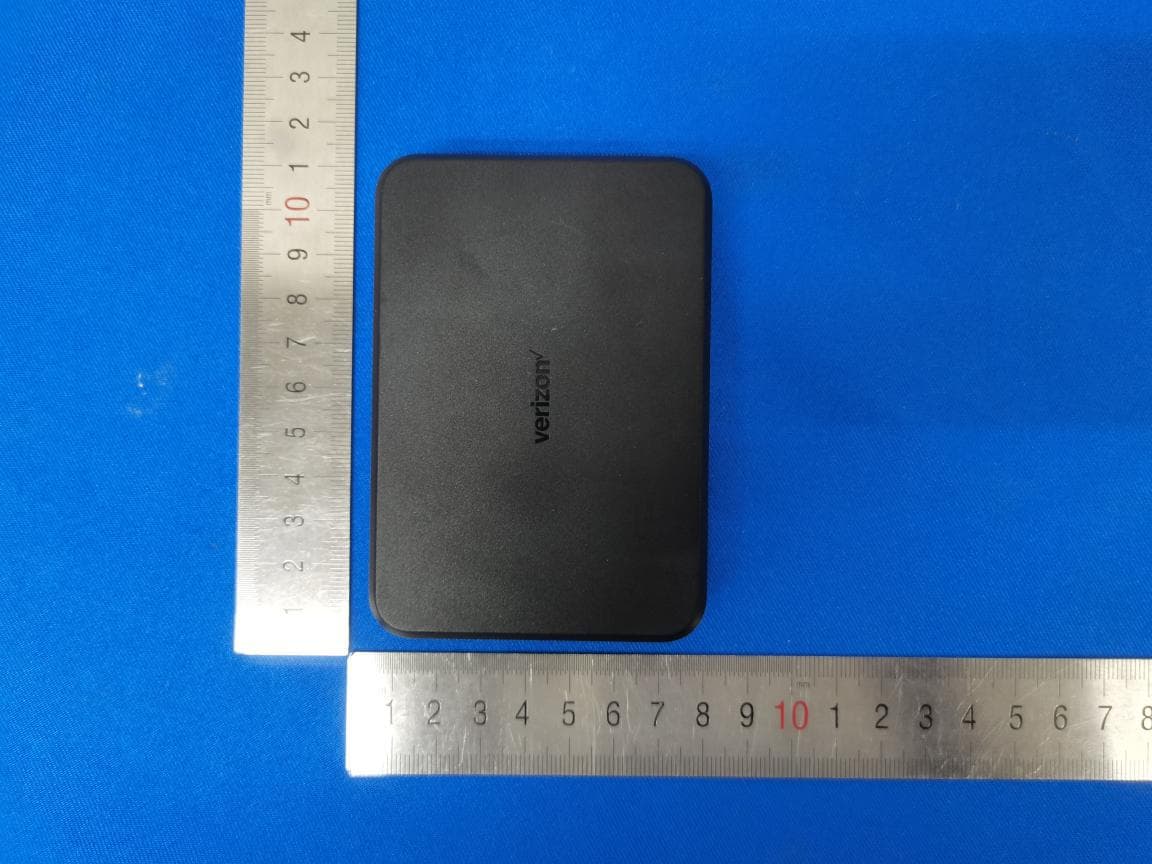
Click to zoom
Application Details
- Equipment Class
- DTS - Digital Transmission System
- Date of Grant
- May 22, 2021
- Application Purpose
- Original Equipment
- Date of Application
- May 22, 2021
- Equipment Note
- AIRSPEED MOBILE HOTSPOT
- Frequency Range
- 2412.00000000 - 2462.00000000
- Country
- Hong Kong
Documents & Files
Document Text
Text extracted from the exhibit documents filed with the FCC. Open a document above to read the original.
Users Manual
Pr oduct s af ety and w arr an ty in forma tion Product Safety Warranty 1 Safety Information The topics in this section will introduce how to use your mobile hotspot device safely. Please read before proceeding THE DEVICE IS NOT FULLY CHARGED WHEN YOU TAKE IT OUT OF THE BOX. Important health information and safety precautions When using this product, the safety precautions below must be taken to avoid possible legal liabilities and damages. Retain and follow all product safety and operating instructions. Observe all warnings in the operating instructions on the product. To reduce the risk of bodily injury, electric shock, re and damage to the equipment, observe the following precautions. Electrical safety This product is intended for use when supplied with power from the designated battery or power supply unit. Other usage may be dangerous and will invalidate any approval given to this product. Safety precautions for proper grounding installation Warning: Connecting to improperly grounded equipment can result in an electric shock to your device. This product is equipped with a USB Cable for connecting with a desktop or notebook computer. Be sure your computer is properly grounded (earthed) before connecting this product to the computer. The power supply cord of a desktop or notebook computer has an equipment grounding conductor and a grounding plug. The plug must be plugged into an appropriate outlet that is properly installed and grounded in accordance with all local codes and ordinances. Safety precautions for power supply unit Use the correct external power source. A product should be operated only from the type of power source indicated on the electrical ratings label. If you are not sure of the type of power source required, consult your authorized service provider or local power company. For a product that operates from battery power or other sources, refer to the operating instructions that are included with the product. Product Safety Warranty 2 This product should be operated only with the following designated power supply unit(s). Travel charger: Input: 100-240V, 50/60Hz, 0.5A. Output: 5V, 2A Battery must be used with caution: This product contains a lithium polymer battery. There is a risk of re and burns if the battery pack is handled improperly. Do not attempt to open or service the battery pack. Do not disassemble, crush, puncture, short circuit the external contacts or circuits, dispose of in re or water, or expose a battery pack to temperatures higher than 140°F (60°C). The operating temperature for the device is -4°F (-20°C) to 140°F (60°C). The charging temperature for the device is 32°F (0°C) to 113°F (45°C). Warning: Battery is removable. To reduce risk of re or burns, do not disassemble crush, puncture, short circuit the external contacts expose to temperature above 140°F (60°C), or dispose of in re or water. Do not attempt to replace the removable battery. The device and battery must be disposed or recycled of in accordance with locally applicable environmental regulations or guides supplied with your product. Product Safety Warranty 3 Take extra precautions • Do not disassemble or open, crush, bend or deform, puncture or shred. • Do not short circuit a battery or allow metallic conductive objects to contact battery terminals. • Only use the USB cable provided with the device or that bear the USB-IF logo or have completed the USB-IF compliance program. • Do not modify or remanufacture, attempt to insert foreign objects into the battery, immerse or expose to water or other liquids, expose to re, explosion or other hazard. • Device usage by children should be supervised. • Only use the battery with a charging system that has been quali ed with the system per CTIA Certi cation Requirement for Battery System Compliance to IEEE1725. Use of an unquali ed battery or charger may present a risk of re, explosion, leakage or other hazard. • Avoid dropping the device. If the device is dropped, especially on a hard surface, and the user suspects damage, take it to a service center for inspection. • Improper battery use may result in a re, explosion or other hazard. If the battery leaks: - Do not allow the leaking uid to come into contact with skin or clothing. If already in contact, ush the a ected area immediately with clean water and seek medical advice. - Do not allow the leaking uid to come into contact with eyes. If already in contact, DO NOT rub; rinse with clean water immediately and seek medical advice. -Take extra precaution to keep a leaking battery away from re as there is a danger of ignition or explosion. Product Safety Warranty 4 Safety precautions for direct sunlight Keep this product away from excessive moisture and extreme temperatures. Do not leave the product inside a vehicle or in places where the temperature may exceed 140°F (60°C), such as on a car dashboard, window sill, or behind a glass that is exposed to direct sunlight or strong ultraviolet light for extended periods of time. This may damage or overheat the product, or pose a risk to the vehicle. Safety in aircraft Due to possible interference caused by this product to an aircraft's navigation system and its communications network, using this device's function on board an airplane is against the law in most countries. Environment restrictions Do not use this product in gas stations, fuel depots, chemical plants or where blasting operations are in progress, or in potentially explosive atmospheres such as fueling areas, fuel storehouses, below deck on boats, chemical plants, fuel or chemical transfer or storage facilities, and areas where the air contains chemicals or particles, such as grain, dust, or metal powders. Please be aware that sparks in such areas could cause an explosion or re resulting in bodily injury or even death. Product Safety Warranty 5 Explosive atmospheres When in any area with a potentially explosive atmosphere or where ammable materials exist, the product should be tu…
Text truncated - open the document above for the full version.
Users Manual
Important consumer safety information Safety of radio frequency emissions: Your wireless device emits radio frequency energy during use. According to the Federal Communications Commission, “Some health and safety interest groups have interpreted certain reports to suggest that wireless device use may be linked to cancer and other illnesses, posing potentially greater risks for children than adults. While these assertions have gained increased public attention, currently no scientific evidence establishes a causal link between wireless device use and cancer or other illnesses.” Additional information is available from the FCC at www.fcc.gov/encyclopedia/radio-frequency- safety or from Verizon at verizonwireless.com/aboutus/ commitment/safety-security.html. Caution! Avoid potential hearing loss: Prolonged exposure to loud sounds (including music) can cause hearing loss. You should follow some commonsense recommendations when using any portable audio device: • Use the lowest volume at which you can hear adequately • When using headphones, turn the volume down if you cannot hear the people speaking near you • Do not turn the volume up to block out noisy surroundings; use noise-canceling headphones instead • Avoid using headphones after exposure to loud noises that might cause temporary hearing loss; temporary hearing loss might cause unsafe volumes to sound normal • If you experience discomfort or temporary hearing difficulty while or after listening to a portable audio device, discontinue use and consult your doctor if symptoms persist Drive responsibly: Safe driving is your responsibility and should always be your first priority. Never text while driving. The National Highway Traffic Safety Administration (NHTSA) advises that the “safest course of action is to refrain from using a cell phone while driving” and that using a wireless phone may degrade driver performance even if you are using a hands-free device. Always know and comply with the law in your area on wireless device use while driving. For more information see www.nhtsa.gov (click on “Driving Safety” then on “Distracted Driving”). Implantable medical devices: A minimum separation distance of 6 inches should be kept between a wireless phone and an implantable medical device, such as a pacemaker or implantable cardioverter defibrillator, to avoid potential interference with the device. Persons who have such devices: • Should not carry the wireless phone in a breast pocket • Should use the ear opposite the implantable medical device to maintain 6 inches of separation • Should turn the wireless phone OFF immediately if interference is suspected • Should read and follow the directions from the medical device manufacturer If you have questions about using your wireless phone with such a device, consult your health care provider. See www.fda.gov for additional information (under “c” in the subject index, select Cell Phones > Interference with Pacemakers and Other Medical Devices). © 2021 Verizon. All Rights Reserved. Legal1116
Users Manual
AIRSPEED MOBILE HOTSPOT Quick Start Guide Quick Start Guide About your mobile hotspot NOTE: Appearance of device may vary. General appearance 1. Menu/Navigation button 2. Power/OK button 3. Signal strength 4. New message notification 5. Battery indicator 6. USB Type C Charging Port 7. Menu Option Icons 8. Icon Labels: 1)Wi-Fi Info 2)Device List 3)Menu 9. Data Usage Information 10.More Settings 11.Device Details 12.Battery back cover About your mobile hotspot Have questions about your Prepaid mobile hotspot? You’re in the right place. Find out how to set up and use your mobile hotspot, access special features, get help and lots more. We’re here to help. Getting Started: Thank you for choosing Orbic Speed 4G LTE mobile hotspot device. Note: This User Guide provides the basic operations of the Orbic Speed. General Appearance 1.Menu button 2.Signal status icon 3.Network mode icon 4.Wi-Fi signal icon 5.Unread message icon 6.Battery icon 7.Power button 8.USB Type C port 9.Battery cover 10.Cutout to remove back cover Getting Started: Thank you for choosing Orbic Speed 4G LTE mobile hotspot device. Note: This User Guide provides the basic operations of the Orbic Speed. General Appearance 1.Menu button 2.Signal status icon 3.Network mode icon 4.Wi-Fi signal icon 5.Unread message icon 6.Battery icon 7.Power button 8.USB Type C port 9.Battery cover 10.Cutout to remove back cover 6 8 7 12 11 10 9 5 4 3 21 Using your mobile hotspot Display layout and icons 1. Signal status icon 2. Network mode icon 3. Send/receive data activity arrows 4. The number of unread messages maximum is 100 5. Battery capacity icon—if battery capacity is lower than 25%, this icon is red 6. Data statistics—used/total SIM card and battery Your Airspeed mobile hotspot comes preinstalled with a 4G LTE SIM card. NOTE: when in use. Once the SIM card has been inserted into the mobile hotspot, do not remove. • Do not remove SIM card when the device is powered on because this may damage the card and the device. • Do not bend or scratch your SIM card. Avoid exposing your SIM card to static electricity, water or dirt. Navigating through the Airspeed mobile hotspot Use the Menu and Power buttons to select actions displayed at the bottom of the screen. There are 8 main menu screens in addition to the home screen. 6 Using your mobile hotspot Inserting and charging the battery 1. Use the thumb catch at the bottom of your Airspeed mobile hotspot to open the battery cover and align the battery contacts with the terminals in the battery compartment as shown. Push the battery down until it clicks into place. (Figure 1 and 2) Display Layout and Icons 123456 Desc rip tion 1.Signal status icon 2.Network mode icon 3.Send/r eceive da ta activity arrows 4.Wi-Fi s ign al and numbe r of access users 5.The numbe r of unread message maximum is 100 6.Battery ca pac ity icon, if batt ery capac ity is lower than 25%, this icon is red. 7.Data statistics, used/total SIM Car d and Battery You r Orbic Speed c omes pr eins talled with a 4G LTE SIM card. Notes: •The SIM card MUS T remain in yo ur Orbic Speed when in use . Once the SIM card has been inserted int o the Orbic Sp eed , do not rem ove! •DO NO T remove SIM card when the device is powered on sinc e this ma y damage the card and the device. •Do not ben d o r scratch your SIM card. Avoi d exposing your SIM card to static electricity , wat er or dirt. Na viga ting Thr ough the Orbic Speed Us e the MEN U an d PO WER button to s ele ct actions displayed at the bottom of the scr een. There are 8 main menu screens in additio n to the home scre en. Remo ving the 4G LTE SIM Card 1. 2. Set ting up Wi-F i connection 1. 2. Inserting and Char ging the Battery 1.Use the thumb catch a t the bottom of your Orbic Sp eed to o pen the battery cover and ali gn the battery con tact s with the terminals in the battery co mpartment as shown. Push the batt ery down until it click s into place . (Figure 1 and 2) 2.Pla ce the batt ery cover ov er the batt ery compartmen t an d pr ess it downward un til it c lick s into place . (Fi gur e 3) 3.Your Orbic S peed comes with a charger . To charge, plug it into an electrical outlet. Connect the USB cable to t he charger and the other end into the Orbic Speed Type -C Port . (Figure 4) Figure 3 Figure 1 Figure 2 Figure 4 7 Bac k Home Logging into the Dev ice Management Website 1. 2. Ent er username and password and click “Login ” You hav e th e ability to modify th e password and user name and configuration. No te: Wifi password . See Setting up WiFi con nec tion. Display Layout and Icons 123456 Desc rip tion 1.Sign al status icon 2.Network mode icon 3.Send/receive da ta activity arrows 4.Wi-Fi s ign al and numbe r of access users 5.The n umbe r of unread message ma ximu m is 100 6.Battery ca pac ity icon, if batt ery capac ity is lower than 25%, this icon is red. 7.Data statistics, used/total SIM Card and Battery You r Orbic Speed comes preins talled with a 4G LTE SIM card. No tes: •The SIM card MUST remain in yo ur Orbic Speed when in use . Once the SIM card has been inserted int o the Orbic Sp eed , do not rem ove! •DO NO T remove SIM card when the device is powered on sinc e this ma y damage the card and the device. •Do no t bend or scratch your SIM car d. Avoi d exposing your SI M card to static electricity , wat er or dirt. Na viga ting Thr ough the Orbic Speed Us e the MEN U an d PO WER button to s ele ct actions displayed at the bottom of the screen. There are 8 main menu screens in additio n to the home scre en. Remo ving the 4G LTE SIM Card 1.Power off the Orbic Speed. Remove the battery cover and take out th e batt ery. 2.Gen tly remov e th e SIM card fro m th e SIM card slot. Set ting up Wi-F i connection 1.Press and hold the “power ” button for 3 second s unt il the welc ome logo is displayed on the Screen, and Wi-Fi is on. 2.Use yo ur terminal device to s earc h fo r the wireless network connectio n wi th the Wi Fi’ s SSID “Verizon-R C400L-CE” and cli ck “Co nnec t”. Enter…
Text truncated - open the document above for the full version.
Cover Letter(s)
Rev11/20/07 WingtechGroup(Hongkong)Limited FederalCommunicationsCommission AuthorizationandEvaluationDivision ConfidentialityRequestregardingapplicationforcertificationofFCCID:2APXW-ASMHS01 PursuanttoSections0.457and0.459oftheCommission’sRules,weherebyrequestconfidential treatmentofinformationaccompanyingthisapplicationasoutlinedbelow: ExhibitTypeFileName BlockDiagram Schematic BOM OperationDescription Tuneup ASMHS01_BlockDiagram ASMHS01_SCH ASMHS01_BOM ASMHS01_OperationDescription ASMHS01_Tuneup Theabovematerialscontaintradesecretsandproprietaryinformationnotcustomarilyreleasedto thepublic.Thepublicdisclosureofthesematerialsmaybeharmfultotheapplicantandprovide unjustifiedbenefitstoitscompetitors. TheapplicantunderstandsthatpursuanttoSection0.457oftheRules,disclosureofthis applicationandallaccompanyingdocumentationwillnotbemadebeforethedateoftheGrant forthisapplication. PursuanttoDA04-1705June15,2004oftheCommission’spublicnotice,wealsorequest temporaryconfidentialtreatmentofinformationaccompanyingthisapplicationasoutlinedbelow foraperiodof45days: ExhibitTypeFileName Hardware_User_ManualASMHS01_Hardware_User_Manual Sincerely, printname:RuiSha
Cover Letter(s)
RF_160,Issue04 WingtechGroup(Hongkong)Limited DeclarationofAuthorization We Name:WingtechGroup(Hongkong)Limited Address:Flat/RM1903,19/F,PodiumPlaza,5HanoiRoad,TsimShaTsui,Kowloon,Hongkong Country:China Declarethat: NameRepresentativeofagent:JimHuang AgentCompanyname:SGS-CSTCStandardsTechnicalServicesCo.,Ltd.ShenzhenBranch Address:No.1Workshop,M-10,MiddleSection,Science&TechnologyPark, City:Shenzhen Country:China isauthorizedtoapplyforCertificationofthefollowingproduct(s): Productdescription:AIRSPEEDMOBILEHOTSPOT Typedesignation:ASMHS01 Trademark:AIRSPEEDMOBILEHOTSPOT onourbehalf. Date:2021/5/7 City:Shanghai Name:RuiSha Function:CertificationManager Signature: Notes: (1):RequiredforFCCapplication (2):ForFCCitmustbetheGranteeCode“owner”ortheauthorizedagent.
External Photos
ExternalPhotos
ID Label/Location Info
Label&LabelLocation:
Internal Photos
InternalPhotos
RF Exposure Info
SGS-CSTC Standards Technical Services Co., Ltd. Shenzhen Branch Report No.: ZR/2021/2004004 Appendix A Detailed System Check Results 1. System Performance Check System Performance Check 750 MHz Head System Performance Check 835 MHz Head System Performance Check 1750 MHz Head System Performance Check 1900 MHz Head System Performance Check 2450 MHz Head System Performance Check 2600 MHz Head System Performance Check 5250 MHz Head System Performance Check 5600 MHz Head System Performance Check 5750 MHz Head Date: 2021-04-02 Test Laboratory: SGS-SAR Lab System Performance Check 750 MHz Head DUT: D750V3; Type: D750V3; Serial: 1160 Communication System: UID 0, CW (0); Frequency: 750 MHz;Duty Cycle: 1:1 Medium: HSL750;Medium parameters used: f = 750 MHz; σ = 0.898 S/m; ε r = 41.539; ρ = 1000 kg/m 3 Phantom section: Flat Section DASY 5 Configuration: • Probe: EX3DV4 - SN7620; ConvF(11.14, 11.14, 11.14); Calibrated: 2021-02-05; • Sensor-Surface: 1.4mm (Mechanical Surface Detection) • Electronics: DAE4 Sn1327; Calibrated: 2020-10-20 • Phantom: SAM6; Type: SAM; Serial: 1824 • DASY52 52.8.8(1258); SEMCAD X 14.6.10(7373) Body/d=15mm, Pin=250mW/Area Scan (8x13x1): Measurement grid: dx=15mm, dy=15mm Maximum value of SAR (measured) = 2.66 W/kg Body/d=15mm, Pin=250mW/Zoom Scan (5x5x7)/Cube 0: Measurement grid: dx=8mm, dy=8mm, dz=5mm Reference Value = 50.64 V/m; Power Drift = -0.04 dB Peak SAR (extrapolated) = 3.58 W/kg SAR(1 g) = 2.19 W/kg; SAR(10 g) = 1.43 W/kg Maximum value of SAR (measured) = 3.07 W/kg 0 dB = 2.66 W/kg = 4.25 dBW/kg Date: 2021-04-04 Test Laboratory: SGS-SAR Lab System Performance Check 835 MHz Head DUT: D835V2; Type: D835V2; Serial: 4d105 Communication System: UID 0, CW (0); Frequency: 835 MHz;Duty Cycle: 1:1 Medium: HSL835;Medium parameters used: f = 835 MHz; σ = 0.903 S/m; ε r = 41.372; ρ = 1000 kg/m 3 Phantom section: Flat Section DASY 5 Configuration: • Probe: EX3DV4 - SN7620; ConvF(10.85, 10.85, 10.85); Calibrated: 2021-02-05; • Sensor-Surface: 1.4mm (Mechanical Surface Detection) • Electronics: DAE4 Sn1327; Calibrated: 2020-10-20 • Phantom: SAM6; Type: SAM; Serial: 1824 • DASY52 52.8.8(1258); SEMCAD X 14.6.10(7373) Body/d=15mm, Pin=250mW/Area Scan (7x13x1): Measurement grid: dx=15mm, dy=15mm Maximum value of SAR (measured) = 3.10 W/kg Body/d=15mm, Pin=250mW/Zoom Scan (5x5x7)/Cube 0: Measurement grid: dx=8mm, dy=8mm, dz=5mm Reference Value = 53.79 V/m; Power Drift = -0.02 dB Peak SAR (extrapolated) = 3.88 W/kg SAR(1 g) = 2.51 W/kg; SAR(10 g) = 1.64 W/kg Maximum value of SAR (measured) = 3.23 W/kg 0 dB = 3.10 W/kg = 4.92 dBW/kg Date: 2021-04-06 Test Laboratory: SGS-SAR Lab System Performance Check 1750 MHz Head DUT: D1750V2; Type: D1750V2; Serial: 1149 Communication System: UID 0, CW (0); Frequency: 1750 MHz;Duty Cycle: 1:1 Medium: HSL1750;Medium parameters used: f = 1750 MHz; σ = 1.336 S/m; ε r = 40.679; ρ = 1000 kg/m 3 Phantom section: Flat Section DASY 5 Configuration: • Probe: EX3DV4 - SN7620; ConvF(9.24, 9.24, 9.24); Calibrated: 2021-02-05; • Sensor-Surface: 1.4mm (Mechanical Surface Detection) • Electronics: DAE4 Sn1327; Calibrated: 2020-10-20 • Phantom: SAM6; Type: SAM; Serial: 1824 • DASY52 52.8.8(1258); SEMCAD X 14.6.10(7373) Body/d=10mm, Pin=250mW/Area Scan (6x10x1): Measurement grid: dx=15mm, dy=15mm Maximum value of SAR (measured) = 11.5 W/kg Body/d=10mm, Pin=250mW/Zoom Scan (5x5x7)/Cube 0: Measurement grid: dx=8mm, dy=8mm, dz=5mm Reference Value = 88.03 V/m; Power Drift = -0.02 dB Peak SAR (extrapolated) = 17.7 W/kg SAR(1 g) = 9.54 W/kg; SAR(10 g) = 5.06 W/kg Maximum value of SAR (measured) = 14.9 W/kg 0 dB = 11.5 W/kg = 10.62 dBW/kg Date: 2021-04-07 Test Laboratory: SGS-SAR Lab System Performance Check 1900 MHz Head DUT: D1900V2; Type: D1900V2; Serial: 5d028 Communication System: UID 0, CW (0); Frequency: 1900 MHz;Duty Cycle: 1:1 Medium: HSL1900;Medium parameters used: f = 1900 MHz; σ = 1.363 S/m; ε r = 39.817; ρ = 1000 kg/m 3 Phantom section: Flat Section DASY 5 Configuration: • Probe: EX3DV4 - SN7620; ConvF(8.98, 8.98, 8.98); Calibrated: 2021-02-05; • Sensor-Surface: 1.4mm (Mechanical Surface Detection) • Electronics: DAE4 Sn1327; Calibrated: 2020-10-20 • Phantom: SAM6; Type: SAM; Serial: 1824 • DASY52 52.8.8(1258); SEMCAD X 14.6.10(7373) Body/d=10mm, Pin=250mW/Area Scan (7x9x1): Measurement grid: dx=15mm, dy=15mm Maximum value of SAR (measured) = 10.6 W/kg Body/d=10mm, Pin=250mW/Zoom Scan (5x5x7)/Cube 0: Measurement grid: dx=8mm, dy=8mm, dz=5mm Reference Value = 88.67 V/m; Power Drift = -0.01 dB Peak SAR (extrapolated) = 18.6 W/kg SAR(1 g) = 10.1 W/kg; SAR(10 g) = 5.21 W/kg Maximum value of SAR (measured) = 11.3 W/kg 0 dB = 10.6 W/kg = 10.27 dBW/kg Date: 2021-04-10 Test Laboratory: SGS-SAR Lab System Performance Check 2450MHz Head DUT: D2450V2; Type: D2450V2; Serial: 733 Communication System: UID 0, CW; Frequency: 2450 MHz;Duty Cycle: 1:1 Medium: HSL2450;Medium parameters used: f = 2450 MHz; σ = 1.839 S/m; ε r = 38.623; ρ = 1000 kg/m 3 Phantom section: Flat Section DASY 5 Configuration: • Probe: EX3DV4 - SN3789; ConvF(6.92, 6.92, 6.92); Calibrated: 2020-06-16; • Sensor-Surface: 1.4mm (Mechanical Surface Detection) • Electronics: DAE3 Sn414; Calibrated: 2020-12-30 • Phantom: SAM 7; Type: SAM; Serial: 1702 • DASY52 52.8.8(1222); SEMCAD X 14.6.10(7331) Body/d=10mm, Pin=250mW/Area Scan (9x14x1): Measurement grid: dx=12mm, dy=12mm Maximum value of SAR (measured) = 14.1 W/kg Body/d=10mm, Pin=250mW/Zoom Scan (7x7x7) (7x7x7)/Cube 0: Measurement grid: dx=5mm, dy=5mm, dz=5mm Reference Value = 86.68 V/m; Power Drift = 0.04 dB Peak SAR (extrapolated) = 28.2 W/kg SAR(1 g) = 13.5 W/kg; SAR(10 g) = 6.22 W/kg Maximum value of SAR (measured) = 15.4 W/kg 0 dB = 14.1 W/kg = 11.48 dBW/kg Date: 2021-04-13 Test Laboratory: SGS-SAR Lab System Performance Check 2600MHz Head DUT: Dipole D2600V2; Type: D2600V2; Serial: 1125 Communication System: UID 0, CW (0); Frequency: 2600 MHz;Duty Cycle: 1:1 Medium: HSL2600;Medium parameters used: f = 2600 MHz; σ = 1.969 S/m; ε r = 37.735; ρ = 1000 kg/…
Text truncated - open the document above for the full version.
RF Exposure Info
SGS-CSTC Standards Technical Services Co., Ltd. Shenzhen Branch Report No.: ZR/2021/2004004 Appendix B Detailed Test Results 1. WCDMA WCDMA Band II for Body WCDMA Band V for Body 2. LTE LTE Band 2 for Body LTE Band 4 for Body LTE Band 5 for Body LTE Band 7 for Body LTE Band 12 for Body LTE Band 13 for Body LTE Band 66 for Body 3. WIFI WIFI 2.4G for Body WIFI 5G for Body Date: 2021-04-07 Test Laboratory: SGS-SAR Lab ASMHS01 WCDMA Band 2 9400CH Front side 15mm DUT: ASMHS01; Type: Mobile WiFi; Serial: 860550050004160 Communication System: UID 0, WCDMA (0); Frequency: 1880 MHz;Duty Cycle: 1:1 Medium: HSL1900;Medium parameters used: f = 1880 MHz; σ = 1.381 S/m; ε r = 39.86; ρ = 1000 kg/m 3 Phantom section: Flat Section DASY 5 Configuration: • Probe: EX3DV4 - SN7620; ConvF(8.98, 8.98, 8.98); Calibrated: 2021-02-05; • Sensor-Surface: 1.4mm (Mechanical Surface Detection) • Electronics: DAE4 Sn1327; Calibrated: 2020-10-20 • Phantom: SAM6; Type: SAM; Serial: 1824 • DASY52 52.8.8(1258); SEMCAD X 14.6.10(7373) Configuration/Body/Area Scan (7x9x1): Measurement grid: dx=15mm, dy=15mm Maximum value of SAR (measured) = 0.501 W/kg Configuration/Body/Zoom Scan (5x5x7)/Cube 0: Measurement grid: dx=8mm, dy=8mm, dz=5mm Reference Value = 7.274 V/m; Power Drift = 0.08 dB Peak SAR (extrapolated) = 0.739 W/kg SAR(1 g) = 0.444 W/kg; SAR(10 g) = 0.258 W/kg Maximum value of SAR (measured) = 0.540 W/kg 0 dB = 0.540 W/kg = -2.68 dBW/kg Date: 2021-04-04 Test Laboratory: SGS-SAR Lab ASMHS01 WCDMA Band 5 4182CH Front side 15mm DUT: ASMHS01; Type: Mobile WiFi; Serial: 860550050004160 Communication System: UID 0, WCDMA (0); Frequency: 836.4 MHz;Duty Cycle: 1:1 Medium: HSL835;Medium parameters used (interpolated): f = 836.4 MHz; σ = 0.903 S/m; ε r = 41.318; ρ = 1000 kg/m 3 Phantom section: Flat Section DASY 5 Configuration: • Probe: EX3DV4 - SN7620; ConvF(10.85, 10.85, 10.85); Calibrated: 2021-02-05; • Sensor-Surface: 1.4mm (Mechanical Surface Detection) • Electronics: DAE4 Sn1327; Calibrated: 2020-10-20 • Phantom: SAM6; Type: SAM; Serial: 1824 • DASY52 52.8.8(1258); SEMCAD X 14.6.10(7373) Configuration/Body/Area Scan (7x9x1): Measurement grid: dx=15mm, dy=15mm Maximum value of SAR (measured) = 0.354 W/kg Configuration/Body/Zoom Scan (5x5x7)/Cube 0: Measurement grid: dx=8mm, dy=8mm, dz=5mm Reference Value = 19.17 V/m; Power Drift = 0.05 dB Peak SAR (extrapolated) = 0.374 W/kg SAR(1 g) = 0.319 W/kg; SAR(10 g) = 0.260 W/kg Maximum value of SAR (measured) = 0.340 W/kg 0 dB = 0.340 W/kg = -4.69 dBW/kg Date: 2021-04-07 Test Laboratory: SGS-SAR Lab ASMHS01 LTE Band 2 1RB50 20M QPSK 19100CH Front side 15mm DUT: ASMHS01; Type: Mobile WiFi; Serial: 860550050004160 Communication System: UID 0, LTE-FDD BW 20MHz (0); Frequency: 1900 MHz;Duty Cycle: 1:1 Medium: HSL1900;Medium parameters used: f = 1900 MHz; σ = 1.363 S/m; ε r = 39.817; ρ = 1000 kg/m 3 Phantom section: Flat Section DASY 5 Configuration: • Probe: EX3DV4 - SN7620; ConvF(8.98, 8.98, 8.98); Calibrated: 2021-02-05; • Sensor-Surface: 1.4mm (Mechanical Surface Detection) • Electronics: DAE4 Sn1327; Calibrated: 2020-10-20 • Phantom: SAM6; Type: SAM; Serial: 1824 • DASY52 52.8.8(1258); SEMCAD X 14.6.10(7373) Configuration/Body/Area Scan (7x9x1): Measurement grid: dx=15mm, dy=15mm Maximum value of SAR (measured) = 1.05 W/kg Configuration/Body/Zoom Scan (5x5x7)/Cube 0: Measurement grid: dx=8mm, dy=8mm, dz=5mm Reference Value = 12.47 V/m; Power Drift = 0.07 dB Peak SAR (extrapolated) = 1.57 W/kg SAR(1 g) = 0.948 W/kg; SAR(10 g) = 0.553 W/kg Maximum value of SAR (measured) = 1.15 W/kg 0 dB = 1.15 W/kg = 0.61 dBW/kg Date: 2021-04-06 Test Laboratory: SGS-SAR Lab ASMHS01 LTE Band 4 1RB50 20175CH Front side 15mm DUT: ASMHS01; Type: Mo bile WiFi; Serial: 860550050004160 Communication System: UID 0, LTE-FDD BW 20MHz (0); Frequency: 1732.5 MHz;Duty Cycle: 1:1 Medium: HSL1750;Medium parameters used: f = 1732.5 MHz; σ = 1.315 S/m; ε r = 40.753; ρ = 1000 kg/m 3 Phantom section: Flat Section DASY 5 Configuration: • Probe: EX3DV4 - SN7620; ConvF(9.24, 9.24, 9.24); Calibrated: 2021-02-05; • Sensor-Surface: 1.4mm (Mechanical Surface Detection) • Electronics: DAE4 Sn1327; Calibrated: 2020-10-20 • Phantom: SAM6; Type: SAM; Serial: 1824 • DASY52 52.8.8(1258); SEMCAD X 14.6.10(7373) Configuration/Body/Area Scan (7x9x1): Measurement grid: dx=15mm, dy=15mm Maximum value of SAR (measured) = 0.940 W/kg Zoom Scan (5x5x7)/Cube 0: Measurement grid: dx=8mm, dy=8mm, dz=5mm Reference Value = 17.42 V/m; Power Drift = 0.02 dB Peak SAR (extrapolated) = 1.31 W/kg SAR(1 g) = 0.838 W/kg; SAR(10 g) = 0.505 W/kg Maximum value of SAR (measured) = 1.01 W/kg 0 dB = 1.01 W/kg = 0.04 dBW/kg Date: 2021-04-04 Test Laboratory: SGS-SAR Lab ASMHS01 LTE Band 5 1RB25 20600CH Front side 15mm DUT: ASMHS01; Type: Mobile WiFi; Serial: 860550050004160 Communication System: UID 0, LTE-FDD BW 10MHZ (0); Frequency: 844 MHz;Duty Cycle: 1:1 Medium: HSL835;Medium parameters used: f = 844 MHz; σ = 0.91 S/m; ε r = 41.25; ρ = 1000 kg/m 3 Phantom section: Flat Section DASY 5 Configuration: • Probe: EX3DV4 - SN7620; ConvF(10.85, 10.85, 10.85); Calibrated: 2021-02-05; • Sensor-Surface: 1.4mm (Mechanical Surface Detection) • Electronics: DAE4 Sn1327; Calibrated: 2020-10-20 • Phantom: SAM6; Type: SAM; Serial: 1824 • DASY52 52.8.8(1258); SEMCAD X 14.6.10(7373) Configuration/Body/Area Scan (7x9x1): Measurement grid: dx=15mm, dy=15mm Maximum value of SAR (measured) = 1.03 W/kg Configuration/Body/Zoom Scan (5x5x7)/Cube 0: Measurement grid: dx=8mm, dy=8mm, dz=5mm Reference Value = 32.20 V/m; Power Drift = 0.00 dB Peak SAR (extrapolated) = 1.23 W/kg SAR(1 g) = 0.925 W/kg; SAR(10 g) = 0.671 W/kg Maximum value of SAR (measured) = 1.03 W/kg 0 dB = 1.03 W/kg = 0.13 dBW/kg Date: 2021-04-13 Test Laboratory: SGS-SAR Lab ASMHS01 LTE Band 7 20M QPSK 1RB50 21100CH Front side 15mm DUT: ASMHS01; Type: Mo bile WiFi; Serial: 860550050004160 Communication System: UID 0, LTE-FDD BW 20MHz (0); Frequency: 2535 MHz;Duty Cycle: 1:1 Medium: HSL2600;Medium parameters used: f =…
Text truncated - open the document above for the full version.
RF Exposure Info
SGS-CSTC Standards Technical Services Co., Ltd. Shenzhen Branch Report No.: ZR/2021/2004004 Appendix C Calibration certificate 1. Dipole D750V3-SN 1160(2019-05-22) D835V2-SN 4d105(2019-12-17) D1750V2-SN 1149(2019-05-21) D1900V2- SN 5d028(2019-12-17) D2450V2-SN 733(2019-12-17) D2600V2-SN 1125(2019-05-20) D5GHzV2-SN 1165(2019-12-20) 2. DAE DAE4-SN 1327(2020-10-20) DAE3-SN 414(2020-12-30) 3. Probe EX3DV4-SN 7620(2021-02-05) EX3DV4-SN 3789(2020-06-16) EX3DV4-SN 3982(2020-10-28)
RF Exposure Info
SGS-CSTC Standards Technical Services Co., Ltd. Shenzhen Branch Report No.: ZR/2021/2004004 Page : 1 of 93 FCC SAR TEST REPORT Report No: ZR/2021/2004004 Applicant: Wingtech Group (Hongkong) Limited Manufacturer: Wingtech Group (Hongkong) Limited Product Name: AIRSPEED MOBILE HOTSPOT Model No.(EUT): ASMHS01 Trade Mark: AIRSPEED MOBILE HOTSPOT Standards: FCC 47CFR §2.1093 Date of Receipt: 2021-04-01 Date of Test: 2021-04-02 to 2021-04-17 Date of Issue: 2021-04-24 Test conclusion: PASS * * In the configuration tes…
Text truncated - open the document above for the full version.
Contact Information
Applicant
Rui Sha(Certification Engineer)
Test Firm
SGS-CSTC Standards Technical Services Co., LtdDerek Yang
[email protected]+86 0135 6484 8721
Technical Specifications
| # | Rule Parts | Frequency Range | Power Output |
|---|---|---|---|
| 1 | 15C | 2.41 GHz - 2.46 GHz | 705.00 mW |
Other Applications from Wingtech Group (Hong Kong) Limited
2APXW-TMRV075G
Apr 05, 20245G Mobile Phone
Equipment Class
NII - Unlicensed National Information Infrastructure TX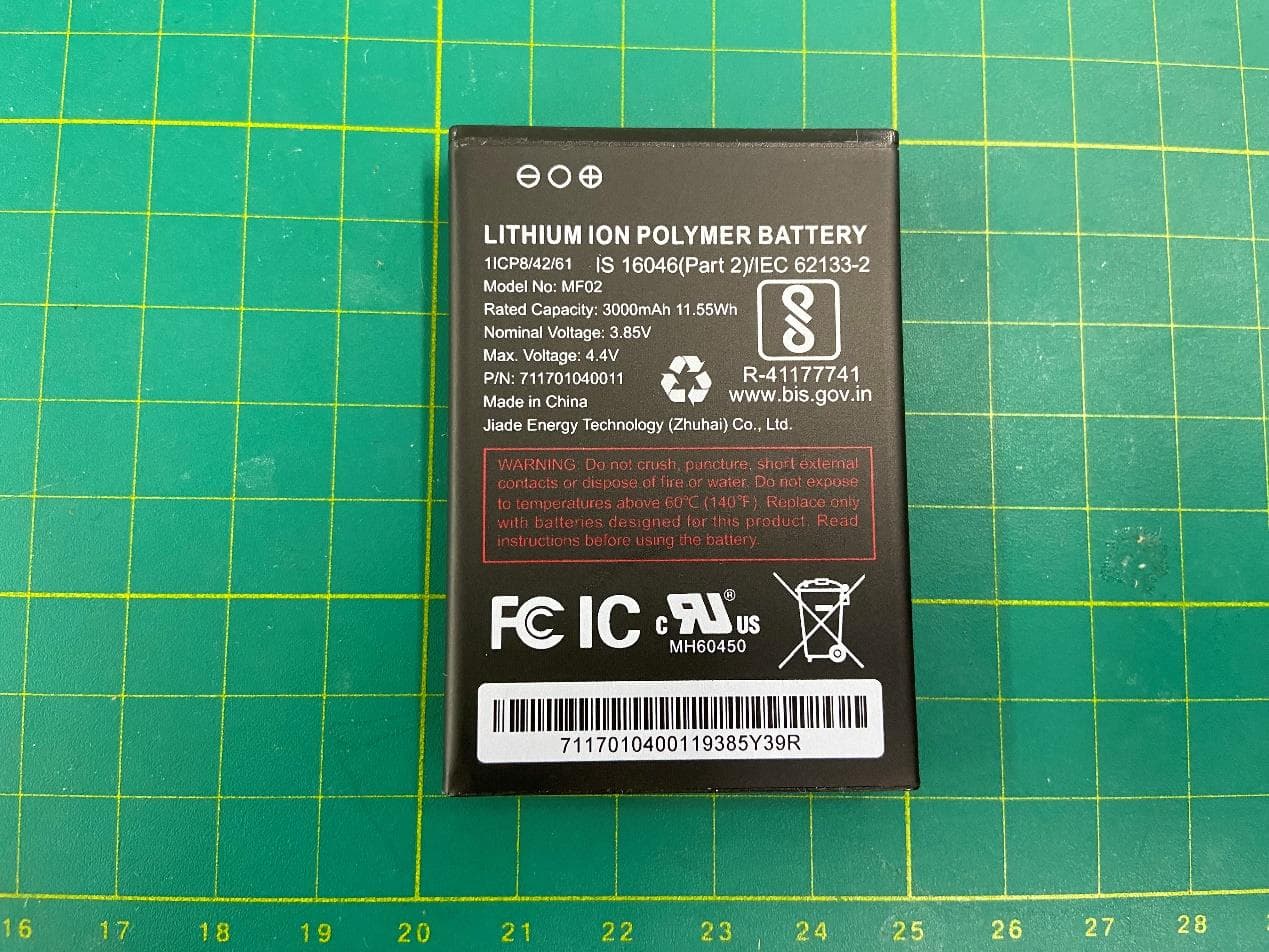
2APXW-ATTCKTHS02
Oct 30, 20234G mobile hotspot
Equipment Class
JBP - Part 15 Class B Computing Device Peripheral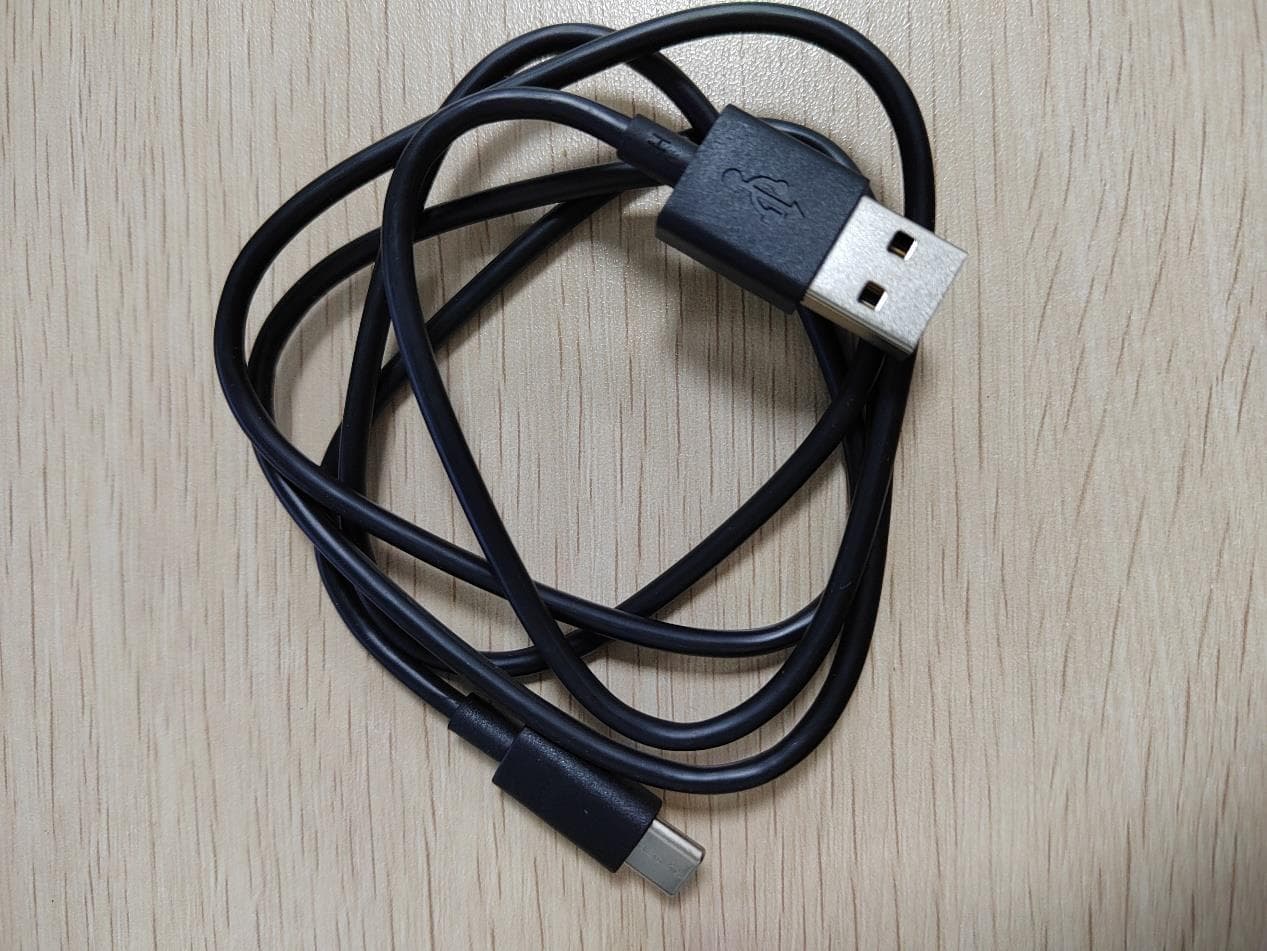
2APXW-TMRV5GTB
Jul 06, 2023REVVLTAB5G
Equipment Class
NII - Unlicensed National Information Infrastructure TX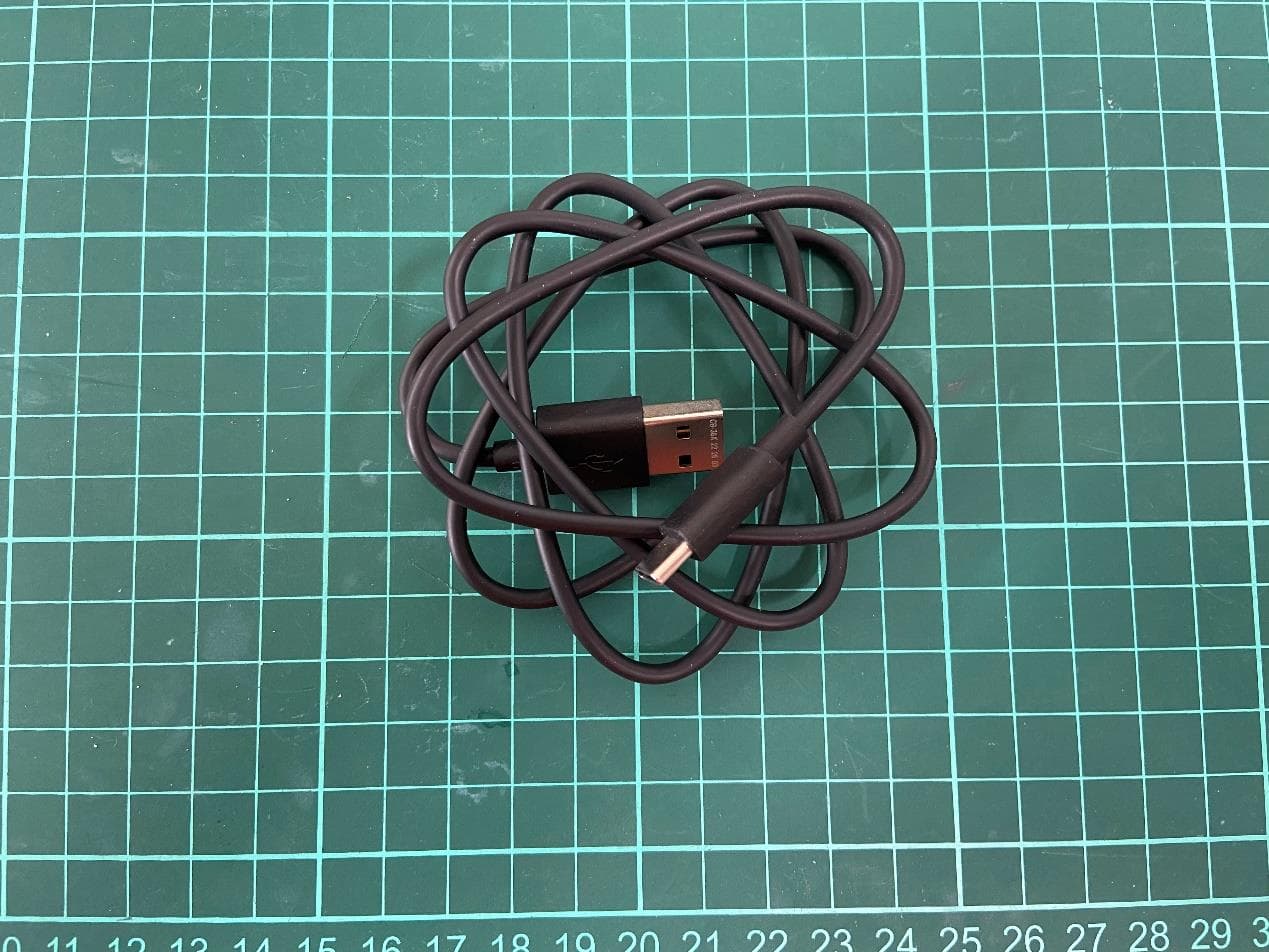
2APXW-TMRV065G
May 22, 20235G Mobile Phone
Equipment Class
CXX - Communications Rcvr for use w/ licensed Tx and CBs
2APXWODPR133
Mar 27, 2023Tablet with Bluetooth, WLAN
Equipment Class
DTS - Digital Transmission System