2APXW-CT2MHS01Multi-band WCDMA/LTE MIFI with WLAN
Wingtech Group (Hong Kong) Limited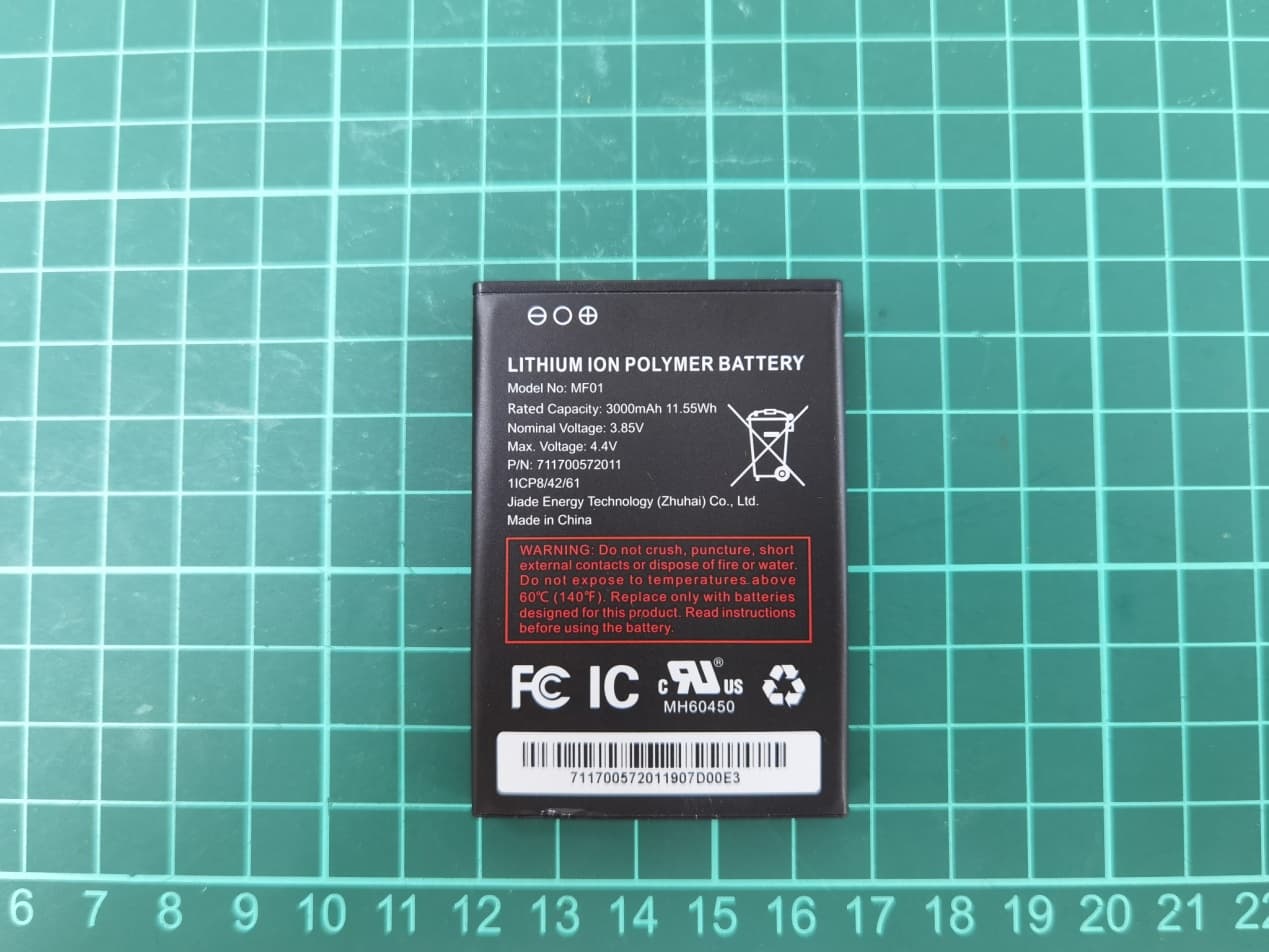
Click to zoom
Application Details
- Equipment Class
- PCB - PCS Licensed Transmitter
- Date of Grant
- Oct 16, 2020
- Application Purpose
- Original Equipment
- Date of Application
- Sep 22, 2020
- Equipment Note
- Multi-band WCDMA/LTE MIFI with WLAN
- Frequency Range
- 1720.00000000 - 1770.00000000
- Country
- Hong Kong
Documents & Files
Document Text
Text extracted from the exhibit documents filed with the FCC. Open a document above to read the original.
Users Manual
TurboHotspot2 UserGuide 2 Support •Ontheweb Detailedsupportinformationincludingdevicespecificationandtroubleshootingcare availableatcricketwireless.com/support/devices. •Onthephone CallCustomerCareat1-855-246-2461ordial611fromyourcellphone. Accessories Forinformationaboutaccessories,visityoulocalCricketstoreorvisitcricketwire- less.com/shop/accessories. Trademarks ©2019CricketWirelessLLC.Allrightsreserved.CricketandtheCricketlogoareregistered trademarksunderlicensetoCricketWirelessLLC.©NETGEAR,Inc.NETGEARandtheNET- GEARLogoaretrademarksofNETGEAR,Inc.Anynon-NETGEARtrademarksareusedfor referencepurposesonly. Compliance Forregulatorycomplianceinformation,visithttp://www.netgear.com/about/regulatory.See theregulatorycompliancedocumentbeforeconnectingthepowersupply. 3 GetStarted Contents MeetYourMobileHotspot6 SetUpYourMobileHotspot7 InsertandInstalltheBattery8 RemovetheSIMcard8 DisplayLayoutandIcons9 ConnecttotheInternet10 ConnecttotheMobileHotspotWithTethering11 CustomizetheMobileHotspotSettings11 UseYourMobileHotspot ViewMessagesFromtheMobileHotspot13 ViewMessagesFromtheMobileHotspotWebPage14 DeleteMessagesFromtheMobileHotspotWeb Page14 ManageYourBroadbandNetworkConnection16 ViewMobileBroadbandNetworkStatusFrom theMobileHotspotWebPage16 TurnMobileDataOnandOffFromtheMobile HotspotWebPage16 ConnecttoWi-Fi16 ManageWi-Fi18 ManageWi-FiSecurity18 ChangeWi-FiNetworkNamesandPasswords FromtheMobileHotspotWebPage18 ChangeWi-FiEncryptionSettings20 ManageSecurity ChangetheMobileHotspotWebPageLogin Settings23 WebsiteFilter ParentalControl25 4 EnablePortForwarding26 MACFilter27 MaintainYourMobileHotspot ExtendBatteryLife29 ViewDetailsAboutYourMobileHotspot30 BackUpandRestoreMobileHotspotSettings31 BackUpMobileHotspotSettings31 RestoreMobileHotspotSettings32 EnableVPNPass-Through33 ConfigureAPNDetails34 SetLANOptions36 UpdateSoftwareFromtheMobileHotspot WebPage37 FrequentlyAskedQuestions WhatdoIdoifIseetheSSIDbutfailedtoconnect?39 Whatifthere'snoservice?39 WhatifIhaveforgottenmyWi-FiPassword?40 WhatifmySIMcardgetslockedout?40 AppendixASpecifications BatterySpecifications42 DisplaySpecifications43 EnvironmentalSpecifications44 MechanicalSpecifications45 MobileBandSpecifications46 PackageContents47 PortSpecifications48 SecuritySpecifications49 WiFiSpecifications50 SARSensordetectdistanceSpecifications51 RadioFrequency(RF)Energy52 5 1 GetStarted Thisproductregularlychecksfornewfirmwareanddownloadsany appropriate,oryoucancheckforanddownloadnewfirmwaremanually.If thefeaturesorbehaviorofyourproductdoesnotmatchwhatisdescribed inthismanual,youmightneedtoupdateyourfirmware. Thischapterprovidesanoverviewofmobilehotspotfeatures,and instructionsforhowtosetupyourmobilehotspotandconnecttothe Internet.Thechaptercoversthefollowingtopics: •MeetYourMobileHotspot •SetUpYourMobileHotspot •InsertandInstalltheBattery •RemovetheSIMcard •DisplayLayoutandIcons •ConnecttotheInternet •ConnecttotheMobileHotspotWithTethering •CustomizetheMobileHotspotSettings 6 MeetYourMobileHotspot Beforeyouconnectyourmobilehotspot,familiarizeyourselfwithitsLCD screen,icons,buttons,andconnectors. Power/Navigation button USBTypeC ChargingPort LCDhome screen WPSbutton Batterybackcover Factoryresethole 7 SetUpYourMobileHotspot 1.Removebackcover,andtakethebatteryout. 2.RemovetheSIMcardfromtheoutercard. 3.LocatetheSIMcardslot.HoldSIMsothatthecutcornerisatthetopand goldcontactsarefacingdownward.InsertSIMbypressingdownontheclip andslidingintotheSIMslot. 4.Insertthebattery.Installthebackcover,thearrowonthebackcoverpoints downward. 5.Chargemobilehotspotfully. 8 InsertandInstalltheBattery 1.Removethebatterycoverandalignthebatterycontactswiththe terminalsinthebatterycompartmentasshown.Pushthebatterydownuntilit clicksintoplace. 2.Replacethebatterycoveroverthebatterycompartmentandpressdown onthefourcornersofthebatterycoveruntilitclicksintoplace. 3.Yourdevicecomeswithacharger.Tocharge,plugoneendofthecharger intoanelectricaloutletandtheotherendintothedevice’sUSBType-Cport. RemovetheSIMcard 1.Removebackcover,andtakethebatteryout. 2.LocatetheSIMcardslot. 3.PushdownontheplasticclipinfrontoftheSIMcard,whileslidingtheSIM cardoutofitsslot. 9 DisplayLayoutandIcons YoucanusethePower/Navigationbuttontowatchthedisplayscreen. Networkindicator Signalstrength Batteryindicator Numberof connected devices Newmessage notification Wi-Finetwork name(SSID) Password(Key)for Wi-FiNetwork Note:Displayscreenwilltimeoutafter1minuteofinactivitytosavepower. PressthePower/Navigationbuttontowakethescreen.Thisdefaultsetting canbeadjustedinhttp://hotspot.webui. 10 ConnecttotheInternet 1.Turnonyourmobilehotspotbylong-pressingthePower/Navigationbutton for3seconds. 2.OpentheWi-Finetworkmanageronyourcomputer,smartphone,tablet,or Wi-Fienableddevice. 3.Findandselectyourmobilehotspot'sWi-Finetwork(SSID)named "hotspot_XXXX"forthe2.4GHzWi-Finetworkor"hotspot_XXXX_5G"forthe 5GHzWi-Finetwork. 4.Connectbyenteringthepassword(key)shownonyourmobilehotspot's display. 2.4GHznetwork name(SSID)and password(KEY) 5GHznetwork name(SSID)and password(KEY) 5.Openawebbrowserandvisityourfavoritewebsitetoconfirmyourcon- nection. Note:Wi-Finetworkname(SSID)andWi-Finetworkpassword(key)canbe changedinhttp://hotspot.webuiunderWi-FiBasicSetting. 11 ConnecttotheMobileHotspotWithTethering YoucanconnectacomputertothemobilehotspotusingtheUSBType-C cableinsteadofconnectingwithWi-Fi.Thiskindofcableconnectionis calledtethering. Note:ThefirsttimeyouusetheUSBType-Ccabletoconnecttothemobile hotspotyourcomputer’soperatingsystemdetectsthenewdevice. ToinstalldriversoncomputersrunningWindows: 1.Ensurethatthemobilehotspotispoweredoff. 2.ConnectthemobilehotspottoyourcomputerusingtheUSBcable. Themobilehotspotautomaticallypowerson. Note:MakesurethatyourcomputerhasaccesstoInternetwhenyoufirstuse thetetheringfeaturebecauseyourcomputermightneedtoaccessthe Internetinordertodownloadtherequiredsoftwaredriver. Afterthedriverisinstalled,youcanvisitthemobilehotspotwebpageto customizeyourmobilehotspot’sadvancedsettings.Thisisanoptionalstep. Customizethe…
Text truncated - open the document above for the full version.
Cover Letter(s)
Company Name: Wingtech Group (Hong Kong) Limited Address:Flat/RM 1903, 19/F, Podium Plaza 5 Hanoi Road, Tsim Sha Tsui Kowloon, Hong Kong HMD Global Oy is the exclusive licensee of the Nokia brand for phones & tablets. Nokia is a registered trademark of the Nokia Corporation. Authority to Act as Agent Date: ___2020-9-11____ American Certification Body, Inc. 6731 Whittier Avenue Suite C110 McLean, VA 22101 To Whom It May Concern: ______Shenzhen Academy of Information and Communications Technology ____is authorized to act on our behalf, until otherwise notified, for applications to American Certification Body, Inc. (ACB). We certify that we are not subject to denial of federal benefits, that includes FCC benefits, pursuant to Section 5301 of the Anti-Drug Abuse Act of 1988, 21 U.S.C. 862. Further, no party, as defined in 47 CFR 1.2002 (b), to the application is subject to denial of federal benefits, that includes FCC benefits. Thank you, Agency Agreement Expiration Date: _____12 months____ By:___ __Rui Sha (Signature)(Print name) Title:___ Certification Manager___ On behalf of: _______ Wingtech Group (Hong Kong) Limited _________ (Company Name)Telephone:____________ Company Name: Wingtech Group (Hong Kong) Limited Address:Flat/RM 1903, 19/F, Podium Plaza 5 Hanoi Road, Tsim Sha Tsui Kowloon, Hong Kong HMD Global Oy is the exclusive licensee of the Nokia brand for phones & tablets. Nokia is a registered trademark of the Nokia Corporation. Request for Confidentiality Date: __2020-9-11______ Subject: Confidentiality Request for: ____2APXW-CT2MHS01 _ Pursuant to FCC 47 CFR 0.457(d) and 0.459 and IC RSP-100, Section 9.4, the applicant requests that a part of the subject FCC application be held confidential. Type of Confidentiality RequestedExhibit ☐Short Term☒PermanentBlock Diagrams ☒Short Term External Photos ☒Short Term☐Permanent * 1 Internal Photos ☐Short Term☒Permanent Operation Description/Theory of Operation ☐Short Term☒Permanent Parts List & Placement/BOM ☐Short Term☒Permanent Tune-Up Procedure ☐Short Term☒Permanent Schematics ☒Short TermTest Setup Photos ☒Short Term☐Permanent * 3 User’s Manual 1 - The asterisked items (*) require further information to be provided to ACB before permanent confidentiality will be extended to these exhibits. Please refer to FCC KDB 726920 and the specific Document link for D01 found at: https://apps.fcc.gov/oetcf/kdb/forms/FTSSearchResultPage.cfm?switch=P&id=41731and review section II, 3) regarding specific information that must accompany these requests. 1 - Please refer tohttp://acbcert.com/documents/misc-docs/Memo-Short-Term-Vs-Standard- Confidentiality.pdffor complete details. 1 - Must be signed by applicant contact given for applicant on the FCC site, or by the authorized agent if an appropriate authorized agent letter has been provided. Letters should be placed on appropriate letterhead. Company Name: Wingtech Group (Hong Kong) Limited Address:Flat/RM 1903, 19/F, Podium Plaza 5 Hanoi Road, Tsim Sha Tsui Kowloon, Hong Kong HMD Global Oy is the exclusive licensee of the Nokia brand for phones & tablets. Nokia is a registered trademark of the Nokia Corporation. _____Wingtech Group (Hong Kong) Limited _____has spent substantial effort in developing this product and it is one of the first of its kind in industry. Having the subject information easily available to "competition" would negate the advantage they have achieved by developing this product. Not protecting the details of the design will result in financial hardship. Permanent Confidentiality: The applicant requests the exhibits listed above as permanently confidential be permanently withheld from public review due to materials that contain trade secrets and proprietary information not customarily released to the public. Short-Term Confidentiality: The applicant requests the exhibits selected above as short term confidential be withheld from public view for a period of _180_ days from the date of the Grant of Equipment Authorization and prior to marketing. This is to avoid premature release of sensitive information prior to marketing or release of the product to the public. Applicant is also aware that they are responsible to notify ACB in the event information regarding the product or the product is made available to the public before the requested period has expired. ACB will then release the documents listed above for public disclosure pursuant to FCC Public Notice DA 04-1705. NOTE for Industry Canada Applications: IC currently only distinguishes Permanent Confidentiality exhibits as shown above. Short Term confidentiality is not considered applicable to IC applications. Sincerely, By: _ ___Rui Sha_ (Signature/Title)(Print name)
External Photos
CT2MHS01 External Photos CT2MHS01 CT2MHS01 PA-US5V2A-036 PA-US5V2A-036_label MF01 USB TYPE A to C 2.0 Cable (1.0m) (Huizhou Washin) USB TYPE A to C 2.0 Cable (1.0m) (Shenzhen BRL)
ID Label/Location Info
LABEL
Internal Photos
CT2MHS01 Internal Photos
RF Exposure Info
No.I20N02441-SAR ©Copyright. All rights reserved by SAICT. Page 62 of 244 11.3. Wi-Fi Measurement result Power Level A1 The average conducted power for Wi-Fi is as following: Power Level B1 Channel\data rate1Mbps 11(2462MHz)18.61 6(2437MHz)18.49 1(2412MHz)18.46 Tune up20.00 Channel\data rate6Mbps 11(2462MHz)17.31 6(2437MHz)17.25 1(2412MHz)17.17 Tune up19.00 Channel\data rateMCS0 11(2462MHz)17.16 6(2437MHz)17.13 1(2412MHz)17.01 Tune up19.00 Channel\data rateMCS0 9(2452MHz)16.59 6(2437MHz)16.66 3(2422MHz)16.84 Tune up18.00 802.11b(dBm) 802.11g(dBm) 802.11n(dBm)-20MHz 802.11n(dBm)-40MHz FCC Channel\data rate6Mbps 36(5180 MHz)16.90 40(5200 MHz)16.81 44(5220 MHz)16.85 48(5240 MHz)16.62 Tune up18.00 52(5260 MHz)16.41 56(5280 MHz)16.42 60(5300 MHz)16.42 64(5320 MHz)16.69 100(5500 MHz)16.45 104(5520 MHz)16.82 108(5540 MHz)16.98 112(5560 MHz)17.18 116(5580 MHz)17.18 120(5600 MHz)17.12 124(5620 MHz)17.01 128(5640 MHz)16.92 132(5660 MHz)17.23 136(5680 MHz)17.46 140(5700 MHz)17.61 144(5720 MHz)17.83 Tune up18.00 149(5745 MHz)17.88 153(5765 MHz)17.94 157(5785 MHz)17.56 161(5805 MHz)17.35 165(5825 MHz)17.24 Tune up19.00 802.11a(dBm) 5GHz No.I20N02441-SAR ©Copyright. All rights reserved by SAICT. Page 63 of 244 The average conducted power for Wi-Fi is as following: Power Level C1 The average conducted power for Wi-Fi is as following: Channel\data rate1Mbps 11(2462MHz)15.35 6(2437MHz)15.40 1(2412MHz)15.48 Tune up17.00 Channel\data rate6Mbps 11(2462MHz)15.03 6(2437MHz)15.07 1(2412MHz)15.17 Tune up17.00 Channel\data rateMCS0 11(2462MHz)15.06 6(2437MHz)15.07 1(2412MHz)15.01 Tune up17.00 Channel\data rateMCS0 9(2452MHz)15.39 6(2437MHz)15.46 3(2422MHz)15.76 Tune up17.00 802.11b(dBm) 802.11g(dBm) 802.11n(dBm)-20MHz 802.11n(dBm)-40MHz FCC Channel\data rateMCS0 42(5210 MHz)13.22 58(5290 MHz)12.74 106(5530 MHz)13.09 122(5610 MHz)13.25 138(5690 MHz)13.68 155(5775 MHz)13.69 Tune up14.00 802.11ac(dBm)-80MHz Channel\data rate1Mbps 11(2462MHz)12.64 6(2437MHz)12.65 1(2412MHz)12.66 Tune up14.00 Channel\data rate6Mbps 11(2462MHz)12.38 6(2437MHz)12.33 1(2412MHz)12.37 Tune up14.00 Channel\data rateMCS0 11(2462MHz)12.22 6(2437MHz)12.17 1(2412MHz)12.22 Tune up14.00 Channel\data rateMCS0 9(2452MHz)12.07 6(2437MHz)12.60 3(2422MHz)12.26 Tune up14.00 802.11b(dBm) 802.11g(dBm) 802.11n(dBm)-20MHz 802.11n(dBm)-40MHz Channel\data rateMCS0 42(5210 MHz)8.25 58(5290 MHz)7.80 106(5530 MHz)8.15 122(5610 MHz)8.25 138(5690 MHz)8.77 155(5775 MHz)8.76 Tune up9.00 802.11ac(dBm)-80MHz No.I20N02441-SAR ©Copyright. All rights reserved by SAICT. Page 64 of 244 12. Transmit Antenna Position and Size 12.1. Introduction The following procedures adopted from “FCC SAR Considerations for Cell Phones with Multiple Transmitters” are applicable to handsets with built-in unlicensed transmitters such as 802.11 a/b/g and Bluetooth devices which may simultaneously transmit with the licensed transmitter. For this device, the BT and Wi-Fi can transmit simultaneous with other transmitters. 12.2. Transmit Antenna Separation Distances Picture 12.1 Antenna Position and size No.I20N02441-SAR ©Copyright. All rights reserved by SAICT. Page 65 of 244 12.3. SAR Measurement Positions According to the KDB941225 D06 Hot Spot SAR v01, the edges with less than 2.5 cm distance to the antennas need to be tested for SAR. SAR measurement positions Mode Front Rear Left edge Right edge Top edge Bottom edge Main antenna- antenna1 Yes Yes Yes Yes Yes No Main antenna- antenna2 Yes Yes No Yes Yes No WLAN Yes Yes No Yes No No 12.4. Standalone SAR Test Exclusion Considerations Standalone 1-g head or body SAR evaluation by measurement or numerical simulation is not required when the corresponding SAR Exclusion Threshold condition, listed below, is satisfied. The 1-g SAR test exclusion threshold for 100 MHz to 6 GHz at test separation distances≤ 50 mm are determined by: [(max. power of channel, including tune-up tolerance, mW)/(min. test separation distance, mm)] · [√f(GHz)] ≤ 3.0 for 1-g SAR, where f(GHz) is the RF channel transmit frequency in GHz Power and distance are rounded to the nearest mW and mm before calculation The result is rounded to one decimal place for comparison Table 12.1: Standalone SAR test exclusion considerations Band/Mode F(GHz) Position SAR test exclusion threshold(mW) RF output power SAR test exclusion dBm mW 2.4GHz WLAN 2.45 Head 9.58 20 100 No Body 19.17 20 100 No 5GHz WLAN 5.2 Head 6.58 18 63.10 No Body 13.16 18 63.10 No 5.3 Head 6.52 18 63.10 No Body 13.03 18 63.10 No 5.6 Head 6.34 18 63.10 No Body 12.68 18 63.10 No 5.8 Head 6.23 19 79.43 No Body 12.46 19 79.43 No No.I20N02441-SAR ©Copyright. All rights reserved by SAICT. Page 66 of 244 13. Evaluation of Simultaneous Table 13.1: The sum of reported SAR values for Main antenna and WiFi-2.4G (Non-USB) Position Cellular antenna WiFi2.4G Sum Highest reported SAR value for Head Front 15mm 0.97 0.22 1.19 Table 13.2: The sum of reported SAR values for Main antenna + WiFi-5G (Non-USB) Position Cellular antenna WiFi-5G Sum Maximum reported SAR value for Body Front 15mm 0.97 0.22 1.19 Table 13.3: The sum of reported SAR values for Main antenna and WiFi-2.4G (USB) Position Cellular antenna WiFi2.4G Sum Highest reported SAR value for Head Rear 0mm 0.96 0.24 1.20 Table 13.4: The sum of reported SAR values for Main antenna + WiFi-5G (USB) Position Cellular antenna WiFi-5G Sum Maximum reported SAR value for Body Front 15mm 0.97 0.22 1.19 Conclusion: According to the above tables, the sum of reported SAR values is<1.6W/kg. So the simultaneous transmission SAR with volume scans is not required. No.I20N02441-SAR ©Copyright. All rights reserved by SAICT. Page 67 of 244 14. SAR Test Result It is determined by user manual for the distance between the EUT and the phantom bottom. The distance is 10mm 15mm or 0mm and just applied to the condition of body worn accessory. It is performed for all SAR measurements with area scan based 1-g SAR estimation (Fast SAR). A zoom scan measurement is added when the estimated 1-g SAR is th…
Text truncated - open the document above for the full version.
RF Exposure Info
No.I20N02441-SAR ©Copyright. All rights reserved by SAICT. Page 123 of 244 LTE850-FDD5_CH20450 Rear Date: 9/9/2020 Electronics: DAE4 Sn786 Medium: Head 835 MHz Medium parameters used: f = 829 MHz; σ = 0.882 mho/m; εr = 40.7; ρ = 1000 kg/m 3 Ambient Temperature: 22.5 o C, Liquid Temperature: 22.3 o C Communication System: LTE850-FDD5 829 MHz Duty Cycle: 1:1 Probe: EX3DV4 – SN3633 ConvF(9.59, 9.59, 9.59) Area Scan (71x121x1): Interpolated grid: dx=1.000 mm, dy=1.000 mm Maximum value of SAR (interpolated) = 0.695 W/kg Zoom Scan (7x7x7)/Cube 0: Measurement grid: dx=5mm, dy=5mm, dz=5mm Reference Value = 10.64 V/m; Power Drift = 0.03 dB Peak SAR (extrapolated) = 0.953 W/kg SAR(1 g) = 0.388 W/kg; SAR(10 g) = 0.231 W/kg Maximum value of SAR (measured) = 0.637 W/kg Fig A.16 No.I20N02441-SAR ©Copyright. All rights reserved by SAICT. Page 124 of 244 LTE700-FDD12_CH23130 Front Date: 9/8/2020 Electronics: DAE4 Sn786 Medium: Head 750 MHz Medium parameters used: f = 711 MHz; σ = 0.853 mho/m; εr = 42.55; ρ = 1000 kg/m 3 Ambient Temperature: 22.5 o C, Liquid Temperature: 22.3 o C Communication System: LTE700-FDD12 711 MHz Duty Cycle: 1:1 Probe: EX3DV4 – SN3633 ConvF(9.59, 9.59, 9.59) Area Scan (71x121x1): Interpolated grid: dx=1.000 mm, dy=1.000 mm Maximum value of SAR (interpolated) = 0.433 W/kg Zoom Scan (7x7x7)/Cube 0: Measurement grid: dx=5mm, dy=5mm, dz=5mm Reference Value = 20.81 V/m; Power Drift = 0.02 dB Peak SAR (extrapolated) = 0.477 W/kg SAR(1 g) = 0.35 W/kg; SAR(10 g) = 0.262 W/kg Maximum value of SAR (measured) = SAR W/kg Fig A.17 No.I20N02441-SAR ©Copyright. All rights reserved by SAICT. Page 125 of 244 LTE700-FDD14_CH23330 Rear Date: 9/8/2020 Electronics: DAE4 Sn786 Medium: Head 750 MHz Medium parameters used: f = 793 MHz; σ = 0.931 mho/m; εr = 42.45; ρ = 1000 kg/m 3 Ambient Temperature: 22.5 o C, Liquid Temperature: 22.3 o C Communication System: LTE700-FDD14 793 MHz Duty Cycle: 1:1 Probe: EX3DV4 – SN3633 ConvF(9.59, 9.59, 9.59) Area Scan (71x121x1): Interpolated grid: dx=1.000 mm, dy=1.000 mm Maximum value of SAR (interpolated) = 0.425 W/kg Zoom Scan (7x7x7)/Cube 0: Measurement grid: dx=5mm, dy=5mm, dz=5mm Reference Value = 19.54 V/m; Power Drift = 0.1 dB Peak SAR (extrapolated) = 0.438 W/kg SAR(1 g) = 0.342 W/kg; SAR(10 g) = 0.258 W/kg Maximum value of SAR (measured) = 0.406 W/kg Fig A.18 No.I20N02441-SAR ©Copyright. All rights reserved by SAICT. Page 126 of 244 LTE2300-FDD30_CH27710 Front Date: 9/12/2020 Electronics: DAE4 Sn786 Medium: Head 2300 MHz Medium parameters used: f = 2310 MHz; σ = 1.697 mho/m; εr = 40.13; ρ = 1000 kg/m 3 Ambient Temperature: 22.5 o C, Liquid Temperature: 22.3 o C Communication System: LTE2300-FDD30 2310 MHz Duty Cycle: 1:1 Probe: EX3DV4 – SN3633 ConvF(7.69, 7.69, 7.69) Area Scan (71x121x1): Interpolated grid: dx=1.000 mm, dy=1.000 mm Maximum value of SAR (interpolated) = 0.605 W/kg Zoom Scan (7x7x7)/Cube 0: Measurement grid: dx=5mm, dy=5mm, dz=5mm Reference Value = 9.074 V/m; Power Drift = 0 dB Peak SAR (extrapolated) = 0.653 W/kg SAR(1 g) = 0.353 W/kg; SAR(10 g) = 0.176 W/kg Maximum value of SAR (measured) = 0.552 W/kg Fig A.19 No.I20N02441-SAR ©Copyright. All rights reserved by SAICT. Page 127 of 244 LTE1700-FDD66_CH132322 Rear Date: 9/10/2020 Electronics: DAE4 Sn786 Medium: Head 1750 MHz Medium parameters used: f = 1745 MHz; σ = 1.35 mho/m; εr = 40.22; ρ = 1000 kg/m 3 Ambient Temperature: 22.5 o C, Liquid Temperature: 22.3 o C Communication System: LTE1700-FDD66 1745 MHz Duty Cycle: 1:1 Probe: EX3DV4 – SN3633 ConvF(8.09, 8.09, 8.09) Area Scan (71x121x1): Interpolated grid: dx=1.000 mm, dy=1.000 mm Maximum value of SAR (interpolated) = 0.81 W/kg Zoom Scan (7x7x7)/Cube 0: Measurement grid: dx=5mm, dy=5mm, dz=5mm Reference Value = 21.98 V/m; Power Drift = -0.1 dB Peak SAR (extrapolated) = 0.764 W/kg SAR(1 g) = 0.581 W/kg; SAR(10 g) = 0.398 W/kg Maximum value of SAR (measured) = 0.706 W/kg Fig A.20 No.I20N02441-SAR ©Copyright. All rights reserved by SAICT. Page 128 of 244 WLAN2450_CH11 Right Date: 9/13/2020 Electronics: DAE4 Sn786 Medium: Head 2450 MHz Medium parameters used: f = 2462; σ = 1.807 mho/m; εr = 39.19; ρ = 1000 kg/m 3 Ambient Temperature: 22.5 o C, Liquid Temperature: 22.3 o C Communication System: WLAN2450 2462 Duty Cycle: 1:1 Probe: EX3DV4 – SN3633 ConvF(7.43, 7.43, 7.43) Area Scan (71x121x1): Interpolated grid: dx=1.000 mm, dy=1.000 mm Maximum value of SAR (interpolated) = 0.313 W/kg Zoom Scan (7x7x7)/Cube 0: Measurement grid: dx=5mm, dy=5mm, dz=5mm Reference Value = 1.29 V/m; Power Drift = -0.08 dB Peak SAR (extrapolated) = 0.457 W/kg SAR(1 g) = 0.186 W/kg; SAR(10 g) = 0.099 W/kg Maximum value of SAR (measured) = 0.312 W/kg Fig A.21 No.I20N02441-SAR ©Copyright. All rights reserved by SAICT. Page 129 of 244 WLAN5G_CH138 Right Date: 9/14/2020 Electronics: DAE4 Sn786 Medium: Head 5750 MHz Medium parameters used: f = 5690; σ = 5.141 mho/m; εr = 35.79; ρ = 1000 kg/m 3 Ambient Temperature: 22.5 o C, Liquid Temperature: 22.3 o C Communication System: WLAN 5690 Duty Cycle: 1:1 Probe: EX3DV4 – SN3633 ConvF(4.73, 4.73, 4.73) Area Scan (71x121x1): Interpolated grid: dx=1.000 mm, dy=1.000 mm Maximum value of SAR (interpolated) = 1.55 W/kg Zoom Scan (7x7x7)/Cube 0: Measurement grid: dx=5mm, dy=5mm, dz=5mm Reference Value = 0.246 V/m; Power Drift = 0.07 dB Peak SAR (extrapolated) = 2.06 W/kg SAR(1 g) = 0.499 W/kg; SAR(10 g) = 0.107 W/kg Maximum value of SAR (measured) = 1.39 W/kg Fig A.22 No.I20N02441-SAR ©Copyright. All rights reserved by SAICT. Page 130 of 244 Fig. 1-1 Z-Scan at power reference point (WCDMA1900 MHz Body) Fig. 1-2 Z-Scan at power reference point (WCDMA1700 MHz Body) Fig. 1-3 Z-Scan at power reference point (WCDMA850 MHz Body) No.I20N02441-SAR ©Copyright. All rights reserved by SAICT. Page 131 of 244 Fig. 1-4 Z-Scan at power reference point (LTE B2 MHz Body) Fig. 1-5 Z-Scan at power reference point (LTE B5 MHz Body) Fig. 1-6 Z-Scan at power reference point (LTE B12 MHz Body) No.I20N02441-SAR ©Copyright. All rights reserved by SAICT. Page 132…
Text truncated - open the document above for the full version.
RF Exposure Info
No. I20N02441-SAR ©Copyright. All rights reserved by SAICT. Page 154 of 244 ANNEX D: Position of the wireless device in relation to the phantom D.1. USB Dongle device Test all USB orientations [see figure below: (A) Horizontal-Up, (B) Horizontal-Down, (C) Vertical-Front, and (D) Vertical-Back] with a device-to-phantom separation distance of 5 mm or less. These test orientations are intended for the exposure conditions found in typical laptop/notebook/netbook or tablet computers with either horizontal or vertical USB connector configurations at various locations in the keyboard section of the computer. Current generation portable host computers should be used to establish the required SAR measurement separation distance.The same test separation distance must be used to test all frequency bands and modes in each USB orientation. The typical Horizontal-Up USB connection (A), found in the majority of host computers, must be tested using an appropriate host computer. A host computer with either Vertical-Front (C) or VerticalBack (D) USB connection should be used to test one of the vertical USB orientations. Picture D.1 Test positions for desktop devices D.2. Body-worn device A typical example of a body-worn device is a mobile phone, wireless enabled PDA or other battery operated wireless device with the ability to transmit while mounted on a person’s body using a carry accessory approved by the wireless device manufacturer. Picture D.4Test positions for body-worn devices No. I20N02441-SAR ©Copyright. All rights reserved by SAICT. Page 155 of 244 D.3. Desktop device A typical example of a desktop device is a wireless enabled desktop computer placed on a table or desk when used. The DUT shall be positioned at the distance and in the orientation to the phantom that corresponds to the intended use as specified by the manufacturer in the user instructions. For devices that employ an external antenna with variable positions, tests shall be performed for all antenna positions specified. Picture8.5 show positions for desktop device SAR tests. If the intended use is not specified, the device shall be tested directly against the flat phantom. Picture D.5 Test positions for desktop devices No. I20N02441-SAR ©Copyright. All rights reserved by SAICT. Page 156 of 244 D.4. DUT Setup Photos Picture D.3 No. I20N02441-SAR ©Copyright. All rights reserved by SAICT. Page 157 of 244 ANNEX E: Equivalent Media Recipes The liquid used for the frequency range of 800-3000 MHz consisted of water, sugar, salt, preventol, glycol monobutyl and Cellulose. The liquid has been previously proven to be suited for worst-case. The Table E.1 shows the detail solution. It’s satisfying the latest tissue dielectric parameters requirements proposed by the IEEE 1528 and IEC 62209. TableE.1: Composition of the Tissue Equivalent Matter Frequency (MHz) 835Head 835Body 1900 Head 1900 Body 2450 Head 2450 Body 5800 Head 5800 Body Ingredients (% by weight) Water 41.45 52.5 55.242 69.91 58.79 72.60 65.53 65.53 Sugar 56.0 45.0 \ \ \ \ \ \ Salt 1.45 1.4 0.306 0.13 0.06 0.18 \ \ Preventol 0.1 0.1 \ \ \ \ \ \ Cellulose 1.0 1.0 \ \ \ \ \ \ Glycol Monobutyl \ \ 44.452 29.96 41.15 27.22 \ \ Diethylenglycol monohexylether \ \ \ \ \ \ 17.24 17.24 Triton X-100 \ \ \ \ \ \ 17.24 17.24 Dielectric Parameters Target Value ε=41.5 σ=0.90 ε=55.2 σ=0.97 ε=40.0 σ=1.40 ε=53.3 σ=1.52 ε=39.2 σ=1.80 ε=52.7 σ=1.95 ε=35.3 σ=5.27 ε=48.2 σ=6.00 Note: There are a little adjustment respectively for 750, 1750, 2600, 5200, 5300 and 5600 based on the recipe of closest frequency in table E.1. No. I20N02441-SAR ©Copyright. All rights reserved by SAICT. Page 158 of 244 ANNEX F: System Validation The SAR system must be validated against its performance specifications before it is deployed. When SAR probes, system components or software are changed, upgraded or recalibrated, these must be validated with the SAR system(s) that operates with such components. Table F.1: System Validation for 3633 Probe SN. Liquid name Validation date Frequency point Status (OK or Not) 3633 Head 750MHz 2020-04-03 750MHz OK 3633 Head 835MHz 2020-04-03 835MHz OK 3633 Head 1750MHz 2020-04-03 1750MHz OK 3633 Head 1900MHz 2020-04-03 1900MHz OK 3633 Head 2300MHz 2020-04-04 2300MHz OK 3633 Head 2450MHz 2020-04-04 2450MHz OK 3633 Head 5200MHz 2020-04-05 5250MHz OK 3633 Head 5600MHz 2020-04-05 5600MHz OK 3633 Head 5750MHz 2020-04-05 5750MHz OK No. I20N02441-SAR ©Copyright. All rights reserved by SAICT. Page 159 of 244 ANNEX G: DAE Calibration Certificate DAE4 SN: 786 Calibration Certificate No. I20N02441-SAR ©Copyright. All rights reserved by SAICT. Page 160 of 244 No. I20N02441-SAR ©Copyright. All rights reserved by SAICT. Page 161 of 244 No. I20N02441-SAR ©Copyright. All rights reserved by SAICT. Page 162 of 244 ANNEX H: Probe Calibration Certificate Probe EX3DV4-SN: 3633 Calibration Certificate No. I20N02441-SAR ©Copyright. All rights reserved by SAICT. Page 163 of 244 No. I20N02441-SAR ©Copyright. All rights reserved by SAICT. Page 164 of 244 No. I20N02441-SAR ©Copyright. All rights reserved by SAICT. Page 165 of 244 No. I20N02441-SAR ©Copyright. All rights reserved by SAICT. Page 166 of 244 No. I20N02441-SAR ©Copyright. All rights reserved by SAICT. Page 167 of 244 No. I20N02441-SAR ©Copyright. All rights reserved by SAICT. Page 168 of 244 No. I20N02441-SAR ©Copyright. All rights reserved by SAICT. Page 169 of 244 No. I20N02441-SAR ©Copyright. All rights reserved by SAICT. Page 170 of 244 No. I20N02441-SAR ©Copyright. All rights reserved by SAICT. Page 171 of 244 No. I20N02441-SAR ©Copyright. All rights reserved by SAICT. Page 172 of 244 ANNEX I: Dipole Calibration Certificate 750 MHz Dipole Calibration Certificate No. I20N02441-SAR ©Copyright. All rights reserved by SAICT. Page 173 of 244 No. I20N02441-SAR ©Copyright. All rights reserved by SAICT. Page 174 of 244 No. I20N02441-SAR ©Copyright. All rights reserved by SAICT. Page 175 of 244 No. I20N02441-SAR ©Copyright. All rights reserved by SAICT. Page 1…
Text truncated - open the document above for the full version.
RF Exposure Info
No. I20N02441-SAR ©Copyright. All rights reserved by SAICT. Page 184 of 244 No. I20N02441-SAR ©Copyright. All rights reserved by SAICT. Page 185 of 244 No. I20N02441-SAR ©Copyright. All rights reserved by SAICT. Page 186 of 244 No. I20N02441-SAR ©Copyright. All rights reserved by SAICT. Page 187 of 244 No. I20N02441-SAR ©Copyright. All rights reserved by SAICT. Page 188 of 244 1750 MHz Dipole Calibration Certificate No. I20N02441-SAR ©Copyright. All rights reserved by SAICT. Page 189 of 244 No. I20N02441-SAR ©Copyright. All rights reserved by SAICT. Page 190 of 244 No. I20N02441-SAR ©Copyright. All rights reserved by SAICT. Page 191 of 244 No. I20N02441-SAR ©Copyright. All rights reserved by SAICT. Page 192 of 244 No. I20N02441-SAR ©Copyright. All rights reserved by SAICT. Page 193 of 244 No. I20N02441-SAR ©Copyright. All rights reserved by SAICT. Page 194 of 244 No. I20N02441-SAR ©Copyright. All rights reserved by SAICT. Page 195 of 244 No. I20N02441-SAR ©Copyright. All rights reserved by SAICT. Page 196 of 244 1900 MHz Dipole Calibration Certificate No. I20N02441-SAR ©…
Text truncated - open the document above for the full version.
Contact Information
Applicant
Rui Sha(Certification Engineer)
Technical Contact
Shenzhen Academy of Information and CommunicationsLi Xiao
[email protected]86-755-33322000
Building G, Shenzhen International Innovation · Shenzhen · China
Test Firm
Shenzhen Academy of Information and CommunicationsXiao Li
Technical Specifications
| # | Rule Parts | Frequency Range | Power Output | Emission | Tolerance |
|---|---|---|---|---|---|
| 22 | 27 | 1.72 GHz - 1.77 GHz | 150.30 mW | 17M9W7D | 0.1 ppm |
Other Applications from Wingtech Group (Hong Kong) Limited
2APXW-TMRV075G
Apr 05, 20245G Mobile Phone
Equipment Class
NII - Unlicensed National Information Infrastructure TX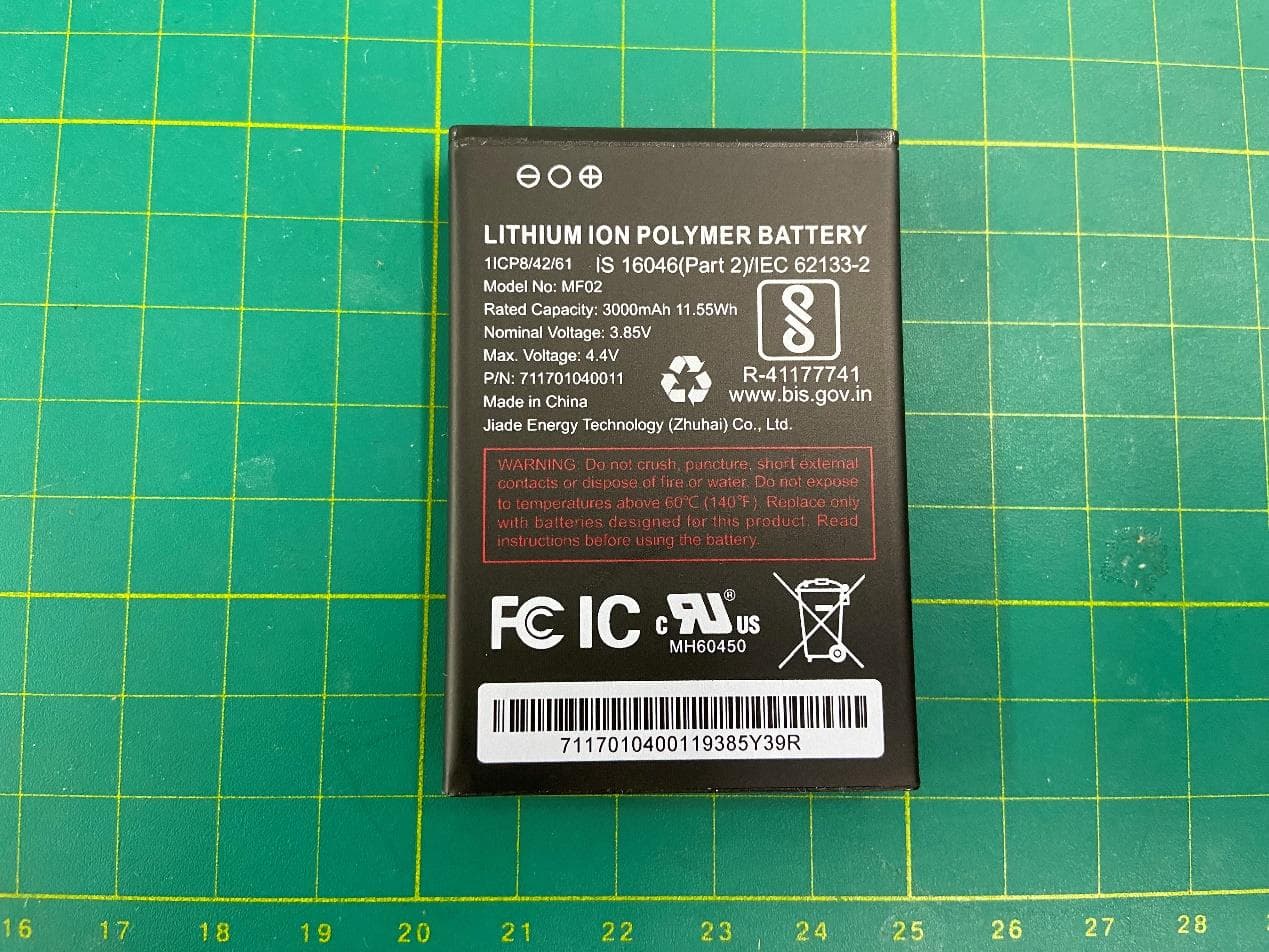
2APXW-ATTCKTHS02
Oct 30, 20234G mobile hotspot
Equipment Class
JBP - Part 15 Class B Computing Device Peripheral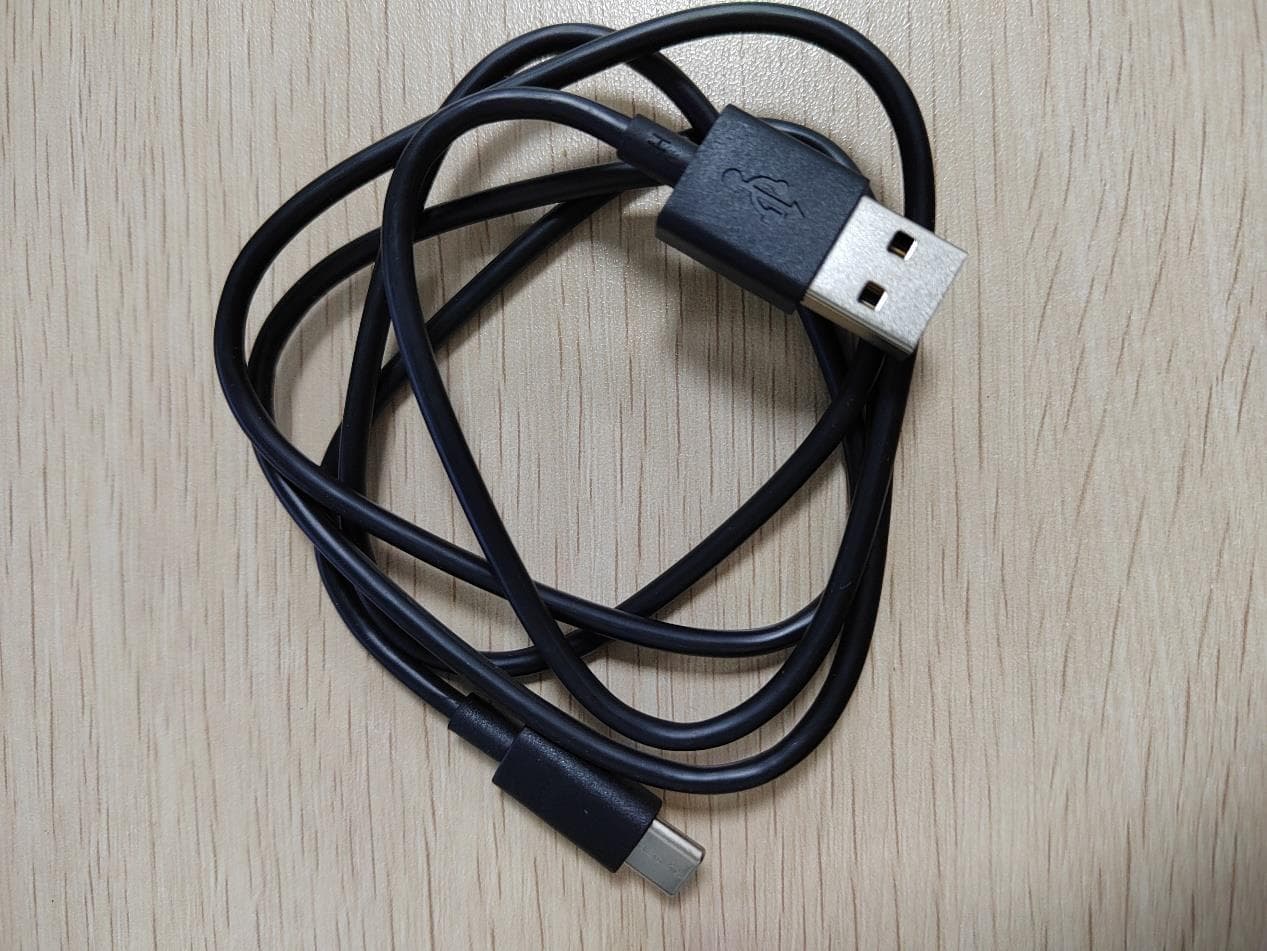
2APXW-TMRV5GTB
Jul 06, 2023REVVLTAB5G
Equipment Class
NII - Unlicensed National Information Infrastructure TX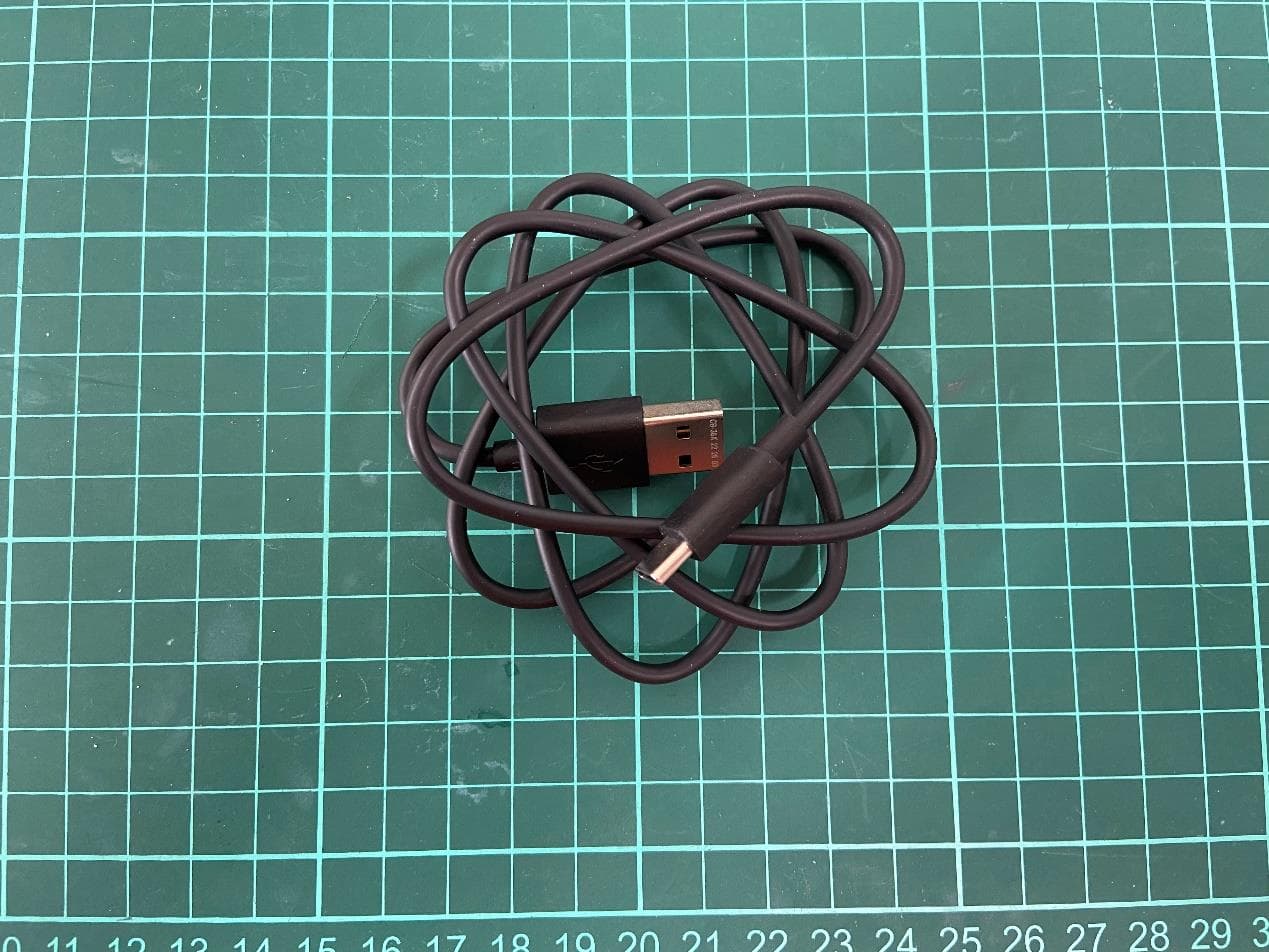
2APXW-TMRV065G
May 22, 20235G Mobile Phone
Equipment Class
CXX - Communications Rcvr for use w/ licensed Tx and CBs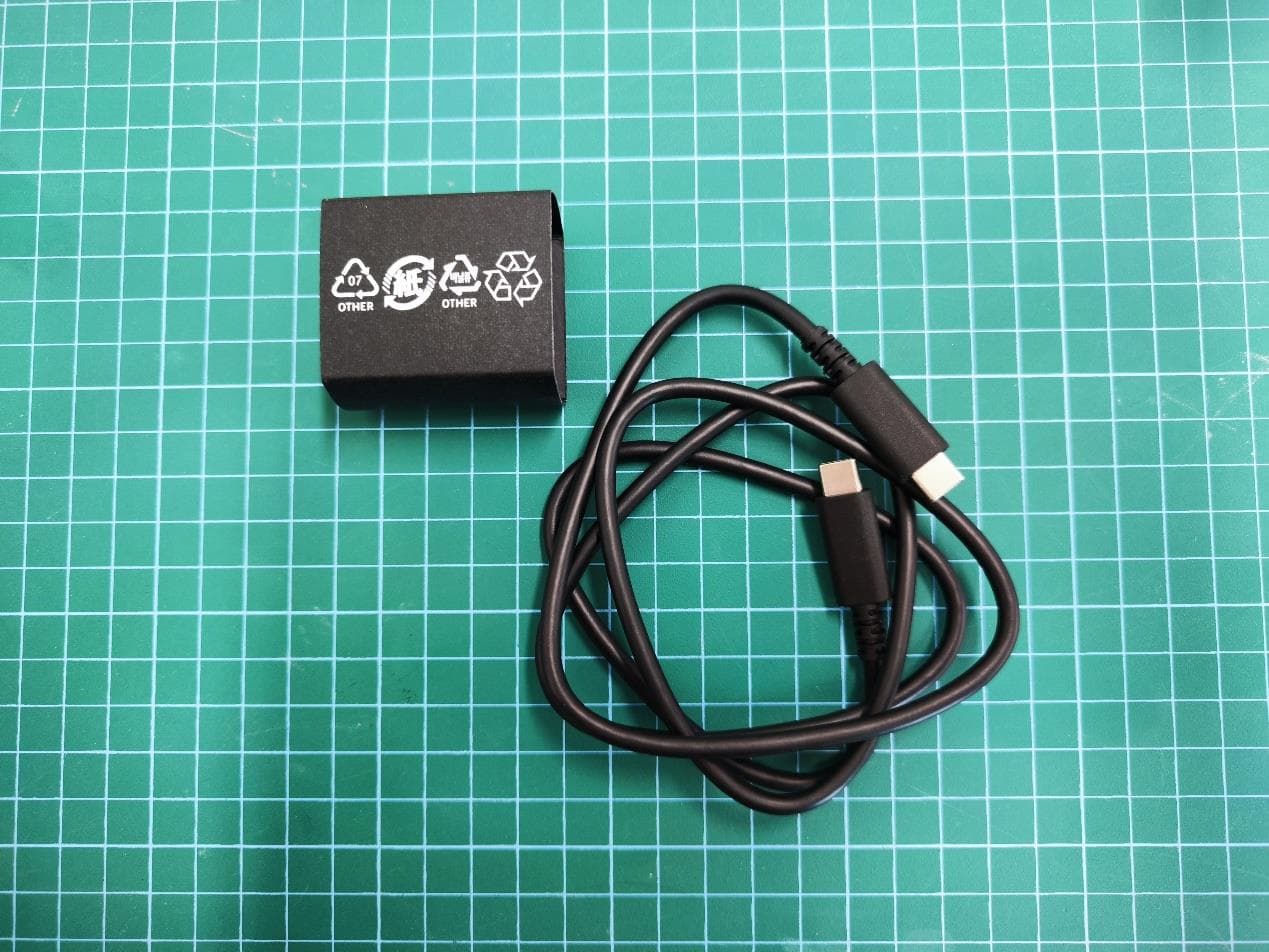
2APXWODPR133
Mar 27, 2023Tablet with Bluetooth, WLAN
Equipment Class
DTS - Digital Transmission System