2AV7A-FL3Smart Cordless Vacuum & Washer
Tineco Intelligent Technology Co.,Ltd.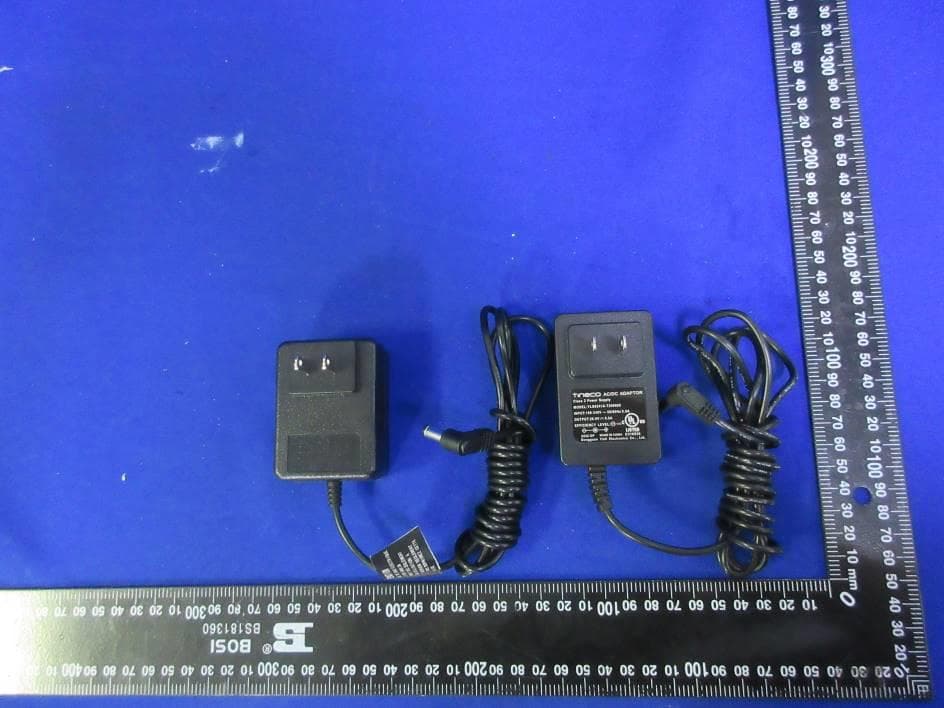
Click to zoom
Application Details
- Equipment Class
- DTS - Digital Transmission System
- Date of Grant
- Aug 03, 2022
- Application Purpose
- Original Equipment
- Date of Application
- Aug 03, 2022
- Equipment Note
- Smart Cordless Vacuum & Washer
- Frequency Range
- 2412.00000000 - 2462.00000000
- Country
- China
Documents & Files
Document Text
Text extracted from the exhibit documents filed with the FCC. Open a document above to read the original.
Users Manual
FLOOR ONE S3 SERIES Smart Cordless Vacuum & Washer Instruction Manual Manual De Uso Mode D’emploi *Actual product may differ from illustration. TINECO IS HERE TO HELP. We’ll get back to you within 1 business day. www.tineco.com 1-855-292-8864 Mon. - Fri. 9am - 6pm (CST) EN 1 CONTENTS Important Safety Instructions ............................................................... 2 Specifications ........................................................................................ 6 Overview ................................................................................................ 7 Assembly ............................................................................................... 9 Operation ............................................................................................ 10 Maintenance ....................................................................................... 16 Troubleshooting .................................................................................. 20 Warranty .............................................................................................. 21 TINECO IS HERE TO HELP. We’ll get back to you within 1 business day. www.tineco.com 1-855-292-8864 Mon. - Fri. 9am - 6pm (CST) EN 2 Important Safety Instructions SAVE THESE INSTRUCTIONS Household use only. When using an electrical appliance, basic precautions should always be followed, including the following: READ ALL INSTRUCTIONS BEFORE USING (THIS APPLIANCE). Failure to follow the warnings and instructions may result in electric shock, fire and/or serious injury. WARNING – To reduce the risk of fire, electric shock, or injury: 1. This appliance can be used by children aged from 8 years and above and persons with reduced physical, sensory or mental capabilities or lack of experience and knowledge if they have been given supervision or instruction concerning use of the appliance in a safe way and understand the hazards involved. Children should not play with the appliance. Cleaning and user maintenance shall not be performed by children without supervision. 2. The appliance is not to be used by persons (including children) with reduced physical, sensory or mental capabilities, or lack of experience and knowledge, unless they have been given supervision or instruction. 3. Use only indoors, on non-carpeted floor surfaces such as vinyl, tile, sealed wood, etc. Be careful not to run over loose objects or edges of area rugs. Stalling the brush may result in premature belt failure. 4. Do not allow to be used as a toy. Close attention is necessary when used by or near children, pets or plants. 5. Use only as described in this manual. Use only manufacturer’s recommended attachments. 6. Do not use with a damaged cord or plug. If appliance has been dropped, damaged, left outdoors, dropped into water, or is not working as it should, return it to a service center. 7. Do not handle charger, including charger plug, and charger terminals with wet hands. 8. Do not put any object into openings. Do not use with any opening blocked; keep free of dust, lint, hair, and anything that may reduce air flow. 9. Keep hair, loose clothing, fingers, and all parts of your body away from openings and moving parts. 10. Use extra care when cleaning on stairs. 11. Do not use to pick up flammable or combustible liquids, such as gasoline, or use in areas where they may be present. 12. Do not pick up anything that is burning or smoking, such as cigarettes, matches, or hot ashes. 13. Do not use without filter. 14. Prevent unintentional activation. Ensure the switch is in the off-position before picking up or carrying the appliance. Carrying the appliance with your finger on the switch or energizing appliance that have the switch on invites accidents. 15. Always switch off the appliance before making any adjustments, changing accessories, or storing the appliance. Such preventive safety measures reduce the risk of starting the appliance accidentally. EN 3 16. Recharge only with the charger specified by Tineco. A charger that is suitable for one type of battery pack may create a risk of fire when used with another battery pack. 17. Use appliances only with specifically designated Tineco battery packs. Use of any other battery packs may create a risk of injury and fire. 18. Under abusive conditions, liquid may be ejected from the battery; avoid contact. If contact accidentally occurs, flush with water. If liquid comes into eye contact, seek medical help. Liquid ejected from the battery may cause irritation or burns. 19. Do not use a battery pack or appliance that is damaged or modified. Damaged or modified batteries may exhibit unpredictable behavior resulting in fire, explosion or risk of injury. 20. Do not expose a battery pack or appliance to fire or excessive temperature. Exposure to fire or temperature above 266°F (130°C) may cause an explosion. 21. Follow all charging instructions and do not charge the battery pack or appliance outside of the temperature range specified in the instructions. Charging improperly or at temperatures outside of the specified range may damage the battery and increase the risk of fire. 22. Have servicing performed by a qualified repair person using only identical replacement parts. This will ensure that the safety of the product is maintained. 23. This appliance contains battery cells that are non-replaceable. Do not modify or attempt to repair the appliance or the battery pack except as indicated in the instructions for use and care. 24. Always turn off this appliance before connecting or disconnecting the motorized nozzle. 25. Do not charge or store the appliance outdoors or inside the car. Only charge, store or use the battery in a dry indoor area where the temperature is higher than 39.2°F (4°C) but lower than 104°F (40°C). The charger is for indoor use only. 26. Do not use to pick up ultrafine particles, such as lime, cement, sawdust, gypsum powder, or ashes. 27. Do not use to pick up sharp …
Text truncated - open the document above for the full version.
Users Manual
EN 17 Dirty Water Tank • When dirty water reaches the Max line, the floater will block off the DWT and create a high pitched sound indicating it’s time to switch off the appliance. • Pull up the tank lid to empty the DWT. Rinse the inside of the DWT and place back into the appliance. Filter & Floater If the filter and the floater have been blocked, rinse with water. Remove the filter from the tank lid, remove the floater, and rinse both parts with water. Dry Filter Grasp recessed area on each side of the filter and pull upward. Rinse under running water and must be completely dry before recombining with the lid of the DWT. EN 18 Self-cleaning 1. Place the appliance on the storage tray and plug in. Press the self-cleaning button and begin the process. 2. Once complete, the appliance will begin charging. Clean the Dirty Water Tank after cleaning completed. Note: • Ensure the appliance is plugged in and the battery level is >10%. • Before self-cleaning cycle, please clean the DWT and ensure the water level in the CWT exceeds 40%. Brush Roller Cover Grab the front handle while pressing the button and pull upward to remove. Rinse with water. ② ① click When replacing, always latch the brush cover into place to avoid leakage. EN 19 Brush Roller Remove the brush roller by grabbing the brush roller tab and pulling upward. Remove the hair and debris wrapped around the roller and rinse with water (brush roller tab can be removed). Replace the brush roller back onto the storage tray, and allow it to dry completely before reinstalling. Remove hair and debris from the brush roller chamber and the opening with a tissue or a damp cloth. Replace the brush roller by inserting the brush roller end into the right side of the holder, then lock the pull tab into place by pressing downward. Note: To maintain high performance, replace the brush roller every 6 months. EN 20 Troubleshooting ProblemPossible causeSolution The appliance does not turn on Auto protection for overheatingRestart after cooling down The appliance has no powerCharge the appliance Weak suction The dry filter is not installed, or the dry filter is dirty Install the dry filter or clean and allow it to dry completely Suction mouth is blocked Pull up the brush roller and remove blockages Brush roller tangled indicator blinking Voice prompt: 1. Please clean the brush roller 2. Please install the brush roller correctly 1. The brush roller is blocked 2. The brush roller is not installed 1. Remove blockages 2. Install brush roller correctly WiFi indicator is off WiFi is not connected Follow the in-app guide to connect to WiFi CWT empty indicator blinking Voice prompt: Clean Water Tank empty, please refill water and cleaning solution CWT is emptyRefill CWT All lights off in operation Battery overheat or malfunction Cool the appliance down and restart Battery level indicator blinking Voice prompt: Low battery, please charge Low batteryCharge the appliance, or restart LED loop illuminates red Voice prompt: Please begin self- cleaning cycle Dirt sensor malfunction or blocked Remove blockages, clean the debris channel, or restart Self-cleaning icon blinking Brush roller is dirtyStart self-cleaning Power indicator blinking Motor malfunctionContact Customer Service Note: If the above troubleshooting guide fails to provide a solution, please visit our website www.tineco.com for further support. EN 21 Warranty 2-YEAR LIMITED WARRANTY • Only applies to purchases made from authorized retailers of Tineco. • Is subject to the adherence of the requirements outlined in this instruction manual, and is subject to further conditions outlined below. • This warranty is governed by and construed under the laws of the country in which the purchase took place. We provide 2-year warranty or a warranty period as stipulated by applicable local law, whichever is longer. WHAT IS COVERED? • Your Tineco appliance has a 2-year warranty against original defects in material and workmanship, when used for private household purposes in accordance with the Tineco Instruction Manual. Motorized accessories and battery bought separately come with a 1-year warranty. • This warranty provides, at no extra cost to you, all labor and parts necessary to ensure your appliance is in proper operating condition during the warranty period. • This warranty will only be valid if the appliance is used in the country in which it was sold. WHAT IS NOT COVERED? Tineco shall not be liable for costs, damages or repairs incurred as a result of: • Appliances purchased from an unauthorized dealer. • Careless operation or handling, misuse, abuse and/or lack of maintenance or use not in accordance with the Tineco Instruction Manual. • Use of the appliance other than for normal domestic purposes, e.g. for commercial or rental purposes. • Use of parts not in accordance with the Tineco Instruction Manual. • Use of parts and accessories other than those produced or recommended by Tineco. • External factors unrelated to product quality and use, such as weather, modifications, accidents, electrical outages, power surges or acts of God. • Repairs or alterations carried out by unauthorized parties or agents. • Failing to clear blockage and other hazardous material from the appliance. • Normal wear and tear, including normal wearing parts, such as clear bin, belt, filter, HEPA, brush bar, and power cord (or where external damage or abuse is diagnosed), carpet or floor damage due to use not in accordance with manufacturer’s instructions or failure to turn the brush bar off when necessary. • Reduction in battery discharge time due to battery age or use. EN 22 WARRANTY LIMITATIONS • Any implied warranties relating to your appliance including but not limited to warranty of merchantability or warranty of fitness for a particular purpose, are limited to the duration of this warranty. • Warranty coverage applies to the original owner and to the original battery only and is not transferable. • This limited warranty gives you s…
Text truncated - open the document above for the full version.
Users Manual
ES 33 Funcionamiento Preparación para el uso Antes de utilizar el aparato por primera vez, cárguelo de 5 horas (consulte “Instrucciones de carga” para obtener más información). * Basado en los resultados de las pruebas de laboratorio de Tineco. Temperatura de laboratorio: 4 °C-40 °C. AUTO MAX Consejo: • Modo Solución/modo Solo agua: El aparato se enciende de forma predeterminada en modo Solución. Cuando el aparato está en posición vertical, se enciende, mantenga pulsado AUTO MAX durante 3 s para alternar entre ambos modos. • Cambiar a modo Solo agua: Bucle LED: Rojo → Azul (usar solo agua) • Cambiar al modo Solución: Bucle LED: Azul → Rojo (usar solución de limpieza) Si pulsa el botón el aparato se iniciará en el modo AUTO de forma predeterminada. Púlselo de nuevo para apagar el aparato. Para cambiar entre los modos AUTO y MAX, pulse el botón AUTO MAX . <142° El aparato dejará de funcionar cuando se coloque en posición vertical y volverá a funcionar cuando se recline. * No incline el aparato más de 142° para evitar fugas de agua. Coloque el aparato verticalmente en la bandeja de almacenamiento después del uso. Nota: • No aspire líquidos con espuma. • Para aspirar el agua que queda en la superficie, el aparato se apagará en 3 segundos después de la desconexión. Deja de funcionarVuelve a funcionar ES 34 Llenado del depósito de agua limpia MAX Pulse el botón de liberación del depósito de agua limpia para sacarlo del aparato. Abra el tapón del depósito y llénelo con agua del grifo hasta la línea de nivel máximo. Cuando sea necesario realizar una limpieza a fondo, añada un tapón de solución al DAL y cierre bien el tapón. ② ① clic Nota: Utilice únicamente agua a menos de 60 °C. NO UTILICE AGUA CALIENTE. Vuelva a colocar el depósito en el aparato. Cuando lo haga correctamente, escuchará un chasquido. Instrucciones de carga Cargue el aparato cuando el indicador parpadee. 1. Para cargar el aparato, conecte el cable de carga externo al aparato y enchúfelo a la toma de corriente. 2. Para evitar tropiezos, durante la carga, coloque el aparato en la bandeja de almacenamiento cerca de una pared. Advertencia: • Cargue el aparato únicamente con el adaptador suministrado por Tineco. • Si el aparato va a estar mucho tiempo sin ser utilizado, cárguelo una vez cada 3 meses para un rendimiento óptimo. • Guarde el aparato en un lugar seco y en interiores. No exponga el aparato a la luz directa del sol ni a temperaturas por debajo de cero grados. Rango de temperaturas recomendado: 4 °C-40 °C. ES 35 Selección del modo de limpieza Modo AUTO • En el modo AUTO, el sensor iLoop™ detecta automáticamente la suciedad del suelo y aplica la cantidad de detergente y la potencia de succión adecuadas. • Si el bucle de control de suciedad es de color rojo, indica que se detecta más suciedad y, si es azul, se detecta menos suciedad. Este modo proporciona automáticamente la mejor solución de limpieza. Limpio: potencia mínima Varía en función de la cantidad de suciedad Suciedad intensa: potencia máxima Modo MAX AUTO MAX • En modo AUTO, pulse el botón AUTO/MAX para acceder al modo MAX. El indicador AUTO de la pantalla se apagará. • En el modo MAX, el aparato aplicará la máxima potencia de succión y pulverizará agua/solución para una limpieza más profunda. Nota: Mantenga los objetos afilados alejados de la pantalla digital para evitar arañazos y rasguños. ES 36 Tiempo de carga • Una carga completa tarda unas 5 horas. • Los datos estimados se han obtenido en un laboratorio Tineco con temperaturas ambiente de entre 4 °C y 40 °C. Indicador Durante el uso Nivel de batería ≥ 10 %: el indicador de batería se iluminará. Nivel de batería < 10 %: el indicador de batería parpadeará. Apagado: no se ha detectado alimentación o puede que la batería no funcione correctamente. Luz roja fija: el sensor de suciedad está averiado o bloqueado. Indicador parpadeante: el depósito de agua limpia está vacío. Indicador parpadeante: el cepillo de rodillo no está colocado o está bloqueado. Iluminado: La conexión Wi-Fi se ha realizado correctamente. Parpadeante: La Wi-Fi se está conectando. ES 37 Apagado: La Wi-Fi no está conectada. Conéctese a la red. Indicador parpadeante: El aparato necesita autolimpieza. Durante la carga Indicador Tineco: Parpadeando. Completamente cargado En 5 minutos: El indicador Tineco se ilumina. Después de 5 minutos: Todos los indicadores luminosos se apagan. Aplicación Todas las funciones se pueden realizar con la aplicación Tineco. Descargue la aplicación Tineco en el App Store, la tienda Google Play o el sitio oficial de Tineco. TinecoTineco www.tineco.com Support App Downloads GET IT ON Goo- gle Play Download on the App Store App Downloads Nota: El idioma predeterminado de las indicaciones es inglés, puede establecer otros idiomas utilizando la aplicación. ES 38 Aviso de voz (El contenido puede variar, prevalecerá el producto real.) EstadoRecordatorio Nivel de batería: 0-20 %Batería baja Nivel de batería: 0-10 %Batería baja, cárguela Red Wi-Fi conectadaRed conectada El depósito de agua limpia está vacío Vacíe el depósito de agua y vuelva a llenarlo con agua y solución de limpieza Sensor sucioInicie el ciclo de autolimpieza Filtro seco sucioLimpie el filtro del depósito de agua sucia Cepillo de rodillo enredadoLimpie el cepillo de rodillo Cepillo de rodillo no instaladoColoque el cepillo de rodillo correctamente Demasiado desgaste en el cepillo de rodilloSustituya el cepillo de rodillo Apagando (tarda 3 segundos en apagarse)Apagando La alimentación está apagadaApagado Inicie la carga La carga ha comenzado. Detectar automática- mente si se debe ejecutar el ciclo de autolim- pieza Necesita autolimpiezaInicie el ciclo de autolimpieza Pulse el botón de autolimpieza cuando el aparato no esté cargando Coloque el aparato en la bandeja de almace- namiento y conecte el cargador para iniciar la autolimpieza Batería insuficiente para autolimpieza Batería baja, inicie la carga Batería suficiente para iniciar la autolimpiezaComience la au…
Text truncated - open the document above for the full version.
Users Manual
ES 42 Cepillo de rodillo Para retirar el cepillo de rodillo, sujete la lengüeta del cepillo de rodillo y tire hacia arriba. Retire los cabellos y restos enredados en el rodillo y enjuáguelo con agua (se puede retirar la pestaña del cepillo de rodillo). Vuelva a colocar el cepillo de rodillo en la bandeja de almacenamiento y deje que se seque completamente antes de volver a instalarlo. Elimine el pelo y la suciedad de la cámara del cepillo de rodillo y de la abertura con un pañuelo o un paño húmedo. Para volver a colocar el cepillo de rodillo, inserte el extremo del cepillo de rodillo en el lado derecho del soporte y, a continuación, bloquee la pestaña de extracción en su sitio presionando hacia abajo. Nota: Sustituya el cepillo de rodillo cada 6 meses para mantener un alto rendimiento. ES 43 Resolución de problemas ProblemaPosible causaSolución El aparato no se enciende Protección automática para sobrecalentamiento Vuélvalo a encender una vez frío El aparato no tiene alimentaciónCargue el aparato Succión débil El filtro seco no está instalado o está sucio Instale el filtro seco o límpielo y déjelo secar completamente Boca de succión está bloquea- da Estire del cepillo de rodillo y retire las obstrucciones El indicador de cepillo de rodillo atascado parpadea Aviso de voz: 1. Limpie el cepillo de rodillo 2. Coloque el cepillo de rodillo correcta- mente 1. El cepillo de rodillo está obstruido 2. El cepillo de rodillo no está instalado 1. Retire las obstrucciones 2. Instale el cepillo de rodillo correctamente El indicador del Wi-Fi está apagado El Wi-Fi no está conectado Siga las indicaciones de la aplicación para conectarse a la red Wi-Fi El indicador de DAL vacío parpadea Aviso de voz: Vacíe el depósito de agua y vuelva a llenarlo con agua y solución de limpieza DAL vacíoRellenar DAL Todas las luces están apagadas Sobrecalentamiento o funciona- miento incorrecto de la batería Enfríe el aparato y vuelva a encenderlo El indicador de nivel de la batería parpadea Aviso de voz: Batería baja, cárguela Batería bajaCargue el aparato o reinícielo El bucle de LED parpa- dea en rojo Aviso de voz: Inicie el ciclo de auto- limpieza Sensor de suciedad averiado o bloqueado Elimine los bloqueos y limpie el canal de residuos o reinicie El icono de autolimpie- za parpadea El cepillo de rodillo está sucioInicie la autolimpieza El indicador de alimen- tación parpadea Avería del motor Contacte con el servicio de atención al cliente Nota: Si la guía de resolución de problemas no incluye una solución, visite nuestro sitio web www.tineco.com para recibir más ayuda. ES 44 Garantía GARANTÍA LIMITADA DE 2 AÑOS • Solo se aplica a las compras realizadas a minoristas autorizados de Tineco. • Está sujeta al cumplimiento de los requisitos descritos en este manual de instrucciones y otras condiciones descritas a continuación. • Esta garantía se rige e interpreta según las leyes del país en el que se realizó la compra. Ofrecemos una garantía de 2 años o un periodo de garantía según lo estipulado por la ley local aplicable, el que sea más largo. ¿CUÁL ES LA COBERTURA? • El aparato Tineco tiene una garantía de 2 años contra defectos originales en materiales y mano de obra, cuando se usa para fines domésticos privados de acuerdo con el manual de instrucciones de Tineco. Los accesorios motorizados y la batería comprados por separado tienen una garantía de 1 año. • Esta garantía proporciona, sin coste adicional, toda la mano de obra y las piezas necesarias para garantizar que el aparato se encuentre en buenas condiciones de funcionamiento durante el período de garantía. • Esta garantía solo será válida si el aparato se utiliza en el país donde se vendió. ¿QUÉ QUEDA FUERA DE LA COBERTURA? Tineco no será responsable de los costes, daños o reparaciones incurridos como resultado de: • Aparatos adquiridos en un distribuidor no autorizado. • Mala manipulación o manipulación descuidada, mal uso, abuso o falta de mantenimiento, así como usos no conformes con el manual de instrucciones de Tineco. • Uso del aparato para otros fines que no sean fines domésticos normales, por ejemplo, para fines comerciales o de alquiler. • Uso de piezas no conformes con el manual de instrucciones de Tineco. • Uso de piezas y accesorios distintos a los producidos o recomendados por Tineco. • Factores externos no relacionados con la calidad y el uso del producto, como el clima, modificaciones, accidentes, apagones, picos de tensión o causas naturales. • Reparaciones o alteraciones realizadas por personas o agentes no autorizados. • No realizar la retirada de obstrucciones y otros materiales peligrosos del aparato. • Desgaste normal, incluidas las piezas de desgaste normal, como el recipiente transparente, la correa, el filtro, el filtro HEPA, la barra de cepillo y el cable de alimentación (o por daños o abusos externos identificados), daños en las alfombras o en el suelo por uso indebido o no conforme con las instrucciones del fabricante. • Reducción del tiempo de descarga de la batería debido a su uso o antigüedad. ES 45 LIMITACIONES DE GARANTÍA • Cualquier garantía implícita relacionada con el aparato, incluidas, entre otras, la garantía de comerciabilidad o la garantía de adecuación para un propósito particular, se limita a la duración de esta garantía. • La cobertura de la garantía se aplica únicamente al propietario original y a la batería original; no es transferible. • Esta garantía limitada le otorga derechos legales específicos. También puede tener otros derechos que varían según la región. • Es posible que las garantías del fabricante no se apliquen en todos los casos, dependiendo de factores como el uso del producto, el lugar donde se compró el producto o a quién se compró. Revise la garantía cuidadosamente y contacte con el fabricante si tiene alguna pregunta. GARANTÍA Y SERVICIO Registro: Le recomendamos encarecidamente que registre el aparato en el sitio web oficial de Tineco (www.tineco.com) y disfrute de beneficios exclusivos. Para registrar…
Text truncated - open the document above for the full version.
Users Manual
FR 58 Sélection du mode de nettoyage Mode AUTO • En mode AUTO, le capteur iLoop™ détecte automatiquement le degré de salissure du sol et applique la quantité appropriée de détergent et la puissance d’aspiration adaptée. • Une boucle rouge de surveillance de la saleté indique qu’une plus grande quantité de saleté est détectée et une boucle bleue indique qu’une moins grande quantité de saleté est détectée. Ce mode fournit automatiquement la meilleure solution de nettoyage. Nettoyage : utilisation de puissance minimale Varie en fonction de la quantité de saleté Saleté importante : utilisation de puissance maximale Mode MAX AUTO MAX • En mode AUTO, appuyez sur le bouton AUTO/MAX pour entrer en mode MAX. Le témoin AUTO s’éteint sur l’écran. • En mode Max, l’appareil applique une puissance d’aspiration maximale et pulvérise de l’eau/de la solution pour un nettoyage en profondeur. Remarque : Éloignez les objets pointus de l’écran numérique pour éviter les rayures et les éraflures. FR 59 Durée de la recharge • Il faut environ 5 heures pour recharger complètement la batterie. Les données estimées ont été obtenues par un laboratoire Tineco à des températures ambiantes comprises entre 4 °C et 40 °C. Indicateur En cours d’utilisation Niveau de batterie ≥ 10 % : l’indicateur de batterie s’allume. Niveau de batterie < 10 % : l’indicateur de batterie clignote. Éteint : absence d’alimentation détectée ou dysfonctionnement possible de la batterie. Rouge clignotant : dysfonctionnement ou blocage du capteur de saleté. Voyant clignotant : Le REP est vide. Voyant clignotant : le rouleau brosse n’est pas installé ou est bloqué. Allumé : Connexion Wi-Fi réussie. Indicateur clignotant : Connexion Wi-Fi en cours. FR 60 Désactivé : Le Wi-Fi n’est pas connecté, veuillez-vous connecter au réseau. Voyant clignotant : l’appareil a besoin d’un nettoyage automatique. Durant la charge Voyant Tineco : clignotant. Fully Charged Pendant 5 minutes : Voyant Tineco : allumé. Après 5 minutes : tous les voyants s’éteignent. Application Toutes les fonctions peuvent être activées à l’aide de l’application Tineco. Téléchargez l’application Tineco depuis l’App Store, Google Play et le site officiel de Tineco. TinecoTineco www.tineco.com Support App Downloads GET IT ON Google Play Download on the App Store App Downloads Remarque : Le paramètre par défaut pour l’invite vocale est l’anglais, vous pouvez définir d’autres langues à l’aide de l’application. FR 61 Invite vocale (Le contenu peut varier, l’illustration est fournie à titre de référence uniquement.) ÉtatRappel Niveau de la batterie : 10 à 20 %Batterie faible Niveau de la batterie : 0 à 10%Batterie faible, veuillez charger l’appareil. Réseau Wi-Fi connectéRéseau connecté Le réservoir d’eau propre est vide Réservoir d’eau propre vide, veuillez le remplir d’eau et de solution de nettoyage Capteur saleCommencez le cycle de nettoyage automatique Filtre sec saleNettoyez le filtre du réservoir d’eau sale Rouleau brosse bloquéNettoyez le rouleau brosse Rouleau brosse non installéVeuillez installer le rouleau brosse correctement Usure excessive du rouleau brosseRemplacez le rouleau brosse Arrêt en cours (arrêt en 3 secondes)Arrêt en cours L’appareil est hors tensionMettre l’appareil hors tension Commencer la charge La charge a commencé. Détecter automatiquement si l’exécution d’un cycle de nettoyage automatique est nécessaire Nettoyage automatique nécessaireCommencez le cycle de nettoyage automatique Appuyez sur le bouton du nettoyage automatique lorsque l’appareil ne se charge pas Placez l’appareil sur le plateau de rangement et connectez-le au chargeur pour commencer le nettoyage automatique Batterie insuffisante pour le nettoyage automatique Batterie faible, commencer la charge Batterie suffisante pour démarrer le nettoyage automatique Démarrer le nettoyage automatique Nettoyage du rouleau brosseNettoyage du rouleau brosse Nettoyage du canal de débrisNettoyage du canal de débris Détection automatique Détection automatique Nettoyage en profondeurNettoyage en profondeur Nettoyage automatique terminé Cycle de nettoyage automatique terminé. Veuillez nettoyer le réservoir d’eau sale Nettoyage automatique arrêté Cyvle de nettoyage automatique arrêté. Veuillez nettoyer le réservoir d’eau sale Nettoyer avec la solution de nettoyage par défaut Nettoyer avec une solution de nettoyage Nettoyer à l’eau uniquementNettoyer à l’eau uniquement Mode Auto par défautMode Auto Passer en mode MaxMode Max Invites vocales activéesInvites vocales activées Invites vocales désactivéesInvites vocales désactivées FR 62 Entretien Remarque : • Pour obtenir des performances optimales et éviter les odeurs, nettoyez et séchez toujours complètement le RES, le flotteur, les filtres, le rouleau brosse et le couvercle du rouleau brosse après chaque utilisation. • Assurez-vous que chaque pièce est correctement installée, sinon l’appareil peut ne pas fonctionner correctement. • Après l’entretien, placez l’appareil verticalement sur le plateau de rangement. N’exposez pas l’appareil à la lumière directe du soleil et rangez-le à l’intérieur dans un endroit sec. Corps principal AUTO MAX Pour réduire le risque de blessure, éteignez l’appareil avant de procéder à l’entretien. Utilisez un chiffon pour nettoyer la surface avec un détergent neutre. Le chiffon doit être sec pour éviter que de l’eau ne pénètre dans l’appareil. Lorsque la boucle LED est rouge, retirez le réservoir d’eau sale et nettoyez le capteur de saleté à l’aide d’un chiffon humide ou de l’outil de nettoyage. FR 63 Réservoir d’eau sale clic • Lorsque l’eau sale atteint la ligne Max, le flotteur bloque le RES et crée un son aigu indiquant qu’il est temps d’éteindre l’appareil. • Tirez le couvercle du réservoir vers le haut pour vider le RES. Rincez l’intérieur du RES et replacez-le dans l’appareil. Filtre et flotteur Si le filtre et le flotteur sont obstrués, rincez-les à l’eau. Retirez le filtre du couvercle du réservoir, retirez le flotteur et rincez les deux …
Text truncated - open the document above for the full version.
Contact Information
Applicant
Yonghua Huang
Test Firm
UL-CCIC Company LimitedChris Zhong
[email protected]+86 512 68758596
Technical Specifications
| # | Rule Parts | Frequency Range | Power Output |
|---|---|---|---|
| 1 | 15C | 2.41 GHz - 2.46 GHz | 6.40 mW |
Other Applications from Tineco Intelligent Technology Co.,Ltd.
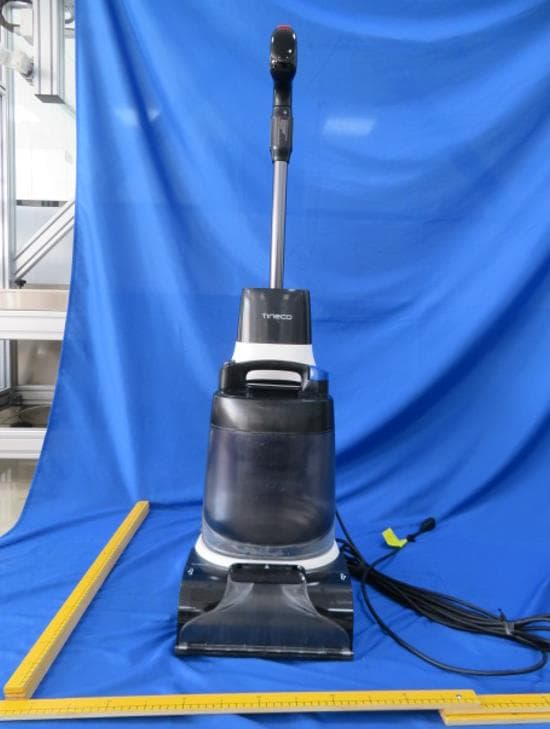
2AV7A-CW2
Jul 30, 2024Carpet Cleaner
Equipment Class
DTS - Digital Transmission System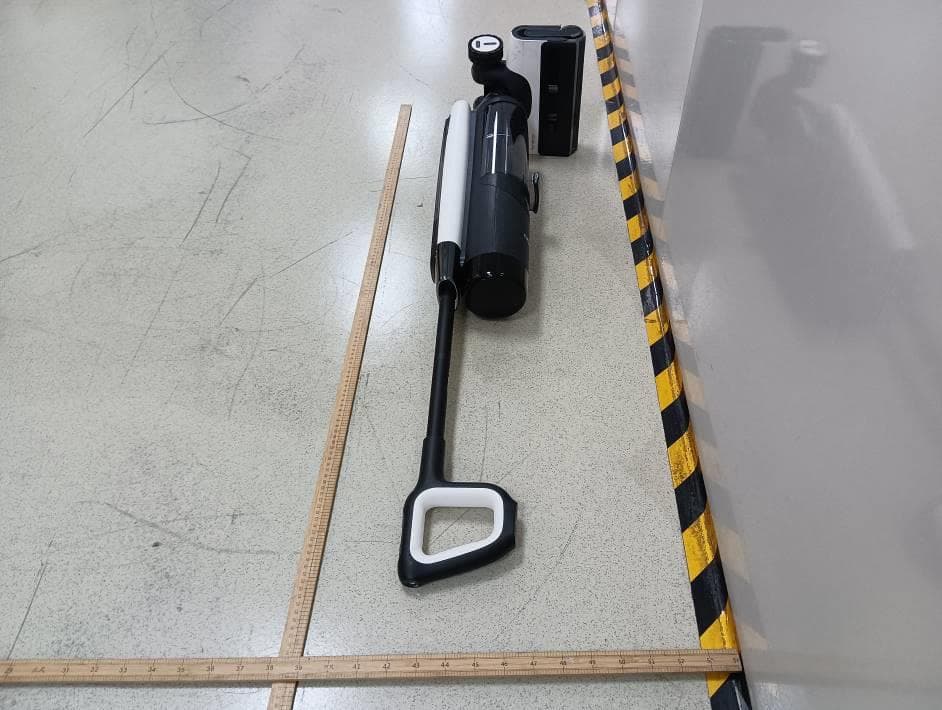
2AV7A-FS22
Feb 05, 2024Smart Cordless Floor Washer
Equipment Class
DTS - Digital Transmission System
2AV7A-FW11
Dec 12, 2023Smart cordless floor washer
Equipment Class
DTS - Digital Transmission System
2AV7A-FS12
Dec 15, 2022Smart Cordless Vacuum & Washer
Equipment Class
DTS - Digital Transmission System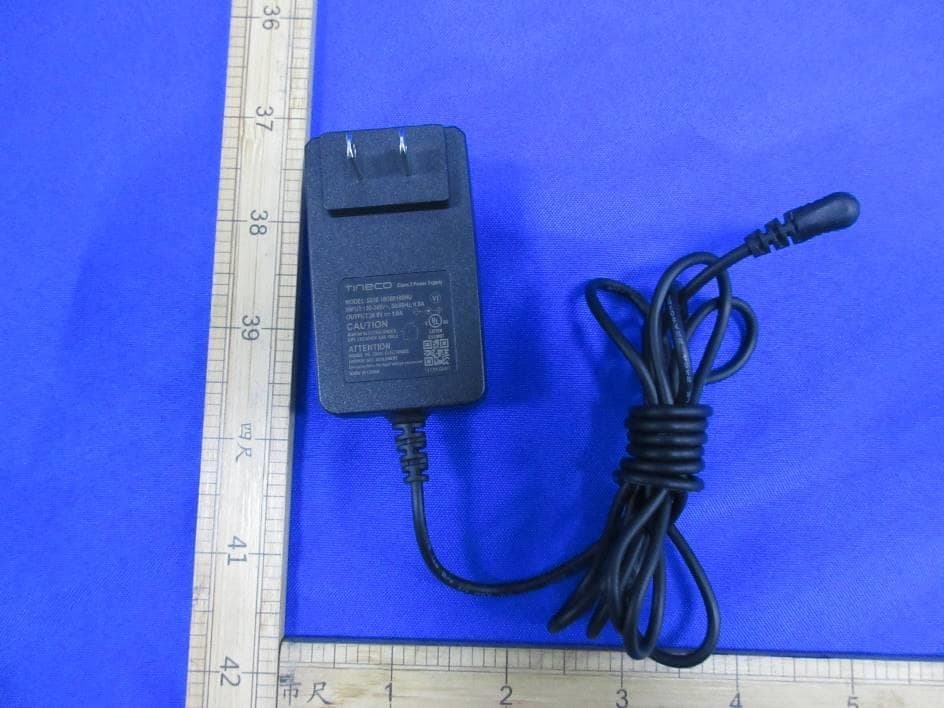
2AV7A-FS11
Dec 01, 2022Smart Cordless Vacuum & Washer
Equipment Class
DTS - Digital Transmission System