2BCGWAX10AX1500 Wi-Fi 6 Router
TP-LINK CORPORATION PTE.LTD.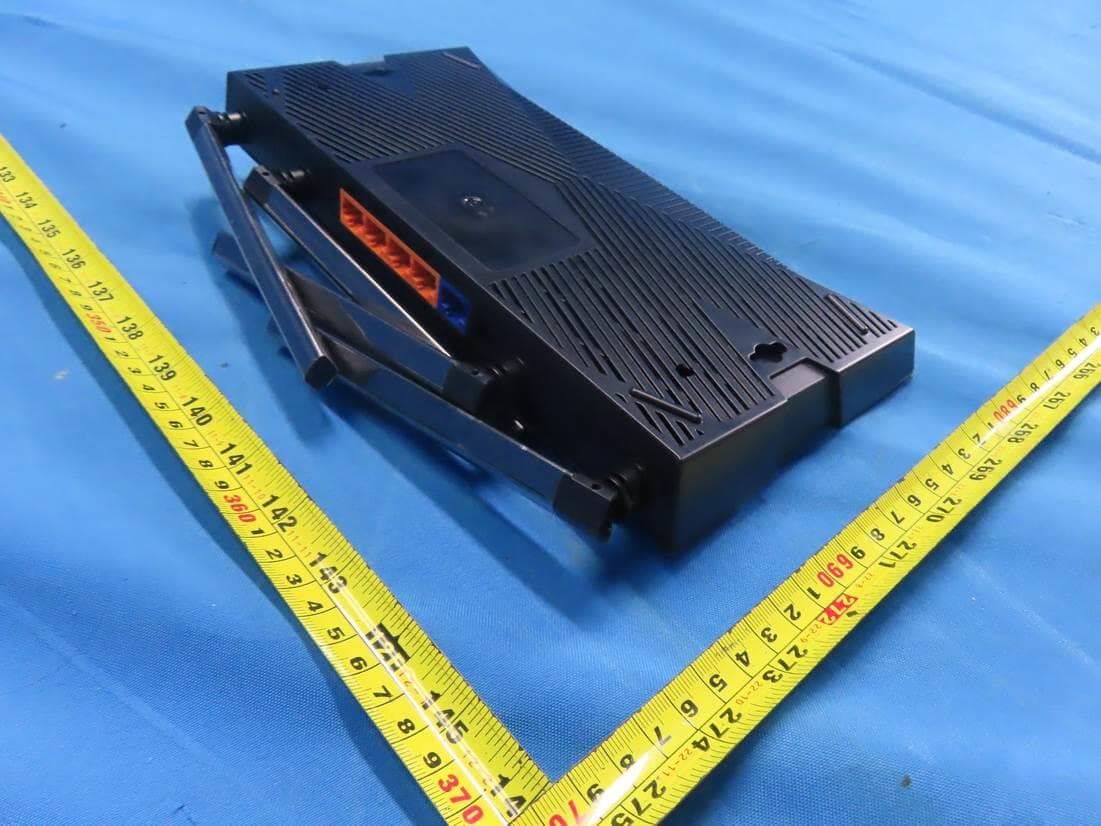
Click to zoom
Application Details
- Equipment Class
- DTS - Digital Transmission System
- Date of Grant
- Mar 27, 2024
- Application Purpose
- Original Equipment
- Date of Application
- Mar 26, 2024
- Equipment Note
- AX1500 Wi-Fi 6 Router
- Frequency Range
- 2412.00000000 - 2462.00000000
- Company
- TP-LINK CORPORATION PTE.LTD.
- Country
- Singapore
Documents & Files
Document Text
Text extracted from the exhibit documents filed with the FCC. Open a document above to read the original.
Users Manual
©2024 TP-Link 1910013635 REV3.0.0 User Guide AX1500 Wi-Fi 6 Router 123 FCC compliance information statement Product Name: AX1500 Wi-Fi 6 Router Model Number: Archer AX10/Archer AX1500/Archer AX15 Component NameModel I.T.E. Power Supply T120100-2B1 Responsible party: TP-Link USA Corporation Address: 10 Mauchly, Irvine, CA 92618 Website: http://www.tp-link.com/us/ Tel: +1 626 333 0234 Fax: +1 909 527 6804 E-mail: [email protected] This equipment has been tested and found to comply with the limits for a Class B digital device, pursuant to part 15 of the FCC Rules. These limits are designed to provide reasonable protection against harmful interference in a residential installation. This equipment generates, uses and can radiate radio frequency energy and, if not installed and used in accordance with the instructions, may cause harmful interference to radio communications. However, there is no guarantee that interference will not occur in a particular installation. If this equipment does cause harmful interference to radio or television reception, which can be determined by turning the equipment off and on, the user is encouraged to try to correct the interference by one or more of the following measures: • Reorient or relocate the receiving antenna. • Increase the separation between the equipment and receiver. • Connect the equipment into an outlet on a circuit different from that to which the receiver is connected. • Consult the dealer or an experienced radio/ TV technician for help. This device complies with part 15 of the FCC Rules. Operation is subject to the following two conditions: 1. This device may not cause harmful interference. 2. This device must accept any interference received, including interference that may cause undesired operation. Any changes or modifications not expressly approved by the party responsible for compliance could void the user’s authority to operate the equipment. 124 Note: The manufacturer is not responsible for any radio or TV interference caused by unauthorized modifications to this equipment. Such modifications could void the user’s authority to operate the equipment. FCC RF Radiation Exposure Statement This equipment complies with FCC RF radiation exposure limits set forth for an uncontrolled environment. This device and its antenna must not be co-located or operating in conjunction with any other antenna or transmitter. “To comply with FCC RF exposure compliance requirements, this grant is applicable to only Mobile Configurations. The antennas used for this transmitter must be installed to provide a separation distance of at least 20 cm from all persons and must not be co-located or operating in conjunction with any other antenna or transmitter.” We, TP-Link USA Corporation, has determined that the equipment shown as above has been shown to comply with the applicable technical standards, FCC part 15. There is no unauthorized change is made in the equipment and the equipment is properly maintained and operated. FCC compliance information statement Product Name: I.T.E. Power Supply Model Number: T120100-2B1 Responsible party: TP-Link USA Corporation Address: 10 Mauchly, Irvine, CA 92618 Website: http://www.tp-link.com/us/ Tel: +1 626 333 0234 Fax: +1 909 527 6803 E-mail: [email protected] This equipment has been tested and found to comply with the limits for a Class B digital device, pursuant to part 15 of the FCC Rules. These limits are designed to provide reasonable protection against harmful interference in a residential installation. This equipment generates, uses and can radiate radio frequency energy and, if not installed and used in accordance with the instructions, may cause harmful interference to radio communications. However, there is no guarantee that interference will not occur in a particular installation. If this equipment does cause harmful interference to radio or television reception, which can be determined by turning the equipment off and on, the user is encouraged to try to correct the interference by one or more of the following measures: • Reorient or relocate the receiving antenna. • Increase the separation between the equipment and receiver. 125 • Connect the equipment into an outlet on a circuit different from that to which the receiver is connected. • Consult the dealer or an experienced radio/ TV technician for help. This device complies with part 15 of the FCC Rules. Operation is subject to the following two conditions: 1. This device may not cause harmful interference. 2. This device must accept any interference received, including interference that may cause undesired operation. Any changes or modifications not expressly approved by the party responsible for compliance could void the user’s authority to operate the equipment. We, TP-Link USA Corporation, has determined that the equipment shown as above has been shown to comply with the applicable technical standards, FCC part 15. There is no unauthorized change is made in the equipment and the equipment is properly maintained and operated. Issue Date: 2024-03-06 UKCA Mark UK Declaration of Conformity TP-Link hereby declares that the device is in compliance with the essential requirements and other relevant provisions of the Radio Equipment Regulations 2017. The original UK Declaration of Conformity may be found at https://www.tp-link. com/support/ukca/ National Restrictions Attention: This device may only be used indoors in Great Britain. UK Canadian Compliance Statement This device contains licence-exempt transmitter(s)/receiver(s) that comply with Innovation, Science and Economic Development Canada’s licence-exempt RSS(s). Operation is subject to the following two conditions: (1) This device may not cause interference. 126 (2) This device must accept any interference, including interference that may cause undesired operation of the device. L’émetteur/récepteur exempt de licence contenu dans le présent appareil est conforme aux CNR d’Innovation, Sciences et Développ…
Text truncated - open the document above for the full version.
Users Manual
New Password: Let’s Get Started Confirm Password: http://tplinkwifi.net Connect the Hardware Note: If the 2.4GHz LED and 5GHz LED are off, press and hold the WPS/Wi-Fi button on the back for more than 2 seconds, then release the button. Both the LEDs should turn solid on. Power On Internet On 2.4GHz On 5GHz On If your internet comes from an Ethernet outlet instead of a DSL / Cable / Satellite modem, connect the router’s WAN port to it, and then follow steps 3 and 4 to complete the hardware connection. *Image may differ from actual product. Unplug the power to turn off your modem, if any, and remove the backup battery if it has one. Place the router horizontally and orient the antennas vertically. Modem Unplug the power Power on the modem, and then wait about 2 minutes for it to restart. 2 Connect the power adapter to the router. 3 Verify that the hardware connection is correct by checking the following LEDs. 4 Set up with videos: Scan QR code or visit https://www.tp-link.com/support/setup-video/#wi-fi-routers 1 Internet Connect the powered-off modem to the router’s WAN port with an Ethernet cable. 1 Set Up the Network Method ONE: Via TP-Link Tether App 1. Download the Tether app. Scan for Tether Tether or Method TWO: Via a Web Browser The default wireless network names (SSIDs) and password are printed on the label at the bottom of the router. 1. Connect your device to the router wirelessly or with an Ethernet cable. 2. Open the Tether app and log in with your TP-Link ID. 3. Tap the button in the Tether app and select Wireless Router > Standard Routers. Follow the steps to complete the setup and connect to the internet. Note: If you don’t have an account, create one first. 2 Model: Archer AX3000 AX3000 Gigabit Wi-Fi Router Wireless Password/PIN : XXXXXXXX SSID:TP-Link_XXXX SSID:TP-Link_XXXX_5G 2. Launch a web browser, and enter http://tplinkwifi.net or http://192.168.0.1 in the address bar. Create a password to log in. Note: If the login window does not appear, please refer to Q1 of Need Help? in this guide. 3. Follow the step-by-step instructions to set up the internet connection and register for the TP-Link Cloud service. To enjoy a more complete service from TP-Link, bind your TP-Link ID to the router. Choose Your Device Type Gaming Router Range Extender Wireless Router Dual Band Wi-Fi 6 Router Q1. What should I do if I can’t access the web management page? • Reboot your router and try again. • If the computer is set to a static IP, change its settings to obtain an IP address automatically. • Verify that http://tplinkwifi.net is correctly entered in the web browser. Alternatively, enter http://192.168.0.1 or http://192.168.1.1 in the web browser. • Use another web browser and try again. • Disable and enable the network adapter in use. Q2. What should I do if I can’t access the internet? • Power off your modem for about 5 minutes, then power it on and check the internet. If your modem has more than one Ethernet port, keep other ports unconnected. • Check if the internet is working normally by connecting a computer directly to the modem via an Ethernet cable. If it is not, contact your internet service provider. • Log in to the web management page, and go to the Network Map page to check whether the internet IP address is valid or not. If it’s valid, go to Advanced > Network > Internet, click Advanced Settings, select Use the Following DNS Addresses, set the primary DNS to 8.8.8.8, and set the secondary DNS to 8.8.4.4. If it is not, check the hardware connection or contact your internet service provider. • For cable modem users, log in to the web management page of the router and go to Advanced > Network > Internet > MAC Clone. Select Clone Current Device MAC and click S AV E. Then reboot both the modem and the router. Q3. What should I do if I forget my wireless password? • If you have not changed the default wireless password, it can be found on the label at the bottom of the router. • Connect a computer directly to the router using an Ethernet cable. Log in to the router’s web management page at http://tplinkwifi.net, and go to the Wireless page to retrieve or reset your wireless password. Q4. What should I do if I forget my web management page password? • If you are using a TP-Link ID to log in, click Forgot Password? on the login page and then follow the instructions to reset it. • Alternatively, press and hold the Reset button on the back for about 6 seconds until the Power LED blinks. Then visit http://tplinkwifi.net to create a new login password. ©2023 TP-Link 7106510821 REV3.0.0 Need Help? Button Explanation Reset Button Press and hold the button for about 6 seconds until the Power LED blinks to reset the router to its factory default settings. Quick Installation Guide WPS/Wi-Fi Button Press the button for 1 second, and immediately press the WPS button on your client to start the WPS process. Press and hold the button for more than 2 seconds, then release the button to turn on or off the wireless function of your router. · Keep the device away from water, fire, humidity or hot environments. · Do not attempt to disassemble, repair, or modify the device. If you need service, please contact us. · Do not use any other chargers than those recommended. · Do not use damaged charger or USB cable to charge the device. · Do not use the device where wireless devices are not allowed. · Adapter shall be installed near the equipment and shall be easily accessible. For technical support, replacement services, user guides and more, please visit https://www.tp-link.com/support TP-Link hereby declares that the device is in compliance with the essential requirements and other relevant provisions of directives 2014/53/EU, 2009/125/EC, 2011 /65/EU and (EU) 2015/863. The original EU declaration of conformity may be found at https://www.tp-link.com/en/support/ce TP-Link hereby declares that the device is in compliance with the essential requirements and other relevant provisions of the Radio Equipmen…
Text truncated - open the document above for the full version.
Attestation Statements
U.S. Agent Designation for Service of Process (Applicant and U.S. Agent are Separate Parties) TO:AmericanCertificationBody,Inc. 313ParkAvenue Suite300 FallsChurch, VA 22046 ATTENTION: FCC Certification – Section 2.911(d)(7) Information Designated U.S. Agent Company Name:VISHTEC LLC Contact Name:Alan Graham Street Address:9888 W Belleview Ave Ste 2142 Denver CO 80123 City/Province/Zip:80123 Telephone No:(571)4007350 Email:[email protected] FRN #: 0033407131 This letter is to confirm that we (“the Designated U.S. Agent”) have accepted the responsibility to act as the Designated U.S. Agent for Service of Process for the limited purpose of compliance with section 47 CFR 2.911(d)(7) only and not for any other purpose, on behalf of theApplicantnoted below. U.S. Agent Signature: Date:2023/8/28 Signed by (Printed Name/Title): The Applicant acknowledges that they must maintain an agent for no less than one year after terminating all marketing and importation OR the conclusion of any Commission- related proceeding involving the equipment. The applicant further acknowledges their responsibility to inform the FCC whenever the Designated U.S. Agent information above changes. Applicant Company name: TP-LINK CORPORATION PTE. LTD. Grantee Code: 2BCGW FRN #: 0034122556 Contact Name: Sarah Wang Street Address: 7 Temasek Boulevard #29-03 Suntec Tower One, Singapore 038987 City/Province/Zip: Singapore Telephone No: +65-97538388 Email: [email protected] Applicant Signature 1 : Date: 2023/8/28 Signed by (Printed Name/Title) S arah W ang 1 - Lettersshouldbeplacedonappropriateletterhead.
Attestation Statements
TP-LINK CORPORATION PTE.LTD. CERTIFICATIONS CONCERNING “COVERED” EQUIPMENT Date:2023-09-12 Federal Communications Commission Authorization and Evaluation Division 7435 Oakland Mills Road Columbia, Maryland 21046 FCC ID: 2BCGWAX10 To Whom It May Concern: As required by section 2.911(d)(5)(i), [TP-LINK CORPORATION PTE.LTD.] (“the applicant”) certifies that the equipment for which authorization is sought is not “covered” equipment prohibited from receiving an equipment authorization pursuant to section 2.903 of the FCC rules. As required by section 2.911(d)(5)(ii), [TP-LINK CORPORATION PTE.LTD.] (“the applicant”) certifies that, as of the date of the filing of the application, the applicant [is not] identified on the Covered List as an entity producing “covered” equipment. Thank you for your attention to this matter. Sincerely yours, Signature Printed Name: Sarah Wang Company: TP-LINK CORPORATION PTE.LTD. Job Title: Regulatory Compliance Manager Email: [email protected] Telephone: 00852-37585503
Cover Letter(s)
TP-LINK CORPORATION PTE.LTD. 030122-15 Authority to Act as Agent Date: March 8, 2024 American Certification Body, Inc. 313 Park Avenue Suite 300 Falls Church, VA 22046 To Whom It May Concern: BTL Inc./Rose Liu is authorized to act on our behalf, until otherwise notified, for applications to American Certification Body, Inc. (ACB). We certify that we are not subject to denial of federal benefits, that includes FCC benefits, pursuant to Section 5301 of the Anti-Drug Abuse Act of 1988, 21 U.S.C. 862. Further, no party, as defined in 47 CFR 1.2002 (b), to the application is subject to denial of federal benefits, that includes FCC benefits. We also declare that the information provided to the FCC is true and correct to the best of our knowledge (47 CFR 2.911(d)) and we have been informed of the grantee responsibilities (47 CFR 2.909) with regard to certified equipment. Thank you, Agency Agreement Expiration Date: 2025-03-08 By: __________________________ Sarah Wang (Signature 1 ) (Print name) Title: Regulatory Compliance Manager On behalf of: TP-LINK CORPORATION PTE.LTD. (Company Name) Telephone: +86 755 21534921 1 - Must be signed by applicant contact given for applicant on the FCC site, or by the authorized agent if an appropriate authorized agent letter has been provided. Letters should be placed on appropriate letterhead.
Cover Letter(s)
TP-LINK CORPORATION PTE.LTD. 030122-15 Request for Confidentiality Date: March 8, 2024 Subject: Confidentiality Request for: 2BCGWAX10 Pursuant to FCC 47 CFR 0.457(d) and 0.459 and IC RSP-100, Section 12.4, the applicant requests that a part of the subject FCC application be held confidential. Type of Confidentiality Requested Exhibit ☐ Short Term ☒ Permanent Block Diagrams ☐ Short Term External Photos ☐ Short Term☐ Permanent * 1 Internal Photos ☐ Short Term☒ Permanent Operation Description/Theory of Operation ☐ Short Term☐ Permanent Parts List & Placement/BOM ☐ Short Term☐ Permanent Tune-Up Procedure ☐ Short Term☒ Permanent Schematics ☐ Short Term Test Setup Photos ☐ Short Term☐ Permanent * 3 User’s Manual TP-LINK CORPORATION PTE.LTD. has spent substantial effort in developing this product and it is one of the first of its kind in industry. Having the subject information easily available to "competition" would negate the advantage they have achieved by developing this product. Not protecting the details of the design will result in financial hardship. Permanent Confidentiality: The applicant requests the exhibits listed above as permanently confidential be permanently withheld from public review due to materials that contain trade secrets and proprietary information not customarily released to the public. Short-Term Confidentiality: The applicant requests the exhibits selected above as short term confidential be withheld from public view for a period of ___(specify number of days not to exceed 180) 2 ___ days from the date of the Grant of Equipment Authorization and prior to marketing. This is to avoid premature release of sensitive information prior to marketing or release of the product to the public. Applicant is also aware that they are responsible to notify ACB in the event information regarding the product or the product is made available to the public before the requested period has expired. ACB will then release the documents listed above for public disclosure pursuant to FCC Public Notice DA 04-1705. NOTE for Industry Canada Applications: IC currently only distinguishes Permanent Confidentiality exhibits as shown above. Short Term confidentiality is not considered applicable to IC applications. Sincerely, By: Regulatory Compliance Manager Sarah Wang (Signature/Title 3 ) (Print name) 1 - The asterisked items (*) require further information to be provided to ACB before permanent confidentiality will be extended to these exhibits. Please refer to FCC KDB 726920 and the specific Document link for D01 found at: https://apps.fcc.gov/oetcf/kdb/forms/FTSSearchResultPage.cfm?switch=P&id=41731 and review section II, 3) regarding specific information that must accompany these requests. 2 - Please refer to https://acbcert.com/documents/misc-docs/Memo-Short-Term-Vs-Standard-Confidentiality.pdf for complete details. 3 - Must be signed by applicant contact given for applicant on the FCC site, or by the authorized agent if an appropriate authorized agent letter has been provided. Letters should be placed on appropriate letterhead.
Cover Letter(s)
Declaration of Conformity We Name: TP-LINK CORPORATION PTE.LTD. Address: 7 Temasek Boulevard #29-03 Suntec Tower One, Singapore 038987 Declare that: Product: AX1500 Wi-Fi 6 Router FCC ID: 2BCGWAX10 Model: Archer AX10, Archer AX1500 Brand: tp-link Product which bears the above FCC ID is also compliant with the FCC requirements for sDOC. And the sDOC procedure shall be carried out prior to marketing the device in the US. Sincerely, Name: Sarah Wang Position: Regulatory Compliance Manager Date: 2024-03-08
Cover Letter(s)
TP-LINK CORPORATION PTE.LTD. Wi-Fi Channel 12 and 13 Declaration Letter Date: 2024-03-08 We, the undersigned company Company Name: TP-LINK CORPORATION PTE.LTD. Address: 7 Temasek Boulevard #29-03 Suntec Tower One, Singapore 038987 Declare that: Product description: AX1500 Wi-Fi 6 Router Type designation: Archer AX10, Archer AX1500 Brand: tp-link FCC ID: 2BCGWAX10 Only channels 1~11 will be used in USA. Country code selection is disabled. If you have any questions regarding the authorization, please do not hesitate to contact us, thank you~ Sincerely, Signature: ________________________ Name: Sarah Wang Tel: +86 755 21534921 Email: [email protected]
Cover Letter(s)
Model Declaration Letter We, the undersigning company Company Name: TP-LINK CORPORATION PTE.LTD. Address: 7 Temasek Boulevard #29-03 Suntec Tower One, Singapore 038987 Hereby confirm that the following products: Product description: AX1500 Wi-Fi 6 Router Type designation: Archer AX10, Archer AX1500 Trademark: tp-link That All versions of the Model Archer AX10 and Archer AX1500 are electrically equal except the following difference: 1. Only differ in model name. Date: 2024-03-13 Name: sarah wang Telephone: +86 755 21534921 E-mail: [email protected] Signature:
External Photos
Project No.: 2311G085 Page 1 of 11 ATTACHMENT PHOTOGRAPHS OF EUT Project No.: 2311G085 Page 2 of 11 Project No.: 2311G085 Page 3 of 11 Project No.: 2311G085 Page 4 of 11 Project No.: 2311G085 Page 5 of 11
ID Label/Location Info
69.7*38.2mm, R3.5, C2, 公差±0.2mm 文字转曲线(供应商来料效果图) C B A 12 C 345678 B E D D A 9 料号:7202509918 12345 与上一版的区别 E 6789 颜 色 名 称 版 本 材 质 模 具 机型版本号 logo 底色 文字 其它 结构工程师 硬件工程师 产品工程师 平面负责人 记 录 完成日期 设 计 3mm 3mm 3mm 卷装供货 跳距:3mm 边距:3mm Model: Archer AX10(US) Ver:3.0 S/N:XXXXXXXXXXXXX MAC: XX-XX-XX-XX-XX-XX Wireless Password/PIN: XXXXXXXX SSID:TP-Link_XXXX SSID:TP-Link_XXXX_5G JOIN PRESET WI-FI Model: Archer AX10 AX1500 Wi-Fi 6 Router FCC ID: 2BCGWAX10 IC: 31152-AX10 Power: 12V 1A Default Access: http://tplinkwifi.net HVIN: Archer AX10V3 MADE IN CHINA This device complies with part 15 of the FCC Rules. Operation is subject to the following two conditions:(1) This device may not cause harmful interference, and (2) this device must accept any interference received, including interference that may cause undesired operation. 深圳市联洲国际技术有限公司 8.8mm 31.7mm
Internal Photos
Project No.: 2311G085 Page 6 of 11 2.4G WIFI Ant.1 2.4G WIFI Ant.2 5G WIFI Ant.1 5G WIFI Ant.2 Project No.: 2311G085 Page 7 of 11 Project No.: 2311G085 Page 8 of 11 Chip with shielded cover Chip without shielded cover Project No.: 2311G085 Page 9 of 11 Project No.: 2311G085 Page 10 of 11 Project No.: 2311G085 Page 11 of 11
RF Exposure Info
Report No.: BTL-FCCP-3-2311G085 Page 1 of 5 FCC RF EXPOSURE REPORT FCC ID: 2BCGWAX10 Project No. : 2311G085 Equipment : AX1500 Wi-Fi 6 Router Brand Name : tp-link Test Model : Archer AX10 Series Model : Archer AX1500 Applicant : TP-LINK CORPORATION PTE. LTD. Address : 7 Temasek Boulevard #29-03 Suntec Tower One, Singapore 038987 Manufacturer : TP-LINK CORPORATION PTE. LTD. Address : 7 Temasek Boulevard #29-03 Suntec Tower One, Singapore 038987 Date of Receipt : Nov. 17, 2023 Date of Test : Dec. 13, 2023 ~ Feb. 05, 2024 Issued Date : Feb. 27, 2024 Report Version : R00 Test Sample : Engineering Sample No.: SSL202311163 Standard(s) : FCC Guidelines for Human Exposure IEEE C95.1 & FCC Part 2.1091 FCC Title 47 Part 2.1091 The above equipment has been tested and found compliance with the requirement of the relative standards by BTL Inc. Prepared by : Grani Zhou Approved by : Steven Lu Room 108, Building 2, No. 1, Yile Road, Songshan Lake Zone, Dongguan City, Guangdong 523000 China Tel: +86-769-8318-3000 Web: www.newbtl.com Service mail: [email protected] Report No.: BTL-FCCP-3-2311G085 Page 2 of 5 REPORT ISSUED HISTORY Report No. Version Description Issued Date Note BTL-FCCP-3-2311G085 R00 Original Report. Feb. 27, 2024 Valid Report No.: BTL-FCCP-3-2311G085 Page 3 of 5 1. MPE CALCULATION METHOD Calculation Method of RF Safety Distance: where: S = power density P = power input to the antenna G = power gain of the antenna in the direction of interest relative to an isotropic radiator R = distance to the center of radiation of the antenna Table for Filed Antenna: For 2.4GHz: Ant. Manufacturer P/N Antenna Type Connector Gain (dBi) 1 BIG FIELD GLOBAL PTE. LTD. 3101503966 Dipole N/A 2 2 BIG FIELD GLOBAL PTE. LTD. 3101504414 Dipole N/A 2 Note: 1)This EUT supports CDD, and all antennas have the same gain, Directional gain = G ANT +Array Gain. For power measurements, Array Gain=0dB (N ANT ≤4), so the Directional gain=2. For power spectral density measurements, N ANT =2, N SS = 1. So the Directional gain=G ANT +Array Gain=G ANT +10log(N ANT / N SS )dBi= 2+10log(2/1)dBi=5.01. 2)The antenna gain is provided by the manufacturer. For 5GHz: Ant. Manufacturer P/N Antenna Type Connector Gain (dBi) 1 BIG FIELD GLOBAL PTE. LTD. 3101506685 Dipole N/A 3 2 BIG FIELD GLOBAL PTE. LTD. 3101506301 Dipole N/A 3 Note: 1)This EUT supports CDD, and all antennas have the same gain, Directional gain = G ANT +Array Gain. For power measurements, Array Gain=0dB (N ANT ≤4), so the Directional gain=3. For power spectral density measurements, N ANT =2, N SS = 1. So the Directional gain=G ANT +Array Gain=G ANT +10log(N ANT / N SS )dBi=3+10log(2/1)dBi=6.01. Then, the UNII-1 power spectral density limit is 17-(6.01-6)=16.99, the UNII-3 power spectral density limit is 30-(6.01-6)=29.99. 2)Beamforming gain is 3dB. 3)The antenna gain and beamforming gain are provided by the manufacturer. Report No.: BTL-FCCP-3-2311G085 Page 4 of 5 Table for Antenna Configuration: For 2.4GHz: Operating Mode TX Mode 2TX IEEE 802.11b V(Ant. 1 + Ant. 2) IEEE 802.11g V(Ant. 1 + Ant. 2) IEEE 802.11n(HT20) V(Ant. 1 + Ant. 2) IEEE 802.11n(HT40) V(Ant. 1 + Ant. 2) For 5GHz: For Non Beamforming: Operating Mode TX Mode 2TX IEEE 802.11a V (Ant. 1 + Ant. 2) IEEE 802.11n(HT20) V (Ant. 1 + Ant. 2) IEEE 802.11n(HT40) V (Ant. 1 + Ant. 2) IEEE 802.11ac(VHT20) V (Ant. 1 + Ant. 2) IEEE 802.11ac(VHT40) V (Ant. 1 + Ant. 2) IEEE 802.11ac(VHT80) V (Ant. 1 + Ant. 2) IEEE 802.11ax(HE20) V (Ant. 1 + Ant. 2) IEEE 802.11ax(HE40) V (Ant. 1 + Ant. 2) IEEE 802.11ax(HE80) V (Ant. 1 + Ant. 2) For Beamforming: Operating Mode TX Mode 2TX IEEE 802.11n(HT20) V (Ant. 1 + Ant. 2) IEEE 802.11n(HT40) V (Ant. 1 + Ant. 2) IEEE 802.11ac(VHT20) V (Ant. 1 + Ant. 2) IEEE 802.11ac(VHT40) V (Ant. 1 + Ant. 2) IEEE 802.11ac(VHT80) V (Ant. 1 + Ant. 2) IEEE 802.11ax(HE20) V (Ant. 1 + Ant. 2) IEEE 802.11ax(HE40) V (Ant. 1 + Ant. 2) IEEE 802.11ax(HE80) V (Ant. 1 + Ant. 2) Report No.: BTL-FCCP-3-2311G085 Page 5 of 5 2. TEST RESULTS For 2.4GHz: Directional gain (dBi) Directional gain (numeric) Max. Output Power (dBm) Max. Output Power (mW) Power Density (S) (mW/cm 2 ) Limit of Power Density (S) (mW/cm 2 ) Test Result 2 1.5849 24.58 228.0342 0.07194 1 Complies For 5GHz UNII-1_Non Beamforming: Directional gain (dBi) Directional gain (numeric) Max. Output Power (dBm) Max. Output Power (mW) Power Density (S) (mW/cm 2 ) Limit of Power Density (S) (mW/cm 2 ) Test Result 3 1.9953 26.03 400.8667 0.15920 1 Complies For 5GHz UNII-1_Beamforming: Directional gain (dBi) Directional gain (numeric) Max. Output Power (dBm) Max. Output Power (mW) Power Density (S) (mW/cm 2 ) Limit of Power Density (S) (mW/cm 2 ) Test Result 6 3.9811 25.63 365.5948 0.28970 1 Complies For 5GHz UNII-3_Non Beamforming: Directional gain (dBi) Directional gain (numeric) Max. Output Power (dBm) Max. Output Power (mW) Power Density (S) (mW/cm 2 ) Limit of Power Density (S) (mW/cm 2 ) Test Result 3 1.9953 25.81 381.0658 0.15134 1 Complies For 5GHz UNII-3_Beamforming: Directional gain (dBi) Directional gain (numeric) Max. Output Power (dBm) Max. Output Power (mW) Power Density (S) (mW/cm 2 ) Limit of Power Density (S) (mW/cm 2 ) Test Result 6 3.9811 25.70 381.0658 0.30196 1 Complies For the max simultaneous transmission MPE: Ratio Total Limit of Ratio Test Result 2.4GHz 5GHz 0.07194 0.30196 0.3739 1 Complies Note: The calculated distance is 20 cm. End of Test Report
Test Report
Product Model: Archer AX10 Manufacturer: BIG FIELD GLOBAL PTE. LTD Test Date: 2023.11.03 Tested By: Tan Yiyi BIG FIELD GLOBAL PTE. LTD. 7 Temasek Boulevard #29-03 Suntec Tower One, Singapore 038987, Index 1. Antenna Distribution ........................................................................................ 3 2. Electrical Characteristics ................................................................................ 3 3. Gain and Radiation Pattern ............................................................................. 5 3.1 Measurement Procedure ......................................................................................... 5 3.2 Test Setup ............................................................................................................... 6 3.3 S Parameter Test Data ............................................................................................ 7 3.4 Antenna Peak Gain ................................................................................................. 8 3.5 Antenna Radiation Pattern ....................................................................................... 9 Page 3 1. Antenna Distribution Archer AX10 2. Electrical Characteristics Ant1 Frequency 2400~2500 MHz Impedance 50Ohm Antenna Type Dipole Antenna Gain 2.00dBi@2400~2500 MHz Radiation pattern Omni-Directional P/N 3101503966 Ant2 Frequency 2400~2500 MHz Impedance 50Ohm Antenna Type Dipole Antenna Gain 2.00dBi@2400~2500 MHz Page 4 Radiation pattern Omni-Directional P/N 3101504414 Ant3 Frequency 5150~5850MHz Impedance 50Ohm Antenna Type Dipole Antenna Gain 3.00dBi@5150~5850MHz Radiation pattern Omni-Directional P/N 3101506685 Ant4 Frequency 5150~5850MHz Impedance 50Ohm Antenna Type Dipole Antenna Gain 3.00dBi@5150~5850MHz Radiation pattern Omni-Directional P/N 3101506301 Page 5 3. Gain and Radiation Pattern 3.1 Measurement Procedure This measurement experiment adopted an antenna near-field measurement system, and the diagram of the measurement system was shown in Figure 3-1. The excitation signal was generated by the Keysight E5071C (300kHz-20GHz). Under the control of the central computer, the probe rotated in the θ direction, and the EUT rotated in the φ direction with the turntable. The probe sampling frame received and collected signals in the near-field range of the EUT. The software system which was controlled by the central computer completed the processing, output and displa…
Text truncated - open the document above for the full version.
Contact Information
Technical Specifications
| # | Rule Parts | Frequency Range | Power Output |
|---|---|---|---|
| 1 | 15C | 2.41 GHz - 2.46 GHz | 287.10 mW |
Other Applications from TP-LINK CORPORATION PTE.LTD.
2BCGWWR3002X
Dec 05, 2024AX3000 Wi-Fi 6 Portable Router
Equipment Class
DTS - Digital Transmission System
2BCGWEAP725WALL
Dec 01, 2024BE5000 Wall Plate Wi-Fi 7 Access Point
Equipment Class
NII - Unlicensed National Information Infrastructure TX
2BCGWEAP673EXTR
Oct 13, 2024AX5400 Wall Plate Wi-Fi 6 Extender
Equipment Class
NII - Unlicensed National Information Infrastructure TX
2BCGWH500
Sep 29, 2024Smart HomeBase
Equipment Class
NII - Unlicensed National Information Infrastructure TX
2BCGWAX72V2
Sep 28, 2024AX5400 Wi-Fi 6 Router
Equipment Class
NII - Unlicensed National Information Infrastructure TX