2BCGWEAP673EXTRAX5400 Wall Plate Wi-Fi 6 Extender
TP-LINK CORPORATION PTE.LTD.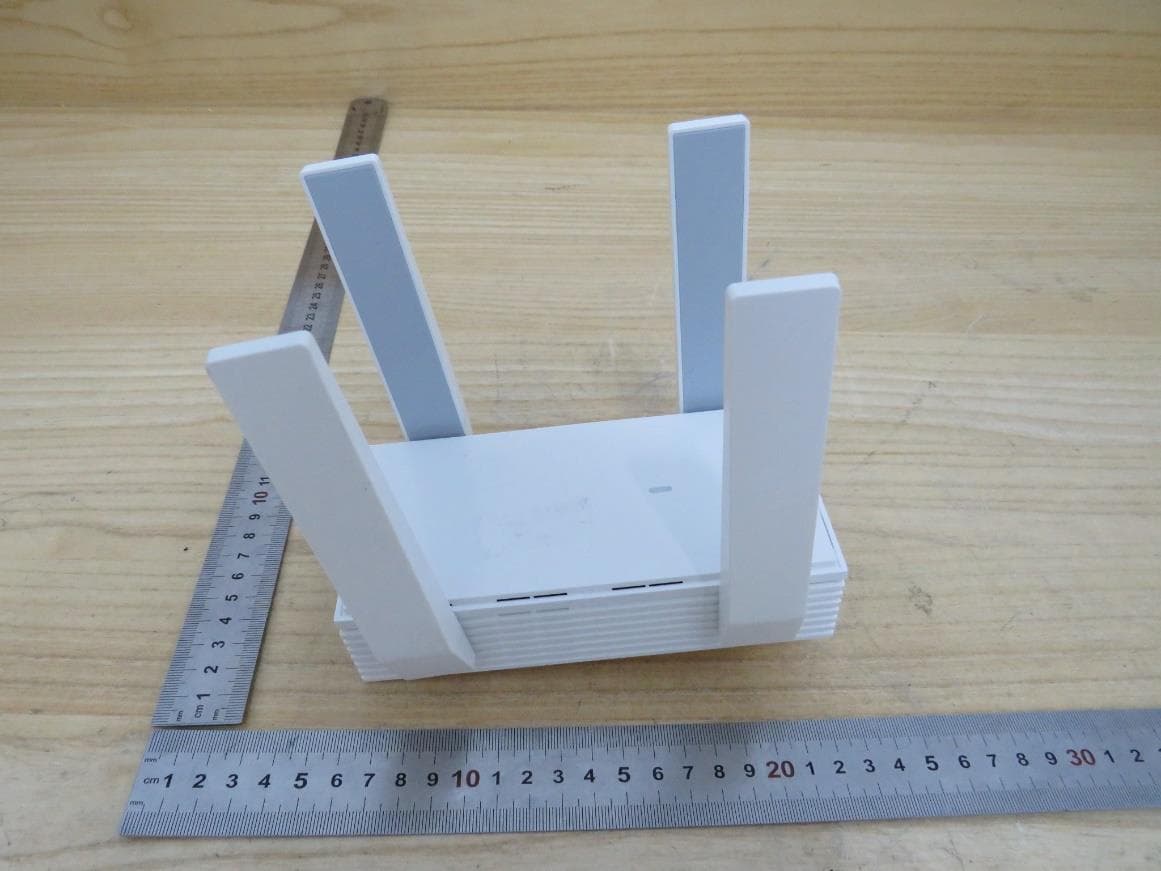
Click to zoom
Application Details
- Equipment Class
- NII - Unlicensed National Information Infrastructure TX
- Date of Grant
- Oct 13, 2024
- Application Purpose
- Original Equipment
- Date of Application
- Oct 08, 2024
- Equipment Note
- AX5400 Wall Plate Wi-Fi 6 Extender
- Frequency Range
- 5250.00000000 - 5250.00000000
- Company
- TP-LINK CORPORATION PTE.LTD.
- Country
- Singapore
Documents & Files
Document Text
Text extracted from the exhibit documents filed with the FCC. Open a document above to read the original.
Users Manual
© 2024 TP-Link 1910013239 REV1.3.0 Regulatory Compliance Wall Plate EAP For Class B EAP with no adapter: FCC Compliance Information Statement Product Name: Omada EAP Model Number: EAP225-Wall / EAP235-Wall / EAP615-Wall / EAP655-Wall / EAP615GP-Wall / EAP673-Extender Responsible party: TP-Link Systems Inc. Address: 10 Mauchly, Irvine, CA 92618 Website: https://www.tp-link.com/us/ Tel: +1 626 333 0234 Fax: +1 909 527 6804 E-mail: [email protected] This equipment has been tested and found to comply with the limits for a Class B digital device, pursuant to part 15 of the FCC Rules. These limits are designed to provide reasonable protection against harmful interference in a residential installation. This equipment generates, uses and can radiate radio frequency energy and, if not installed and used in accordance with the instructions, may cause harmful interference to radio communications. However, there is no guarantee that interference will not occur in a particular installation. If this equipment does cause harmful interference to radio or television reception, which can be determined by turning the equipment off and on, the user is encouraged to try to correct the interference by one or more of the following measures: •Reorient or relocate the receiving antenna. •Increase the separation between the equipment and receiver. •Connect the equipment into an outlet on a circuit different from that to which the receiver is connected. •Consult the dealer or an experienced radio/ TV technician for help. This device complies with part 15 of the FCC Rules. Operation is subject to the following two conditions: 1) This device may not cause harmful interference. 2) This device must accept any interference received, including interference that may cause undesired operation. Any changes or modifications not expressly approved by the party responsible for compliance could void the user’s authority to operate the equipment. Note: The manufacturer is not responsible for any radio or TV interference caused by unauthorized modifications to this equipment. Such modifications could void the user’s authority to operate the equipment. FCC RF Radiation Exposure Statement: This equipment complies with FCC RF radiation exposure limits set forth for an uncontrolled environment. This device and its antenna must not be co-located or operating in conjunction with any other antenna or transmitter. “To comply with FCC RF exposure compliance requirements, this grant is applicable to only Mobile Configurations. The antennas used for this transmitter must be installed to provide a separation distance of at least 20cm from all persons and must not be colocated or operating in conjunction with any other antenna or transmitter.” We, TP-Link Systems Inc., has determined that the equipment shown as above has been shown to comply with the applicable technical standards, FCC part 15. There is no unauthorized change is made in the equipment and the equipment is properly maintained and operated. Issue Date: 2024-09-05 CE Mark Warning This is a class B product. In a domestic environment, this product may cause radio interference, in which case the user may be required to take adequate measures. OPERATING FREQUENCY (the maximum transmitted power) For EAP115-Wall: 2412MHz—2472MHz(20dBm) For EAP225-Wall / EAP230-Wall / EAP235-Wall / EAP615-Wall: 2412MHz—2472MHz(20dBm) 5150MHz—5250MHz(23dBm) For EAP650-Wall / EAP655-Wall / EAP615GP-Wall / EAP673-Extender: 2412MHz—2472MHz(20dBm) 5150MHz—5250MHz(23dBm) 5250 MHz -5350 MHz (23dBm) 5470 MHz -5725 MHz (30dBm) EU Declaration of Conformity For EAP673-Extender and APs with adapters: TP-Link hereby declares that the device is in compliance with the essential requirements and other relevant provisions of directives 2014/53/EU, 2009/125/EC, 2011/65/EU and (EU)2015/863. For APs without adapters: TP-Link hereby declares that the device is in compliance with the essential requirements and other relevant provisions of directives 2014/53/EU, 2011/65/EU and (EU)2015/863. The original EU Declaration of Conformity may be found at https://www.tp-link.com/en/ce. RF Exposure Information This device meets the EU requirements (2014/53/EU Article 3.1a) on the limitation of exposure of the general public to electromagnetic fields by way of health protection. The device complies with RF specifications when the device used at 20 cm from your body. National Restrictions For EAP225-Wall / EAP230-Wall / EAP235-Wall / EAP615-Wall / EAP650-Wall / EAP655-Wall / EAP615GP-Wall / EAP673-Extender: Attention: This device may only be used indoors in all EU member states, EFTA countries and Northern Ireland. Frequency band: 5150 - 5250 MHz: Indoor use: Inside buildings only. Installations and use inside road vehicles and train carriages are not permitted. Limited outdoor use: If used outdoors, equipment shall not be attached to a fixed installation or to the external body of road vehicles, a fixed infrastructure or a fixed outdoor antenna. Use by unmanned aircraft systems (UAS) is limited to within the 5170 - 5250 MHz band. Frequency band: 5250 - 5350 MHz: Indoor use: Inside buildings only. Installations and use in road vehicles, trains and aircraft are not permitted. Outdoor use is not permitted. Frequency band: 5470 - 5725 MHz: Installations and use in road vehicles, trains and aircraft and use for unmanned aircraft systems (UAS) are not permitted. UKCA Mark UK Declaration of Conformity TP-Link hereby declares that the device is in compliance with the essential requirements and other relevant provisions of the Radio Equipment Regulations 2017. The original UK Declaration of Conformity may be found at https://www.tp-link.com/support/ukca National Restrictions Attention: This device may only be used indoors in Great Britain. UK Canadian Compliance Statement For EAP615-Wall / EAP655-Wall / EAP615GP-Wall / EAP673-Extender: This device contains licence-exempt transmitter(s)/receiver(s) that comply with Innovation, Science and E…
Text truncated - open the document above for the full version.
Users Manual
Quick Installation Guide Wall Plate Wi-Fi 6 Extender Note: This guide uses EAP673-Extender for demonstration. Images may differ from your actual product. ©2024 TP-Link 7106511194 REV1.0.0 Hardware Overview 1Power On2 1 LED Indicator On: Working normally/Initializing. Off: Working abnormally/Power off/LED is turned off. Flash: • Flash twice: Initialization is complete. • Flash once per second: The EAP is upgrading. • Quick flash: The EAP is resetting or the Omada Controller is locating the EAP.* * When the Locate feature is activated in the Omada controller, the LED will flash quickly for 10 minutes to help you locate and identify the device. You can disable this feature manually to stop the device from flashing. • Sustained flash: The EAP is in isolated state. RESET Button With the EAP powered on, press and hold the button for about 5 seconds until the LED flashes, then release the button. The EAP will restore to factory default settings. LED/Wi-Fi Button When the EAP is working in Standalone Mode and enabled with Wi-Fi Control, press the button to turn on/off both the Wi-Fi and LED. In other cases, press the button to turn on/off the LED only. LAN Port Connect a wired device via an Ethernet cable for network access. LED/Wi-Fi Button RESET Button LAN Port LED Power Outlet Plug Plug the EAP into a power outlet. Note: For safety, only plug the extender in the direction as shown below. Set Up 3 Choose a method to set up your EAPs: • Method 1: Controller Mode To configure and manage EAPs in batches on a central platform, namely Omada Controller. • Method 2: Standalone Mesh Mode To build an Omada Mesh network to configure and manage EAPs in batches. Business CommunityDownload CenterSetup Videos Tip: You can also set up the EAP in AP Mode to transform your existing wired network to a wireless one. For details, refer to the EAP’s user guide at https://www.tp-link.com/support/download/?type=smb Method 1: Controller ModeMethod 2: Standalone Mesh Mode Notes: • Before you start, be sure to power up and connect your devices according to the topology figure. • A DHCP server (typically a gateway/router with the DHCP function enabled) is required to assign IP addresses to the EAPs and clients in your local network. • If you use an Omada Hardware/Software Controller, it must have network access to your Omada devices (the gateway/router, switch, and EAPs) in order to find, adopt, and manage them. Notes: • Before you start, be sure to power up and connect your devices according to the topology figure. • A DHCP server (typically a gateway/router with the DHCP function enabled) is required to assign IP addresses to the EAPs and clients in your local network. Switch Gateway/Router Clients EAPEAP Mesh Mesh Omada Hardware/Software Controller Omada Cloud-Based Controller Controller Root AP Switch Gateway/Router Clients EAPEAP Mesh Mesh Root AP 1. Get an Omada Controller ready. • Option 1: Omada Hardware Controller Purchase a hardware controller and refer to its Installation Guide to set it up. • Option 2: Omada Software Controller On a PC with Windows or Linux OS, download the software controller from https://www.tp-link.com/support/download/omada- software-controller/. Then run the file and follow the wizard to set up the controller. Note: To manage your devices, the software controller needs to keep running on your PC. • Option 3: Omada Cloud-Based Controller Go to the Omada Portal (https://omada.tplinkcloud.com) and log in with your TP-Link ID. Then click + Add Controller to add a Cloud-Based Controller and set it up. 2. Launch the controller, access your site, and go to the Devices page. 3. Adopt the EAPs and select the uplink AP to build an Omada Mesh network. Tip: For the Omada Hardware/Software controller, you are recommended to enable Cloud Access and bind it to your TP-Link ID. This enables you to remotely access and manage the controller and Omada devices via Omada Portal (https://omada.tplinkcloud.com). For detailed configurations, refer to the User Guide of the controller at our official website: https://www.tp-link.com/support/download/?type=smb For technical support, the user guide and other information, please visit https://www.tp-link.com/support/?type=smb, or simply scan the QR code. Omada Controller integrates Omada gateways/routers, switches, access points, and more for centralized cloud management. Via Web BrowserVia Omada App 1. Download and install the TP-Link Omada App from App Store or Google Play. 2. Add the controller with local access or cloud access. • Local Access Note: Local access applies to the Hardware Controller and Software Controller only. a. Connect your mobile device to the EAP by using the default SSIDs printed on the product. b. Launch the Omada App and go to Controller - Local Access. Tap the + button on the upper-right corner to add the controller. • Cloud Access a. Launch the Omada App and go to Controller - Cloud Access. b. Log in with your TP-Link ID. A list of controllers that have been bound with your TP-Link ID will appear. 3. Launch the controller, access your site, and go to the Devices page. 4. Adopt the EAPs and select the uplink AP to build an Omada Mesh network. Scan for OmadaOmada or 1. Download and install the TP-Link Omada App from App Store or Google Play. 2. Connect your mobile device to your root AP. 3. Open the Omada App, go to Standalone Mode > Switch to Mesh Management > EAPs. 4. Click Create and follow app instructions to add your root AP and EAPs to form an Omada mesh network. Scan for OmadaOmada or If your network has a root AP that supports Omada Mesh, you can also add and configure EAPs in standalone mesh mode. Safety Information • Keep the device away from water, fire, humidity or hot environments. • Do not attempt to disassemble, repair, or modify the device. If you need service, please contact us. • Do not use the device where wireless devices are not allowed. • The socket-outlet shall be installed near the equipment and shall be easily acce…
Text truncated - open the document above for the full version.
Attestation Statements
U.S. AgentDesignationfor Serviceof Process (Applicantand U.S. Agentare SeparateParties) TO:AmericanCertificationBody, Inc. 313 Park Avenue Suite 300 Falls Church,VA 22046 ATTENTION:FCC Certification– Section2.911(d)(7)Information DesignatedU.S. Agent CompanyName:VISHTECLLC ContactName:Alan Graham StreetAddress:9888 W BelleviewAve Ste 2142 DenverCO 80123 City/Province/Zip:80123 TelephoneNo:(571)4007350 Email: [email protected] FRN #: 0033407131 This letter is to confirmthat we (“the DesignatedU.S. Agent ”) have acceptedthe responsibilityto act as the DesignatedU.S. Agent for Serviceof Processfor the limited purposeof compliancewith section47 CFR 2.911(d)(7)only and not for any other purpose,on behalfof theApplicantnoted below. U.S. AgentSignature: Date: 2023/8/28 Signedby (PrintedName/Title): The Applicant acknowledges that they must maintain an agent for no less than one year after terminating all marketing and importation OR the conclusion of any Commission- related proceeding involving the equipment. The applicant further acknowledges their responsibility to inform the FCC whenever the Designated U.S. Agent information above changes. Applicant Company name: TP-LINK CORPORATION PTE. LTD. Grantee Code: 2BCGW FRN #: 0034122556 Contact Name: Sarah Wang Street Address: 7 Temasek Boulevard #29-03 Suntec Tower One, Singapore 038987 City/Province/Zip: Singapore Telephone No: +65-97538388 Email: [email protected] Applicant Signature 1 : Date: 2023/8/28 Signed by (Printed Name/Title) S arah W ang 1 - Lettersshouldbe placedon appropriateletterhead.
Attestation Statements
TP-LINK CORPORATION PTE.LTD. CERTIFICATIONS CONCERNING “COVERED” EQUIPMENT Date:2024-09-14 Federal Communications Commission Authorization and Evaluation Division 7435 Oakland Mills Road Columbia, Maryland 21046 FCC ID: 2BCGWEAP673EXTR To Whom It May Concern: As required by section 2.911(d)(5)(i), [ TP-LINK CORPORATION PTE.LTD.] (“the applicant”) certifies that the equipment for which authorization is sought is not “covered” equipment prohibited from receiving an equipment authorization pursuant to section 2.903 of the FCC rules. As required by section 2.911(d)(5)(ii), [TP-LINK CORPORATION PTE.LTD.] (“the applicant”) certifies that, as of the date of the filing of the application, the applicant [is not] identified on the Covered List (as a specifically named entity or any of its subsidiaries or affiliates) as an entity producing “covered” equipment. Thank you for your attention to this matter. Sincerely yours, Signature Printed Name: Sarah Wang Company: TP-LINK CORPORATION PTE.LTD. Job Title: Regulatory Compliance Manager Email: [email protected] Telephone: 00852-37585503
Cover Letter(s)
TP-LINK CORPORATION PTE. LTD. Authority to Act as Agent Date: September 9, 2024 American Certification Body, Inc. 313 Park Avenue Suite 300 Falls Church, VA 22046 To Whom It May Concern: UL Verification Services (Guangzhou) Co., Ltd, Song Shan Lake Branch is authorized to act on our behalf, until otherwise notified, for applications to American Certification Body, Inc. (ACB). We certify that we are not subject to denial of federal benefits, that includes FCC benefits, pursuant to Section 5301 of the Anti-Drug Abuse Act of 1988, 21 U.S.C. 862. Further, no party, as defined in 47 CFR 1.2002 (b), to the application is subject to denial of federal benefits, that includes FCC benefits. We also declare that the information provided to the FCC is true and correct to the best of our knowledge (47 CFR 2.911(d)) and we have been informed of the grantee responsibilities (47 CFR 2.909) with regard to certified equipment. Thank you, Agency Agreement Expiration Date: 9/9/2025 By: Sarah Wang (Signature 1 ) (Print name) Title: Lead of Product Certification Team On behalf of: TP-LINK CORPORATION PTE. LTD. (Company Name) Telephone: +86 755 2661 5494 1 - Must be signed by applicant contact given for applicant on the FCC site, or by the authorized agent if an appropriate authorized agent letter has been provided. Letters should be placed on appropriate letterhead. 050222-17
Cover Letter(s)
TP-LINK CORPORATION PTE. LTD. 050222-17 Request for Confidentiality Date: September 12, 2024 Subject: Confidentiality Request for: ___ 2BCGWEAP673EXTR _____ Pursuant to FCC 47 CFR 0.457(d) and 0.459 and/or IC RSP-100, Section 12.4, the applicant requests that a part of the subject application(s) be held confidential. Type of Confidentiality Requested Exhibit ☐ Short Term ☒ Permanent Block Diagrams ☐ Short Term --------------------------- External Photos ☐ Short Term ☐ Permanent * 1 Internal Photos ☐ Short Term ☒ Permanent Operation Description/Theory of Operation ☐ Short Term ☐ Permanent Parts List & Placement/BOM ☐ Short Term ☐ Permanent Tune-Up Procedure ☐ Short Term ☒ Permanent Schematics ☐ Short Term --------------------------- Test Setup Photos ☐ Short Term ☐ Permanent * 1 User’s Manual TP-LINK CORPORATION PTE. LTD. has spent substantial effort in developing this product and it is one of the first of its kind in industry. Having the subject information easily available to "competition" would negate the advantage they have achieved by developing this product. Not protecting the details of the design will result in financial hardship. Permanent Confidentiality: The applicant requests the exhibits listed above as permanently confidential be permanently withheld from public review due to materials that contain trade secrets and proprietary information not customarily released to the public. Short-Term Confidentiality for FCC Applications: The applicant requests the exhibits selected above as short term confidential be withheld from public view for a period of __ (specify number of days not to exceed 180) 2 ___ days from the date of the Grant of Equipment Authorization and prior to marketing. This is to avoid premature release of sensitive information prior to marketing or release of the product to the public. Applicant is also aware that they are responsible to notify ACB in the event information regarding the product or the product is made available to the public before the requested period has expired. ACB will then release the documents listed above for public disclosure pursuant to FCC Public Notice DA 04-1705. Short Term Confidentiality for Industry Canada Applications: Starting May 2022, ISED will recognize short term confidentiality on certain exhibits until the intended date of marketing. The applicant requests the exhibits selected above as short term confidential be withheld from public view until: (specify ISED expiration date / date of marketing) . Sincerely, By: __________ Sarah Wang ______________ (Signature/Title 3 ) (Print name) 1 - The asterisked items (*) require further information to be provided to ACB before permanent confidentiality will be extended to these exhibits. Please refer to FCC KDB 726920 and the specific Document link for D01 found at: https://apps.fcc.gov/oetcf/kdb/forms/FTSSearchResultPage.cfm?switch=P&id=41731 and review section II, 3) regarding specific information that must accompany these requests. 2 - Please refer to https://acbcert.com/documents/misc-docs/Memo-Short-Term-Vs-Standard-Confidentiality.pdf for complete details. 3 - Must be signed by applicant contact given for applicant on the FCC site, or by the authorized agent if an appropriate authorized agent letter has been provided. Letters should be placed on appropriate letterhead.
Cover Letter(s)
Declaration of Frequency Stability We TP-LINK CORPORATION PTE. LTD.ensure that the product (FCC ID: 2BCGWEAP673EXTR,31152-EAP673EXTR) meets e-CFR Title 47 section 15.407(g), KDB 789033 D02v02r01,RSS-GEN section 8.11 and 6.11 frequency stability such that the emissions are maintained within the band of operation under all conditions of normal operation as specified in the user's manual. Sincerely, Name: Sarah Wang Position: Regulatory Compliance Manager Date: 2024-9-9
Cover Letter(s)
Declaration of Conformity We Name: TP-LINK CORPORATION PTE. LTD. Address: 7 Temasek Boulevard #29-03 Suntec Tower One, Singapore 038987 Declare that: Product: AX5400 Wall Plate Wi- Fi 6 Extender FCC ID: 2BCGWEAP673EXTR Model: EAP673-Extender Brand: tp-link Product which bears the above FCC ID is also compliant with the FCC requirements for sDOC. And the sDOC procedure shall be carried out prior to marketing the device in the US. Sincerely, Name: Sarah Wang Position: Regulatory Compliance Manager Date: 2024-9-9
Cover Letter(s)
Non-SDR (Software Defined Radio) Cover Letter Refer to KDB 442812 D01 SDR apps Guide v02r03. The following six questions can be used for determining if a radio can elect to be, or must be an SDR. 1. Can the RF parameters of the device be altered through software? Yes - go to 2. No, not an SDR No 2. Can third parties not permitted by the Commission through specific filings modify, configure, or load different software, or make configuration settings to operate the device or host hardware radio frequency parameters (frequency range, modulation type, maximum output power or other radio parameters) in any other way than granted (or expected to be granted)? Yes, must be an SDR. No - go to 3. No 3. Is the device capable of operating in any other in any other way than granted, or will be, granted? Yes, - go to 4. No - go to 5. No 4. Is this a Part 15 client Device as defined in Section 15.202 (as opposed to a master device)? Yes, qualifies as a part 15 client devices - go to 5. No, must be an SDR. 5. Does the manufacturer elect SDR? Yes, elects to be an SDR. No, Not an SDR No Conclusion: According to the above questions reply, we can confirm this device (FCC ID: 2BCGWEAP673EXTR) must be a Non-SDR device. Name: Sarah Wang Position: Regulatory Compliance Manager Date: 2024-9-9
External Photos
External Photographs Page 2 of 4 This report shall not be reproduced except in full, without the written approval of UL Verification Services (Guangzhou) Co., Ltd, Song Shan Lake Branch. Page 3 of 4 This report shall not be reproduced except in full, without the written approval of UL Verification Services (Guangzhou) Co., Ltd, Song Shan Lake Branch. Page 4 of 4 This report shall not be reproduced except in full, without the written approval of UL Verification Services (Guangzhou) Co., Ltd, Song Shan Lake Branch.
ID Label/Location Info
C B A 12 C 345678 B E D D A 9 料号: 12345 E 6789 EAP673-Extender(US) 1.0_产品规格标贴 A1 50#网纹胶亮白PET+雾膜 文字转曲(供应商来料效果)54.5*29.5±0.2mm,3.5R,2C 深圳市联洲国际技术有限公司 3mm3mm 3mm 卷装供货: 边距&跳距=3mm 文字方向 文字方向 庄剧慈 2024-04-16 注: 工厂自行打印S/N码、MAC、SSID、二维码、设备ID。 MAC条形码由“xxxxxxxxxxxx”生成,文本按“xx-xx-xx-xx-xx-xx”格式打印 设备ID由“XXXXXXXXXXXXXXXXXXXX”生成,文本按 “XXXX-XXXX-XXXX-XXXX-XXXX”格式打印。 SN、MAC、SSID、二维码、设备ID 仅为示意,具体以机型实际/软件生成工具为准 二维码: 尺寸:10*10±1mm, 码制QR Code; 扫描显示内容(二维码内容为设备ID):XXXXXXXXXXXXXXXXXXXX 扫描显示内容示例:XXXXXXXXXXXXXXXXXXXX 字体为TP-Link Aktiv,一维码码制使用Code 128,可按实际打印效果调整 白色 Pantone 877C AX5400 Wall Plate Wi-Fi 6 Extender Model: EAP673-Extender Power: 100-240V~ 50/60Hz 0.5A Default Access: http://tplinkeap.net Username: admin Password: admin FCC ID: 2BCGWEAP673EXTR IC: 31152-EAP673EXTR MADE IN CHINA Device Key Model:EAP673-Extender(US) Ver:1.0 S/N:XXXXXXXXXXXXX M AC : X X-X X-X X-X X-X X-X X SSID: TP-Link_2.4GHz_XXXXXX SSID: TP-Link_5GHz_XXXXXX Device Key: XXXX-XXXX-XXXX-XXXX-XXXX E536656
Internal Photos
Internal Photographs Page 2 of 5 This report shall not be reproduced except in full, without the written approval of UL Verification Services (Guangzhou) Co., Ltd, Song Shan Lake Branch. Page 3 of 5 This report shall not be reproduced except in full, without the written approval of UL Verification Services (Guangzhou) Co., Ltd, Song Shan Lake Branch. Page 4 of 5 This report shall not be reproduced except in full, without the written approval of UL Verification Services (Guangzhou) Co., Ltd, Song Shan Lake Branch. Page 5 of 5 This report shall not be reproduced except in full, without the written approval of UL Verification Services (Guangzhou) Co., Ltd, Song Shan Lake Branch.
RF Exposure Info
The results reported herein have been performed in accordance with the laboratory’s terms of accreditation. This report shall not be reproduced except in full without the written approval of the Laboratory. The results in this report apply to the test sample(s) mentioned above at the time of the testing period only and are not to be used to indicate applicability to other similar products. FCC RF EXPOSURE REPORT For AX5400 Wall Plate Wi-Fi 6 Extender MODEL NUMBER: EAP673-Extender REPORT NUMBER: 4791358424-1-RF-5 ISSUE DATE: August 20, 2024 FCC ID: 2BCGWEAP673EXTR Prepared for TP-LINK CORPORATION PTE. LTD. 7 Temasek Boulevard #29-03 Suntec Tower One, Singapore 038987 Prepared by UL Verification Services (Guangzhou) Co., Ltd, Song Shan Lake Branch Building 10, Innovation Technology Park, No. 1, Li Bin Road, Song Shan Lake Hi- Tech Development Zone Dongguan, 523808, People’s Republic of China Tel: +86 769 22038881 Fax: +86 769 33244054 Website: www.ul.com REPORT NO.: 4791358424-1-RF-5 Page 2 of 8 UL Verification Services (Guangzhou) Co., Ltd, Song Shan Lake Branch FORM No.: 10-SL-F0112 This report shall not be reproduced except in full, without the written approval of UL Verification Services (Guangzhou) Co., Ltd, Song Shan Lake Branch. Revision History Rev. Issue Date Revisions Revised By V0 August 20, 2024 Initial Issue REPORT NO.: 4791358424-1-RF-5 Page 3 of 8 UL Verification Services (Guangzhou) Co., Ltd, Song Shan Lake Branch FORM No.: 10-SL-F0112 This report shall not be reproduced except in full, without the written approval of UL Verification Services (Guangzhou) Co., Ltd, Song Shan Lake Branch. TABLE OF CONTENTS 1. ATTESTATION OF TEST RESULTS ................................................................................. 4 2. TEST METHODOLOGY ..................................................................................................... 5 3. FACILITIES AND ACCREDITATION ................................................................................. 5 4. DESCRIPTION OF EUT ..................................................................................................... 6 5. REQUIREMENT ................................................................................................................. 7 REPORT NO.: 4791358424-1-RF-5 Page 4 of 8 UL Verification Services (Guangzhou) Co., Ltd, Song Shan Lake Branch FORM No.: 10-SL-F0112 This report shall not be reproduced except in full, without the written approval of UL Verification Services (Guangzhou) Co., Ltd, Song Shan Lake Branch. 1. ATTESTATION OF TEST RESULTS Applicant Information Company Name: TP-LINK CORPORATION PTE. LTD. Address: 7 Temasek Boulevard #29-03 Suntec Tower One, Singapore 038987 Manufacturer Information Company Name: TP-LINK CORPORATION PTE. LTD. Address: 7 Temasek Boulevard #29-03 Suntec Tower One, Singapore 038987 EUT Information EUT Name: AX5400 Wall Plate Wi-Fi 6 Extender Model: EAP673-Extender Brand: tp-link Sample Received Date: June 7, 2024 Sample Status: Normal Sample ID: 7328379 Date of Tested: August 7, 2024 to August 20, 2024 APPLICABLE STANDARDS STANDARD TEST RESULTS FCC 47CFR§2.1091 PASS KDB-447498 D01 V06 PASS Prepared By: Checked By: Fanny Huang Kebo Zhang Engineer Project Associate Senior Project Engineer Approved By: Stephen Guo Operations Manager REPORT NO.: 4791358424-1-RF-5 Page 5 of 8 UL Verification Services (Guangzhou) Co., Ltd, Song Shan Lake Branch FORM No.: 10-SL-F0112 This report shall not be reproduced except in full, without the written approval of UL Verification Services (Guangzhou) Co., Ltd, Song Shan Lake Branch. 2. TEST METHODOLOGY The tests documented in this report were performed in accordance with 47 CFR FCC Part 2 Subpart J, section 2.1091 and KDB 447498 D01 General RF Exposure Guidance v06. 3. FACILITIES AND ACCREDITATION Accreditation Certificate A2LA (Certificate No.: 4102.01) UL Verification Services (Guangzhou) Co., Ltd. Song Shan Lake Branch. has been assessed and proved to be in compliance with A2LA. FCC (FCC Designation No.: CN1187) UL Verification Services (Guangzhou) Co., Ltd. Song Shan Lake Branch. Has been recognized to perform compliance testing on equipment subject to the Commission's Declaration of Conformity (DoC) and Certification rules ISED (Company No.: 21320) UL Verification Services (Guangzhou) Co., Ltd. Song Shan Lake Branch. has been registered and fully described in a report filed with ISED. The Company Number is 21320 and the test lab Conformity Assessment Body Identifier (CABID) is CN0046. VCCI (Registration No.: G-20192, C-20153, T-20155 and R-20202) UL Verification Services (Guangzhou) Co., Ltd. Song Shan Lake Branch. has been assessed and proved to be in compliance with VCCI, the Membership No. is 3793. Facility Name: Chamber D, the VCCI registration No. is G-20192 and R-20202 Shielding Room B, the VCCI registration No. is C-20153 and T-20155 Note 1: All tests measurement facilities use to collect the measurement data are located at Building 10, Innovation Technology Park, Song Shan Lake Hi tech Development Zone, Dongguan, 523808, China Note 2: The test anechoic chamber in UL Verification Services (Guangzhou) Co., Ltd. Song Shan Lake Branch had been calibrated and compared to the open field sites and the test anechoic chamber is shown to be equivalent to or worst case from the open field site. Note 3: For below 30MHz, lab had performed measurements at test anechoic chamber and comparing to measurements obtained on an open field site. And these measurements below 30MHz had been correlated to measurements performed on an OFS. REPORT NO.: 4791358424-1-RF-5 Page 6 of 8 UL Verification Services (Guangzhou) Co., Ltd, Song Shan Lake Branch FORM No.: 10-SL-F0112 This report shall not be reproduced except in full, without the written approval of UL Verification Services (Guangzhou) Co., Ltd, Song Shan Lake Branch. 4. DESCRIPTION OF EUT EUT Name: AX5400 Wall Plate Wi-Fi 6 Extender Model/PMN: EAP673-Extender FVIN: V1.0 Product Description (2.4G WL…
Text truncated - open the document above for the full version.
Test Report
Product Model: EAP673-Extender(US) 1.0 Manufacturer: TP-LINK CORPORATION PTE. LTD. Test Date: 2024.04.03 Tested By: Yin shufen TP-LINK CORPORATION PTE. LTD. 7 Temasek Bouleva…
Text truncated - open the document above for the full version.
Contact Information
Applicant
sarah wang
Technical Contact
UL Verification Services (Guangzhou) Co., Ltd, Sonvicky Gao
[email protected]076933817138
Building 10, Innovation Technology Park, No. 1, · Dongguan · China
Non-Technical Contact
UL Verification Services (Guangzhou) Co., Ltd, Sonvicky Gao
[email protected]076933817138
Test Firm
UL Verification Services (Guangzhou) Co., Ltd.Stephen Guo
[email protected]+86 0769 33817120
Technical Specifications
| # | Rule Parts | Frequency Range | Power Output |
|---|---|---|---|
| 5 | 15E | 5.25 GHz - 5.25 GHz | 89.50 mW |
Other Applications from TP-LINK CORPORATION PTE.LTD.
2BCGWWR3002X
Dec 05, 2024AX3000 Wi-Fi 6 Portable Router
Equipment Class
DTS - Digital Transmission System
2BCGWEAP725WALL
Dec 01, 2024BE5000 Wall Plate Wi-Fi 7 Access Point
Equipment Class
NII - Unlicensed National Information Infrastructure TX
2BCGWH500
Sep 29, 2024Smart HomeBase
Equipment Class
NII - Unlicensed National Information Infrastructure TX
2BCGWAX72V2
Sep 28, 2024AX5400 Wi-Fi 6 Router
Equipment Class
NII - Unlicensed National Information Infrastructure TX
2BCGWBE25OD
Sep 24, 2024BE5000 Outdoor/Indoor Mesh Wi-Fi 7 Router
Equipment Class
NII - Unlicensed National Information Infrastructure TX