2BCGWWR3002XAX3000 Wi-Fi 6 Portable Router
TP-LINK CORPORATION PTE.LTD.
Click to zoom
Application Details
- Equipment Class
- DTS - Digital Transmission System
- Date of Grant
- Dec 05, 2024
- Application Purpose
- Original Equipment
- Date of Application
- Dec 03, 2024
- Equipment Note
- AX3000 Wi-Fi 6 Portable Router
- Frequency Range
- 2412.00000000 - 2462.00000000
- Company
- TP-LINK CORPORATION PTE.LTD.
- Country
- Singapore
Documents & Files
Document Text
Text extracted from the exhibit documents filed with the FCC. Open a document above to read the original.
Users Manual
Button Description This switch is used to change the power saving mode of the router. • Boost Mode: Favors wireless range and transmis- sion speed but may increase energy consumption and raise device temperature. • Balance Mode: Automatically balances wireless range and transmission speed while considering energy consumption and device temperature. • ECO Mode: Saves energy and lowers device temperature by reducing device’s wireless range and transmission speed. Press the button for 1 second and immediately press the WPS button on your client to start the WPS process. Press and hold the button for about 6 seconds until the LED blinks red to reset the router to its factory default settings. WPS/Reset Button ECO Mode Switch Interface Description In Router mode, it functions as a WAN port. In 3G/4G/5G USB Modem / USB Tethering mode, it functions as a WAN/LAN port. In Hotspot / Access Point / Range Extender / Client mode, it functions as a LAN port. For connecting your PC or other wired devices to the router. Use this USB 3.0 port to connect your 3G/4G/5G USB modem, mobile device, or USB storage device to the router. Your mobile device can be charged when it is connected to the powered-on router via the USB port (5 V/1 A). This port is used to connect the USB-C charger provided in the package. For inserting your microSD card into the router. 2.5 Gbps WAN Port 1 Gbps LAN Port USB 3.0 Port Power Port SD Card Slot IndicationStatus The router has started up but is disconnected from the internet. Solid Red Blinking Red The router is being reset. Do not power off your router. LED Indication Blinking Blue The router is starting up / being upgraded / establishing the WPS connection. The router is connected to the internet or the main network, or the WPS connection is successfully established. Solid Blue Appearance Set Up Your Router ©2024 TP-Link 7106511565 REV1.0.0 Images may differ from your actual product. Wi-Fi 6 Portable Router Quick Installation Guide SD Card Slot LED ECO Mode SwitchWPS/Reset Button 4. Launch a web browser and enter http://tplinkwifi.net or http://192.168.0.1 in the address bar. Create a password to log in. http://tplinkwifi.net New Password: Let’s Get Started Confirm Password: 1. Power on the router. 2. Wait until the router’s LED turns solid (blue or red) before moving on. 3. Connect your device to the router (wireless or wired). • Wireless: Connect your device to the router’s Wi-Fi. The default wireless network names (SSIDs) and wireless password are printed on both the Wi-Fi info card and the label at the bottom of the router. • Wired: Turn off the Wi-Fi on your device and connect to the LAN port of the router with an Ethernet cable. Method ONE: Via the Tether App 1. Download the Tether app via Apple Store or Google Play, or simply scan the QR code. Scan for TetherTether or 2. Open the Tether app and log in with your TP-Link ID. Note: If you don’t have an account, create one first. 4. Choose how you would like to connect your router to the internet. Then follow the steps to complete the setup. • Connect via Ethernet: The router gets internet via an Ethernet cable connected to the existing wired network. • Connect via Wi-Fi: The router gets internet via an existing public Wi-Fi and turns it into a private network. • Connect via Mobile USB: The router gets internet via a USB cable connected to a mobile device (with a SIM card inserted). • Connect via USB Modem: The router gets internet from a USB modem (with a SIM card inserted). 5. Choose how you would like to connect your router to the internet. Then follow the steps to complete the setup. • Connect via Ethernet: The router gets internet via an Ethernet cable connected to the existing wired network. • Connect via Wi-Fi: The router gets internet via an existing public Wi-Fi and turns it into a private network. • Connect via Mobile USB: The router gets internet via a USB cable connected to a mobile device (with a SIM card inserted). • Connect via USB Modem: The router gets internet from a USB modem (with a SIM card inserted). Note: If the login window does not appear, please refer to Q1 of Need Help? in this guide. Method TWO: Via a Web Browser To enjoy a more complete service from TP-Link, bind your TP-Link ID to the router. To enjoy a more complete service from TP-Link, bind your TP-Link ID to the router. 3. Tap the button in the Tether app and select Portable Router. Note: Due to Tether app updates, your actual user interface and pathway may differ from those depicted here. Note: If you want to use it in Access Point/Extender Mode, go to More > Operation Modes to switch the mode as needed. For Client Mode, follow Method TWO to switch the mode on the web page. Note: If you want to use it in Access Point/Extender/Client Mode, exit the quick setup, and click Change Mode on top of the page, then select the mode as needed. *Router network mode compatibility in the Tether app may vary between app versions. Choose Your Device Type Gaming Router Range Extender Portable Router A Wi-Fi info card is included in the package. When you set new SSIDs, Wi-Fi passwords, login account info, and more, please write them down on the card for convenient management. The router supports VPN Server and VPN Client. By setting up a VPN Client, the device connected to the router can directly access the VPN server for remote office and cross-regional access. At the same time, your personal information is encrypted and protected. With VPN Server, external devices can access the VPN server, including remote desktops, NAS, printers, cameras, and other devices in the home network. • Setup via Tether: Go to More > Advanced Setttings > VPN Server/VPN Client. • Setup via Web: Log in to the web management page of the router and go to Advanced > VPN Server/VPN Client. Model: Archer AX3000 AX3000 Gigabit Wi-Fi Router Wireless Password/PIN: XXXXXXXX SSID:TP-Link_XXXX SSID:TP-Link_XXXX_5G The default wireless network names (SSIDs) and wireless password are printe…
Text truncated - open the document above for the full version.
Users Manual
329 FCC compliance information statement Product Name: AX3000 Wi-Fi 6 Portable Router Model Number: TL-WR3002X Component NameModel I.T.E. PowerDSA-18QFB FUS A Responsible party: TP-Link USA Corporation Address: 10 Mauchly, Irvine, CA 92618 Website: http://www.tp-link.com/us/ Tel: +1 626 333 0234 Fax: +1 909 527 6804 E-mail: [email protected] This equipment has been tested and found to comply with the limits for a Class B digital device, pursuant to part 15 of the FCC Rules. These limits are designed to provide reasonable protection against harmful interference in a residential installation. This equipment generates, uses and can radiate radio frequency energy and, if not installed and used in accordance with the instructions, may cause harmful interference to radio communications. However, there is no guarantee that interference will not occur in a particular installation. If this equipment does cause harmful interference to radio or television reception, which can be determined by turning the equipment off and on, the user is encouraged to try to correct the interference by one or more of the following measures: •Reorient or relocate the receiving antenna. •Increase the separation between the equipment and receiver. •Connect the equipment into an outlet on a circuit different from that to which the receiver is connected. •Consult the dealer or an experienced radio/ TV technician for help. This device complies with part 15 of the FCC Rules. Operation is subject to the following two conditions: 1.This device may not cause harmful interference. 2.This device must accept any interference received, including interference that may cause undesired operation. Any changes or modifications not expressly approved by the party responsible for compliance could void the user’s authority to operate the equipment. 330 Note: The manufacturer is not responsible for any radio or TV interference caused by unauthorized modifications to this equipment. Such modifications could void the user’s authority to operate the equipment. FCC RF Radiation Exposure Statement This equipment complies with FCC RF radiation exposure limits set forth for an uncontrolled environment. This device and its antenna must not be co-located or operating in conjunction with any other antenna or transmitter. “To comply with FCC RF exposure compliance requirements, this grant is applicable to only Mobile Configurations. The antennas used for this transmitter must be installed to provide a separation distance of at least 20 cm from all persons and must not be co- located or operating in conjunction with any other antenna or transmitter.” We, TP-Link USA Corporation, has determined that the equipment shown as above has been shown to comply with the applicable technical standards, FCC part 15. There is no unauthorized change is made in the equipment and the equipment is properly maintained and operated. Issue Date: 2024-01-31 FCC compliance information statement Product Name: I.T.E. Power Supply Model Number: DSA-18QFB FUS A Responsible party: Responsible party: TP-Link USA Corporation Address: 10 Mauchly, Irvine, CA 92618 Website: http://www.tp-link.com/us/ Tel: +1 626 333 0234 Fax: +1 909 527 6804 E-mail: [email protected] This equipment has been tested and found to comply with the limits for a Class B digital device, pursuant to part 15 of the FCC Rules. These limits are designed to provide reasonable protection against harmful interference in a residential installation. This equipment generates, uses and can radiate radio frequency energy and, if not installed and used in accordance with the instructions, may cause harmful interference to radio communications. However, there is no guarantee that interference will not occur in a particular installation. If this equipment does cause harmful interference to radio or television reception, which can be determined by turning the equipment off and on, the user is encouraged to try to correct the interference by one or more of the following measures: •Reorient or relocate the receiving antenna. •Increase the separation between the equipment and receiver. 331 • Connect the equipment into an outlet on a circuit different from that to which the receiver is connected. • Consult the dealer or an experienced radio/ TV technician for help. This device complies with part 15 of the FCC Rules. Operation is subject to the following two conditions: 1. This device may not cause harmful interference. 2. This device must accept any interference received, including interference that may cause undesired operation. Any changes or modifications not expressly approved by the party responsible for compliance could void the user’s authority to operate the equipment. We, TP-Link USA Corporation, has determined that the equipment shown as above has been shown to comply with the applicable technical standards, FCC part 15. There is no unauthorized change is made in the equipment and the equipment is properly maintained and operated. Issue Date: 2024.01.31 332 CE Mark Warning This is a class B product. In a domestic environment, this product may cause radio interference, in which case the user may be required to take adequate measures. OPERATING FREQUENCY(the maximum transmitted power) 2400 MHz -2483.5 MHz(20dBm) 5150 MHz -5250 MHz (23dBm) 5250 MHz -5350 MHz (23dBm) 5470 MHz -5725 MHz (30dBm) EU declaration of conformity TP-Link hereby declares that the device is in compliance with the essential requirements and other relevant provisions of directives 2014/53/EU, 2009/125/EC, 2011 /65/EU and (EU) 2015/863. The original EU declaration of conformity may be found at https://www.tp-link.com/en/support/ce/ RF Exposure Information This device meets the EU requirements (2014/53/EU Article 3.1a) on the limitation of exposure of the general public to electromagnetic fields by way of health protection. The device complies with RF specifications when the device used at 20 cm from your body. National Restrictions Frequenc…
Text truncated - open the document above for the full version.
Attestation Statements
Attestation Letter Federal Communications Commission Authorization and Evaluation Division We Name: TP-LINK CORPORATION PTE. LTD. Address: 7 Temasek Boulevard #29-03 Suntec Tower One, Singapore 038987 Declare that the device does not support channel 12 ~ 13 in 2.4GHz band and any non-US channels in all the operational mode(s) for the following product. Product: AX3000 Wi-Fi 6 Portable Router FCC ID: 2BCGWWR3002X Model: TL-WR3002X Brand: tp-link Sincerely, _________________ Name: Sarah Wang Position: Regulatory Compliance Manager Date: 2024-11-14
Attestation Statements
U.S. AgentDesignationfor Serviceof Process (Applicantand U.S. Agentare SeparateParties) TO:AmericanCertificationBody, Inc. 313 Park Avenue Suite 300 Falls Church,VA 22046 ATTENTION:FCC Certification– Section2.911(d)(7)Information DesignatedU.S. Agent CompanyName:VISHTECLLC ContactName:Alan Graham StreetAddress:9888 W BelleviewAve Ste 2142 DenverCO 80123 City/Province/Zip:80123 TelephoneNo:(571)4007350 Email: [email protected] FRN #: 0033407131 This letter is to confirmthat we (“the DesignatedU.S. Agent ”) have acceptedthe responsibilityto act as the DesignatedU.S. Agent for Serviceof Processfor the limited purposeof compliancewith section47 CFR 2.911(d)(7)only and not for any other purpose,on behalfof theApplicantnoted below. U.S. AgentSignature: Date: 2023/8/28 Signedby (PrintedName/Title): The Applicant acknowledges that they must maintain an agent for no less than one year after terminating all marketing and importation OR the conclusion of any Commission- related proceeding involving the equipment. The applicant further acknowledges their responsibility to inform the FCC whenever the Designated U.S. Agent information above changes. Applicant Company name: TP-LINK CORPORATION PTE. LTD. Grantee Code: 2BCGW FRN #: 0034122556 Contact Name: Sarah Wang Street Address: 7 Temasek Boulevard #29-03 Suntec Tower One, Singapore 038987 City/Province/Zip: Singapore Telephone No: +65-97538388 Email: [email protected] Applicant Signature 1 : Date: 2023/8/28 Signed by (Printed Name/Title) S arah W ang 1 - Lettersshouldbe placedon appropriateletterhead.
Cover Letter(s)
Non-SDR (Software Defined Radio) Cover Letter Refer to KDB 442812 D01 SDR apps Guide v02r03. The following six questions can be used for determining if a radio can elect to be, or must be an SDR. 1. Can the RF parameters of the device be altered through software? Yes - go to 2. No, not an SDR No 2. Can third parties not permitted by the Commission through specific filings modify, configure, or load different software, or make configuration settings to operate the device or host hardware radio frequency parameters (frequency range, modulation type, maximum output power or other radio parameters) in any other way than granted (or expected to be granted)? Yes, must be an SDR. No - go to 3. No 3. Is the device capable of operating in any other in any other way than granted, or will be, granted? Yes, - go to 4. No - go to 5. No 4. Is this a Part 15 client Device as defined in Section 15.202 (as opposed to a master device)? Yes, qualifies as a part 15 client devices - go to 5. No, must be an SDR. 5. Does the manufacturer elect SDR? Yes, elects to be an SDR. No, Not an SDR No Conclusion: According to the above questions reply, we can confirm this device (FCC ID: 2BCGWWR3002X & IC: 31152-WR3002X) must be a Non-SDR device. __________________ Name: Sarah Wang Position: Regulatory Compliance Manager Date: 2024-11-14
Cover Letter(s)
Declaration of Conformity We Name: TP-LINK CORPORATION PTE. LTD. Address: 7 Temasek Boulevard #29-03 Suntec Tower One, Singapore 038987 Declare that: Product: AX3000 Wi-Fi 6 Portable Router FCC ID: 2BCGWWR3002X Model: TL-WR3002X Brand: tp-link Product which bears the above FCC ID is also compliant with the FCC requirements for sDOC. And the sDOC procedure shall be carried out prior to marketing the device in the US. Sincerely, _________________ Name: Sarah Wang Position: Regulatory Compliance Manager Date: 2024-11-14
Cover Letter(s)
Declaration of Authorization We Name: TP-LINK CORPORATION PTE. LTD. Address: 7 Temasek Boulevard #29-03 Suntec Tower One, Singapore 038987 Declare that: Name Representative of agent: Marlin Chen Agent Company name: MRT Technology (Suzhou) Co., Ltd Address: D8 Building, Youxin Industrial Park, No.2 Tian'edang Rd., Wuzhong Economic Development Zone City: Suzhou Country: China is authorized to apply for Certification of the following product(s): Product: AX3000 Wi-Fi 6 Portable Router FCC ID: 2BCGWWR3002X Model: TL-WR3002X Brand: tp-link Sincerely, _________________ Name: Sarah Wang Position: Regulatory Compliance Manager Date: 2024-11-14
Cover Letter(s)
Confidentiality Request Letter Federal Communications Commission Authorization and Evaluation Division FCC ID: 2BCGWWR3002X Confidentiality Request Pursuant to Sections 0.457 and 0.459 of the Commission’s Rules, we hereby request confidential treatment of information accompanying this application as outlined below: 1. Block Diagram 2. Schematics 3. Operational Description The above materials contain trade secrets and proprietary information not customarily released to the public. The public disclosure of these matters might be harmful to the applicant and provide unjustified benefits to its competitors. The applicant understands that pursuant to Rule 0.457, disclosure of this application and all accompanying documentation will not be made before the date of the Grant for this application. Sincerely, _________________ Name: Sarah Wang Position: Regulatory Compliance Manager Date: 2024-11-14
Cover Letter(s)
Declaration of Frequency Stability We TP-LINK CORPORATION PTE. LTD. ensure that the product (FCC ID: 2BCGWWR3002X, IC: 31152-WR3002X) meets e-CFR Title 47 section 15.407(g) & RSS-GEN Section 8.11 and KDB 789033 D02v02r01 frequency stability such that the emissions are maintained within the band of operation under all conditions of normal operation as specified in the user's manual. Sincerely, _________________ Name: Sarah Wang Position: Regulatory Compliance Manager Date: 2024-11-14
External Photos
Report No.: 2408TW0111-UE 1 of 7 External Photograph (1) EUT Photo (2) EUT Photo Report No.: 2408TW0111-UE 2 of 7 (3) EUT Photo (4) EUT Photo Report No.: 2408TW0111-UE 3 of 7 (5) EUT Photo (6) EUT Photo Report No.: 2408TW0111-UE 4 of 7 (7) EUT Photo (Brand: DEEVAN, M/N: DSA-18QFB FUS A) (8) EUT Photo (Brand: DEEVAN, M/N: DSA-18QFB FUS A) Report No.: 2408TW0111-UE 5 of 7 (9) EUT Photo (Brand: DEEVAN, M/N: DSA-18QFB FUS A) (10) EUT Photo (Brand: DEEVAN, M/N: DSA-18QFB FUS A) Report No.: 2408TW0111-UE 6 of 7 (11) EUT Photo (Brand: DEEVAN, M/N: DSA-18QFB FUS A) (12) EUT Photo (Brand: DEEVAN, M/N: DSA-18QFB FUS A) Report No.: 2408TW0111-UE 7 of 7 (13) EUT Photo (14) EUT Photo
ID Label/Location Info
深圳市联洲国际技术有限公司 尺寸:53.7*28.7 mm±0.2 mm, R3.5, C2 备注:PIN、SSID及MAC地址由工厂直接打印在产品规格标贴上; 序列号由工厂用23*5 mm的空白标贴(7210500097)打印并贴于产品规格标贴上; MAC条码由“XXXXXXXXXXXX”生成,文本打印为“XX-XX-XX-XX-XX-XX”。 SSID编码规则以软件为准。 TL-WR3002X(US)_1.0产品规格标贴 A1 TL-WR3002X(US)_1.0 Pantone 877C 黑色 Pantone 877C 陈映徽 2024-07-11 80g艾利铜版纸+雾膜 锯齿-105 *尺寸按标贴框尺寸-1.3mm的标准制作 二维码制:QR CODE; 二维码尺寸:10*10 mm;误差要求正负1MM; 二维码内容:“WIFI:T:WPA;S:SSID;P:Wireless Password/PIN;;”,其中“SSID”及“Wireless Password/PIN”内容与产品规格标贴SSID及 Wireless Password/PIN一维码内容对应;对于双频 及三频产品,打印2.4G Wi-Fi的二维码 7202510873 28.2 mm 5.7 mm Model: TL-WR3002X AX3000 Wi-Fi 6 Portable Router Power: 5V 3A Default Access: http://tplinkwifi.net JOIN PRESET WI-FI Model:TL-WR3002X(US) Ver:1.0 S/N:XXXXXXXXXXXXX MAC: XX-XX-XX-XX-XX-XX Wireless Password/PIN : XXXXXXXX SSID:TP-Link_XXXX SSID:TP-Link_XXXX_5G MADE IN CHINA FCC ID: 2BCGWWR3002X IC: 31152-WR3002X This device complies with part 15 of the FCC Rules. Operation is subject to the following two conditions:(1) This device may not cause harmful interference, and (2) this device must accept any interference received, including interference that may cause undesired operation.
Internal Photos
Report No.: 2408TW0111-UI 1 of 10 Internal Photograph (1) EUT Photo (2) EUT Photo Report No.: 2408TW0111-UI 2 of 10 (3) EUT Photo (4) EUT Photo Report No.: 2408TW0111-UI 3 of 10 (5) EUT Photo (6) EUT Photo Report No.: 2408TW0111-UI 4 of 10 (7) EUT Photo (8) EUT Photo (9) EUT Photo Report No.: 2408TW0111-UI 5 of 10 (10) EUT Photo (11) EUT Photo Report No.: 2408TW0111-UI 6 of 10 (12) EUT Photo Report No.: 2408TW0111-UI 7 of 10 (13) EUT Photo (14) EUT Photo Report No.: 2408TW0111-UI 8 of 10 (15) EUT Photo (16) EUT Photo Report No.: 2408TW0111-UI 9 of 10 (17) EUT Photo (18) EUT Photo Report No.: 2408TW0111-UI 10 of 10 (19) EUT Photo (20) EUT Photo
RF Exposure Info
MRT Technology (Taiwan) Co., Ltd Report No.: 2408TW0111-U5 Phone: +886-3-3288388 Report Version 1.0 Web: www.mrt-cert.com Issue Date: 2024-11-27 Page Number: 1 of 12 RF Exposure Evaluation Declaration FCC ID : 2BCGWWR3002X Applicant : TP-LINK CORPORATION PTE. LTD. Application Type : Certification Product : AX3000 Wi-Fi 6 Portable Router Model No. : TL-WR3002X Brand Name : tp-link Trademark : FCC Classification : Digital Transmission System (DTS) Unlicensed National Information Infrastructure (NII) Received Date : 2024/8/20 Test By : ( Kaunaz Lee ) Reviewed By : ( Paddy Chen ) Approved By : ( Chenz Ker) The test results relate only to the samples tested. The test results shown in the test report are traceable to the national/international standards through the calibration of the equipment and evaluated measurement uncertainty herein. The test report shall not be reproduced except in full without the written approval of MRT Technology (Taiwan) Co., Ltd. Report No.: 2408TW0111-U5 Page Number: 2 of 12 Revision History Report No. Version Description Issue Date Note 2408TW0111-U5 1.0 Original Report 2024-11-27 Valid Report No.: 2408TW0111-U5 Page Number: 3 of 12 CONTENTS Description Page 1. INTRODUCTION .................................................................................................................... 5 1.1. Scope .......................................................................................................................... 5 1.2. MRT Test Location ...................................................................................................... 5 2. PRODUCT INFORMATION .................................................................................................... 6 2.1. Feature of Equipment under Test ................................................................................ 6 2.2. Description of Available Antennas ............................................................................... 6 2.3. Device Classification ................................................................................................... 7 2.4. Applied Standards ....................................................................................................... 7 3. RF Exposure Evaluation ...................................................................................................... 8 3.1. Limits........................................................................................................................... 8 3.2. MPE Exemptions ......................................................................................................... 9 3.3. Test Result of RF Exposure Evaluation ......................................................................12 Report No.: 2408TW0111-U5 Page Number: 4 of 12 General Information Applicant TP-LINK CORPORATION PTE. LTD. Applicant Address 7 Temasek Boulevard #29-03 Suntec Tower One, Singapore 038987 Manufacturer TP-LINK CORPORATION PTE. LTD. Manufacturer Address 7 Temasek Boulevard #29-03 Suntec Tower One, Singapore 038987 Test Site MRT Technology (Taiwan) Co., Ltd Test Site Address No. 38, Fuxing Second Rd., Guishan Dist., Taoyuan City 333, Taiwan (R.O.C) MRT FCC Registration No. 291082 Test Facility / Accreditations 1. MRT facility is a FCC registered (Reg. No. 291082) test facility with the site description report on file and is designated by the FCC as an Accredited Test Firm. 2. MRT facility is an IC registered (MRT Reg. No. 21723) test laboratory with the site description on file at Industry Canada. 3. MRT Lab is accredited to ISO 17025 by the Taiwan Accreditation Foundation (TAF Cert. No. 3261) in EMC, Telecommunications and Radio testing for FCC (Designation Number: TW3261), Industry Canada, EU and TELEC Rules. Report No.: 2408TW0111-U5 Page Number: 5 of 12 1. INTRODUCTION 1.1. Scope Measurement and determination of electromagnetic emissions (EMC) of radio frequency devices including intentional and/or unintentional radiators for compliance with the technical rules and regulations of the Federal Communications Commission and the Innovation, Science and Economic Development Canada and Certification and Engineering Bureau. 1.2. MRT Test Location The map below shows the location of the MRT LABORATORY, its proximity to the Taoyuan City. These measurement tests were conducted at the MRT Technology (Taiwan) Co., Ltd. Facility located at No.38, Fuxing 2nd Rd., Guishan Dist., Taoyuan City 33377, Taiwan (R.O.C). Report No.: 2408TW0111-U5 Page Number: 6 of 12 2. PRODUCT INFORMATION 2.1. Feature of Equipment under Test 2.2. Description of Available Antennas Antenna Type Frequency Band (MHz) T X Paths Number of spatial streams Antenna Gain (dBi) Beamforming Directional Gain (dBi) CDD Directional Gain (dBi) Ant 1 Ant 2 Ant 3 For Power For PSD IFA (Ant 1) / PIFA (Ant 2) / Dipole (Ant 3) 2400 ~ 2483.5 2 1 2.64 3.63 -- 5.15 3.63 5.15 5150 ~ 5250 3 1 2.40 4.51 1.73 5.95 4.51 5.95 5250 ~ 5350 3 1 2.45 4.81 3.06 6.66 4.81 6.66 5470 ~ 5725 3 1 3.24 4.02 2.55 6.42 4.02 6.42 5725 ~ 5850 3 1 3.36 4.41 2.31 6.10 4.41 6.10 1. The device supports CDD Mode and Beamforming mode, details refer to the table as below. 2. CDD signals are correlated, the directional gain as follows, When N SS =1, for power measurements: Array Gain = 0 dB for N ANT ≤ 4, the directional gain = max antenna gain + array gain For power spectral density (PSD) measurements: the max directional gain (each angle) = 10 log[(10 G1 /20 + 10 G2 /20 + ... + 10 GN /20 ) 2 /N ANT ] When N SS =4, the Directional Gain = G ANT MAX + 10 log(N ANT /N SS ) dBi 3. Beamforming signals are correlated, the directional gain as follows, Product Name: AX3000 Wi-Fi 6 Portable Router Model No.: TL-WR3002X Brand Name: tp-link Trademark: Specification: 802.11a/b/g/n/ac/ax Accessory Adapter BRAND: DEEVAN MODEL: DSA-18QFB FUS A INPUT: 100 - 240V ~ 50/60Hz 0.8A. OUTPUT: +5.0V ⎓ 3.0A 15.0W +9.0V ⎓ 2.0A 18.0W +12.0V ⎓ 1.5A 18.0W Report No.: 2408TW0111-U5 Page Number: 7 of 12 the max directional…
Text truncated - open the document above for the full version.
Test Report
Copyright © 2024 TP-Link Systems Inc. All rights reserved FCC Composite Gain Test Report TP-Link Systems Inc. 10 Mauchly, Irvine, CA 926187 Copyright © 2024 TP-Link Systems Inc. All rights reserved Copyright © 2024 By TP-Link Systems Inc. All rights reserved. The drawings, specifications and the data contained in this document are exclusively the property of TP-Link Systems Inc. The information is intended for internal use only and is subject to change without any notice. With no written permission from TP-Link Systems Inc. this document, in parts or as a whole, shall not be reproduced, copied, or used in any form or by any means to make any derivatives such as translation, transformation, or adaptation, for any purpose whatever. is a registered trademark of TP-Link Systems Inc. Other brands and product names mentioned herein are trademarks or registered trademarks of their respective holders. Warning This document is intended for internal use only. A Non-Disclosure Agreement (NDA) approved by Chief Technology Officer (CTO) is required to release this document under any circumstances. Basic Information EUT Description: AX3000 Wi-Fi 6 Portable Router Brand Name: tp-link Model Name: TL-WR3002X Tested By: Chen Xuemeng Date: 2024/08/09 Copyright © 2024 TP-Link Systems Inc. All rights reserved CONTENTS 1 Operation Mode and Antenna Information ........................................................................................ 4 1.1 EUT Operation Mode ...................................................................................................................... 4 1.2 Antenna Information ....................................................................................................................... 4 1.3 Test Frequency ................................................................................................................................ 4 2 Test System ............................................................................................................................................. 5 2.1 Test Equipment ................................................................................................................................ 5 2.2 Test Software ................................................................................................................................... 5 3 Test Summary ........................................................................................................................................ 6 3.1 Measurement Environment ............................................................................................................. 6 3.2 Measurement Quantity .................................................................................................................... 8 3.3 Test Method ..................................................................................................................................... 8 3.4 Directional Gain Calculations ......................................................................................................... 9 3.5 Test Procedure ............................................................................................................................... 10 4 Measured Value and Maximum Gain Positions................................................................................ 11 4.1 Antenna Number ........................................................................................................................... 11 4.2 2G&5GL.............…
Text truncated - open the document above for the full version.
Contact Information
Applicant
sarah wang
Technical Contact
MRT Technology (Suzhou) Co., LtdRobin Wu
[email protected]86-512-66308358
D8 Building, Youxin Industrial Park, · Suzhou · China
Non-Technical Contact
MRT Technology (Suzhou) Co., LtdRobin Wu
[email protected]0512-66308358
Test Firm
MRT Technology (Taiwan) Co.,LtdChenz Ker
Technical Specifications
| # | Rule Parts | Frequency Range | Power Output |
|---|---|---|---|
| 1 | 15C | 2.41 GHz - 2.46 GHz | 294.40 mW |
Other Applications from TP-LINK CORPORATION PTE.LTD.
2BCGWEAP725WALL
Dec 01, 2024BE5000 Wall Plate Wi-Fi 7 Access Point
Equipment Class
NII - Unlicensed National Information Infrastructure TX
2BCGWEAP673EXTR
Oct 13, 2024AX5400 Wall Plate Wi-Fi 6 Extender
Equipment Class
NII - Unlicensed National Information Infrastructure TX
2BCGWH500
Sep 29, 2024Smart HomeBase
Equipment Class
NII - Unlicensed National Information Infrastructure TX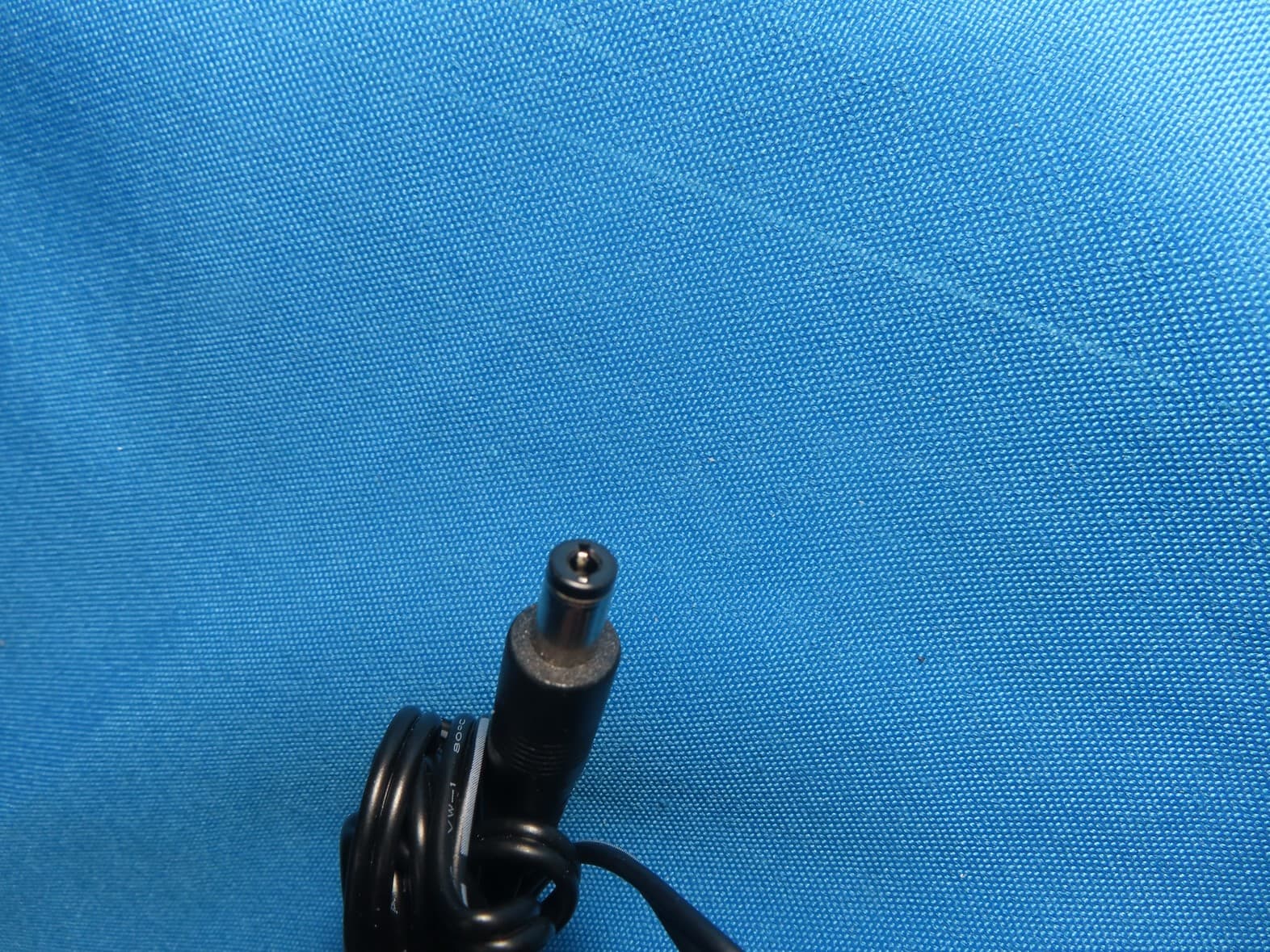
2BCGWAX72V2
Sep 28, 2024AX5400 Wi-Fi 6 Router
Equipment Class
NII - Unlicensed National Information Infrastructure TX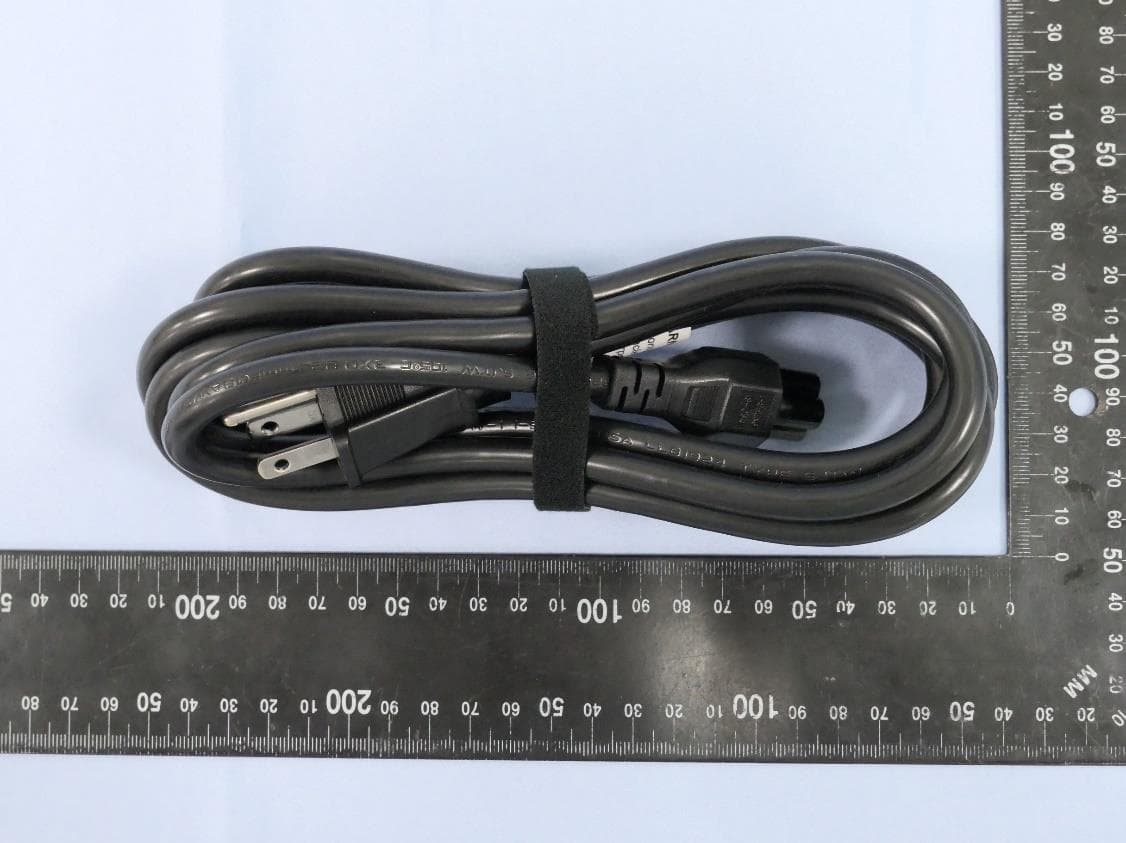
2BCGWBE25OD
Sep 24, 2024BE5000 Outdoor/Indoor Mesh Wi-Fi 7 Router
Equipment Class
NII - Unlicensed National Information Infrastructure TX