2BCGWBE230BE3600 Dual-Band Wi-Fi 7 Router
TP-LINK CORPORATION PTE.LTD.
Click to zoom
Application Details
- Equipment Class
- NII - Unlicensed National Information Infrastructure TX
- Date of Grant
- Apr 25, 2024
- Application Purpose
- Original Equipment
- Date of Application
- Apr 23, 2024
- Equipment Note
- BE3600 Dual-Band Wi-Fi 7 Router
- Frequency Range
- 5250.00000000 - 5250.00000000
- Company
- TP-LINK CORPORATION PTE.LTD.
- Country
- Singapore
Documents & Files
Document Text
Text extracted from the exhibit documents filed with the FCC. Open a document above to read the original.
Users Manual
Quick Installation Guide BE3600 Dual-Band Wi-Fi 7 Router With the USB port, it’s easy to share files and media with multiple devices. Visit https://www.tp-link.com/app/usb to learn more about the USB applications. USB Applications Media Server: Play media from the USB drive on your computer Local Storage Sharing: Share files from the USB drive with devices on your home network Remote Access: Access the USB drive when you are away from home You can experience strong, stable, and seamless wireless connections throughout your home with EasyMesh. EasyMesh-Compatible Flexible Scalability Flexibly scale your home networking with different vendors,* different topologies, different Protocols and different product categories. One-Click Settings Press the WPS button on the main router and the satellite device within 2 minutes of each other, then the EasyMesh network will set up. Seamless Roaming Connects mobile devices to your routers or extenders that provide the best coverage. Devices compatible with EasyMesh also share a single Wi-Fi name so you stay connected in every room . For more information, visit https://www.tp-link.com/easymesh/ *Failure may be due to firmware conflicts of different vendors. A better network connection can be established between all APs from TP-Link. Setup Video Q1. What should I do if I can’t access the web management page? • Reboot your router and try again. • If the computer is set to a static IP, change its settings to obtain an IP address automatically. • Verify that http://tplinkwifi.net is correctly entered in the web browser. Alternatively, enter http://192.168.0.1 or http://192.168.1.1 in the web browser. • Use another web browser and try again. • Disable and enable the network adapter in use. Q2. What should I do if I can’t access the internet? • Power off your modem for about 5 minutes, then power it on and check the internet. If your modem has more than one Ethernet port, keep the other ports unconnected. • Check if the internet is working normally by connecting a computer directly to the modem via an Ethernet cable. If it is not, contact your internet service provider. • Log in to the web management page, and go to the Network Map page to check whether the internet IP address is valid or not. If it’s valid, go to Advanced > Network > Internet, click Advanced Settings, select Use the Following DNS Addresses, set the primary DNS to 8.8.8.8, and set the secondary DNS to 8.8.4.4. If it is not, check the hardware connection or contact your internet service provider. • For cable modem users, log in to the web management page of the router and go to Advanced > Network > Internet > MAC Clone. Select Clone Current Device MAC and click S AV E. Then reboot both the modem and the router. Q3. What should I do if I forget my wireless password? • If you have not changed the default wireless password, it can be found on the label at the bottom of the router. • Connect a computer directly to the router using an Ethernet cable. Log in to the router’s web management page at http://tplinkwifi.net and go to the Wireless page to retrieve or Need Help? ©2024 TP-Link 7106510964 REV1.0.0 reset your wireless password. Q4. What should I do if I forget my web management page password? • If you are using a TP-Link ID to log in, click Forgot Password? on the login page and then follow the instructions to reset it. • Alternatively, press and hold the Reset button until the power LED blinks. Then visit http://tplinkwifi.net to create a new login password. Q5. How should I position my router for optimal Wi-Fi performance? • Don’t place your router in a corner or in a closet. • Avoid obstacles and high-powered appliances. • Keep your router in a central location at a certain height. • Keep the antennas vertical when the router is placed on a desktop. Keep the antennas upright when the router is hanging on a wall. · Keep the device away from water, fire, humidity or hot environments. · Do not attempt to disassemble, repair, or modify the device. If you need service, please contact us. · Do not use any other chargers than those recommended. · Do not use damaged charger or USB cable to charge the device. · Do not use the device where wireless devices are not allowed. · Adapter shall be installed near the equipment and shall be easily accessible. TP-Link hereby declares that the device is in compliance with the essential requirements and other relevant provisions of directives 2014/53/EU, 2009/125/EC, 2011/65/EU and (EU) 2015/863. The original EU declaration of conformity may be found at https://www.tp-link.com/en/support/ce TP-Link hereby declares that the device is in compliance with the essential requirements and other relevant provisions of the Radio Equipment Regulations 2017. The original UK declaration of conformity may be found at https://www.tp-link.com/support/ukca TP-Link HomeShield premium security services keep your home network safe with cutting-edge features. Download the Tether app to enjoy HomeShield features. For more details, visit https://www.tp-link.com/homeshield. Parental Controls Manage online time and block inappropriate content to maintain healthy online habits. Comprehensive Reports Gain full statistics and insights to help you know your home network better. Network Protection Detects cyber threats to keep your privacy and connected devices well protected. Quality of Service (QoS) Prioritize your bandwidth needs for a better networking experience. Tether TP-Link HomeShield For technical support, replacement services, user guides, and other information, please visit https://www.tp-link.com/support. Method ONE: Via the TP-Link Tether AppMethod TWO: Via a Web Browser 1. Connect your device to the router wirelessly or with an Ethernet cable. New Password: Let’s Get Started Confirm Password: http://tplinkwifi.net 2. Launch a web browser and enter http://tplinkwifi.net or http://192.168.0.1 in the address bar. Create a password to log in. 3. Follow the step-by-step instruct…
Text truncated - open the document above for the full version.
Users Manual
© 2024 TP-Link User Guide BE3600 Dual-Band Wi-Fi 7 Router Archer BE230 142 FCC compliance information statement Product Name: BE3600 Dual-Band Wi-Fi 7 Router Model Number: Archer BE230 Component NameModel I.T.E. Power Supply T120200-2B1 Responsible party: TP-Link USA Corporation Address: 10 Mauchly, Irvine, CA 92618 Website: http://www.tp-link.com/us/ Tel: +1 626 333 0234 Fax: +1 909 527 6804 E-mail: [email protected] This equipment has been tested and found to comply with the limits for a Class B digital device, pursuant to part 15 of the FCC Rules. These limits are designed to provide reasonable protection against harmful interference in a residential installation. This equipment generates, uses and can radiate radio frequency energy and, if not installed and used in accordance with the instructions, may cause harmful interference to radio communications. However, there is no guarantee that interference will not occur in a particular installation. If this equipment does cause harmful interference to radio or television reception, which can be determined by turning the equipment off and on, the user is encouraged to try to correct the interference by one or more of the following measures: • R eorient or relocate the receiving antenna. •Increase the separation between the equipment and receiver. •Connect the equipment int o an outlet on a circuit different from that to which the receiver is connected. • Consult the dealer or an e xperienced radio/ TV technician for help. This device complies with part 15 of the FCC Rules. Operation is subject to the following two conditions: 1. This de vice may not cause harmful interference. 2. This de vice must accept any interference received, including interference that may cause undesired operation. Any changes or modifications not expressly approved by the party responsible for compliance could void the user’s authority to operate the equipment. 143 Note: The manufacturer is not responsible for any radio or TV interference caused by unauthorized modifications to this equipment. Such modifications could void the user’s authority to operate the equipment. FCC RF Radiation Exposure Statement This equipment complies with FCC RF radiation exposure limits set forth for an uncontrolled environment. This device and its antenna must not be co-located or operating in conjunction with any other antenna or transmitter. To comply with FCC RF exposure compliance requirements, this grant is applicable to only Mobile Configurations. The antennas used for this transmitter must be installed to provide a separation distance of at least 41 cm from all persons and must not be co-located or operating in conjunction with any other antenna or transmitter. FCC compliance information statement Product Name: I.T.E. Power Supply Model Number: T120200-2B1 Responsible party: TP-Link USA Corporation Address: 10 Mauchly, Irvine, CA 92618 Website: http://www.tp-link.com/us/ Tel: +1 626 333 0234 Fax: +1 909 527 6804 E-mail: [email protected] This equipment has been tested and found to comply with the limits for a Class B digital device, pursuant to part 15 of the FCC Rules. These limits are designed to provide reasonable protection against harmful interference in a residential installation. This equipment generates, uses and can radiate radio frequency energy and, if not installed and used in accordance with the instructions, may cause harmful interference to radio communications. However, there is no guarantee that interference will not occur in a particular installation. If this equipment does cause harmful interference to radio or television reception, which can be determined by turning the equipment off and on, the user is encouraged to try to correct the interference by one or more of the following measures: 144 •Reorient or relocate the receiving antenna. •Increase the separation between the equipment and receiver. • Connect the equipment into an outlet on a circuit different from that to which the receiver is connected. •Consult the dealer or an experienced radio/ TV technician for help. This device complies with part 15 of the FCC Rules. Operation is subject to the following two conditions: 1. This device may not cause harmful interference. 2. This device must accept any interference received, including interference that may cause undesired operation. Any changes or modifications not expressly approved by the party responsible for compliance could void the user’s authority to operate the equipment. We, TP-Link USA Corporation, has determined that the equipment shown as above has been shown to comply with the applicable technical standards, FCC part 15. There is no unauthorized change is made in the equipment and the equipment is properly maintained and operated. Issue Date: 2024-01-10 145 CE Mark Warning This is a class B product. In a domestic environment, this product may cause radio interference, in which case the user may be required to take adequate measures. OPERATING FREQUENCY(the maximum transmitted power) 2400 MHz -2483.5 MHz (20dBm) 5150 MHz -5250 MHz (23dBm) 5250 MHz -5350 MHz (23dBm) 5470 MHz -5725 MHz (30dBm) EU Declaration of Conformity TP-Link hereby declares that the device is in compliance with the essential requirements and other relevant provisions of directives 2014/53/EU, 2009/125/EC, 2011/65/EU and (EU)2015/863. The original EU Declaration of Conformity may be found at https://www.tp-link.com/en/support/ce/ RF Exposure Information This device meets the EU requirements (2014/53/EU Article 3.1a) on the limitation of exposure of the general public to electromagnetic fields by way of health protection. The device complies with RF specifications when the device used at 20 cm from your body. National Restrictions Frequency band: 5150 - 5250 MHz: Indoor use: Inside buildings only. Installations and use inside road vehicles and train carriages are not permitted. Limited outdoor use: If used outdoors, equipment shall not be attached to a fixed installat…
Text truncated - open the document above for the full version.
Attestation Statements
TP-LINK CORPORATION PTE.LTD. 7 Temasek Boulevard #29-03 Suntec Tower One, Singapore 038987 012423-17 rev2 Statement for 47 CFR section 2.911(d)(5)(i) TP-LINK CORPORATION PTE.LTD. certifies that as of the date of the application the equipment for which authorization is sought is not “covered” equipment 1 prohibited from receiving an equipment authorization pursuant to section 2.903 of the FCC rules. If the equipment for which the applicant seeks authorization is produced by any of the entities identified on the current Covered List, including affiliates or subsidiaries of the named companies, the applicant must include an explanation on why the equipment is not “covered” equipment. Additional Explanation: <N/A> Statement for 47 CFR section 2.911(d)(5)(ii) TP-LINK CORPORATION PTE.LTD. certifies that, as of the date of the filing of this application, the applicant ☐ - is /- is not identified on the Covered List as an entity producing “covered” equipment. Thank you, By: ____Sarah Wang__ (Signature 2 ) (Print name) Title: Compliance manager Company: TP-LINK CORPORATION PTE.LTD. PTE.LTD.) Telephone: +86 755 21534921 1 - The Commission’s Covered List is published by the Public Safety and Homeland Security Bureau and posted on the Commission’s website. This Covered List, which is periodically updated, identifies particular equipment, produced by particular entities, that constitutes “covered” equipment. https://www.fcc.gov/supplychain/coveredlist . 2 - Letters should be placed on appropriate letterhead.
Attestation Statements
U.S. AgentDesignationfor Serviceof Process (Applicantand U.S. Agentare SeparateParties) TO:AmericanCertificationBody, Inc. 313 Park Avenue Suite 300 Falls Church,VA 22046 ATTENTION:FCC Certification– Section2.911(d)(7)Information DesignatedU.S. Agent CompanyName:VISHTECLLC ContactName:Alan Graham StreetAddress:9888 W BelleviewAve Ste 2142 DenverCO 80123 City/Province/Zip:80123 TelephoneNo:(571)4007350 Email: [email protected] FRN #: 0033407131 This letter is to confirmthat we (“the DesignatedU.S. Agent ”) have acceptedthe responsibilityto act as the DesignatedU.S. Agent for Serviceof Processfor the limited purposeof compliancewith section47 CFR 2.911(d)(7)only and not for any other purpose,on behalfof theApplicantnoted below. U.S. AgentSignature: Date: 2023/8/28 Signedby (PrintedName/Title): The Applicant acknowledges that they must maintain an agent for no less than one year after terminating all marketing and importation OR the conclusion of any Commission- related proceeding involving the equipment. The applicant further acknowledges their responsibility to inform the FCC whenever the Designated U.S. Agent information above changes. Applicant Company name: TP-LINK CORPORATION PTE. LTD. Grantee Code: 2BCGW FRN #: 0034122556 Contact Name: Sarah Wang Street Address: 7 Temasek Boulevard #29-03 Suntec Tower One, Singapore 038987 City/Province/Zip: Singapore Telephone No: +65-97538388 Email: [email protected] Applicant Signature 1 : Date: 2023/8/28 Signed by (Printed Name/Title) S arah W ang 1 - Lettersshouldbe placedon appropriateletterhead.
Attestation Statements
AttestationLetter FederalCommunicationsCommission AuthorizationandEvaluationDivision We Name:TP-LINKCORPORATIONPTE.LTD. Address:7TemasekBoulevard#29-03SuntecTowerOne,Singapore038987 Declarethatthedevicedoesnotsupportchannel12~13in2.4GHzbandandanynon-US channelsinalltheoperationalmode(s)forthefollowingproduct. Product:BE3600Dual-BandWi-Fi7Router FCCID:2BCGWBE230 Model:ArcherBE230,ArcherBE3600 Brand:tp-link Sincerely, _________________ Name:SarahWang Position:RegulatoryComplianceManager Date:2024-04-17
Cover Letter(s)
DeclarationofFrequencyStability WeTP-LINKCORPORATIONPTE.LTD.ensurethattheproduct(FCCID:2BCGWBE230,IC: 31152-BE230)meetse-CFRTitle47section15.407(g)&RSS-GENSection8.11andKDB 789033D02v02r01frequencystabilitysuchthattheemissionsaremaintainedwithinthe bandofoperationunderallconditionsofnormaloperationasspecifiedintheuser'smanual. Sincerely, _________________ Name:SarahWang Position:RegulatoryComplianceManager Date:2024-04-17
Cover Letter(s)
ConfidentialityRequestLetter FederalCommunicationsCommission AuthorizationandEvaluationDivision FCCID:2BCGWBE230 ConfidentialityRequest PursuanttoSections0.457and0.459oftheCommission’sRules,weherebyrequest confidentialtreatmentofinformationaccompanyingthisapplicationasoutlinedbelow: 1.BlockDiagram 2.Schematics 3.OperationalDescription Theabovematerialscontaintradesecretsandproprietaryinformationnotcustomarily releasedtothepublic.Thepublicdisclosureofthesemattersmightbeharmfultothe applicantandprovideunjustifiedbenefitstoitscompetitors. TheapplicantunderstandsthatpursuanttoRule0.457,disclosureofthisapplicationandall accompanyingdocumentationwillnotbemadebeforethedateoftheGrantforthis application. Sincerely, _________________ Name:SarahWang Position:RegulatoryComplianceManager Date:2024-04-17
Cover Letter(s)
DeclarationofAuthorization We Name:TP-LINKCORPORATIONPTE.LTD. Address:7TemasekBoulevard#29-03SuntecTowerOne,Singapore038987 Declarethat: NameRepresentativeofagent:MarlinChen AgentCompanyname:MRTTechnology(Suzhou)Co.,Ltd Address:D8Building,YouxinIndustrialPark,No.2Tian'edangRd., WuzhongEconomicDevelopmentZone City:Suzhou Country:China isauthorizedtoapplyforCertificationofthefollowingproduct(s): Product:BE3600Dual-BandWi-Fi7Router FCCID:2BCGWBE230 Model:ArcherBE230,ArcherBE3600 Brand:tp-link Sincerely, _________________ Name:SarahWang Position:RegulatoryComplianceManager Date:2024-04-17
Cover Letter(s)
DeclarationofConformity We Name:TP-LINKCORPORATIONPTE.LTD. Address:7TemasekBoulevard#29-03SuntecTowerOne,Singapore038987 Declarethat: Product:BE3600Dual-BandWi-Fi7Router FCCID:2BCGWBE230 Model:ArcherBE230,ArcherBE3600 Brand:tp-link ProductwhichbearstheaboveFCCIDisalsocompliantwiththeFCCrequirementsforsDOC. AndthesDOCprocedureshallbecarriedoutpriortomarketingthedeviceintheUS. Sincerely, _________________ Name:SarahWang Position:RegulatoryComplianceManager Date:2024-04-17
Cover Letter(s)
Declarationletter Forourbusinessissueandmarketingrequirement,wewouldliketolistdifferentmodel numberasfollowing: ModelNo.:ArcherBE230,ArcherBE3600 ModelDifference: Thedifferenceofmodelsonlyformarketingdifferent,theotherhardwarewasthesame. _____________________ Name:SarahWang Position:RegulatoryComplianceManager Date:2024-04-17
Cover Letter(s)
Non-SDR(SoftwareDefinedRadio)CoverLetter RefertoKDB442812D01SDRappsGuidev02r03. Thefollowingsixquestionscanbeusedfordeterminingifaradiocanelecttobe,ormustbe anSDR. 1.CantheRFparametersofthedevicebealteredthroughsoftware? Yes-goto2. No,notanSDR No 2.CanthirdpartiesnotpermittedbytheCommissionthroughspecificfilingsmodify, configure,orloaddifferentsoftware,ormakeconfigurationsettingstooperatethedeviceor hosthardwareradiofrequencyparameters(frequencyrange,modulationtype,maximum outputpowerorotherradioparameters)inanyotherwaythangranted(orexpectedtobe granted)? Yes,mustbeanSDR. No-goto3. No 3.Isthedevicecapableofoperatinginanyotherinanyotherwaythangranted,orwillbe, granted? Yes,-goto4. No-goto5. No 4.IsthisaPart15clientDeviceasdefinedinSection15.202(asopposedtoamaster device)? Yes,qualifiesasapart15clientdevices-goto5. No,mustbeanSDR. 5.DoesthemanufacturerelectSDR? Yes,electstobeanSDR. No,NotanSDR No Conclusion: Accordingtotheabovequestionsreply,wecanconfirmthisdevice(FCCID:2BCGWBE230& IC:31152-BE230)mustbeaNon-SDRdevice. __________________ Name:SarahWang Position:RegulatoryComplianceManager Date:2024-04-17
External Photos
Report No.: 2312TW0112-UE 1 of 8 External Photograph (1) EUT Photo (2) EUT Photo Report No.: 2312TW0112-UE 2 of 8 (3) EUT Photo (4) EUT Photo Report No.: 2312TW0112-UE 3 of 8 (5) EUT Photo (6) EUT Photo Report No.: 2312TW0112-UE 4 of 8 (7) EUT Photo (8) EUT Photo Report No.: 2312TW0112-UE 5 of 8 (9) EUT Photo (10) EUT Photo Report No.: 2312TW0112-UE 6 of 8 (11) EUT Photo (12) EUT Photo Report No.: 2312TW0112-UE 7 of 8 (13) EUT Photo (14) EUT Photo Report No.: 2312TW0112-UE 8 of 8 (15) EUT Photo
ID Label/Location Info
69.7*38.2mm, R3.5, C2, 公差±0.2mm 文字转曲线(供应商来料效果图) C B A 12 C 345678 B E D D A 9 料号:7202510070 12345 与上一版的区别 E 6789 颜 色 名 称 版 本 材 质 模 具 机型版本号 logo 底色 文字 其它 结构工程师 硬件工程师 产品工程师 平面负责人 记 录 完成日期 设 计 3mm 3mm 3mm 8.8mm 31.7mm 深圳市联洲国际技术有限公司 Model: Archer BE230(US) Ver:1.0 S/N:XXXXXXXXXXXXX JOIN PRESET WI-FI Model: Archer BE230 BE3600 Dual-Band Wi-Fi 7 Router FCC ID: 2BCGWBE230 IC: 31152-BE230 This device complies with part 15 of the FCC Rules. Operation is subject to the following two conditions:(1) This device may not cause harmful interference, and (2) this device must accept any interference received, including interference that may cause undesired operation. Power: 12V 2A Default Access: http://tplinkwifi.net MADE IN CHINA MAC: XX-XX-XX-XX-XX-XX Wireless Password/PIN: XXXXXXXX SSID:TP-Link_XXXX SSID:TP-Link_XXXX_5G
Internal Photos
Report No.: 2312TW0112-UI 1 of 6 Internal Photograph (1) EUT Photo (2) EUT Photo Report No.: 2312TW0112-UI 2 of 6 (3) EUT Photo (4) EUT Photo Report No.: 2312TW0112-UI 3 of 6 (5) EUT Photo (6) EUT Photo Report No.: 2312TW0112-UI 4 of 6 (7) EUT Photo (8) EUT Photo Report No.: 2312TW0112-UI 5 of 6 (9) EUT Photo (10) EUT Photo Report No.: 2312TW0112-UI 6 of 6 (11) EUT Photo (12) EUT Photo
RF Exposure Info
MRT Technology (Taiwan) Co., Ltd Report No.: 2312TW0112-U5 Phone: +886-3-3288388 Report Version 1.0 Web: www.mrt-cert.com Issue Date: 2024-04-19 Page Number: 1 of 12 RF Exposure Evaluation Declaration FCC ID : 2BCGWBE230 Applicant : TP-LINK CORPORATION PTE. LTD. Application Type : Certification Product : BE3600 Dual-Band Wi-Fi 7 Router Model No. : Archer BE230, Archer BE3600 Brand Name : tp-link FCC Classification : Digital Transmission System (DTS) Unlicensed National Information Infrastructure (NII) Received Date : December 18, 2023 Test By : ( Owen Tsai ) Reviewed By : ( Paddy Chen ) Approved By : ( Chenz Ker) The test results relate only to the samples tested. The test results shown in the test report are traceable to the national/international standards through the calibration of the equipment and evaluated measurement uncertainty herein. The test report shall not be reproduced except in full without the written approval of MRT Technology (Taiwan) Co., Ltd. Report No.: 2312TW0112-U5 Page Number: 2 of 12 Revision History Report No. Version Description Issue Date Note 2312TW0112-U5 1.0 Original Report 2024-04-19 Valid Report No.: 2312TW0112-U5 Page Number: 3 of 12 CONTENTS Description Page 1. INTRODUCTION ....................................................................................................................... 5 1.1. Scope ............................................................................................................................. 5 1.2. MRT Test Location ......................................................................................................... 5 2. PRODUCT INFORMATION ...................................................................................................... 6 2.1. Feature of Equipment under Test .................................................................................. 6 2.2. Description of Available Antennas .................................................................................. 7 2.3. Device Classification ...................................................................................................... 7 2.4. Applied Standards .......................................................................................................... 7 3. RF Exposure Evaluation ......................................................................................................... 8 3.1. Limits .............................................................................................................................. 8 3.2. MPE Exemptions ........................................................................................................... 9 3.3. Test Result of RF Exposure Evaluation ....................................................................... 12 Report No.: 2312TW0112-U5 Page Number: 4 of 12 General Information Applicant TP-LINK CORPORATION PTE. LTD. Applicant Address 7 Temasek Boulevard #29-03 Suntec Tower One, Singapore 038987 Manufacturer TP-LINK CORPORATION PTE. LTD. Manufacturer Address 7 Temasek Boulevard #29-03 Suntec Tower One, Singapore 038987 Test Site MRT Technology (Taiwan) Co., Ltd Test Site Address No. 38, Fuxing Second Rd., Guishan Dist., Taoyuan City 333, Taiwan (R.O.C) MRT FCC Registration No. 291082 Test Facility / Accreditations 1. MRT facility is a FCC registered (Reg. No. 291082) test facility with the site description report on file and is designated by the FCC as an Accredited Test Firm. 2. MRT facility is an IC registered (MRT Reg. No. 21723) test laboratory with the site description on file at Industry Canada. 3. MRT Lab is accredited to ISO 17025 by the Taiwan Accreditation Foundation (TAF Cert. No. 3261) in EMC, Telecommunications and Radio testing for FCC (Designation Number: TW3261), Industry Canada, EU and TELEC Rules. Report No.: 2312TW0112-U5 Page Number: 5 of 12 1. INTRODUCTION 1.1. Scope Measurement and determination of electromagnetic emissions (EMC) of radio frequency devices including intentional and/or unintentional radiators for compliance with the technical rules and regulations of the Federal Communications Commission and the Innovation, Science and Economic Development Canada and Certification and Engineering Bureau. 1.2. MRT Test Location The map below shows the location of the MRT LABORATORY, its proximity to the Taoyuan City. These measurement tests were conducted at the MRT Technology (Taiwan) Co., Ltd. Facility located at No.38, Fuxing 2nd Rd., Guishan Dist., Taoyuan City 33377, Taiwan (R.O.C). Report No.: 2312TW0112-U5 Page Number: 6 of 12 2. PRODUCT INFORMATION 2.1. Feature of Equipment under Test Note: Model Difference: The difference of models only for marketing different, the other hardware was the same. (Declared by the manufacturer). Product Name: BE3600 Dual-Band Wi-Fi 7 Router Model No.: Archer BE230, Archer BE3600 Brand Name: tp-link Specification 802.11a/b/g/n/ac/ax/be Accessory Adapter BRAND: tp-link MODEL: T120200-2B1 INPUT: 100 - 240V ~ 50/60Hz 0.8A. OUTPUT: DC 12.0V 2.0A DC Cable Out: Non-Shielded, 1.5m Report No.: 2312TW0112-U5 Page Number: 7 of 12 2.2. Description of Available Antennas Antenna Type Frequency Band (MHz) T X Paths Number of spatial streams Max Antenna Gain (dBi) Beamforming Directional Gain(dBi) CDD Directional Gain (dBi) For Power For PSD Wi-Fi Antenna Dipole 2412 ~ 2462 2 1 3.00 6.01 3.00 6.01 5150 ~ 5850 2 1 3.00 6.01 3.00 6.01 Remark: 1. The EUT supports Cyclic Delay Diversity (CDD) mode, and CDD signals are correlated. If all antennas have the same gain, G ANT , Directional gain = G ANT + Array Gain, where Array Gain is as follows. • For power spectral density (PSD) measurements on all devices, Array Gain = 10 log (N ANT / N SS ) dB; • For power measurements on IEEE 802.11 devices, Array Gain = 0 dB for N ANT ≤ 4; 2. The EUT also supports Beam Forming mode, and the Beam Forming support 802.11ac/ax/be, not include 802.11a/b/g/n. BF Directional gain = G ANT + 10 log (N ANT ). 3. All information of antenna is from the AUT …
Text truncated - open the document above for the full version.
Test Report
Product Model: Archer BE230 Manufacturer: TP-LINK CORPORATION PTE. LTD. Test Date: 2023.11.10 Tested By: Tan Yiyi TP-LINK CORPORATION PTE. LTD. 7 Temasek Boulevard #29-03 Suntec Tower One, Singapore 038987, Index 1. Antenna Distribution ........................................................................................ 3 2. Electrical Characteristics ................................................................................ 3 3. Gain and Radiation Pattern ............................................................................. 5 3.1 Measurement Procedure ......................................................................................... 5 3.2 Test Setup ............................................................................................................... 6 3.3 S Parameter Test Data ............................................................................................ 7 3.4 Antenna Peak Gain ................................................................................................. 8 3.5 Antenna Radiation Pattern ....................................................................................... 9 Page 3 1. Antenna Distribution Archer BE230 2. Electrical Characteristics Ant1 Frequency 2400~2500 MHz Impedance 50Ohm Antenna Type Dipole Antenna Gain 3.00dBi@2400~2500 MHz Radiation pattern Omni-Directional P/N 3101506764 Ant2 Frequency 2400~2500 MHz Impedance 50Ohm Antenna Type Dipole Antenna Gain 3.00dBi@2400~2500 MHz Radiation pattern Omni-Directional P/N 3101506763 Ant3 Frequency 5150~5895MHz Page 4 Impedance 50Ohm Antenna Type Dipole Antenna Gain 3.00dBi@5150~5895MHz Radiation pattern Omni-Directional P/N 3101506765 Ant4 Frequency 5150~5895MHz Impedance 50Ohm Antenna Type Dipole Antenna Gain 3.00dBi@5150~5895MHz Radiation pattern Omni-Directional P/N 3101505345 Page 5 3. Gain and Radiation Pattern 3.1 Measurement Procedure This measurement experiment adopted an antenna near-field measurement system, and the diagram of the measurement system was shown in Figure 3-1. The excitation signal was generated by the Keysight E5071C (300kHz-20GHz). Under the control of the central computer, the probe rotated in the θ direction, and the EUT rotated in the φ direction with the turntable. The probe sampling frame received and collected signals in the near-field range of the EUT. The software system which was controlled by the central computer completed the processing, output and display of the test data. Figure 3-1 The test site was a full anechoic chamber with a size of 3.0m×3.1m×2.97m, which was built by GTS Rayzone2800. All six surfaces of the anechoic chamber were pasted with absorbing materials. And the chamber was calibrated by the authoritative third-party lab every year. The antenna anechoic chamber measurement system adopted a 13-probe multi-probe system. The probe antennas were evenly distributed on the spherical surface surrounding the EUT, and theirs ope…
Text truncated - open the document above for the full version.
Contact Information
Applicant
sarah wang
Technical Contact
MRT Technology (Suzhou) Co., LtdRobin Wu
[email protected]051266308358
D8 Building, Youxin Industrial Park, No.2 Tian'eda · Suzhou · China
Non-Technical Contact
MRT Technology (Suzhou) Co., LtdRobin Wu
[email protected]051266308358
Test Firm
MRT Technology (Taiwan) Co.,LtdChenz Ker
Technical Specifications
| # | Rule Parts | Frequency Range | Power Output |
|---|---|---|---|
| 5 | 15E | 5.25 GHz - 5.25 GHz | 186.20 mW |
Other Applications from TP-LINK CORPORATION PTE.LTD.
2BCGWWR3002X
Dec 05, 2024AX3000 Wi-Fi 6 Portable Router
Equipment Class
DTS - Digital Transmission System
2BCGWEAP725WALL
Dec 01, 2024BE5000 Wall Plate Wi-Fi 7 Access Point
Equipment Class
NII - Unlicensed National Information Infrastructure TX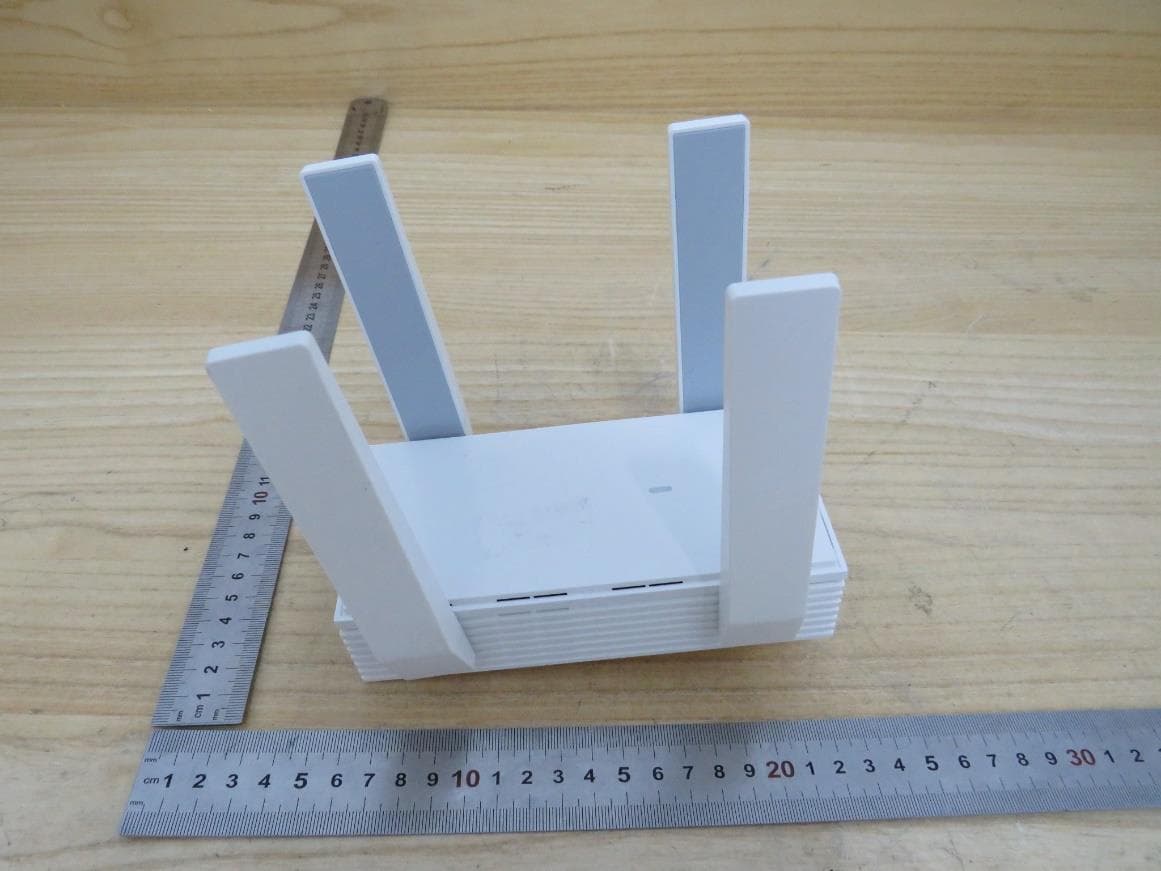
2BCGWEAP673EXTR
Oct 13, 2024AX5400 Wall Plate Wi-Fi 6 Extender
Equipment Class
NII - Unlicensed National Information Infrastructure TX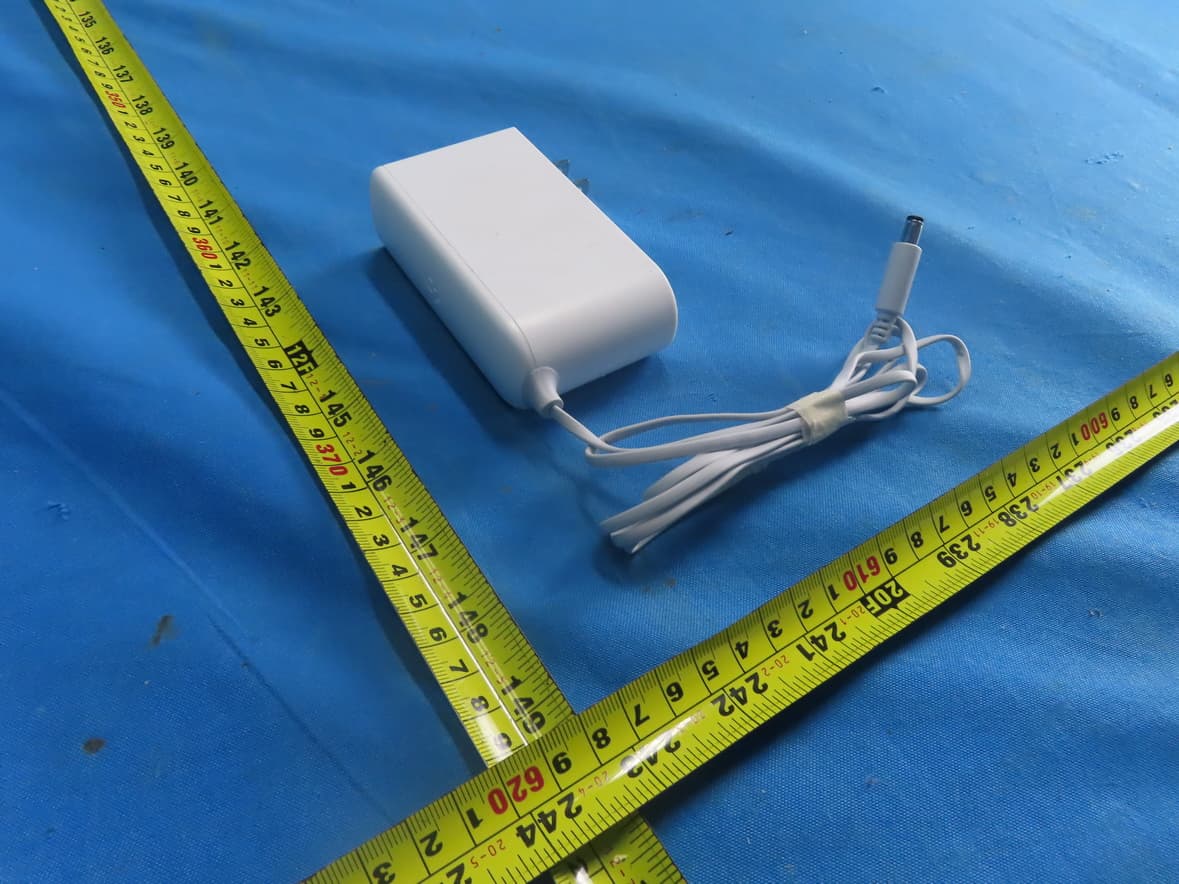
2BCGWH500
Sep 29, 2024Smart HomeBase
Equipment Class
NII - Unlicensed National Information Infrastructure TX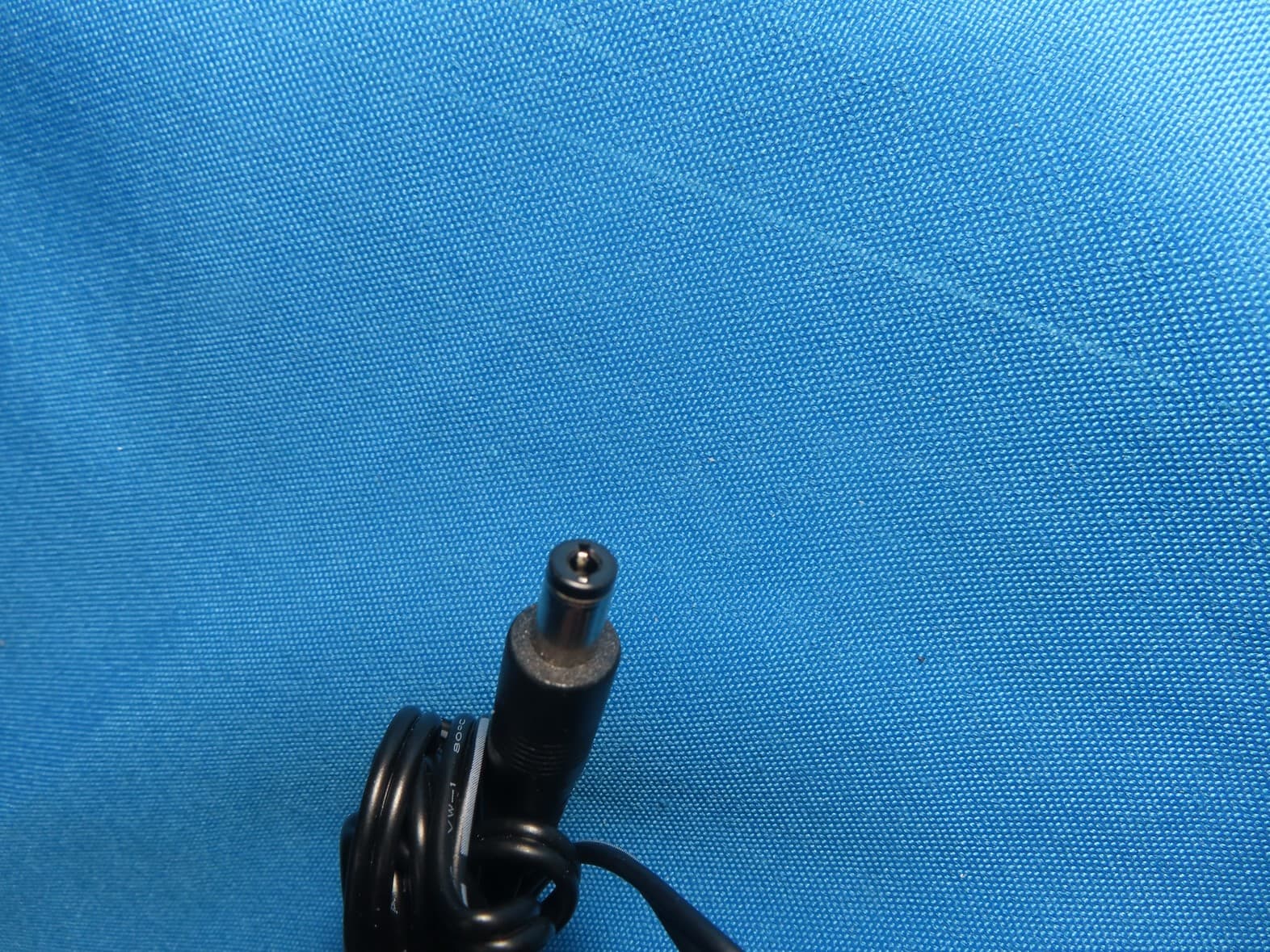
2BCGWAX72V2
Sep 28, 2024AX5400 Wi-Fi 6 Router
Equipment Class
NII - Unlicensed National Information Infrastructure TX