2BCGWBE25BE5000 Whole Home Mesh Wi-Fi 7 System, BE3600 Whole Home Mesh Wi-Fi 7 System
TP-LINK CORPORATION PTE.LTD.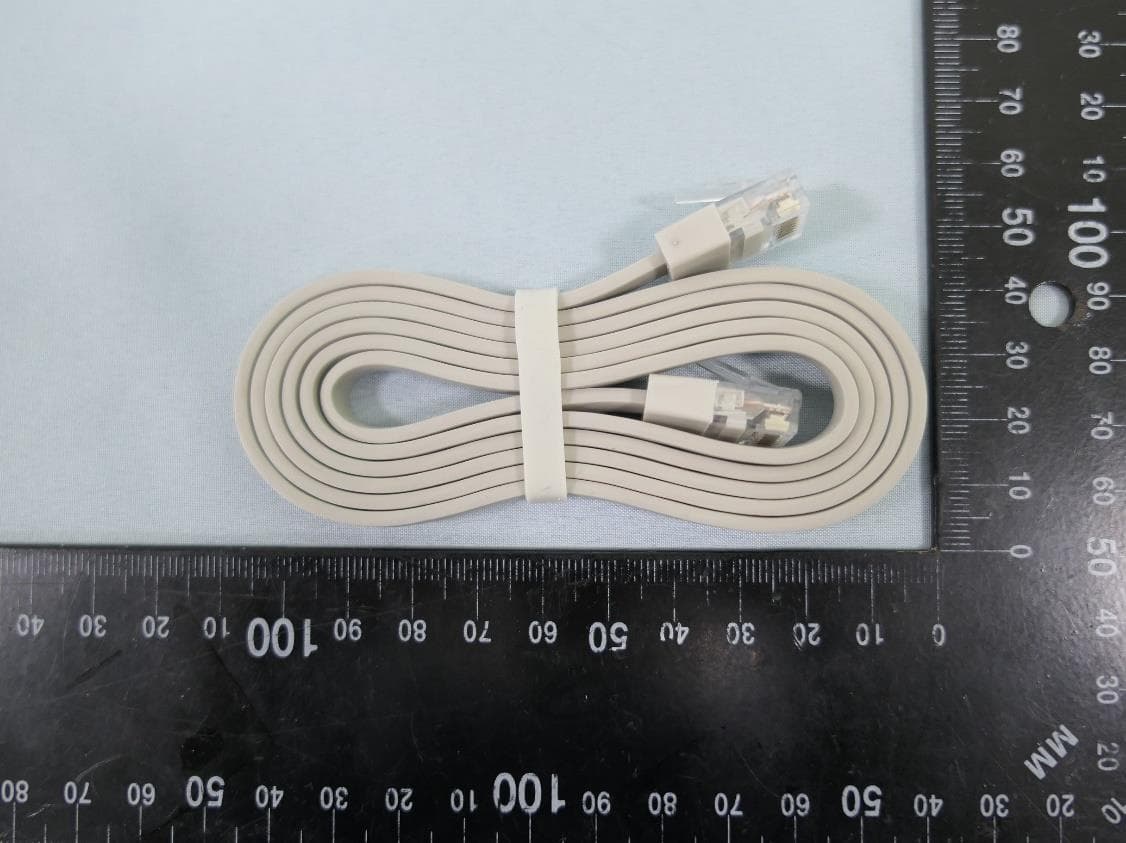
Click to zoom
Application Details
- Equipment Class
- NII - Unlicensed National Information Infrastructure TX
- Date of Grant
- Jul 01, 2024
- Application Purpose
- Original Equipment
- Date of Application
- Jun 27, 2024
- Equipment Note
- BE5000 Whole Home Mesh Wi-Fi 7 System, BE3600 Whole Home Mesh Wi-Fi 7 System
- Frequency Range
- 5250.00000000 - 5250.00000000
- Company
- TP-LINK CORPORATION PTE.LTD.
- Country
- Singapore
Documents & Files
Document Text
Text extracted from the exhibit documents filed with the FCC. Open a document above to read the original.
Users Manual
Deco BE25 A True Whole-Home Multi-Gigabit Mesh Wi-Fi User Guide BE5000 Whole Home Mesh Wi-Fi 7 System 1910013672 REV1.0.0 © 2024 TP-Link Contents About This Guide ····················································1 Appearance ·······························································2 Set Up Your Deco ···················································3 Troubleshooting ······················································7 Authentication ··························································8 1 About This Guide This guide provides a brief introduction to BE5000 Whole Home Mesh Wi-Fi 7 System and regulatory information. Features available in Deco may vary by model and software version. Deco availability may also vary by region or ISP. All images, steps, and descriptions in this guide are only examples and may not reflect your actual Deco experience. Conventions In this guide, the following conventions are used: Convention Description Deco Stands for Deco Whole Home Mesh Wi-Fi System/ Unit. Underline Hyperlinks are in teal and underlined. You can click to redirect to a website or a specific section. Teal Key information appears in teal, including management page text such as menus, items, buttons and so on. Note: Ignoring this type of note might result in a malfunction or damage to the device. Tips: Indicates important information that helps you make better use of your device. More Info • Specific product information can be found on the product page at https://www.tp-link.com. • A Technical Community is provided for you to discuss our products at https://community.tp-link.com. • Our Technical Support contact information can be found at the Help center of the Deco app and the Contact Technical Support page at https://www.tp-link.com/support. Speed/Coverage/Device Quantity Disclaimer Maximum wireless signal rates are the physical rates derived from IEEE Standard 802.11 specifications. Actual wireless data throughput and wireless coverage, and quantity of connected devices are not guaranteed and will vary as a result of network conditions, client limitations, and environmental factors, including building materials, obstacles, volume and density of traffic, and client location. MU-MIMO Disclaimer Use of MU-MIMO requires clients to also support MU-MIMO. IoT Compatibility Disclaimer IoT compatibility refers only to smart devices that can be controlled via the Deco app. Other wireless devices can still connect to Deco for normal Wi-Fi use. Seamless Roaming Disclaimer Clients need to support 802.11k/v/r and may require additional set up. Performance may vary depending on the client device. 2 Appearance Each Deco has an LED that changes color according to its status, a WPS button, two 2.5 Gbps WAN/LAN ports, a power slot, and a Reset button. See the explanation below: Tip: The product label can be found at the bottom of the product. Pulse Yellow: Deco is resetting. Solid Yellow: Deco is starting up. Pulse Blue: Deco is ready for setup. Solid Blue: Deco is setting up. Pulse Green: Deco is upgrading firmware. Solid Green: Deco is all set up and connected. Pulse Red: The satellite Deco is disconnected from the main Deco. Solid Red: Deco has an issue. Press this WPS button, and immediately press the WPS button on your client device to start the WPS process. For connecting Deco to your modem, the Ethernet outlet, or for other internet services. For connecting Deco to the power socket via the provided power adapter. 2× 2.5 Gbps WAN/LAN Ports WPS Button Power Slot Press for 1 second and release to reset Deco to factory default settings. The light changing from pulsing yellow to solid yellow indicated a successful reset. Reset Button 3 Set Up Your Deco First let's start by setting up the Deco network. Get the TP-Link Deco app for iOS or Android, then follow the app to walk through the setup. 1. Get the Deco app Scan the QR code below or go to Google Play or the App Store to download the Deco app. Install the app on your Android or iOS smartphone or tablet. or 2. Log in or sign up with TP-Link ID Open the app and log in with your TP-Link ID. If you don’t have a TP-Link ID, create one first. Note: If you forgot your login password, tap Forgot Password?. The app will help you reset your password. 3. Select your Deco model Search for and select your Deco model. If you have more than one Deco model, tap the question below the search box to check how to maximize the overall network. 4 4. Plug in your Deco Power off your modem. Connect your Deco to the modem and power them both on. If you don't have a modem, connect your Deco directly to the Ethernet outlet. 5. Wait until Deco's LED pulses blue Wait until your Deco's LED pulses blue, then your phone/tablet will connect to the Deco's default Wi-Fi automatically. 6. Specify your Deco's location Select or custom a location for your Deco. The location will be used as the name of your Deco. 5 8. Create your Wi-Fi network Set a network name and a password. These will be the name and password you use to connect your devices to Wi-Fi. 7. Connect your Deco to the internet Select the internet connection type and enter the information. If you are not sure, contact your internet service provider. 9. Keep your Deco up-to-date Set auto update time. This allows your Deco to automatically update to the latest firmware which provides better network experience. 6 11. Setup complete Your Deco network is now up. You can connect your devices to the Deco network. You can also add more Decos if any. 10. Connect to your Wi-Fi network Connect your phone/tablet to the Deco's Wi-Fi to continue the setup. 7 Troubleshooting Solutions to common problems during setup or use are provided here for reference. Follow the steps and the provided link below to diagnose and solve problems you might experience with your Deco. If problems still exist, contact us: https://www.tp-link.com/support Q1. What should I do if I fail to configure the main Deco and get stuck on “We couldn't find Deco”…
Text truncated - open the document above for the full version.
Attestation Statements
TP-LINK CORPORATION PTE.LTD. 7 Temasek Boulevard #29-03 Suntec Tower One, Singapore 038987 012423-17 rev2 Statement for 47 CFR section 2.911(d)(5)(i) TP-LINK CORPORATION PTE.LTD. certifies that as of the date of the application the equipment for which authorization is sought is not “covered” equipment 1 prohibited from receiving an equipment authorization pursuant to section 2.903 of the FCC rules. If the equipment for which the applicant seeks authorization is produced by any of the entities identified on the current Covered List, including affiliates or subsidiaries of the named companies, the applicant must include an explanation on why the equipment is not “covered” equipment. Additional Explanation: <N/A> Statement for 47 CFR section 2.911(d)(5)(ii) TP-LINK CORPORATION PTE.LTD. certifies that, as of the date of the filing of this application, the applicant ☐ - is /- is not identified on the Covered List as an entity producing “covered” equipment. Thank you, By: ____Sarah Wang__ (Signature 2 ) (Print name) Title: Compliance manager Company: TP-LINK CORPORATION PTE.LTD. PTE.LTD.) Telephone: +86 755 21534921 1 - The Commission’s Covered List is published by the Public Safety and Homeland Security Bureau and posted on the Commission’s website. This Covered List, which is periodically updated, identifies particular equipment, produced by particular entities, that constitutes “covered” equipment. https://www.fcc.gov/supplychain/coveredlist . 2 - Letters should be placed on appropriate letterhead.
Attestation Statements
U.S. AgentDesignationfor Serviceof Process (Applicantand U.S. Agentare SeparateParties) TO:AmericanCertificationBody, Inc. 313 Park Avenue Suite 300 Falls Church,VA 22046 ATTENTION:FCC Certification– Section2.911(d)(7)Information DesignatedU.S. Agent CompanyName:VISHTECLLC ContactName:Alan Graham StreetAddress:9888 W BelleviewAve Ste 2142 DenverCO 80123 City/Province/Zip:80123 TelephoneNo:(571)4007350 Email: [email protected] FRN #: 0033407131 This letter is to confirmthat we (“the DesignatedU.S. Agent ”) have acceptedthe responsibilityto act as the DesignatedU.S. Agent for Serviceof Processfor the limited purposeof compliancewith section47 CFR 2.911(d)(7)only and not for any other purpose,on behalfof theApplicantnoted below. U.S. AgentSignature: Date: 2023/8/28 Signedby (PrintedName/Title): The Applicant acknowledges that they must maintain an agent for no less than one year after terminating all marketing and importation OR the conclusion of any Commission- related proceeding involving the equipment. The applicant further acknowledges their responsibility to inform the FCC whenever the Designated U.S. Agent information above changes. Applicant Company name: TP-LINK CORPORATION PTE. LTD. Grantee Code: 2BCGW FRN #: 0034122556 Contact Name: Sarah Wang Street Address: 7 Temasek Boulevard #29-03 Suntec Tower One, Singapore 038987 City/Province/Zip: Singapore Telephone No: +65-97538388 Email: [email protected] Applicant Signature 1 : Date: 2023/8/28 Signed by (Printed Name/Title) S arah W ang 1 - Lettersshouldbe placedon appropriateletterhead.
Cover Letter(s)
Declaration of Frequency Stability We TP-LINK CORPORATION PTE. LTD. ensure that the product (FCC ID: 2BCGWBE25, IC: 31152- BE25) meets e-CFR Title 47 section 15.407(g) & RSS-GEN Section 8.11 and KDB 789033 D02v02r01 frequency stability such that the emissions are maintained within the band of operation under all conditions of normal operation as specified in the user's manual. Sincerely, _________________ Name: Sarah Wang Position: Regulatory Compliance Manager Date: 2024-06-21
Cover Letter(s)
Confidentiality Request Letter Federal Communications Commission Authorization and Evaluation Division FCC ID: 2BCGWBE25 Confidentiality Request Pursuant to Sections 0.457 and 0.459 of the Commission’s Rules, we hereby request confidential treatment of information accompanying this application as outlined below: 1. Block Diagram 2. Schematics 3. Operational Description The above materials contain trade secrets and proprietary information not customarily released to the public. The public disclosure of these matters might be harmful to the applicant and provide unjustified benefits to its competitors. The applicant understands that pursuant to Rule 0.457, disclosure of this application and all accompanying documentation will not be made before the date of the Grant for this application. Sincerely, _________________ Name: Sarah Wang Position: Regulatory Compliance Manager Date: 2024-06-21
Cover Letter(s)
Declaration of Conformity We Name: TP-LINK CORPORATION PTE. LTD. Address: 7 Temasek Boulevard #29-03 Suntec Tower One, Singapore 038987 Declare that: Product: BE5000 Whole Home Mesh Wi-Fi 7 System BE3600 Whole Home Mesh Wi-Fi 7 System BE5000 Whole Home Mesh Wi-Fi 7 System BE3600 Whole Home Mesh Wi-Fi 7 System FCC ID: 2BCGWBE25 Model: Deco BE25, Deco BE23, Deco BE5000, Deco WB10800 Brand: tp-link Product which bears the above FCC ID is also compliant with the FCC requirements for sDOC. And the sDOC procedure shall be carried out prior to marketing the device in the US. Sincerely, _________________ Name: Sarah Wang Position: Regulatory Compliance Manager Date: 2024-06-21
Cover Letter(s)
Declaration letter For our business issue and marketing requirement, we would like to list different model number as following: Model No.: Deco BE25, Deco BE23, Deco BE5000, Deco WB10800 Model Difference: The differences of models are as below, the other was the same. Model Differences Product name Cover Operating frequency Deco BE25 (Original) BE5000 Whole Home Mesh Wi-Fi 7 System -- -- Deco BE23 (Variant) BE3600 Whole Home Mesh Wi-Fi 7 System Same as Deco BE25 Close 240MHz BW via software Deco BE5000 (Variant) BE5000 Whole Home Mesh Wi-Fi 7 System Cover with ripple Same as Deco BE25 Deco WB10800 (Variant) BE3600 Whole Home Mesh Wi-Fi 7 System Cover with ripple Close 240MHz BW via software _____________________ Name: Sarah Wang Position: Regulatory Compliance Manager Date: 2024-06-21
Cover Letter(s)
Non-SDR (Software Defined Radio) Cover Letter Refer to KDB 442812 D01 SDR apps Guide v02r03. The following six questions can be used for determining if a radio can elect to be, or must be an SDR. 1. Can the RF parameters of the device be altered through software? Yes - go to 2. No, not an SDR No 2. Can third parties not permitted by the Commission through specific filings modify, configure, or load different software, or make configuration settings to operate the device or host hardware radio frequency parameters (frequency range, modulation type, maximum output power or other radio parameters) in any other way than granted (or expected to be granted)? Yes, must be an SDR. No - go to 3. No 3. Is the device capable of operating in any other in any other way than granted, or will be, granted? Yes, - go to 4. No - go to 5. No 4. Is this a Part 15 client Device as defined in Section 15.202 (as opposed to a master device)? Yes, qualifies as a part 15 client devices - go to 5. No, must be an SDR. 5. Does the manufacturer elect SDR? Yes, elects to be an SDR. No, Not an SDR No Conclusion: According to the above questions reply, we can confirm this device (FCC ID: 2BCGWBE25 & IC: 31152-BE25) must be a Non-SDR device. __________________ Name: Sarah Wang Position: Regulatory Compliance Manager Date: 2024-06-21
Cover Letter(s)
Declaration of Authorization We Name: TP-LINK CORPORATION PTE. LTD. Address: 7 Temasek Boulevard #29-03 Suntec Tower One, Singapore 038987 Declare that: Name Representative of agent: Marlin Chen Agent Company name: MRT Technology (Suzhou) Co., Ltd Address: D8 Building, Youxin Industrial Park, No.2 Tian'edang Rd., Wuzhong Economic Development Zone City: Suzhou Country: China is authorized to apply for Certification of the following product(s): Product: BE5000 Whole Home Mesh Wi-Fi 7 System BE3600 Whole Home Mesh Wi-Fi 7 System BE5000 Whole Home Mesh Wi-Fi 7 System BE3600 Whole Home Mesh Wi-Fi 7 System FCC ID: 2BCGWBE25 Model: Deco BE25, Deco BE23, Deco BE5000, Deco WB10800 Brand: tp-link Sincerely, _________________ Name: Sarah Wang Position: Regulatory Compliance Manager Date: 2024-06-21
External Photos
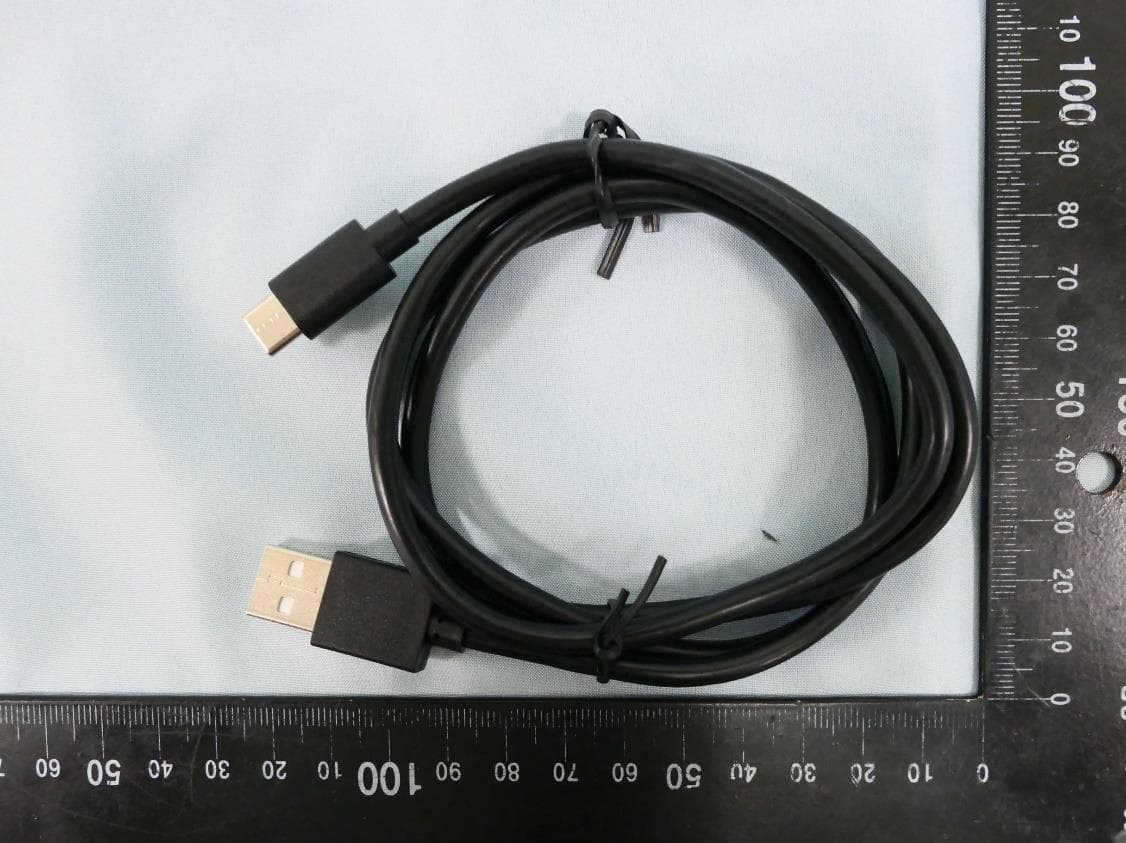
Report No.: 2403TW0113-UE 1 of 8 External Photograph (1) EUT Photo (2) EUT Photo Report No.: 2403TW0113-UE 2 of 8 (3) EUT Photo (4) EUT Photo Report No.: 2403TW0113-UE 3 of 8 (5) EUT Photo (6) EUT Photo Report No.: 2403TW0113-UE 4 of 8 (7) EUT Photo (8) EUT Photo (Brand:tp-link, M/N: T120150-2B4) Report No.: 2403TW0113-UE 5 of 8 (9) EUT Photo (Brand:tp-link, M/N: T120150-2B4) (10) EUT Photo (Brand:tp-link, M/N: T120150-2B4) Report No.: 2403TW0113-UE 6 of 8 (11) EUT Photo (Brand:tp-link, M/N: T120150-2B4) (12) EUT Photo (Brand:tp-link, M/N: T120150-2B4) Report No.: 2403TW0113-UE 7 of 8 (13) EUT Photo (Brand:tp-link, M/N: T120150-2B4) (14) EUT Photo (Brand:tp-link, M/N: T120150-2B4) Report No.: 2403TW0113-UE 8 of 8 (15) EUT Photo (Brand:tp-link, M/N: T120150-2B4) (16) EUT Photo
ID Label/Location Info
C B A 12 C 345678 B E D D A 9 12345 E 6789 BE5000 Whole Home Mesh Wi-Fi 7 System Model: Deco BE25 MADE IN CHINAFCC ID: 2BCGWBE25 IC: 31152-BE25 Power: 12V 1.5A This device complies with part 15 of the FCC Rules. Operation is subject to the following two conditions: (1) This device may not cause harmful interference. (2) This device must accept any interference received, including interference that may cause undesired operation. Model:Deco BE25(US) Ver:1.0 S/N:XXXXXXXXXXXXX MAC:XX-XX-XX-XX-XX-XX SSID:Deco_XXXX PASSWORD:XXXXXXXXXXXXXXXX
Internal Photos
Report No.: 2403TW0113-UI 1 of 13 Internal Photograph (1) EUT Photo (2) EUT Photo Report No.: 2403TW0113-UI 2 of 13 (3) EUT Photo (4) EUT Photo Report No.: 2403TW0113-UI 3 of 13 (5) EUT Photo (6) EUT Photo Report No.: 2403TW0113-UI 4 of 13 (7) EUT Photo (8) EUT Photo Report No.: 2403TW0113-UI 5 of 13 (9) EUT Photo (10) EUT Photo Report No.: 2403TW0113-UI 6 of 13 (11) EUT Photo (12) EUT Photo Report No.: 2403TW0113-UI 7 of 13 (13) EUT Photo (14) EUT Photo Report No.: 2403TW0113-UI 8 of 13 (15) EUT Photo (16) EUT Photo Report No.: 2403TW0113-UI 9 of 13 (17) EUT Photo (18) EUT Photo Report No.: 2403TW0113-UI 10 of 13 (19) EUT Photo (20) EUT Photo Report No.: 2403TW0113-UI 11 of 13 (21) EUT Photo (22) EUT Photo Report No.: 2403TW0113-UI 12 of 13 (23) EUT Photo (24) EUT Photo Report No.: 2403TW0113-UI 13 of 13 (25) EUT Photo
RF Exposure Info
MRT Technology (Taiwan) Co., Ltd Report No.: 2403TW0113-U5 Phone: +886-3-3288388 Report Version 1.0 Web: www.mrt-cert.com Issue Date: 2024-06-22 Page Number: 1 of 12 RF Exposure Evaluation Declaration FCC ID : 2BCGWBE25 Applicant : TP-LINK CORPORATION PTE. LTD. Application Type : Certification Product : BE5000 Whole Home Mesh Wi-Fi 7 System BE3600 Whole Home Mesh Wi-Fi 7 System Model No. : Deco BE25, Deco BE23, Deco BE5000, Deco WB10800 Brand Name : tp-link FCC Classification : Digital Transmission System (DTS) Unlicensed National Information Infrastructure (NII) Received Date : March 20, 2024 Test By : ( Owen Tsai ) Reviewed By : ( Paddy Chen ) Approved By : ( Chenz Ker) The test results relate only to the samples tested. The test results shown in the test report are traceable to the national/international standards through the calibration of the equipment and evaluated measurement uncertainty herein. The test report shall not be reproduced except in full without the written approval of MRT Technology (Taiwan) Co., Ltd. Report No.: 2403TW0113-U5 Page Number: 2 of 12 Revision History Report No. Version Description Issue Date Note 2403TW0113-U5 1.0 Original Report 2024-06-22 Valid Report No.: 2403TW0113-U5 Page Number: 3 of 12 CONTENTS Description Page 1. INTRODUCTION .................................................................................................................... 5 1.1. Scope .......................................................................................................................... 5 1.2. MRT Test Location ...................................................................................................... 5 2. PRODUCT INFORMATION .................................................................................................... 6 2.1. Feature of Equipment under Test ................................................................................ 6 2.2. Model Difference ......................................................................................................... 6 2.3. Description of Available Antennas ............................................................................... 7 2.4. Device Classification ................................................................................................... 7 2.5. Applied Standards ....................................................................................................... 7 3. RF Exposure Evaluation ...................................................................................................... 8 3.1. Limits........................................................................................................................... 8 3.2. MPE Exemptions ......................................................................................................... 9 3.3. Test Result of RF Exposure Evaluation ......................................................................12 Report No.: 2403TW0113-U5 Page Number: 4 of 12 General Information Applicant TP-LINK CORPORATION PTE. LTD. Applicant Address 7 Temasek Boulevard #29-03 Suntec Tower One, Singapore 038987 Manufacturer TP-LINK CORPORATION PTE. LTD. Manufacturer Address 7 Temasek Boulevard #29-03 Suntec Tower One, Singapore 038987 Test Site MRT Technology (Taiwan) Co., Ltd Test Site Address No. 38, Fuxing Second Rd., Guishan Dist., Taoyuan City 333, Taiwan (R.O.C) MRT FCC Registration No. 291082 Test Device Serial No. N/A Production Pre-Production Engineering Test Facility / Accreditations 1. MRT facility is a FCC registered (Reg. No. 291082) test facility with the site description report on file and is designated by the FCC as an Accredited Test Firm. 2. MRT facility is an IC registered (MRT Reg. No. 21723) test laboratory with the site description on file at Industry Canada. 3. MRT Lab is accredited to ISO 17025 by the Taiwan Accreditation Foundation (TAF Cert. No. 3261) in EMC, Telecommunications and Radio testing for FCC (Designation Number: TW3261), Industry Canada, EU and TELEC Rules. Report No.: 2403TW0113-U5 Page Number: 5 of 12 1. INTRODUCTION 1.1. Scope Measurement and determination of electromagnetic emissions (EMC) of radio frequency devices including intentional and/or unintentional radiators for compliance with the technical rules and regulations of the Federal Communications Commission and the Innovation, Science and Economic Development Canada and Certification and Engineering Bureau. 1.2. MRT Test Location The map below shows the location of the MRT LABORATORY, its proximity to the Taoyuan City. These measurement tests were conducted at the MRT Technology (Taiwan) Co., Ltd. Facility located at No.38, Fuxing 2nd Rd., Guishan Dist., Taoyuan City 33377, Taiwan (R.O.C). Report No.: 2403TW0113-U5 Page Number: 6 of 12 2. PRODUCT INFORMATION 2.1. Feature of Equipment under Test 2.2. Model Difference Model Differences Product name Cover Operating frequency Deco BE25 (Original) BE5000 Whole Home Mesh Wi-Fi 7 System -- -- Deco BE23 (Variant) BE3600 Whole Home Mesh Wi-Fi 7 System Same as Deco BE25 Close 240MHz BW via software Deco BE5000 (Variant) BE5000 Whole Home Mesh Wi-Fi 7 System Cover with ripple Same as Deco BE25 Deco WB10800 (Variant) BE3600 Whole Home Mesh Wi-Fi 7 System Cover with ripple Close 240MHz BW via software Note: The differences of models are as above, the other was the same. Product Name: BE5000 Whole Home Mesh Wi-Fi 7 System BE3600 Whole Home Mesh Wi-Fi 7 System Model No.: Deco BE25, Deco BE23, Deco BE5000, Deco WB10800 Brand Name: tp-link Specification 802.11a/b/g/n/ac/ax/be Accessory Adapter BRAND: tp-link MODEL: T120150-2B4 INPUT: 100-240V ~ 50/60Hz 0.6A OUTPUT: DC 1.2V ⎓1.5A Report No.: 2403TW0113-U5 Page Number: 7 of 12 2.3. Description of Available Antennas Antenna Type Frequency Band (MHz) T X Paths Number of spatial streams Max Antenna Gain (dBi) Beamforming Directional Gain (dBi) CDD Directional Gain (dBi) For Power For PSD Dipole 2412 ~ 2462 2 1 2.00 5.01 2.00 5.01 5150 ~ 5850 2 1 3.00 6.01…
Text truncated - open the document above for the full version.
Test Report
MRT Technology (Taiwan) Co., Ltd Report No.: 2403TW0113-U3 Phone: +886-3-3288388 Report Version: 1.0 Web: www.mrt-cert.com Issue Date: 2024-06-22 Page Number: 1 of 537 FCC ID : 2BCGWBE25 Applicant : TP-LINK CORPORATION PTE. LTD. Application Type : Certification Product : BE5000 Whole Home Mesh Wi-Fi 7 System BE3600 Whole Home Mesh Wi-Fi 7 System Model No. : Deco BE25, Deco BE23, Deco BE5000, Deco WB10800 Brand Name : tp-link FCC Classification : Unlicensed National Information Infrastructure (NII) FCC Rule Part(s) : Part15 Subpart E (Section 15.407) Received Date : March 20, 2024 Test Date : March 23, 2024 ~ April 17, 2024 RF MEASUREMENT REPORT Test By : ( Owen Tsai ) Reviewed By : ( Paddy Chen ) Approved By : ( Chenz Ker) The test results relate only to the samples tested. This equipment has been shown to be capable of compliance with the applicable technical standards as indicated in the measurement report and was tested in accordance with the measurement procedures specified in KDB 789033 D02v02r01. Test results reported herein relate only to the item(s) tested. The test report shall not be reproduced except in full without the written approval of MRT Technology (Taiwan) Co., Ltd. Report No.: 2403TW0113-U3 Page Number: 2 of 537 Revision History Report No. Version Description Issue Date Note 2403TW0113-U3 1.0 Original Report 2024-06-22 Valid Report No.: 2403TW0113-U3 Page Number: 3 of 537 CONTENTS Description Page General Information ....................................................................................................................... 6 1. INTRODUCTION ..................................................................................................................... 7 1.1. Scope ........................................................................................................................... 7 1.2. MRT Test Location ....................................................................................................... 7 2. PRODUCT INFORMATION ..................................................................................................... 8 2.1. Equipment Description .................................................................................................. 8 2.2. Model Difference .......................................................................................................... 8 2.3. Product Specification Subjective to this Report ............................................................. 9 2.4. Working Frequencies for this report ............................................................................ 10 2.5. Description of Available Antennas ................................................................................ 11 2.6. Test Mode .................................................................................................................. 12 2.7. Configuration of Test System ...................................................................................... 13 2.8. Test System Details .................................................................................................... 14 2.9. Description of Test Software ....................................................................................... 14 2.10. Applied Standards ...................................................................................................... 14 2.11. Duty Cycle .................................................................................................................. 15 2.12. Test Configuration ...................................................................................................... 17 2.13. EMI Suppression Device(s)/Modifications ................................................................... 17 2.14. Labeling Requirements ............................................................................................... 17 3. DESCRIPTION OF TEST ...................................................................................................... 18 3.1. Evaluation Procedure ................................................................................................. 18 3.2. AC Line Conducted Emissions ................................................................................... 18 3.3. Radiated Emissions .................................................................................................... 19 4. ANTENNA REQUIREMENTS ................................................................................................ 20 5. TEST EQUIPMENT CALIBRATION DATE ............................................................................ 21 6. MEASUREMENT UNCERTAINTY ......................................................................................... 23 7. TEST RESULT ...................................................................................................................... 24 7.1. Summary .................................................................................................................... 24 7.2. 26dB Bandwidth Measurement ................................................................................... 25 7.2.1. Test Limit .................................................................................................................... 25 7.2.2. Test Procedure used ................................................................................................... 25 7.2.3. Test Setting ................................................................................................................. 25 7.2.4. Test Setup .................................................................................................................. 25 7.2.5. Test Result .................................................................................................................. 26 7.3. 6dB Bandwidth Measurement ..................................................................................... 48 7.3.1. Test Limit ..................................................…
Text truncated - open the document above for the full version.
Test Report
Report No.: 2403TW0113-U3 Page Number: 41 of 537 8802.11ax-HE80 26dB Bandwidth & 99% Bandwidth Channel 42 (5210MHz) Channel 58 (5290MHz) Channel 106 (5530MHz) Channel 122 (5610MHz) Channel 138 (5690MHz) Channel 155 (5775MHz) 802.11ax-HE160 26dB Bandwidth & 99% Bandwidth Channel 50 (5250MHz) Channel 114 (5570MHz) Report No.: 2403TW0113-U3 Page Number: 42 of 537 802.11be-EHT20 26dB Bandwidth & 99% Bandwidth Channel 36 (5180MHz) Channel 44 (5220MHz) Channel 48 (5240MHz) Channel 52 (5260MHz) Channel 60 (5300MHz) Channel 64 (5320MHz) Channel 100 (5500MHz) Channel 116 (5580MHz) Report No.: 2403TW0113-U3 Page Number: 43 of 537 Channel 140 (5700MHz) Channel 144 (5720MHz) Channel 149 (5745MHz) Channel 144 (5785MHz) Channel 144 (5825MHz) Report No.: 2403TW0113-U3 Page Number: 44 of 537 802.11be-EHT40 26dB Bandwidth & 99% Bandwidth Channel 38 (5190MHz) Channel 46 (5230MHz) Channel 54 (5270MHz) Channel 62 (5310MHz) Channel 102 (5510MHz) Channel 110 (5550MHz) Channel 134 (5670MHz) Channel 142 (5710MHz) Report No.: 2403TW0113-U3 Page Number: 45 of 537 Channel 151 (5755MHz) Channel 159 (5795MHz) Report No.: 2403TW0113-U3 Page Number: 46 of 537 802.11be-EHT80 26dB Bandwidth & 99% Bandwidth Channel 42 (5210MHz) Channel 58 (5290MHz) Channel 106 (5530MHz) Channel 122 (5610MHz) Channel 138 (5690MHz) Channel 155 (5775MHz) 802.11be-EHT160 26dB Bandwidth & 99% Bandwidth Channel 50 (5250MHz) Channel 114 (5570MHz) Report No.: 2403TW0113-U3 Page Number: 47 of 537 802.11be-EHT240 26dB Bandwidth & 99% Bandwidth Channel 130 (5650MHz) Report No.: 2403TW0113-U3 Page Number: 48 of 537 7.3. 6dB Bandwidth Measurement 7.3.1.Test Limit The minimum 6dBbandwidth shall be at least 500 kHz. 7.3.2.Test Procedure used KDB 789033 D02v02r01- Section II)C)2) 7.3.3.Test Setting 1. Set…
Text truncated - open the document above for the full version.
Contact Information
Applicant
sarah wang
Technical Contact
MRT Technology (Suzhou) Co., LtdRobin Wu
[email protected]86-512-66308358
D8 Building, Youxin Industrial Park, · Suzhou · China
Non-Technical Contact
MRT Technology (Suzhou) Co., LtdRobin Wu
[email protected]0512-66308358
Test Firm
MRT Technology (Taiwan) Co.,LtdChenz Ker
Technical Specifications
| # | Rule Parts | Frequency Range | Power Output |
|---|---|---|---|
| 5 | 15E | 5.25 GHz - 5.25 GHz | 184.10 mW |
Other Applications from TP-LINK CORPORATION PTE.LTD.
2BCGWWR3002X
Dec 05, 2024AX3000 Wi-Fi 6 Portable Router
Equipment Class
DTS - Digital Transmission System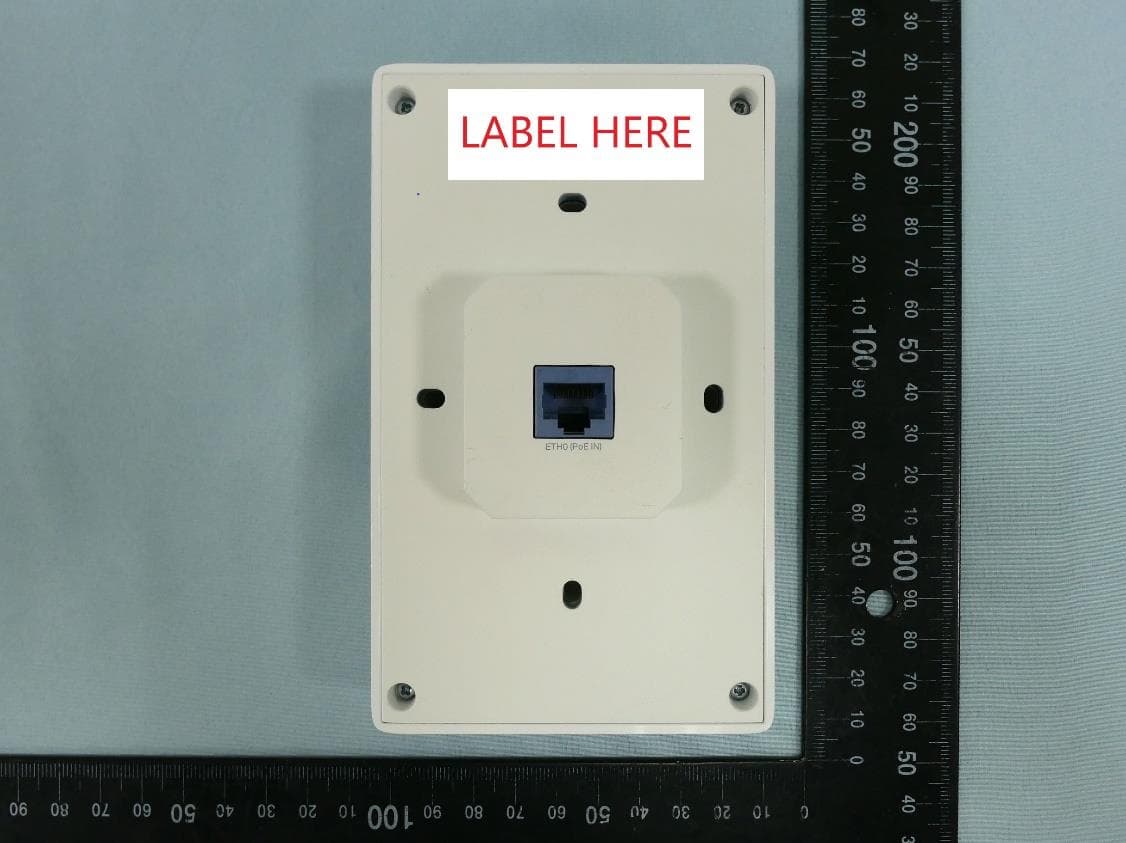
2BCGWEAP725WALL
Dec 01, 2024BE5000 Wall Plate Wi-Fi 7 Access Point
Equipment Class
NII - Unlicensed National Information Infrastructure TX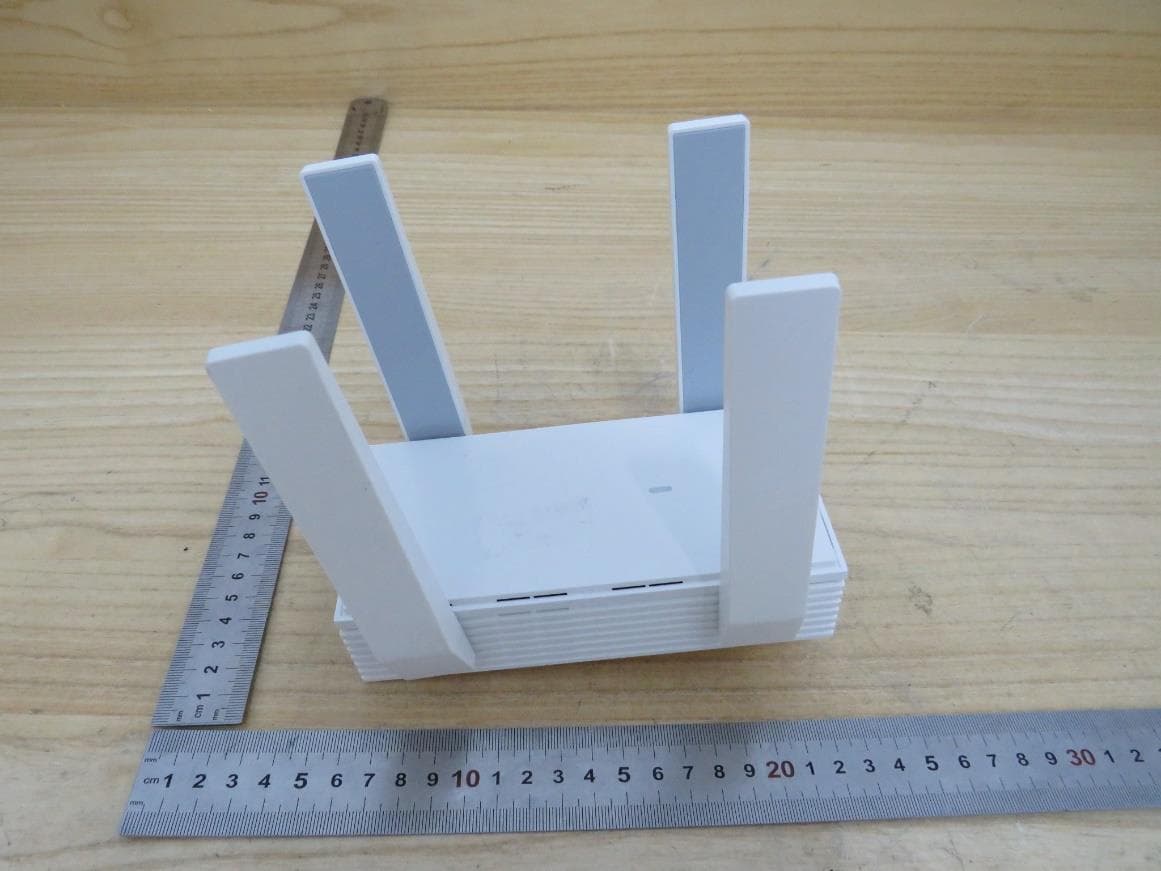
2BCGWEAP673EXTR
Oct 13, 2024AX5400 Wall Plate Wi-Fi 6 Extender
Equipment Class
NII - Unlicensed National Information Infrastructure TX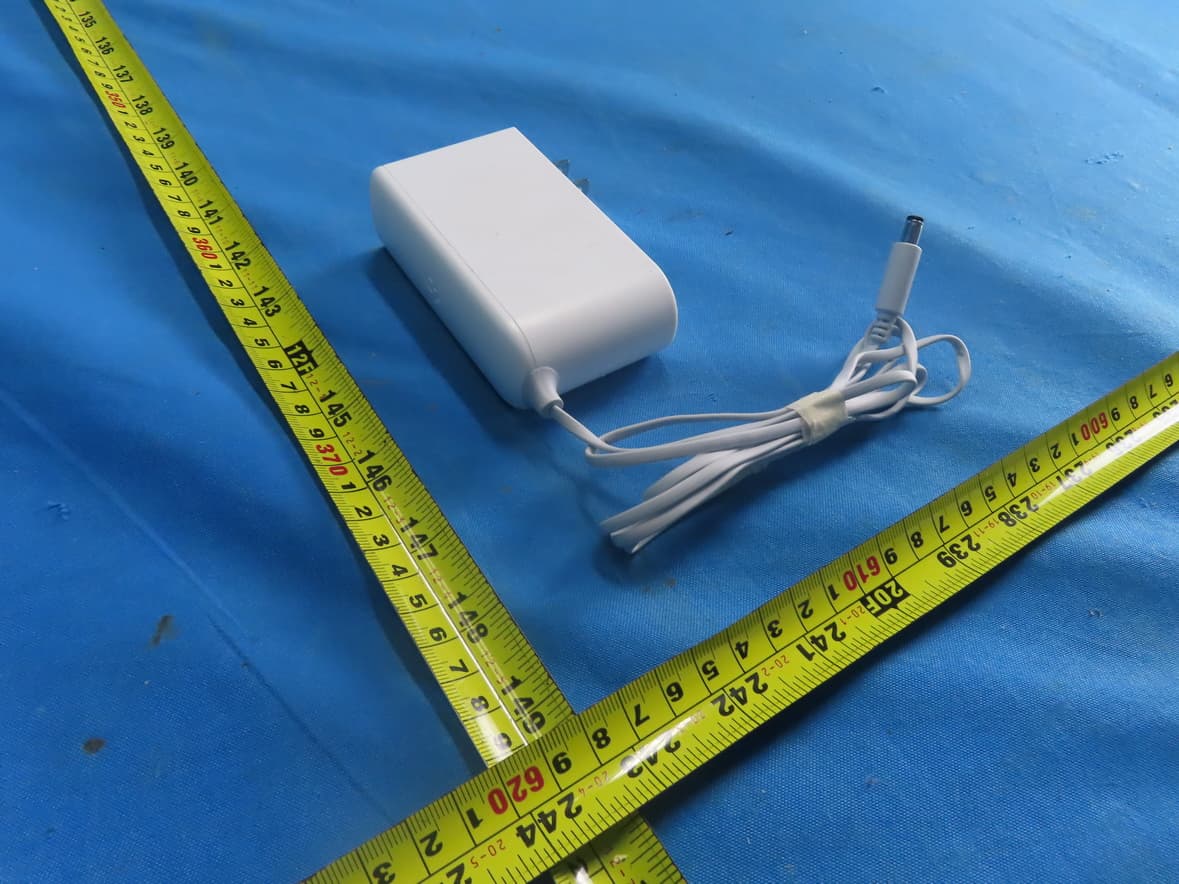
2BCGWH500
Sep 29, 2024Smart HomeBase
Equipment Class
NII - Unlicensed National Information Infrastructure TX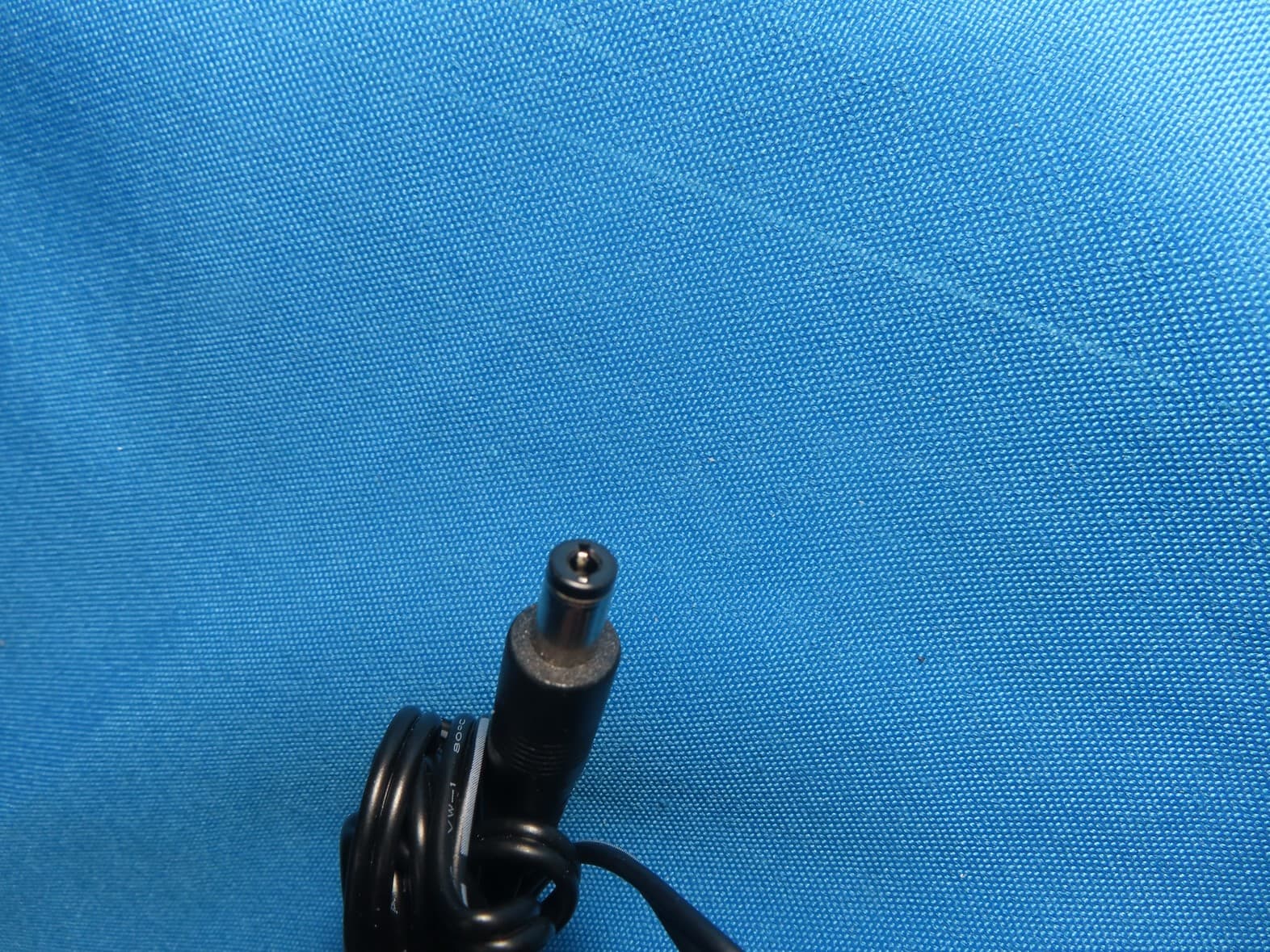
2BCGWAX72V2
Sep 28, 2024AX5400 Wi-Fi 6 Router
Equipment Class
NII - Unlicensed National Information Infrastructure TX