2BCGWWR1502XAX1500 Wi-Fi 6 Portable Router
TP-LINK CORPORATION PTE.LTD.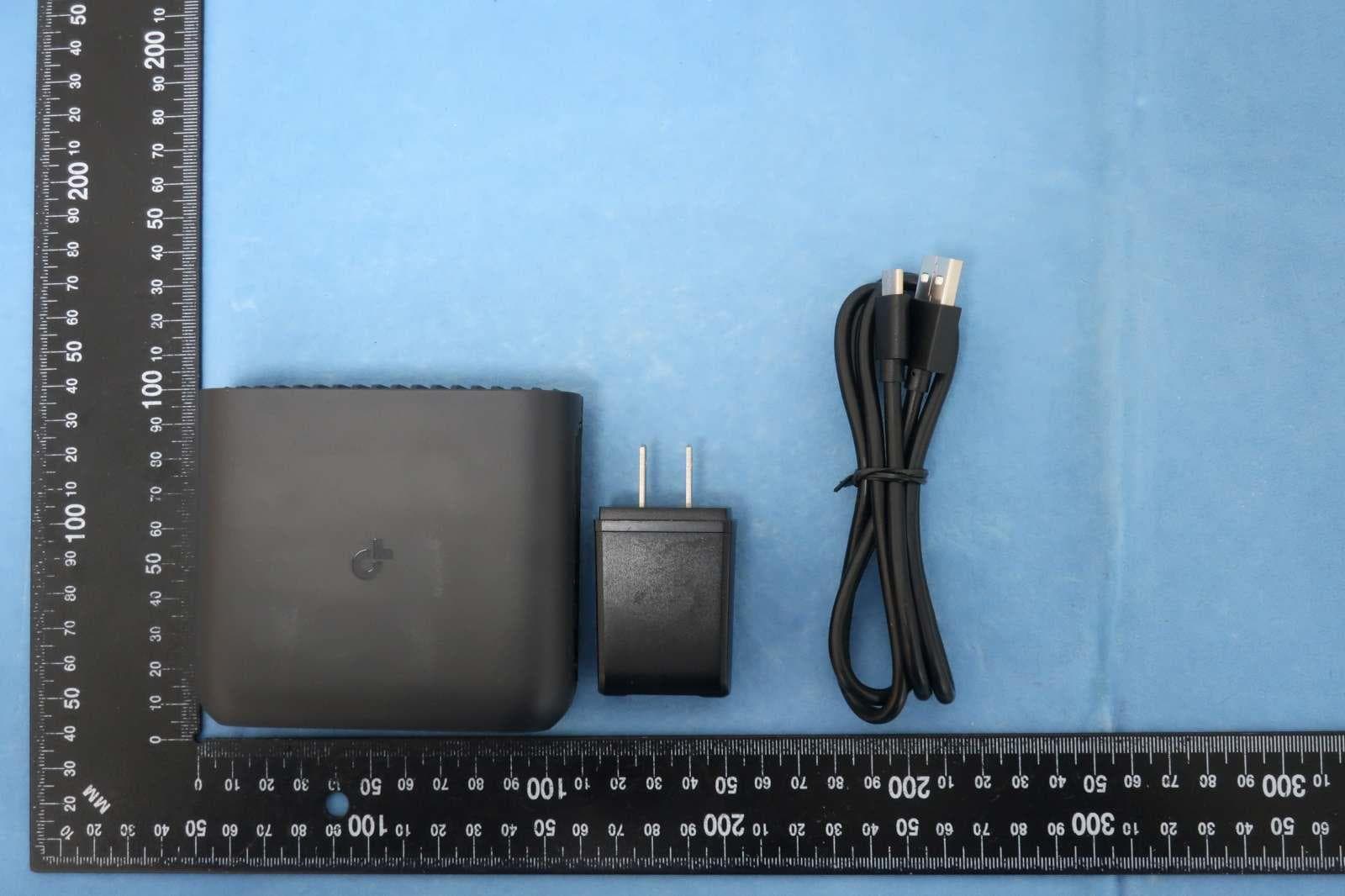
Click to zoom
Application Details
- Equipment Class
- NII - Unlicensed National Information Infrastructure TX
- Date of Grant
- Feb 20, 2024
- Application Purpose
- Original Equipment
- Date of Application
- Feb 06, 2024
- Equipment Note
- AX1500 Wi-Fi 6 Portable Router
- Frequency Range
- 5745.00000000 - 5825.00000000
- Company
- TP-LINK CORPORATION PTE.LTD.
- Country
- Singapore
Documents & Files
Document Text
Text extracted from the exhibit documents filed with the FCC. Open a document above to read the original.
Users Manual
REV1.0.0 1910013612 © 2024 TP-Link User Guide Wi-Fi 6 Portable Router TL-WR1502X 208 FCC compliance information statement Product Name: AX1500 Wi-Fi 6 Portable Router Model Number: TL-WR1502X Component NameModel I.T.E. PowerDSA-18QFB FUS A Responsible party: TP-Link USA Corporation Address: 10 Mauchly, Irvine, CA 92618 Website: http://www.tp-link.com/us/ Tel: +1 626 333 0234 Fax: +1 909 527 6804 E-mail: [email protected] This equipment has been tested and found to comply with the limits for a Class B digital device, pursuant to part 15 of the FCC Rules. These limits are designed to provide reasonable protection against harmful interference in a residential installation. This equipment generates, uses and can radiate radio frequency energy and, if not installed and used in accordance with the instructions, may cause harmful interference to radio communications. However, there is no guarantee that interference will not occur in a particular installation. If this equipment does cause harmful interference to radio or television reception, which can be determined by turning the equipment off and on, the user is encouraged to try to correct the interference by one or more of the following measures: • Reorient or relocate the receiving antenna. • Increase the separation between the equipment and receiver. • Connect the equipment into an outlet on a circuit different from that to which the receiver is connected. • Consult the dealer or an experienced radio/ TV technician for help. This device complies with part 15 of the FCC Rules. Operation is subject to the following two conditions: 1. This device may not cause harmful interference. 2. This device must accept any interference received, including interference that may cause undesired operation. Any changes or modifications not expressly approved by the party responsible for compliance could void the user’s authority to operate the equipment. 209 Note: The manufacturer is not responsible for any radio or TV interference caused by unauthorized modifications to this equipment. Such modifications could void the user’s authority to operate the equipment. FCC RF Radiation Exposure Statement This equipment complies with FCC RF radiation exposure limits set forth for an uncontrolled environment. This device and its antenna must not be co-located or operating in conjunction with any other antenna or transmitter. “To comply with FCC RF exposure compliance requirements, this grant is applicable to only Mobile Configurations. The antennas used for this transmitter must be installed to provide a separation distance of at least 20 cm from all persons and must not be co- located or operating in conjunction with any other antenna or transmitter.” We, TP-Link USA Corporation, has determined that the equipment shown as above has been shown to comply with the applicable technical standards, FCC part 15. There is no unauthorized change is made in the equipment and the equipment is properly maintained and operated. Issue Date: 2024-01-31 FCC compliance information statement Product Name: I.T.E. Power Supply Model Number: DSA-18QFB FUS A Responsible party: Responsible party: TP-Link USA Corporation Address: 10 Mauchly, Irvine, CA 92618 Website: http://www.tp-link.com/us/ Tel: +1 626 333 0234 Fax: +1 909 527 6804 E-mail: [email protected] This equipment has been tested and found to comply with the limits for a Class B digital device, pursuant to part 15 of the FCC Rules. These limits are designed to provide reasonable protection against harmful interference in a residential installation. This equipment generates, uses and can radiate radio frequency energy and, if not installed and used in accordance with the instructions, may cause harmful interference to radio communications. However, there is no guarantee that interference will not occur in a particular installation. If this equipment does cause harmful interference to radio or television reception, which can be determined by turning the equipment off and on, the user is encouraged to try to correct the interference by one or more of the following measures: • Reorient or relocate the receiving antenna. • Increase the separation between the equipment and receiver. 210 • Connect the equipment into an outlet on a circuit different from that to which the receiver is connected. • Consult the dealer or an experienced radio/ TV technician for help. This device complies with part 15 of the FCC Rules. Operation is subject to the following two conditions: 1. This device may not cause harmful interference. 2. This device must accept any interference received, including interference that may cause undesired operation. Any changes or modifications not expressly approved by the party responsible for compliance could void the user’s authority to operate the equipment. We, TP-Link USA Corporation, has determined that the equipment shown as above has been shown to comply with the applicable technical standards, FCC part 15. There is no unauthorized change is made in the equipment and the equipment is properly maintained and operated. Issue Date: 2024.01.31 211 CE Mark Warning This is a class B product. In a domestic environment, this product may cause radio interference, in which case the user may be required to take adequate measures. OPERATING FREQUENCY(the maximum transmitted power) 2400 MHz -2483.5 MHz(20dBm) 5150 MHz -5250 MHz (23dBm) 5250 MHz -5350 MHz (23dBm) 5470 MHz -5725 MHz (30dBm) EU declaration of conformity TP-Link hereby declares that the device is in compliance with the essential requirements and other relevant provisions of directives 2014/53/EU, 2009/125/EC, 2011 /65/EU and (EU) 2015/863. The original EU declaration of conformity may be found at https://www.tp-link.com/en/support/ce/ RF Exposure Information This device meets the EU requirements (2014/53/EU Article 3.1a) on the limitation of exposure of the general public to electromagnetic fields by way of health protection. The device complies with RF sp…
Text truncated - open the document above for the full version.
Users Manual
Refer to the following scenarios to determine an appropriate network mode. Determine Network Mode *Images may differ from your actual products. ©2023 TP-Link 7106510694 REV1.0.0 Wi-Fi 6 Portable Router Quick Installation Guide Recommended Scenarios Mode Switch I Want to... Network Mode Hardware Information Button Description DescriptionButton This switch is used to change the operation mode of the router. Note: If you toggle this switch accidentally, set it back to the original mode within 3 seconds. The mode of the router won’t change. Press the button for 1 second and immediately press the WPS button on your client to start the WPS process. Press and hold the button for about 6 seconds until the LED blinks red to reset the router to its factory default settings. WPS/Reset Button Mode Switch Interface Description DescriptionInterface In Router / 3G/4G USB Modem / USB Tethering mode, it functions as a WAN port. In Hotspot / Access Point / Range Extender / Client mode, it functions as a LAN port. For connecting your PC or other wired devices to the router. Use this USB 2.0 port to connect your 3G/4G USB modem, mobile device, or USB storage device to the router. Your mobile device can be charged when it is connected to the powered-on router via the USB port (5 V/0.5 A). This port is used to connect the USB-C charger provided in the package. 1 Gbps WAN Port 1 Gbps LAN Port 3G/4G USB Port Power Port Mode Switch IndicationStatus The router has started up but is disconnected from the internet. Solid Red Blinking Red The router is being reset. Do not power off your router. LED Indication Blinking Blue The router is starting up / being upgraded / establishing the WPS connection. The router is switching modes and will reboot. The router is connected to the internet or the main network, or the WPS connection is successfully established. Solid Blue During Travel LED Router Mode 5. Connect your device to the router (wireless or wired). 4. Wait until the router’s LED turns solid (blue or red) before moving on. 2 Internet Wired Network 3 • Wireless: Connect your device to the router’s Wi-Fi. The default wireless network names (SSIDs) and wireless password are printed on both the Wi-Fi info card and the label at the bottom of the router. • Wired: Turn off the Wi-Fi on your device and connect to the LAN port of the router with an Ethernet cable. Notes: 1. On the Select Connection Type page, if you are not sure, click AUTO DETECT. 2. You can customize your Network Name (SSID) and Password for the 2.4GHz/5GHz wireless network during the Quick Setup, but you need to reconnect your wireless devices to the new Wi-Fi network(s). 1. Set the Mode Switch to Router. 2. Connect the router’s WAN port to the existing wired network with an Ethernet cable. 3. Power on the router. 7. Start the Quick Setup, make sure the operation mode is Router/USB Internet, and click NEXT. 6. Launch a web browser and enter http://tplinkwifi.net or http://192.168.0.1 in the address bar. Create a password to log in. 8. Select Router as your network mode, and click NEXT. 9. Follow the step-by-step instructions to set up the internet connection, and enjoy the internet. http://tplinkwifi.net New Password: Let’s Get Started Confirm Password: WAN 1 Requirements A USB cable. At Home (e.g., home, office, etc.) Hotspot Hotspot Turn an existing public Wi-Fi into a private network (wired and wireless). Access Point Range Extender Client Expand an existing Wi-Fi network for better Wi-Fi coverage. Connect a wired-only device, such as a smart TV, media player, or game console, to a Wi-Fi network. Turn an existing wired-only network into a wireless network. AP/RE During Travel (e.g., hotel, airport, cafe, cruise ship, RV, camp, etc.) Router 3G/4G USB Modem Share the internet with more wireless devices when the wired network is limited to one device at a time. Share a 3G/4G USB modem’s data with other devices. USB Tethering Share a mobile device’s cellular data with other devices. Router (Default Mode) An existing wired network provided by a modem or other network device. A 3G/4G USB modem (with a SIM card inserted). A mobile device (with a SIM card inserted). A public Wi-Fi. An existing wired network provided by a router, switch, etc. An existing Wi-Fi network. An existing Wi-Fi network. 5. Launch a web browser and enter http://tplinkwifi.net or http://192.168.0.1 in the address bar. Create a password to log in. 4. Connect your device to the router (wireless or wired). http://tplinkwifi.net New Password: Let’s Get Started Confirm Password: 6. Start the Quick Setup, make sure the operation mode is Router/USB Internet, and click NEXT. 7. Select your network mode, and click NEXT. 8. Follow the step-by-step instructions to set up the internet connection, and enjoy the internet. Note: You can customize your Network Name (SSID) and Password for the 2.4GHz/5GHz wireless network during the Quick Setup, but you need to reconnect your wireless devices to the new Wi-Fi network(s). • Wireless: Connect your device to the router’s Wi-Fi. The default wireless network names (SSIDs) and wireless password are printed on both the Wi-Fi info card and the label at the bottom of the router. 1. Set the Mode Switch to Router. 2. Power on the router. 3. Wait until the router’s LED turns solid (blue or red), which indicates that the router has started up, and then connect the router’s 3G/4G USB port to your USB modem or mobile device. USB Tethering Mode 3G/4G USB Modem Mode 3G/4G USB Modem Mode / USB Tethering Mode 1 2 3 • If you are sharing a 3G/4G USB modem's data, select 3G/4G USB Modem. • If you are sharing a mobile device’s data, select USB Tethering. Note: When USB tethering, avoid connecting the tethered mobile device to the router's Wi-Fi. • Wired: Turn off the Wi-Fi on your device and connect to the LAN port of the router with an Ethernet cable. Hotspot Mode Public Hotspot 2 1 2. Power on the router. 3. Wait until the router’s LED turns into solid red before moving o…
Text truncated - open the document above for the full version.
Attestation Statements
TP-LINK CORPORATION PTE.LTD. Federal Communications Commission 7435 Oakland Mills Road Columbia MD 21046 Date: February 6, 2024 Subject: Certifications concerning “covered” equipment pursuant to Part 2.911(d)(5)(i) and (ii) To whom it may concern, TP-LINK CORPORATION PTE.LTD. certifies that the equipment FCC ID: 2BCGWWR1502X for which authorization is sought is not “covered” equipment prohibited from receiving an equipment authorization pursuant to section 2.903 of the FCC rules. TP-LINK CORPORATION PTE.LTD. certifies that, as of the date of the filing of the application, the applicant is not identified on the Covered List (as a specifically named entity or any of its subsidiaries or affiliates) as an entity producing “covered” equipment. Sincerely, ________________________ Contact Name: Sarah Wang E-mail: [email protected]
Attestation Statements
U.S. Agent Designation for Service of Process (Applicant and U.S. Agent are Separate Parties) TO:AmericanCertificationBody,Inc. 313ParkAvenue Suite300 FallsChurch, VA 22046 ATTENTION: FCC Certification – Section 2.911(d)(7) Information Designated U.S. Agent Company Name:VISHTEC LLC Contact Name:Alan Graham Street Address:9888 W Belleview Ave Ste 2142 Denver CO 80123 City/Province/Zip:80123 Telephone No:(571)4007350 Email:[email protected] FRN #: 0033407131 This letter is to confirm that we (“the Designated U.S. Agent”) have accepted the responsibility to act as the Designated U.S. Agent for Service of Process for the limited purpose of compliance with section 47 CFR 2.911(d)(7) only and not for any other purpose, on behalf of theApplicantnoted below. U.S. Agent Signature: Date:2023/8/28 Signed by (Printed Name/Title): The Applicant acknowledges that they must maintain an agent for no less than one year after terminating all marketing and importation OR the conclusion of any Commission- related proceeding involving the equipment. The applicant further acknowledges their responsibility to inform the FCC whenever the Designated U.S. Agent information above changes. Applicant Company name: TP-LINK CORPORATION PTE. LTD. Grantee Code: 2BCGW FRN #: 0034122556 Contact Name: Sarah Wang Street Address: 7 Temasek Boulevard #29-03 Suntec Tower One, Singapore 038987 City/Province/Zip: Singapore Telephone No: +65-97538388 Email: [email protected] Applicant Signature 1 : Date: 2023/8/28 Signed by (Printed Name/Title) S arah W ang 1 - Lettersshouldbeplacedonappropriateletterhead.
Cover Letter(s)
TP-LINK CORPORATION PTE.LTD. Date: February 6, 2024 To whom it may concern, Please be notified that I, Sarah Wang, have designated Jim Tsai of Sporton International Inc. and as the persons being responsible for this project and to sign the form 731 and other documentation. Any and all acts carried out in their professional capacity by Jim Tsai of Sporton International Inc. in connection with all processes required for FCC approval and any communication needed with the national authority, shall have the same legal authority as acts on our own behalf. We further certify that neither the applicant nor any party to this application, as defined in 47 CFR Ch. 1.2002 (b), is subject to a denial to Federal benefits, that include FCC benefits, pursuant to section 5301 of the Anti-Drug Abuse Act of 1998, 21 U.S.C. 862. This authorization is limited to the following product, and shall remain in place until completion of the certification, or until revoked, whichever is earlier: FCC ID: 2BCGWWR1502X If you have any acknowledgement and response, please send it to Sporton International Inc. directly. Should you have any questions or comments regarding this matter, please don’t hesitate to contact me. Sincerely yours, Contact Name: Sarah Wang E-mail: [email protected]
Cover Letter(s)
TP-LINK CORPORATION PTE.LTD. Date: February 6, 2024 Federal Communications Commission Office of Engineering and Technology Laboratory Division 7435 Oakland Mills Rd Columbia MD 21046-1609 Subject: Request for Confidentiality FCC ID: 2BCGWWR1502X To Whom It May Concern, Pursuant to the provisions of Sections 0.457 and 0.459 of Commission’s rules (47 CFR §§ 0.457, 0.459), we are requesting confidentiality for exhibits filed with the commission supporting the application of equipment authorization for those items referenced above. Applicant respectfully requests the Commission to withhold indefinitely from public disclosure the following attachments under Long-Term Confidentiality. Schematic Diagrams Block Diagrams Operational Description Tune-up Procedure The above listed documents contain detailed system and equipment descriptions that are proprietary and confidential information under applicant trade secret protection. Public disclosure of above documents would be harmful to our company and would provide competitors an unfair advantage. This information is not made publicly available even after commercial release of the device. It is our understanding that all measurement test reports, FCC ID label format and correspondence during certification review process cannot be granted as confidential documents and that information will be available for public review once the grant of equipment authorization is issued. Sincerely, Contact Name: Sarah Wang E-mail: [email protected] February 8, 2024
External Photos
Photographs of EUT Report No.: EP3N0708A Brand Name: tp-link; Model Name: TL-WR1502X Sporton International Inc.(Shenzhen) Page Number : 1 of 35 TEL : 86-755-8637-9589 Report Issued Date : Dec. 19, 2023 FAX : 86-755-8637-9595 Report Version : Rev. 01 FCC ID : 2BCGWWR1502X 720510 1. External Photograph of EUT Photographs of EUT Report No.: EP3N0708A Brand Name: tp-link; Model Name: TL-WR1502X Sporton International Inc.(Shenzhen) Page Number : 2 of 35 TEL : 86-755-8637-9589 Report Issued Date : Dec. 19, 2023 FAX : 86-755-8637-9595 Report Version : Rev. 01 FCC ID : 2BCGWWR1502X Photographs of EUT Report No.: EP3N0708A Brand Name: tp-link; Model Name: TL-WR1502X Sporton International Inc.(Shenzhen) Page Number : 3 of 35 TEL : 86-755-8637-9589 Report Issued Date : Dec. 19, 2023 FAX : 86-755-8637-9595 Report Version : Rev. 01 FCC ID : 2BCGWWR1502X Photographs of EUT Report No.: EP3N0708A Brand Name: tp-link; Model Name: TL-WR1502X Sporton International Inc.(Shenzhen) Page Number : 4 of 35 TEL : 86-755-8637-9589 Report Issued Date : Dec. 19, 2023 FAX : 86-755-8637-9595 Report Version : Rev. 01 FCC ID : 2BCGWWR1502X Photographs of EUT Report No.: EP3N0708A Brand Name: tp-link; Model Name: TL-WR1502X Sporton International Inc.(Shenzhen) Page Number : 5 of 35 TEL : 86-755-8637-9589 Report Issued Date : Dec. 19, 2023 FAX : 86-755-8637-9595 Report Version : Rev. 01 FCC ID : 2BCGWWR1502X Photographs of EUT Report No.: EP3N0708A Brand Name: tp-link; Model Name: TL-WR1502X Sporton International Inc.(Shenzhen) Page Number : 6 of 35 TEL : 86-755-8637-9589 Report Issued Date : Dec. 19, 2023 FAX : 86-755-8637-9595 Report Version : Rev. 01 FCC ID : 2BCGWWR1502X Photographs of EUT Report No.: EP3N0708A Brand Name: tp-link; Model Name: TL-WR1502X Sporton International Inc.(Shenzhen) Page Number : 7 of 35 TEL : 86-755-8637-9589 Report Issued Date : Dec. 19, 2023 FAX : 86-755-8637-9595 Report Version : Rev. 01 FCC ID : 2BCGWWR1502X List of Accessory: Specification of Accessory AC Adapter Brand Name DEEVAN Model Name DSA-18QFB FUS A USB Cable Brand Name HANRICO Model Name 26ATP00268 Remark: For accessories equipped with this EUT, please refer to the following photos. 2. Photograph of Accessory Photographs of EUT Report No.: EP3N0708A Brand Name: tp-link; Model Name: TL-WR1502X Sporton International Inc.(Shenzhen) Page Number : 8 of 35 TEL : 86-755-8637-9589 Report Issued Date : Dec. 19, 2023 FAX : 86-755-8637-9595 Report Version : Rev. 01 FCC ID : 2BCGWWR1502X 720510 Photographs of EUT Report No.: EP3N0708A Brand Name: tp-link; Model Name: TL-WR1502X Sporton International Inc.(Shenzhen) Page Number : 9 of 35 TEL : 86-755-8637-9589 Report Issued Date : Dec. 19, 2023 FAX : 86-755-8637-9595 Report Version : Rev. 01 FCC ID : 2BCGWWR1502X AC Adapter Photographs of EUT Report No.: EP3N0708A Brand Name: tp-link; Model Name: TL-WR1502X Sporton International Inc.(Shenzhen) Page Number : 10 of 35 TEL : 86-755-8637-9589 Report Issued Date : Dec. 19, 2023 FAX : 86-755-8637-9595 Report Version : Rev. 01 FCC ID : 2BCGWWR1502X USB Cable
ID Label/Location Info
Model: TL-WR1502X AX1500 Wi-Fi 6 Portable Router Power: 12V 1.5 A Default Access: http://tplinkwifi.net JOIN PRESET WI-FI Model:TL-WR1502X(US) Ver:1.0 S/N:XXXXXXXXXXXXX MAC: XX-XX-XX-XX-XX-XX Wireless Password/PIN : XXXXXXXX SSID:TP-Link_XXXX SSID:TP-Link_XXXX_5G MADE IN CHINA FCC ID: 2BCGWWR1502X IC: 31152-WR1502X This device complies with part 15 of the FCC Rules. Operation is subject to the following two conditions:(1) This device may not cause harmful interference, and (2) this device must accept any interference received, including interference that may cause undesired operation.
Internal Photos
Photographs of EUT Report No.: EP3N0708A Brand Name: tp-link; Model Name: TL-WR1502X Sporton International Inc.(Shenzhen) Page Number : 11 of 35 TEL : 86-755-8637-9589 Report Issued Date : Dec. 19, 2023 FAX : 86-755-8637-9595 Report Version : Rev. 01 FCC ID : 2BCGWWR1502X 720510 3. Internal Photograph of EUT Photographs of EUT Report No.: EP3N0708A Brand Name: tp-link; Model Name: TL-WR1502X Sporton International Inc.(Shenzhen) Page Number : 12 of 35 TEL : 86-755-8637-9589 Report Issued Date : Dec. 19, 2023 FAX : 86-755-8637-9595 Report Version : Rev. 01 FCC ID : 2BCGWWR1502X 2.4 & 5GHz WIFI Antenna 1 2.4 & 5GHz WIFI Antenna 2 Photographs of EUT Report No.: EP3N0708A Brand Name: tp-link; Model Name: TL-WR1502X Sporton International Inc.(Shenzhen) Page Number : 13 of 35 TEL : 86-755-8637-9589 Report Issued Date : Dec. 19, 2023 FAX : 86-755-8637-9595 Report Version : Rev. 01 FCC ID : 2BCGWWR1502X Photographs of EUT Report No.: EP3N0708A Brand Name: tp-link; Model Name: TL-WR1502X Sporton International Inc.(Shenzhen) Page Number : 14 of 35 TEL : 86-755-8637-9589 Report Issued Date : Dec. 19, 2023 FAX : 86-755-8637-9595 Report Version : Rev. 01 FCC ID : 2BCGWWR1502X Photographs of EUT Report No.: EP3N0708A Brand Name: tp-link; Model Name: TL-WR1502X Sporton International Inc.(Shenzhen) Page Number : 15 of 35 TEL : 86-755-8637-9589 Report Issued Date : Dec. 19, 2023 FAX : 86-755-8637-9595 Report Version : Rev. 01 FCC ID : 2BCGWWR1502X Photographs of EUT Report No.: EP3N0708A Brand Name: tp-link; Model Name: TL-WR1502X Sporton International Inc.(Shenzhen) Page Number : 16 of 35 TEL : 86-755-8637-9589 Report Issued Date : Dec. 19, 2023 FAX : 86-755-8637-9595 Report Version : Rev. 01 FCC ID : 2BCGWWR1502X Photographs of EUT Report No.: EP3N0708A Brand Name: tp-link; Model Name: TL-WR1502X Sporton International Inc.(Shenzhen) Page Number : 17 of 35 TEL : 86-755-8637-9589 Report Issued Date : Dec. 19, 2023 FAX : 86-755-8637-9595 Report Version : Rev. 01 FCC ID : 2BCGWWR1502X Photographs of EUT Report No.: EP3N0708A Brand Name: tp-link; Model Name: TL-WR1502X Sporton International Inc.(Shenzhen) Page Number : 18 of 35 TEL : 86-755-8637-9589 Report Issued Date : Dec. 19, 2023 FAX : 86-755-8637-9595 Report Version : Rev. 01 FCC ID : 2BCGWWR1502X Photographs of EUT Report No.: EP3N0708A Brand Name: tp-link; Model Name: TL-WR1502X Sporton International Inc.(Shenzhen) Page Number : 19 of 35 TEL : 86-755-8637-9589 Report Issued Date : Dec. 19, 2023 FAX : 86-755-8637-9595 Report Version : Rev. 01 FCC ID : 2BCGWWR1502X Photographs of EUT Report No.: EP3N0708A Brand Name: tp-link; Model Name: TL-WR1502X Sporton International Inc.(Shenzhen) Page Number : 20 of 35 TEL : 86-755-8637-9589 Report Issued Date : Dec. 19, 2023 FAX : 86-755-8637-9595 Report Version : Rev. 01 FCC ID : 2BCGWWR1502X Photographs of EUT Report No.: EP3N0708A Brand Name: tp-link; Model Name: TL-WR1502X Sporton International Inc.(Shenzhen) Page Number : 21 of 35 TEL : 86-755-8637-9589 Report Issued Date : Dec. 19, 2023 FAX : 86-755-8637-9595 Report Version : Rev. 01 FCC ID : 2BCGWWR1502X Photographs of EUT Report No.: EP3N0708A Brand Name: tp-link; Model Name: TL-WR1502X Sporton International Inc.(Shenzhen) Page Number : 22 of 35 TEL : 86-755-8637-9589 Report Issued Date : Dec. 19, 2023 FAX : 86-755-8637-9595 Report Version : Rev. 01 FCC ID : 2BCGWWR1502X Photographs of EUT Report No.: EP3N0708A Brand Name: tp-link; Model Name: TL-WR1502X Sporton International Inc.(Shenzhen) Page Number : 23 of 35 TEL : 86-755-8637-9589 Report Issued Date : Dec. 19, 2023 FAX : 86-755-8637-9595 Report Version : Rev. 01 FCC ID : 2BCGWWR1502X Photographs of EUT Report No.: EP3N0708A Brand Name: tp-link; Model Name: TL-WR1502X Sporton International Inc.(Shenzhen) Page Number : 24 of 35 TEL : 86-755-8637-9589 Report Issued Date : Dec. 19, 2023 FAX : 86-755-8637-9595 Report Version : Rev. 01 FCC ID : 2BCGWWR1502X Photographs of EUT Report No.: EP3N0708A Brand Name: tp-link; Model Name: TL-WR1502X Sporton International Inc.(Shenzhen) Page Number : 25 of 35 TEL : 86-755-8637-9589 Report Issued Date : Dec. 19, 2023 FAX : 86-755-8637-9595 Report Version : Rev. 01 FCC ID : 2BCGWWR1502X Photographs of EUT Report No.: EP3N0708A Brand Name: tp-link; Model Name: TL-WR1502X Sporton International Inc.(Shenzhen) Page Number : 26 of 35 TEL : 86-755-8637-9589 Report Issued Date : Dec. 19, 2023 FAX : 86-755-8637-9595 Report Version : Rev. 01 FCC ID : 2BCGWWR1502X Photographs of EUT Report No.: EP3N0708A Brand Name: tp-link; Model Name: TL-WR1502X Sporton International Inc.(Shenzhen) Page Number : 27 of 35 TEL : 86-755-8637-9589 Report Issued Date : Dec. 19, 2023 FAX : 86-755-8637-9595 Report Version : Rev. 01 FCC ID : 2BCGWWR1502X Photographs of EUT Report No.: EP3N0708A Brand Name: tp-link; Model Name: TL-WR1502X Sporton International Inc.(Shenzhen) Page Number : 28 of 35 TEL : 86-755-8637-9589 Report Issued Date : Dec. 19, 2023 FAX : 86-755-8637-9595 Report Version : Rev. 01 FCC ID : 2BCGWWR1502X Photographs of EUT Report No.: EP3N0708A Brand Name: tp-link; Model Name: TL-WR1502X Sporton International Inc.(Shenzhen) Page Number : 29 of 35 TEL : 86-755-8637-9589 Report Issued Date : Dec. 19, 2023 FAX : 86-755-8637-9595 Report Version : Rev. 01 FCC ID : 2BCGWWR1502X Photographs of EUT Report No.: EP3N0708A Brand Name: tp-link; Model Name: TL-WR1502X Sporton International Inc.(Shenzhen) Page Number : 30 of 35 TEL : 86-755-8637-9589 Report Issued Date : Dec. 19, 2023 FAX : 86-755-8637-9595 Report Version : Rev. 01 FCC ID : 2BCGWWR1502X Photographs of EUT Report No.: EP3N0708A Brand Name: tp-link; Model Name: TL-WR1502X Sporton International Inc.(Shenzhen) Page Number : 31 of 35 TEL : 86-755-8637-9589 Report Issued Date : Dec. 19, 2023 FAX : 86-755-8637-9595 Report Version : Rev. 01 FCC ID : 2BCGWWR1502X Photographs of EUT Report No.: EP3N0708A Brand Name: tp-link; Model Name: TL-WR1502X Sporton International Inc.(Shenzhen) Page Number : 32 of 35 TEL : 86-755-8637-9589 Report Iss…
Text truncated - open the document above for the full version.
RF Exposure Info
Sporton International Inc. (Shenzhen) Page Number : 1 of 10 TEL : +86-755-86379589 / FAX : +86-755-86379595 Report Issued Date : Jan. 09, 2024 FCC ID : 2BCGWWR1502X Report Version : Rev. 02 RF Exposure Evaluation Report Report No. : FA3N0708 RF Exposure Evaluation Report APPLICANT : TP-LINK CORPORATION PTE. LTD., EQUIPMENT : AX1500 Wi-Fi 6 Portable Router BRAND NAME : tp-link MODEL NAME : TL-WR1502X FCC ID : 2BCGWWR1502X STANDARD : 47 CFR Part 2.1091 The product evaluation date was started from Dec. 06, 2023 and completed on Dec. 06, 2023. We, Sporton International Inc. (Shenzhen), would like to declare that the device has been evaluated in accordance with 47 CFR Part 2.1091 and FCC KDB 447498 D01 v06, and pass the limit. Without written approval of Sporton International Inc. (Shenzhen), the test report shall not be reproduced except in full. Approved by: Si Zhang Sporton International Inc. (Shenzhen) 1/F, 2/F, Bldg 5, Shiling Industrial Zone, Xinwei Village, Xili, Nanshan, Shenzhen, 518055 People’s Republic of China Sporton International Inc. (Shenzhen) Page Number : 2 of 10 TEL : +86-755-86379589 / FAX : +86-755-86379595 Report Issued Date : Jan. 09, 2024 FCC ID : 2BCGWWR1502X Report Version : Rev. 02 RF Exposure Evaluation Report Report No. : FA3N0708 Table of Contents 1. ADMINISTRATION DATA ........................................................................................................................... 4 1.1. Testing Laboratory ............................................................................................................................. 4 2. DESCRIPTION OF EQUIPMENT UNDER TEST (EUT) ............................................................................. 5 3. MAXIMUM RF AVERAGE OUTPUT TUNE UP POWER AMONG PRODUCTION UNITS ....................... 6 4. RF EXPOSURE LIMIT INTRODUCTION .................................................................................................... 8 5. RADIO FREQUENCY RADIATION EXPOSURE EVALUATION ............................................................... 9 5.1. Standalone Power Density Calculation ............................................................................................. 9 5.2. Collocated Power Density Calculation ............................................................................................. 10 Sporton International Inc. (Shenzhen) Page Number : 3 of 10 TEL : +86-755-86379589 / FAX : +86-755-86379595 Report Issued Date : Jan. 09, 2024 FCC ID : 2BCGWWR1502X Report Version : Rev. 02 RF Exposure Evaluation Report Report No. : FA3N0708 Revision History REPORT NO. VERSION DESCRIPTION ISSUED DATE FA3N0708 Rev. 01 Initial issue of report. Dec. 19, 2023 FA3N0708 Rev. 02 Updated Applicant and manufacturer information Jan. 09, 2024 Sporton International Inc. (Shenzhen) Page Number : 4 of 10 TEL : +86-755-86379589 / FAX : +86-755-86379595 Report Issued Date : Jan. 09, 2024 FCC ID : 2BCGWWR1502X Report Version : Rev. 02 RF Exposure Evaluation Report Report No. : FA3N0708 1. Administration Data 1.1. Testing Laboratory Sporton International Inc. (Shenzhen) is accredited to ISO/IEC 1702…
Text truncated - open the document above for the full version.
Contact Information
Applicant
sarah wang
Technical Contact
SPORTON INTERNATIONAL (KUNSHAN) INCJim Tsai
[email protected]86-0512-5790-0158
No. 1098, Pengxi North Road, Kunshan Economic Deve · Kunshan · China
Non-Technical Contact
SPORTON INTERNATIONAL (KUNSHAN) INCJim Tsai
[email protected]86-0512-5790-0158
Test Firm
Sporton International Inc. (Shenzhen)Randal Chen
[email protected]+86 0755-86379589
Technical Specifications
| # | Rule Parts | Frequency Range | Power Output |
|---|---|---|---|
| 4 | 15E | 5.75 GHz - 5.83 GHz | 497.70 mW |
Other Applications from TP-LINK CORPORATION PTE.LTD.
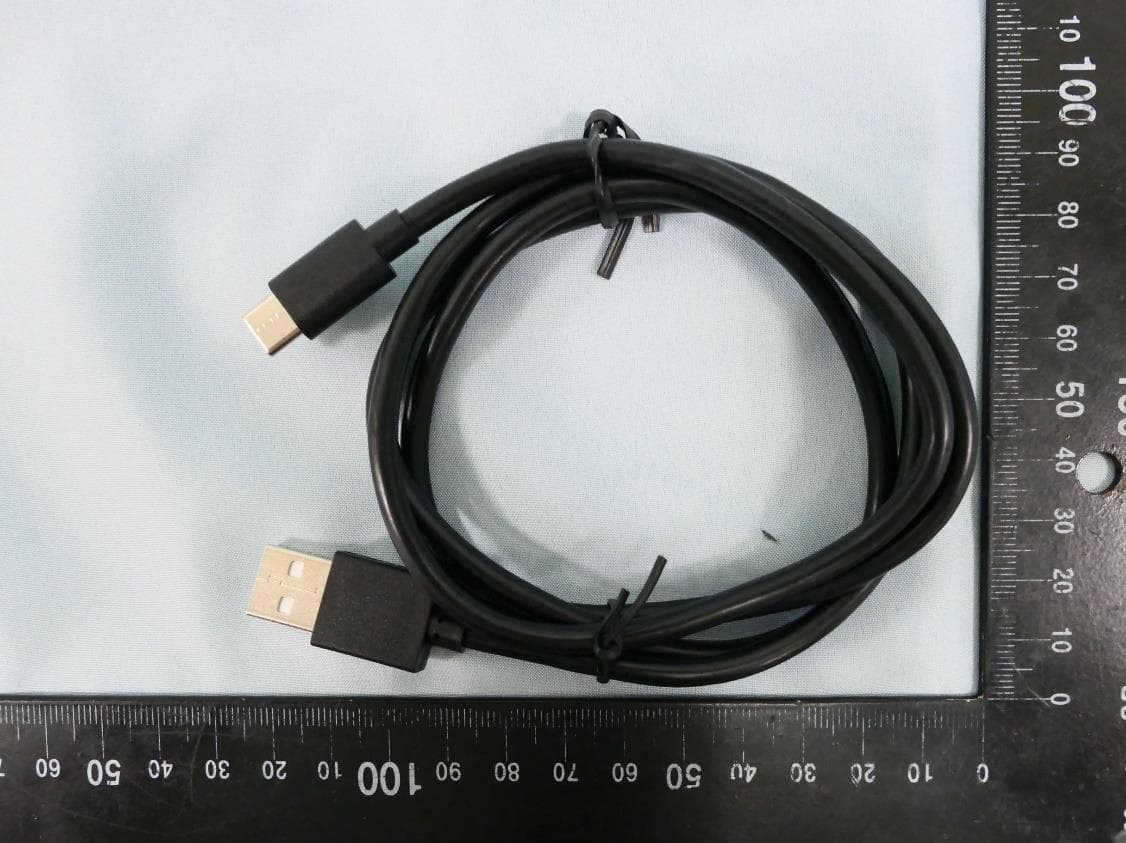
2BCGWWR3002X
Dec 05, 2024AX3000 Wi-Fi 6 Portable Router
Equipment Class
DTS - Digital Transmission System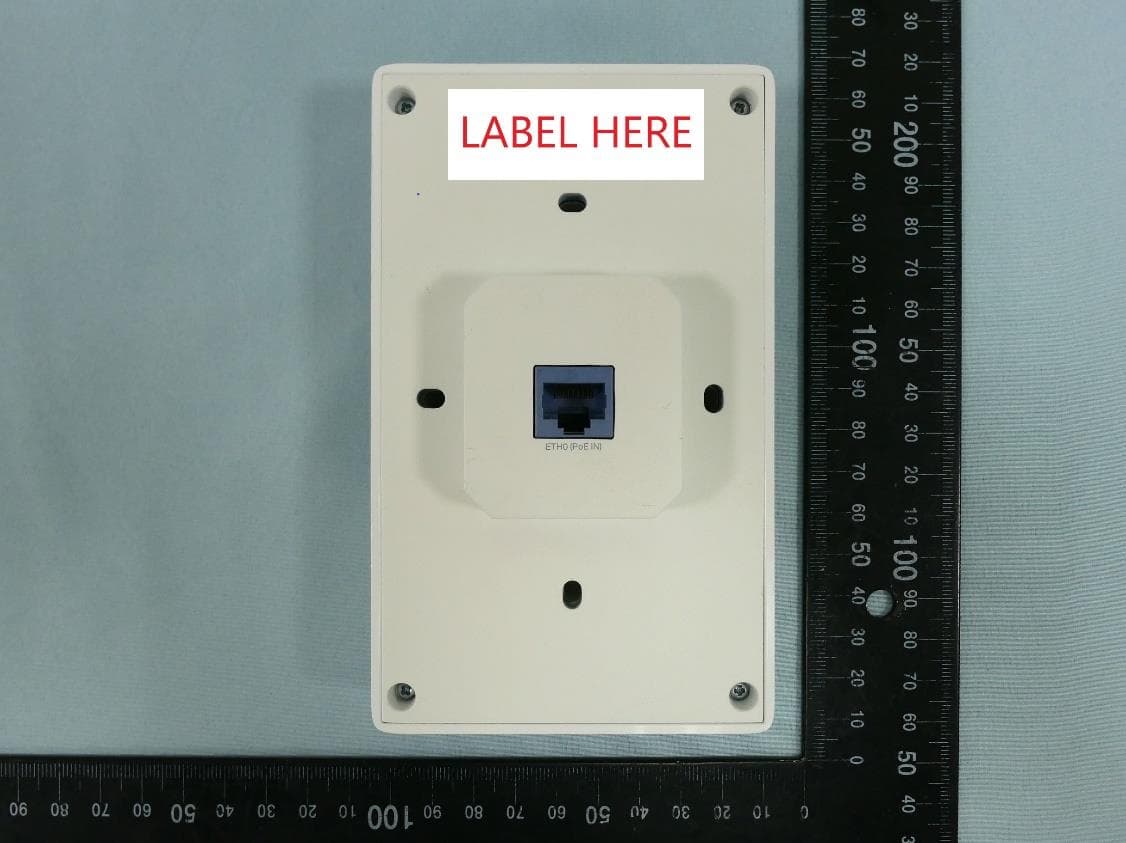
2BCGWEAP725WALL
Dec 01, 2024BE5000 Wall Plate Wi-Fi 7 Access Point
Equipment Class
NII - Unlicensed National Information Infrastructure TX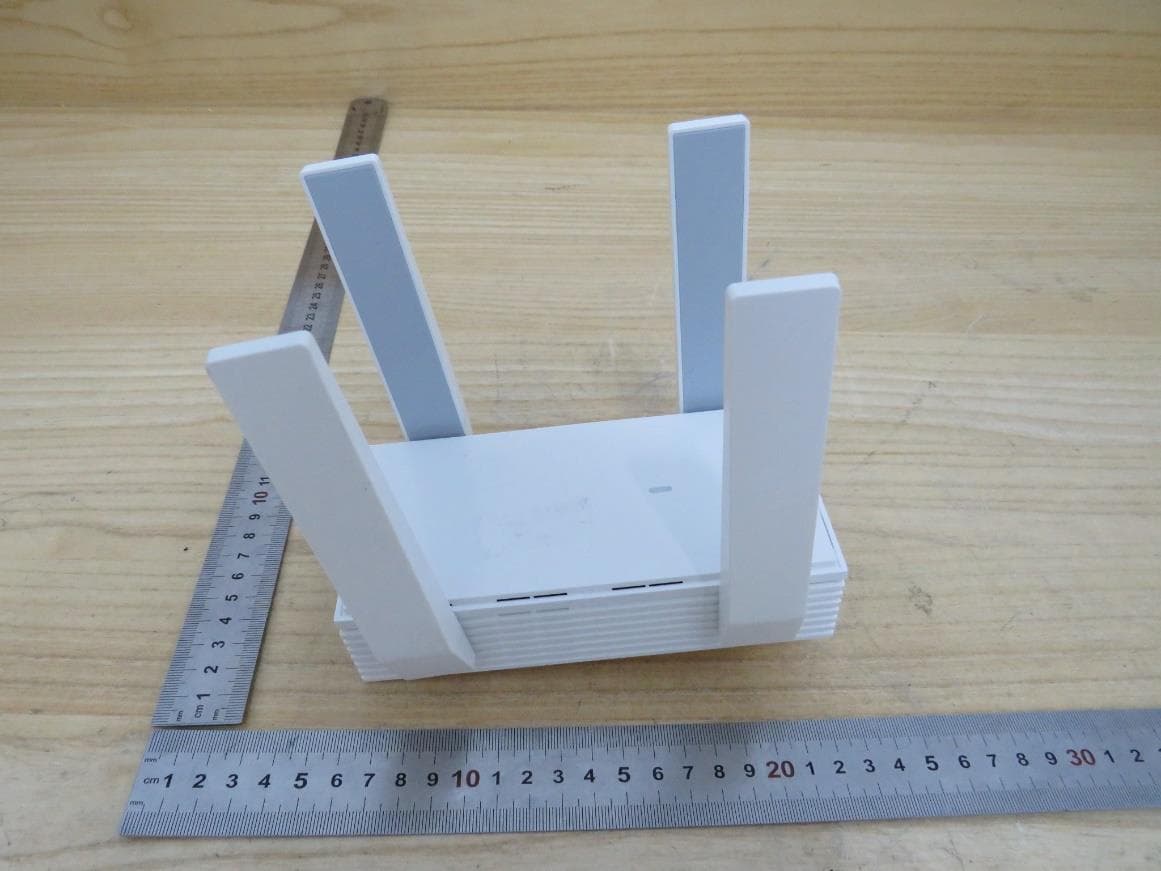
2BCGWEAP673EXTR
Oct 13, 2024AX5400 Wall Plate Wi-Fi 6 Extender
Equipment Class
NII - Unlicensed National Information Infrastructure TX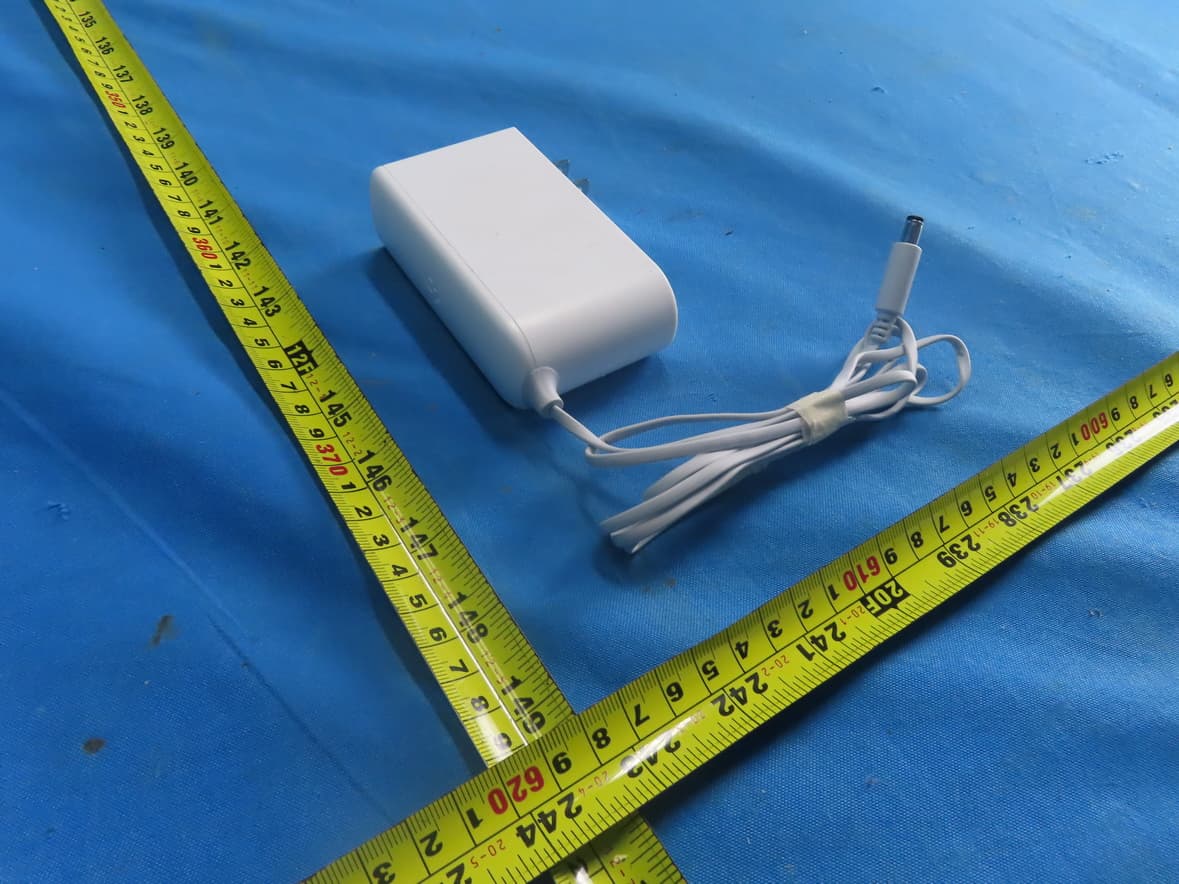
2BCGWH500
Sep 29, 2024Smart HomeBase
Equipment Class
NII - Unlicensed National Information Infrastructure TX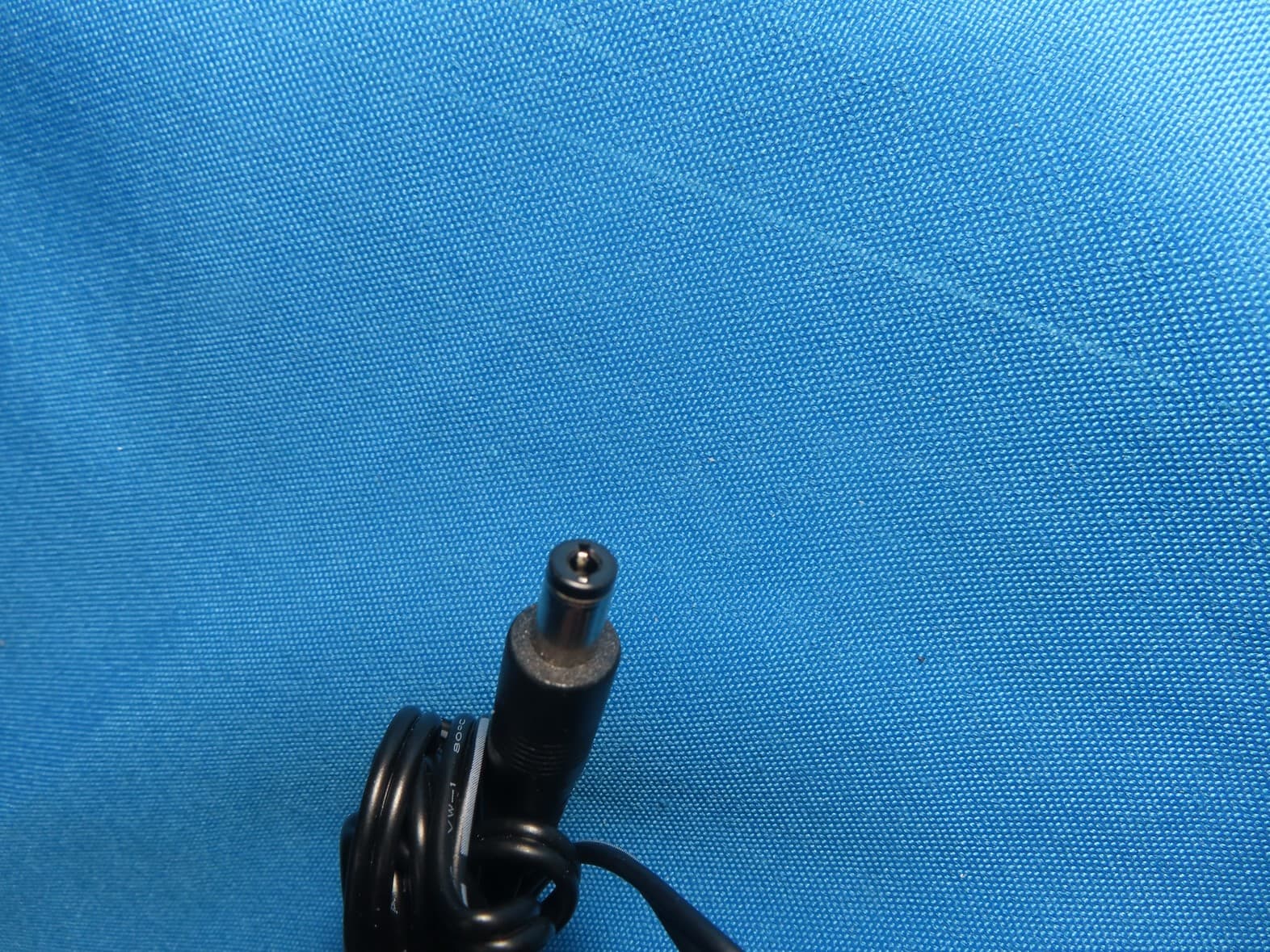
2BCGWAX72V2
Sep 28, 2024AX5400 Wi-Fi 6 Router
Equipment Class
NII - Unlicensed National Information Infrastructure TX