A3KM141Flat Panel Color Monitor
Philips Electronics Industries (Taiwan) Ltd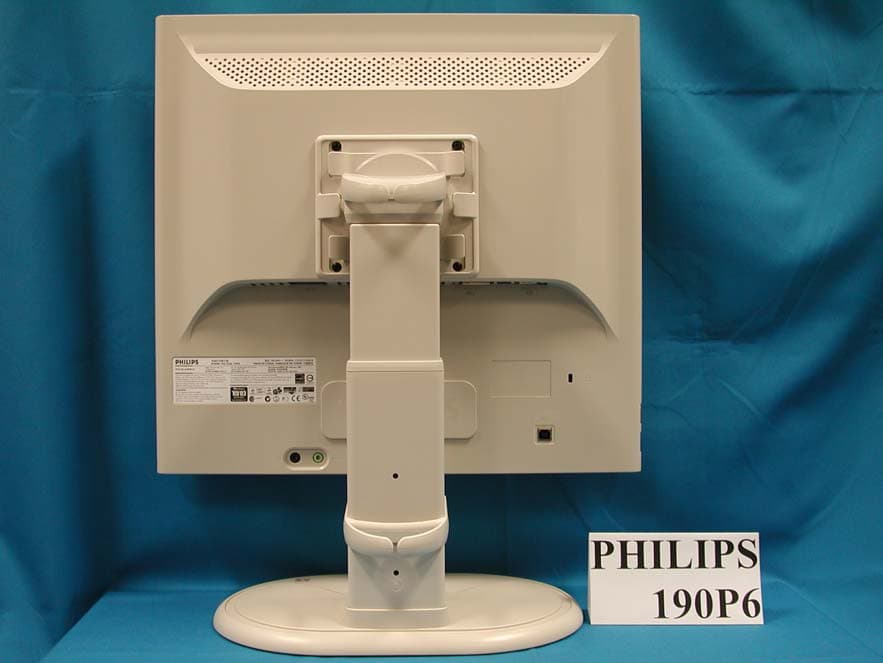
Click to zoom
Application Details
- Equipment Class
- JBP - Part 15 Class B Computing Device Peripheral
- Date of Grant
- Mar 28, 2005
- Application Purpose
- Original Equipment
- Date of Application
- Mar 28, 2005
- Equipment Note
- Flat Panel Color Monitor
- Country
- Taiwan
Documents & Files
Document Text
Text extracted from the exhibit documents filed with the FCC. Open a document above to read the original.
Users Manual
Product Information Product Features 190B6 z Outstanding front of screen performance {Perfect Panel™guarantees dot defect-free display {8-ms response time for outstanding displays of fast moving images {SXGA 1280 x 1024 resolution for sharper display {Dual input accepts both analog VGA and digital DVI signals z Maximum comfort for maximum productivity {Built in speakers for audio without desktop clutter {Stand-alone audio for efficient net conferencing {Screen tilt, swivel and height adjustment for ideal viewing angle z Lower total cost of ownership {SmartManage provides LAN-based asset management capabilities {Lead-free display safeguards our environment z Great convenience {USB port for convenient peripheral connections {Embedded power supply eliminates external power adaptors RETURN TO TOP OF THE PAGE Lead-free Product Technical Specifications* Philips eliminated toxic substances like lead from its displays. Lead-free display helps protect your health and promotes environmentally sound recovery and disposal of waste from electrical and electronic equipment.Philips complies with the European Community stringent RoHS Directive mandating restrictions on hazardous substances in electrical and electronic equipment. With Philips, you can be confident that your display device does not harm the environment. LCD PANEL • TypeTFT LCD • Screen size19" / 48.26 cm diagonal • Pixel Pitch0.294 x 0.294 mm • LCD Panel type 1280 x 1024 pixels R.G.B. vertical stripe Anti-glare polarizer, hard coated • Effective viewing area376.32 x 301.06 mm 第 1 頁,共 7 頁Product Information 2005-03-16file://N:\DFU\Philips\LCD\190PBS6_V.H6193\ENGLISH\190b6\product\product.htm * This data is subject to change without notice. • Display Colors16.2 M colors SCANNING Vertical refresh rate56 Hz-76 Hz Horizontal Frequency30k Hz-83 kHz VIDEO • Video dot rate140 MHz • Input impedance - Video 75 ohm - Sync 2.2K ohm • Input signal levels0.7 Vpp • Sync input signal Separate sync Composite sync Sync on green • Sync polaritiesPositive and negative • Video interface Dual input: D-Sub (analog) and DVI-D (digital) are available and user selectable Audio • Loudspeaker 4W Stereo Audio (2W/channel RMSx2, 300 Hz-13 kHz, 16 ohm, PMPO 32 Watts) • Headphone connector3.5mm mini jack • Input signal connector3.5mm mini jack • USB plugUSB plug for convenient peripheral connectors Optical characteristics • Contrast ratio600:1 (typ.) • Brightness 250 cd/m 2 (typ.) • Peak contrast angle6 o'clock • White Chromaticity x: 0.283 y: 0.297 (at 9300°K) x: 0.313 y: 0.329 (at 6500°K) x: 0.313 y: 0.329 (at sRGB) • Viewing Angle (C/R>5) Upper >80° (typ.) Lower > 80° (typ.) Left > 80° (typ.) Right > 80° (typ.) • Response time < 8 ms (typ.) 第 2 頁,共 7 頁Product Information 2005-03-16file://N:\DFU\Philips\LCD\190PBS6_V.H6193\ENGLISH\190b6\product\product.htm RETURN TO TOP OF THE PAGE Resolution & Preset Modes RETURN TO TOP OF THE PAGE Automatic Power Saving If you have VESA DPMS compliance display card or software installed in your PC, the monitor can automatically reduce its power consumption when not in use. If an input from a keyboard, mouse or other input device is detected, the monitor will 'wake up' automatically. The following table shows the power consumption and signaling of this automatic power saving feature: • Maximum 1280 x 1024 at 75 Hz • Recommended 1280 x 1024 at 60 Hz 50 user definable modes 15 factory preset modes: H. freq (kHz) Resolution V. freq (Hz) 31.5 640*350 70 31.5 720*400 70 31.5 640*480 60 35.0 640*480 67 37.5 640*480 75 35.2 800*600 56 37.9 800*600 60 46.9 800*600 75 49.7 832*624 75 48.4 1024*768 60 60.0 1024*768 75 69.0 1152*870 75 71.8 1152*900 76 63.9 1280*1024 60 80.0 1280*1024 75 Power Management Definition VESA Mode Video H-sync V-sync Power Used LED color Active ON Yes Yes < 40 W (typ.) Green Sleep OFF No No < 1 W Amber 第 3 頁,共 7 頁Product Information 2005-03-16file://N:\DFU\Philips\LCD\190PBS6_V.H6193\ENGLISH\190b6\product\product.htm RETURN TO TOP OF THE PAGE Physical Specifications * This data is subject to change without notice. * Resolution 1280x1024, standard size, brightness max., contrast 50%, 6500° K, full white pattern, without audio/USB. RETURN TO TOP OF THE PAGE Pin Assignment The digital only connector contains 24 signal contacts organized in three rows of eight contacts. Signal pin assignments are listed in the following table: Switch Off OFF- -< 1WOff This monitor is ENERGY STAR ® compliant. As an ENERGY STAR ® Partner, PHILIPS has determined that this product meets the ENERGY STAR ® guidelines for energy efficiency. • Dimension (WxHxD) * 425 x 419 x 235 mm • Weight 6.5 kg • Tilt / Swivel-5° ~ 30° / + - 175° • Height adjustment rang 70 mm • Power supply100 — 240 VAC, 60 - 50 Hz • Power consumption 40 W* (typ.) • Temperature 5° C to 40° C (operating) -20° C to 60° C (storage) • Relative humidity 20% to 80% • System MTBF50K hours (excluding CCFL 40K hours) • Cabinet color 190B6CG: Light Gray 190B6CB: Black 190B6CS: Silver Pin No. Signal Assignment Pin No. Signal Assignment Pin No. Signal Assignment 1 T.M.D.S. Data2- 9 T.M.D.S. Data1-17T.M.D.S. Data0- 2 T.M.D.S. Data2+ 10 T.M.D.S. Data1+18T.M.D.S. Data0+ 3 T.M.D.S. Data2/4 Shield 11 T.M.D.S. Data1/3 Shield 19 T.M.D.S. Data0/5 Shield 4 No connect 12 No connect 20No connect 第 4 頁,共 7 頁Product Information 2005-03-16file://N:\DFU\Philips\LCD\190PBS6_V.H6193\ENGLISH\190b6\product\product.htm The 15-pin D-sub connector (male) of the signal cable: RETURN TO TOP OF THE PAGE Product Views Follow the links to see various views of the monitor and its components. Front View Product Description 5 No connect 13 No connect 21No connect 6 DDC Clock 14 +5V Power 22 T.M.D.S. Clock Shield 7 DDC Data 15 Ground (for +5V)23T.M.D.S. Clock+ 8 No connect 16 Hot Plug Detect24T.M.D.S. Clock- Pin No. Assignment Pin No. Assignment 1 Red video input 9 DDC +5V 2 Green video input/SOG 10 Logic ground 3 Blue video input 11 Ground 4 GND 12 Serial data line (SDA) 5 GND-Cable detect 13 H. Sync / H+V 6 Red vid…
Text truncated - open the document above for the full version.
Users Manual
Product Information Product Features 190P6 z Outstanding front of screen performance {LightFrame™ DR maximizes your on-screen experience {Perfect Panel™guarantees dot defect-free display {SXGA 1280 x 1024 resolution for sharper display {8-ms response time for outstanding displays of fast moving images {Dual input accepts both analog VGA and digital DVI signals z Maximum comfort for maximum productivity {Screen pivot, better ergonomics and cable management {Four-port, high-speed USB 2.0 hub for easy connections {SmartBright automatically adjusts brightness with ambient conditions {Built-in speakers for audio without desktop clutter {Stand-alone audio for efficient net conferencing z Best total cost of ownership solution {SmartManage provides LAN-based asset management capabilities {Lead-free display safeguards our environment RETURN TO TOP OF THE PAGE Lead-free Product Technical Specifications* Philips eliminated toxic substances like lead from its displays. Lead-free display helps protect your health and promotes environmentally sound recovery and disposal of waste from electrical and electronic equipment.Philips complies with the European Community stringent RoHS Directive mandating restrictions on hazardous substances in electrical and electronic equipment. With Philips, you can be confident that your display device does not harm the environment. LCD PANEL • TypeTFT LCD • Screen size19" / 48.26 cm diagonal • Pixel Pitch0.294 x 0.294 mm • LCD Panel type 1280 x 1024 pixels R.G.B. vertical stripe Anti-glare polarizer, hard coated 2005-03-29file://N:\DFU\Philips\LCD\190PBS6_V.H6193\ENGLISH\190p6\product\product.htm * This data is subject to change without notice. RETURN TO TOP OF THE PAGE • Effective viewing area376.32 x 301.06 mm • Display Colors16.2 M colors SCANNING Vertical refresh rate56 Hz-76 Hz Horizontal Frequency30k Hz-83 kHz VIDEO • Video dot rate140 MHz • Input impedance - Video 75 ohm - Sync 2.2K ohm • Input signal levels0.7 Vpp • Sync input signal Separate sync Composite sync Sync on green • Sync polaritiesPositive and negative • Video interface Dual input: D-Sub (analog) and DVI-D (digital) are available and user selectable • USB connectivity solutionUSB Hub for versatile peripheral connections. Audio • Loudspeaker 4W Stereo Audio (2W/channel RMSx2, 300 Hz-13 kHz, 16 ohm, PMPO 32 Watts) • Headphone connector3.5mm mini jack • Input signal connector3.5mm mini jack Optical characteristics • Contrast ratio600:1 (typ.) • Brightness 250 cd/m 2 (typ.) • Peak contrast angle6 o'clock • White Chromaticity x: 0.283 y: 0.297 (at 9300°K) x: 0.313 y: 0.329 (at 6500°K) x: 0.313 y: 0.329 (at sRGB) • Viewing Angle (C/R>5) Upper >80° (typ.) Lower > 80° (typ.) Left > 80° (typ.) Right > 80° (typ.) • Response time < 8 ms (typ.) 2005-03-29file://N:\DFU\Philips\LCD\190PBS6_V.H6193\ENGLISH\190p6\product\product.htm LightFrame TM Digital Reality (LightFrame TM DR) for Windows Introduction Philips LightFrame TM DR feature enriches your photo and video experience with preset modes ideal for your favorite applications: Internet, TV/video viewing, photos and gaming. The LightFrame TM DR engine optimizes brightness, sharpness, contrast, color, JPG noise for photos and skin tone for videos. Installation First things first: Philips LightFrame TM DR only works with latest Philips LCD Monitor which is sepcially built to use this software. That is LightFrame TM DR can only work on 170X5,190X5 or 170P6/190P6 or later version LCD monitor. Earlier Philips monitors or other manufacturers' monitors will not work with this picture enhancement software. You can identify compatible Philips monitors by the LightFrame logo on the front of the monitor. LightFrame TM DR works with true Windows-based programs and DOS-based programs that operate in a Windows environment. It does not work with DOS-based programs operating only in a DOS environment. To control the LightFrame TM DR feature in your monitor, you'll want install the LightFrame TM DR application found on this CD-ROM. To install LightFrame TM DR, place the CD in your CD-ROM drive. When the CD menu appears on your screen, 1) select preferred language 2) select model number (17P6 or 190P6) 3) click on Install LightFrame TM Digital Reality . Follow the on-screen prompts to properly install the program. The software checks to see if you have a compatible monitor. You must agree to the license terms in order to install the software. After installation, the LightFrame TM DR shortcut icon automatically appears at your desktop, click it to load the control bar on screen. Use Tips 1. Cursor with a yellow light bulb versus a blue light bulb Your mouse pointer takes the shape of a light bulb to indicate that LightFrame TM DR is ready to activate or deactivate a target window that contains photos, videos or other content that can be enhanced. A yellow light bulb means that you are moving over a window where LightFrame TM DR can be activated. Click on the window to activate enhancement. A blue light bulb appears when moving over an activated window. Click on the window to de-activate LightFrame TM DR. Cursor examples 2005-03-29file://N:\DFU\Philips\LCD\190PBS6_V.H6193\ENGLISH\190p6\product\product.htm Here is a list of LightFrame TM DR cursors. This is the default cursor displayed when you move over a non-LightFrame TM DR enhanced window or area. Clicking and dragging this cursor over a window or area activates LightFrame TM DR enhancement. Your cursor becomes a yellow light bulb when it passes over a non-active window to indicate that LightFrame TM DR can be activated in the selected window. Click to activate LightFrame TM DR in the selected window. To activate LightFrame TM DR simultaneously in a total of up to eight windows, click on the selected windows one-by-one while pressing the Shift key. Your cursor becomes a blue light bulb when it passes over an active LightFrame TM DR window. Click to deactivate LightFrame TM DR in the selected window. 2005-03-29file://N:\DFU\Phili…
Text truncated - open the document above for the full version.
Users Manual
Product Information Product Features 190S6 z Lower total cost of ownership {SmartManage provides LAN-based asset management capabilities {Lead-free design safeguards our environment {Power consumption below the industry average {TCO guarantees the highest safety and ergonomics standards {Environmentally responsible Energy Star partner {Kensington anti-theft lock secures monitor against theft z Outstanding front of screen performance {Fast 8ms response time displays fast moving pictures {SXGA 1280 x 1024 resolution for sharper display {sRGB ensures color matching between display and printouts z Great convenience {Embedded power supply eliminates external power adaptors {Plug and play for easy and friendly installation {Auto adjustment for one-touch picture perfect display RETURN TO TOP OF THE PAGE Lead-free Product Technical Specifications* Philips eliminated toxic substances like lead from its displays. Lead-free display helps protect your health and promotes environmentally sound recovery and disposal of waste from electrical and electronic equipment.Philips complies with the European Community stringent RoHS Directive mandating restrictions on hazardous substances in electrical and electronic equipment. With Philips, you can be confident that your display device does not harm the environment. LCD PANEL • TypeTFT LCD • Screen size19" / 48.26 cm diagonal • Pixel Pitch0.294 x 0.294 mm 1280 x 1024 pixels R.G.B. vertical stripe 2005-03-29file://N:\DFU\Philips\LCD\190PBS6_V.H6193\ENGLISH\190s6\product\product.htm * This data is subject to change without notice. • LCD Panel type Anti-glare polarizer, hard coated • Effective viewing area376.32 x 301.06 mm • Display Colors16.2 M colors SCANNING Vertical refresh rate56 Hz-76 Hz Horizontal Frequency30k Hz-83 kHz VIDEO • Video dot rate140 MHz • Input impedance - Video 75 ohm - Sync 2.2K ohm • Input signal levels0.7 Vpp • Sync input signal Separate sync Composite sync Sync on green • Sync polaritiesPositive and negative • Video interface D-Sub (analog) Optical characteristics • Contrast ratio500:1 (typ.) • Brightness 250 cd/m 2 (typ.) • Peak contrast angle6 o'clock • White Chromaticity x: 0.283 y: 0.297 (at 9300°K) x: 0.313 y: 0.329 (at 6500°K) x: 0.313 y: 0.329 (at sRGB) • Viewing Angle (C/R>5) Upper >80° (typ.) Lower > 80° (typ.) Left > 80° (typ.) Right > 80° (typ.) • Response time < 8 ms (typ.) 2005-03-29file://N:\DFU\Philips\LCD\190PBS6_V.H6193\ENGLISH\190s6\product\product.htm RETURN TO TOP OF THE PAGE Resolution & Preset Modes RETURN TO TOP OF THE PAGE Automatic Power Saving If you have VESA DPMS compliance display card or software installed in your PC, the monitor can automatically reduce its power consumption when not in use. If an input from a keyboard, mouse or other input device is detected, the monitor will 'wake up' automatically. The following table shows the power consumption and signaling of this automatic power saving feature: • Maximum 1280 x 1024 at 75 Hz • Recommended 1280 x 1024 at 60 Hz 50 user definable modes 15 factory preset modes: H. freq (kHz) Resolution V. freq (Hz) 31.5 640*350 70 31.5 720*400 70 31.5 640*480 60 35.0 640*480 67 37.5 640*480 75 35.2 800*600 56 37.9 800*600 60 46.9 800*600 75 49.7 832*624 75 48.4 1024*768 60 60.0 1024*768 75 69.0 1152*870 75 71.8 1152*900 76 63.9 1280*1024 60 80.0 1280*1024 75 Power Management Definition VESA Mode Video H-sync V-sync Power Used LED color Active ON Yes Yes < 34 W (typ.) Green Sleep OFF No No < 1 W Amber 2005-03-29file://N:\DFU\Philips\LCD\190PBS6_V.H6193\ENGLISH\190s6\product\product.htm RETURN TO TOP OF THE PAGE Physical Specifications * This data is subject to change without notice. * Resolution 1280x1024, standard size, brightness max., contrast 50%, 6500° K, full white pattern, without audio/USB. RETURN TO TOP OF THE PAGE Pin Assignment The 15-pin D-sub connector (male) of the signal cable: Switch Off OFF- -< 1WOff This monitor is ENERGY STAR ® compliant. As an ENERGY STAR ® Partner, PHILIPS has determined that this product meets the ENERGY STAR ® guidelines for energy efficiency. • Dimension (WxHxD) * 425 x 419 x235 mm • Weight 5.4 kg • Tilt-5° ~ 25° • Power supply100 — 240 VAC, 60 - 50 Hz • Power consumption 34 W* (typ.) • Temperature 5° C to 40° C (operating) -20° C to 60° C (storage) • Relative humidity 20% to 80% • System MTBF50K hours (excluding CCFL 40K hours) • Cabinet color 190S6FG: Light Gray 190S6FB: Black 190S6FS: Silver Pin Pin 2005-03-29file://N:\DFU\Philips\LCD\190PBS6_V.H6193\ENGLISH\190s6\product\product.htm RETURN TO TOP OF THE PAGE Product Views Follow the links to see various views of the monitor and its components. Front View Product Description RETURN TO TOP OF THE PAGE Physical Function No. Assignment No. Assignment 1 Red video input 9 DDC +5V 2 Green video input/SOG 10 Logic ground 3 Blue video input 11 Ground 4 GND 12 Serial data line (SDA) 5 GND-Cable detect 13 H. Sync / H+V 6 Red video ground 14 V. Sync 7 Green video ground 15 Data clock line (SCL) 8 Blue video ground 1) Tilt 2005-03-29file://N:\DFU\Philips\LCD\190PBS6_V.H6193\ENGLISH\190s6\product\product.htm Installing Your LCD Monitor Front View Product Description RETURN TO TOP OF THE PAGE UP and DOWN buttons are used when adjusting the OSD of your monitor. LEFT and RIGHT buttons, like the UP and DOWN buttons, are also used in adjusting the OSD of your monitor. BRIGHTNESS hotkey. When the UP and DOWN arrow buttons are pressed, the adjustment controls for the BRIGHTNESS will show up. OK button which when pressed will take you to the OSD controls. POWER button switches your monitor on. Automatically adjust the horizontal position, vertical position, phase and clock setting. 2005-03-29file://N:\DFU\Philips\LCD\190PBS6_V.H6193\ENGLISH\190s6\install\install.htm Optimizing Performance zFor best performance, ensure that your display settings are set at 1280x1024, 60Hz. zYou can also install the Flat Panel Adjust (FP Adjust) program, a program for getting the best performance out of your monitor.…
Text truncated - open the document above for the full version.
Block Diagram
190B6 Functional Block Diagram 190B6 Functional Block Diagram SCALER NT68563EF EEPROM M24C16 DDCSDA DDCSCL R/G/B CLK and R/G/B DATA (LVDS interface) MCU (64K) NT68F633 CLK: 12MHz IICSDAIICSCL HS/VS Connector to Audio & Ctrl Board Connector to Panel VIDEO Input LVDS Tx Panel_PWR 5V/12V D-SUB DVISDA DVISCL RX0+/-, 1+/-,2+/- DVI-D RXC+/- Connector to Inverter BL_CTRL Brightness AC to DC Inverter Board Switching Frequency 45K~55KHz LCD Panel 5V, 12V BL_CTRL, Brightness Inverter Line USB plug USB device PC Exhibit 4 Circuit Description 1. General 190B6 is the 6th generation of Hudson series Flat Panel Display Monitor with lead free monitor policy. It designed with PSWG panel standard, LVDS interface. The monitor featured with both DVI-D and analog signal input interface, USB plug and modularized as a display unit with embedded universal AC power supplies inside monitor main body. The monitor is with COMPACT base and features with tilt, swivel, good stability with adjustable traveling height. The power button and display control buttons (tact switch type) and USB plug are on the front of the monitor. The monitor shall support an internal scaler to automatically enable the monitor to display lower resolution video modes into 1280 x 1024 full screen display. Horizontal scan range is 30 - 83 KHz and the refresh range is 56 - 76 Hz. The image can be adjusted through new styling OSD control board. These adjustments can be stored on a board memory including 34 pre-set modes and 15 factory pre-set modes. 2. Power supply Main Voltage: AC 90 - 135 Vrms and 170 – 264 Vrms, 50/60 ± 2 Hz Power consumption: Operating < 40W (Max. w/o audio), Standby < 1W. DC power switch off < 1W. Power cord length: 1.5M Power cord type: 3 lead with earth plug Power indicator: LED (ON: green, Standby: amber) Auto power saving: EPA, Nutek, VESA, DPMS, E2000 3. Input signal Horizontal scan: 30 - 83 KHz Vertical scan: 56 - 76 Hz Input signals 1. Signal input level Video : 0.7 Vp-p linear / 75 ohms Sync : H/H+V, V TTL level, composite sync, sync on green 2. Impedance Video : Terminated with 75 ohms Sync : Terminated with 2K2 ohms 4. OSD (On Screen Display) function Software control function via OSD/ Control as below: Analog Signal Input 1. Main Menu 2.1 Sub Menu 2.2 Sub Menu 2 MONITOR SETUP Exit Brightness & Contrast Brightness, Contrast Color Original Color, 9300K,6500K, sRGB User Define Red, Green, Blue Position Horizontal, Vertical Input Selection Analog, Digital More Settings Language English, Spanish, French, German, Italian, S. Chinese Phase/ Clock Phase, Clock OSD Setting Horizontal, Vertical Audio Option Stand-alone (On, Off) Mute (On, Off) Reset No, Yes Serial No.: (Serial No.) (Timing Mode) Move Selection Then ok Digital Signal Input 1. Main Menu 2.1 Sub Menu 2.2 Sub Menu 2 MONITOR SETUP Exit Brightness & Contrast Brightness, Contrast Color Original Color, 9300K,6500K, sRGB User Define Red, Green, Blue Position (Gray out) Input Selection Analog, Digital More Settings Language, English, Spanish, French, German, Italian, S.Chinese Phase/ Clock (Gray out) Phase, Clock (Gray out) OSD Setting Horizontal, Vertical Audio Option Stand-alone (On, Off) Mute (On, Off) Reset No, Yes Serial No.: (Serial No.) (Timing Mode) Move Selection Then ok Remark: Audio Selection - Stand-alone – On: Isolate video and audio control input Stand-alone – Off: Integrate video and audio control input Mute – On: Turn off Audio input Mute – Off: Turn on Audio input Reset - No: Exit. Yes: Auto adjustment for displaying timing mode and recall factory preset 5. LCD panel Type. : 19” TFT-LCD flat panel Dimensions. : 1280 (H) x1024 (V) Pixel Pitch. : 0.294 mm x 0.294 mm Color pixel arrangement. : RGB vertical stripes Support Color. : 16.2 M colors Display Mode. : Normally White Backlight. : CCFL edge light system Active area. (WXH). : 376.32 x 301.06 mm (19” diagonal) Contrast ratio. : 500:1 White luminance. : 250nits (Typ.) 6. Function block 6.1 Scaler board Scaling (NT68563 including ADC, Scaler, OSD, LVDS) Analog - Monitor the input horizontal and vertical sync signal to judge input video mode - Sample the input video signal according to its pixel rate to form a digital data for panel. - Auto-adjustment for sampling phase and frequency, picture alignment and color alignment. - Send the parameters to format scaler IC according to the input mode. - Process the control data listed in OSD section. Digital - Monitor DVI input with internal TMDS receiver to judge input video mode - Sample the input video signal according to its pixel rate to form a digital data for panel. - Send the parameters to format scaler IC according to the input mode. - Process the control data listed in OSD section. MCU NT68F633L - Control Scaling and all I/Os port of monitor including audio. - Store the source code into internal Flash ROM and capable of down loading program via ISP. 6.2 Front panel switch control board - Used for OSD function and power on/off 7 push buttons (left, ok, right, up, down, auto, power switch) - Power on/off LED indicator 6.3 AC to DC Inverter Board board The AC power input from 90 VAC to 264 VAC, can generate 12V and 5 VDC power to supply to inverter function and scaler board.
Cover Letter(s)
Helen Zhao Subject: FW: FCC ID.: A3KM141 / New application for PHILIPS 190*6 3/29/2005 From: jestonie.wu Sent: Monday, March 28, 2005 7:35 PM Subject: RE: FCC ID.: A3KM141 / New application for PHILIPS 190*6 Dear Helen, Attached please find the photos and user manual to clearly show the difference, Thanks! Best Regards, Jestonie Wu -----Original Message----- From: Compliance Certification Services [mailto:[email protected]] Sent: Friday, March 25, 2005 4:20 PM Subject: Philips Electronics Industries (Taiwan) Ltd., FCC ID: A3KM141, Assessment NO.: AN05T4670, Notice#1 Question #1: The test report covers three model names: 190B6, 190P6 and 190S6, the model difference table shows that they have different I/O ports. But only the external photos and internal photos of 190B6 was provided in the filing. Please provide additional external photos and internal photos(if necessary) with indication of model name to clearly show the difference. Question #2: The test report shows that 190P6 supports 90 degree rotation, but this information is not mentioned in the user manual, it is not indicated clearly on the model difference table either. If you don't promote this feature, actually it's not necessary to test additional mode. If you would promote this feature, please update the model difference table and user manual. Please include the photos of the super ergo base into the exhibits of external photos. The items indicated above must be submitted before processing can continue on the above referenced application. Failure to provide the requested information within 30 days of the original e-mail date may result in application dismissal and forfeiture of the filing fee. Also, please note that partial responses increase processing time and should not be submitted. Any questions about the content of this correspondence should be directed to the e-mail address listed below the name of the sender.
Cover Letter(s)
FCC ID. A3KM141 APPENDIX I Ω 1 / 1 Audix Corporation. Report No. EM-F940057 The Details of Difference List Item Model 190B6190P6190S6 Audio Audio inside the front cabinet Audio inside the front cabinet No Audio Base Compact Super ergo base Foldable LCD Panel AUO, M/N M190EN04 LG Philips, M/N LM190E04 LG Philips, M/N LM190E04 Scaler IC NT68563EF GM5321 NT68521AEF Data Cable (Input) D-SubΕDVI D-SubΕDVI D-Sub Light Frame No Yes No Power Board Lien Chang, Type No. AIP-0093 Lien Chang, Type No. AIP-0093 Delta, Type No. EADP-43AF A USB connector only Yes No No USB Device (USB HUB) No Yes No
External Photos
Page 1 of 10 Exhibit 7 Front View Rear View Page 1 of 10 190P6 Front View Rear View Page 2 of 10 Front View Rear View Page 1 of 8 190S6 Front View Rear View Page 1 of 8 190S6 Front View Rear View
ID Label/Location Info
Exhibit 2 FCC ID Label Page 1 of 10 Exhibit 7 FCC ID Label Location Rear View
Internal Photos
Page 2 of 10 Label Front View w/o Front Cabinet Page 3 of 10 Rear View w/o Back Cover Shielding Cover Page 4 of 10 Assembly w/o Shielding Cover PCB Layout Page 5 of 10 PCB Layout PCB Layout Page 6 of 10 PCB Layout PCB Layout Page 7 of 10 PCB Layout PCB Layout Page 8 of 10 PCB Layout Assembly w/o PCB Page 9 of 10 Plate LCD Panel Page 10 of 10 Power Cord and I/F Cables
Internal Photos
Page 3 of 10 Rear View w/o Back Cover Shielding Cover Page 4 of 10 Assembly w/o Shielding Cover PCB Layout Page 5 of 10 PCB Layout PCB Layout Page 6 of 10 PCB Layout PCB Layout Page 7 of 10 PCB Layout PCB Layout Page 8 of 10 PCB Layout Assembly w/o PCB Page 9 of 10 Plate LCD Panel Page 10 of 10 Power Cord and I/F Cables
Internal Photos
Page 2 of 8 Rear View w/o Back Cover Shielding Cover Page 3 of 8 Assembly w/o Shielding Cover PCB Layout Page 4 of 8 PCB Layout PCB Layout Page 5 of 8 PCB Layout PCB Layout Page 6 of 8 PCB Layout Assembly w/o PCB Page 7 of 8 Plate LCD Panel Page 8 of 8 Power Cord and I/F Cables
Test Report
FCC ID. A3KM141 Page 1 of 88 Audix Corporation. Report No. EM-F940057 APPLICATION FOR CERTIFICATION On Behalf of Philips Electronics Industries (Taiwan) Ltd. Flat Panel Color Monitor Model No.Κ(1)190B6 (2)190P6 (3)190S6 FCC ID: A3KM141 Brand : PHILIPS Prepared for : Philips Electronics Industries (Taiwan) Ltd. 5, Tze Chiang 1 Rd, Chungli Ind. Park, Chungli, Taoyuan Hsien, Taiwan, R.O.C. Prepared By : AUDIX Corporation Technical Division EMC Department No. 53-11, Tin-Fu Tsun, Lin-Kou, Taipei Hsien, Taiwan, R.O.C. Tel: (02) 2609-9301, 2609-2133 Fax: (02) 2609-9303 File Number Κ EM940296 Report Number Κ EM-F940057 Date of Test Κ Mar. 09 ~ 11, 2005 Date of Report Κ Mar. 15, 2005 FCC ID. A3KM141 Page 2 of 88 Audix Corporation. Report No. EM-F940057 TABLE OF CONTENTS Description Page Test Report Certification........................................................................................................................3 1. GENERAL INFORMATION ...........................................................................................................4 1.1. Description of Device (EUT) .................................................................................................................... 4 1.2. Tested Supporting System Details ............................................................................................................ 5 1.3. Test Facility .............................................................................................................................................. 8 1.4. Measurement Uncertainty ......................................................................................................................... 9 2. CONDUCTED DISTURBANCE MEASUREMENT ...................................................................10 2.1. Test Equipment ....................................................................................................................................... 10 2.2. Block Diagram of Test Setup.................................................................................................................. 10 2.3. Powerline Conducted Emission Limit (15.107, Class B) .......................................................................11 2.4. EUT’s Configuration during Compliance Measurement ........................................................................ 11 2.5. Operating Condition of EUT................................................................................................................... 12 2.6. Test Procedure ........................................................................................................................................ 13 2.7. Conducted Emission Measurement Results ............................................................................................ 13 3. RADIATED EMISSION MEASUREMENT ................................................................................47 3.1. Test Equipment .......................................................................................................…
Text truncated - open the document above for the full version.
Contact Information
Applicant
Ronnie Yang(Manager, Safety/DEV)
Test Firm
Audix Technology CorporationJeff Chen
Technical Specifications
| # | Rule Parts | Frequency Range | Power Output |
|---|---|---|---|
| 1 | 15B | - | - |
Other Applications from Philips Electronics Industries (Taiwan) Ltd
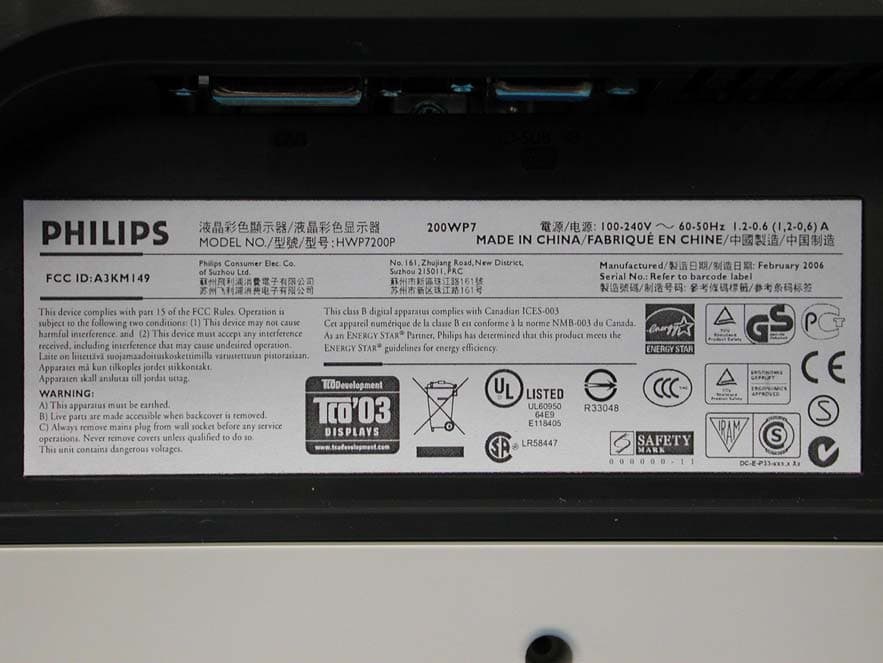
A3KM149
Mar 16, 200620� LCD Monitor
Equipment Class
JBP - Part 15 Class B Computing Device Peripheral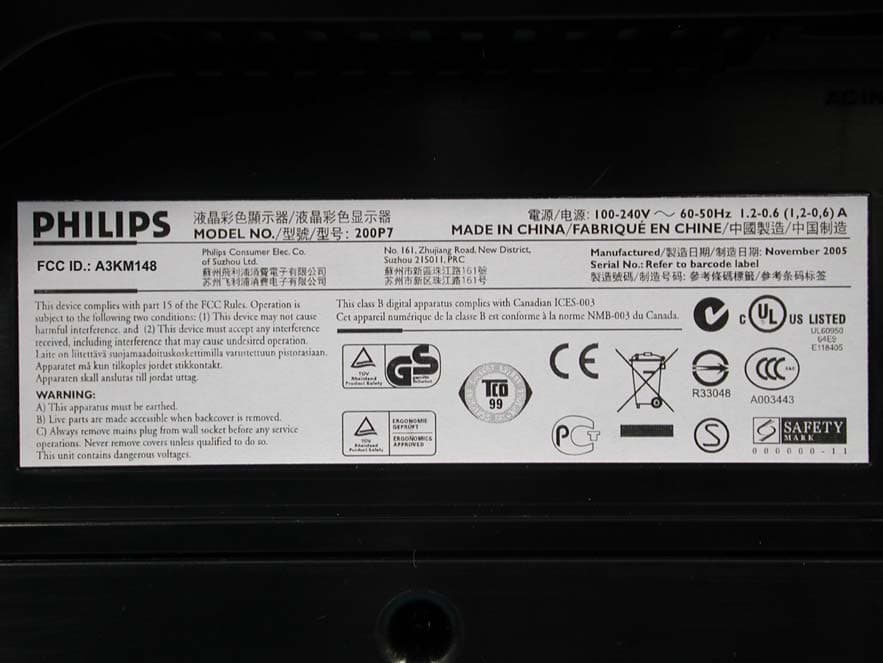
A3KM148
Dec 15, 200520
Equipment Class
JBP - Part 15 Class B Computing Device Peripheral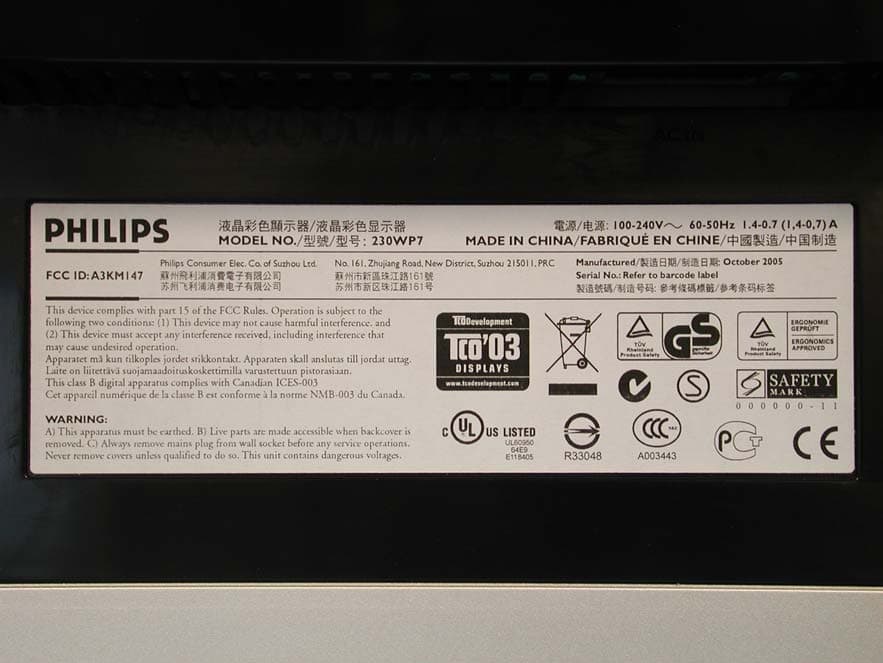
A3KM147
Nov 17, 2005LCD Monitor
Equipment Class
JBP - Part 15 Class B Computing Device Peripheral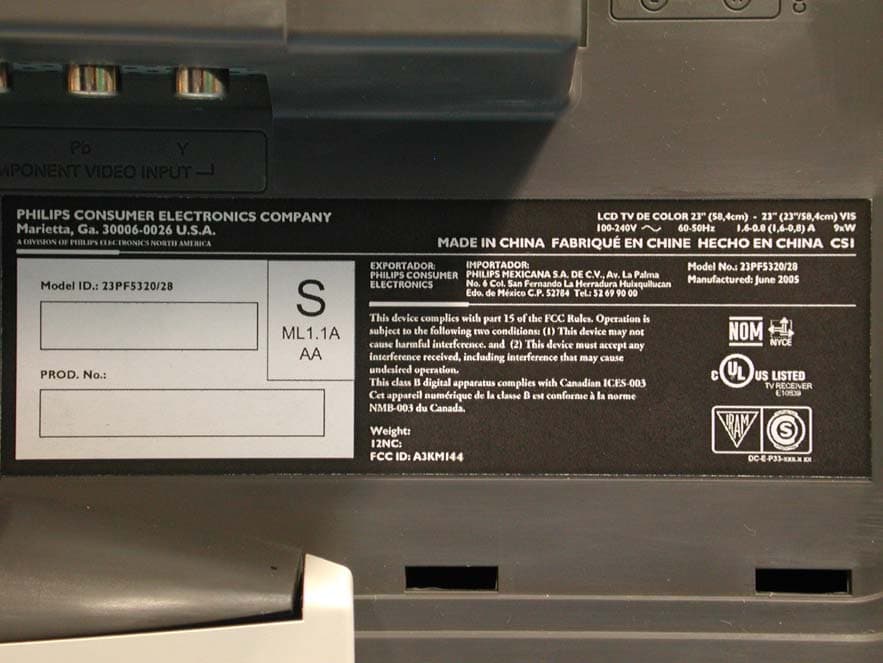
A3KM144
Jul 19, 2005LCD TV
Equipment Class
JBP - Part 15 Class B Computing Device Peripheral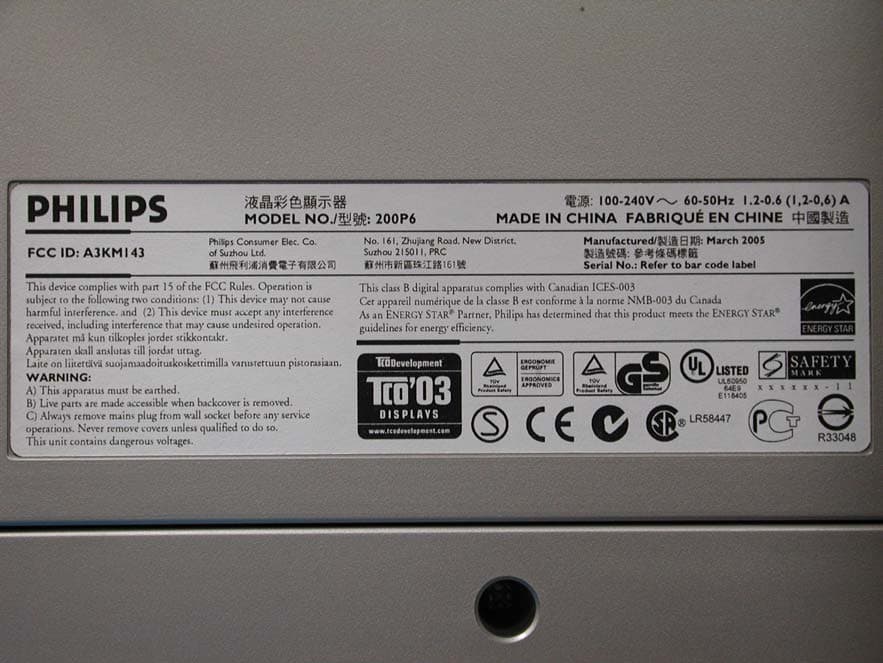
A3KM143
Apr 18, 2005Display Color Monitor
Equipment Class
JBP - Part 15 Class B Computing Device Peripheral