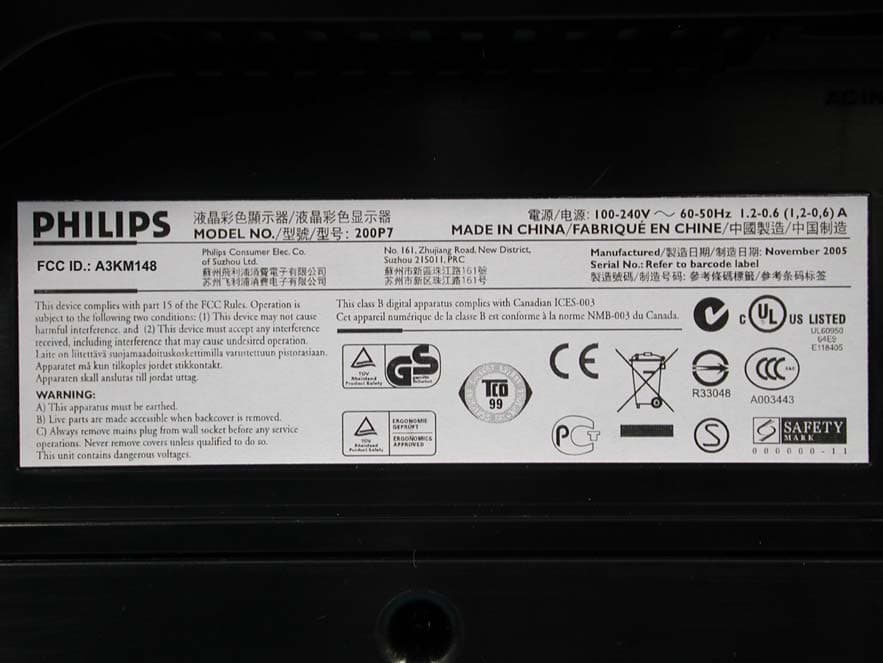
Click to zoom
Application Details
- Equipment Class
- JBP - Part 15 Class B Computing Device Peripheral
- Date of Grant
- Dec 15, 2005
- Application Purpose
- Original Equipment
- Date of Application
- Dec 15, 2005
- Equipment Note
- 20
- Country
- Taiwan
Documents & Files
Document Text
Text extracted from the exhibit documents filed with the FCC. Open a document above to read the original.
Users Manual
Page 1 of 1e-Manual Product Information • Product Features • SmartImage • Technical Specifications • Resolution & Preset Modes • Philips Pixel Defect Policy • Automatic Power Saving • Physical Specification • Pin Assignment • Product Views • Physical Function • Rotating the Monitor Product Information Product Features 200P7 ●Outstanding front of screen performance ❍SmartImage for the best LCD viewing experience ❍UXGA, 1600x1200 resolution for sharper display ❍VGA analog plus dual digital DVI plugs for input choice ❍Fast response time for better display of moving images ●Maximum comfort for maximum productivity ❍Display more images and content without scrolling ❍90 degree screen rotation and smart cable management ❍Built-in hight-speed USB 2.0 solution for easy connections ●Best total cost of ownership solution ❍SmartManage compatibility enables LAN-based asset management ❍Lead-free design safeguards our environment ●Great convenience ❍Easy plug-and-play DVI for a true digital experience ❍Embedded power supply eliminates external power adaptors RETURN TO TOP OF THE PAGE Lead-free Product Philips eliminated toxic substances like lead from its displays. Lead-free display helps protect your health and promotes environmentally sound recovery and disposal of waste from electrical and electronic equipment.Philips complies with the European Community stringent RoHS Directive mandating restrictions on hazardous substances in electrical and electronic equipment. With Philips, you can be confident that your display device does not harm the environment. SmartImage Introduction Philips SmartImage features with Philips LightFrame technology to enhance your front of screen performance depend by content type. It is not only changing brightness or contrast profiles but utilizing Philips Pacific3 hardware chip inside monitor to enrich color of image and sharpen text. No matter your application is on text processing or watching image or video, you can always get best viewing experience from Philips SmartImage. file:///D|/My%20Documents/dfu/200P7/english/200p7/product/product.htm (1 of 10)2005-12-14 9:24:44 AM Product Information How to enable SmartImage 1.Press to launch the SmartImage on screen display; 2.Keep press to toggle between Office Work, Internet, Image Viewing, Video Playback, Custom, and Off; 3.The SmartImage on screen display will remain on screen for 3 seconds or you can also press “OK“ to make confirmation. Expect using key to scroll down, you can also press buttons to choose and press “ok” to confirm selection and close the SmartImage OSD. There are six modes to be selected: 1.Office Work: Select this mode for general office application, like word processing, spreadsheet, and email. The screen is dominated by text. 2.Internet: Select this mode for Internet application, especially web browsing. The screen is mixed by text and picture. 3.Image Viewing: Select this mode for image viewing application, especially in slid show. The screen is dominated by picture. 4.Video Playback: Select this mode for video application, like Microsoft Media Player or Real Player. The screen is dominated by video. 5.Custom: Select this mode for you to adjust the rate of luminance, contrast gap, color boost, sharpness, and text enhancement by yourself. ●Press to enter sub- menu selections ●Press or to toggle between ❍Exit ❍Luminance ❍Contrast Gap ❍Color Boost ❍Sharpness ❍Text Enhancement ❍Reset ● to adjacent sub- menu selections ●Then, press "OK" to go back to sub-menu and SmartImage OSD. file:///D|/My%20Documents/dfu/200P7/english/200p7/product/product.htm (2 of 10)2005-12-14 9:24:44 AM Product Information 6.Off: No optimization by SmartImage. RETURN TO TOP OF THE PAGE Technical Specifications* LCD PANEL • TypeTFT LCD • Screen size20.1" / 51cm • Pixel Pitch0.255 x 0.255mm • LCD Panel type 1600 x 1200pixels R.G.B. vertical stripe Anti-glare polarizer, hard coated • Effective viewing area408 x 306mm • Display Colors8 bits interface (16M colors) SCANNING Vertical refresh rate56Hz-85Hz Horizontal Frequency30kHz-98kHz (Analog input) VIDEO • Video dot rate202.5 MHz • Input impedance - Video 75 ohm - Sync 2K2 ohm • Input signal levels0.7 Vpp • Sync input signal Separate sync Composite sync Sync on green • Sync polaritiesPositive and negative Optical characteristics • Peak contrast angle6 o'clock • White Chromaticity: x: 0.283 y: 0.297 (at 9300°K) x: 0.313 y: 0.329 (at 6500°K) * This data is subject to change without notice. RETURN TO TOP OF THE PAGE Resolution & Preset Modes file:///D|/My%20Documents/dfu/200P7/english/200p7/product/product.htm (3 of 10)2005-12-14 9:24:44 AM Product Information • Maximum 1600 x 1200 at 75Hz(analog input) 1600 x 1200 at 60Hz(digital input) • Recommended 1600 x 1200 at 60Hz * at DVI digital input 15 factory preset modes: H. freq (kHz)ResolutionV. freq (Hz) 31.5640*35070 (IBM VGA 10h) 31.5720*40070 31.5640*48060 37.5640*48075 35.2800*60056 37.9800*60060 46.9800*60075 48.41024*76860 60.01024*76875 601280*96060 69.01152*87075 63.91280*102460 80.01280*102475 75.01600*120060 93.81600*120075 (Analog only) RETURN TO TOP OF THE PAGE Automatic Power Saving If you have VESA DPMS compliance display card or software installed in your PC, the monitor can automatically reduce its power consumption when not in use. If an input from a keyboard, mouse or other input device is detected, the monitor will be waken up automatically by your PC. The following table shows the power consumption and signaling of this automatic power saving feature: Power Management Definition VESA ModeVideoH-syncV-syncPower UsedLED color ActiveONYesYes< 70W Green Sleep OFFNoNo< 1WAmber Switch OffOFF--< 1WOFF This monitor is ENERGYSTAR ® compliant. As an ENERGYSTAR ® Partner,PHILIPS has determined that this product meets the ENERGYSTAR ® guidelines for energy efficiency. file:///D|/My%20Documents/dfu/200P7/english/200p7/product/product.htm (4 of 10)2005-12-14 9:24:44 AM Product Information RETURN TO TOP OF THE PAGE Physical Specifica…
Text truncated - open the document above for the full version.
Block Diagram
DDR K4D263238A D_Sub DVI_D E 2 PROM M24C16 Specification : 2 x Analog : 1600 x 1200 / 75Hz 1 x Digital : 1600 x 1200 / 60Hz Specification : 2 x Analog : 1600 x 1200 / 75Hz 1 x Digital : 1600 x 1200 / 60Hz Pacific 3 DC to DC 5V 3.3V2.5V1.8V Panel MST6251A for 2A + 1D DC to DC 18V 1.5V 5V(For AUO Panel) 30 Pin LVDS interface LPL : 18V AUO : 5V 200P7 (Scalar: MST9251A) MCU NT68F631A F631A Circuit Description General 200P7 is the 7 th generation of Hudson series Flat Panel Display Monitor. It designed with LVDS interface feature. The monitor featured with DVI-I and analog signal input interface, and modularized as a display unit with embedded universal AC power supplies inside monitor main body. The monitor comes with super ergo base (SEB); the base is featured with tilt, swivel, height adjustment and portrait functionality. The power button and display control buttons (tact switch type) are on the front of the monitor. The monitor will be TCO03/TCO99 and Energy Star compliant and incorporate energy saving features described further in this document. The monitor shall support an internal scalar to automatically enable the monitor to display lower resolution video modes into 1600x1200 full screen display. The monitor shall communicate display data to the host computer using DDC2B and shall support EDID structure 1.3 for analog and digital signal input. 1. Power supply Main Voltage: AC 90 - 135 Vrms and 170 – 264 Vrms, 50/60 ± 2 Hz Power consumption: Operating < 60W (Max. w/o USB ), Standby < 2W. DC power switch off < 1W. Power cord length: 1.8M Power cord type: 3 lead with earth plug Power indicator: LED (ON: blue, Standby: amber) Auto power saving: EPA, Nutek, VESA, DPMS, E2000 3. Input signal Horizontal scan: 30 - 97 KHz Vertical scan: 56 -85 Hz Input signals 1. Signal input level Video : 0.7 Vp-p linear / 75 ohms Sync : H/H+V, V TTL level, composite sync, sync on green Impedance Video : Terminated with 75 ohms Sync : Terminated with 2K2 ohms 4. OSD (On Screen Display) function Software control function via OSD/ Control as below: Analog Signal Input 1 st LEVEL 2 nd LEVEL 3rd LEVEL MONITOR SETUP Exit Brightness & Contrast Brightness Contrast Color Original Color, 9300K,6500K, sRGB, User Define Position & Size Horizontal Vertical Size Full Screen Native Mode Fill with Aspect Input Selection Analog(D-Sub), Analog(DVI-A), Digital(DVI-D) Language /00 : English, Espanol, Frencais, Deutsch, Italiano, , Russian /27 : English, Espanol, Frencais, Portuguess, S-Chinese /69,/75,/93,/96 : English, Espanol, Frencais, Deutsch, Italiano, , S-Chinese Phase/ Clock Phase Clock More Settings OSD Settings Horizontal Vertical Reset No Yes Serial No.: (Serial No.) Timing Mode Up/Down to Move, ok to Confirm Digital Signal Input 1 st LEVEL 2 nd LEVEL 3rd LEVEL MONITOR SETUP Exit Brightness & Contrast Brightness Contrast Color Original Color, 9300K,6500K, sRGB, User Define Size Size Full Screen Native Mode Fill with Aspect Input Selection Analog(D-Sub), Analog(DVI-A), Digital(DVI-D) Language /00 : English, Espanol, Frencais, Deutsch, Italiano, , Russian /27 : English, Espanol, Frencais, Portuguess, S-Chinese /69,/75,/93,/96 : English, Espanol, Frencais, Deutsch, Italiano, , S-Chinese Phase/ Clock(Grey out) More Settings OSD Settings Horizontal Vertical Reset No Yes Serial No.: (Serial No.) Timing Mode Up/Down to Move, ok to Confirm Remark: Reset - No: Exit. Yes: Auto adjustment for displaying timing mode and recall factory preset 5. LCD panel Type NR. : LM201U04 SL02(LG.PHILIPS) Outside dimensions : 432.0(H) ∗ 331.5(V) ∗ 25(D) (Typ) mm Pixel Pitch ( mm ) : 0.255 mm x 0255mm Color pixel arrangement : RGB vertical stripes Display surface : Low reflection, antiglare with hard coating Color depth : 16.7M colors (8 bits) Backlight : Six CCFL‘s Active area(WxH) : 408x306mm (20.1 diagonal) View angle : Horizontal & Vertical 178 degree (CR>=10) Contrast ratio : 700 :1 White luminance : Panel original color >200nits (min), 300 nits (Typ) 6. Function block 6.1 Scaler board Scaling MST9251A-LF-205 (w/o video) including ADC, Scaler, OSD, LVDS) Analog - Monitor the input horizontal and vertical sync signal to judge input video mode - Sample the input video signal according to its pixel rate to form a digital data for panel. - Auto-adjustment for sampling phase and frequency, picture alignment and color alignment. - Send the parameters to format scaler IC according to the input mode. - Process the control data listed in OSD section. Digital - Monitor DVI input with internal TMDS receiver to judge input video mode - Sample the input video signal according to its pixel rate to form a digital data for panel. - Send the parameters to format scalar IC according to the input mode. - Process the control data listed in OSD section. MCU NT68F631A - Control Scaling, Pacific III, and all I/Os port of monitor. - Store the source code into internal Flash ROM and capable of down loading program via ISP. 6.2 Front panel switch control board - Used for OSD function and power on/off Auto – left – right – LF – power – down – ( brightness ) – up - ok 6.3 AC to DC Inverter Board The AC power input from 90 VAC to 264 VAC, can generate 5Vand 18 VDC power to supply to inverter function and scaler board.
External Photos
Page 1 of 10 Exhibit 7 Photographs Front View Rear View Page 2 of 10 Front View Rear View Page 3 of 10 Label Front View w/o Base
ID Label/Location Info
Page 3 of 10 Label Front View w/o Base
Internal Photos
Page 4 of 10 Rear View w/o Back Cover Shielding Cover Page 5 of 10 Assembly w/o Shielding Cover PCB Layout Page 6 of 10 PCB Layout PCB Layout Page 7 of 10 PCB Layout PCB Layout Page 8 of 10 PCB Layout Assembly w/o PCB Page 9 of 10 Plate LCD Panel Page 10 of 10 Power Cord and I/F Cables
Test Report
FCC ID. A3KM148 Page 1 of 49 Audix Corporation. Report No. EM-F940273 TEST REPORT FOR CERTIFICATION On Behalf for Philips Electronics Industries (Taiwan) Ltd. 20" Flat Panel Color Monitor Model No.: 200P7 FCC ID. : A3KM148 Brand: PHILIPS Prepared for : Philips Electronics Industries (Taiwan) Ltd. 5, Tze Chiang 1 Road, Chungli Industrial Park Chungli, Taoyuan, Taiwan, R.O.C. Prepared By : Audix Corporation Technical Division EMC Department No. 53-11, Tin-Fu Tsun, Lin-Kou, Taipei County, Taiwan, R.O.C. Tel : (02) 2609-9301, 2609-2133 Fax : (02) 2609-9303 File Number : EM941312 Report Number : EM-F940273 Date of Test : Nov. 16 ~ 17, 2005 Date of Report : Nov. 22, 2005 FCC ID. A3KM148 Page 2 of 49 Audix Corporation. Report No. EM-F940273 TABLE OF CONTENTS Description Page TEST REPORT CERTIFICATION ......................................................................................................3 1. GENERAL INFORMATION..........................................................................................................4 1.1.Description of Device ................................................................................................................................ 4 1.2.Tested Supporting System Details............................................................................................................. 5 1.3.Description of Test Facility ....................................................................................................................... 8 1.4.Measurement Uncertainty.......................................................................................................................... 8 2. CONDUCTED EMISSION MEASUREMENT ............................................................................9 2.1.Test Equipment.......................................................................................................................................... 9 2.2.Block Diagram of Test Setup .................................................................................................................... 9 2.3.Limits for Conducted Emission ( ̈15.107(a), Class B).............................................................................. 9 2.4.EUT‘s Configuration during Compliance Measurement ......................................................................... 10 2.5.Operating Condition of EUT ................................................................................................................... 10 2.6.Test Procedure ......................................................................................................................................... 11 2.7.Conducted Emission Measurement Results............................................................................................. 11 3. RADIATED EMISSION MEASUREMENT...............................................................................26 3.1.Test Equipment........................................................................................................................................ 26 3.2.Block Diagram of Test Setup .................................................................................................................. 27 3.3.Radiation Limit ( ̈15.109/CISPR 22, Class B)........................................................................................ 28 3.4.EUT’s Configuration during Compliance Measurement ......................................................................... 29 3.5.Operating Condition of EUT ................................................................................................................... 29 3.6.Test Procedure ......................................................................................................................................... 29 3.7.Radiated Emission Measurement Results................................................................................................ 30 4.DEVIATION TO TEST SPECIFICATIONS ..............................................................................40 5. PHOTOGRAPHS...........................................................................................................................41 5.1.Photos of Conducted Eemission Measurement ....................................................................................... 41 5.2.Photos of Radiated Measurement at Simple Anechoic Chamber (30-1000MHz).............................................. 43 5.3.Photos of Radiated Measurement at Open Area Test Site (30-1000MHz).............................................. 45 5.4.Photos of Radiated Measurement at Open Area Test Site (1-2GHz) ...................................................... 47 FCC ID. A3KM148 Page 3 of 49 Audix Corporation. Report No. EM-F940273 TEST REPORT CERTIFICATION Applicant: Philips Electronics Industries (Taiwan) Ltd. Manufacturer: Philips Electronics Industries (Taiwan) Ltd. Factory #1 : Philips Consumer Elec. Co. of Suzhou Ltd. Factory #2 : TPV Electronics (Fujian) Co.,Ltd EUT Description : 20" Flat Panel Color Monitor FCC ID. :A3KM148 (A) MODEL NO. : 200P7 (B) SERIAL NO. : TY0405334 (C) BRAND :PHILIPS (D) POWER SUPPLY :AC 100V-240V~ , 60-50Hz (E) TEST VOLTAGE :AC 120V/60Hz Measurement Procedure Used: FCC CFR 47 Part 15 Subpart B/Sep. 2005 and CISPR 22/1997 ANSI C63.4-2003 The device described above was tested by AUDIX Corporation to determine the maximum emission levels emanating from the device. The maximum emission levels were compared to the FCC Part 15 Subpart B with the provisions of section ̺15.107 (a) and ̺15.109 (a)(g) Class B limits both conducted and radiated emission. The measurement results are contained in this test report and AUDIX Corporation is assumed full responsibility for the accuracy and completeness of these measurements. Also, this report shows that the EUT to be technically compliance with the FCC official limits. This report applies to above tested sample only. This report shall not be reproduced in part without written …
Text truncated - open the document above for the full version.
Test Setup Photos
FCC ID. A3KM148 Page 41 of 49 Audix Corporation. Report No. EM-F940273 5. PHOTOGRAPHS 5.1. Photos of Conducted Eemission Measurement Test Mode: D-Sub or DVI Input, Panel Position: 0°/Horizontal FRONT VIEW OF CONDUCTED MEASUREMENT BACK VIEW OF CONDUCTED MEASUREMENT FCC ID. A3KM148 Page 42 of 49 Audix Corporation. Report No. EM-F940273 Test Mode: DVI Input, Panel Position: 90°/Vertical FRONT VIEW OF CONDUCTED MEASUREMENT BACK VIEW OF CONDUCTED MEASUREMENT FCC ID. A3KM148 Page 43 of 49 Audix Corporation. Report No. EM-F940273 5.2. Photos of Radiated Measurement at Simple Anechoic Chamber (30-1000MHz) Test Mode: D-Sub or DVI Input, Panel Position: 0°/Horizontal FRONT VIEW OF RADIATED MEASUREMENT BACK VIEW OF RADIATED MEASUREMENT FCC ID. A3KM148 Page 44 of 49 Audix Corporation. Report No. EM-F940273 Test Mode: DVI Input, Panel Position: 90°/Vertical FRONT VIEW OF RADIATED MEASUREMENT BACK VIEW OF RADIATED MEASUREMENT FCC ID. A3KM148 Page 45 of 49 Audix Corporation. Report No. EM-F940273 5.3. Photos of Radiated Measurement at Open Area Test Site (30-1000MHz) Test Mode: DVI Input, Panel Position: 0°/Horizontal FRONT VIEW OF RADIATED MEASUREMENT BACK VIEW OF RADIATED MEASUREMENT FCC ID. A3KM148 Page 46 of 49 Audix Corporation. Report No. EM-F940273 Test ModeΚ1600*1200/60Hz, 75kHz (DVI) SETUP WITH MAXIMUM DETECTED EMISSION AT HORIZONTAL POLARIZATION SETUP WITH MAXIMUM DETECTED EMISSION AT VERTICAL POLARIZATION FCC ID. A3KM148 Page 47 of 49 Audix Corporation. Report No. EM-F940273 5.4. Photos of Radiated Measurement at Open Area Test Site (1-2GHz) Test Mode: D-Sub or DVI Input, Panel Position: 0°/Horizontal FRONT VIEW OF RADIATED MEASUREMENT BACK VIEW OF RADIATED MEASUREMENT FCC ID. A3KM148 Page 48 of 49 Audix Corporation. Report No. EM-F940273 Test Mode: DVI Input, Panel Position: 90°/Vertical FRONT VIEW OF RADIATED MEASUREMENT BACK VIEW OF RADIATED MEASUREMENT FCC ID. A3KM148 Page 49 of 49 Audix Corporation. Report No. EM-F940273
Contact Information
Applicant
Ronnie Yang(Manager, Safety/DEV)
Test Firm
Audix Technology CorporationJeff Chen
Technical Specifications
| # | Rule Parts | Frequency Range | Power Output |
|---|---|---|---|
| 1 | 15B | - | - |
Other Applications from Philips Electronics Industries (Taiwan) Ltd
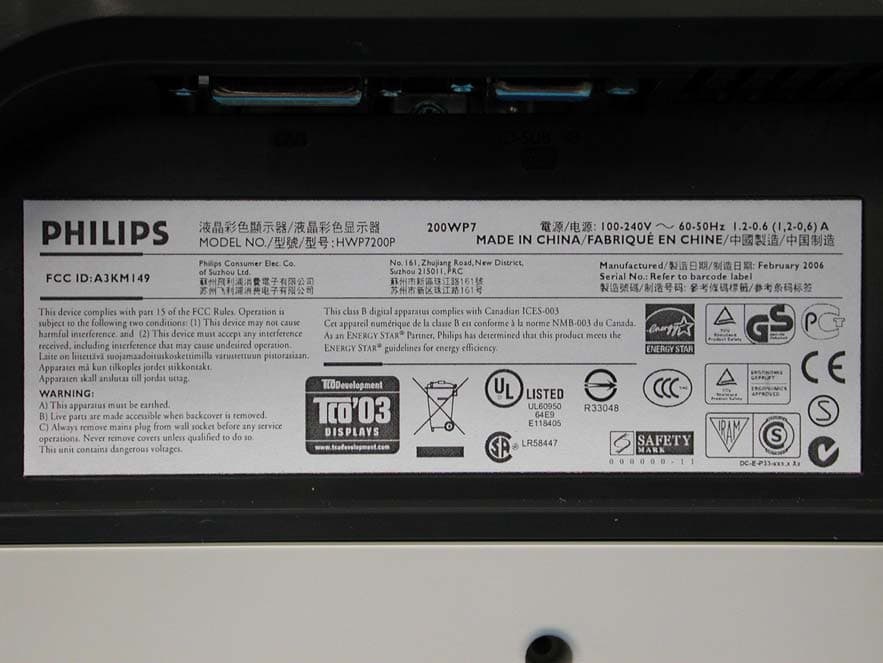
A3KM149
Mar 16, 200620� LCD Monitor
Equipment Class
JBP - Part 15 Class B Computing Device Peripheral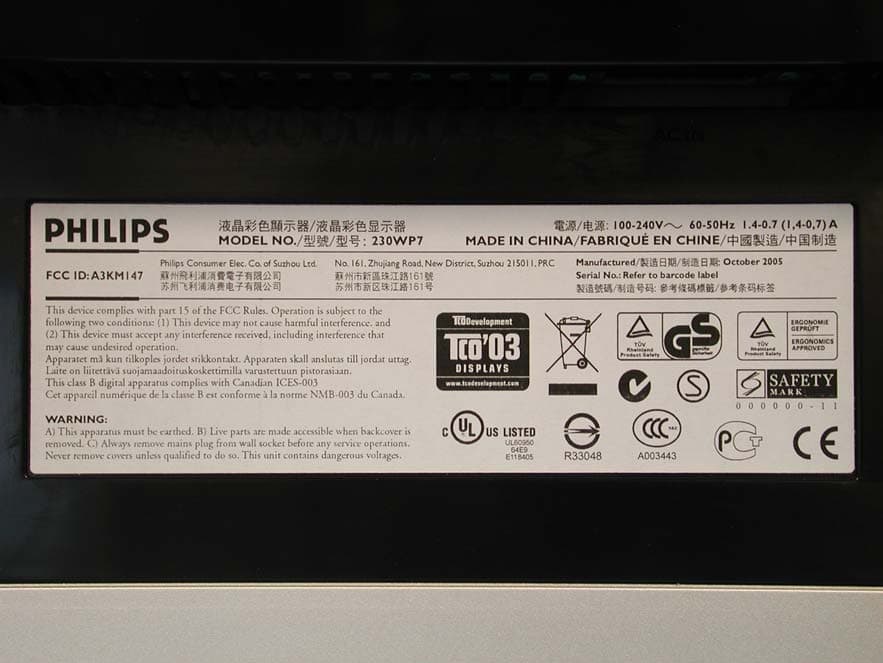
A3KM147
Nov 17, 2005LCD Monitor
Equipment Class
JBP - Part 15 Class B Computing Device Peripheral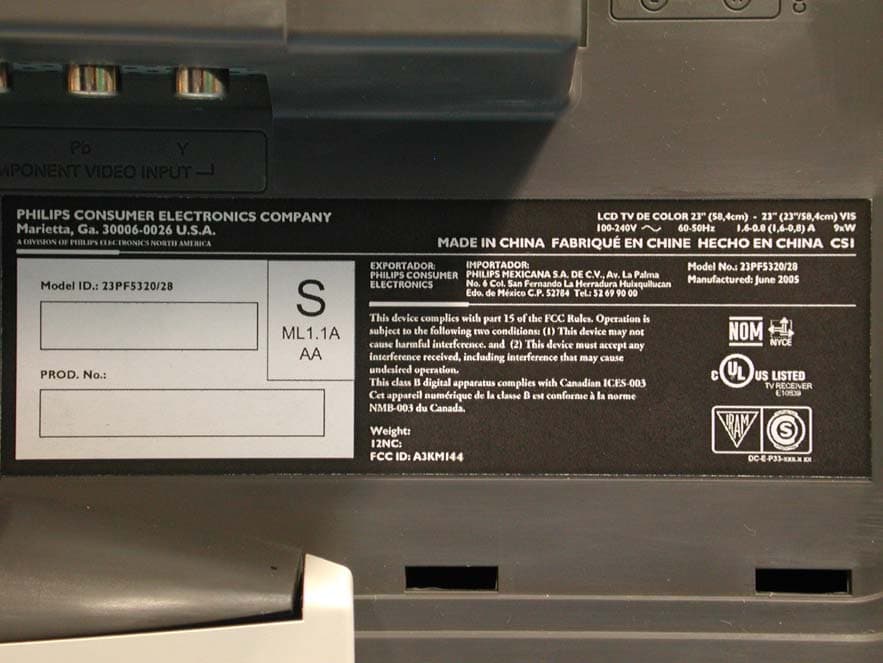
A3KM144
Jul 19, 2005LCD TV
Equipment Class
JBP - Part 15 Class B Computing Device Peripheral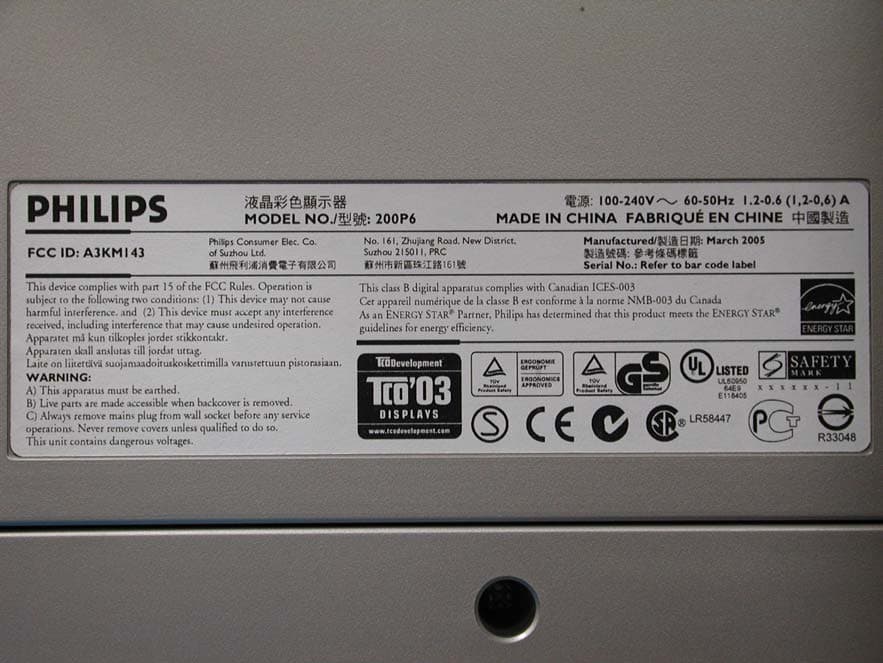
A3KM143
Apr 18, 2005Display Color Monitor
Equipment Class
JBP - Part 15 Class B Computing Device Peripheral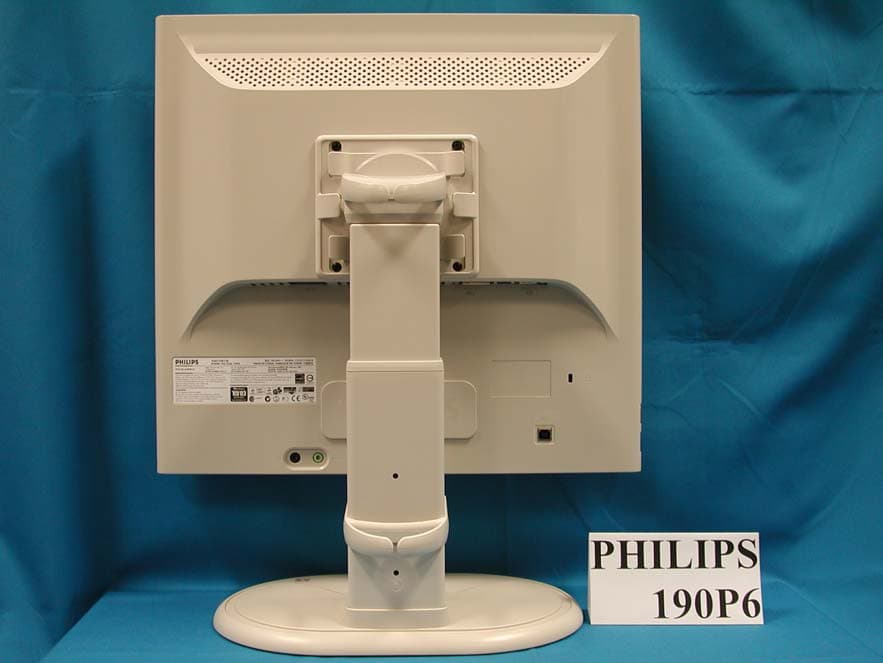
A3KM141
Mar 28, 2005Flat Panel Color Monitor
Equipment Class
JBP - Part 15 Class B Computing Device Peripheral