AL8-D640Bluetooth Headset
HP Inc.
Click to zoom
Application Details
- Equipment Class
- DSS - Part 15 Spread Spectrum Transmitter
- Date of Grant
- Jun 21, 2005
- Application Purpose
- Original Equipment
- Date of Application
- Jun 21, 2005
- Equipment Note
- Bluetooth Headset
- Frequency Range
- 2402.00000000 - 2480.00000000
- Company
- HP Inc.
- Country
- United States
Documents & Files
Document Text
Text extracted from the exhibit documents filed with the FCC. Open a document above to read the original.
Users Manual
PLANTRONICS DISCOVERY TM 640 BLUETOOTH ® HEADSET User Guide www.plantronics.com Plantronics Inc 345 Encinal Street Santa Cruz, CA 95060 USA Tel: (800) 544-4660 ©2005 Plantronics, Inc. All rights reserved. Plantronics, the logo design, and Plantronics and the logo design combined and Plantronics Discovery are trademarks or registered trademarks of Plantronics, Inc. The Bluetooth name and the Bluetooth trademarks are owned by Bluetooth SIG, Inc., and are used by Plantronics, Inc. under license. All other trademarks are the property of their respective owners. Printed in USA 69327-01 (05-05) 23 �������� ������� ���� �������� ����� WELCOME This User Guide provides instructions on the setup and usage of the Plantronics Discovery TM 640 Bluetooth ® Headset. COMPONENTS OF THE PLANTRONICS DISCOVERY 640 BLUETOOTH ® HEADSET Before getting started, please review the Safety Booklet included in your package. For additional help, service, or support information, refer to your product Warranty card or visit www.plantronics.com. ������������ ������� �������� ������ ��������������� ��������� ������������� ��������������� ������������ ������ ������� �������� ������� �������� ������ �������� ����� �������� �������������� �������� �������� ���������� ���������������� ��������� �������� ����� ������ ����� �������� ������� ���� �������� ����� ���������������������������������������������������� ����������������������������������������������������������� �������������������������������������������������������� �������� ��������������������������������������������������� CONNECTING THE COMPONENTS The Battery Charger and Charging Adapter connect to the Headset Carrying Pocket by pushing the two components together. Be sure that the indent on the attachment lines up with the shirt clip on the Headset Carrying Pocket. To separate the components, grasp both the Headset Carrying Pocket and attachment with the shirt clip facing you. Bend the outsides back and the components will snap apart. CAUTION: Do not twist components. CHARGING YOUR HEADSET The Plantronics Discovery 640 Headset must be charged for a minimum of 1 hour prior to use, up to 3 hours to fully charged. An AC Power Adapter is included. You may also charge the Headset using the AC Power Adapter for your cellular phone with the appropriate Charging Adapter or using a AAA battery. The Headset Status Indicator glows red during charging and turns off when fully charged. Using the Included AC Power Adapter 1. Plug the AC Power Adapter into the base of the Headset Carrying Pocket and connect it to your power source. 2. Insert the Headset into the Headset Carrying Pocket. Using the AC Adapter from your Cellular Phone 1. Select the appropriate Charging Adapter for your phone and connect the Charging Adapter to the base of the Headset Carrying Pocket. 2. Plug the AC Power Adapter for your phone into the Charging Adapter and connect the AC Power Adapter to your power source. 3. Insert the Headset into the Headset Carrying Pocket. “SNAP” 45 Using the AAA Battery One battery will operate the Headset for up to 15 hours of talk time. 1. Twist the bottom of the Battery Charger counter clockwise and release the Battery Holder. 2. Insert the Battery into the Battery Holder. 3. Slide the Battery Holder back into the Battery Charger and turn clockwise. 4. Snap Battery Charger to Headset Carrying Pocket. 5. Insert the Headset into the Headset Carrying Pocket. ”BEEP” PAIRING (LINKING) WITH YOUR CELLULAR PHONE Before using your Headset for the first time with your Bluetooth cellular phone or device, you must activate the link between the Headset and the cellular phone. Make sure the Headset is fully charged. • Look in your Bluetooth device manual for the section that describes how to set up a Bluetooth wireless connection. • Move through the menu selections on your phone until the phone display shows “Look for Devices” or equivalent, as a selection. 1. With your Headset turned off, hold down the Call Control Button until the Headset Status Indicator just TURNING THE HEADSET ON AND OFF 1. Turn on the Headset by pressing and holding the Call Control Button until the Headset Status Indicator glows blue. If you are wearing the Headset, you will hear a beep when the power turns on. The Headset Status Indicator will flash blue every 6 seconds when the Headset power is on. NOTE: When the Headset is turned on, the Headset Status Indicator will indicate the charge level of the Headset. Greater than 2/3 battery charge = 3 flashes red 1/3 to 2/3 battery charge = 2 flashes red Less than 1/3 battery charge = 1 flash red 2. Turn off the Headset by pressing the Call Control Button for 6-8 seconds until the Headset Status Indicator glows red or until you hear the beep. The Headset Staus Indicator remains unlit when the power is off. glows blue, then flashes red and blue. The Headset is now in discovery mode and will stay that way for 30 seconds. 2. On your phone, highlight and select “Look for Devices” or equivalent, to activate the scan for the Headset. 3. When the phone display shows the scan results, select “640 Plantronics”. The phone will continue to search for the Headset. 4. When the phone display asks for a passkey, type “0000” and press enter. Your Headset is now linked to your phone. To link or pair to multiple Bluetooth devices, repeat the steps above. ������ � � � � ���� ����������� ���� ��� ������ USING MULTIPOINT (MORE THAN ONE BLUETOOTH DEVICE) Plantronics Discovery 640 supports Multipoint technology, which permits simultaneous connections with two different Bluetooth audio devices. To pair another Bluetooth device: repeat the steps above. Initiate a call: The headset will assume you wish to initiate a call on the device recently used. To use the second device, initiate the call using the controls on the second device. The second device will form the link with the headset. Answer a call: An incoming call on either device will ring through the headset. In most cases, the ring t…
Text truncated - open the document above for the full version.
Attestation Statements
InternationalTypeApprovals Authorization(PowerOfAttorney) I CfIIGJlt(lTM Authorization(PowerofAttorney) We, authorizethepresented CETECOMlocationsI offices Plantronics,Inc. 345Encinalstreet SantaCruz,Ca,95060 CETECOM,Inc. 411DixonLandingRoad Milpitas,California95035 UnitedStatesof America CETECOMICTServicesGmbH UnterturkheimerStrasse6-10 0-66117Saarbrucken Germany CentrodeTecnoloqiadelasComunicaciones(Cetecom),SA PTA -C/SeveroOchoa,2 29590Campanillas,Malaga Spain toactasouragentandtoprocessandsignonourbehalfforallnecessarydocumentsrequired forthecertificationofPlantronics'Discovery640productwhichconsistofFCC,IC,ETSI,CEand NationaldeviationsforapprovalactivitiesinthecountriesofUSA,Canada,Austria,Belgium, Denmark,Finland,France,Germany,Greece,Ireland,Iceland,Italy,Liechtenstein,Luxembourg, TheNetherlands,Norway,Portugal,Spain,Sweden,Switzerland,UnitedKingdom,NewZealand, Australia,Japan,SouthKorea,Philippines,Taiwan,Thailand,HongKong,China,Singapore, SouthAfrica,Mexico,Argentina,Brazil,Chile,Columbia,Venezuela,andPerurequestedby acceptanceand/orpurchaseorders. Thisauthorizationis applicableforthe product(s) Name:TomHendricks Title:VPof Qualitv Plantronics0640BluetoothHeadsets. /~ Signature Company:Plantronics.Inc. Address:345Encinalstreet [email protected] Phone(831)458-7379 Mav2. 2005 Date SantaCruz,Ca. Place ITA- PowerofAttorneyTahitL5-2-05 2005-05-02
Cover Letter(s)
. !~!!e~Cr!2i~!e~!~ FederalCommunicationCommission EquipmentAuthorizationDivision,ApplicationProcessingBranch 7435OaklandMillsRoad Columbia,MD21048 May2,2005 TOWHOMITMAYCONCERN PursuanttoParagraphs§0.457and0.459oftheCommission'sRules(47C.P.R.)andSection§552(b)(4)of theFreedomofInformationAct,PlantronicsInc.requestsconfidentialityforthefollowingproducts: FCCIDNumberProductTitielModel AL8-D640BluetoothHeadsetJD640 Fortheproductstatedabove,werequestthatthefollowinginformationbeheldconfidential: 1)ElectricalSchematicsoftheCircuitry 2)PartsList(BillofMaterials) 3)BlockDiagram 4)Operationaldescription Nootheritemssubmittedaspartoftheequipmentauthorizationfilingprocessaredeemedconfidential.The aboveexhibitscontainPlantronicsInc.tradesecretsandproprietaryinformationthatcouldbeofbenefitto ourcompetitorsregardingthedesignofourmobilehandset.Thismaterialis notcustomarilyavailabletothe generalpublicandwerequestthatit bewithheldfrompublicinspection. Ifyouhaveanyquestions,pleasefeelfreetocontactmeattheaddressshownbelow. Sincerely, ~A TomHendricks VPQuality
External Photos
EUT photo EUT photo
ID Label/Location Info
© 2005 2 0 0 5 ARTMASTER REV. LEVEL: REF. PART #: DESCRIPTION: PREPARED BY: DATE: PMS COLOR #: 68039-XX (Body, Painted, Tahiti) S. Ham June, 03, 2005 Tahiti laser etching: R/L & regulatory artwork 69358-00 N/A 27 1:1 reference Scale: 1:1 Plantronics Discovery 640 FCC ID: AL8-D640 IC:457A-D640 SW MYY R L R XXXXXXXXXXX Plantronics Discovery 640 FCC ID: AL8-D640 IC:457A-D640 SW MYY R L R XXXXXXXXXXX
Internal Photos
PCB – Top view PCB – Top view PCB – Bottom view
Test Report
TTI-P-G 081/94-A0 Accredited according to ISO/IEC 17025 Bluetooth Qualification Test Facility (BQTF) FCC listed # 101450 IC recognized # 3925 CETECOM Inc. 411 Dixon Landing Road Milpitas, CA 95035 U.S.A. Phone: + 1 (408) 586 6200 Fax: + 1 (408) 586 6299 E-mail: [email protected] http://www.cetecom.com CETECOM Inc. is a Delaware Corporation with Corporation number: 2113686 Board of Directors: Dr. Harald Ansorge, Dr. Klaus Matkey, Hans Peter May V1.1 2003-03-01 The BLUETOOTH trademarks are owned by Bluetooth SIG, Inc., U.S.A. and licensed to CETECOM Inc. © Copyright by CETECOM FCC Test Report Test report no.: EMC_906FCC15.247_2005_D640 FCC Part 15.247 for FHSS systems / CANADA RSS-210 Model: D640 FCC ID: AL8-D640 IC: 457A-D640 Test report no.: EMC_906FCC15.247_2005_D640 Issue date: 2005-05-16 Page 2 (54) Table of Contents 1 General information 1.1 Notes 1.2 Testing laboratory 1.3 Details of applicant 1.4 Application details 1.5 Test item 1.6 Test standards 2 Technical test 2.1 Summary of test results 2.2 Test report 1 General information 1.1 Notes The test results of this test report relate exclusively to the test item specified in 1.5. The CETECOM Inc. USA does not assume responsibility for any conclusions and generalizations drawn from the test results with regard to other specimens or samples of the type of the equipment represented by the test item. The test report may only be reproduced or published in full. Reproduction or publication of extracts from the report requires the prior written approval of the CETECOM Inc USA. TEST REPORT PREPARED BY: EMC Engineer: Harpreet Sidhu 1.2 Testing laboratory CETECOM Inc. 411 Dixon Landing Road, Milpitas, CA-95035, USA Phone: +1 408 586 6200 Fax: +1 408 586 6299 E-mail: [email protected] Internet: www.cetecom.com Test report no.: EMC_906FCC15.247_2005_D640 Issue date: 2005-05-16 Page 3 (54) 1.3 Details of applicant Name : Plantronics, Inc. Street : 345 Encinal St. City / Zip Code : Santa Cruz / 95060 Country : USA Contact : Edward F. Godstein Telephone : +831 458 4476 Fax : +831 429 5731 e-mail : [email protected] 1.4 Application details Date of receipt test item : 2005-04-21 Date of test : 2005-04-21/22/25/26/27 1.5 Test item Marketing Name : Tahiti Model No. : D640 Description : BT Headset HW / SW version : 30 / 3.06 FCC-ID : AL8-D640 IC ID : 457A-D640 Additional information Frequency : 2402MHz – 2480MHz Type of modulation : GFSK Number of channels : 79 Antenna : Printed Meandering Line (ML) Power supply : Lithium Ion Polymer Battery (60mAH) Output power : -0.1dBm (0.977mW) max. conducted peak power Extreme vol. Limits : 3.4 – 4.2VDC (3.7 nominal) Extreme temp. Tolerance : 0ºC-50ºC 1.6 Test standards: FCC Part 15 §15.247 (DA00-705) / RSS 210 Note: All radiated measurements were made in all three orthogonal planes. The values reported are the maximum values. Test report no.: EMC_906FCC15.247_2005_D640 Issue date: 2005-05-16 Page 4 (54) 2 Technical test 2.1 Summary of test results No deviations from the technical specification(s) were ascertained in the course of the tests Performed Final Verdict: (only “passed” if all single measurements are “passed”) Passed Technical responsibility for area of testing: 2005-05-16 EMC & Radio Lothar Schmidt (EMC Manager) Date Section Name Signature Responsible for test report and project leader: 2005-05-16 EMC & Radio Harpreet Sidhu (EMC Engineer) Date Section Name Signature Test report no.: EMC_906FCC15.247_2005_D640 Issue date: 2005-05-16 Page 5 (54) 2.2 Test report TEST REPORT Test report no.: EMC_906FCC15.247_2005_D640 Test report no.: EMC_906FCC15.247_2005_D640 Issue date: 2005-05-16 Page 6 (54) TEST REPORT REFERENCE LIST OF MEASUREMENTS PAGE CARRIER FREQUENCY SEPERATION §15.247(a) 7 NUMBER OF HOPPING CHANNELS §15.247(a) 8 TIME OF OCCUPANCY (DWELL TIME) §15.247(a) 12 SPECTRUM BANDWIDTH OF FHSS SYSTEM §15.247(a) 15 MAXIMUM PEAK OUTPUT POWER § 15.247 (b) (3) 19 BAND EDGE COMPLIANCE §15.247 (d) 27 EMISSION LIMITATIONS §15.247 (d) 31 CONDUCTED EMISSIONS § 15.107/207 46 RECEIVER SPURIOUS RADIATION § 15.209 47 TEST EQUIPMENT AND ANCILLARIES USED FOR TESTS 52 BLOCK DIAGRAMS 53 Test report no.: EMC_906FCC15.247_2005_D640 Issue date: 2005-05-16 Page 7 (54) CARRIER FREQUENCY SEPERATION §15.247(a) Test report no.: EMC_906FCC15.247_2005_D640 Issue date: 2005-05-16 Page 8 (54) NUMBER OF HOPPING CHANNELS §15.247(a) The number of hopping channels is 79 (see next 4 plots) The right red line corresponds to the left red line from the next plot. Plot 1: Total 24 Test report no.: EMC_906FCC15.247_2005_D640 Issue date: 2005-05-16 Page 9 (54) Plot 2: Total 25 Test report no.: EMC_906FCC15.247_2005_D640 Issue date: 2005-05-16 Page 10 (54) Plot 3: Total 20 Test report no.: EMC_906FCC15.247_2005_D640 Issue date: 2005-05-16 Page 11 (54) Plot 4: Total 10 Test report no.: EMC_906FCC15.247_2005_D640 Issue date: 2005-05-16 Page 12 (54) TIME OF OCCUPANCY (DWELL TIME) §15.247(a) DH1 – Packet The system makes worst case 1600 hops per second or 1 time slot has a length of 625μs with 79 channels. A DH1 Packet need 1 time slot for transmitting and 1 time slot for receiving. Then the system makes worst case 800 hops per second with 79 channels. So you have each channel 10.13 times per second and so for 31.6 seconds you have 320.108 times of appearance. Each Tx-time per appearance is 444.89μs. So we have 320.108 * 444.89μs = 142.41ms per 31.6 seconds. Test report no.: EMC_906FCC15.247_2005_D640 Issue date: 2005-05-16 Page 13 (54) TIME OF OCCUPANCY (DWELL TIME) §15.247(a) DH3 – Packet A DH3 Packets need 3 time slots for transmit and 1 for receiving, then the system makes worst case 400 hops per second with 79 channels. So you have each channel 5.1 times per second and so for 31.6 seconds you have 161.16 times of appearance. Each Tx-time per appearance is 1.7ms. So we have 161.16 * 1.7ms = 273.97ms per 31.6 seconds. Test report no.: EMC_906FCC15.247_2005_D640 Issue date: 2005-05-16 Page 14 (54) TIME OF OCCUPANCY (DWE…
Text truncated - open the document above for the full version.
Test Setup Photos
Test setup – Radiated Emissions Test setup – Radiated Emissions Test setup – AC Line Conducted Emissions Test setup – RF conducted measurements
Contact Information
Applicant
Richard Tarsio(US/CAN TRSE Worldwide Technical Regulations)
Test Firm
Cetecom Inc.Lothar Schmidt
Technical Specifications
| # | Rule Parts | Frequency Range | Power Output |
|---|---|---|---|
| 1 | 15C | 2.40 GHz - 2.48 GHz | 977.00 µW |
Other Applications from HP Inc.
AL8-PWPTF620P
Feb 03, 2026Wireless Charge Stand
Equipment Class
DCD - Part 15 Low Power Transmitter Below 1705 kHzAL8-PBF620F
Jan 23, 2026Bluetooth Headset
Equipment Class
DTS - Digital Transmission SystemAL8-PBVOYX2
Jun 20, 2024Bluetooth Base
Equipment Class
DTS - Digital Transmission System
AL8-VF2R
Mar 07, 2024Wireless Bluetooth Earphones
Equipment Class
DTS - Digital Transmission System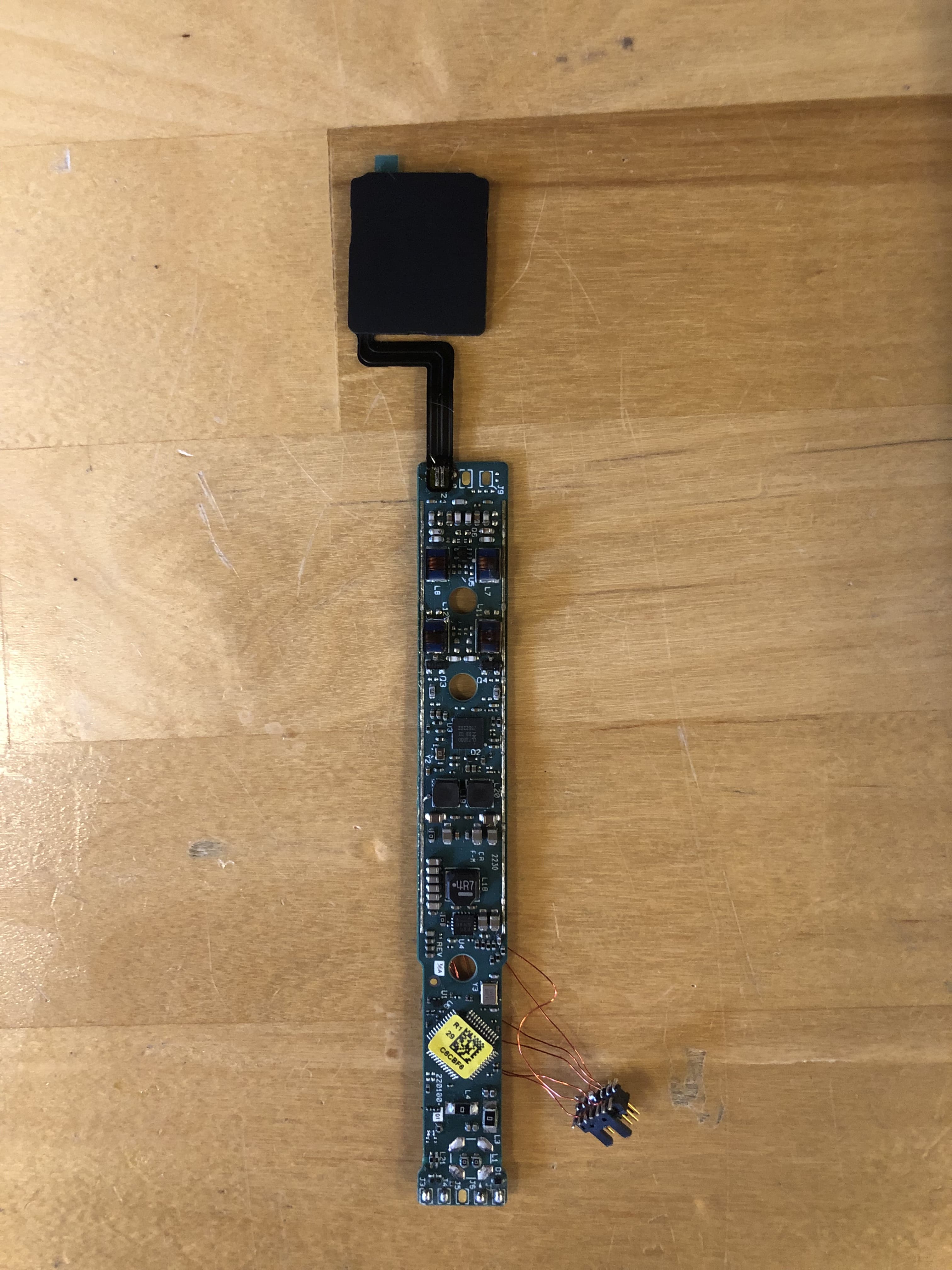
AL8-CBVS1
Oct 16, 2023Wireless Charge Stand
Equipment Class
DXX - Part 15 Low Power Communication Device Transmitter