EHABTS080-16820 Printer with Bluetooth Transmitter
Intermec Technologies Corporation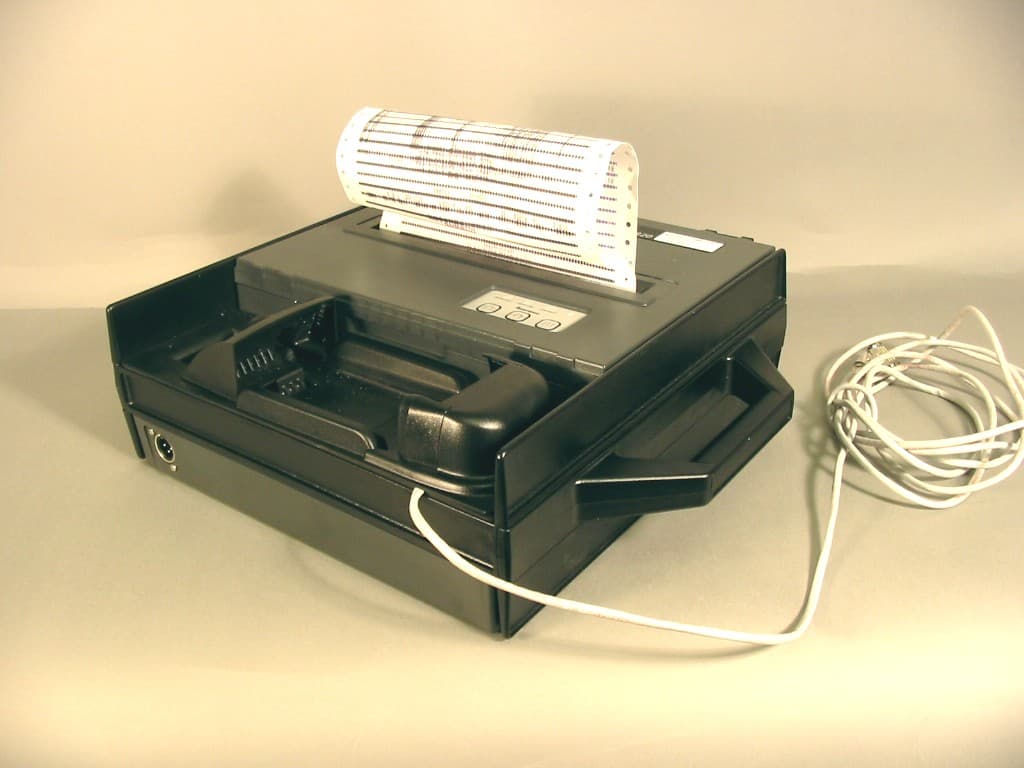
Click to zoom
Application Details
- Equipment Class
- DTS - Digital Transmission System
- Date of Grant
- Jul 06, 2004
- Application Purpose
- Original Equipment
- Date of Application
- Jul 06, 2004
- Equipment Note
- 6820 Printer with Bluetooth Transmitter
- Frequency Range
- 2402.00000000 - 2480.00000000
- Country
- United States
Documents & Files
Document Text
Text extracted from the exhibit documents filed with the FCC. Open a document above to read the original.
Users Manual
Introduction—Chapter 1 21700 Series Color Mobile Computer User’s Manual For Units With PSM Build 3.00 or Newer Do the following to enable the vibrator for the 700 Color Computer. Tap Start>Settings>theSystemtab>theIntermec Settingsicon. Tap the 700 Settingsfolder twice, tap (+) to expand theBeeperfolder, then tap (+) to expand theVibrateoption. Select an item, then tap (+) to close this op- tion. Note:Information about the settings you can configure with the Intermec Settings control panel applet is described in theIntermec Computer Com- mand Reference Manual. The online manual is available from the Intermec web site at www.intermec.com Wireless Network Support Radios are installed at the factory and cannot be installed by a user. The 700 Color Computer must be serviced to install or replace radios. Contact your Intermec representative for more information. See Chapter 4, “Net- work Support” for information about supported radios. Note:Changes or modifications not expressly approved by the party re- sponsible for compliance could void the user’s authority to operate the equipment.
Users Manual
700 Series Color Mobile Computer User's Manual ii700 Series Color Mobile Computer User’s Manual Intermec Technologies Corporation Corporate HeadquartersTechnical Communications Department 6001 36th Ave. W.550 Second Street SE Everett, WA 98203Cedar Rapids, IA 52401 U.S.A.U.S.A. www.intermec.com The information contained herein is proprietary and is provided solely for the purpose of allowing customers to operate and service Intermec-manufactured equipment and is not to be released, reproduced, or used for any other purpose without written permission of Intermec. Information and specifications contained in this document are subject to change without prior notice and do not represent a commitment on the part of Intermec Technologies Corporation. E2002 by Intermec Technologies Corporation. All rights reserved. The word Intermec, the Intermec logo, Norand, ArciTech, CrossBar, Data Collection Browser, dcBrowser, Duratherm, EasyCoder, EasyLAN, Enterprise Wireless LAN, EZBuilder, Fingerprint, i-gistics, INCA (under license), InterDriver, Intermec Printer Network Manager, IRL, JANUS, LabelShop, Mobile Framework, MobileLAN, Nor*Ware, Pen*Key, Precision Print, PrintSet, RoutePower, TE 2000, Trakker Antares, UAP, Universal Access Point, and Virtual Wedge are either trademarks or registered trademarks of Intermec Technologies Corporation. Throughout this manual, trademarked names may be used. Rather than put a trademark (™or®) symbol in every occurrence of a trademarked name, we state that we are using the names only in an editorial fashion, and to the benefit of the trademark owner, with no intention of infringement. There are U.S. and foreign patents pending. Microsoft, Windows, and the Windows logo are registered trademarks of Microsoft Corporation in the United States and/or other countries. Bluetooth is a trademark of Bluetooth SIG, Inc., U.S.A. This product includes software developed by the OpenSSL Project for use in the OpenSSL Toolkit (http://www.opensssl.org/). This product includes cryptographic softwarewritten by Eric Young ([email protected]). iii700 Series Color Mobile Computer User’s Manual Document Change Record This page records changes to this document. The document was originally released as Revision A. RevisionDateDescription of Change B11/2002Added information about the Siemens MC45 radio module, the tethered scanner, CAB extraction, FTP Server parameters, and Data Collection control panel applet imager op- tions. C04/2003Added information about the ambient light sensor, the beeper, keypad sequences, the alphanumeric keypad, the vibrator, an accessories list, programming notifications, the MaxiCode symbology, the Utilities control panel applet, and the Wireless Network con- trol panel applet. D08/2003Upgraded Pocket PC 2002 information to Windows Mobile 2003, upgraded all illustra- tions to gray-scale, added new Imager functions, moved the Automatic Data Collection COM Interface material to the SDK User’s Manual. E01/2004Added 730 Computer information, revised CDMASetup information, and revised Wire- less Area Network Printing information. F04/2004Updated 802.11 security supplicant information. Added new network selection APIs. Incorporated information about the Intermec Settings control panel applet for PSM Builds 3.00 or newer. Added information about the PhoneUtility application. Revised Chapter 4, “Network Support.” Added tethered scanner and internal scanner configura- tion and troubleshooting information to Chapter 6, “Scanner Support.” G10/2004Added information about resetting the 700 Series Computer. Updated the Profile Wizard information in Appendix A, “Configurable Settings.” Revised information about using Sprint Watcher in Chapter 4, “Network Support.” Added information about the 700CXL Computer, including the Phone CDMA and Phone GSM applications. iv 700 Series Color Mobile Computer User’s Manual Contents v700 Series Color Mobile Computer User’s Manual Contents Before You Beginxvii............................................................ Safety Summaryxvii...................................................... Donotrepairoradjustalonexvii...................................... First aidxvii...................................................... Resuscitationxvii.................................................. Energized equipmentxvii............................................ Safety Iconsxviii.......................................................... Global Services and Supportxix.............................................. Warranty Informationxix............................................ Web Supportxix................................................... Telephone Supportxix............................................... WhoShouldReadthisManual?xx........................................... Related Documentsxx..................................................... Introduction1............................................................... Ambient Light Sensor2.......................................................... Audio System3................................................................. Speaker3............................................................... Microphone4........................................................... External Headset Jack4.................................................... Battery5...................................................................... Beeper7...................................................................... Enable the Beeper7....................................................... Disable the Scanner Mute8................................................. Select a Beeper Volume9................................................... Disable the Beeper10..................................................... Keypad11..................................................................... Backlight for Keypad11.................................................... Key Sequences12............................................…
Text truncated - open the document above for the full version.
Users Manual
203700 Series Color Mobile Computer User’s Manual Scanner Support 6 The 700 Series Color Mobile Computer is available with imaging or laser scanning technologies, including the following: APS Linear Imager:(standard for 730 Computers) — includes the EV10 Scan Engine Reads 1D symbologies and PDF417 bar codes. Linear imaging using Vista Scanning technology reads low-con- trast bar codes, laminated bar codes, and bar codes dis- played on CRT or TRT displays. This imaging uses harmless LEDs for illumination and does not require any warning labels. Vista Scanning is more reliable than la- sers as it is a completely solid state with no moving parts or oscillating mirrors. 2D Imager:(not supported on 730 Computers) — includes the IT4000 Scan Engine This decodes several stacked 1D and 2D symbologies, including PDF417, Data Matrix, and MaxiCode without “painting.” It can also read 1D codes from any orienta- tion, for example the scan beam does not need to align perpendicular to the symbol to read it. Photography is a secondary application; the lens in the device favors bar code reading. Photos are 640x480, 256 gray-scale. 1D Laser Scanner:(not supported on 730 Computers) — includes the SE900, SE900HS, SE900-S6, and SE900HS-S6 scan engines Traditional laser scanner that decodes 1D bar codes. PDF417 Laser Scanner:(not supported on 730 Computers)Higher speed laser scanner that can read PDF417 labels by “painting” the label. A 700 Color Imager Demo application demonstrates the more common features of the 700 Color Computer imager. See theImager Demo V1.0 User’s Guideon theIntermec Developer’s Library CDfor information. Scanner SupportChapter —6 204700 Series Color Mobile Computer User’s Manual Scanner Control and Data Transfer Note: To use the methods described below, enable Data Collection func- tionality on the 700 Computer using the bootloader configuration menu. The Data Server and associated software provide several ways to manipu- late scanner control and data transfer between the scanner subsystem and user applications: SAutomatic Data Collection COM Interfaces: These COM interfaces allow user applications to receive bar code data, and configure and control the bar code reader engine. SITCAxBarCodeReaderControl functions: These ActiveX controls allow user applications to collect bar code data from the scanner, to configure the scanner, and to configure audio and visual notification when data arrives. SITCAxReaderCommand functions: Use these ActiveX controls to modify and retrieve configuration infor- mation using the reader interface commands. SScanning EasySet bar code labels: You can use the EasySet R bar code creation software from Intermec Technologies Corporation to print configuration labels. Scan the labels to change the scanner configuration and data transfer settings. For more information, see theSDK User’s Manualprovided with your Windows CE/PocketPC SDK. EasySet Software Use the Intermec EasySet software to print configuration labels you can scan to change your configuration settings. For more information, see the EasySet online help. EasySet is available from the Intermec Data Capture web site. 6 Scanner Support—Chapter 205700 Series Color Mobile Computer User’s Manual Data Collection Configuration For Units with PSM Builds Older than 3.00 Scanner settings for the 700 Series Computer can be configured via the Data Collectioncontrol panel applet. From the 700 Series Computer, tap Start>Settings>theSystemtab >Data Collection.SeeAppendix A, “Configurable Settings” for more information about the following parame- ters. Note that these are in alphabetical order. SCodabar(page 304) SCode 11(page 318) SCode 128(page 307) SCode 128 Options(page 308) SCode 128 FNC1 Character(page 309) SCode 39(page 302) SCode 93(page 306) SCode 93 Length(page 306) SData Matrix(page 320) SInterleaved 2 of 5(page 315) SMatrix 2 of 5(page 316) SMaxiCode(page 321) SMSI(page 311) SPDF417(page 312) SMacro PDF(page 312) SMicro PDF417(page 314) SPlessey(page 310) SQR Code(page 319) SStandard 2 of 5(page 303) STelepen(page 317) SUPC/EAN(page 305) For Units With PSM Build 3.00 or Newer You can configure scanner settings for the 700 Series Computer via the Intermec Settings control panel applet. From the 700 Series Computer, tapStart>Settings>theSystemtab>theIntermec Settingsicon. See the Intermec Computer Command Reference Manual(P/N: 073529) for infor- mation about the settings you can configure with this applet. This online manual is available from the Intermec web site at www.intermec.com. Scanner SupportChapter —6 206700 Series Color Mobile Computer User’s Manual Internal Scanners The Intermec Internal Scanner feature allows Automatic Data Collection (ADC) by accepting data from the COM1 port and wedging it into the keyboard interface. You can enable or disable this feature from the Today screen on the 700 Series Computer. For Units With PSM Build 3.00 or Newer Do the following before you configure your internal scanner from the In- termec Settings control panel applet. Information about the settings you can configure with this applet is described in theIntermec Computer Com- mand Reference Manual. The online manual is available from the Intermec web site at www.intermec.com. 1From the 700 Series Computer, tapStart>Settings>theSystemtab > theIntermec Settingsicon. 2Double-tap theScanners, Symbologiesfolder, then expand (+) the Internal Scanneroption.This sample screen is for the IT4000 scan engine. 6 Scanner Support—Chapter 207700 Series Color Mobile Computer User’s Manual Scanner and Imager Settings Depending on what is selected as the scanner model, image settings, de- code security, scanner settings, and virtual wedge are configured from the Intermec Settings applet. See the theIntermec Computer Command Refer- ence Manual, available from the Intermec web site at www.intermec.com, for more information about each enabled option. Internal Scanner Supported Symbologies See the following table for a guideline and A…
Text truncated - open the document above for the full version.
Attestation Statements
6001 36 th Avenue West Everett, Washington 98203 United States tel 425.348.2600 fax 425.355.9551 www.intermec.com 18-JUN-2004 To whom it may concern: This letter is intended to explain the usage of the Intermec Technologies Corporation 6820 printer. The 6820 printer is designed to print 8.5” x 11” letter sized receipts. It can be used in permanent or vehicle mounted applications. The 6820 can be powered by an optional attached AC adapter, or from a vehicle’s power system. The 6820 has provisions for an Intermec hand held computer terminal to be held in a built-in docking station that allows terminal battery charging and data communications from the terminal to the printer. A typical use of this printer is in a “Route Delivery” inventory control system. The Intermec hand held computer processes the inventory delivery information, and the 6820 prints the invoice for the delivery driver to give the customer when the delivery has been completed. The 6820 printer can be temporarily operated from an integrated battery pack if the driver plans to carry the printer from the delivery vehicle onto the customer site to print the receipt. The internal battery and carrying handle are both options for the 6820 printer. The size of the 6820 printer precludes it from body or head worn usage. Intermec also provides only the optional carrying handle for portable printing applications, no method (belt clip, holster, shoulder strap, etc.) of carrying this printer near the body or head is available. The dimensions of the 6820 printer in the portable configuration are: Length: 16.75” Width: 19.00” Depth: 8.00” Weight: 12.75 lbs. Please contact me using the information below if there are any questions. Sincerely, Scott J. Holub Regulatory Compliance Engineer III Intermec Technologies Corporation 550 Second Street S.E. Cedar Rapids, IA 52401 USA tel: 319.369.3865 fax: 319.369.3299 email [email protected]
Cover Letter(s)
6001 36 th Avenue West Everett, Washington 98203 United States tel 425.348.2600 fax 425.348.2633 www.intermec.com November 03, 2003 To Whom It May Concern: Intermec Technologies, Corp., the undersigned, hereby authorizes Northwest EMC, Inc., to act on our behalf, as our agent, in the following matters related to the FCC and Industry Canada approval of our products: report submittal, related correspondence, the signing of all documents relating to these matters, and any other lawful activity necessary to obtain such certification. Any act carried out by Northwest EMC, Inc. within the scope of this authorization shall have the same affect as our own. This authorization shall expire 12 months from original date. If you have any questions, regarding this application, please feel free to contact me (phone: 425 348 2600, fax: 425 348 2633, email: [email protected] ). Sincerely, Cheryl D. White Compliance Engineer Intermec Technologies Corp.
Cover Letter(s)
NORTHWEST EMC, INC. 22975 NW Evergreen Parkway, Suite 400 Hillsboro, OR 97124 June 28, 2004 Dear Application Examiner: On behalf of Intermec Corporation, Northwest EMC Inc is submitting this application for the certification of Intermec’s 6820 printer with Bluetooth transmitter, FCC ID: EHABTS080-1. The radio will be used only as a mobile transmitter. The EUT can be configured with only one antenna. The antenna is a printed circuit board trace integral to the radio module, therefore it satisfies the requirements of 47 CFR 15.203. The 6820 printer includes a docking station for Intermec’s handheld computers, Models 700C and 730. The 700C contains previously certified co-located radio modules (FCC ID: HN22011B-2 (802.11b), HN2ABTM3-3 (Bluetooth), HN2SB555-2 (CDMA) or EHA700C-SMC45-1 (GSM)). CDMA and GSM radio modules can’t be installed in the same handheld computer. FCC ID: EHABTS0080 (Bluetooth) authorization is currently in process, The 730 contains previously certified co-located radio modules (FCC ID: EHABTM210 (Bluetooth) and EHA-802CF13 (802.11b)). Each radio transmits through its own antenna The technical reports and exhibits demonstrate compliance with FCC rules 47 CFR 15.247 as a DTS device. Your efforts in reviewing this application are greatly appreciated. Best regards, Greg Kiemel, Director of Engineering Northwest EMC, Inc.
Cover Letter(s)
Northwest EMC TCB Compliance Opinion Rev. 9/15/03 ITRM0026 Information about the Applicant Company Name Intermec Technologies Corporation Grantee 550 Second St. SE Address Cedar Rapids, IA 52401-2023 City, State, Zip Scott Holub Job Number ITRM0026 Model 6820 printer with Bluetooth Transmitter FCC ID EHABTS080-1 Agent Northwest EMC, Inc. Approval Type Original Grant Equipment Class DTS Rule Part 15.247 Overview This application is for the certification of Intermec’s 6820 printer with Bluetooth transmitter, FCC ID: EHABTS080-1. The radio will be used only as a mobile transmitter. The EUT can be configured with only one antenna. The antenna is a printed circuit board trace integral to the radio module, therefore it satisfies the requirements of 47 CFR 15.203. Recommendation All items have been resolved and completed to my satisfaction; therefore I recommend this application for approval. Signature Northwest EMC TCB Compliance Opinion Rev. 9/15/03 ITRM0026 Findings Specification Finding 15.201 The users manual or instruction manual for an intentional or unintentional radiator does not caution the user that changes or modifications not expressly approved by the party responsible for compliance could void the user's authority to operate the equipment. A revised user manual page has been submitted. Opinion Specification Requirements Description 2.1091, 15.247(b)(5) Systems operating under the provisions of this section shall be operated in a manner that ensures that the public is not exposed to radio frequency energy levels in excess of the Commission's guidelines. See § 1.1307(b)(1) of this chapter. Opinion: The Equipment meets the intent specified by the requirements listed above. Discussion: The Applicant has submitted test results in the form of an MPE Exhibit Reference: RF Exposure Exhibit Specification Requirements Description 15.247 Bandwidth Opinion: The Equipment meets the intent specified by the requirements listed above. Discussion: The Applicant has submitted test results in the form of a test report. Reference: Technical Report Specification Requirements Description 15.247 (b)(3) Power Output Opinion: The Equipment meets the intent specified by the requirements listed above. Discussion: The Applicant has submitted test results in the form of a test report. Reference: Technical Report Northwest EMC TCB Compliance Opinion Rev. 9/15/03 ITRM0026 Specification Requirements Description 15.247 (c) Spurious Emissions, Antenna Conducted Opinion: The Equipment meets the intent specified by the requirements listed above. Discussion: The Applicant has submitted test results in the form of a test report. Reference: Technical Report Specification Requirements Description 15.205, 15.209 Spurious Emissions, Radiated Emissions Opinion: The Equipment meets the intent specified by the requirements listed above. Discussion: The Applicant has submitted test results in the form of a test report. Reference: Technical Report Specification Requirements Description 15.247(d) Power Spectral Density Opinion: The Equipment meets the intent specified by the requirements listed above. Discussion: The Applicant has submitted test results in the form of a test report. Reference: Technical Report Specification Requirements Description 15.207 Conducted Emissions Opinion: The Equipment meets the intent specified by the requirements listed above. Discussion: The Applicant has submitted test results in the form of a test report. Reference: Technical Report Specification Requirements Description 15.247(c) Band Edge Compliance Opinion: The Equipment meets the intent specified by the requirements listed above. Discussion: The Applicant has submitted test results in the form of a test report. Reference: Technical Report Northwest EMC TCB Compliance Opinion Rev. 9/15/03 ITRM0026 Specification Requirements Description 2-15-02 FCC Procedure Bluetooth Common Items List Opinion: The Equipment meets the intent specified by the requirements listed above. Discussion: The Applicant has submitted test results in the form of a test report. Reference: Technical Reports Specification Requirements Description 15.203 Antenna Requirement Opinion: The Equipment meets the intent specified by the requirements listed above. Discussion: The Applicant has submitted test results in the form of a test report. Reference: Antenna Exhibit Specification Requirements Description 15.203 Co-Location Opinion: The Equipment meets the intent specified by the requirements listed above. Discussion: The Applicant has submitted test results in the form of a test report. Reference: Technical Reports
Cover Letter(s)
6001 36 th Avenue West Everett, Washington 98203 United States tel 425.348.2600 fax 425.355.9551 www.intermec.com 21-JUN-2004 CONFIDENTIALITY REQUEST CONTAINED WITHIN Federal Communications Commission Authorization and Evaluation Division 7435 Oakland Mills Road Columbia, Maryland 21046 Re: Application for Frequency Hopping Spread Spectrum Transceiver Certification To whom it may concern, Application: Intermec Technologies Corporation, 550 Second Street SE, Cedar Rapids, Iowa 52401-2029 herein submits for Certification of a Frequency Hopping Spread Spectrum Transceiver FCC ID: EHABTS080-1. Intermec is also the manufacturer of this equipment. Confidentiality: Pursuant to Section 0.459 of the Commission's rules (CFR 47), Intermec requests confidentiality for portions of the material contained in this application and that the identified material be withheld from public inspection following the grant of this authorization. This material contains Intermec trade secrets and confidential information that Intermec does not customarily release to the public and which is otherwise not generally available to the pubic. Confidentiality is requested for the following exhibits: • Operational Description • Schematics • Frequency Block Diagram Description: This equipment is a Bluetooth-enabled printer, which operates in the 2400-2483.5 MHz band. Contact Information: Please contact me by telephone at (319) 369-3865 or by e-mail ([email protected]) if there are questions or additional information needed concerning this filing. Yours truly, Scott J. Holub Regulatory Compliance Engineer III Intermec Technologies Corporation 550 Second Street S.E. Cedar Rapids, IA 52401 USA
Internal Photos
Component Side Solder Side Shields removed Radio (P/N BTS080) Location in the 6820 Printer 6820 Printer with 700C terminal holder unbolted and turned for viewing Aluminum mounting plate removed from bottom of terminal holder to show BTS080 module
Operational Description
Printed Antenna on Class 1 Board; w/ Adaptor Board and DC Power Cable -35-30-25-20-15-10 -5 0 0 5 10 15 20 25 30 35 40 45 50 55 60 65 70 75 80 85 90 95 100 105 110 115 120 125 130 135 140 145 150 155 160 165 170 175 180 185 190 195 200 205 210 215 220 225 230 235 240 245 250 255 260 265 270 275 280 285 290 295 300 305 310 315 320 325 330 335 340 345 350 355 2.40 GHz2.44 GHz2.48 GHz dBi Class 1 Board Printed Antenna on Class 1 Board; w/ Adaptor Board and DC Power Cable -30-25-20-15-10 -5 0 0 5 10 15 20 25 30 35 40 45 50 55 60 65 70 75 80 85 90 95 100 105 110 115 120 125 130 135 140 145 150 155 160 165 170 175 180 185 190 195 200 205 210 215 220 225 230 235 240 245 250 255 260 265 270 275 280 285 290 295 300 305 310 315 320 325 330 335 340 345 350 355 2.40 GHz2.44 GHz2.48 GHz dBi DB9 Conn Class 1 Board Azimuth PatternElevation Pattern Peak Gain (dBi) = -1.23075-1.78221-1.97694-2.006266 -1.037943 -1.065933 2.40 GHz 2.44 GHz 2.48 GHz2.40 GHz 2.44 GHz 2.48 GHz 0-18.90833 -16.87548 -14.46603-9.160888 -8.637012 -8.266529 5-16.43053 -14.62488 -12.54679-12.18249 -11.02493 -9.973262 10-13.34451 -13.28617 -11.10282-14.40816 -11.95577-10.7521 15-11.04139 -11.58832-9.72702-13.74909-10.7972 -10.33241 20-9.49914 -10.19664-8.69333-11.46982 -9.110342 -9.198091 25-8.85623-9.29336-8.12623-9.414347 -7.679699 -7.887162 30-9.04384-9.14629-7.99142-7.759455 -6.505565 -6.654611 35-9.70756-9.22085-8.27832-6.638519 -5.657063 -5.748193 40-10.69804-9.47839-8.83683-5.952101 -5.131969-5.29615 45-11.85154-9.80237-9.40099-5.65024 -4.918756 -5.200534 50-12.9903 -10.23013-9.91397-5.670627 -5.039235 -5.434415 55-13.20998 -10.69463-9.98839-5.937057 -5.381953 -5.856371 60-11.73517 -10.56776-9.4698-6.552597 -5.918911 -6.504365 65-9.47243-9.70472-8.38048-7.590194 -6.853382 -7.416608 70-7.53182-8.33001-7.19935-8.910665 -8.183635 -8.659559 75-6.16755-7.13913-6.14586-10.42473 -9.893233 -10.02584 80-5.3829-6.38536-5.43494-11.68897 -11.46568 -11.18159 85-4.96728-6.0421-5.14836-12.53023 -12.65121 -11.72974 90-4.94898-5.99836-5.03193-14.11737 -13.26988-12.1555 95-4.98571-6.14151-5.10165-14.10187 -12.97919 -11.63117 100-4.91408-6.17776-5.14745-13.84017 -12.41258 -10.86573 105-4.86398-6.05006-5.30721-13.07998 -11.72828-10.2828 110-4.59319-5.84495-5.29338-12.66905 -11.53302 -10.15465 115-4.55744-5.61679-5.25742-12.7061 -11.42801 -10.18248 120-4.32774-5.47679-5.22889-13.05774 -11.63955 -10.51116 125-4.09968-5.12597-4.83685-13.82859 -12.33357 -11.29422 130-3.89811-4.7884-4.47705-14.73351 -13.60728-12.7905 135-3.80568-4.42089-4.16006-15.32696 -15.37802 -14.95796 140-3.58144-3.88843-3.58152-14.98699 -16.63277 -16.82558 145-2.85991-3.35373-3.25342-13.31049 -15.90321 -16.95014 150-2.04258-2.6092-2.60989-10.95266 -13.01188 -14.32784 155-1.3288-1.96172-2.14151-8.52983 -9.756866 -10.90553 160-1.23075-1.78221-1.97694-6.683016 -7.304085 -8.092056 165-1.69033-2.02264-2.39589-5.707751 -5.979442 -6.363689 170-3.09561-3.38707-3.43096-5.350864 -5.467906 -5.629998 175-4.91304-5.45289-5.28217-5.250532 -5.273756 -5.297385 180-6.46996-7.50792-7.41312-4.890285 -4.918119 -4.987824 185-7.72069-8.72264-8.73844-4.444683 -4.278977 -4.514767 190-8.08717-9.06729-8.95171-4.13221 -3.702389 -3.997285 195-8.1149-8.76827-8.53858-4.196367 -3.528836 -3.765191 200-7.64759-7.93749-7.93323-4.59883 -3.640774-3.77934 205-6.65111-6.7968-7.42915-4.906649 -3.766038 -3.813608 210-5.82056-6.12461-7.06761-4.796404 -3.615267 -3.612649 215-5.6895-6.29285-7.36613-4.349221 -3.226615 -3.119839 220-6.34525-7.42664-8.24461-3.682412-2.66086 -2.520975 225-7.466-9.12939-9.3527-3.02958 -2.135429 -2.004283 230-8.56263 -10.71169-9.95031-2.503506 -1.742262-1.598 235-9.02471 -11.98958 -10.64188-2.147642 -1.486913 -1.264991 240-9.45566 -12.71879 -11.33033-2.017285 -1.365911 -1.135995 245-10.42724 -13.62161 -12.10431-2.006266 -1.348028 -1.065933 250-12.55382 -14.81553 -12.91481-2.069617 -1.435978 -1.072295 255-15.27255 -15.97942 -14.06627-2.12776 -1.543367 -1.110129 260-16.73935 -18.02638 -16.97203-2.201172 -1.563359 -1.172076 265-17.62684 -20.61219 -22.13693-2.268811 -1.531087 -1.234756 270-18.35336 -22.62857 -30.83386-2.330534 -1.465265 -1.217892 275-19.54445 -22.39594 -26.53411-2.346656 -1.379935 -1.190877 280-21.15634 -21.37083-21.6063-2.320439 -1.267069 -1.146373 285-20.75808-20.0518 -20.97058-2.236097-1.13625 -1.117978 290-19.88718 -19.71594 -21.53607-2.1497 -1.037943 -1.106237 295-19.78113 -21.34298 -20.74565-2.166465 -1.040048 -1.186365 300-18.81554 -18.92622-15.8756-2.342095 -1.177438 -1.391992 305-14.76333 -16.55734 -13.85727-2.659877 -1.410302 -1.767505 310-13.47836 -15.92768-13.4057-3.073546 -1.744359 -2.168527 315-13.23632-16.1478 -13.27369-3.485019-2.08368 -2.546265 320-14.08843 -17.02678 -13.53445-3.901876 -2.448459 -2.988078 325-15.1437 -18.21226 -13.61755-4.376491 -2.830161 -3.317284 330-16.24838 -19.23415 -14.26783-4.744809-3.09862-3.39607 335-18.07568 -21.47015 -15.84133-4.751252 -3.181208-3.2947 340-22.01998 -26.51514 -18.71548-4.627187 -3.197851 -3.281994 345-31.88361 -27.45321 -21.40433-4.831775 -3.599096 -3.694389 350-26.6679 -20.42361 -20.55158-5.531715 -4.592829 -4.695645 355-20.04409 -16.96845 -17.78216-6.936408 -6.318734 -6.279684 EIRP Calculation Nominal Tx Power Output = +14.0 dBm (25.1 mW) dBmmW 1425.11886432Typical 1639.81071706Max Freq (GHz) Peak Gain (dBi) EIRP (mW) 2.4-1.230.20 2.44-131.62 2.48-1.130.90
RF Exposure Info
Compliance with 47 CFR 15.247(b)(5) “Systems operating under the provisions of this section shall be operated in a manner that ensures that the public is not exposed to radio frequency energy levels in excess of the Commission's guidelines. See § 1.1307(b)(1) of this chapter.” The EUT will only be used with a separation distance of 20 centimeters or greater between the antenna and the body of the user or nearby persons and can therefore be considered a mobile transmitter per 47 CFR 2.1091 (b). No radiating structure will be within 2.5cm of the user’s hands or wrists. The EUT is categorically excluded from routine environmental evaluation per 47 CFR 2.1091(c). The MPE estimates are as follows: Table 1 in 47 CFR 1.1310 defines the maximum permissible exposure (MPE) for the general population…
Text truncated - open the document above for the full version.
Contact Information
Applicant
Brian Rudick(VP & GC, Honeywell Scanning & Mobility)
Technical Contact
Northwest EMC, Inc.Greg Kiemel
[email protected]503-844-4066
22975 NW Evergreen Parkway · Hillsboro, Oregon · United States
Non-Technical Contact
Northwest EMC, Inc.Vicki Albertson
[email protected]503-844-4066
Test Firm
Northwest EMC, Inc.Greg Kiemel
Technical Specifications
| # | Rule Parts | Frequency Range | Power Output |
|---|---|---|---|
| 1 | 15C | 2.40 GHz - 2.48 GHz | 13.90 mW |
Other Applications from Intermec Technologies Corporation
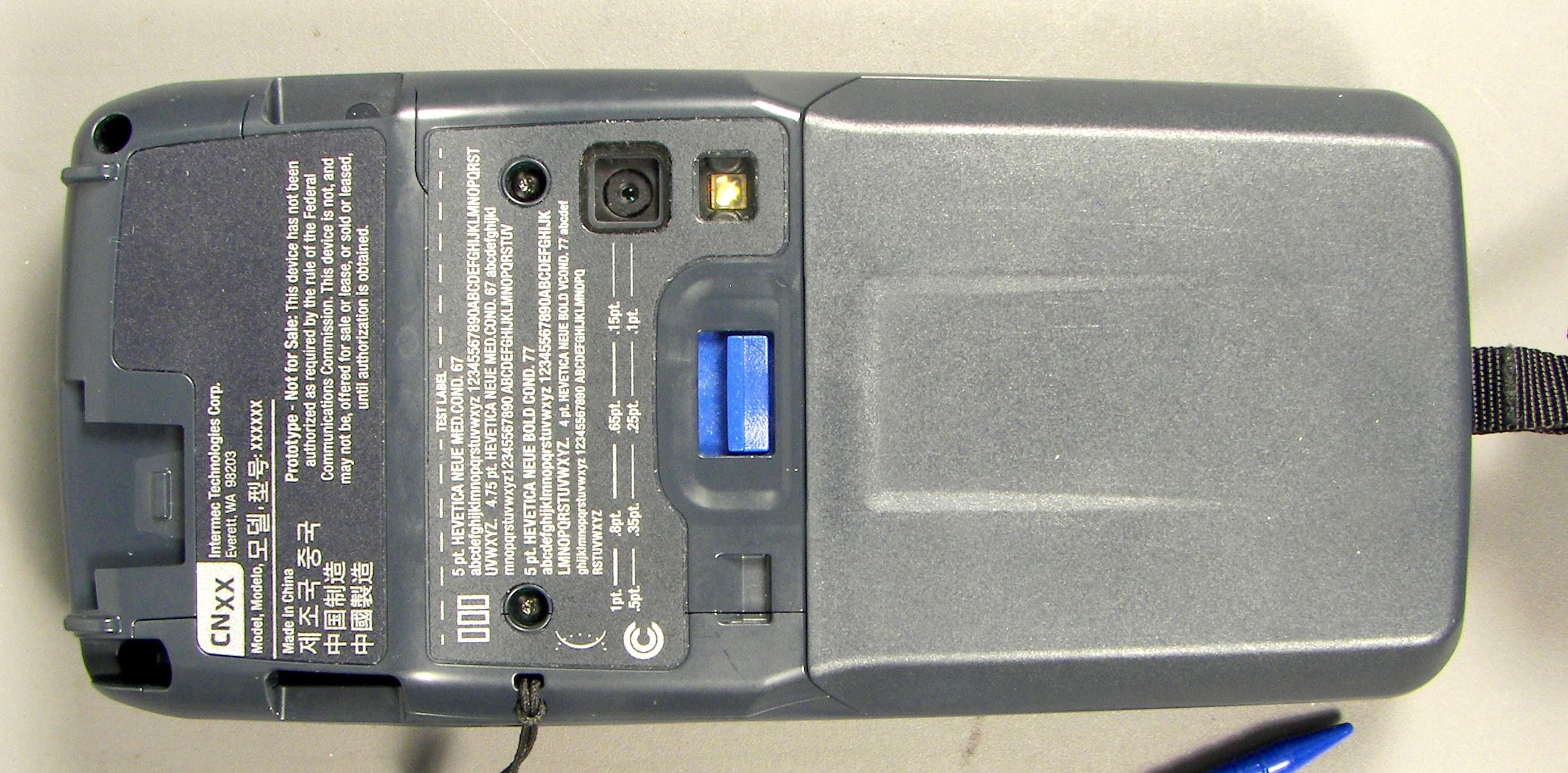
EHA-1015CP01X1
Sep 29, 20131015CP01
Equipment Class
NII - Unlicensed National Information Infrastructure TX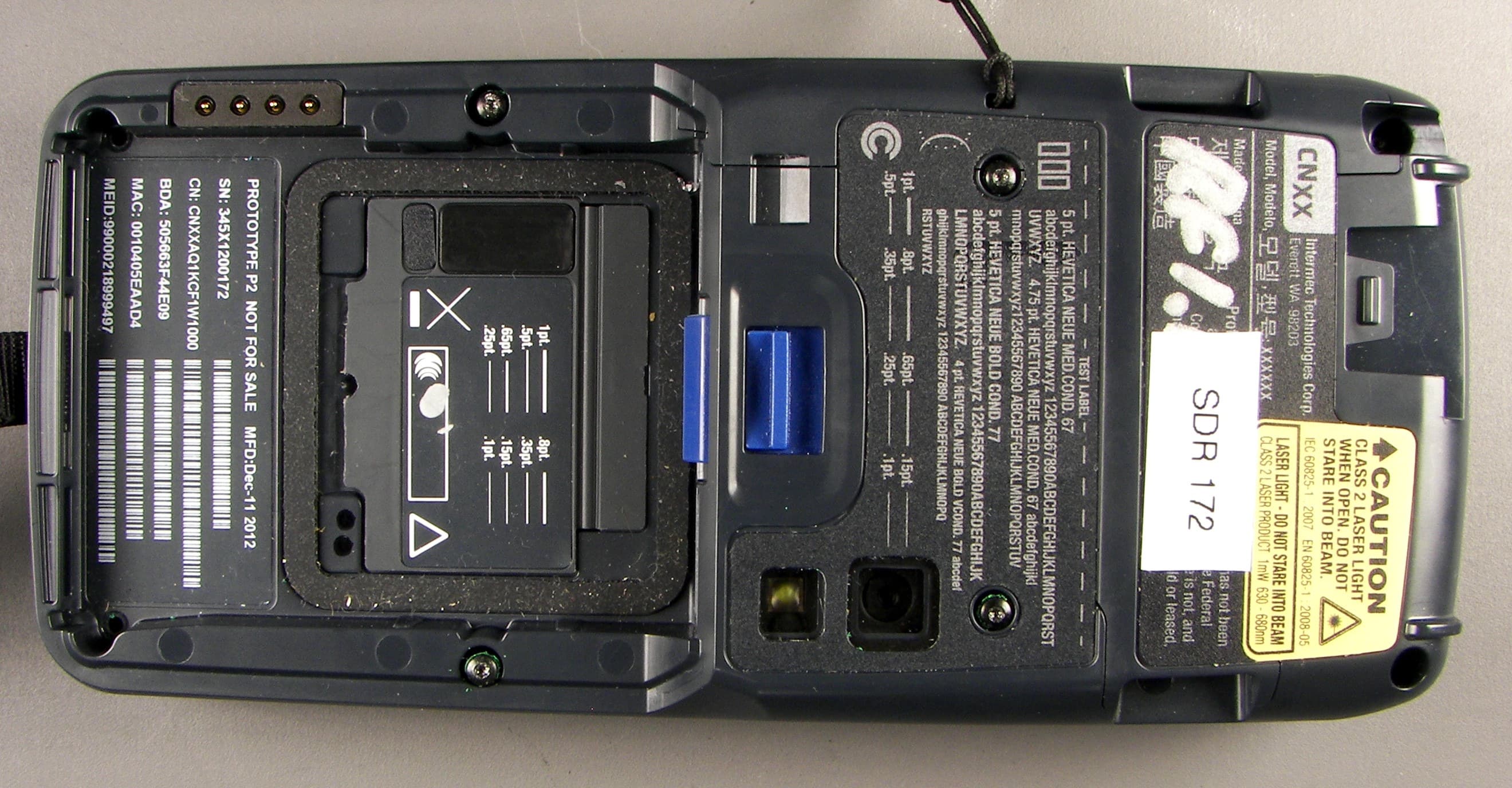
EHA-1015CP01SX1
Sep 08, 20131015CP01S
Equipment Class
PCE - PCS Licensed Transmitter held to ear
EHA-RC12ABGN
Aug 19, 2013WLAN board
Equipment Class
DSS - Part 15 Spread Spectrum Transmitter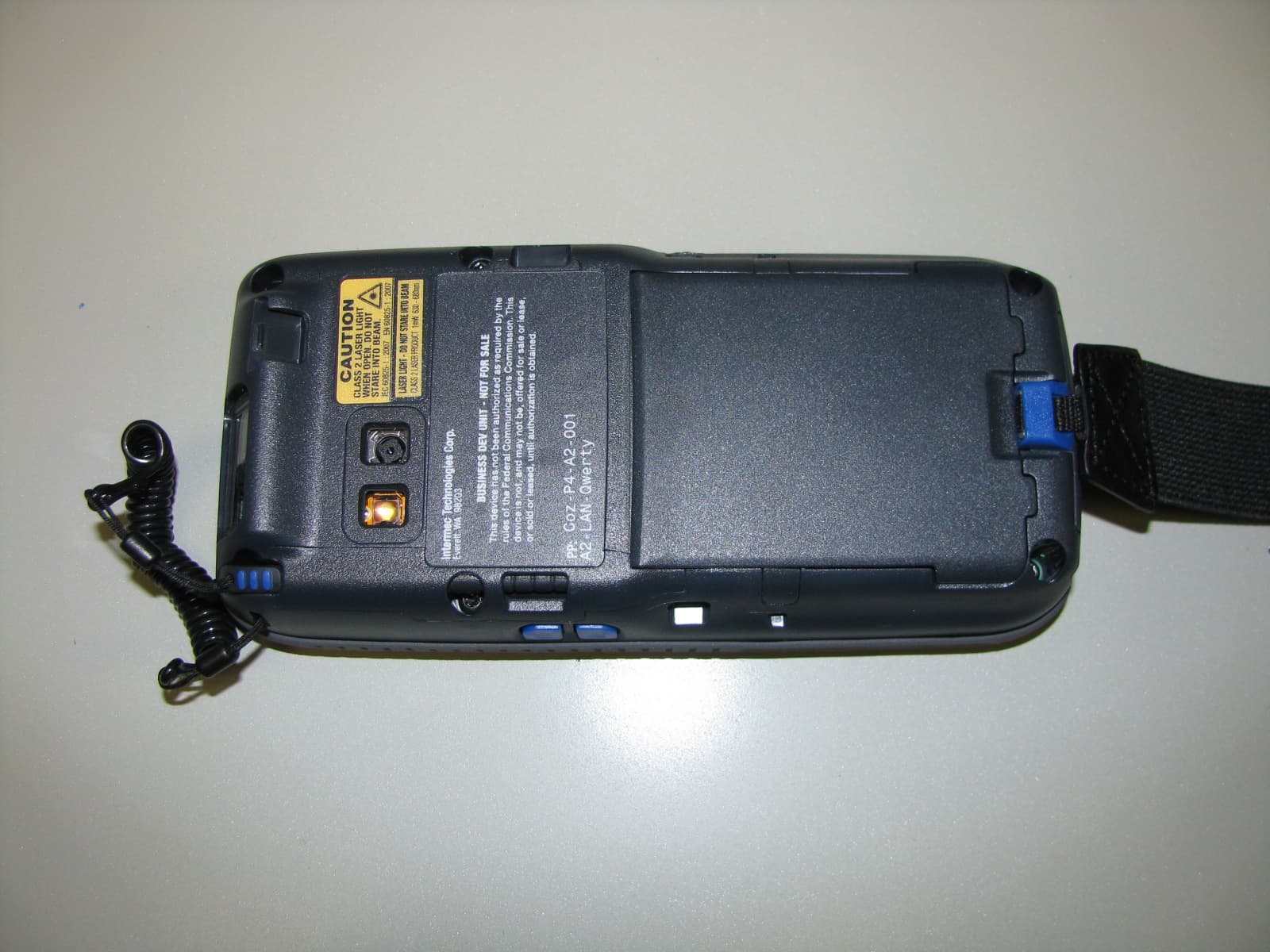
EHA-1000CP01F
Feb 19, 20131000CP01F9, 1000CP02F9, 1001CP01F9
Equipment Class
DTS - Digital Transmission System
EHA-INBT02
Dec 11, 2012BT Board
Equipment Class
DSS - Part 15 Spread Spectrum Transmitter