F2QRFSCORPIUSP20U2.4GHz Wireless Joystick Keyboard
Ione International Co., Ltd.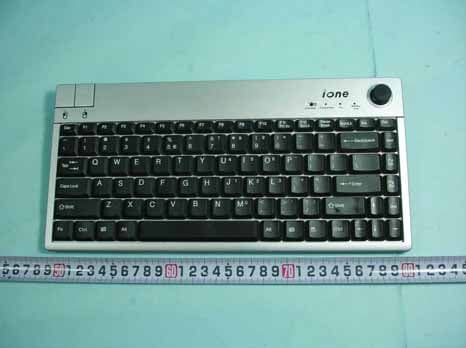
Click to zoom
Application Details
- Equipment Class
- DXX - Part 15 Low Power Communication Device Transmitter
- Date of Grant
- Jan 22, 2006
- Application Purpose
- Original Equipment
- Date of Application
- Jan 22, 2006
- Equipment Note
- 2.4GHz Wireless Joystick Keyboard
- Frequency Range
- 2405.00000000 - 2468.00000000
- Company
- Ione International Co., Ltd.
- Country
- Taiwan
Documents & Files
Document Text
Text extracted from the exhibit documents filed with the FCC. Open a document above to read the original.
Users Manual
ENGLISH Scorpius-P20 2.4GHz Wireless Joystick Keyboard User Guide Introduction Thank you for purchasing Scorpius-P20 2.4GHz Wireless Joystick Keyboard. For an ideal performance, please follow the instructions of this user guide. If you have any question, please contact us at www.ione.com.tw or www.itron-europe.com Scorpius-P20 combines mouse and keyboard functions in one device with advanced technology to work with your media center system. This is a plug and play device under Win ME/2000/XP. Features • Built-in 360゚joystick and buttons for mouse function • 2.4GHz RF with 8 channels / 8 ID per channel • Up 10 meter operation range • Low power consumption • Compatible with Microsoft WIN 95/98/ME/2000/XP • Compatible with Macintosh OS system. I. Package Content: 1. SC-P20 Wireless Joystick Keyboard 2. Mini USB RF Receiver 3. 2 AA Batteries 4. User Guide II. System Requirements: 1. IBM or compatible system 2. WIN 98SE/2000/ME/XP 3. Mac OS system III. Definition of panel information: Signal Indicator Description Connect Button Reset button for new ID or bad connection Transmitter Orange Indication of RF transmitting status FN Green Activation of “numerical keypad” function button Battery Low Red Indication of “Battery Low” status LED on RF receiver Orange Red Indication of RF receiving status. Indication of “Battery Low” status. IV. Hardware Setup Notice: 1. When you connect the receiver with your computer, please do not touch the joystick until the new device installation process is finish. 2. Battery Installation---When you install batteries on the back of the keyboard, please do not touch the joystick. 3. If you are using Win 98 OS, the system may require original Win 98 system CD to complete the installation. Please follow the steps to search the driver of USB device and complete the setup. V. Connect ID Setting: This product’s connection ID has been set and paired with the receiver during the assembling. If there is interference or the loss of connection, please reset the connection again. Please follow the procedure below for new ID setting. Step 1: Plug the RF receiver into the USB port of your computer. Step 2: Press the connect button on the RF Receiver. The LED on the RF receiver will start to blink. Step 3: Within 8 seconds, please press the “connect” on the keyboard. Step 4: The LED on the RF receiver will blink faster if the ID setting is completed. Step 5: If the keyboard does not work properly, please go back to step 2 and repeat step 2 to Step 4. TROUBLE SHOOTING GUIDE Symptom Remedy Keyboard or cursor doesn’t function at all • Please press the connect button on the receiver • Within 8 second, please press the connect button on the keyboard • The LED on the receiver will blink if the connection setting is completed The cursor on the screen moves automatically without operating. • Reinstall batteries, and do not touch the joystick during the installation. • If the device doesn’t function, please follow the connect ID setting Orange LED on RF receiver is not lit • Ensure computer is powered on and receiver is connected to the USB port of computer. • Unplug the receiver and plug it in again. Keyboard or cursor doesn’t function properly • When you press a key and the ‘transmitter’ LED on the keyboard does not blink, it could be out of battery and please replace the battery of keyboard. • If the LED on RF receiver dose not blink when you operate the keyboard or joystick, please reposition the keyboard and ensure the distance between keyboard and RF receiver is within 7 meters or less • If the problem persists, please reset the connect ID. Please go to connect ID setting procedure. For further Question Please e-mail us at www.ione.com.tw or www.itron-europe.com. NOTE This equipment has been tested and found to comply with the limits for a Class B digital device, pursuant to Part 15 of the FCC Rules. These limits are designed to provide reasonable protection against harmful interference in a residential installation. This equipment generates, uses and can radiated radio frequency energy and, if not installed and used in accordance with the instructions, may cause harmful interference to radio communications. However, there is no guarantee that interference will not occur in a particular installation If this equipment does cause harmful interference to radio or television reception, which can be determined by turning the equipment off and on, the user is encouraged to try to correct the interference by one or more of the following measures: -Reorient or relocate the receiving antenna. -Increase the separation between the equipment and receiver. -Connect the equipment into an outlet on a circuit different from that to which the receiver is connected. -Consult the dealer or an experienced radio/TV technician for help. Changes or modifications not expressly approved by the party responsible for compliance could void the user‘s authority to operate the equipment. This device complies with Part 15 of the FCC Rules. Operation is subject to the following two conditions: (1) This device may not cause harmful interference, and (2) this device must accept any interference received, including interference that may cause undesired operation. The antenna(s) used for this transmitter must not be co-located or operating in conjunction with any other antenna or transmitter
External Photos
SPORTON International Inc. PAGE NUMBER : A1 OF A7 TEL : 886-2-2696-2468 ISSUED DATE : Jan,18,2006 FAX : 886-2-2696-2255 APPENDIX A. Photographs of EUT SPORTON International Inc. PAGE NUMBER : A2 OF A7 TEL : 886-2-2696-2468 ISSUED DATE : Jan,18,2006 FAX : 886-2-2696-2255 SPORTON International Inc. PAGE NUMBER : A3 OF A7 TEL : 886-2-2696-2468 ISSUED DATE : Jan,18,2006 FAX : 886-2-2696-2255 SPORTON International Inc. PAGE NUMBER : A4 OF A7 TEL : 886-2-2696-2468 ISSUED DATE : Jan,18,2006 FAX : 886-2-2696-2255 SPORTON International Inc. PAGE NUMBER : A5 OF A7 TEL : 886-2-2696-2468 ISSUED DATE : Jan,18,2006 FAX : 886-2-2696-2255 SPORTON International Inc. PAGE NUMBER : A6 OF A7 TEL : 886-2-2696-2468 ISSUED DATE : Jan,18,2006 FAX : 886-2-2696-2255 SPORTON International Inc. PAGE NUMBER : A7 OF A7 TEL : 886-2-2696-2468 ISSUED DATE : Jan,18,2006 FAX : 886-2-2696-2255
ID Label/Location Info
Label Location This device complies with Part 15 of the FCC Rules. Operation is subject to the following two conditions: (1) this device may not cause harmful interference, and (2) this device must accept any interference received, including interference that may cause undesired operation. Made in China
Internal Photos
SPORTON International Inc. PAGE NUMBER : A1 OF A8 TEL : 886-2-2696-2468 ISSUED DATE : Jan,18,2006 FAX : 886-2-2696-2255 APPENDIX A. Photographs of EUT SPORTON International Inc. PAGE NUMBER : A2 OF A8 TEL : 886-2-2696-2468 ISSUED DATE : Jan,18,2006 FAX : 886-2-2696-2255 SPORTON International Inc. PAGE NUMBER : A3 OF A8 TEL : 886-2-2696-2468 ISSUED DATE : Jan,18,2006 FAX : 886-2-2696-2255 SPORTON International Inc. PAGE NUMBER : A4 OF A8 TEL : 886-2-2696-2468 ISSUED DATE : Jan,18,2006 FAX : 886-2-2696-2255 SPORTON International Inc. PAGE NUMBER : A5 OF A8 TEL : 886-2-2696-2468 ISSUED DATE : Jan,18,2006 FAX : 886-2-2696-2255 SPORTON International Inc. PAGE NUMBER : A6 OF A8 TEL : 886-2-2696-2468 ISSUED DATE : Jan,18,2006 FAX : 886-2-2696-2255 SPORTON International Inc. PAGE NUMBER : A7 OF A8 TEL : 886-2-2696-2468 ISSUED DATE : Jan,18,2006 FAX : 886-2-2696-2255 SPORTON International Inc. PAGE NUMBER : A8 OF A8 TEL : 886-2-2696-2468 ISSUED DATE : Jan,18,2006 FAX : 886-2-2696-2255
Test Report
SPORTON International Inc. No. 52, Hwa Ya 1st Rd., Kwei-Shan Hsiang, TaoYuan Hsien, Taiwan, R.O.C. Ph: 886-3-327-3456 / FAX: 886-3-327-0973 / www.sporton.com.tw Report Format Version: RF-15.247-a FCC RADIO TEST REPORT Applicant’s company Itron Technology Inc. Applicant Address 9F, #75, Sec. 1, Hsin Tai Wu Rd., Hsichih, Taipei Hsien, Taiwan, R.O.C. FCC ID F2QRFSCORPIUSP20U Manufacturer’s company Qumax Elec. (Dongguan) CO., LTD. Manufacturer Address Sec. B, Hopewell Industrial City, Sima, Changping Town, Dongguan City, Guangdong Province, Post Code:523570, P.R.C. Product Name 2.4GHz Wireless Joystick Keyboard Brand Name IONE Model Name Scorpius-P20 Test Rule Part(s) 47 CFR FCC Part 15 Subpart C § 15.249 Test Freq. Range 2400 ~ 2483.5MHz Receive Date Aug. 01, 2005 Test Date Jan. 10, 2006 Submission Type Original Equipment Statement The test result in this report refers exclusively to the presented test model / sample. Without written approval of SPORTON International Inc., the test report shall not be reproduced except in full. The measurements and test results shown in this test report were made in accordance with the procedures and found in compliance with the limit given in ANSI C63.4-2003 and 47 CFR FCC Part 15 Subpart C. The test equipment used to perform the test is calibrated and traceable to NML/ROC. Lab Code: 200079-0 Report No.: FR580102 Report Format Version: RF-15.249-2005-12-28-b Page No. : i of ii FCC ID: F2QRFSCORPIUSP20U Issued Date : Jan. 11, 2006 Table of Contents 1. CERTIFICATE OF COMPLIANCE.......................................................................................................................... 1 2. SUMMARY OF THE TEST RESULT........................................................................................................................... 2 3. GENERAL INFORMATION................................................................................................................................... 3 3.1. Product Details....................................................................................................................................................................................3 3.2. Accessories.........................................................................................................................................................................................3 3.3. Table for Filed Antenna.......................................................................................................................................................................3 3.4. Table for Carrier Frequencies...............................................................................................................................................................3 3.5. Table for Test Modes............................................................................................................................................................................4 3.6. Table for Testing Locations...................................................................................................................................................................4 3.7. Table for Supporting Units....................................................................................................................................................................4 3.8. Test Configurations..............................................................................................................................................................................5 4. TEST RESULT...................................................................................................................................................... 7 4.1. AC Power Line Conducted Emissions Measurement............................................................................................................................7 4.2. Field Strength of Fundamental Emissions Measurement....................................................................................................................12 4.3. 20dB Spectrum Bandwidth Measurement.........................................................................................................................................15 4.4. Radiated Emissions Measurement.....................................................................................................................................................18 4.5. Band Edge Emissions Measurement..................................................................................................................................................30 4.6. Antenna Requirements......................................................................................................................................................................33 5. LIST OF MEASURING EQUIPMENTS.................................................................................................................... 34 6. SPORTON COMPANY PROFILE......................................................................................................................... 36 6.1. Test Location.....................................................................................................................................................................................36 7. CERTIFICATE OF NVLAP ACCREDITATION.......................................................................................................... 37 APPENDIX A. PHOTOGRAPHS OF EUT ........................................................................................................... A1 ~ A15 APPENDIX B. TEST PHOTOS ............................................................................................................................. B1 ~ B3 Report No.: FR580102 Report Format Version: RF-15.249-2005-12-28-b Page No. : ii of ii FCC ID: F2QRFSCORPIUSP20U Issued Date : Jan. 11, 2006 History of This Test Report Original Issue Date: Jan. 11, 2006 Report No.: FR580…
Text truncated - open the document above for the full version.
Test Setup Photos
Report No.: FR580102 Page No. : 1 of 3 Appendix B. Test Photos Report No.: FR580102 Page No. : 2 of 3 1. Photographs of Conducted Emissions Test Configuration FRONT VIEW REAR VIEW Report No.: FR580102 Page No. : 3 of 3 2. Photographs of Radiated Emissions Test Configuration FRONT VIEW REAR VIEW
Contact Information
Applicant
Ming Wang(Electronic Engineer Supervisor)
Technical Contact
Sporton International IncWayne Hsu
[email protected]+88633273456
No 52, Hwa Ya 1st. Rd., Hwa Ya Technology Park · Tao Yuan · Taiwan
Test Firm
Sporton International Inc.Kathy Lin
Technical Specifications
| # | Rule Parts | Frequency Range | Power Output |
|---|---|---|---|
| 1 | 15C | 2.40 GHz - 2.47 GHz | - |
Other Applications from Ione International Co., Ltd.
F2QSCORPIUSU9WL
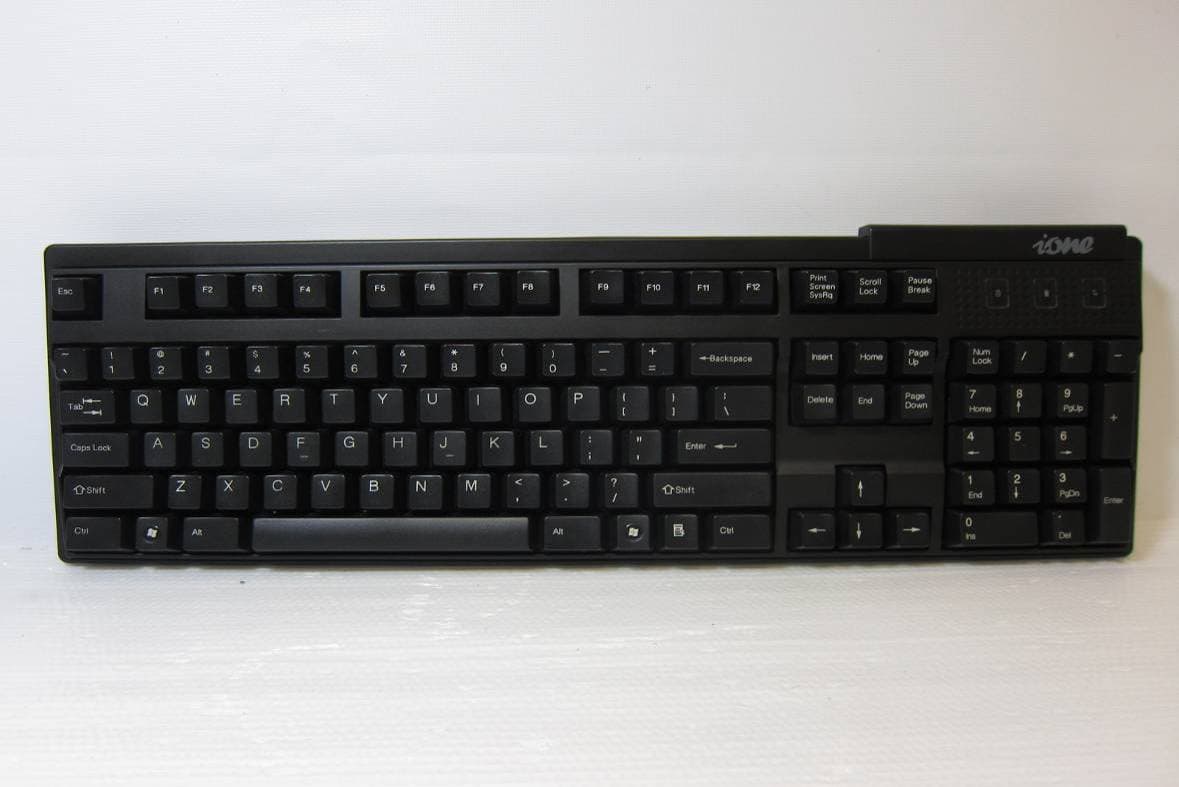
May 02, 2011Wireless Keyboard
Equipment Class
DXX - Part 15 Low Power Communication Device Transmitter
F2QRFLIBRA-S10HU
Dec 09, 2010Wireless Presenter Mouse
Equipment Class
DXX - Part 15 Low Power Communication Device Transmitter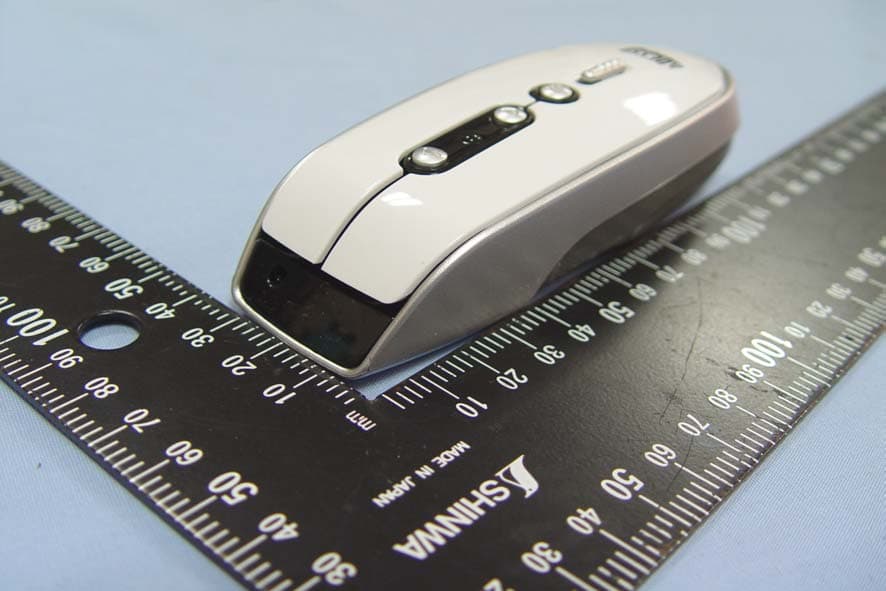
F2QRFLYNXP2
Sep 08, 2010Wireless mouse
Equipment Class
DXX - Part 15 Low Power Communication Device Transmitter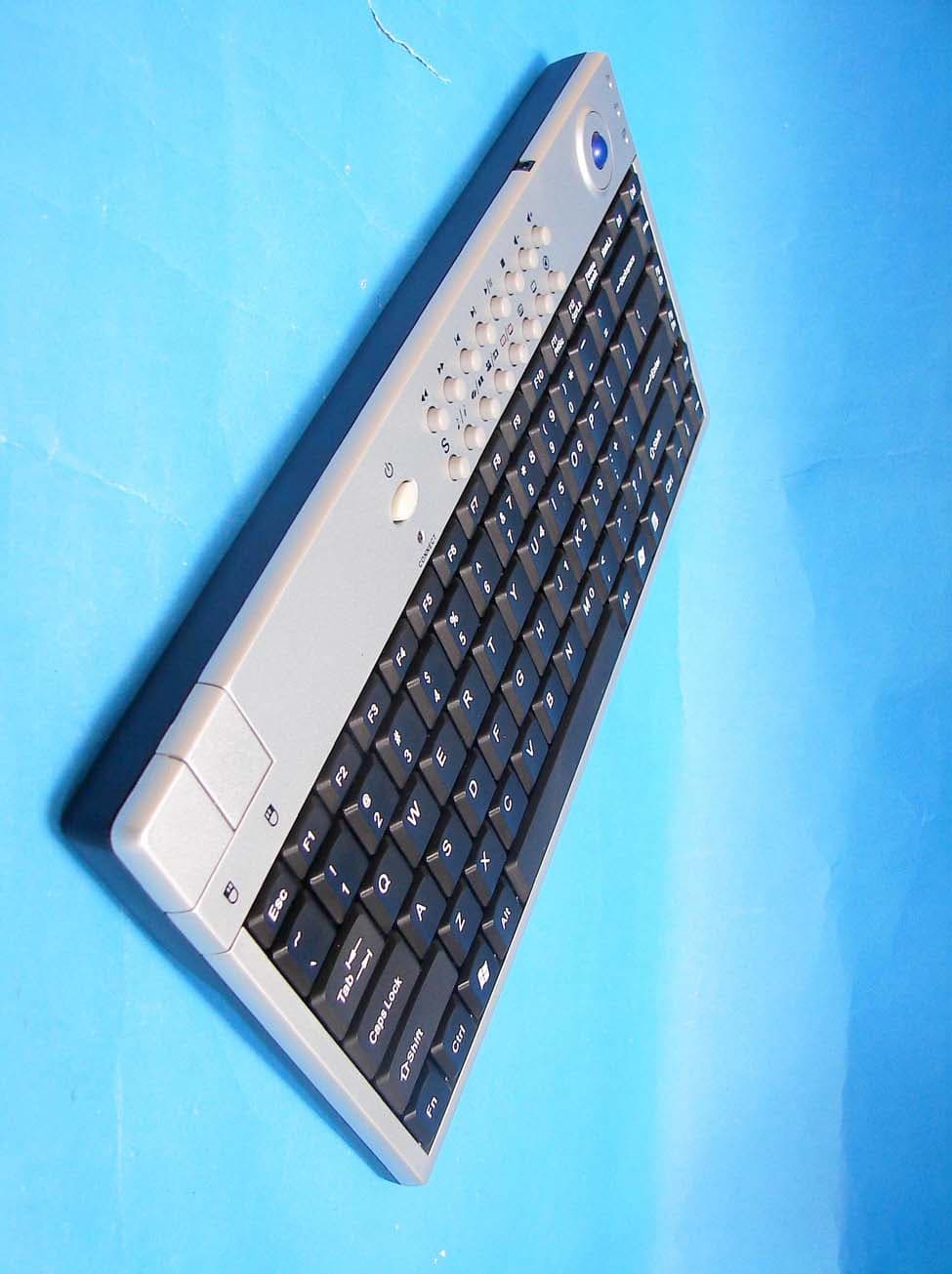
F2QSCORPIUSP20MTU
Jul 01, 20072.4 GHz MCE Keyboard with Optical Trackball
Equipment Class
DXX - Part 15 Low Power Communication Device Transmitter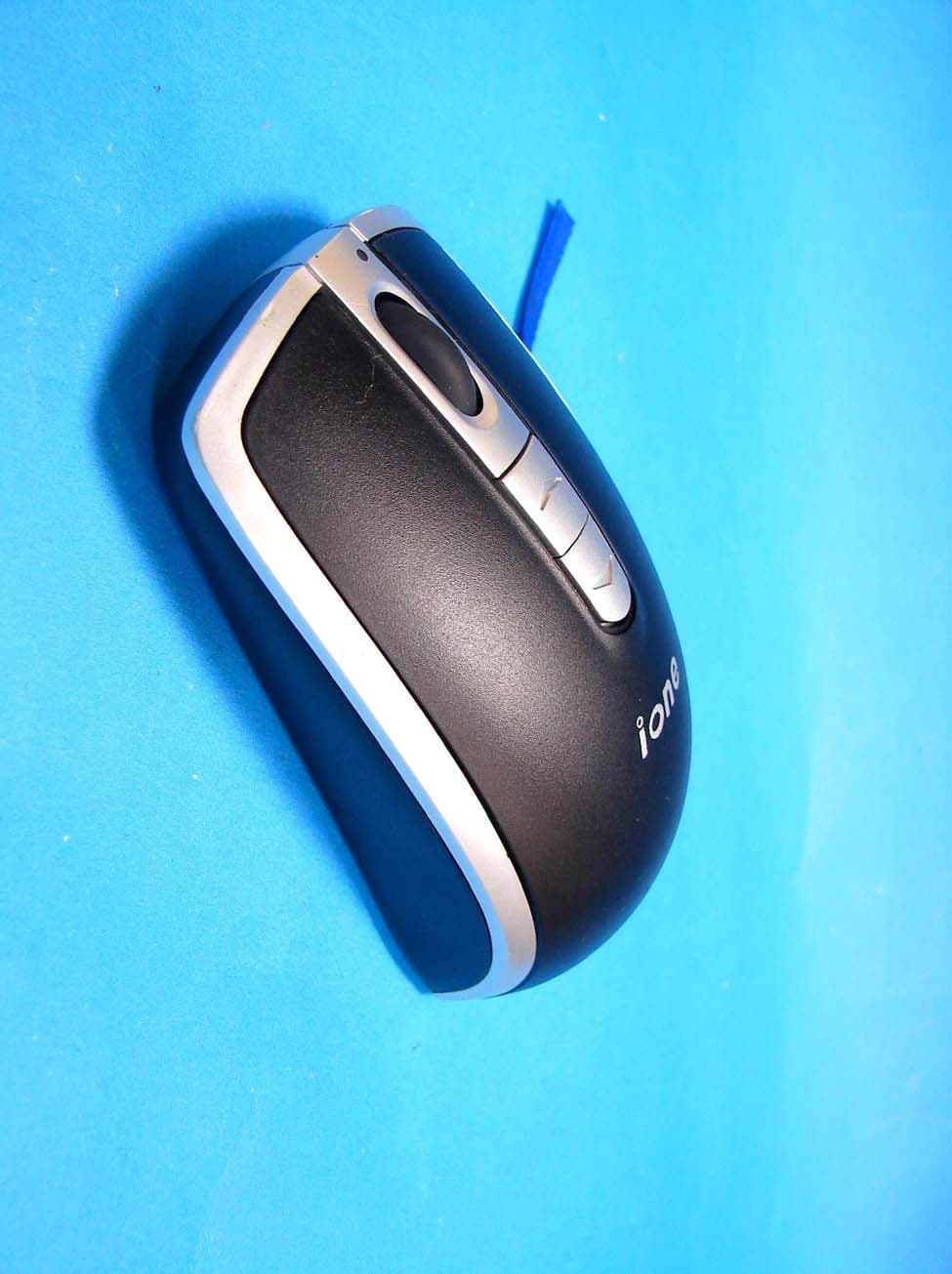
F2QLYNXR7AU
Apr 08, 200727MHz OPTICAL MOUSE
Equipment Class
DXX - Part 15 Low Power Communication Device Transmitter