IHET6BS1CDMA Base Station
Nokia Solutions and Networks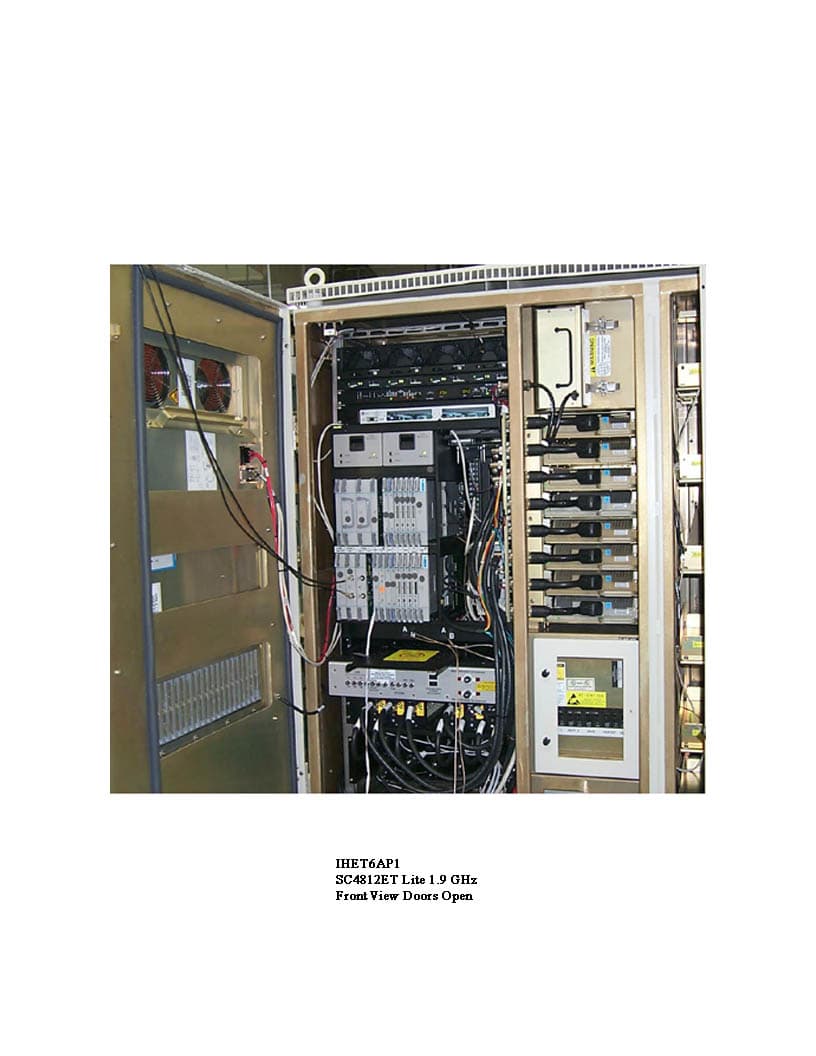
Click to zoom
Application Details
- Equipment Class
- PCB - PCS Licensed Transmitter
- Date of Grant
- Aug 22, 2001
- Application Purpose
- Original Equipment
- Date of Application
- Aug 22, 2001
- Equipment Note
- CDMA Base Station
- Frequency Range
- 1931.25000000 - 1988.75000000
- Company
- Nokia Solutions and Networks
- Country
- United States
Documents & Files
Document Text
Text extracted from the exhibit documents filed with the FCC. Open a document above to read the original.
Users Manual
1X SCt4812ET Lite BTS Optimization/ATP Software Release 2.16.0.x and CDMA LMF Build 2.16.x.x 800 MHz and 1.9 GHz CDMA English 08/01/2001 68P09253A60–1 PRELIMINARY FOA Notice While reasonable efforts have been made to assure the accuracy of this document, Motorola, Inc. assumes no liability resulting from any inaccuracies or omissions in this document, or from use of the information obtained herein. The information in this document has been carefully checked and is believed to be entirely reliable. However, no responsibility is assumed for inaccuracies or omissions. Motorola, Inc. reserves the right to make changes to any products described herein and reserves the right to revise this document and to make changes from time to time in content hereof with no obligation to notify any person of revisions or changes. Motorola, Inc. does not assume any liability arising out of the application or use of any product, software, or circuit described herein; neither does it convey license under its patent rights or the rights of others. It is possible that this publication may contain references to, or information about Motorola products (machines and programs), programming, or services that are not announced in your country. Such references or information must not be construed to mean that Motorola intends to announce such Motorola products, programming, or services in your country. Copyrights This instruction manual, and the Motorola products described in this instruction manual may be, include or describe copyrighted Motorola material, such as computer programs stored in semiconductor memories or other media. Laws in the United States and other countries preserve for Motorola certain exclusive rights for copyrighted material, including the exclusive right to copy, reproduce in any form, distribute and make derivative works of the copyrighted material. Accordingly, any copyrighted Motorola material contained herein or in the Motorola products described in this instruction manual may not be copied, reproduced, distributed, merged or modified in any manner without the express written permission of Motorola. Furthermore, the purchase of Motorola products shall not be deemed to grant either directly or by implication, estoppel, or otherwise, any license under the copyrights, patents or patent applications of Motorola, as arises by operation of law in the sale of a product. Usage and Disclosure Restrictions License Agreement The software described in this document is the property of Motorola, Inc. It is furnished by express license agreement only and may be used only in accordance with the terms of such an agreement. Copyrighted Materials Software and documentation are copyrighted materials. Making unauthorized copies is prohibited by law. No part of the software or documentation may be reproduced, transmitted, transcribed, stored in a retrieval system, or translated into any language or computer language, in any form or by any means, without prior written permission of Motorola, Inc. High Risk Activities Components, units, or third–party products used in the product described herein are NOT fault–tolerant and are NOT designed, manufactured, or intended for use as on–line control equipment in the following hazardous environments requiring fail–safe controls: the operation of Nuclear Facilities, Aircraft Navigation or Aircraft Communication Systems, Air Traffic Control, Life Support, or Weapons Systems (“High Risk Activities”). Motorola and its supplier(s) specifically disclaim any expressed or implied warranty of fitness for such High Risk Activities. Trademarks and Motorola are registered trademarks of Motorola, Inc. Product and service names profiled herein are trademarks of Motorola, Inc. Other manufacturers’ products or services profiled herein may be referred to by trademarks of their respective companies. Copyright Copyright 2001 Motorola, Inc. All Rights Reserved Printed on Recyclable Paper REV012501 SPECIFICATIONS SUBJECT TO CHANGE WITHOUT NOTICE 08/01/2001 i 1X SCt4812ET Lite BTS Optimization/ATP PRELIMINARY Table of Contents 1X SCt4812ET Lite BTS Optimization/ATP Software Release 2.16.0.x and CDMA LMF Build 2.16.x.x List of Figuresiv. . . . . . . . . . . . . . . . . . . . . . . . . . . . . . . . . . . . . . . . . . . . . . . . . . . List of Tablesvii. . . . . . . . . . . . . . . . . . . . . . . . . . . . . . . . . . . . . . . . . . . . . . . . . . . Forewordxii. . . . . . . . . . . . . . . . . . . . . . . . . . . . . . . . . . . . . . . . . . . . . . . . . . . . . . . FCC Requirementsxv. . . . . . . . . . . . . . . . . . . . . . . . . . . . . . . . . . . . . . . . . . . . . . . General Safetyxviii. . . . . . . . . . . . . . . . . . . . . . . . . . . . . . . . . . . . . . . . . . . . . . . . . . . Revision Historyxx. . . . . . . . . . . . . . . . . . . . . . . . . . . . . . . . . . . . . . . . . . . . . . . . . Patent Notificationxxi. . . . . . . . . . . . . . . . . . . . . . . . . . . . . . . . . . . . . . . . . . . . . . . Chapter 1: Introduction Optimization Manual Scope and Layout1-1. . . . . . . . . . . . . . . . . . . . . . . . . . . . . . Purpose of the Optimization1-3. . . . . . . . . . . . . . . . . . . . . . . . . . . . . . . . . . . . . . . . When to Optimize1-4. . . . . . . . . . . . . . . . . . . . . . . . . . . . . . . . . . . . . . . . . . . . . . . . Required Test Equipment and Software1-5. . . . . . . . . . . . . . . . . . . . . . . . . . . . . . . Required Documents and Related Publications1-12. . . . . . . . . . . . . . . . . . . . . . . . . Terms and Abbreviations1-13. . . . . . . . . . . . . . . . . . . . . . . . . . . . . . . . . . . . . . . . . . BTS Equipment Identification1-15. . . . . . . . . . . . . . . . . . . . . . . . . . . . . . . . . . . . . . Cabinet Identification1-17. . . . . . . . . . . . . . . . . . . . . . . . . . . . . . . . . . . . . . . . . . . . . Internal Assembly Location and Identification1-18. . . . . . . . . . . . . . . . . . . . . . . . . BTS S…
Text truncated - open the document above for the full version.
Users Manual
Using CDMA LMF – continued 08/01/2001 3-23 1X SCt4812ET Lite BTS Optimization/ATP PRELIMINARY BTS Login from the GUI Environment Follow the procedures in Table 3-7 to log into a BTS when using the GUI environment. Table 3-7: BTS GUI Login Procedure nStepAction 1Start the CDMA LMF GUI environment by double–clicking on the WinLMF desktop icon (if the LMF is not running). NOTE If a warning similar to the following is displayed, select No, shut down other LMF sessions which may be running, and start the CDMA LMF GUI environment again: The CLI handler is already running. This may cause conflicts with the LMF. Are you sure you want to start the application? Yes No 2Click on Login tab (if not displayed). 3Double click on CDMA (in the Available Base Stations pick list). 4Click on the desired BTS number. 5Click on the Network Login tab (if not already in the forefront). 6Enter correct IP address (normally 128.0.0.2) for a field BTS, if not correctly displayed in the IP Address box. 7Type in the correct IP Port number (normally 9216) if not correctly displayed in the IP Port box. 8Change the Multi-channel Preselector from the Multi-channel Preselector pick list (normally MPC) to a device corresponding to your BTS configuration, if required. 9Use a Tower Top Amplifier is not applicable to the SC4812ET Lite. 10Click on Login. (A BTS tab with the BTS is displayed.) NOTE SIf you attempt to log into a BTS that is already logged on, all devices will be gray. SThere may be instances where the BTS initiates a log out due to a system error (i.e., a device failure). SIf the MGLI is OOS–ROM (blue), it must be downloaded with RAM code before other devices can be seen. SIf the MGLI is OOS–RAM (yellow), it must be enabled before other installed devices can be seen. 3 Using CDMA LMF – continued PRELIMINARY 1X SCt4812ET Lite BTS Optimization/ATP 08/01/2001 3-24 BTS Login from the CLI Environment Follow the procedures in Table 3-8 to log into a BTS when using the CLI environment. If the CLI and GUI environments are to be used at the same time, the GUI must be started first and BTS login must be performed from the GUI. Refer to Table 3-7 to start the GUI environment and log into a BTS. IMPORTANT * Table 3-8: BTS CLI Login Procedure nStepAction 1Double–click the WinLMF CLI desktop icon (if the LMF CLI environment is not already running). NOTE If a BTS was logged into under a GUI session before the CLI environment was started, the CLI session will be logged into the same BTS, and step 2 is not required. 2At the /wlmf prompt, enter the following command: login bts–<bts#> host=<host> port=<port> where: host = MGLI card IP address (defaults to address last logged into for this BTS or 128.0.0.2 if this is first login to this BTS) port = IP port of the BTS (defaults to port last logged into for this BTS or 9216 if this is first login to this BTS) A response similar to the following will be displayed: LMF> 13:08:18.882 Command Received and Accepted COMMAND=login bts–33 13:08:18.882 Command In Progress 13:08:21.275 Command Successfully Completed REASON_CODE=”No Reason” Logging Out Logging out of a BTS is accomplished differently for the GUI and CLI operating environments. 3 Using CDMA LMF – continued 08/01/2001 3-25 1X SCt4812ET Lite BTS Optimization/ATP PRELIMINARY The GUI and CLI environments use the same connection to a BTS. If a BTS is logged into in both the GUI and CLI environments at the same time, logging out of the BTS in either environment will log out of it for both. When either a login or logout is performed in the CLI window, there is no GUI indication that the login or logout has occurred. IMPORTANT * Logging Out of a BTS from the GUI Environment Follow the procedure in Table 3-9 to logout of a BTS when using the GUI environment. Table 3-9: BTS GUI Logout Procedure nStepAction 1Click on Select on the BTS tab menu bar. 2Click the Logout item in the pulldown menu (a Confirm Logout pop-up message will appear). 3Click on Ye s (or press the Enter key) to confirm logout. The Login tab will appear. NOTE If a logout was previously performed on the BTS from a CLI window running at the same time as the GUI, a Logout Error popup message will appear stating the system could not log out of the BTS. When this occurs, the GUI must be exited and restarted before it can be used for further operations. 4If a Logout Error popup message appears stating that the system could not log out of the Base Station because the given BTS is not logged in, click OK and proceed to step 5. 5Select File > Exit in the window menu bar, click Ye s in the Confirm Logout popup, and click Ye s in the Logout Error popup which appears again. 6If further work is to be done in the GUI, restart it. NOTE SThe Select menu on the BTS tab will only log you out of the displayed BTS. SYou can also log out of all BTS sessions and exit CDMA LMF by clicking on the File selection in the menu bar and selecting Exit from the File menu list. A Confirm Logout pop–up message will appear. 3 Using CDMA LMF – continued PRELIMINARY 1X SCt4812ET Lite BTS Optimization/ATP 08/01/2001 3-26 Logging Out of a BTS from the CLI Environment Follow the procedure in Table 3-10 to logout of a BTS when using the CLI environment. Table 3-10: BTS CLI Logout Procedure nStepAction * IMPORTANT If the BTS is also logged into from a GUI running at the same time and further work must be done with it in the GUI, proceed to step 2. 1Logout of a BTS by entering the following command: logout bts–<bts#> A response similar to the following will be displayed: LMF> 13:24:51.028 Command Received and Accepted COMMAND=logout bts–33 13:24:51.028 Command In Progress 13:24:52.04 Command Successfully Completed REASON_CODE=”No Reason” 2If desired, close the CLI interface by entering the following command: exit A response similar to the following will be displayed before the window closes: Killing background processes.... Establishing an MMI Communication Session For those procedures which require MMI communicat…
Text truncated - open the document above for the full version.
External Photos
Global Telecom Solutions Sector APPLICANT: MOTOROLA TRANSCEIVER TYPE: IHET6BS1 SC4812ETL @ 1.9 GHz CDMA BTS EXTERNAL PHOTOS EXHIBIT List of External Photographs No. PHOTOGRAPH 1 Front View Doors Closed 2 Front View Doors Open 3 Rear View 4 Left Side View 5 Right Side View 6 Top View
ID Label/Location Info
APPLICANT: MOTOROLA FCC ID: IHET6BS1 EQUIPMENT NAMEPLATE PER CFR., Title 47, Part 2.925 Bar Coding Graphics to be black A name plate of this type, or one similar to it, will be affixed to every base station. This label is permanent, indelible, and tamper evident. || | |||| | ||| | |||||| | | ||||| ||| ||| || | | ||||||| | Model No.__________________ |||| | | ||| |||| ||||| | | | ||||| | |||| ||| || || || | | Serial No.__________________ MOTOROLA FCC ID: IHET6BS1 Complies with Part 68, FCC Rules FCC Reg. No. IHEUSA-35778-DE-E REN: 03B USOC: RJ11C 1.9 GHz 4812 ETL IHET6BS1 Location of FCC ID Label Side FCC Label (Top of Panel)
Test Report
FCC Filing – SC4812ETL @ 1.9 GHz CDMA BTS APPLICANT: MOTOROLA TRANSCEIVER TYPE: IHET6BS1 SC4812ETL @ 1.9 GHz CDMA BTS TEST REPORT EXHIBIT Index Section Description ASummary of RF Measurements BModulation Characteristics CSpurious and Harmonic Emissions Radiated DSpurious and Harmonic Emissions Conducted EOccupied Bandwidth FFrequency Stability FCC Filing - SC4812ETL @ 1.9 GHz CDMA BTS Frame Cellular Infrastructure Group FCC ID: IHET6BS1 SECTION A Summary of RF Measurements
Test Report
FCC Filing - SC4812ETL @ 1.9 GHz CDMA BTS Frame Cellular Infrastructure Group FCC ID: IHET6BS1 Modulation Characteristics Minimum Power FCC Filing - SC4812ETL @ 1.9 GHz CDMA BTS Frame Cellular Infrastructure Group FCC ID: IHET6BS1 SECTION C Spurious & Harmonic Emissions Radiated FCC Filing - SC4812ETL @ 1.9 GHz CDMA BTS Frame Cellular Infrastructure Group FCC ID: IHET6BS1 SECTION D Spurious & Harmonic Emissions Conducted Cellular infrastructure group FCC ID: IHET6BS1 SPURIOUS & HARMONIC EMISSIONS CONDUCTED CDMA Transmitter Channel 25 Maximum Power Cellular infrastructure group FCC ID: IHET6BS1 SPURIOUS & HARMONIC EMISSIONS CONDUCTED CDMA Transmitter Channel 25 Minimum Power Network Systems Group CDMA Systems Division FCC ID: IHET6BS1 SPURIOUS & HARMONIC EMISSIONS CONDUCTED CDMA Transmitter Channel 1175 Maximum Power Cellular infrastructure group FCC ID: IHET6BS1 SPURIOUS & HARMONIC EMISSIONS CONDUCTED CDMA Transmitter Channel 1175 Minimum Power
Test Report
FCC Filing - SC4812ETL @ 1.9 GHz CDMA BTS Frame Cellular Infrastructure Group FCC ID: IHET6BS1 Occupied Bandwidth Maximum Power FCC Filing - SC4812ETL @ 1.9 GHz CDMA BTS Frame Cellular Infrastructure Group FCC ID: IHET6BS1 Occupied Bandwidth Minimum Power FCC Filing - SC4812ETL @ 1.9 GHz CDMA BTS Frame Cellular Infrastructure Group FCC ID: IHET6BS1 SECTION F Frequency Stability
Contact Information
Applicant
Steve Mitchell
Technical Contact
Underwriters Laboratories Inc.James R Marley
[email protected](919) 549-1408
12 Laboratory Drive · Research Triangle Park, North Carolina · United States
Non-Technical Contact
Underwriters Laboratories Inc.Jack W Davis
[email protected](919) 549-1447
Technical Specifications
| # | Rule Parts | Frequency Range | Power Output | Emission | Tolerance |
|---|---|---|---|---|---|
| 1 | 24E | 1.93 GHz - 1.99 GHz | 40 W | 1M25F9W | 1.5000000000 ppm |
Other Applications from Nokia Solutions and Networks
IHET4KJ1
Apr 28, 2010LTE 700 MHz Public Safety Base Station Transceiver
Equipment Class
TNB - Licensed Non-Broadcast Station Transmitter
IHET5GX1
Oct 14, 2007UBS CDMA XMI Transceiver at 800 MHz
Equipment Class
TNB - Licensed Non-Broadcast Station Transmitter
IHET6HG1
Sep 12, 2007CDMA Base Station
Equipment Class
PCB - PCS Licensed Transmitter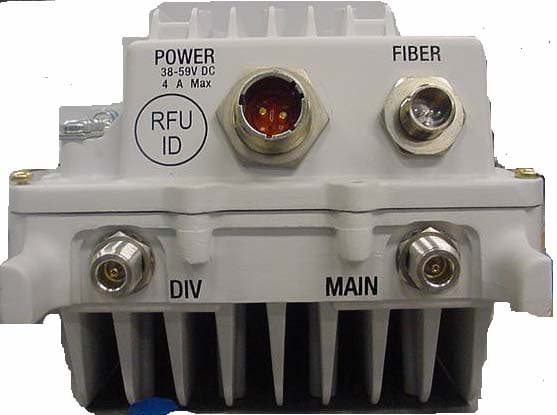
IHET7HN1
Jul 17, 20072.5 GHz Diversity Access Point
Equipment Class
TNB - Licensed Non-Broadcast Station Transmitter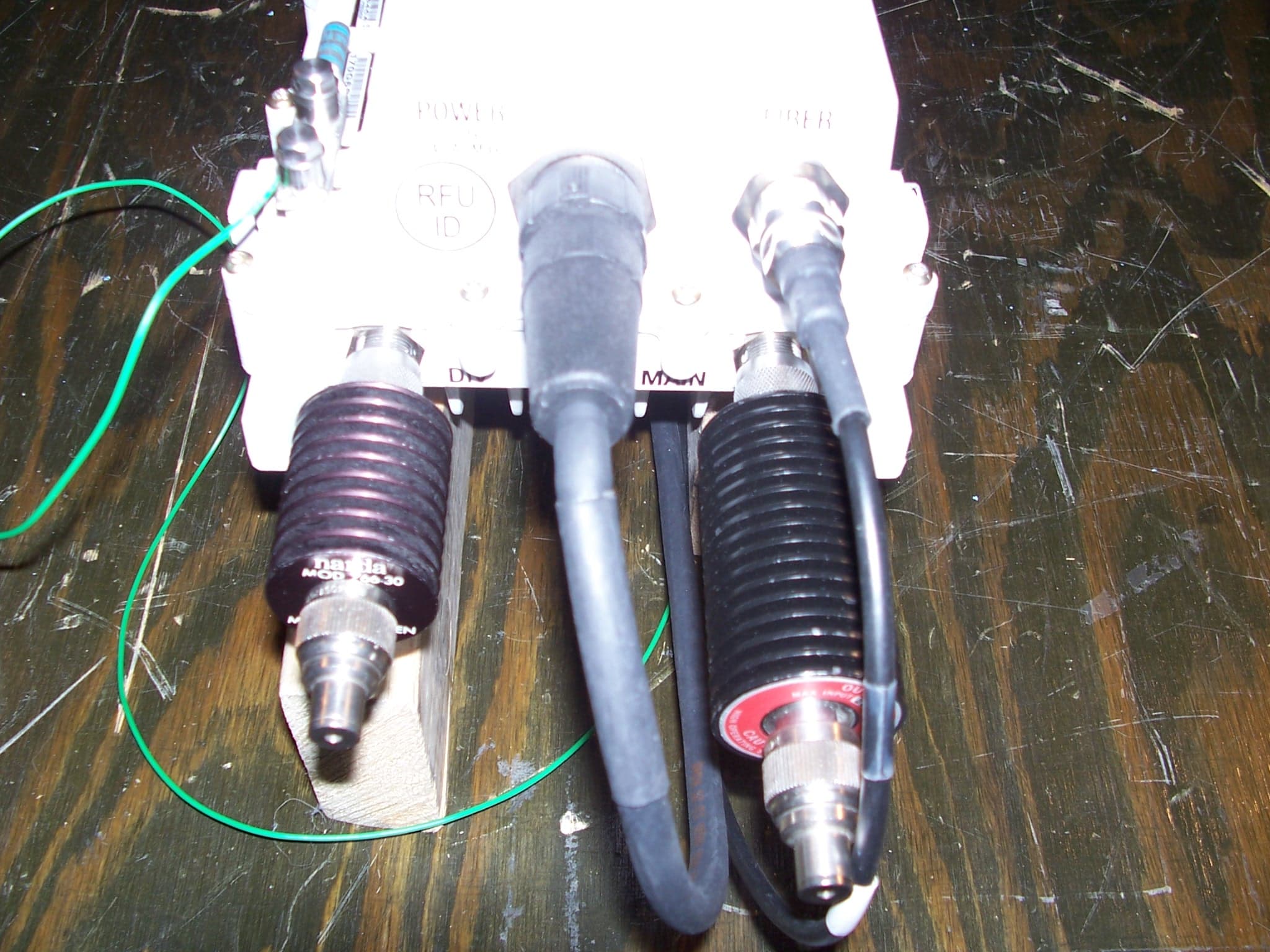
IHET7GT1
Jan 14, 20072.5GHz DIVERSITY ACCESS POINT
Equipment Class
TNB - Licensed Non-Broadcast Station Transmitter