IMK-HARDSAPHarmony Access Point
Proxim Inc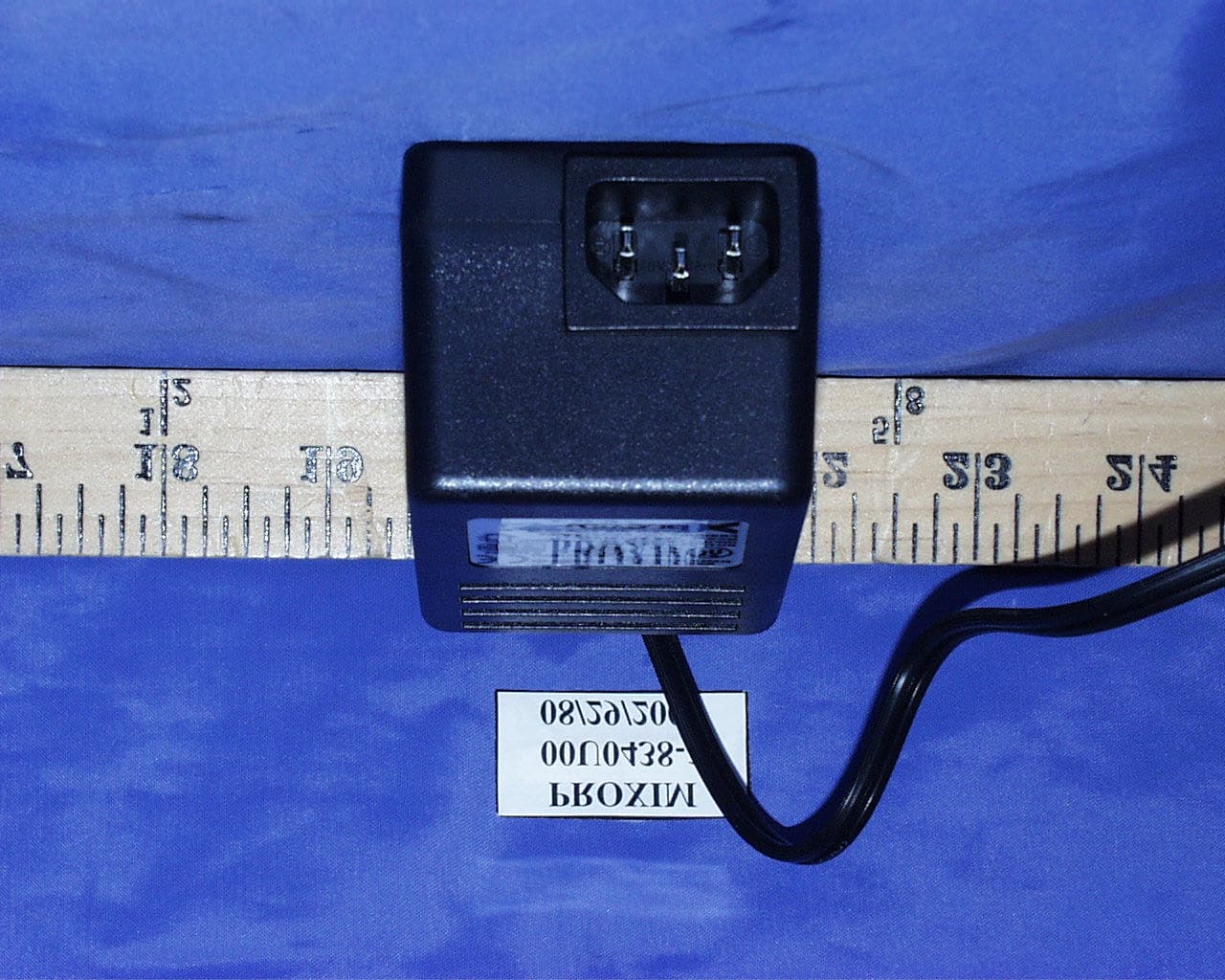
Click to zoom
Application Details
- Equipment Class
- DSS - Part 15 Spread Spectrum Transmitter
- Date of Grant
- Nov 27, 2000
- Application Purpose
- Original Equipment
- Date of Application
- Oct 09, 2000
- Equipment Note
- Harmony Access Point
- Frequency Range
- 2412.00000000 - 2462.00000000
- Company
- Proxim Inc
- Country
- United States
Documents & Files
Document Text
Text extracted from the exhibit documents filed with the FCC. Open a document above to read the original.
Users Manual
Harmony 802.11b Access Point Model 8550 User’s Guide 1 Copyright © 2000 Proxim, Inc., Sunnyvale, CA. All rights reserved. This manual and the software de- scribed in it are copyrighted with all rights reserved. No part of this publication may be repro- duced, transmitted, transcribed, stored in a retrieval system or translated into any language in any form by any means without the written permission of Proxim, Incorporated. Trademarks Harmony, RangeLAN, the RangeLAN logo, RangeLAN2, and Proxim are trademarks of Proxim, Inc. All other trademarks are the property of their respective owners. Limited Warranty, Disclaimer, Limitation Of Liability For a period of one (1) year from the date of purchase by the retail customer, Proxim warrants the Harmony 802.11b Access Point Model 8850 against defects in materials and workmanship. Proxim will not honor this warranty if there has been any attempt to tamper with or remove the product’s external foil label. This warranty does not cover and Proxim will not be liable for any damage or failure caused by misuse, abuse, acts of God, accidents, or other causes beyond Proxim's control, or claim by other than the original purchaser. If, after inspection, Proxim determines there is a defect, Proxim will repair or replace the Access Point at no cost to you. To return defective merchandise to Proxim please call Proxim Technical Support 1-408-731-2640 to obtain a Return Merchandise Authorization (RMA) Number. In no event shall Proxim, Incorporated be responsible or liable for any damages arising: qFrom the use of the product; qFrom the loss of use, revenue or profit of the product; or qAs a result of any event, circumstance, action, or abuse beyond the control of Proxim, Incorporated.; Whether such damages be direct, indirect, consequential, special or otherwise and whether such damages are incurred by the person to whom this warranty extends or a third party. Part # 7360.xxxx Rev. A 2 Warranty Return Policy If you have a problem with the Harmony 802.11b Access Point Model 8550, please call Proxim Technical Support at 1-408-731-2640. Proxim Technical Support will assist with resolving any technical difficulties you may have with your Proxim product. After calling Proxim Technical Support, if your product is found to be defective, you may return the product to Proxim after obtaining an RMA (Return Materials Authorization) number. The product must be returned in its original packaging. The RMA number should be clearly marked on the outside of the box. Proxim cannot be held responsible for any product returned without an RMA number, and no product will be accepted without an RMA number. FCC WARNING This equipment has been tested and found to comply with the limits for a Class B digital device, pursuant to Part 15 of the FCC Rules. These limits are designed to provide reasonable protection against harmful interference in a residential installation. This equipment generates, uses, and can radiate radio frequency energy and, if not installed and used in accordance with the instructions, may cause harmful interference to radio communications. However, there is no guarantee that interference will not occur in a particular installation. If this equipment does cause harmful interference to radio or television reception, which can be determined by turning the equipment off and on, the user is encouraged to try to correct the interference by one or more of the following measures: qReorient or relocate the receiving antenna. qIncrease the separation between the equipment and the receiver. qConnect the equipment into an outlet on a circuit different from that which the receiver is connected. qConsult the dealer or an experienced radio/TV technician for help. 3 Contents 1. Introduction ................................................................. 4 The Harmony Family ............................................................................... 5 System Requirements ............................................................................... 6 2. Installation ................................................................... 7 Installation Procedure ............................................................................... 7 Mounting Option ...................................................................................... 8 LED Indicators ......................................................................................... 9 3. Wirefree Operation .................................................... 10 Harmony Architecture ............................................................................ 10 The IEEE 802.11b Specification ............................................................ 11 Roaming Between Harmony 802.11b Access Points ............................. 11 Roaming Guidelines ............................................................................ 12 4. Configuration Parameters ........................................ 14 Basic Settings ....................................................................................... 14 WEP Settings ....................................................................................... 17 Advanced Settings ............................................................................... 17 5. Performance Hints .................................................... 19 Microwave Ovens .................................................................................. 19 Range ...................................................................................................... 19 6. Troubleshooting ........................................................ 21 How to Obtain Help with Your LAN Installation .................................. 21 Common Problems and Solutions .......................................................... 21 A. How to Reach Technical Support ............................ 24 B. Harmony 802.11b Access Point Specifications ..... 25 4 1. Introduction Thank you for choosing Proxim’s Harmo…
Text truncated - open the document above for the full version.
Users Manual
1 Copyright © 2000 Proxim, Inc., Sunnyvale, CA. All rights reserved. This user’s guide and the software described in it are copyrighted with all rights reserved. No part of this publication may be reproduced, transmitted, transcribed, stored in a retrieval system, or translated into any language in any form by any means without the written permission of Proxim, Incorporated. Trademarks Harmony, RangeLAN, the RangeLAN logo, RangeLAN2, and Proxim are trademarks of Proxim, Inc. All other trademarks are the property of their respective owners. Limited Warranty, Disclaimer, Limitation Of Liability For a period of one (1) year from the date of purchase by the retail customer, Proxim warrants the Harmony 802.11b Access Point Model 8550 against defects in materials and workmanship. Proxim will not honor this warranty if there has been any attempt to tamper with or remove the product’s external foil label. This warranty does not cover and Proxim will not be liable for any damage or failure caused by misuse, abuse, acts of God, accidents, or other causes beyond Proxim’s control, or claim by any entity other than the original purchaser. If, after inspection, Proxim determines there is a defect, Proxim will repair or replace the Access Point at no cost to you. To return defective merchandise to Proxim please call Proxim Technical Support 1-408-731-2640 to obtain a Return Merchandise Authorization (RMA) number. In no event shall Proxim, Incorporated be responsible or liable for any damages arising: qFrom the use of the product qFrom the loss of use, revenue or profit of the product qAs a result of any event, circumstance, action, or abuse beyond the control of Proxim, Incorporated Whether such damages be direct, indirect, consequential, special or otherwise and whether such damages are incurred by the person to whom this warranty extends or a third party. Harmony 802.11b Access Point Model 8550 User’s Guide Part # 7360.0133 Rev. A 2 Warranty Return Policy If you have a problem with the Harmony 802.11b Access Point Model 8550, please call Proxim Technical Support at 1-408-731-2640. Proxim Technical Support will assist with resolving any technical difficulties you may have with your Proxim product. After calling Proxim Technical Support, if your product is found to be defective, you may return the product to Proxim after obtaining an RMA (Return Merchandise Authorization) number. The product must be returned in its original packaging. The RMA number should be clearly marked on the outside of the box. Proxim cannot be held responsible for any product returned without an RMA number, and no product will be accepted without an RMA number. FCC WARNING This equipment has been tested and found to comply with the limits for a Class B digital device, pursuant to Part 15 of the FCC Rules. These limits are designed to provide reasonable protection against harmful interference in a residential installation. This equipment generates, uses, and can radiate radio frequency energy and, if not installed and used in accordance with the instructions, may cause harmful interference to radio communications. However, there is no guarantee that interference will not occur in a particular installation. If this equipment does cause harmful interference to radio or television reception, which can be determined by turning the equipment off and on, the user is encouraged to try to correct the interference by one or more of the following measures: qReorient or relocate the receiving antenna. qIncrease the separation between the equipment and the receiver. qConnect the equipment into an outlet on a circuit different from that which the receiver is connected. qConsult the dealer or an experienced radio/TV technician for help. 3 Contents 1. Introduction ................................................................. 5 The Harmony Family ............................................................................... 6 System Requirements ............................................................................... 7 The Product Package ................................................................................ 7 2. Installation ................................................................... 8 Installation Procedure ............................................................................... 8 Mounting Option .................................................................................... 10 LED Indicators ....................................................................................... 10 Power Requirements .............................................................................. 12 3. Wirefree Operation .................................................... 13 Harmony Architecture ............................................................................ 13 The IEEE 802.11b Specification ............................................................ 14 Roaming Between Harmony 802.11b Access Points ............................. 14 Roaming Guidelines ............................................................................ 15 4. Configuration Parameters ........................................ 17 Basic Settings ......................................................................................... 17 AP Name .............................................................................................. 17 Physical Address .................................................................................. 18 Enable AP ............................................................................................ 18 Partnered APC ..................................................................................... 18 Channel ................................................................................................ 18 Supported Clients ................................................................................. 19 SSID .................................................................................…
Text truncated - open the document above for the full version.
Users Manual
1 Copyright © 2000 Proxim, Inc., Sunnyvale, CA. All rights reserved. This user’s guide and the software described in it are copyrighted with all rights reserved. No part of this publication may be reproduced, transmitted, transcribed, stored in a retrieval system, or translated into any language in any form by any means without the written permission of Proxim, Incorporated. Trademarks Harmony, RangeLAN, the RangeLAN logo, RangeLAN2, and Proxim are trademarks of Proxim, Inc. All other trademarks are the property of their respective owners. Limited Warranty, Disclaimer, Limitation Of Liability For a period of one (1) year from the date of purchase by the retail customer, Proxim warrants the Harmony 802.11b Access Point Model 8550 against defects in materials and workmanship. Proxim will not honor this warranty if there has been any attempt to tamper with or remove the product’s external foil label. This warranty does not cover and Proxim will not be liable for any damage or failure caused by misuse, abuse, acts of God, accidents, or other causes beyond Proxim’s control, or claim by any entity other than the original purchaser. If, after inspection, Proxim determines there is a defect, Proxim will repair or replace the Access Point at no cost to you. To return defective merchandise to Proxim please call Proxim Technical Support 1-408-731-2640 to obtain a Return Merchandise Authorization (RMA) number. In no event shall Proxim, Incorporated be responsible or liable for any damages arising: qFrom the use of the product qFrom the loss of use, revenue or profit of the product qAs a result of any event, circumstance, action, or abuse beyond the control of Proxim, Incorporated Whether such damages be direct, indirect, consequential, special or otherwise and whether such damages are incurred by the person to whom this warranty extends or a third party. Harmony 802.11b Access Point Model 8550 User’s Guide Part # 7360.0133 Rev. A-3 2 Warranty Return Policy If you have a problem with the Harmony 802.11b Access Point Model 8550, please call Proxim Technical Support at 1-408-731-2640. Proxim Technical Support will assist with resolving any technical difficulties you may have with your Proxim product. After calling Proxim Technical Support, if your product is found to be defective, you may return the product to Proxim after obtaining an RMA (Return Merchandise Authorization) number. The product must be returned in its original packaging. The RMA number should be clearly marked on the outside of the box. Proxim cannot be held responsible for any product returned without an RMA number, and no product will be accepted without an RMA number. FCC WARNING This equipment has been tested and found to comply with the limits for a Class B digital device, pursuant to Part 15 of the FCC Rules. These limits are designed to provide reasonable protection against harmful interference in a residential installation. This equipment generates, uses, and can radiate radio frequency energy and, if not installed and used in accordance with the instructions, may cause harmful interference to radio communications. However, there is no guarantee that interference will not occur in a particular installation. If this equipment does cause harmful interference to radio or television reception, which can be determined by turning the equipment off and on, the user is encouraged to try to correct the interference by one or more of the following measures: qReorient or relocate the receiving antenna. qIncrease the separation between the equipment and the receiver. qConnect the equipment into an outlet on a circuit different from that which the receiver is connected. qConsult the dealer or an experienced radio/TV technician for help. 3 Contents 1. Introduction .................................................................. 5 The Harmony Family ............................................................................... 6 System Requirements ............................................................................... 7 The Product Package ................................................................................ 7 2. Installation .................................................................... 8 Installation Procedure .............................................................................. 8 Mounting Option ................................................................................... 10 LED Indicators ....................................................................................... 10 Power Requirements ............................................................................... 12 3. Wirefree Operation ..................................................... 13 Harmony Architecture ............................................................................ 13 The IEEE 802.11b Specification ........................................................... 14 Roaming Between Harmony 802.11b Access Points ............................ 14 Roaming Guidelines ............................................................................ 15 4. Configuration Parameters ......................................... 17 Basic Settings ......................................................................................... 17 AP Name .............................................................................................. 17 Physical Address .................................................................................. 18 Enable AP ............................................................................................ 18 Partnered APC ...................................................................................... 18 Channel................................................................................................ 18 Supported Clients ................................................................................ 19 SSID................................................................................…
Text truncated - open the document above for the full version.
Attestation Statements
September 12, 2000 Dear FCC Examiner, We hereby respectfully request under the provision of section 0.457d of the Code that the following documents attached be provided with confidential status: • “Harmony 802.11b Access Point Model 8550” Theory of Operation (1 A size page), electronic file “theory_of_op_8550.doc” • “Theory of Operation for Z-COM Wireless PC Card” (FCC ID M4Y-XI-300) (4 A size pages), electronic file “theory of op zcom part 1.doc” (5 A size pages), electronic file “theory of op zcom part 2.ppt” • “Harmony 802.11b Access Point Model 8550” Schematics (11 A size page) electronic files “pg1.pdf” “pg 2.pdf” “pg3.pdf” “pg4.pdf” “pg5.pdf” “pg6.pdf”...”pg11.pdf” • “Harmony 802.11b Access Point Model 8550” Block Diagram (1 A size page) electronic file “8550_block_diagram.doc” • “XI300 Radio Schematics” (5 A size pages) 5 electronic files “xi300schematics_pg1.pdf” “xi300schematics_pg2.pdf” “xi300schematics_pg3.pdf” “xi300schematics_pg4.pdf” “xi300schematics_pg5.pdf” • “XI300 Radio Block Diagram” (1 A size page) 1 electronic file “xi300_block_diagram.doc” • Proxim Diversity Antenna PN 8600.0256 (1 A size page) electronic file “8600_0256b.tif” Sincerely, Theresa Loney Casarez Product Design Manager
ID Label/Location Info
Harmony 802.11b Access Point Label Model 8550 FCC ID IMK-HARDSAP Filename: 122258 Note: Not to scale.
ID Label/Location Info
Harmony 802.11b Access Point Label Diagram Bottom View of Model 8550 Filename: 122264 Note: Not to scale.
RF Exposure Info
RF Maximum Permissible Exposure Filename: 122390 IEEE Standard for Safety Levels with Respect to Human Exposure to Radio Frequency Electromagnetic Field, 3 KHz to 300 GHz (IEEE C95.1 –1991) And FCC Rule 1.13.10, Radio Frequency Radiation Exposure Limits Dear Sir, The Proxim Harmony 802.11b Access Point operates in the 2.4 GHz ISM band. The product was not designed to be worn on the body, nor was it designed as a mobile device. The product is intended to be static infrastructure device used in corporate and enterprise environments and works in conjunction with other Ethernet 10/100 BaseT networking equipment. The typical human exposure will be no closer than 8”(20cm) away and usually several feet away from the device. This Access Point was tested at CCS EMC laboratory on dates 8/28/00 and 8/29/00. At this time the worst case measurement of peak power when the radio was continuously transmitting occurred at the 2437.05 MHz frequency. The peak power was measured at worst case as 15.76 dBm. The Diversity antenna was designed with a maximum gain of 2.0 dBi . At 15.76 dBm and 2.0 dBi , the peak EIRP is 60 mW. The calculated MPE distance at which far field is 1 mW/cm 2 is 0.9” (2.2 cm). Please see supporting document “MPE802” which is an excel spreadsheet with the MPE calculation presented. Since Proxim believes that is highly unlikely and highly inconvenient to operate the equipment at 2.2 cm or even 20 cm away from the human body, it will not be inconvenience or burden to follow along with the 20 cm guideline. Proxim proposes to include the following warning in the IMK-HARDSAP User’s manual: “Warning! It is the responsibility of the installer and users of the Harmony 802.11b Access Point Model 8550 to guarantee that the antenna is operated at least 20 centimeters from any person. This is necessary to insure that the product is operated in accordance with the RF guidelines for Human Exposure which have been adopted by the Federal Communications Commission.” Sincerely, Theresa Loney Casarez Product Design Manager Proxim, Inc.
RF Exposure Info
122391 10:01 PM 10/24/00 IMK-HARDSAP2.4 GHz worst case MPE limit 1 mW/cm^2 uncontrolled @ 2.4 GHz FCC/NCRP limit use different numbers for controlled environment or other band inputantenna power measured in dBm 15.76 measurement cable loss in dB 0 duty cycle 1 antenna gain in dBi 2 intermediate calculationsantenna power in dBm 15.76 antenna power in mW 38 numeric antenna gain 1.58 EIRP in mW 60 outputsMPE distance in cm 2.2 the distance in cm at which far field MPE = limit MPE distance in inches 0.9 the distance in inches at which far field MPE = limit wavelenngth in inches 4.9 calculated MPE distance exceeds actual MPE distance significantly at distances less than one wavelength
RF Exposure Info
RF Maximum Permissible Exposure Filename: 124673 IEEE Standard for Safety Levels with Respect to Human Exposure to Radio Frequency Electromagnetic Field, 3 KHz to 300 GHz (IEEE C95.1 –1991) and FCC Rule 1.13.10, Radio Frequency Radiation Exposure Limits November 7, 2000 Dear Sir, The Proxim Harmony 802.11b Access Point operates in the 2.4 GHz ISM band. The product was not designed to be worn on the body, nor was it designed as a mobile device. The product is intended to be static infrastructure device used in corporate and enterprise environments and works in conjunction with other Ethernet 10/100 BaseT networking equipment. The typical human exposure will be no closer than 8”(20cm) away and usually several feet away from the device. This Access Point was tested at CCS EMC laboratory on dates 8/28/00 and 8/29/00 and again on 11/7/00. At this time the worst case measurement of peak power measurement was 16 dBm. The Diversity antenna was designed with a maximum gain of 2.0 dBi. At 16 dBm and 2.0 dBi, the peak EIRP is 18 dBm or 63 mW. The calculated MPE distance at which far field is 1 mW/cm 2 is 0.9” (2.2 cm). Please see supporting document “MPE802” which is an excel spreadsheet with the MPE calculation presented. Since Proxim believes that is highly unlikely and highly inconvenient to operate the equipment at 2.2 cm or even 20 cm away from the human body, it will not be inconvenience or burden to follow along with the 20 cm guideline. Proxim proposes to include the following warning in the IMK-HARDSAP User’s manual: “Warning! It is the responsibility of the installer and users of the Harmony 802.11b Access Point Model 8550 to guarantee that the antenna is operated at least 20 centimeters from any person. This is necessary to insure that the product is operated in accordance with the RF guidelines for Human Exposure which have been adopted by the Federal Communications Commission.” Sincerely, Theresa Loney Casarez Product Design Manager Proxim, Inc.
RF Exposure Info
124674 7:53 AM 11/9/00 IMK-HARDSAP2.4 GHz worst case MPE limit 1 mW/cm^2 uncontrolled @ 2.4 GHz FCC/NCRP limit use different numbers for controlled environment or other band inputOutput power measured in dBm 16 measurement cable loss in dB 0 duty cycle 1 Antenna gain in dBi 2 intermediate calculationsOutput power in dBm 16 Output power in mW 40 numeric antenna gain 1.58 EIRP in mW 63 EIRP = Output power (mW) X numeric antenna gain outputsMPE distance in cm 2.2 the distance in cm at which far field MPE = limit MPE distance in inches 0.9 the distance in inches at which far field MPE = limit wavelenngth in inches 4.9 calculated MPE distance exceeds actual MPE distance significantly at distances less than one wavelength
RF Exposure Info
8 2. Installation This chapter describes the installation procedure for the Harmony 802.11b Access Point and includes a description of the LEDs found on the unit. Installation Procedure Follow these steps to install the Harmony 802.11b Access Point Model 8550. Note: You must install a Harmony Access Point Controller before installing a Harmony Access Point. 1.Determine the best location for the Harmony 802.11b Access Point. Keep in mind the following considerations: qThe length of the Ethernet cable that connects the Access Point to the network must not exceed 100 meters. qTry to place the Access Point on a flat, sturdy surface as far from the ground as possible, such as on top of a desk or bookcase, keeping clear of metal obstruc- tions and away from direct sunlight. qTry to centrally locate the Access Point so that it will provide coverage to all of the mobile devices in the area. qIf you are not using the Harmony Power System to supply power to the Access Point, the distance between the Access Point and a power outlet cannot exceed the length of the power adapter’s cable. Warning! It is the responsibility of the installer and users of the Harmony 802.11b Access Point Model 8550 to guarantee that the antenna is operated at least 20 centimeters from any person. This is necessary to insure that the product is operated in accordance with the RF Guidelines for Human Exposure which have been adopted by the Federal Communications Commission.
RF Exposure Info
RF Maximum Permissible Exposure Filename: 126313 IEEE Standard for Safety Levels with Respect to Human Exposure to Radio Frequency Electromagnetic Field, 3 KHz to 300 GHz (IEEE C95.1 –1991) and FCC Rule 1.13.10, Radio Frequency Radiation Exposure Limits November 7, 2000 Dear Sir, The Proxim Harmony 802.11b Access Point operates in the 2.4 GHz ISM band. The product was not designed to be worn on the body, nor was it designed as a mobile device. The product is intended to be static infrastructure device used in corporate and enterprise environments and works in conjunction with other Ethernet 10/100 BaseT networking equipment. The typical human exposure will be no closer than 8”(20cm) away and usually several feet away from the device. This Access Point was tested at CCS EMC laboratory on dates 8/28/00 and 8/29/00 and again on 11/7/00. At this time the worst case measurement of peak power measurement was 16 dBm. The Diversity antenna was designed with a maximum gain of 2.0 dBi. At 16 dBm and 2.0 dBi, the peak EIRP is 18 dBm or 63 mW. The calculated MPE distance at which far field is 1 mW/cm 2 is 0.9” (2.2 cm). Please see supporting document “MPE802” which is an excel spreadsheet with the MPE calculation presented. Since Proxim believes that is highly unlikely and highly inconvenient to operate the equipment at 2.2 cm or even 20 cm away from the human body, it will not be inconvenience or burden to follow along with the 20 cm guideline. Proxim proposes to include the following warning in the IMK-HARDSAP User’s manual: “Warning! It is the responsibility of the installer and users of the Harmony 802.11b Access Point Model 8550 to guarantee that the antenna is operated at least 20 centimeters from any person. This is necessary to insure that the product is operated in accordance with the RF guidelines for Human Exposure which have been adopted by the Federal Communications Commission.” Sincerely, Theresa Loney Casarez Product Design Manager Proxim, Inc.
RF Exposure Info
126314 12:15 PM 11/22/00 IMK-HARDSAP2.4 GHz worst case MPE limit 1 mW/cm^2 uncontrolled @ 2.4 GHz FCC/NCRP limit use different numbers for controlled environment or other band inputOutput power measured in dBm 16 measurement cable loss in dB 0 duty cycle 1 Antenna gain in dBi 2 intermediate calculationsOutput power in dBm 16 Output power in mW 40 numeric antenna gain 1.58 EIRP in mW 63 EIRP = Output power (mW) X numeric antenna gain outputsMPE distance in cm 2.2 the distance in cm at which far field MPE = limit MPE distance in inches 0.9 the distance in inches at which far field MPE = limit wavelenngth in inches 4.9 calculated MPE distance exceeds actual MPE distance significantly at distances less than one wavelength
Test Report
ELECTROMAGNETIC EMISSIONS COMPLIANCE REPORT INTENTIONAL RADIATOR CERTIFICATION TO FCC PART 15 SUBPART C REQUIREMENT OF FCC ID: IMK-HARDSAP DIRECT SEQUENCE SPREAD SPECTRUM 802.11b ACCESS POINT MODEL NO: 8550 REPORT NO: 00U0438-1 TEST DATE: AUGUST 28, 2000 Prepared for PROXIM, INC. 510 DEGUIGUE DRIVE SUNNYVALE, CA 94086, U.S.A. Prepared by COMPLIANCE CERTIFICATION SERVICES a.b.a COMPLIANCE ENGINEERING SERVICES, INC. 1366 BORDEAUX DRIVE SUNNYVALE, CA 94089, U.S.A. TEL: (408) 463-0885 FAX: (408) 463-0888 REPORT NO: 00U0438-1 FCC ID: IMK-HARDSAP DATE: 08/28/2000 PAGE NO: 1 This document may be altered or revised by Compliance Certification Services personnel only, and shall be noted in the revision section of the document. COMPLIANCE CERTIFICATION SERVICES, INC. DOCUMENT NO:CCSUP4025B 1366 BORDEAUX DRIVE, SUNNYVALE, CA 94089 TEL:(408)752-8166 FAX:(408)752-8168 This report shall not be reproduced except in full, without the written approval of CCS…
Text truncated - open the document above for the full version.
Contact Information
Applicant
Keith Glover(Vice President)
Test Firm
Compliance Certification Services IncSteve Cheng
Technical Specifications
| # | Rule Parts | Frequency Range | Power Output |
|---|---|---|---|
| 1 | 15C | 2.41 GHz - 2.46 GHz | 35.60 mW |
Other Applications from Proxim Inc
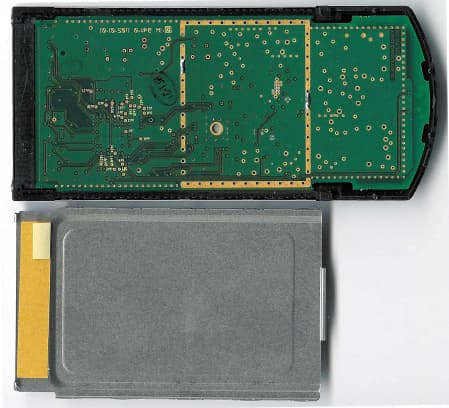
IMK-8455
Dec 05, 2002802.11a Cardbus
Equipment Class
NII - Unlicensed National Information Infrastructure TX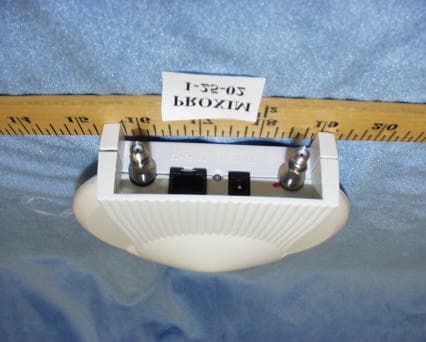
IMK-AP5C
Mar 14, 2002Harmony 802.11a Access Point
Equipment Class
NII - Unlicensed National Information Infrastructure TX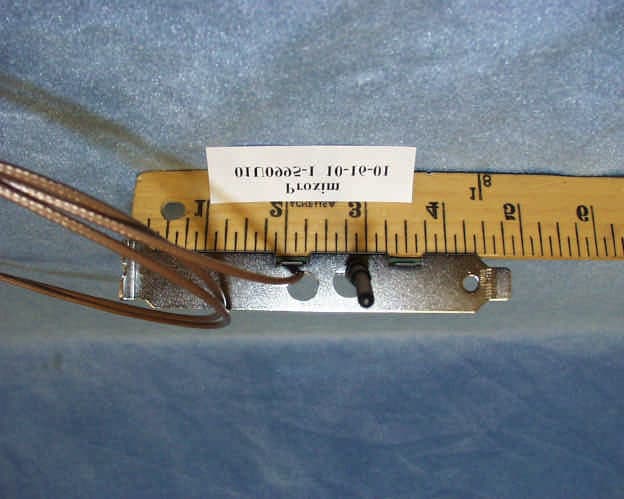
IMK-PCI5
Nov 15, 2001Harmony 8150 PCI Card
Equipment Class
NII - Unlicensed National Information Infrastructure TX
IMK-AP5
Nov 15, 2001Wireless LAN Access Point
Equipment Class
NII - Unlicensed National Information Infrastructure TX
IMK-HRFGW2
Sep 13, 2001Wireless LAN Base Station
Equipment Class
DSS - Part 15 Spread Spectrum Transmitter