IMRMPCIDE247CFR Part 15
Agere Systems Nederland B.V.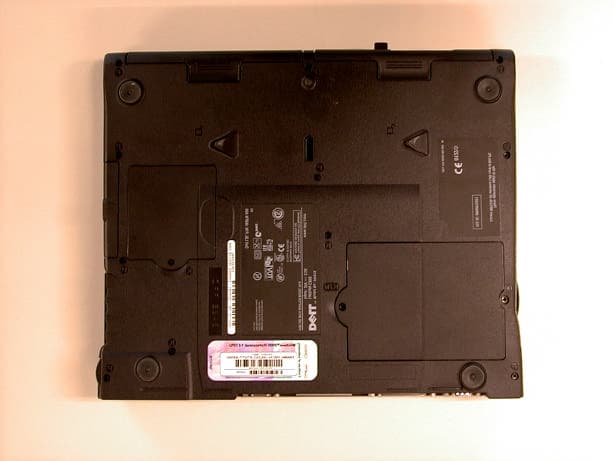
Click to zoom
Application Details
- Equipment Class
- DSS - Part 15 Spread Spectrum Transmitter
- Date of Grant
- Jun 04, 2001
- Application Purpose
- Original Equipment
- Date of Application
- Jun 04, 2001
- Equipment Note
- 47CFR Part 15
- Frequency Range
- 2412.00000000 - 2462.00000000
- Company
- Agere Systems Nederland B.V.
- Country
- Netherlands
Documents & Files
Document Text
Text extracted from the exhibit documents filed with the FCC. Open a document above to read the original.
Users Manual
Quick Start Guide5 Dell™ TrueMobile™ 1150 Series Wireless Mini PCI Card Quick Start Guide This guide provides instructions for setting up a wireless network using the Dell TrueMobile 1150 Series wireless Mini PCI card. Read the information on the following pages before you complete the setup of your wireless network. Wireless Network Installation Checklist If you are setting up your network at home and you use a residential gateway or access point to connect to the Internet, see the documentation that came with the residential gateway or access point for the Network Name and Encryption Key information. If you do not use a residential gateway or access point, you will set up a peer-to- peer group network and creating your own Network Name and Encryption Key. Before you begin setting up your wireless network, obtain the following items from your network administrator. NOTE: See the glossary for definitions of these terms. NOTE: Dell cannot provide the following information because it is specific to your network. •An SSID value (also called Network Name) for your Mini PCI card •WEP Key information (also called Encryption Key) for your Mini PCI card •For Windows networking, your Computer Name and Wo r k g r o u p N a m e •Your IP address (unless your network uses a DHCP server) •Your User Name and Password 5C297eb3.fm Page 5 Thursday, March 7, 2002 11:39 AM www.dell.com | support.dell.com 6Quick Start Guide Be sure to also have the following items: •Your computer with the Mini PCI card installed. •The Dell TrueMobile 1150 Series Wireless Mini PCI Card CD Choosing Your Type of Network The Mini PCI card enables you to interconnect computers for sharing Internet access, files, and printers. First, determine the type of network you use or want to set up: •A peer-to-peer group network (an access point is not required) •An infrastructure network (an access point is required) Peer-to-Peer Group Network Option If you do not have an access point, then you already use or will need to set up a peer-to-peer group network. The access point is not needed for this type of setup. Peer-to-Peer Group Network Example 5C297eb3.fm Page 6 Thursday, March 7, 2002 11:39 AM Quick Start Guide7 For this option, one of the desktop computers acts as a host computer. All other computers on the network access the Internet through the host computer. The host computer must remain on in order for the other computers on the network to have Internet access. For instructions on setting up a peer-to-peer group network, see “Setting Up a Peer-to- Peer Group Network” on page 8. Infrastructure Network Option If you have an access point, then you need to set up an infrastructure network. For instructions on setting up an infrastructure network, see the documentation that came with your access point. Infrastructure Network Example In an infrastructure network, the access point connects directly to a network server, which allows connection to the network. For this network option, all computers on the wireless network connect to the access point, which then connects to the server. The access point and server(s) are always on, so any computer can access the network even if the other computers on the network are turned off. 5C297eb3.fm Page 7 Thursday, March 7, 2002 11:39 AM www.dell.com | support.dell.com 8Quick Start Guide Setting Up a Peer-to-Peer Group Network NOTE: If you do not have an access point, use this section to set up your wireless network. If you use an access point, see “Setting Up an Infrastructure Network“ on page 8. Before you begin, you must first create a Network Name and an Encryption Key. Your Network Name is case-sensitive and can contain up to 32 characters and use the characters 0 through 9, a through z, and A through Z. The Encryption Key is case-sensitive and can be either 5 or 13 characters in length and use the characters 0 through 9, a through z, and A through Z. Fill in your Network Name and Encryption Key here: Network Name: ___________________________ Encryption Key: ___________________________ NOTE: All computers in this type of network must use the same Network Name and the same Encryption Key. Next, perform the procedures in “Setting Up and Configuring the Mini PCI Card“ on page 9: Setting Up an Infrastructure Network To set up an infrastructure network, see the documentation that came with your access point. To set up your Mini PCI card so that it can access an infrastructure network, perform the following procedures in sequence: •“Installing the Drivers” (see page 9) •“Verifying the Mini PCI Card Driver Installation” (see page 12) •“Installing the Client Manager Utility” (see page 13) •“Setting Up a Configuration Profile” (see page 14) 5C297eb3.fm Page 8 Thursday, March 7, 2002 11:39 AM Quick Start Guide9 Then, see the access point documentation for instructions on completing the infrastructure network setup. Setting Up and Configuring the Mini PCI Card If you ordered the Mini PCI card when you ordered your new Dell portable computer, the necessary drivers and software were installed by Dell. To complete the configuration of your peer-to-peer group network on your new Dell computer, you must perform the procedures in the following sections in sequence: •“Setting Up a Configuration Profile” (see page 14) •“Completing the Setup For Peer-to-Peer Group Networks” (see page 15) •“Setting Up File and Printer Sharing” (see page 19) For all other portable computers, you must complete the procedures on the following pages in sequence to complete the configuration of your peer-to-peer group network. Installing the Drivers Install the appropriate drivers for the Windows operating system on your computer. Windows XP Turn on your computer. Windows XP detects the Mini PCI card and installs the drivers automatically. Windows 98 1If your computer is off, turn it on. 5C297eb3.fm Page 9 Thursday, March 7, 2002 11:39 AM www.dell.com | support.dell.com 10Quick Start Guide NOTE: During the installation of the drivers, yo…
Text truncated - open the document above for the full version.
Users Manual
Regulatory Information: Dell TM TrueMobile TM 1150 Series Mini PCI Card User's Guide Information to the User Wireless Interoperability The Dell TrueMobile 1150 Series products are designed to be inter-operable with any wireless LAN product that is based on Direct Sequence Spread Spectrum (DSSS) radio technology, and is compliant to: • The IEEE 802.11 Standard on Wireless LANs (Revision B), as defined and approved by the Institute of Electrical and Electronics Engineers. • The Wireless Fidelity (WiFi) certification as defined by the WECA Wireless Ethernet Compatibility Alliance. Dell TrueMobile 1150 Series and your Health Dell TrueMobile 1150 Series, like other radio devices, emit radio frequency electromagnetic energy. The level of energy emitted by this device, however, is less than the electromagnetic energy emitted by other wireless devices such as mobile phones. Dell TrueMobile 1150 Series operates within the guidelines found in radio frequency safety standards and recommendations. These standards and recommendations reflect the consensus of the scientific community and result from deliberations of panels and committees of scientists who continually review and interpret the extensive research literature. In some situations or environments, the use of Dell TrueMobile 1150 Series may be restricted by the proprietor of the building or responsible representatives of the applicable organization. These situations may for example include: • Using the Dell TrueMobile 1150 Series equipment on board of airplanes, or • In any other environment where the risk of interference to other devices or services is perceived or identified as harmful. If you are uncertain of the policy that applies on the use of wireless devices in a specific organization or environment (e.g. airports), you are encouraged to ask for authorization to use the Dell TrueMobile 1150 Series device prior to turning on the equipment. Regulatory Information This Dell TrueMobile 1150 Series wireless network device must be installed and used in strict accordance with the manufacturer's instructions as described in the user documentation that comes with the product. For country-specific approvals, please consult the ìRadio Approvals î section. Dell Computer Corporation is not responsible for any radio or television interference caused by unauthorized modification of the devices included with this Dell TrueMobile 1150 Series Kit, or the substitution or attachment of connecting cables and equipment other than specified by Dell Computer Corporation. The correction of interference caused by such unauthorized modification, substitution or attachment will be the responsibility of the user. Dell Computer Corporation and its authorized resellers or distributors are not liable for any damage or violation of government regulations that may arise from failing to comply with these guidelines. Canada - Industry Canada (IC) This device complies with RSS 210 of Industry Canada. Europe - EU Declaration of Conformity Hereby, Agere Systems, declares that this Dell TrueMobile 1150 Series wireless device is in compliance with the essential requirements and other relevant provision of Directive 1999/5/EC France: Restricted frequency band: When operating this device on French territory, you may only do so, using the channels 10 and 11 (2457 MHz and 2462 MHz respectively). It is not allowed to operate the device at any other channel as supported by the device. License required for every indoor installation (please contact ART for procedure to follow.). Use outdoors is not allowed. Bande de frÈquence restreinte : seuls les canaux 10 ‡ 11 (2457 et 2462 MHz respectivement) doivent Ítre utilisÈs en France. Toute utilisation, qu'elle soit intÈrieure ou extÈrieure, est soumise ‡ autorisation. Vous pouvez contacter l'AutoritÈ de RÈgulation des TÈlÈcommuniations (http://www.art-telecom.fr) pour la procÈdure ‡ suivre. Italia: License required for indoor use. Use with outdoor installations not allowed E' necessaria la concessione ministeriale anche per l'uso interno. Verificare con i rivenditori la procedura da seguire. L'uso per installazione in esterni non e' permessa. USA - Federal Communications Commission (FCC) This device complies with Part 15 of FCC Rules. Operation of the device is subject to the following two conditions: • This device may not cause harmful interference. • This device must accept any interference that may cause undesired operation. Caution: Exposure to Radio Frequency Radiation This Dell TrueMobile 1150 Series wireless network device shall be used in such a manner that the potential for human contact during normal operation is minimized. In order to avoid the possibility of exceeding the FCC radio frequency exposure limits and maintain compliance with 47 CFR Part 15.247(b)(4), a separation distance of at least 2.5 cm (1 inch) must be maintained between the transmitter antenna and the body of the user (excluding hands, wrists, ankles and feet) during normal operation. The location of the transmitter antenna may be found on the next pages of this manual. Location of antenna in notebook type Latitude C600 and Inspiron 4000 The transmitting antenna, which is connected to this Dell TrueMobile 1150 Series wireless network device, is located at the front left side of the notebook types Latitude C600 and Inspiron 4000. The antenna is located at the same position as the left speaker. See picture and drawing below, where the location of the transmitting antenna is indicated by the red arrows. Location of antenna in notebook type Latitude C800 and Inspiron 8000 The transmitting antenna, which is connected to this Dell TrueMobile 1150 Series wireless network device, is located at the front left side of the notebook types Latitude C800 and Inspiron 8000. The antenna is located between the S-video TV-out connector and the left speaker. See picture and drawing below, where the location of the transmitting antenna is indicated by the red arrows. Interferenc…
Text truncated - open the document above for the full version.
Attestation Statements
§ 15.203 Antenna requirement. An intentional radiator shall be designed to ensure that no antenna other than that furnished by the responsible party shall be used with the device. The use of a permanently attached antenna or of an antenna that uses a unique coupling to the intentional radiator shall be considered sufficient to comply with the provisions of this section. PRo: By design the intentional radiator does only function in the notebooks of the manufacturer as defined in the application. Therefore the intentional radiator can only be connected to- and used with- the internal antenna of such systems. Connection to an external antenna is not possible. All this means that this intentional radiator meets the requirement. The manufacturer may design the unit so that a broken antenna can be replaced by the user, but the use of a standard antenna jack or electrical connector is prohibited. PRo: Broken antennas cannot be replaced by the user. Broken antennas can only be replaced by the supplier of the host system (notebook PC). This requirement does not apply to carrier current devices or to devices operated under the provisions of §15.211, § 15.213, § 15.217, § 15.219, or § 15.221. PRo: This devices operates under section 15.247. Further, this requirement does not apply to intentional radiators that must be professionally installed, such as perimeter protection systems and some field disturbance sensors, or to other intentional radiators which, in accordance with § 15.31(d), must be measured at the installation site. However, the installer shall be responsible for ensuring that the proper antenna is employed so that the limits in this part are not exceeded. [54 FR 17714, Apr. 25, 1989, as amended at 55 FR 28762, July 13, 1990]. PRo: The antenna is an integral part of the host system (notebook PC). This antenna cannot be installed and/or replaced by the user and will be part of the host system (notebook PC) supplied to the user. The intentional radiator has been tested with types of antennas which may form an integral part of the host system (notebook PC). § 15.204 External radio frequency power amplifiers and antenna modifications. (a) Except as otherwise described in paragraph (b) of this section, no person shall use, manufacture, sell or lease, offer for sale or lease (including advertising for sale or lease), or import, ship, or distribute for the purpose of selling or leasing, any external radio frequency power amplifier or amplifier kit intended for use with a Part 15 intentional radiator. PRo: Not applicable. No external radio frequency power amplifier is part of the transmission system. (b) A transmission system consisting of an intentional radiator, an external radio frequency power amplifier, and an antenna, may be authorized, marketed and used under this part. However, when a transmission system is authorized as a system, it must always be marketed as a complete system and must always be used in the configuration in which it was authorized. An external radio frequency power amplifier shall be marketed only in the system configuration with which the amplifier is authorized and shall not be marketed as a separate product. PRo: Not applicable. No external radio frequency power amplifier is part of the transmission system. (c) Only the antenna with which an intentional radiator is authorized may be used with the intentional radiator. [62 FR 26242, May 13, 1997]. PRo: The antenna is an integral part of the host system (notebook PC). This antenna cannot be installed and/or replaced by the user and will be part of the host system (notebook PC) when is supplied to the user. The intentional radiator has been tested with types of antennas which may form an integral part of the host system (notebook PC). The intentional radiator cannot be purchased by an user which does not own a host system (notebook PC) suitable for use with the intentional radiator. Furthermore, by design the intentional radiator will not function in other similar types of host systems of other suppliers/brands in order to prevent the use of antennas which have not been approved for use in combination with the intentional radiator.
Cover Letter(s)
Date June 5, 2001 Reference 01K0534 SubjectYour letter Request for limited modular approval - Dear Mr. Blom, This letter is to confirm that Agere Systems Nederland B.V. is requested a “Limited Modular Approval” for the mini-pci wireless device, FCC ID: IMRMPCIDE2. The usage of this radio will be limited to the following Dell Computer Corporation models: Latitude C600, Inspiron 4000, Latitude C800 and Inspiron 8000. Yours sincerely, TNO Certification EPS P.A.J.M. Robben Laboratory Manager Electronic Products and Systems Smidshornerweg 18 P.O. Box 15 9822 ZG NIEKERK The Netherlands Phone+31 594 50 50 05 Fax+31 594 50 48 04 E-mail: [email protected] BTW/VAT NR NL8003.32.167.B01 Bank ING at Delft Bank account 67.25.33.871 stating ‘TNO Certification Niekerk’ TNO CERTIFICATION Telefication B.V. attn.: Mr. W. Blom P.O. Box 60004 6800 JA Arnhem
Cover Letter(s)
Date May 24, 2001 Reference 01K0507 SubjectYour letter Request for confidentiality - Dear Mr. Blom, Pursuant to section 0.457 of the FCC rules we herewith request the following exhibits, related to this application for FCC ID: IMRMPCIDE2, be withheld from public inspection and will be kept confidential. The contents of these exhibits may not be disclosed to other parties than Agere Systems Nederland B.V. and TNO Certification B.V.: 1. Block diagram 2. Partslist 3. Schematics 4. Technical description (excluding theoretical processing gain calculations) The reason for this request for confidentiality is that the information contained in the exhibits as listed above has been classified as company confidential. Disclosure of any portion of this information to other parties would cause substantial competitive harm. Yours sincerely, TNO Certification EPS P.A.J.M. Robben Laboratory Manager Electronic Products and Systems Smidshornerweg 18 P.O. Box 15 9822 ZG NIEKERK The Netherlands Phone+31 594 50 50 05 Fax+31 594 50 48 04 E-mail: [email protected] BTW/VAT NR NL8003.32.167.B01 Bank ING at Delft Bank account 67.25.33.871 stating ‘TNO Certification Niekerk’ TNO CERTIFICATION Telefication B.V. attn.: Mr. W. Blom P.O. Box 60004 6800 JA Arnhem
Cover Letter(s)
e reSYstems Zadelstede 1-10 3431 JZ Nieuwegein P .0. Box 755 3430 AT Nieuwegein The Netherlands Phone: +31 (0) 30-609-7666 Fax: +31 (0) 30-609-7555 February 14 To whom it may concern, This letter confirms our agreement that TNO Certification B.V., department Electronic Products and Services, is authorized as an agent for: Agere Systems Nederland B V Zadelstede 1 -10 3431 JZ N;euwege;n The Netherlands to sign applications on behalf of Kees van Velzen Agere Systems Nederland BV, and to receive and exchange data between Kees van Velzen Agere Systems Nederland BV and European and non-European national authorities regarding the -certification of- and/or -arranging type approvals for- the following product(s): Device: MiniPCI wireless radio card Brand: Lucent Technologies Model: MPCI3A-20 This authorization will expire on February 14, 2002 or upon earlier written notice from Agere Systems Yours sincerely, ,( '- 5 -'"2.001 Kees van Velzen
Cover Letter(s)
Date May 24, 2001 Reference 01K0508 SubjectYour letter Company name change for registration number 90828 - Dear Mr./Ms., Herewith I would like to inform you regarding a company name change for the measurement facility as currently listed under registration number 90828. I would kindly like to ask you to update your records in the FCC database accordingly. The measurement facility, currently registered as NMi Certin B.V., now has the following company name and contact information. New company name:TNO Certification EPS New contact name:P.A.J.M. Robben, Laboratory Manager New email:[email protected] All other information related to this measurement facility as currently listed in the FCC database has not changed. During the transfer from NMi Certin B.V. to TNO Certification EPS there were no changes made to the measurement facilities as they are currently on file at the FCC. Yours sincerely, TNO Certification EPS P.A.J.M. Robben Laboratory Manager Electronic Products and Systems Smidshornerweg 18 P.O. Box 15 9822 ZG NIEKERK The Netherlands Phone+31 594 50 50 05 Fax+31 594 50 48 04 E-mail: [email protected] BTW/VAT NR NL8003.32.167.B01 Bank ING at Delft Bank account 67.25.33.871 stating ‘TNO Certification Niekerk’ TNO CERTIFICATION Office of Engineering and Technology Laboratory Federal Communications Commission 7435 Oakland Mills Road Columbia, MD 21046-1609 U.S.A.
External Photos
Testing and certification of, consultancy and research concerning, electronic and electric appliances, systems, installations and telecommunication systems TNO Certification EPS P.O. Box 15 9822 ZG Niekerk (NL) Smidshornerweg 18 9822 TL Niekerk (NL) Telephone: +31 594 505005 Telefax: +31 594 504804 E-mail: [email protected] Project number: 3145Page 1 of 12 EXTERIOR PHOTOGRAPHS OF A 2.4 GHz RLAN MINIPCI CARD, BRAND AGERE, TYPE MPCI3A-20, BUILT INTO A NOTEBOOK, BRAND DELL, TYPES C600 AND C800. Description of EUT: Manufacturer: Brand mark: Type: FCC ID: 2.4 GHz RLAN MiniPCI Card Agere Systems Nederland B.V. Agere MPCI3A-20 IMRMPCIDE2 Project number: 3145Page 2 of 12 Table of contents 1Exterior photographs of notebook type C600..............................................................................................3 1.1Front view of notebook type C600............................................................................................................3 1.2Left side view of notebook type C600.......................................................................................................4 1.3Back side view of notebook type C600.....................................................................................................5 1.4Right side side view of notebook type C600..............................................................................................6 1.5Bottom view of notebook type C600..........................................................................................................7 2Exterior photographs of notebook type C800..............................................................................................8 2.1Front view of notebook type C800............................................................................................................8 2.2Left side view of notebook type C800.......................................................................................................9 2.3Back side view of notebook type C800...................................................................................................10 2.4Right side side view of notebook type C800............................................................................................11 2.5Bottom view of notebook type C800........................................................................................................12 Description of EUT: Manufacturer: Brand mark: Type: FCC ID: 2.4 GHz RLAN MiniPCI Card Agere Systems Nederland B.V. Agere MPCI3A-20 IMRMPCIDE2 Project number: 3145Page 3 of 12 1 Exterior photographs of notebook type C600 1.1 Front view of notebook type C600 Description of EUT: Manufacturer: Brand mark: Type: FCC ID: 2.4 GHz RLAN MiniPCI Card Agere Systems Nederland B.V. Agere MPCI3A-20 IMRMPCIDE2 Project number: 3145Page 4 of 12 1.2 Left side view of notebook type C600 Description of EUT: Manufacturer: Brand mark: Type: FCC ID: 2.4 GHz RLAN MiniPCI Card Agere Systems Nederland B.V. Agere MPCI3A-20 IMRMPCIDE2 Project number: 3145Page 5 of 12 1.3 Back side view of notebook type C600 Description of EUT: Manufacturer: Brand mark: Type: FCC ID: 2.4 GHz RLAN MiniPCI Card Agere Systems Nederland B.V. Agere MPCI3A-20 IMRMPCIDE2 Project number: 3145Page 6 of 12 1.4 Right side side view of notebook type C600 Description of EUT: Manufacturer: Brand mark: Type: FCC ID: 2.4 GHz RLAN MiniPCI Card Agere Systems Nederland B.V. Agere MPCI3A-20 IMRMPCIDE2 Project number: 3145Page 7 of 12 1.5 Bottom view of notebook type C600 Description of EUT: Manufacturer: Brand mark: Type: FCC ID: 2.4 GHz RLAN MiniPCI Card Agere Systems Nederland B.V. Agere MPCI3A-20 IMRMPCIDE2 Project number: 3145Page 8 of 12 2 Exterior photographs of notebook type C800 2.1 Front view of notebook type C800 Description of EUT: Manufacturer: Brand mark: Type: FCC ID: 2.4 GHz RLAN MiniPCI Card Agere Systems Nederland B.V. Agere MPCI3A-20 IMRMPCIDE2 Project number: 3145Page 9 of 12 2.2 Left side view of notebook type C800 Description of EUT: Manufacturer: Brand mark: Type: FCC ID: 2.4 GHz RLAN MiniPCI Card Agere Systems Nederland B.V. Agere MPCI3A-20 IMRMPCIDE2 Project number: 3145Page 10 of 12 2.3 Back side view of notebook type C800 Description of EUT: Manufacturer: Brand mark: Type: FCC ID: 2.4 GHz RLAN MiniPCI Card Agere Systems Nederland B.V. Agere MPCI3A-20 IMRMPCIDE2 Project number: 3145Page 11 of 12 2.4 Right side side view of notebook type C800 Description of EUT: Manufacturer: Brand mark: Type: FCC ID: 2.4 GHz RLAN MiniPCI Card Agere Systems Nederland B.V. Agere MPCI3A-20 IMRMPCIDE2 Project number: 3145Page 12 of 12 2.5 Bottom view of notebook type C800
Internal Photos
Testing and certification of, consultancy and research concerning, electronic and electric appliances, systems, installations and telecommunication systems TNO Certification EPS P.O. Box 15 9822 ZG Niekerk (NL) Smidshornerweg 18 9822 TL Niekerk (NL) Telephone: +31 594 505005 Telefax: +31 594 504804 E-mail: [email protected] Project number: 3145Page 1 of 5 INTERIOR PHOTOGRAPHS OF A 2.4 GHz RLAN MINIPCI CARD, BRAND AGERE, TYPE MPCI3A-20. Description of EUT: Manufacturer: Brand mark: Type: FCC ID: 2.4 GHz RLAN MiniPCI Card Agere Systems Nederland B.V. Agere MPCI3A-20 IMRMPCIDE2 Project number: 3145Page 2 of 5 Table of contents 1Interior photographs of test item.................................................................................................................3 1.1Top view of interior...................................................................................................................................3 1.2Bottom view of interior..............................................................................................................................4 1.3Test item as mounted into notebook.........................................................................................................5 Description of EUT: Manufacturer: Brand mark: Type: FCC ID: 2.4 GHz RLAN MiniPCI Card Agere Systems Nederland B.V. Agere MPCI3A-20 IMRMPCIDE2 Project number: 3145Page 3 of 5 1 Interior photographs of test item 1.1 Top view of interior Description of EUT: Manufacturer: Brand mark: Type: FCC ID: 2.4 GHz RLAN MiniPCI Card Agere Systems Nederland B.V. Agere MPCI3A-20 IMRMPCIDE2 Project number: 3145Page 4 of 5 1.2 Bottom view of interior Description of EUT: Manufacturer: Brand mark: Type: FCC ID: 2.4 GHz RLAN MiniPCI Card Agere Systems Nederland B.V. Agere MPCI3A-20 IMRMPCIDE2 Project number: 3145Page 5 of 5 1.3 Test item as mounted into notebook
Internal Photos
7HVWLQJ#DQG#FHUWLILFDWLRQ#RI/#FRQVXOWDQF\#DQG UHVHDUFK#FRQFHUQLQJ/#HOHFWURQLF#DQG#HOHFWULF DSSOLDQFHV/#V\VWHPV/#LQVWDOODWLRQV#DQG WHOHFRPPXQLFDWLRQ#V\VWHPV 712#&HUWLILFDWLRQ#(36 3121#%R[#48 <;55#=*##1LHNHUN#+1/, 6PLGVKRUQHUZHJ#4; <;55#7/##1LHNHUN#+1/, 7HOHSKRQH=#.64#8<7#838338 7HOHID[=#.64#8<7#837;37 (0PDLO=#UREEHQ#FHUWL1WQR1QO 3URMHFW#QXPEHU=#64783DJH#4#RI#44 3+272*5$3+6#2)#7+(#$17(11$6#&211(&7(' 72#$#517#*+]#5/$1#0,1,3&,#&$5'/#%5$1'#$*(5(/ 7<3(#03&,6$053/#%8,/7#,172#$#127(%22./ %5$1'#'(///#7<3(6#&933#$1'#&;331 'HVFULSWLRQ#RI#(87= 0DQXIDFWXUHU= %UDQG#PDUN= 7\SH= )&&#,'= 517#*+]#5/$1#0LQL3&,#&DUG $JHUH#6\VWHPV#1HGHUODQG#%191 $JHUH 03&,6$053 ,0503&,'(5 3URMHFW#QXPEHU=#64783DJH#5#RI#44 7DEOH#RI#FRQWHQWV 43KRWRJUDSKV#RI#LQWHJUDWHG#DQWHQQDV#LQ#QRWHERRN#W\SH#&9331111111111111111111111111111111111111111111111111111111111111111111111111111111111111111111116 53KRWRJUDSKV#RI#LQWHJUDWHG#DQWHQQDV#LQ#QRWHERRN#W\SH#&;33111111111111111111111111111111111111111111111111111111111111111111111111111111111111111111111: 'HVFULSWLRQ#RI#(87= 0DQXIDFWXUHU= %UDQG#PDUN= 7\SH= )&&#,'= 517#*+]#5/$1#0LQL3&,#&DUG $JHUH#6\VWHPV#1HGHUODQG#%191 $JHUH 03&,6$053 ,0503&,'(5 3URMHFW#QXPEHU=#64783DJH#6#RI#44 4#3KRWRJUDSKV#RI#LQWHJUDWHG#DQWHQQDV#LQ#QRWHERRN#W\SH#&933 'HVFULSWLRQ#RI#(87= 0DQXIDFWXUHU= %UDQG#PDUN= 7\SH= )&&#,'= 517#*+]#5/$1#0LQL3&,#&DUG $JHUH#6\VWHPV#1HGHUODQG#%191 $JHUH 03&,6$053 ,0503&,'(5 3URMHFW#QXPEHU=#64783DJH#7#RI#44 'HVFULSWLRQ#RI#(87= 0DQXIDFWXUHU= %UDQG#PDUN= 7\SH= )&&#,'= 517#*+]#5/$1#0LQL3&,#&DUG $JHUH#6\VWHPV#1HGHUODQG#%191 $JHUH 03&,6$053 ,0503&,'(5 3URMHFW#QXPEHU=#64783DJH#8#RI#44 'HVFULSWLRQ#RI#(87= 0DQXIDFWXUHU= %UDQG#PDUN= 7\SH= )&&#,'= 517#*+]#5/$1#0LQL3&,#&DUG $JHUH#6\VWHPV#1HGHUODQG#%191 $JHUH 03&,6$053 ,0503&,'(5 3URMHFW#QXPEHU=#64783DJH#9#RI#44 'HVFULSWLRQ#RI#(87= 0DQXIDFWXUHU= %UDQG#PDUN= 7\SH= )&&#,'= 517#*+]#5/$1#0LQL3&,#&DUG $JHUH#6\VWHPV#1HGHUODQG#%191 $JHUH 03&,6$053 ,0503&,'(5 3URMHFW#QXPEHU=#64783DJH#:#RI#44 5#3KRWRJUDSKV#RI#LQWHJUDWHG#DQWHQQDV#LQ#QRWHERRN#W\SH#&;33 'HVFULSWLRQ#RI#(87= 0DQXIDFWXUHU= %UDQG#PDUN= 7\SH= )&&#,'= 517#*+]#5/$1#0LQL3&,#&DUG $JHUH#6\VWHPV#1HGHUODQG#%191 $JHUH 03&,6$053 ,0503&,'(5 3URMHFW#QXPEHU=#64783DJH#;#RI#44 'HVFULSWLRQ#RI#(87= 0DQXIDFWXUHU= %UDQG#PDUN= 7\SH= )&&#,'= 517#*+]#5/$1#0LQL3&,#&DUG $JHUH#6\VWHPV#1HGHUODQG#%191 $JHUH 03&,6$053 ,0503&,'(5 3URMHFW#QXPEHU=#64783DJH#<#RI#44 'HVFULSWLRQ#RI#(87= 0DQXIDFWXUHU= %UDQG#PDUN= 7\SH= )&&#,'= 517#*+]#5/$1#0LQL3&,#&DUG $JHUH#6\VWHPV#1HGHUODQG#%191 $JHUH 03&,6$053 ,0503&,'(5 3URMHFW#QXPEHU=#64783DJH#43#RI#44 'HVFULSWLRQ#RI#(87= 0DQXIDFWXUHU= %UDQG#PDUN= 7\SH= )&&#,'= 517#*+]#5/$1#0LQL3&,#&DUG $JHUH#6\VWHPV#1HGHUODQG#%191 $JHUH 03&,6$053 ,0503&,'(5 3URMHFW#QXPEHU=#64783DJH#44#RI#44
Internal Photos
Testing and certification of, consultancy and research concerning, electronic and electric appliances, systems, installations and telecommunic…
Text truncated - open the document above for the full version.
Contact Information
Applicant
Maarten Visee(Hardware/Development Manager)
Technical Contact
Agere Systems Nederland B.V.B. Vos
[email protected]+31 30 609 7666
Zadelstede 1-10 · Nieuwegein · Netherlands
Non-Technical Contact
Agere Systems Nederland B.V.K. van Velzen
[email protected]+31 30 609 7666
Test Firm
TUV Rheinland Nederland B.V.Ties E. T Koning
Technical Specifications
| # | Rule Parts | Frequency Range | Power Output |
|---|---|---|---|
| 1 | 15C | 2.41 GHz - 2.46 GHz | 31.60 mW |
Other Applications from Agere Systems Nederland B.V.
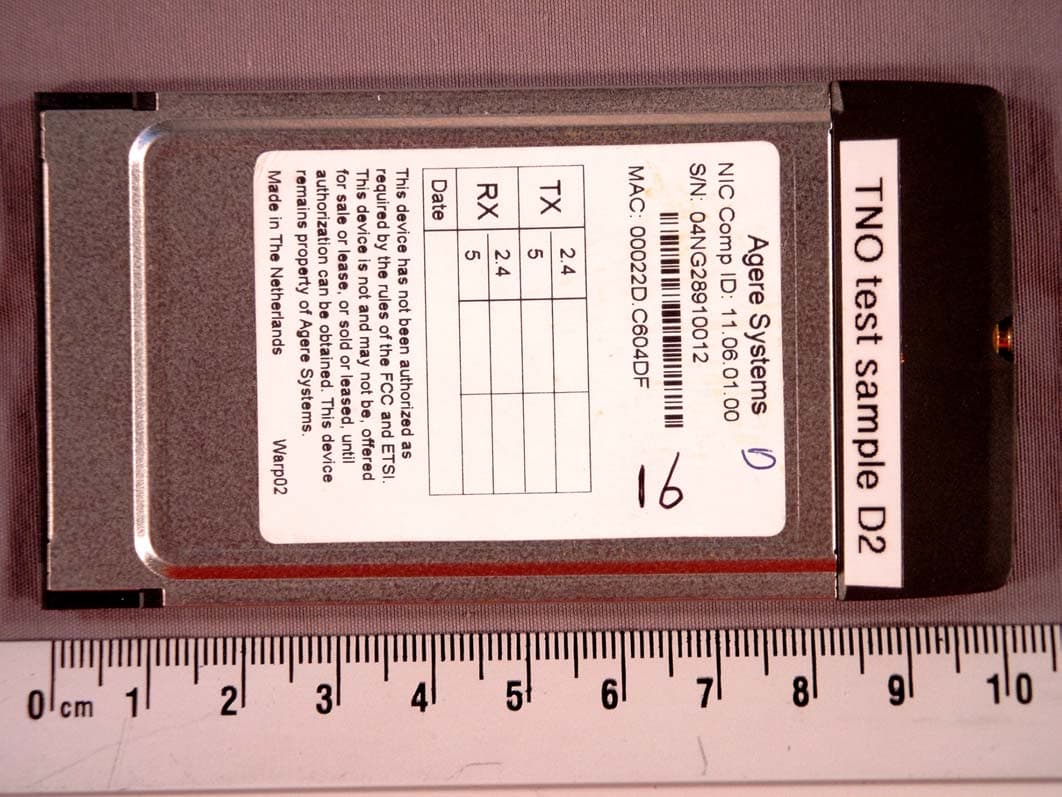
IMR1106CB
Oct 25, 20042.4/5 GHz IEEE 802.11g/a WLAN Cardbus card
Equipment Class
NII - Unlicensed National Information Infrastructure TX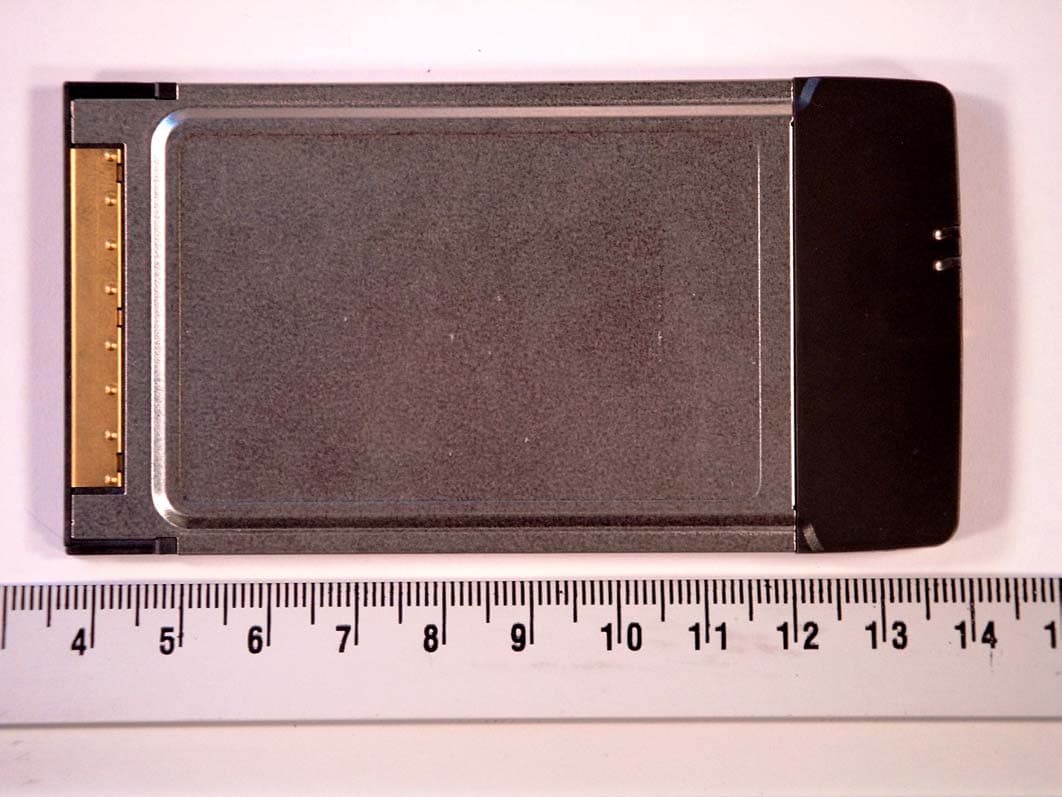
IMR1102CB
Jul 08, 2004IEEE 802.11 a/b/g CardBus Card
Equipment Class
NII - Unlicensed National Information Infrastructure TX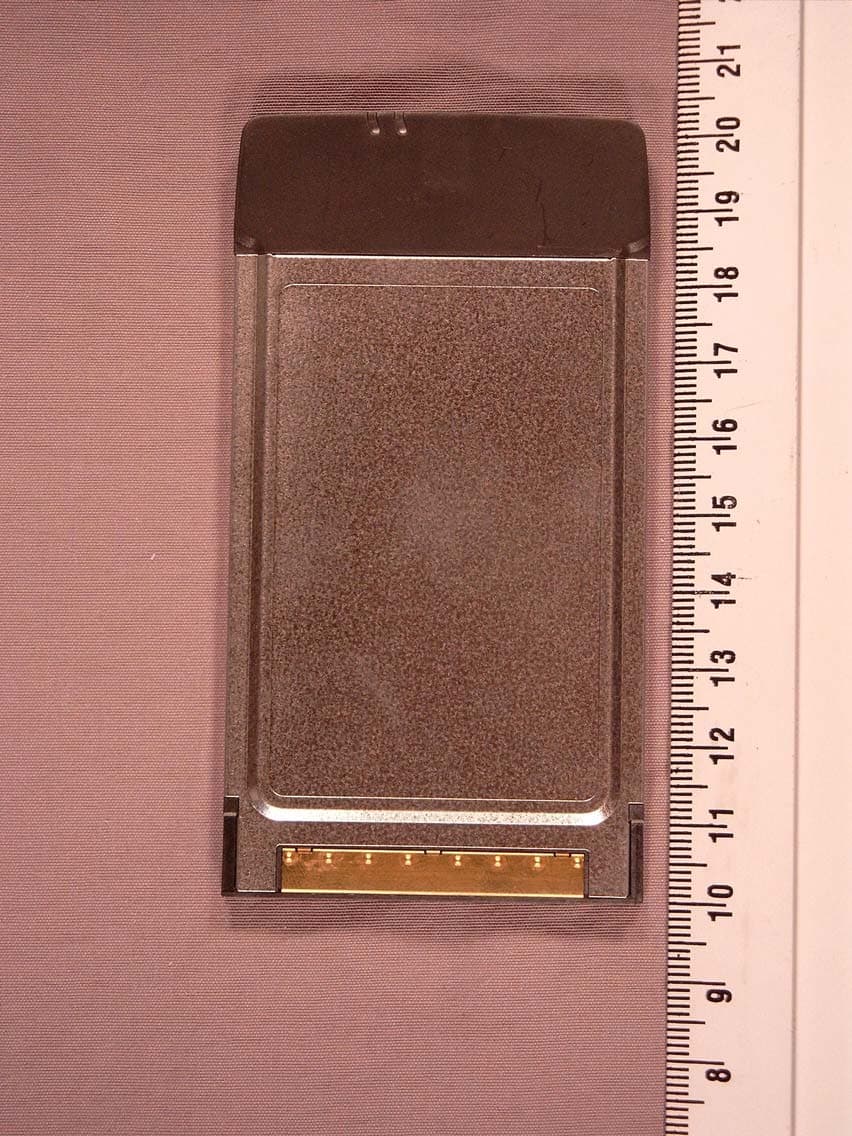
IMR1103CB-D
Jul 01, 2004IEEE 802.11 a/b/g CardBus Card
Equipment Class
NII - Unlicensed National Information Infrastructure TX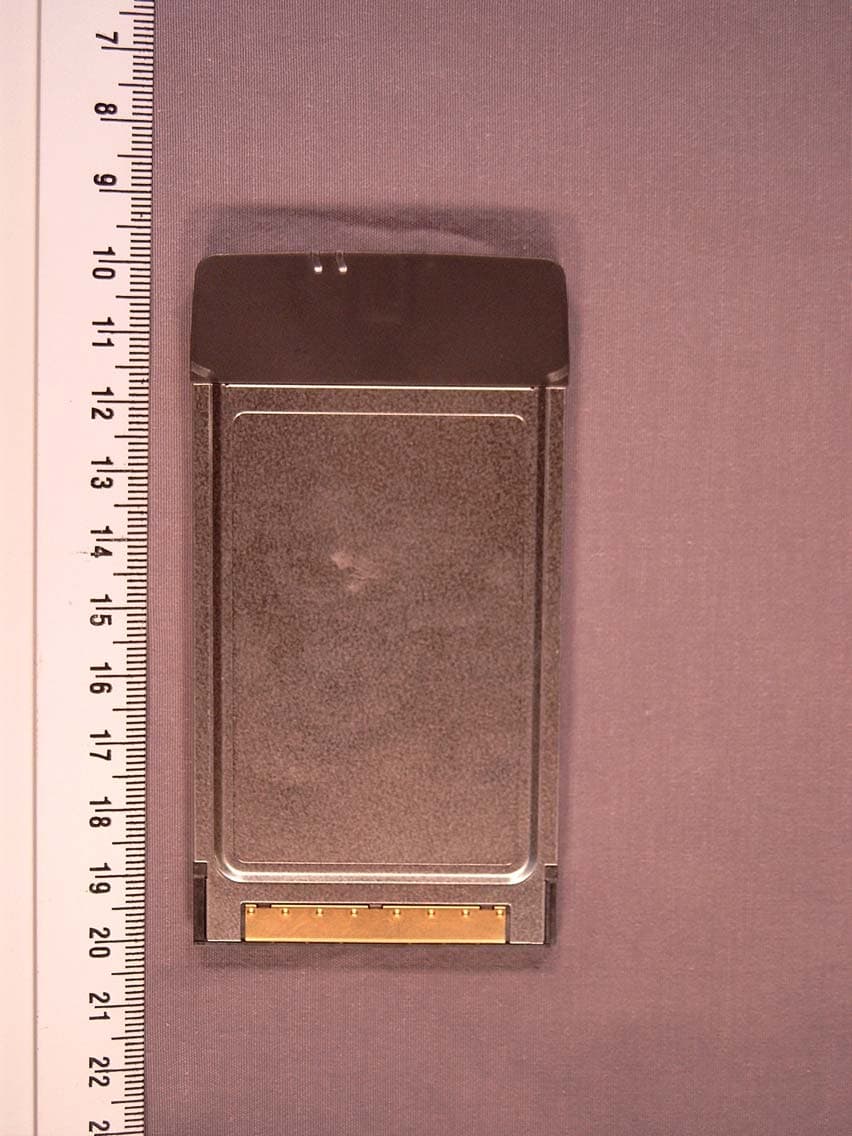
IMRCB1102
Mar 28, 2004IEEE 802.11 a/b/g CardBus Card
Equipment Class
DTS - Digital Transmission System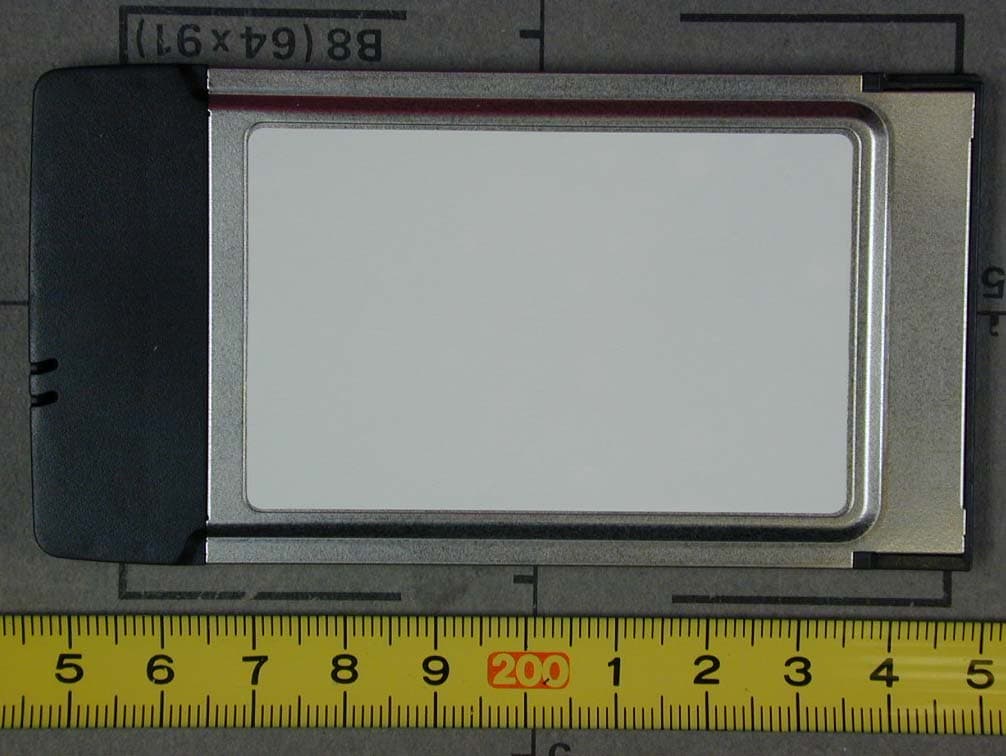
IMRPC2411B
Dec 11, 2002Wireless LAN PC Card 2.4 GHz
Equipment Class
JBP - Part 15 Class B Computing Device Peripheral