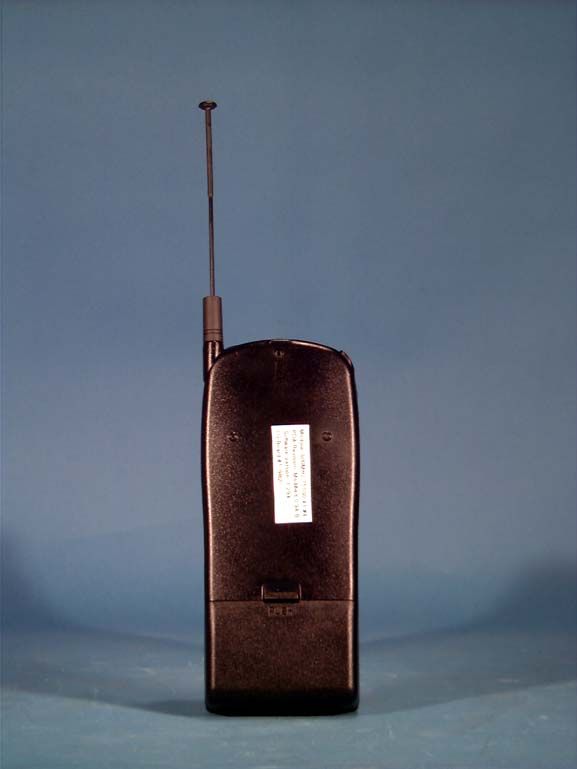
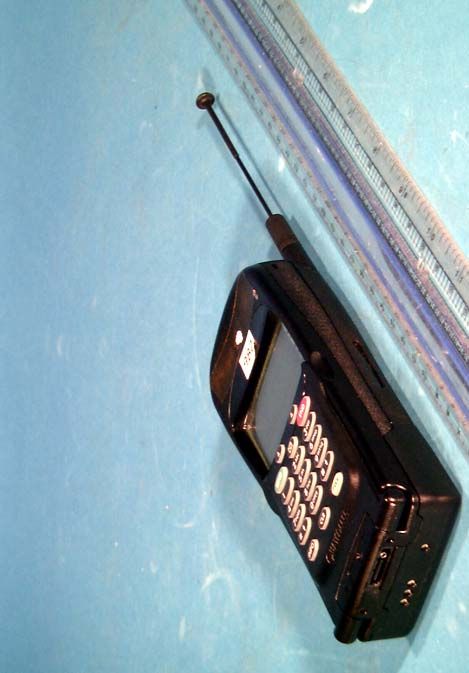
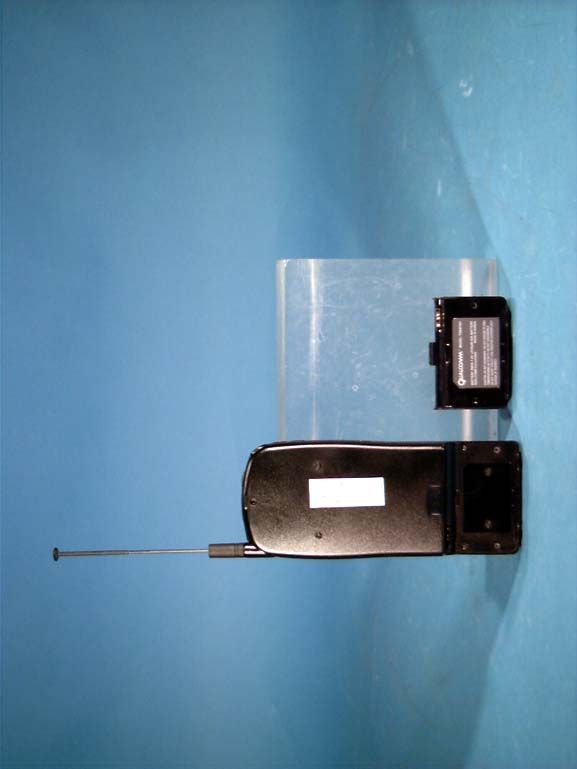
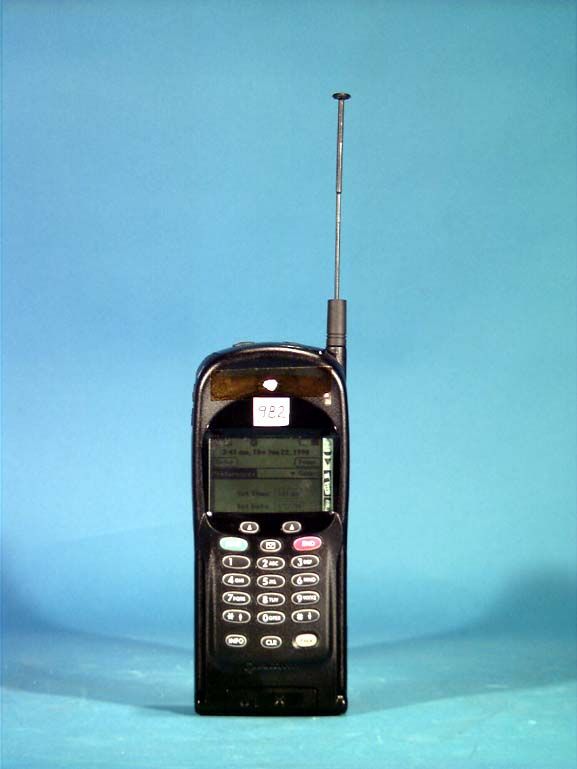
J9CPDQ-800PDQ-800 Cellular Phone
Qualcomm Technologies, Inc.
Click to zoom
Application Details
- Equipment Class
- TNE - Licensed Non-Broadcast Transmitter Held to Ear
- Date of Grant
- Apr 01, 1999
- Application Purpose
- Original Equipment
- Date of Application
- Dec 22, 1998
- Equipment Note
- PDQ-800 Cellular Phone
- Frequency Range
- 824.04000000 - 848.97000000
- Company
- Qualcomm Technologies, Inc.
- Country
- United States
Documents & Files
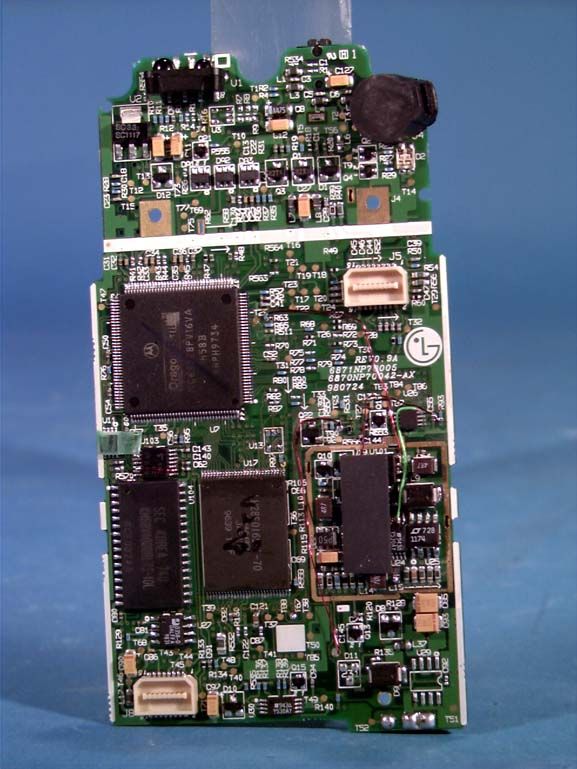
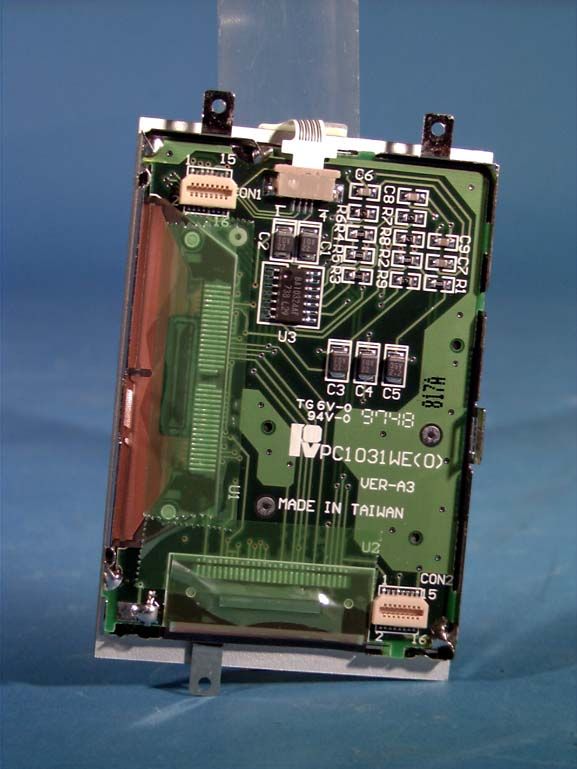
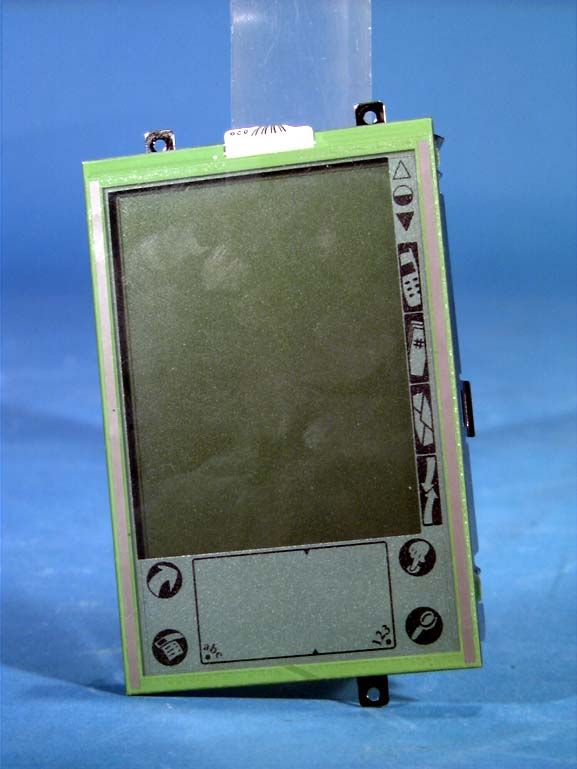
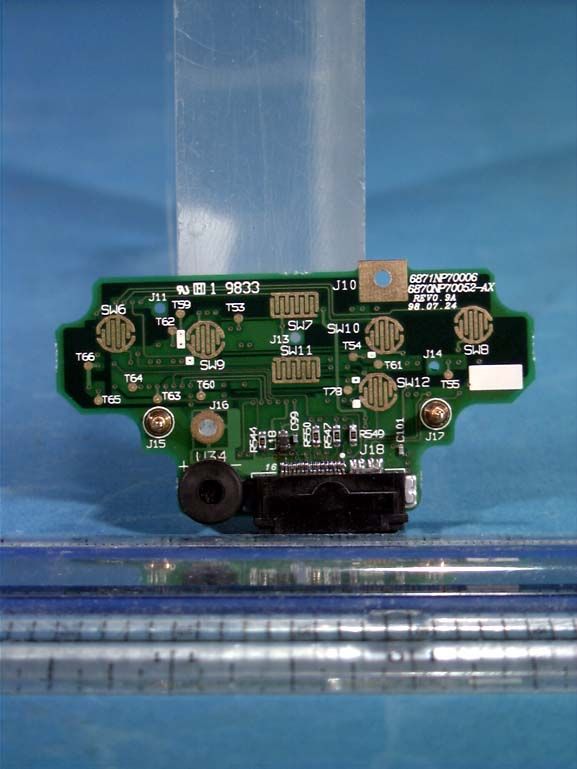
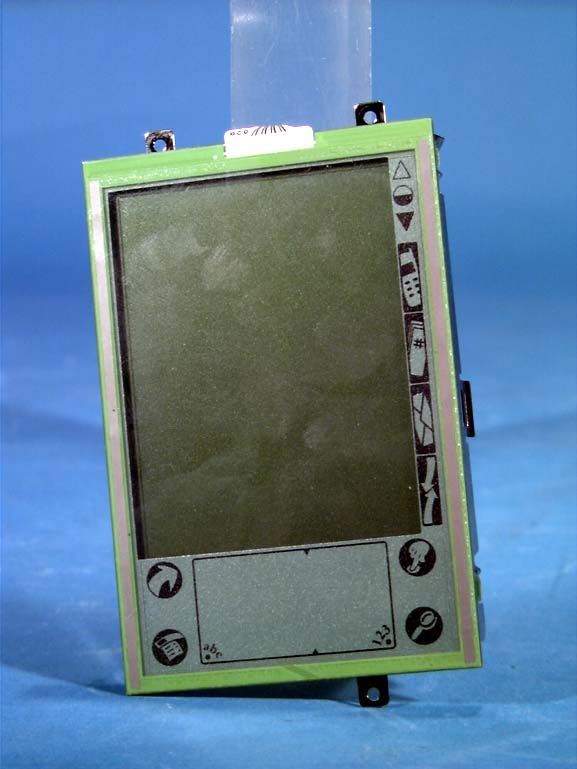
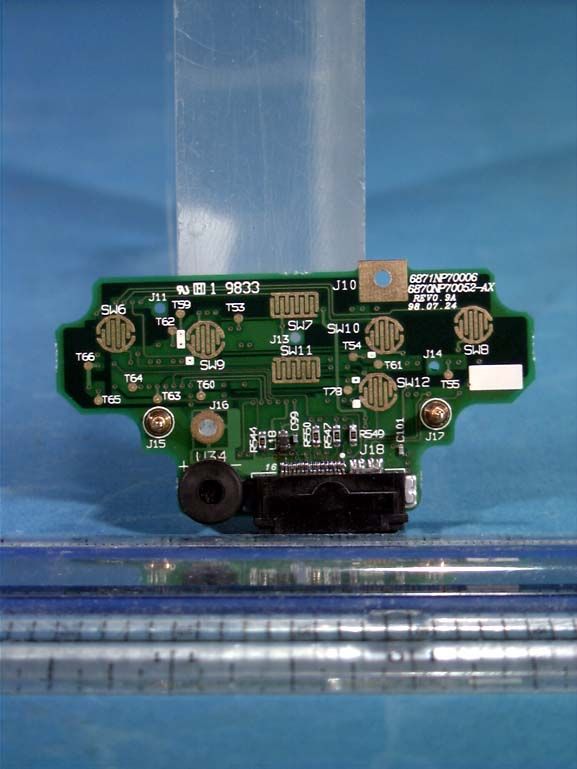
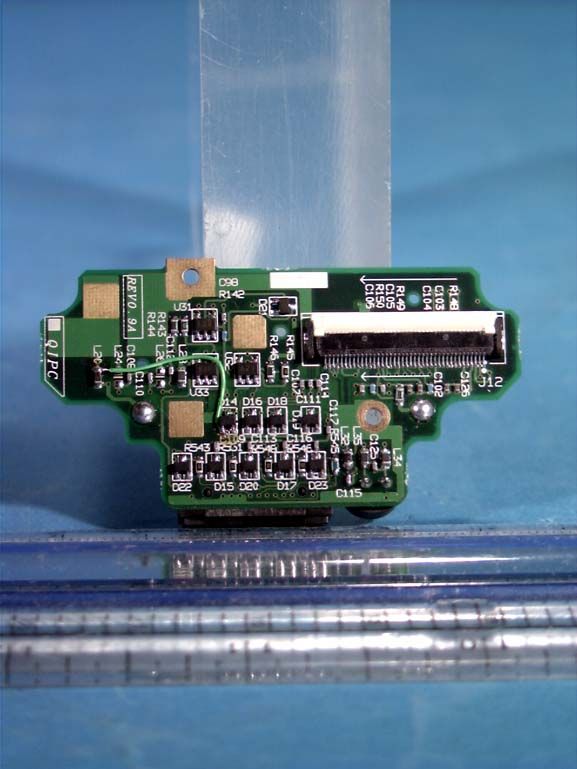
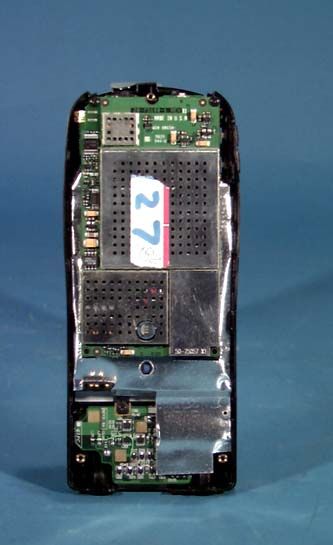
Document Text
Text extracted from the exhibit documents filed with the FCC. Open a document above to read the original.
Users Manual
QUALCOMM Proprietary. Copyright © 1998 QUALCOMM Incorporated. 80-68789-1 Rev X2 All rights reserved. Printed in the United States of America. pdQ Applications Handbook QUALCOMM Incorporated, 6455 Lusk Boulevard, San Diego, California 92121-2779 U.S.A. www.qualcomm.com pdQ Apps.book Page i Monday, October 26, 1998 10:50 AM Software changes may have occurred after this printing. QUALCOMM reserves the right to make changes in technical and product specifications without prior notice. The products and equipment described in this documentation are manufactured under one or more of the following U.S. Patents: 4,901,307, 5,056,109,5,099,204, 5,101,501, 5,103,459, 5,107,225, 5,109,390, 5,193,094,5,228,054, 5,257,283, 5,265,119, 5,267,261, 5,267,262, 5,280,472,5,283,536, 5,289,527, 5,207,405, 5,309,474, 5,337,338, 5,339,046,5,341,456, 5,383,219, 5,392,287, 5,396,516, D356,560,5,408,697,5,414,728, 5,414,796, 5,416,797, 5,426,392, 5,437,055, D361,065,5,442,322, 5,442,627, 5,452,473, 5,461,639, 5,469,115, 5,469,471,5,471,497, 5,475,870, 5,479,475, 5,483,696, 5,485,486, 4,487,175,5,490,165, 5,497,395, 5,499,280, 5,504,773, 5,506,865, 5,509,015,5,509,035, 5,511,067, 5,511,073, 5,513,176, 5,515,177, 5,517,323,5,519,761, 5,528,593, 5,530,928, 5,533,011, 5,535,239, 5,539,531,5,544,196, 5,544,223, 5,546,459, 5,548,812, 5,559,881, 5,559,865,5,561,618, 5,564,083, 5,566,000, 5,566,206, 5,566,357, 5,568,483,5,574,773, 5,574,987, D375,740,5,576,662, 5,577,022, 5,577,265,D375,937,5,588,043, D376,804,5,589,756, 5,590,069, 5,590,406,5,590,408, 5,592,548, 5,594,718, 5,596,570, 5,600,754, 5,602,834,5,602,833, 5,603,096, 5,604,730, 5,604,459, 5,604,730, 5,608,722,5,614,806, 5,617,060, 5,621,752, 5,621,784, 5,621,853, 5,625,876,5,627,857, 5,629,955, 5,629,975, 5,638,412, 5,640,414, 5,642,398,5,644,591, 5,644,597, 5,646,991, 5,652,814, 5,656,979, 5,655,229,5,657,420, 5,659,569, 5,663,807. Other patents pending. FCC/IC Notice Operation is subject to the following two conditions: (1) This device may not cause harmful interference, and (2) this device must accept any interference received, including interference that may cause undesired operation. This technology is controlled by the United States Government. Diversion contrary to U.S. Law prohibited. All data and information contained in or disclosed by this document are confidential and proprietary information of QUALCOMM Incorporated, and all rights therein are expressly reserved. By accepting this material, the recipient agrees that this material and the information contained therein are held in confidence and trust and will not be used, copied, reproduced in whole or part, nor its contents revealed in any manner to others without the express written permission of QUALCOMM Incorporated. QUALCOMM is a registered trademark and registered service mark of QUALCOMM Incorporated. 3Com, the 3Com logo, Palm Computing, Graffiti and HotSync are registered trademarks, and PalmPilot, Palm III, Palm OS, Palm, the Palm Computing platform logo, the PalmPilot logo and the Palm III logo are trademarks of Palm Computing Inc., 3Com Corporation or its subsidiaries. Other product and brand names may be trademarks or registered trademarks of their respective owners. DCN 80-68789-1 Rev X2 pdQ Apps.book Page ii Monday, October 26, 1998 10:50 AM Contentsiii 80-68789-1 Rev X2, PRELIMINARY - 10/26/98QUALCOMM Proprietary Contents Chapter 1 Address Book Getting Started with Address Book Entries . . . . . . . . . . . . . . . . . . 2 Creating an Address Book Entry . . . . . . . . . . . . . . . . . . . . . . . 2 Adding an Address Book Entry to the Speed Dialer . . . . . . . . . . 3 Making a Phone Call from the Address Book . . . . . . . . . . . . . . . 4 Editing an Address Book Entry . . . . . . . . . . . . . . . . . . . . . . . . 4 Deleting an Address Book Entry . . . . . . . . . . . . . . . . . . . . . . . 4 Removing an Address Book Entry from the Speed Dialer . . . . . . . 5 Working With Address Book Entries . . . . . . . . . . . . . . . . . . . . . . . 5 Looking Up Address Book Entries . . . . . . . . . . . . . . . . . . . . . . 5 Choosing Types of Phone Numbers . . . . . . . . . . . . . . . . . . . . . 6 Assigning Address Categories . . . . . . . . . . . . . . . . . . . . . . . . . 7 Sorting by Name or Company . . . . . . . . . . . . . . . . . . . . . . . . . 7 Changing Address Entry Details . . . . . . . . . . . . . . . . . . . . . . . 8 Beaming Address Entries to Other pdQ Smartphones . . . . . . . . . 9 Address Book Menu Commands . . . . . . . . . . . . . . . . . . . . . . . . . 10 Record Menu . . . . . . . . . . . . . . . . . . . . . . . . . . . . . . . . . . . 10 Options Menu . . . . . . . . . . . . . . . . . . . . . . . . . . . . . . . . . . 12 Chapter 2 Calculator Using the Calculator Screen . . . . . . . . . . . . . . . . . . . . . . . . . . . 15 Special Calculator Buttons . . . . . . . . . . . . . . . . . . . . . . . . . . 15 Calculator Menu Commands. . . . . . . . . . . . . . . . . . . . . . . . . . . . 16 Recent Calculations . . . . . . . . . . . . . . . . . . . . . . . . . . . . . . 16 Chapter 3 Call History Chapter 4 Date Book Scheduling an Event . . . . . . . . . . . . . . . . . . . . . . . . . . . . . . . . 22 Rescheduling an Event . . . . . . . . . . . . . . . . . . . . . . . . . . . . . . . 26 Setting an Alarm for an Event . . . . . . . . . . . . . . . . . . . . . . . . . . 26 Scheduling Repeating Events . . . . . . . . . . . . . . . . . . . . . . . . . . 27 Considerations for the Repeat Function . . . . . . . . . . . . . . . . . 28 Marking a Private Event . . . . . . . . . . . . . . . . . . . . . . . . . . . . . . 29 Deleting an Event . . . . . . . . . . . . . . . . . . . . . . . . . . . . . . . . . . 29 Changing the Date Book View . . . . . . . . . . . . . . . . . . . . . . . . . . 29 Working in Week View . . . . . . . . . . . . . . . . . . . . . . . . . . . . . 30 Spotting Event Conflicts in Week View . . . . . . . . . . . . . . . . . . 31 Working in Month View . . . . . . …
Text truncated - open the document above for the full version.
Users Manual
QUALCOMM Proprietary. Copyright © 1998 QUALCOMM Incorporated. 80-68788-1 Rev X2 All rights reserved. Printed in the United States of America. pdQ Basics Handbook QUALCOMM Incorporated, 6455 Lusk Boulevard, San Diego, California 92121-2779 U.S.A. www.qualcomm.com pdQ basic.book Page i Monday, October 26, 1998 8:46 AM Software changes may have occurred after this printing. QUALCOMM reserves the right to make changes in technical and product specifications without prior notice. The products and equipment described in this documentation are manufactured under one or more of the following U.S. Patents: 4,901,307, 5,056,109,5,099,204, 5,101,501, 5,103,459, 5,107,225, 5,109,390, 5,193,094,5,228,054, 5,257,283, 5,265,119, 5,267,261, 5,267,262, 5,280,472,5,283,536, 5,289,527, 5,207,405, 5,309,474, 5,337,338, 5,339,046,5,341,456, 5,383,219, 5,392,287, 5,396,516, D356,560,5,408,697,5,414,728, 5,414,796, 5,416,797, 5,426,392, 5,437,055, D361,065,5,442,322, 5,442,627, 5,452,473, 5,461,639, 5,469,115, 5,469,471,5,471,497, 5,475,870, 5,479,475, 5,483,696, 5,485,486, 4,487,175,5,490,165, 5,497,395, 5,499,280, 5,504,773, 5,506,865, 5,509,015,5,509,035, 5,511,067, 5,511,073, 5,513,176, 5,515,177, 5,517,323,5,519,761, 5,528,593, 5,530,928, 5,533,011, 5,535,239, 5,539,531,5,544,196, 5,544,223, 5,546,459, 5,548,812, 5,559,881, 5,559,865,5,561,618, 5,564,083, 5,566,000, 5,566,206, 5,566,357, 5,568,483,5,574,773, 5,574,987, D375,740,5,576,662, 5,577,022, 5,577,265,D375,937,5,588,043, D376,804,5,589,756, 5,590,069, 5,590,406,5,590,408, 5,592,548, 5,594,718, 5,596,570, 5,600,754, 5,602,834,5,602,833, 5,603,096, 5,604,730, 5,604,459, 5,604,730, 5,608,722,5,614,806, 5,617,060, 5,621,752, 5,621,784, 5,621,853, 5,625,876,5,627,857, 5,629,955, 5,629,975, 5,638,412, 5,640,414, 5,642,398,5,644,591, 5,644,597, 5,646,991, 5,652,814, 5,656,979, 5,655,229,5,657,420, 5,659,569, 5,663,807. Other patents pending. FCC/IC Notice Operation is subject to the following two conditions: (1) This device may not cause harmful interference, and (2) this device must accept any interference received, including interference that may cause undesired operation. This technology is controlled by the United States Government. Diversion contrary to U.S. Law prohibited. All data and information contained in or disclosed by this document are confidential and proprietary information of QUALCOMM Incorporated, and all rights therein are expressly reserved. By accepting this material, the recipient agrees that this material and the information contained therein are held in confidence and trust and will not be used, copied, reproduced in whole or part, nor its contents revealed in any manner to others without the express written permission of QUALCOMM Incorporated. QUALCOMM is a registered trademark and registered service mark of QUALCOMM Incorporated. 3Com, the 3Com logo, Palm Computing, Graffiti and HotSync are registered trademarks, and PalmPilot, Palm III, Palm OS, Palm, the Palm Computing platform logo, the PalmPilot logo and the Palm III logo are trademarks of Palm Computing Inc., 3Com Corporation or its subsidiaries. Other product and brand names may be trademarks or registered trademarks of their respective owners. DCN 80-68788-1 Rev X2 pdQ basic.book Page ii Monday, October 26, 1998 8:46 AM Contentsiii 80-68788-1 Rev X2, PRELIMINARY - 10/26/98QUALCOMM Proprietary Contents Chapter 1 Experiencing the pdQ™ Smartphone Advantage Making a Phone Call Using Tomorrow’s Technology .................... 1 Moving from a Palm Device to pdQ Smartphone......................... 3 Computer System Requirements .............................................. 4 About the pdQ Smartphone Documentation .............................. 4 Chapter 2 Getting Started Introducing pdQ Smartphone ................................................. 5 Locating Phone Controls........................................................ 6 Setting Up the pdQ Smartphone ............................................. 9 Installing and Charging the Battery ...................................... 10 Aligning the Screen ............................................................ 11 Setting the Time and Date ................................................... 12 Defining Phone Preferences ................................................. 13 Defining pdQmail Preferences............................................... 14 Defining Web Preferences .................................................... 22 Connecting the HotSync Cradle............................................. 22 Installing Palm Desktop Software.......................................... 23 Performing a HotSync Operation for the First Time .................. 25 Chapter Working with Phone and Messaging Features Making Basic Phone Calls..................................................... 27 Using Advanced pdQ Smartphone Calling Features ................... 27 Answering Calls.................................................................. 29 Ending Calls ...................................................................... 29 pdQ Smartphone Features .................................................... 29 Preventing Keys From Being Pressed Accidentally .................... 30 Chapter 4 Working with Organizer Features Selecting Applications......................................................... 31 Using the On-Screen Keyboard.............................................. 33 Writing with the Stylus ....................................................... 34 Using Application Controls................................................... 44 Using Menus...................................................................... 45 Choosing Fonts .................................................................. 47 Using Categories ................................................................ 48 Attaching Notes ................................................................. 52 Marking Private Entries ............................................…
Text truncated - open the document above for the full version.
Users Manual
Getting Started INSTALL AND CHARGE THE BATTERYHold the pdQ ™ smartphone so the keypad faces away from you. Put the base of the battery into the battery slot. Rotate the top of thebattery until it clicks into place.Plug pdQ’s HotSync® cradle into a wall socket. Slide the pdQ smart- phone into its cradle over the data connectors until you hear a snapand the light on the cradle is illuminated. The light on the cradlechanges to green when the battery is fully charged. Once you’ve entered information into the pdQ smartphone, always synchronize the phone with your computer before removing the pdQ smartphone’s battery. Always reinsert the battery within two minutes to ensure your information remains safe.To save battery power, turn off the phone when you are not using it. You can use organizer features when the phone is turned off. ALIGN pdQ SMARTPHONE’S SCREEN AND SET THE TIME AND DATEOpen the keypad to display the pdQ smartphone’s entire screen. Tapthe exact center of each target with the stylus to align the screen.Then tap boxes and arrows to set the time and date. MAKE THE CONNECTIONRemove the pdQ smartphone from its cradle. Turn off your comput-er. Plug the cradle’s serial connector into a serial (COM) port on theback of the computer. Turn on your computer when the cradle isconnected.INSTALL THE SOFTWAREPut the pdQ smartphone in its cradle. Insert the pdQ CD-ROM intothe computer CD drive. Follow the instructions on the screen. If using an NT: you need to have write privileges and install the software in a user, not administrator, account.If using a Macintosh: you can order the Mac Pac by calling Palm Computing ® at: (800) 881-7256 (U.S.), (800) 891-6342 (Canada) or (801) 431-1536 (Worldwide). Working with the pdQ Smartphone SYNCHRONIZE THE pdQ SMARTPHONE WITH YOUR COMPUTEROpen the pdQ smartphone’s keypad to display its entire screen. TapHotSync. HotSync technology synchronizes information between thepdQ smartphone and your computer. Use your computer keyboardAfter you have installed the Palm Desktop software, type infor-mation into your computer using your computer keyboard. UseHotSync technology to synchronize information on your com-puter with the pdQ smartphone. Use the on-screen keyboardTap l near abc or 123 inside the writing area on the bottom of the pdQ smartphone’s screen to display a keyboard. Tap lettersor numbers. Use Graffiti® script Write Graffiti script in the writing area using the stylus. Write alphabetic characters on the left side and numeric characterson the right side. IMMEDIATE DIALING CAPABILITYPlacing a call couldn’t be easier! Here is how to make your firstphone call:1 Press PWR on the keypad to turn on the phone. 2 Press keys to enter the phone number, then press SEND. 3 When you are finished with the call, press END. DIRECT ADDRESS BOOK DIALINGIt only takes a couple of taps to place a call to a contact, friend,or business associate. In addition to storing thousands of numbers,the pdQ smartphone makes it easy to add and update information.After you enter information in the Addr ess Book as described in the pdQ Applications Handbook , here is all you have to do to place a call:1 Open the keypad; to turn on the phone, tap 2 To display the Applications Launcher, tap 3 To display the Address List screen, tap 4 Tap the phone number you want to call, then tap Dial. 5 Tap End when finished. MIGRATING FROM THE PALM PILOT™ OR PALM III™ CONNECTEDORGANIZER TO THE pdQ SMARTPHONETo transfer information from your Palm Pilot or Palm III connectedorganizer, first synchronize your Palm connected organizer to yourcomputer and then synchronize the pdQ smartphone to your com-puter. pdQmailRead, forward, write, delete, and respond to email. The pdQ Basics Handbook explains how to get started. WebAfter setting up Internet services, use Web to gain immediateaccess to web sites. GRAFFITI SCRIPT Saving TimeDialing a Phone Number 1 432 5 Enter Information Three Ways . . . 6455 Lusk Boulevard, San Diego, California 92121-2779 USA www.qualcomm.com 80-67674-1 Rev. X2 pdQ QUICK START CARD Contact InformationTo learn more about pdQ smartphone and its capabilities, refer to the two handbooks enclosed with your product pack-aging. The pdQ Basics Handbook contains the information you need to get started. The pdQ Applications Handbookprovides detailed information about the pdQ smartphone’s applications. If you have service-based questions, such as those regarding your phone, phone bill, or call coverage area, call yourservice provider at *611. For answers to questions regarding pdQ applications or advanced features, contact TechnicalSupport: World Wide Web - http://www.qualcomm.com/pdq Email - [email protected] U.S. and Canada (800) 349-4478 Other Countries (619) 651-4028 Download games, utilities, and upgrades from QUALCOMM’s web site and other sites. Any applications that work onPalm Pilot™ or Palm Pilot III™ also work on the pdQ smartphone.FCC/IC NoticeOperation is subject to the following two conditions: (1) This device may not cause harmful interference, and (2) thisdevice must accept any interference received, including interference that may cause undesired operation. This technology is controlled by the United States Government. Diversion contrary to U.S. Law prohibited.All data and information contained in or disclosed by this document are confidential and proprietary information ofQUALCOMM Incorporated, and all rights therein are expressly reserved. By accepting this material, the recipient agreesthat this material and the information contained therein are held in confidence and trust and will not be used, copied,reproduced in whole or part, nor its contents revealed in any manner to others without the express written permissionof QUALCOMM Incorporated. QUALCOMM is a registered trademark and registered service mark of QUALCOMM Incorporated. 3Com, the 3Com logo,Palm Computing, Graffiti and HotSync are registered trademarks, and PalmPilot, Palm III, Palm OS, Palm, the PalmComputin…
Text truncated - open the document above for the full version.
ID Label/Location Info
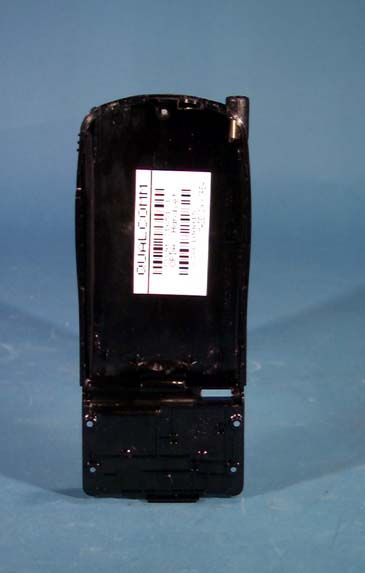
Applicant : QUALCOMM FCC ID: J9CPDQ-800 PDQ 800 Label Drawings Actual size of the label that is placed on the back side of the Network Interface Unit (NIU). Enlarged size of the label that is placed on the back side of the Network Interface Unit (NIU).
RF Exposure Info
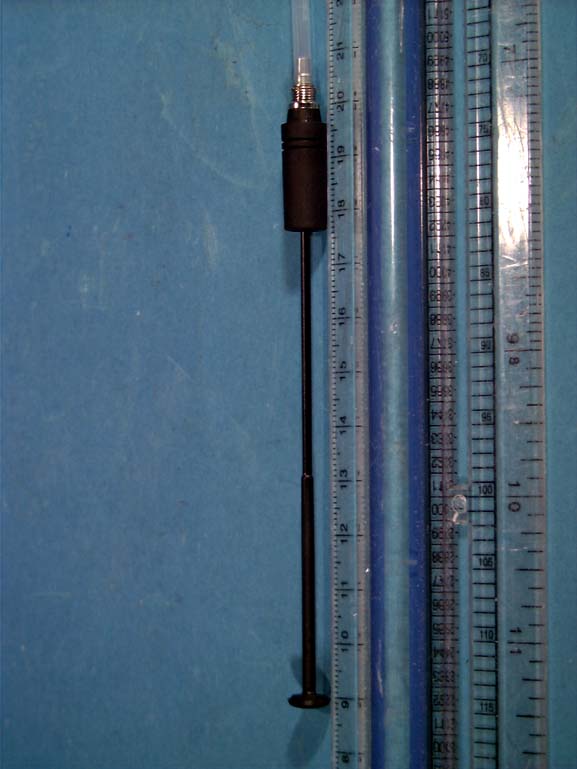
© 1998 PCTEST Engineering Lab., Inc. PCTEST Engineering Laboratory, Inc. 6660-B 6660-B DobbinDobbin Road Road •• Columbia, MD 21045 Columbia, MD 21045 •• U.S.A. U.S.A. TEL (410) 290-6652 TEL (410) 290-6652 •• FAX (410) 290-6654 FAX (410) 290-6654 http://www.pctestlab.comhttp://www.pctestlab.com CERTIFICATE OF COMPLIANCE (SAR EVALUATION) QUALCOMM INCORPORATEDDates of Tests: December 02-03, 1998 6455 Lusk BoulevardTest Report S/N: SAR.981201810.J9C San Diego, CA 92121-2779Test Site: PCTEST Lab, Columbia MD Attn: Mr. Jay Moulton – Director of Engineering Regulatory FCC ID J9CPDQ-800 APPLICANT QUALCOMM INCORPORATED EUT Type:Dual Mode Cellular Phone (AMPS/CDMA) Tx Frequency:824.04 – 849.97 MHz Rx Frequency:869.04 – 893.97 MHz Max Output Power:0.6 W ERP (AMPS) / 0.36 W ERP (CDMA) Trade Name/Model(s):QUALCOMM PDQ-800 FCC Classification:Non-Broadcast Transmitter Held to Ear (TNE) Application Type:Certification Serial Number:n/a (pre production) FCC Rule Part(s):2.1093; ET Docket 96.326; 22(H) This wireless portable device has been shown to be capable of compliance for localized specific absorption rate (SAR) for uncontrolled environment/general population exposure limits specified in ANSI/IEEE Std. C95.1-1992 and had been tested in accordance with the measurement procedures specified in ANSI/IEEE Std. C95.3-1992. (See Test Report). I attest to the accuracy of data. All measurements reported herein were performed by me or were made under my supervision and are correct to the best of my knowledge and belief. I assume full responsibility for the completeness of these measurements and vouch for the qualifications of all persons taking them. NVLAP accreditation does not constitute any product endorsement by NVLAP or any agency of the United States Government. PCTEST certifies that no party to this application has been denied the FCC benefits pursuant to Section 5301 of the Anti-Drug Abuse Act of 1988, 21 U.S.C. 853(a) 981201810.J9C SAR Measurement ReportFCC Part 22 Certification © 1998 PCTEST Labi Table of Contents SCOPE .............................................................................1 INTRODUCTION / SAR DEFINITION ......................................2 SAR MEASUREMENT SET-UP .............................................3 E-FIELD PROBE SYSTEM ...................................................4 PHANTOM & BRAIN EQUIVALENT MATERIAL ......................7 SYSTEM SPECIFICATIONS ................................................. 8 MEASUREMENT PROCESS ................................................9 TEST POSITION OF THE PHONE .........................................10 ANSI/IEEE C95.1 RF EXPOSURE LIMITS ..............................11 MEASUREMENT UNCERTAINTIES ......................................12 TEST DATA SUMMARY ...................................................... 13 SAR TEST EQUIPMENT LIST .............................................. 14 CONCLUSION / REFERENCES ...........................................15 ATTACHMENT A – TEST PLOTS ATTACHMENT B – PHOTOGRAPHS Test Report S/N: SAR.981201810.J9CSAR Measurement Report Test Dates: December 02-03, 1998FCC Part 22 Certification Dual Mode Cellular Phone (Tx 824-849 MHz) © 1998 PCTEST LabQUALCOMM FCC ID: J9CPDQ-800 (Model: PDQ-800)1 Fig 1. SAR Test Set-up SAR MEASUREMENT REPORT Scope - Environmental evaluation measurements of specific absorption rate 1 (SAR) distributions in simulated human head tissues exposed to radiofrequency (RF) radiation from wireless portable devices for compliance with the rules and regulations of the U.S. Federal Communications Commission (FCC). 2 Company Name:QUALCOMM INCORPORATED ADDRESS:6455 Lusk Boulevard San Diego, CA 92121-2779 U.S.A. Attention:Jay Moulton, Director of Engineering Regulatory • EUT Type:Dual Mode Cellular Phone (AMPS/CDMA) • Trade Name:QUALCOMM • FCC IDENTIFIER:J9CPDQ-800 • Model:PDQ-800 • S/N:Pre-production • Tx Frequency:824.04 ~ 848.97 MHz • Rx Frequency:869.04 ~ 893.97 MHz • Application Type: Certification • FCC Classification:Non-Broadcast Transmitter Held to Ear (TNE) • FCC Rule Part(s):§ 2.1093, Docket 96-326; § 22(H) • Max. Output Power:0.6W ERP (AMPS) / 0.36W ERP (CDMA) • Modulation :AMPS / CDMA • Antenna:Helical (λ/4) • Antenna Dimensions:12.2 cm. (Length) • Date of Test(s):December 02-03, 1998 • Place of Test(s):PCTEST Engineering Lab. Columbia, MD, U.S.A. • Report Serial No.:SAR.981201810.J9C 1 Specific Absorption Rate (SAR) is a measure of the rate of energy absorption due to exposure to an RF transmitting source (wireless portable device). 2 IEEE/ANSI Std. C95.1-1992 limits are used to determine compliance with FCC ET-Docket 93-62. Lab Code 100431-0 Test Report S/N: SAR.981201810.J9CSAR Measurement Report Test Dates: December 02-03, 1998FCC Part 22 Certification Dual Mode Cellular Phone (Tx 824-849 MHz) © 1998 PCTEST LabQUALCOMM FCC ID: J9CPDQ-800 (Model: PDQ-800)2 1.1 INTRODUCTION The FCC has adopted the guidelines for evaluating the environmental effects of radiofrequency radiation in ET Docket 93-62 on Aug. 6, 1996 to protect the public and workers from the potential hazards of RF emissions due to FCC-regulated portable devices.[1] The safety limits used for the environmental evaluation measurements are based on the criteria published by the American National Standards Institute (ANSI) for localized specific absorption rate (SAR) in IEEE/ANSI C95.1-1992 Standard for Safety Levels with Respect to Human Exposure to Radio Frequency Electromagnetic Fields, 3 kHz to 300 GHz. (c) 1992 by the Institute of Electrical and Electronics Engineers, Inc., New York, New York 10017.[2] The measurement procedure described in IEEE/ANSI C95.3-1992 Recommended Practice for the Measurement of Potentially Hazardous Electromagnetic Fields - RF and Microwave[3] is used for guidance in measuring SAR due to the RF radiation exposure from the Equipment Under Test (EUT). These criteria for SAR evaluation are similar to those recommended by the National Council on Radiation Protection and Measurements (N…
Text truncated - open the document above for the full version.
Test Report
Applicant : QUALCOMMFCC ID: J9CPDQ-800 1 Cover Letter Federal Communications Commission Authorization and Evaluation Division Re:Application for Cellular Transceiver Type Acceptance QUALCOMM herein submits the Application for Equipment Authorization (FCC Form 731) and Exhibits for Type Acceptance of a Cellular Transceiver, FCC ID J9CPDQ-800. Applicant:QUALCOMM, INC. 6455 Lusk Blvd. San Diego, California 92121 Manufacture:QUALCOMM, INC. 10300 Campus Point Drive San Diego, California 92121 The equipment, QUALCOMM model # PDQ-800, is for mobile station cellular system use, and is in full compliance with all parts of EIA/TIA/IS-98-A Mobile Station-Land Station Compatibility Specification, issue July 1996. Information about how the ESN protection requirements are met is provided in Exhibit 3. Applicant : QUALCOMMFCC ID: J9CPDQ-800 2 Request of Confidentiality Federal Communications Commission Authorization and Evaluation Division Re:Request of Confidentiality Pursuant to Sections 0.457 and 0.459 of the Commission’s Rules, the Applicant hereby requests confidential treatment of information accompanying this Application as outlined below: Description All schematics/block diagrams All parts lists The above materials contain trade secrets and proprietary information not customarily released to the public. The public disclosure of these matters might be harmful to the Applicant and provide unjustified benefits to its competitors. The Applicant understands that pursuant to Rule 0.457, disclosure of this Application and all accompanying documentation will not be made before the date of the Grant for this Application. QUALCOMM, INC. Jay Moulton Director, Engineering Applicant : QUALCOMMFCC ID: J9CPDQ-800 3 List of Exhibits ExhibitDescriptionFCC Reference 1Certification of Test Data2.911 2General Information2.983(c), (d), 2.1061, 3ESN Protection22.919 4List of Semiconductor Devices2.983(d)(6) 5RF Output Power Measured Data2.985 6Modulation Audio Response Measured Data2.987(a), 22.907(a) 7Modulation Limiting Measured Data2.987(b), 8Occupied Bandwidth Measured Data2.989, 22.917 9Conducted Spurious Emissions Measured Data2.991 10Radiated Spurious Emissions Measured Data2.993 11Frequency Stability vs. Temperature and Voltage Measured Data 2.995 12Measurement Procedures and Techniques 13FCC Letter of Site Recognition 14Circuit Diagram2.983(d)(7) 15Identification (Labels) Information2.983(f) 16Photographs2.983(g) 17User’s Manual2.983(d)(8) 18 SAR data Applicant : QUALCOMMFCC ID: J9CPDQ-800 4 Exhibit 1 Certification of Test Data The data , data evaluation and equipment configuration represented herein are a true and accurate representation of the measurements of the sample’s radio frequency interference emissions characteristics as of the dates and at the times of the test under the conditions herein specified. This applies to all tests that where performed that did not require an Open Area Test Site (OATS). Test that required an OATS site were performed by TUV Product Services. Equipment Tested: Dates of Test:November 12 – December 10 1998 Test Performed by: Engineer:Robert J. Scodellaro, __________________ Applicant : QUALCOMMFCC ID: J9CPDQ-800 5 Exhibit 2 General Information 1.Production Plans - Section 2.983 (c) Quantity Production Planned 2.Technical Description - Section 2.983 (d) (1)Types of emission 40K0F8W 40K0F1D 1M25F9W F3E voice F3D supervisory audio tones, signaling tones F1D wideband data signal (2)Frequency range The frequency range of the equipment if Domestic Public Cellular Radio Telecommunications Service bands, 824 - 849 MHz and 869 - 894 MHz regardless of whether in cellular system operation for FM or CDMA modulation. The channel spacing is 30 kHz for FM and 1.25 MHz for CDMA. (3)Operating power levels The transmitter output power is independent of whether the equipment operates in the cellular system FM or CDMA mode. The equipment supports Class 3 Mobile Station Power Class, and its power output capability is reported to the Land Station via Station Class Mark. The equipment will respond to commands from the Land Station to change power levels as defined in the EIA/TIA/IS-98 Specification. (4)Maximum output power The equipment supports the maximum output power for Class 3 Mobile Station which is -2 dBW ERP, and meets the 7 W ERP (+8 dBW) maximum power limitation of Section 22.904. (5)DC supply voltage and current range The equipment is powered by lithium ion rechargeable batteries which have a voltage range of 6.6 to 8.6 Vdc. (6)List of semiconductor active devices Separate attachment. Applicant : QUALCOMMFCC ID: J9CPDQ-800 6 (7)Circuit diagram Separate attachment. (8)User’s manual Separate attachment. (9)Transmitter adjustment procedure All frequency adjustments are set at the factory and there are no frequency field adjustments for this product. Under digital mode, frequency is locked to the base station and controlled by VCTCXO adjustments to offset any possible errors. (10)Frequency stability device A voltage controlled, temperature compensated, crystal oscillator (VCTCXO) is employed as a frequency reference for all of the transceiver local oscillators. This crystal oscillator is specified to remain within +/- 2.5 ppm over temperature and voltage variations. The lock status indicator of all synthesizers is monitored by the microprocessor and an out of lock condition will inhibit transmission. In FM and CDMA modes, the mobile receiver monitors the received signal and adjusts the frequency of the VCTCXO, this corrects any errors between the mobile frequency and the base station transmitter. The mobile is locked to the base station. (11)Spurious radiation suppression devices Reference Designator Part NameFunction FL6duplexerProvides prot…
Text truncated - open the document above for the full version.
Contact Information
Applicant
Paul Guckian(Vice President, Regulatory Engineering)
Technical Contact
Qualcomm INC.Robert J Scodellaro
[email protected](619) 651-8341
10290 Campus Point Drive · San Diego, California · United States
Technical Specifications
| # | Rule Parts | Frequency Range | Power Output | Emission | Tolerance |
|---|---|---|---|---|---|
| 3 | 22.901(d) | 824.04 MHz - 848.97 MHz | 400.00 mW | 1M25F9W | 2.5 ppm |
Other Applications from Qualcomm Technologies, Inc.
J9C-M2X75
Aug 13, 2024Module
Equipment Class
CBE - Citizens Band End User DevicesJ9C-M2X72
Aug 13, 2024Module
Equipment Class
PCB - PCS Licensed Transmitter
J9C-QCNCM825
Aug 26, 2023Qualcomm WiFi 7/BT Combo module
Equipment Class
6CD - 15E 6 GHz Low Power Dual Client
J9C-QCNCM865
Apr 04, 2023Qualcomm WiFi 7/BT Combo module
Equipment Class
NII - Unlicensed National Information Infrastructure TX
J9CQCARD7280N
Nov 07, 2022QCARD7280
Equipment Class
DTS - Digital Transmission System