K7GT710022 Channel GMRS/FRS 2-Way Radio
Giant Electronics Ltd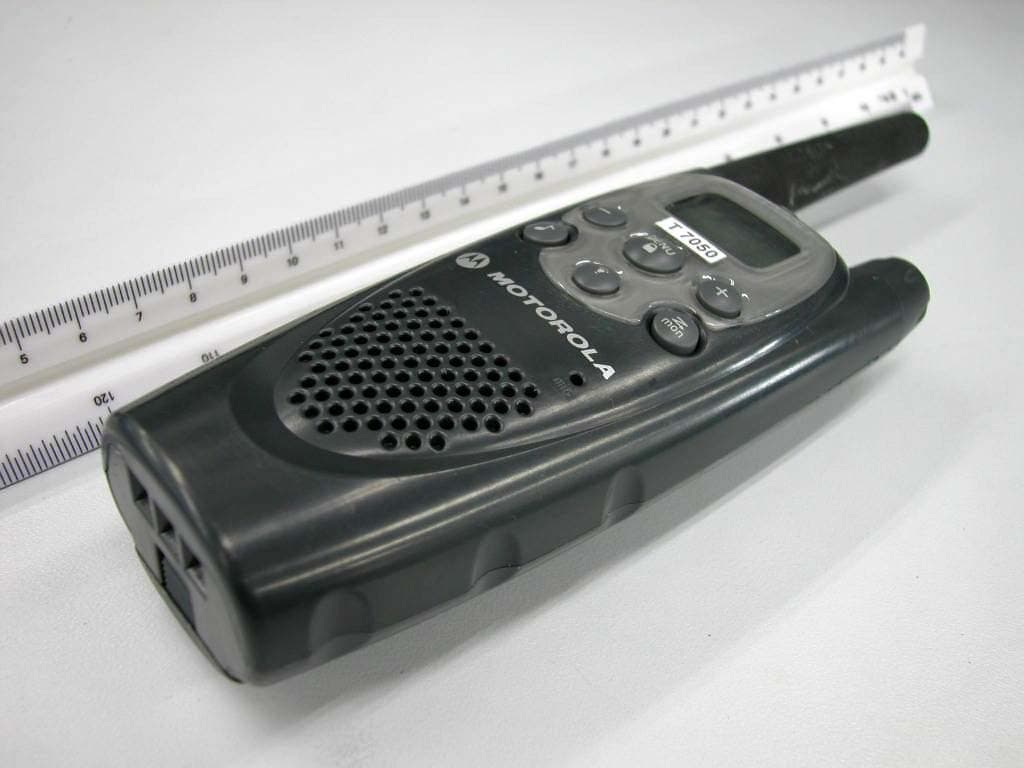
Click to zoom
Application Details
- Equipment Class
- FRF - Part 95 Family Radio Face Held Transmitter
- Date of Grant
- Dec 28, 2003
- Application Purpose
- Original Equipment
- Date of Application
- Dec 28, 2003
- Equipment Note
- 22 Channel GMRS/FRS 2-Way Radio
- Frequency Range
- 462.55000000 - 462.72500000
- Company
- Giant Electronics Ltd
- Country
- Hong Kong
Documents & Files
Document Text
Text extracted from the exhibit documents filed with the FCC. Open a document above to read the original.
Users Manual
Neptune T7100 user guide --- Pg 3 3 Contents Neptune T7100 user guide --- Pg 4 4 Safety and General Information SAFETY AND GENERAL INFORMATION IMPORTANT INFORMATION ON SAFE AND EFFICIENT OPERATION READ THIS INFORMATION BEFORE USING YOUR RADIO The information provided in this document supersedes the general safety information contained in user guides published prior to July 2000. For information regarding radio use in a hazardous atmosphere please refer to the Factory Mutual (FM) Approval Manual Supplement or Instruction Card, which is included with radio models that offer this capability. Transmit and Receive Procedure Your two-way radio contains a transmitter and a receiver. To transmit (talk), you must push the Push-to-Talk button; to receive (listen), release the Push-to-Talk button. Exposure To Radio Frequency Energy Your Motorola radio is designed to comply with the following national and international standards and guidelines regarding exposure of human beings to radio frequency electromagnetic energy: • • • • United States Federal Communications Commission, Code of Federal Regulations; 47 CFR part 2 sub-part J American National Standards Institute (ANSI) / Institute of Electrical and Electronic Engineers (IEEE) C95. 1-1992 Institute of Electrical and Electronic Engineers (IEEE) C95.1-1999 Edition National Council on Radiation Protection and Measurements (NCRP) of the United States, Report 86, 1986 4 13 15 15 15 16 16 17 18 19 19 20 20 21 21 21 Changing your Radio Setting Setting the Channel Setting the Interference Eliminator Code Setting the Call Tone Hands-free Use/VOX Scanning Battery Meter Battery Life Menu Functions Using Accessories Belt Holster Ear-piece with Push-To-Talk Microphone Ear-piece with Boom Microphone Use and Care Frequency and Codes Charts Interference Eliminator Codes Troubleshooting Copyright Information Warranty 22 22 22 23 24 25 27 27 28 29 29 29 29 30 31 33 34 36 37 Safety and General Information FCC Licensing Information Getting Started Turning On/Off Your Radio Installing Batteries NiMH Battery Installation AA Alkaline Battery Installation Battery Drop-In Charging Tray Control Buttons Operating Talking Range Accessing the Backlight Lock Checking Monitor "Roger" Beep/Talk Confirmation Tone Button Beeps Contents Neptune T7100 user guide --- Pg 5 5 Safety and General Information Neptune T7100 user guide --- Pg 6 6 Safety and General Information Body-worn Operation To maintain compliance with FCC/Health Canada RF exposure guidelines, if you wear a radio on your body when transmitting, always place the radio in a Motorola supplied or approved clip, holder, holster, case, or body harness for this product. Use of non- Motorola-approved accessories may exceed FCC/Health Canada RF exposure guidelines. If you do not use one of the Motorola-supplied or approved body-worn accessories, and are not using the radio held in the normal use position, ensure the radio and its antenna are at least one inch (2.5 cm) from your body when transmitting * Data operation When using any data feature of the radio, with or without an accessory cable, position the radio and its antenna at least one inch (2.5 cm) from the body. Approved Accessories For a list of approved Motorola accessories, please contact the point of purchase. ELECTROMAGNETIC INTERFERENCE/COMPATIBILITY Note: Nearly every electronic device is susceptible to electromagnetic interference (EMI) if inadequately shielded, designed or otherwise configured for electromagnetic compatibility. FACILITIES To avoid electromagnetic interference and/or compatibility conflicts, turn off your radio in any facility where posted notices instruct you to do so. Hospitals or health care facilities may be using equipment that is sensitive to external RF energy. • • • International Commission on Non-Ionizing Radiation Protection (ICNIRP) 1998 Ministry of Health (Canada) Safety Code 6. Limits of Human Exposure to Radiofrequency Electromagnetic Fields in the Frequency Range from 3 kHz to 300 GHz, 1999 Australian Communications Authority Radiocommunications (Electromagnetic Radiation - Human Exposure) Standard 1999 (applicable to wireless phones only) To assure optimal radio performance and make sure human exposure to radio frequency electromagnetic energy is within the guidelines set forth in the above standards, always adhere to the following procedures: PORTABLE RADIO OPERATION AND EME EXPOSURE Antenna Care Use only the supplied or an approved replacement antenna. Unauthorized antennas, modifications, or attachments could damage the radio and may violate FCC regulations. DO NOT hold the antenna when the radio is “IN USE.” Holding the antenna affects call quality and may cause the radio to operate at a higher power level than needed. Two-way Radio Operation When using your radio as a traditional two-way radio, hold the radio in a vertical position with the microphone one to two inches (2.5 to 5 cm) away from the lips. Neptune T7100 user guide --- Pg 7 7 Safety and General Information Neptune T7100 user guide --- Pg 8 8 Safety and General Information Other Medical Devices If you use any other personal medical device, consult the manufacturer of your device to determine if it is adequately shielded from RF energy. Your physician may be able to assist you in obtaining this information. Safety and General Use While Driving Check the laws and regulations on the use of radios in the area where you drive. Always obey them. When using your radio while driving, please: • • • Give full attention to driving and to the road. Use hands-free operation, if available. Pull off the road and park before making or answering a call if driving conditions so require. OPERATIONAL WARNINGS FOR VEHICLES WITH AN AIR BAG Do not place a portable radio in the area over an air bag or in the air bag deployment area. Air bags inflate with great force. If a portable radio is placed in the air bag deployment area and the air bag inflates, the radio may be propelled with gre…
Text truncated - open the document above for the full version.
Users Manual
Neptune T7100 user guide --- Pg 3 3 Contents Neptune T7100 user guide --- Pg 4 4 Safety and General Information SAFETY AND GENERAL INFORMATION IMPORTANT INFORMATION ON SAFE AND EFFICIENT OPERATION READ THIS INFORMATION BEFORE USING YOUR RADIO The information provided in this document supersedes the general safety information contained in user guides published prior to July 2000. For information regarding radio use in a hazardous atmosphere please refer to the Factory Mutual (FM) Approval Manual Supplement or Instruction Card, which is included with radio models that offer this capability. Transmit and Receive Procedure Your two-way radio contains a transmitter and a receiver. To transmit (talk), you must push the Push-to-Talk button; to receive (listen), release the Push-to-Talk button. Exposure To Radio Frequency Energy Your Motorola radio is designed to comply with the following national and international standards and guidelines regarding exposure of human beings to radio frequency electromagnetic energy: • • • • United States Federal Communications Commission, Code of Federal Regulations; 47 CFR part 2 sub-part J American National Standards Institute (ANSI) / Institute of Electrical and Electronic Engineers (IEEE) C95. 1-1992 Institute of Electrical and Electronic Engineers (IEEE) C95.1-1999 Edition National Council on Radiation Protection and Measurements (NCRP) of the United States, Report 86, 1986 4 13 15 15 15 16 16 17 18 19 19 20 20 21 21 21 Changing your Radio Setting Setting the Channel Setting the Interference Eliminator Code Setting the Call Tone Hands-free Use/VOX Scanning Battery Meter Battery Life Menu Functions Using Accessories Belt Holster Ear-piece with Push-To-Talk Microphone Ear-piece with Boom Microphone Use and Care Frequency and Codes Charts Interference Eliminator Codes Troubleshooting Copyright Information Warranty 22 22 22 23 24 25 27 27 28 29 29 29 29 30 31 33 34 36 37 Safety and General Information FCC Licensing Information Getting Started Turning On/Off Your Radio Installing Batteries NiMH Battery Installation AA Alkaline Battery Installation Battery Drop-In Charging Tray Control Buttons Operating Talking Range Accessing the Backlight Lock Checking Monitor "Roger" Beep/Talk Confirmation Tone Button Beeps Contents Neptune T7100 user guide --- Pg 5 5 Safety and General Information Neptune T7100 user guide --- Pg 6 6 Safety and General Information Body-worn Operation To maintain compliance with FCC/Health Canada RF exposure guidelines, if you wear a radio on your body when transmitting, always place the radio in a Motorola supplied or approved clip, holder, holster, case, or body harness for this product. Use of non- Motorola-approved accessories may exceed FCC/Health Canada RF exposure guidelines. If you do not use one of the Motorola-supplied or approved body-worn accessories, and are not using the radio held in the normal use position, ensure the radio and its antenna are at least one inch (2.5 cm) from your body when transmitting * Data operation When using any data feature of the radio, with or without an accessory cable, position the radio and its antenna at least one inch (2.5 cm) from the body. Approved Accessories For a list of approved Motorola accessories, please contact the point of purchase. ELECTROMAGNETIC INTERFERENCE/COMPATIBILITY Note: Nearly every electronic device is susceptible to electromagnetic interference (EMI) if inadequately shielded, designed or otherwise configured for electromagnetic compatibility. FACILITIES To avoid electromagnetic interference and/or compatibility conflicts, turn off your radio in any facility where posted notices instruct you to do so. Hospitals or health care facilities may be using equipment that is sensitive to external RF energy. • • • International Commission on Non-Ionizing Radiation Protection (ICNIRP) 1998 Ministry of Health (Canada) Safety Code 6. Limits of Human Exposure to Radiofrequency Electromagnetic Fields in the Frequency Range from 3 kHz to 300 GHz, 1999 Australian Communications Authority Radiocommunications (Electromagnetic Radiation - Human Exposure) Standard 1999 (applicable to wireless phones only) To assure optimal radio performance and make sure human exposure to radio frequency electromagnetic energy is within the guidelines set forth in the above standards, always adhere to the following procedures: PORTABLE RADIO OPERATION AND EME EXPOSURE Antenna Care Use only the supplied or an approved replacement antenna. Unauthorized antennas, modifications, or attachments could damage the radio and may violate FCC regulations. DO NOT hold the antenna when the radio is “IN USE.” Holding the antenna affects call quality and may cause the radio to operate at a higher power level than needed. Two-way Radio Operation When using your radio as a traditional two-way radio, hold the radio in a vertical position with the microphone one to two inches (2.5 to 5 cm) away from the lips. Neptune T7100 user guide --- Pg 7 7 Safety and General Information Neptune T7100 user guide --- Pg 8 8 Safety and General Information Other Medical Devices If you use any other personal medical device, consult the manufacturer of your device to determine if it is adequately shielded from RF energy. Your physician may be able to assist you in obtaining this information. Safety and General Use While Driving Check the laws and regulations on the use of radios in the area where you drive. Always obey them. When using your radio while driving, please: • • • Give full attention to driving and to the road. Use hands-free operation, if available. Pull off the road and park before making or answering a call if driving conditions so require. OPERATIONAL WARNINGS FOR VEHICLES WITH AN AIR BAG Do not place a portable radio in the area over an air bag or in the air bag deployment area. Air bags inflate with great force. If a portable radio is placed in the air bag deployment area and the air bag inflates, the radio may be propelled with gre…
Text truncated - open the document above for the full version.
Users Manual
Neptune T7100 user guide --- Pg 3 3 Contents Neptune T7100 user guide --- Pg 4 4 Safety and General Information SAFETY AND GENERAL INFORMATION IMPORTANT INFORMATION ON SAFE AND EFFICIENT OPERATION READ THIS INFORMATION BEFORE USING YOUR RADIO The information provided in this document supersedes the general safety information contained in user guides published prior to July 2000. For information regarding radio use in a hazardous atmosphere please refer to the Factory Mutual (FM) Approval Manual Supplement or Instruction Card, which is included with radio models that offer this capability. Transmit and Receive Procedure Your two-way radio contains a transmitter and a receiver. To transmit (talk), you must push the Push-to-Talk button; to receive (listen), release the Push-to-Talk button. Exposure To Radio Frequency Energy Your Motorola radio is designed to comply with the following national and international standards and guidelines regarding exposure of human beings to radio frequency electromagnetic energy: • • • • United States Federal Communications Commission, Code of Federal Regulations; 47 CFR part 2 sub-part J American National Standards Institute (ANSI) / Institute of Electrical and Electronic Engineers (IEEE) C95. 1-1992 Institute of Electrical and Electronic Engineers (IEEE) C95.1-1999 Edition National Council on Radiation Protection and Measurements (NCRP) of the United States, Report 86, 1986 4 13 15 15 15 16 16 17 18 19 19 20 20 21 21 21 Changing your Radio Setting Setting the Channel Setting the Interference Eliminator Code Setting the Call Tone Hands-free Use/VOX Scanning Battery Meter Battery Life Menu Functions Using Accessories Belt Holster Ear-piece with Push-To-Talk Microphone Ear-piece with Boom Microphone Use and Care Frequency and Codes Charts Interference Eliminator Codes Troubleshooting Copyright Information Warranty 22 22 22 23 24 25 27 27 28 29 29 29 29 30 31 33 34 36 37 Safety and General Information FCC Licensing Information Getting Started Turning On/Off Your Radio Installing Batteries NiMH Battery Installation AA Alkaline Battery Installation Battery Drop-In Charging Tray Control Buttons Operating Talking Range Accessing the Backlight Lock Checking Monitor "Roger" Beep/Talk Confirmation Tone Button Beeps Contents Neptune T7100 user guide --- Pg 5 5 Safety and General Information Neptune T7100 user guide --- Pg 6 6 Safety and General Information Body-worn Operation To maintain compliance with FCC/Health Canada RF exposure guidelines, if you wear a radio on your body when transmitting, always place the radio in a Motorola supplied or approved clip, holder, holster, case, or body harness for this product. Use of non- Motorola-approved accessories may exceed FCC/Health Canada RF exposure guidelines. If you do not use one of the Motorola-supplied or approved body-worn accessories, and are not using the radio held in the normal use position, ensure the radio and its antenna are at least one inch (2.5 cm) from your body when transmitting * Data operation When using any data feature of the radio, with or without an accessory cable, position the radio and its antenna at least one inch (2.5 cm) from the body. Approved Accessories For a list of approved Motorola accessories, please contact the point of purchase. ELECTROMAGNETIC INTERFERENCE/COMPATIBILITY Note: Nearly every electronic device is susceptible to electromagnetic interference (EMI) if inadequately shielded, designed or otherwise configured for electromagnetic compatibility. FACILITIES To avoid electromagnetic interference and/or compatibility conflicts, turn off your radio in any facility where posted notices instruct you to do so. Hospitals or health care facilities may be using equipment that is sensitive to external RF energy. • • • International Commission on Non-Ionizing Radiation Protection (ICNIRP) 1998 Ministry of Health (Canada) Safety Code 6. Limits of Human Exposure to Radiofrequency Electromagnetic Fields in the Frequency Range from 3 kHz to 300 GHz, 1999 Australian Communications Authority Radiocommunications (Electromagnetic Radiation - Human Exposure) Standard 1999 (applicable to wireless phones only) To assure optimal radio performance and make sure human exposure to radio frequency electromagnetic energy is within the guidelines set forth in the above standards, always adhere to the following procedures: PORTABLE RADIO OPERATION AND EME EXPOSURE Antenna Care Use only the supplied or an approved replacement antenna. Unauthorized antennas, modifications, or attachments could damage the radio and may violate FCC regulations. DO NOT hold the antenna when the radio is “IN USE.” Holding the antenna affects call quality and may cause the radio to operate at a higher power level than needed. Two-way Radio Operation When using your radio as a traditional two-way radio, hold the radio in a vertical position with the microphone one to two inches (2.5 to 5 cm) away from the lips. Neptune T7100 user guide --- Pg 7 7 Safety and General Information Neptune T7100 user guide --- Pg 8 8 Safety and General Information Other Medical Devices If you use any other personal medical device, consult the manufacturer of your device to determine if it is adequately shielded from RF energy. Your physician may be able to assist you in obtaining this information. Safety and General Use While Driving Check the laws and regulations on the use of radios in the area where you drive. Always obey them. When using your radio while driving, please: • • • Give full attention to driving and to the road. Use hands-free operation, if available. Pull off the road and park before making or answering a call if driving conditions so require. OPERATIONAL WARNINGS FOR VEHICLES WITH AN AIR BAG Do not place a portable radio in the area over an air bag or in the air bag deployment area. Air bags inflate with great force. If a portable radio is placed in the air bag deployment area and the air bag inflates, the radio may be propelled with gre…
Text truncated - open the document above for the full version.
Users Manual
Neptune T7100 user guide --- Pg 3 3 Contents Neptune T7100 user guide --- Pg 4 4 Safety and General Information SAFETY AND GENERAL INFORMATION IMPORTANT INFORMATION ON SAFE AND EFFICIENT OPERATION READ THIS INFORMATION BEFORE USING YOUR RADIO The information provided in this document supersedes the general safety information contained in user guides published prior to July 2000. For information regarding radio use in a hazardous atmosphere please refer to the Factory Mutual (FM) Approval Manual Supplement or Instruction Card, which is included with radio models that offer this capability. Transmit and Receive Procedure Your two-way radio contains a transmitter and a receiver. To transmit (talk), you must push the Push-to-Talk button; to receive (listen), release the Push-to-Talk button. Exposure To Radio Frequency Energy Your Motorola radio is designed to comply with the following national and international standards and guidelines regarding exposure of human beings to radio frequency electromagnetic energy: • • • • United States Federal Communications Commission, Code of Federal Regulations; 47 CFR part 2 sub-part J American National Standards Institute (ANSI) / Institute of Electrical and Electronic Engineers (IEEE) C95. 1-1992 Institute of Electrical and Electronic Engineers (IEEE) C95.1-1999 Edition National Council on Radiation Protection and Measurements (NCRP) of the United States, Report 86, 1986 4 13 15 15 15 16 16 17 18 19 19 20 20 21 21 21 Changing your Radio Setting Setting the Channel Setting the Interference Eliminator Code Setting the Call Tone Hands-free Use/VOX Scanning Battery Meter Battery Life Menu Functions Using Accessories Belt Holster Ear-piece with Push-To-Talk Microphone Ear-piece with Boom Microphone Use and Care Frequency and Codes Charts Interference Eliminator Codes Troubleshooting Copyright Information Warranty 22 22 22 23 24 25 27 27 28 29 29 29 29 30 31 33 34 36 37 Safety and General Information FCC Licensing Information Getting Started Turning On/Off Your Radio Installing Batteries NiMH Battery Installation AA Alkaline Battery Installation Battery Drop-In Charging Tray Control Buttons Operating Talking Range Accessing the Backlight Lock Checking Monitor "Roger" Beep/Talk Confirmation Tone Button Beeps Contents Neptune T7100 user guide --- Pg 5 5 Safety and General Information Neptune T7100 user guide --- Pg 6 6 Safety and General Information Body-worn Operation To maintain compliance with FCC/Health Canada RF exposure guidelines, if you wear a radio on your body when transmitting, always place the radio in a Motorola supplied or approved clip, holder, holster, case, or body harness for this product. Use of non- Motorola-approved accessories may exceed FCC/Health Canada RF exposure guidelines. If you do not use one of the Motorola-supplied or approved body-worn accessories, and are not using the radio held in the normal use position, ensure the radio and its antenna are at least one inch (2.5 cm) from your body when transmitting * Data operation When using any data feature of the radio, with or without an accessory cable, position the radio and its antenna at least one inch (2.5 cm) from the body. Approved Accessories For a list of approved Motorola accessories, please contact the point of purchase. ELECTROMAGNETIC INTERFERENCE/COMPATIBILITY Note: Nearly every electronic device is susceptible to electromagnetic interference (EMI) if inadequately shielded, designed or otherwise configured for electromagnetic compatibility. FACILITIES To avoid electromagnetic interference and/or compatibility conflicts, turn off your radio in any facility where posted notices instruct you to do so. Hospitals or health care facilities may be using equipment that is sensitive to external RF energy. • • • International Commission on Non-Ionizing Radiation Protection (ICNIRP) 1998 Ministry of Health (Canada) Safety Code 6. Limits of Human Exposure to Radiofrequency Electromagnetic Fields in the Frequency Range from 3 kHz to 300 GHz, 1999 Australian Communications Authority Radiocommunications (Electromagnetic Radiation - Human Exposure) Standard 1999 (applicable to wireless phones only) To assure optimal radio performance and make sure human exposure to radio frequency electromagnetic energy is within the guidelines set forth in the above standards, always adhere to the following procedures: PORTABLE RADIO OPERATION AND EME EXPOSURE Antenna Care Use only the supplied or an approved replacement antenna. Unauthorized antennas, modifications, or attachments could damage the radio and may violate FCC regulations. DO NOT hold the antenna when the radio is “IN USE.” Holding the antenna affects call quality and may cause the radio to operate at a higher power level than needed. Two-way Radio Operation When using your radio as a traditional two-way radio, hold the radio in a vertical position with the microphone one to two inches (2.5 to 5 cm) away from the lips. Neptune T7100 user guide --- Pg 7 7 Safety and General Information Neptune T7100 user guide --- Pg 8 8 Safety and General Information Other Medical Devices If you use any other personal medical device, consult the manufacturer of your device to determine if it is adequately shielded from RF energy. Your physician may be able to assist you in obtaining this information. Safety and General Use While Driving Check the laws and regulations on the use of radios in the area where you drive. Always obey them. When using your radio while driving, please: • • • Give full attention to driving and to the road. Use hands-free operation, if available. Pull off the road and park before making or answering a call if driving conditions so require. OPERATIONAL WARNINGS FOR VEHICLES WITH AN AIR BAG Do not place a portable radio in the area over an air bag or in the air bag deployment area. Air bags inflate with great force. If a portable radio is placed in the air bag deployment area and the air bag inflates, the radio may be propelled with gre…
Text truncated - open the document above for the full version.
External Photos
Test Setup FCCID : K7GT7100 External Photo -front External Photo - rear
External Photos
Test Setup FCCID : K7GT7100 External Photo -front External Photo - rear
External Photos
Test Setup FCCID : K7GT7100 External Photo -front External Photo - rear
Internal Photos
Test Setup FCC ID : K7GT7100 Internal Photo – 1 Internal Photo - 2 Test Setup FCC ID : K7GT7100 Internal Photo - 3
Internal Photos
Test Setup FCC ID : K7GT7100 Internal Photo – 1 Internal Photo - 2 Test Setup FCC ID : K7GT7100 Internal Photo - 3
Parts List/Tune Up Info
GIANT ELECTRONICS LTD. Title: Alignment Procedure Model: T7100 Document No.: ENG-T7100-08Page: 2 / 7 A. PCB LEVEL (Test Condition: under CH14, CH15) NO ITEM ALIGNMENT METHOD REMARK 1. LCD display (Should enter test mode) 1. Press and hold the ‘+’ key and ‘Menu’ key together. 2. Turn on the radio power until a good key chirp is heard, and the backlight is on for about 500 ms finally, the LCD should be display ‘1 1 ’. 3. Press ‘DOWN’ key, then all LCD segments should be anticlockwise displayed. 4. Finally, all the LCD segments should be shown for about 500ms as follows: 28 88. . 2. Standby current 1. Set A-METER, and RX mode. 2. Check the standby current <50mA DC for FRS. 3. Talk on current 1. Set A-METER, and TX mode @50ohm load. 2. Check the talk on current <550mA DC for FRS 3. Check the talk on current <1300mA DC for GMRS. 4. VCO 1. Set TEST mode 2. Check TP01 to provide 0.6 ~ 3.1VDC. 3. Adjust L14 to provide 2.1-3.1VDC at TP01 if VCO level are more than 3.1VDC on TX mode CH14 5. TX Power 1. Set TX mode. 2. Check transmit power 32.3~33.6dBm for GMRS. 3. Adjust VR04, check transmit power to provide 25 ~ 28dBm for FRS. 6. CTCSS Tone Frequency 1. Set CH1/CODE1. 2. Set TX mode. 3. Check TP03 to be within 66.8Hz to 67.2Hz. 7. TX Frequency Adjust TC01 to provide 467.7125MHz ± 50Hz. 8. CTCSS Tone Dev. 1. Set CH8/CODE1、AF input level to off, check DEV to be 350Hz~ 600Hz. 2. Set CH8/CODE38、AF input level to off, check DEV to be 350Hz~ 600Hz. FILTER SET: 1.50HZ~300 HZ 2.750μs De-emp ON 3. PK+ 9. TX Modulation & distortion 0.Set CH7/CODE1. 1.Set 100mv AF level at TP08; 1KHz,Adjust VR02 to provide Max TX deviation 2.2KHz to 2.3KHz. 2.Check input Mic level in 10 mV to provide normal deviation 1.3-1.7KHz. 3.Check the demodulation distortion <= 5%. 4. Audio Frequency Response. a) Input a 5.0mV 1KHz audio frequency to TP08 and press ‘PTT’ switch. b) Check the response compare to 1KHz tone. i) 500Hz : -5.0 dB to –8.0 dB. ii) 2.0KHz : +4.0 dB to +7.0 dB . FILTER SET: 1.HPF 50Hz 2.LPF 15KHz 3. PK + THE CONTENT OF THIS DOCUMENT IS GIANT ELCT.LTD. INTELLECTUAL PROPERTY AND IS THE PROPERTY OF GIANT, IT IS TO BE TREATED AS STRICTLY AND IS NOT BE DISCLOSED, REPRODUCED, OR USED EXCEPT AS AUTHORIZED IN WRITING BY GIANT ELECTRONIC LTD. IN CONNECTION WITH THE MANUFACTURE, MAINTENANCE AND USE OF THE GIANT EQUIPMENT WHICH IT PERTAINS. COPYRIGHT @GIANT ELECT. LTD, ALL RIGHTS RESERVED. GIANT ELECTRONICS LTD. Title: Alignment Procedure Model: T7100 Document No.: ENG-T7100-08Page: 3 / 7 A. PCB LEVEL (Test Condition: under CH1) NO ITEM ALIGNMENT METHOD REMARK 10. Rx Audio test 1. Set RX mode CH8. 2. Set SG RF level to –50dBm with 1.5KHz deviation 1KHz modulation Signal. 3. Rotate the volume switch to the position, which give a Max audio output at TP11. 4. Check Max audio output level >1500mV. 5. Check Rx current <180mA. 6. Check the 1KHz distortion <= 3.5%. 7. Set SG RF level to –119dBm with 1.5kHz deviation at 1KHz audio frequency. a). Check SINAD sensitivity <= -119dBm. @12dB SINAD at TP11. 8. Audio frequency response. a) Set SG RF level to –50dBm with 1.5kHz deviation at 1KHz audio frequency. b) Change SG RF deviation to 1.0kHzRotate the volume switch to the position, which give an output 100mV± 5mV at TP11. c) Vary the audio frequency from 300Hz to 3KHz. d) Check the RX response compare to 1KHz tone. i) 500Hz : +8.0 dB to +14.0 dB. ii) 2.0KHz : -10.0 dB to –16.0 dB. 9. Maximum and Minimum Audio Output Power. a) Set SG RF level to –50dBm with 1.5kHz deviation at 1KHz audio frequency. b) Rotate the volume switch to the position, which give a maximum output. c) Check the voltage at TP11 >/=1500mV. d) Set maximum audio output to 0dB, rotate the volume switch to the position, which give a minimum output. e) Check the minimum voltage -23dB to -40dB at TP11 11. Noise- Detector 1. Set SG to –120dBm with 1.5KHz deviation, 1KHz AF on CH8. 2. Adjust VR01 for transient state @ 10dB SINAD. 3. Check high state @ 8 to 13dB SINAD. 12. CTCSS tone Detect 1. Set CH1/CODE1and SG to –122dBm with 67Hz tone frequency, 400Hz deviation. 2. Check the TP04 to below, and high for RF modulation off. 3. Repeat item 1 and 2 for code38 (250.3Hz). 4. Repeat item 1 and 3 for CH22. THE CONTENT OF THIS DOCUMENT IS GIANT ELCT.LTD. INTELLECTUAL PROPERTY AND IS THE PROPERTY OF GIANT, IT IS TO BE TREATED AS STRICTLY AND IS NOT BE DISCLOSED, REPRODUCED, OR USED EXCEPT AS AUTHORIZED IN WRITING BY GIANT ELECTRONIC LTD. IN CONNECTION WITH THE MANUFACTURE, MAINTENANCE AND USE OF THE GIANT EQUIPMENT WHICH IT PERTAINS. COPYRIGHT @GIANT ELECT. LTD, ALL RIGHTS RESERVED. GIANT ELECTRONICS LTD. Title: Alignment Procedure Model: T7100 Document No.: ENG-T7100-08Page: 4 / 7 A. PCB LEVEL (Test Condition: under CH1) NO ITEM ALIGNMENT METHOD REMARK 13. Batter level Detector Provide DC at TP+. 1. Alkaline battery. 1.1 3 segments; >5.0V. 1.2 2 segments; 4.75-5.0V. 1.3 1 segment; 4.50-4.75V. 1.4 shell; 4.35-4.50V 1.5 shutdown; <4.35V. 2 Rechargeable battery pack. 2.1 3 segments; >5.30V. 2.2 2 segments; 5.05-5.30V. 2.3 1 segment; 4.90-5.05V. 2.4 shell; 4.35-4.90V. 2.5 shutdown; <4.35V. 14. VOX Detector 1. Set VOX level at 1. 1.1 Set AF level at 13.2 +/- 0.8 mV, 1KHz at TP08. 1.2 Unit start to transmit. 1.3 Set AF level at 11.0 +/- 0.8mV, 1KHz at TP08. 1.4 Unit stop to transmit. 2. Set VOX level at 2. 2.1 Set AF level at 8.2 +/- 0.7mV, 1KHz at TP08. 2.2 Unit start to transmit. 2.3 Set AF level at 6.2 +/- 0.7mV, 1KHz at TP08. 2.4 Unit stop to transmit. 3. Set VOX level at 3 3.1 Set AF level at 3.2 +/- 0.6mV, 1KHz at TP08. 3.2 Unit start to transm…
Text truncated - open the document above for the full version.
Contact Information
Applicant
Yumin Zou(A. Manager)
Technical Contact
Intertek Testing Services Hong Kong Ltd.Wilson Loke
[email protected]852-2173-8575
2/F, Garmet Centre · Kowloon · Hong Kong
Non-Technical Contact
Intertek Testing Services Hong Kong Ltd.Wilson Loke
[email protected]852-2173-8575
Test Firm
Intertek Testing Services Hong KongBilly Chow
Technical Specifications
| # | Rule Parts | Frequency Range | Power Output | Emission | Tolerance |
|---|---|---|---|---|---|
| 2 | 95A | 462.55 MHz - 462.725 MHz | 960.00 mW | 10K5F3E | 1.69 ppm |
Other Applications from Giant Electronics Ltd
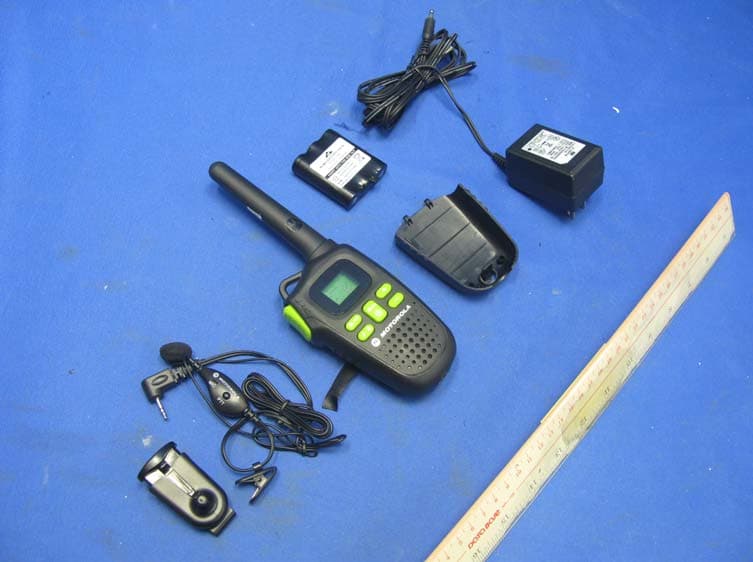
K7GMDBJJPR
Jun 24, 2012Two Way Radio - FRS
Equipment Class
FRF - Part 95 Family Radio Face Held Transmitter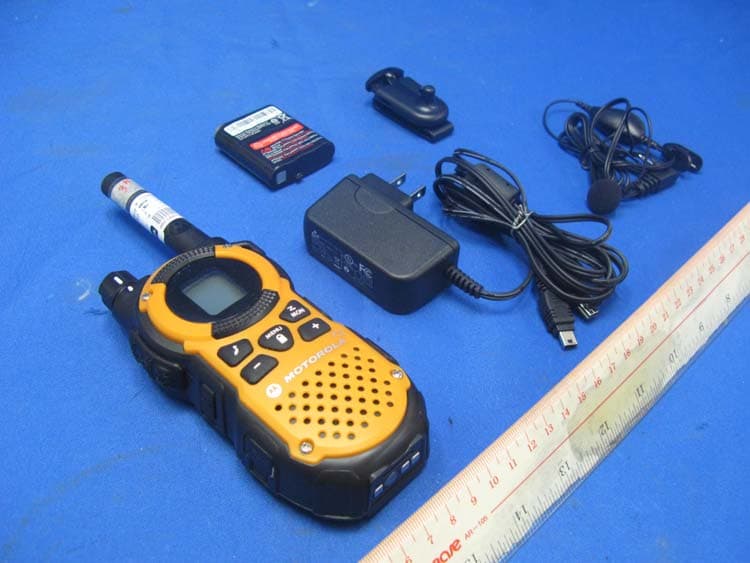
K7GMTCEJ
Apr 26, 2012Two Way Radio with GMRS and FRS
Equipment Class
CXX - Communications Rcvr for use w/ licensed Tx and CBs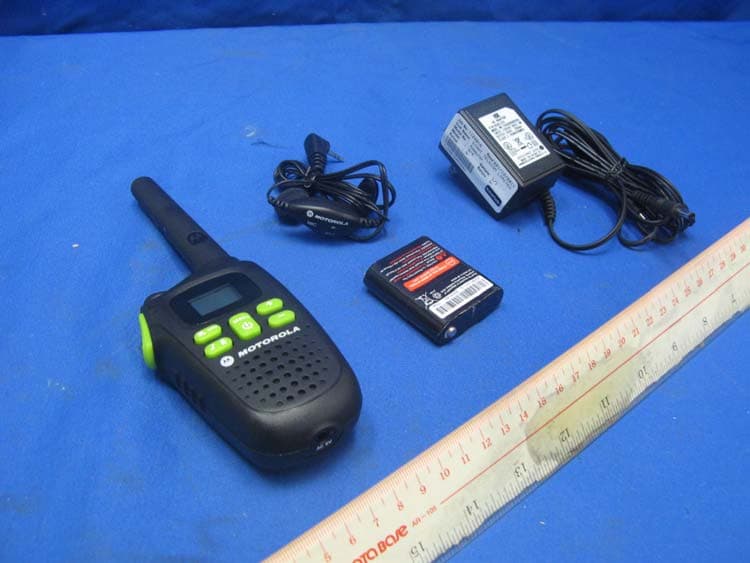
K7GMDBJJ
Mar 01, 2012Two Way Radio with GMRS and FRS
Equipment Class
FRF - Part 95 Family Radio Face Held Transmitter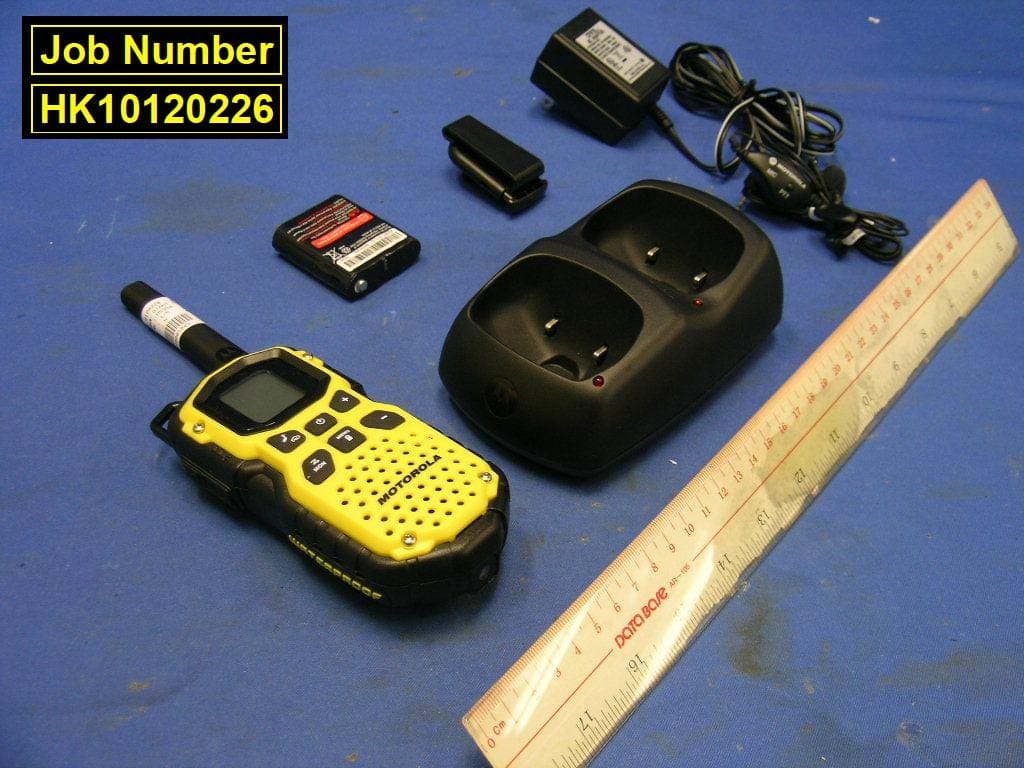
K7GMSFGJ
Mar 10, 2011Two Way Radio with Weather Band
Equipment Class
CXX - Communications Rcvr for use w/ licensed Tx and CBs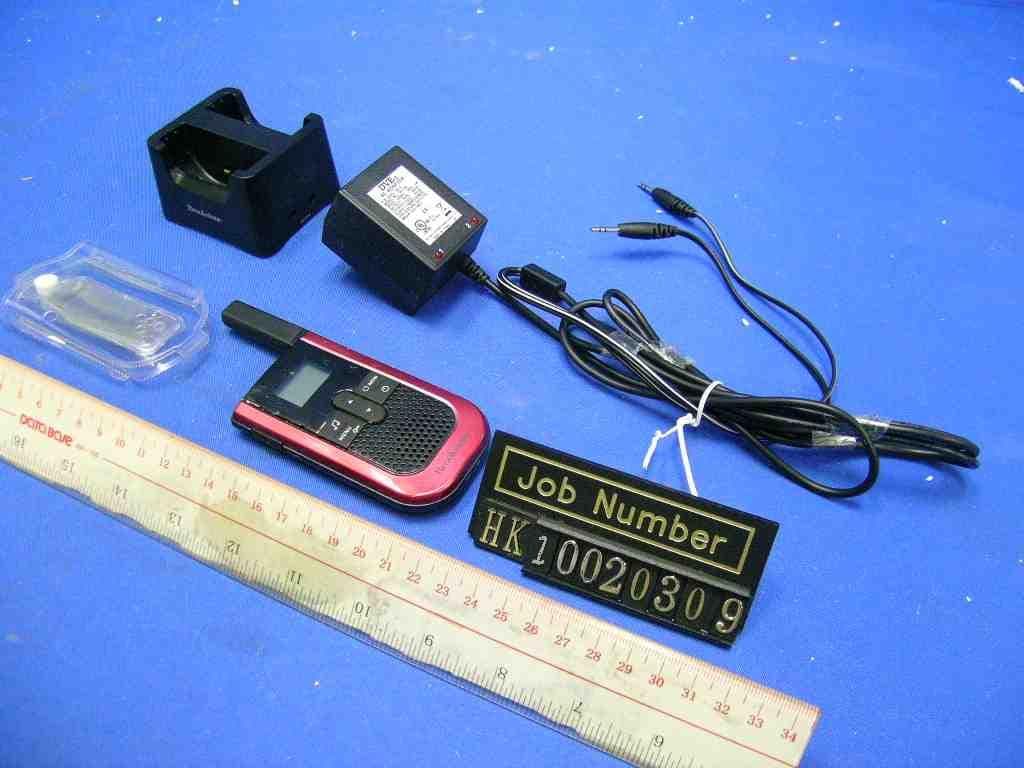
K7GT2007
Apr 08, 2010Two Way Radio with GMRS and FRS
Equipment Class
FRF - Part 95 Family Radio Face Held Transmitter