KBRRN001Keyless Entry System Transceiver
Marelli Corporation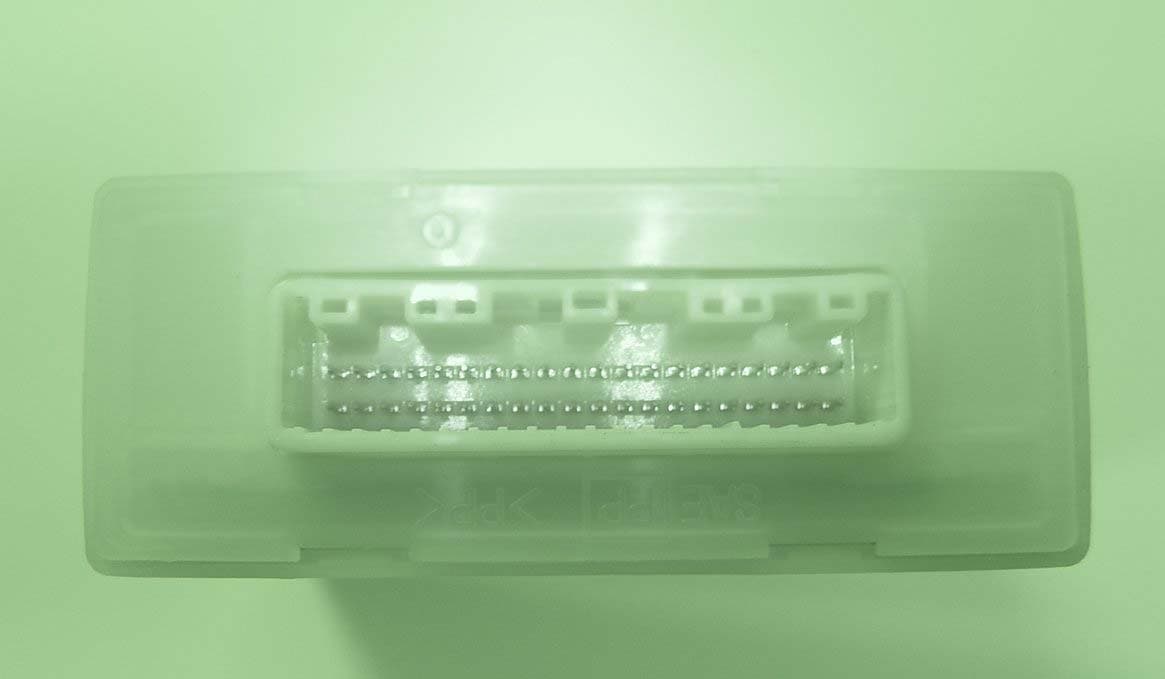
Click to zoom
Application Details
- Equipment Class
- DCD - Part 15 Low Power Transmitter Below 1705 kHz
- Date of Grant
- Jun 22, 2004
- Application Purpose
- Original Equipment
- Date of Application
- Jun 22, 2004
- Equipment Note
- Keyless Entry System Transceiver
- Frequency Range
- 0.12500000 - 0.12500000
- Company
- Marelli Corporation
- Country
- Japan
Documents & Files
Document Text
Text extracted from the exhibit documents filed with the FCC. Open a document above to read the original.
Users Manual
USER OPERATION INSTRUCTION (DRAFT) INTELLIGENT KEY SYSTEM The intelligent key uses coded radio signals to communicate with the vehicle. When the intelligent key is near the vehicle such as in your pocket or purse. It allows the vehicle to be locked unlocked, or started without inserting the ignition Key. It is also possible to use the control entry function. CAUTION Be sure to carry the intelligent key with you. Do not leave the vehicle with the intelligent key inside. The intelligent key may not function correctly depending on the environment or operating conditions, if you do not use it correctly. The intelligent key transmits faint radio waves. When there are strong signals coming from a television tower, power station or a cellular phone with you. When the intelligent key is in contact with or covered by a metallic material. When radio wave-type remote control entry is used nearby. When the intelligent key is placed near an electric appliance such as a personal Computer. The intelligent key continually consumes battery power as the key receives a signal to communicate with the vehicles. Battery life is about 1.5 years, although it varies depending on the operating conditions. When the battery of the intelligent key is low the green blinking Key warning light goes out about 30 seconds after the ignition knob is turned to ON. If the battery runs down, replace it with a new one. If the intelligent key receive strong signal over an extended period of time the Battery could quickly run down. Do not place the intelligent key near an electric appliance such as a television set or personal computer. 1. INTELLIGENT KEY OPERATION You can lock or unlock the doors without taking the key out from your pocket or purse. When you carry the intelligent key with you. You can lock or unlock all door by pushing the door handle request switch or back door handle request switch within the rang of operation. 2. Locking doors 1. Turn the ignition knob to the LOCK position and remove the ignition key if any metal key is in the ignition knob.*1,*2 2. Close all the doors.*3 3. Push any front door or the back door handle request switch while carrying the intelligent key with you *4 4. All the door , back door and fuel filter lid will lock. 5. The hazard indicator flashes twice and door buzzer sounds twice. The hazard indicator and horn mode also can be changed with vehicle electronic systems on the monitor. *1:Door lock with the intelligent key while a mechanical key or valet key is in the ignition switch however the key reminder chime will sound to warn you. *2.Door lock with the intelligent key while the ignition switch is not in the LOCK position. *3.Door do not lock with the door handle request switch or the LOCK button on the intelligent key while any door is open. A beep sound to warn you However, doors lock with the metal key even if any door is open. *4.Door do not lock with door handle request switch with the intelligent key inside the vehicle and a beep sound to warn you. 2. Unlocking doors 1. Push the door handle request switch once Drivers side: The driver door and fuel filler lid unlock Front passenger side or back door. Only corresponding door unlocks. The hazard indicator flashes once and door buzzer sound once if all doors are completely closed with the ignition key in any position. 3.Push the door handle request switch again within 5 seconds. 3. OPENING AND CLOSEING WINDOWS To open the windows push the UNLOCK button on the intelligent key for about 3 seconds or turn the drivers door key lock with the metal key to the rear of the vehicle for about 2 seconds after the door is unlocked. To stop opening release the UNLOCK button or turn the key to the neutral position. To close the windows turn the drives door key lock to the vehicle for about 2 seconds after the door is locked. To stop closing turn the key to the neutral position . 4.OPERATING THE ENGINE Ignition knob positions Push in the ignition knob in the range when you turn it. LOCK(Normal parking position) The ignition knob can only be locked in the position. The ignition knob will be unlocked when it is pushed in , and turned to the ACC position while carrying the intelligent key. ACC(Accessories) This position activates electrical accessories such as the radio, when the engine is not running. ON(Normal operating position) This position turns on the ignition system and electrical accessories. START This position starts the engine. As soon as the engine has started . release the knob immediately. It will automatically return to the ON position . Starting the engine When driving the vehicle, be sure to carry the intelligent key with you. 1. Securely depress the brake pedal. 2. Slowly push the ignition knob in/ When the intelligent key warning light in the instrument(meter) panel comes on in green , the ignition knob can be turned. 3.Turn the ignition knob to START and the engine will be started. 4. When the engine starts, release the ignition knob. WARNING Do not start the engine from outside the vehicle through the window. Doing so could lead an accident and injury. Be sure to sit in the drivers seat to use the key. For important safety information, see “Starting the engine “ in the Starting and driving section. When the ignition knob is pushed under the following condition, the key warning light in the instrument (meter) panel comes on in red. It is not possible to turn the ignition knob when. you do not have the intelligent key with you The intelligent key battery has run down You have a intelligent key for another vehicle with you. Slowly turn the ignition knob after the key warning light comes on in green. if it is turned quickly , it may stick and be difficult in turn. The engine may not start if the intelligent key is placed. inside the glove box or the door pocket on the instrument panel in the corner of interior compartment if it is difficult to turn the ignition knob perform the foll…
Text truncated - open the document above for the full version.
External Photos
CalsonicKansei Corp. FCC ID: KBRRN001 External Photos (Front) (Rear) CalsonicKansei Corp. FCC ID: KBRRN001 (Side 1) (Side 2) CalsonicKansei Corp. FCC ID: KBRRN001 (Side 3) (Side 4)
ID Label/Location Info
RN001 L a b e l B Calsonic Kansei Cor p . MADE IN FCC ID KBRRN001 MODEL ID RN001 PART NAME CONT ASSY-SMRTKEYLESSPART No XXXXXXXXXXX LOT No 2Z12 SERIAL No 00001 92LP0562 E 57 33 443173.XLS
ID Label/Location Info
Label location Label 80 100 (5) (11)
Test Setup Photos
Test report No. : 24IE0145-HO-3 Page : 8 of 24 Issued date : June 15, 2004 FCC ID : KBRRN001 UL Apex Co., Ltd. Head Office EMC Lab. 4383-326 Asama-cho, Ise-shi, Mie-ken 516-0021 JAPAN Telephone : +81 596 24 8116 Facsimile : +81 596 24 8124 MF060b(10.04.03) APPENDIX 1: Photographs of test setup Radiated emission(Worst case position) Front Rear Test report No. : 24IE0145-HO-3 Page : 9 of 24 Issued date : June 15, 2004 FCC ID : KBRRN001 UL Apex Co., Ltd. Head Office EMC Lab. 4383-326 Asama-cho, Ise-shi, Mie-ken 516-0021 JAPAN Telephone : +81 596 24 8116 Facsimile : +81 596 24 8124 MF060b(10.04.03) Worst Case Position (Horizontal : X-axis/ Vertical: X-axis) X-axis Y-axis Z-axis
Contact Information
Applicant
Takaichiro Ishida
Technical Contact
Non-Technical Contact
UL Apex Co.,Ltd.Yukie Koyama
[email protected]81-596-24-8116
Test Firm
UL Apex Co., Ltd.Tetsuya Hashimoto
Technical Specifications
| # | Rule Parts | Frequency Range | Power Output |
|---|---|---|---|
| 1 | 15C | 0.125 MHz - 0.125 MHz | - |
Other Applications from Marelli Corporation

KBRR55T0
Jun 30, 2021SW ASSY-SMART KEYLESS
Equipment Class
DSC - Part 15 Security/Remote Control Transmitter
KBRK63T0
Aug 19, 2020Keyless Start System (LF Transmitter)
Equipment Class
DCD - Part 15 Low Power Transmitter Below 1705 kHz
KBRBN009
Jan 19, 2010Automotive Entry System
Equipment Class
DCD - Part 15 Low Power Transmitter Below 1705 kHz
KBRTS003
Jan 20, 2005Vehicle Door Lock Transceiver
Equipment Class
DSR - Part 15 Remote Control/Security Device Transceiver
KBRS64J3
Jan 20, 2005Vehicle Door Lock Transceiver
Equipment Class
DCD - Part 15 Low Power Transmitter Below 1705 kHz