N6MMAYCOMMP-2000Digital Audio Player
Maycom Co Ltd
Click to zoom
Application Details
- Equipment Class
- JBP - Part 15 Class B Computing Device Peripheral
- Date of Grant
- Jan 17, 2001
- Application Purpose
- Original Equipment
- Date of Application
- Jan 17, 2001
- Equipment Note
- Digital Audio Player
- Company
- Maycom Co Ltd
- Country
- South Korea
Documents & Files
Document Text
Text extracted from the exhibit documents filed with the FCC. Open a document above to read the original.
Users Manual
maycom MP-2000 USER’S GUIDE MP-2000 User’s Guide Information to the user This equipment has been tested and found to comply with the limits for a Class B digital device pursuant to part 15 of the FCC Rules. These limits are designed to provide reasonable protection against harmful interference in a residential installation. This equipment generates, uses and can radiate radio frequency energy and, if not installed and used in accordance with the instructions, may cause harmful interference to radio communications. However, there is no guarantee that interference will not occur in a particular installation. If this equipment does cause harmful interference to radio or television reception, with can be determined by turning the equipment off and on, the user is encouraged to try to correct the interference by one more of the following measures: - Reorient or relocate the receiving antenna. - Increase the separation between the equipment and receiver. - Connect the equipment into an outlet on a circuit different from that to which the receiver is connected. -. Consult the dealer or an experienced radio/TV technician for help. Warning Changes or modifications not expressly approved by the party responsible for compliance could void the user's authority to operate the equipment. MP-2000 User’s Guide CONTENTS 1. Introduction .................................................................... 1 2. Getting Started ................................................................. 2 2.1 System Requirements ........................................................ 2 2.2 Unpacking .................................................................... 3 2.3 System Overview ........................................................... 4 2.3.1 Button Controls ........................................................ 4 2.3.2 LCD Display ..................................................... 6 2.3.3 Inserting and Removing Flash Memory Cards ...................... 7 2.3.4 Connecting the Player to the PC ...................................... 7 2.4 Charging the Battery ........................................................ 8 2.4.1 Charging the Player ..................................................... 8 2.4.2 Battery Level Indication During Operation ........................ 8 3. How to Use the Special Edition MP-2000 ................................. 9 3.1 Power ON/OFF ............................................................... 9 3.1.1 Power ON ............................................................... 9 3.1.2 Power OFF ............................................................... 10 3.2 Modes of Operation ......................................................... 11 3.2.1 Music Mode ...................................................... 11 3.3 Music Mode Functions ................................................... 12 3.3.1 Selecting Music from Memory Card .............................. 12 3.3.2 Play/Pause ............................................................... 12 3.3.3 Cue/Review ............................................................ 12 3.3.4 Stopping Play ............................................................ 13 3.3.5 Volume Control ......................................................... 13 3.3.6 Intro Scan/Repeat One/Repeat All/Random ........................ 14 3.3.7 A-B Sampling ......................................................... 15 3.3.8 Preset Equalizer Settings ............................................. 16 3.3.9 Changing LCD Display ................................................ 17 3.3.10 Hold Function ......................................................... 17 4. Troubleshooting............................................................... 18 MP-2000 User’s Guide Your new Special Edition MP-2000 is an easy-to-use, pocket-sized, state-of- the-art digital music player. Your favorite digital music is combined in this small-but-powerful personal stereo system. Wherever you take the MP-2000, you can enjoy CD-quality, stereo sound. With the user-friendly MP-2000 and your PC, you can customize a mix of your favorite audio tracks, and store custom music selections on the solid- state, removable, reusable, 32MB CompactFlash™ memory cartridge included in this package. MP-2000 connects to your PC through a USB cable so you can upload audio from the Internet or from your personal audio collection. The unit will recognize and play audio files in four popular compression formats: AAC, ePAC, WMA and MP3. The unit is powered by a built-in, rechargeable NiMH battery, allowing up to four continuous hours of stereo music playback. Connecting the external battery pack (included) gives you up to 10 hours of continuous playback time. The full-featured system will repeat whatever you choose: a whole collection of tracks, one track, or a selected passage of any length. You can tell your MP-2000 to play tracks in either a set order or random order. The liquid crystal display (LCD) screen displays the name of the song and the artist and also lets you choose from five different equalizer settings to maximize your personal audio experience. It displays the length of each song and shows all the currently-selected settings and functions. We hope you will enjoy the flexibility of selecting, downloading, storing, and playing your favorite audio tracks using the MP-2000. This User’s Guide will help you get the most from the digital audio product that puts you in control. Copyright Laws Intellectual property, including music, is protected worldwide by copyright laws. It is permitted to make one copy of legally acquired music (from your personal CD or tape collection, for example) for your personal use. It is not permitted to sell or give these copies to third parties. Take care when downloading MP3 files from the Internet. Check that files offered are properly licensed, and that the seller has proper rights to distribute the tracks being offered. 1. INTRODUCTION 1 MP-2000 User’s Guide 2…
Text truncated - open the document above for the full version.
Block Diagram
BLOCK DIAGRAM LCD/DR IVER KEYPAD C F/M M C /S D Cards CPLD Address Decode Power Supply (with recharge circuitry) Power Jack B attery Pack FIXED POINT DSP (5416) Bi-Dir. Data Bus Address Data(SP I) USB FM Receiver Stereo Audio A/D 11.2896 M Hz Crystal Program Flash Stereo Audio D/A Stereo Audio AMP Head- Phone Jack C on tro l/D a ta (IIC) 6 M Hz Crystal Daug hter Bo ard Extern al M odu le Data(SP I)
External Photos
FCC ID. : N6MMAYCOMMP-2000 File No. : E011R-014 ONETECH Testing & Evaluation Lab. FCC ID. : N6MMAYCOMMP-2000 File No. : E011R-014 ONETECH Testing & Evaluation Lab.
ID Label/Location Info
FCC ID. : N6MMAYCOMMP-2000 ONETECH Testing & Evaluation Lab . IDENTIFICATION LABEL: PROPOSED FCC ID LABEL The label included following statement will be attached on the rear side of product. This device complies with Part 15 of the FCC Rules. Operation is subject to the following two conditions: (1) this device may not cause harmful interference, and (2) this device must accept any interference received, including interference that may cause undesired operations. Made in Korea FCC ID : N6MMAYCOMMP-2000 ΦΧΧ Ι∆ ΑΡΕΑ
Internal Photos
FCC ID. : N6MMAYCOMMP-2000 File No. : E011R-014 ONETECH Testing & Evaluation Lab. FCC ID. : N6MMAYCOMMP-2000 File No. : E011R-014 ONETECH Testing & Evaluation Lab. FCC ID. : N6MMAYCOMMP-2000 File No. : E011R-014 ONETECH Testing & Evaluation Lab. FCC ID. : N6MMAYCOMMP-2000 File No. : E011R-014 ONETECH Testing & Evaluation Lab. FCC ID. : N6MMAYCOMMP-2000 File No. : E011R-014 ONETECH Testing & Evaluation Lab.
Test Report
Page 1 of 13 FCC ID.: Error! Unknown docume nt prope rty name . File No.: Error! Unknown docume nt prope rty name . This report shall not be reproduced except in full without our written approval.FCC-004 (Rev.0) HEAD OFFICE : #505 SK APT. Factory 223-28, Sangdaewon 1 Dong, Jungwon- Gu, Seongnam- C ity, K yunggi- Do, 462-121, Korea (TEL: 82- 31-746-8500 FAX: 82-31-746-8700 ) EM C Te s ting De pt : 426-1 Daessangryung- Ri, C howol- Myun, K wangju- K un, K yunggi- Do 464-860 Korea. (TEL: 82- 31-765-8289 FAX: 82-31-766-2904) ONETECH Testing & Evaluation Lab . ELECTROMAGNETIC EMISSION COMPLIANCE REPORT Test report file number : E011R-014 Applicant : MAYCOM CO., LTD. Addre ss: Maycom B/D, 280-5, Seoksu 2-Dong, Manan-Gu, Anyang-City, Kyoungki-Do, 430-042, Ko re a Manufacture r : MAYCOM CO., LTD. Addre ss: Maycom B/D, 280-5, Seoksu 2-Dong, Manan-Gu, Anyang-City, Kyoungki-Do, 430-042, Ko re a Type of Equipme nt : DIGITAL AUDIO PLAYER FCC ID: N6MMAYCOMMP-2000 Model / Type No. : maycom MP-2000 Serial number: 00090014 Total page of Report: 13 pages (including this page) Date of Incoming: December 17, 2000 Date of issuing : January 12, 2001 SUMMARY The equipment complies with the regulation; FCC PART 15 CFR 47 SUBPART B Section 15.101. This test report contains only the result of a single test of the sample supplied for the examination. It is not a general valid assessment of the features of the respective products of the mass-production. Page 2 of 13 FCC ID.: Error! Unknown docume nt prope rty name . File No.: Error! Unknown docume nt prope rty name . This report shall not be reproduced except in full without our written approval.FCC-004 (Rev.0) HEAD OFFICE : #505 SK APT. Factory 223-28, Sangdaewon 1 Dong, Jungwon- Gu, Seongnam- C ity, K yunggi- Do, 462-121, Korea (TEL: 82- 31-746-8500 FAX: 82-31-746-8700 ) EM C Te s ting De pt : 426-1 Daessangryung- Ri, C howol- Myun, K wangju- K un, K yunggi- Do 464-860 Korea. (TEL: 82- 31-765-8289 FAX: 82-31-766-2904) ONETECH Testing & Evaluation Lab . Prepared by: Reviewed by: Y. K. Nam / Asst. Chief EngineerS. S. Hong / Managing Director EMC Dept.EMC Dept. ONETECH Corp.ONETECH Corp. Page 3 of 13 FCC ID.: Error! Unknown docume nt prope rty name . File No.: Error! Unknown docume nt prope rty name . This report shall not be reproduced except in full without our written approval.FCC-004 (Rev.0) HEAD OFFICE : #505 SK APT. Factory 223-28, Sangdaewon 1 Dong, Jungwon- Gu, Seongnam- C ity, K yunggi- Do, 462-121, Korea (TEL: 82- 31-746-8500 FAX: 82-31-746-8700 ) EM C Te s ting De pt : 426-1 Daessangryung- Ri, C howol- Myun, K wangju- K un, K yunggi- Do 464-860 Korea. (TEL: 82- 31-765-8289 FAX: 82-31-766-2904) ONETECH Testing & Evaluation Lab . CONTENTS Page 1. VERIFICATION OF COMPLIANCE ................................................................................................................ 4 2. GENERAL INFORMATION .................................................................................................................................. 5 2.1 P RODUCT D ESCRIPTION ............................................................................................................................................. 5 2.2 R ELATED S UBMITTAL ( S ) / G RANT ( S ) ...................................................................................................................... 5 2.3 T EST S YSTEM D ETAILS .............................................................................................................................................. 6 2.4 T EST M ETHODOLOGY ................................................................................................................................................ 6 2.5 T EST F ACILITY ............................................................................................................................................................ 6 3. SYSTEM TEST CONFIGURATION ................................................................................................................... 7 3.1 J USTIFICATION ............................................................................................................................................................. 7 3.2 EUT EXERCISE S OFTWARE ........................................................................................................................................ 7 3.3 C ABLE D ESCRIPTION .................................................................................................................................................. 7 3.4 N OISE S UPPRESSION P ARTS ON C ABLE ................................................................................................................... 8 3.5 E QUIPMENT M ODIFICATIONS .................................................................................................................................... 8 3.6 C ONFIGURATION OF T EST S YSTEM .......................................................................................................................... 8 4. PRELIMINARY TEST .............................................................................................................................................. 9 4.1 AC P OWER LINE C ONDUCTED E MISSION T EST ..................................................................................................... 9 4.2 R ADIAT ED E MISSION T EST ........................................................................................................................................ 9 5. FINAL RESULT OF MEASURMENT ............................................................................................................. 10 5.1 C ONDUCTED E MISSION T EST .................................................................................................................................. 10 5.2 R ADIAT ED E MISSION T EST ...................................................................................................................................... 14 6. FIEL…
Text truncated - open the document above for the full version.
Contact Information
Applicant
Su-won Bae(President)
Test Firm
ONETECH Corp.Y. Kwon
Technical Specifications
| # | Rule Parts | Frequency Range | Power Output |
|---|---|---|---|
| 1 | 15B | - | - |
Other Applications from Maycom Co Ltd
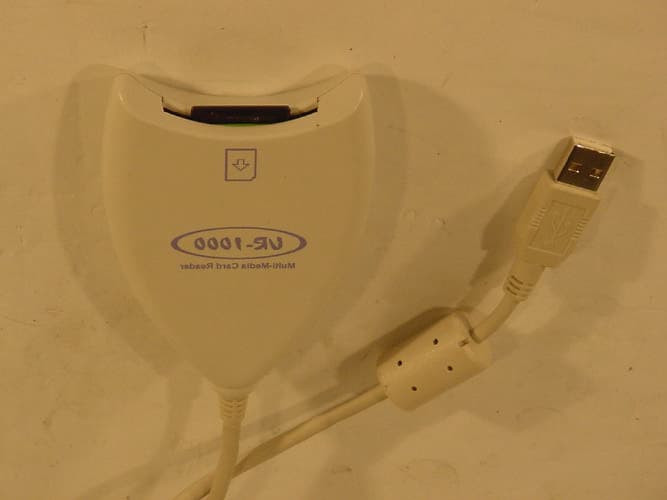
N6MMAYCOMUR1000
Jun 24, 2002USB Reader
Equipment Class
JBP - Part 15 Class B Computing Device Peripheral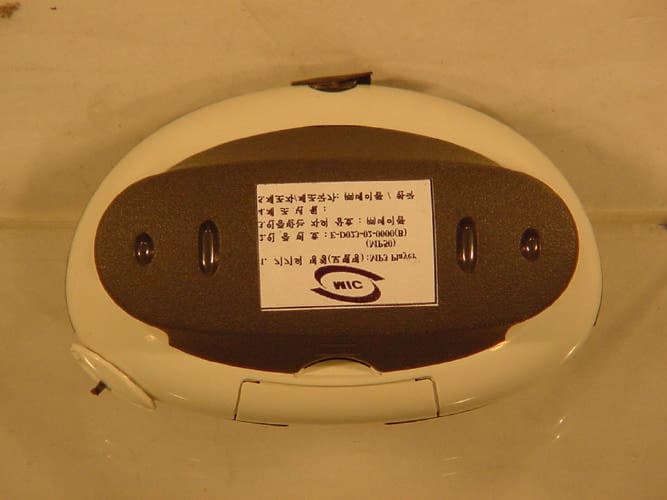
N6MMAYCOMMP50
Apr 25, 2002MP3 Player
Equipment Class
JBP - Part 15 Class B Computing Device Peripheral
N6MMAYCOMVR-2000
Jun 13, 2001Digital Voice Recorder
Equipment Class
JBP - Part 15 Class B Computing Device Peripheral
N6MFR-100
May 10, 20015 Band Communications Receiver
Equipment Class
CSR - Scanning Receiver
N6MEH-465
Jul 27, 2000Family Radio Transceiver
Equipment Class
FRF - Part 95 Family Radio Face Held Transmitter