N6MMAYCOMVR-2000Digital Voice Recorder
Maycom Co Ltd
Click to zoom
Application Details
- Equipment Class
- JBP - Part 15 Class B Computing Device Peripheral
- Date of Grant
- Jun 13, 2001
- Application Purpose
- Original Equipment
- Date of Application
- Jun 13, 2001
- Equipment Note
- Digital Voice Recorder
- Company
- Maycom Co Ltd
- Country
- South Korea
Documents & Files
Document Text
Text extracted from the exhibit documents filed with the FCC. Open a document above to read the original.
Users Manual
DIGITAL VOICE RECORDER VOICE MAGIC OPERATION MANUAL 2 Information to the user This equipment has been tested and found to comply with the limits for a Class B digital device pursuant to part 15 of the FCC Rules. These limits are designed to provide reasonable protection against harmful interference in a residential installation. This equipment generates, uses and can radiate radio frequency energy and, if not installed and used in accordance with the instructions, may cause harmful interference to radio communications. However, there is no guarantee that interference will not occur in a particular installation. If this equipment does cause harmful interference to radio or television reception, with can be determined by turning the equipment off and on, the user is encouraged to try to correct the interference by one more of the following measures: - Reorient or relocate the receiving antenna. - Increase the separation between the equipment and receiver. - Connect the equipment into an outlet on a circuit different from that to which the receiver is connected. -. Consult the dealer or an experienced radio/TV technician for help. Warning Changes or modifications not expressly approved by the party responsible for compliance could void the user's authority to operate the equipment. 3 Contents Voice Magic Overview 4 Features and Functions 6 Installing Batteries 7 Time Adjust 9 Selection of Mode 10 Recording 11 Playback 15 Erasing the Recorded Messages 18 Connecting to External Equipments 19 Connection to PC 21 Specification 29 Precautions 30 Troubleshooting 32 4 Voice Magic Overview 5 DISPLAY 6 Features and Functions Fast Transfer Speed to PC approx 10:1 (VR-2000 series only) Effective Variable Playback Speed (V.P.S) as x0.5, x0.7, x1.0, x1.5, x2.0 1164-minute Recording Time in case of VR-x032 (LP Mode) 5 Files-Each File contains up to 99 individual messages LCD Display shows message number, real-time counter, current time and operating modes Three (H/M/L) Steps for Sound Quality and ARS (Automatic Recording System) Sensitivity. Two (H/L) Steps for Microphone Sensitivity Digital Volume & Jog Switch Control Repeat Message or Repeat File Selection Repeat specific section (A-B) Message erase or file erase function Battery Power Level & Low Voltage Indicator Built-in microphone and speaker Ultra palm Design Hand strap for easy carrying 7 Installing Batteries Loading/Replacing the Batteries Caution : Be sure to replace batteries in Clock mode. 1. Open the battery cover, press and then slide it off. 2. Load two “AAA” batteries (LR-03) in the compartment, and then slide the cover back into place 3. You can always check the battery condition as figures below. 8 Battery Life Battery Type LR-03 Alkaline Recording Mode Approx. 12 hours Speaker Play (VOL.12) Approx. 7 hours Earphone Play (VOL.12) Approx. 8 hours Cautions : 1. Do not use different kind of batteries together. 2. Remove the batteries when voice recorder will not be used for a long time. 9 Time Adjust Only available this function on Clock mode. Time Adjustment 1. Press ERASE button for more than 2 seconds during Clock mode. 2. When the digit blinks you can adjust time using forward( ) or rewind( ) button, Press PLAY/(PAUSE) button to adjust next digit. 3. After setting the time, press REC/STOP button to store. Note : - The stored time can be sustained about 90 seconds without batteries. If you replace the batteries within 90 sec. you don’t need to adjust the time again. - When you replace the batteries, LCD display will be blurred gradually. 10 Selection of Mode Power On/Off In order to Power on/ off, you have to replace the battery. Clock Mode This mode display current time, and minimize battery consumption. If you press any button on clock mode, it will go to stand-by mode. If you no buttons are pressed for 30 seconds after stopping when Recording or playback, the LCD will be changed to Clock mode automatically. Stand-By Mode This mode is stand-by status of operation and displays current file, message No, and Record Time. If current file has no recorded Message, it displays message No. as “00” also the current time. This mode will keeps 30 sec. after changing from clock to stand-By mode. All functions are available in stand-by mode. 11 Recording Following operations are available at the stand-by mode. How to Record 1. Press the REC/(STOP) button after turning the microphone toward the sound sources. 2. Now, the recording starts and “rEC” message, file and message No. will be displayed on LCD also, “REC” icon will be blinked. * The recording number will be the next of the last one. 3. To stop recording, press the REC/(STOP) button again. Note : - The message of below 2 sec. is not able to record. - To avoid failure, perform a trial recording first. - If the recording time exceeds the maximum, a message “FULL” appears and the recording no longer continues. - You can record maximum 99 messages in each file. If further messages are recorded, a message “FULL” will appear. At this time, record again after selecting a new file. 12 ARS(Automatic Record System) mode selection Available only when any sound exists 1. Press REC/(STOP) button, for more than 2 sec. in stand-by mode. 2. “ARS”, “REC” icon will be blinked and “ARS” will be displayed on the LCD 3. Now, the recording starts with ARS mode. Sound quality (S.Q) mode selection Select recording mode with the S.Q/(VPS) button in stand-by mode. You may select the recording time in 3 steps according to your desire. You may have the standard record time (SP mode), more extended time (MP mode) and most extended time (LP mode). Please refer to following table for the each recording time mode. - : Long play mode - : Medium play mode - : Standard play mode Available Recording Time Mode SP (standard mode) MP (medium mode) LP (long mode) VR-x008 133 min 174 min 290 min VR-x016 266 min 355 min 581 min VR-x032 533 min 711 min 1164 min * Better-sound quality can be obtained in…
Text truncated - open the document above for the full version.
External Photos
FCC ID. : N6MMAYCOMVR-2000 File No. : E015R-055 ONETECH Testing & Evaluation Lab. FCC ID. : N6MMAYCOMVR-2000 File No. : E015R-055 ONETECH Testing & Evaluation Lab. FCC ID. : N6MMAYCOMVR-2000 File No. : E015R-055 ONETECH Testing & Evaluation Lab. FCC ID. : N6MMAYCOMVR-2000 File No. : E015R-055 ONETECH Testing & Evaluation Lab.
ID Label/Location Info
FCC ID. : N6MMAYCOMVR-2000 File No.: E015R-055 ONETECH Testing & Evaluation Lab . IDENTIFICATION LABEL: PROPOSED FCC ID LABEL Due to the product size, only the FCC ID shall be permanently affixed to the solder side of the equipment and other information shall be placed in the instruction manual. This device complies with Part 15 of the FCC Rules. Operation is subject to the following two conditions: (1) this device may not cause harmful interference, and (2) this device must accept any interference received, including interference that may cause undesired operations. Made in Korea FCC ID : N6MMAYCOMVR-2000 FCC ID AREA
Internal Photos
FCC ID. : N6MMAYCOMVR-2000 File No. : E015R-055 ONETECH Testing & Evaluation Lab. FCC ID. : N6MMAYCOMVR-2000 File No. : E015R-055 ONETECH Testing & Evaluation Lab. FCC ID. : N6MMAYCOMVR-2000 File No. : E015R-055 ONETECH Testing & Evaluation Lab. FCC ID. : N6MMAYCOMVR-2000 File No. : E015R-055 ONETECH Testing & Evaluation Lab. FCC ID. : N6MMAYCOMVR-2000 File No. : E015R-055 ONETECH Testing & Evaluation Lab.
Test Report
Page 1 of 13 FCC ID. : Error! Unknown docume nt prope rty name . File No. : Error! Unknown docume nt prope rty name . This report shall not be reproduced except in full without our written approval.FCC-004 (Rev.0) HEAD OFFICE : #505 SK APT. Factory 223-28, Sangdaewon 1 Dong, Jungwon- Gu, Seongnam- C ity, K yunggi- Do, 462-121, Korea (TEL: 82- 31-746-8500 FAX: 82-31-746-8700 ) EM C Te s ting De pt : 426-1 Daessangryung- Ri, C howol- Myun, K wangju- K un, K yunggi- Do 464-860 Korea. (TEL: 82- 31-765-8289 FAX: 82-31-766-2904) ONETECH Testing & Evaluation Lab . ELECTROMAGNETIC EMISSION COMPLIANCE REPORT FOR FCC CLASS B CERTIFICATION Test report file number : E015R-055 Applicant : Maycom Co., Ltd. Addre ss: Maycom B/D, 280-5, Seoksu2-Dong, Manan-Gu, Anyang-City, Kyoungki-Do, 430-042, Korea Manufacturer : Maycom Co., Ltd. Addre ss: Maycom B/D, 280-5, Seoksu2-Dong, Manan-Gu, Anyang-City, Kyoungki-Do, 430-042, Korea Type of Equipme nt : Digital Voice Re corde r FCC ID: N6MMAYCOMVR-2000 Model / Type No. : VR-2000 Se rial numbe r: N/ A Total page of Report: 13 pages (including this page) Date of Incoming: April 28, 2001 Date of issuing : May 24, 2001 SUMMARY The equipment complies with the regulation; FCC CFR 47 PART 15 SUBPART B, Class B . This test report contains only the result of a single test of the sample supplied for the examination. It is not a general valid assessment of the features of the respective products of the mass-production. Reviewed by: Approved by: Y. K. Nam / Asst. Chief EngineerS. S. Hong / Managing Director Page 2 of 13 FCC ID. : Error! Unknown docume nt prope rty name . File No. : Error! Unknown docume nt prope rty name . This report shall not be reproduced except in full without our written approval.FCC-004 (Rev.0) HEAD OFFICE : #505 SK APT. Factory 223-28, Sangdaewon 1 Dong, Jungwon- Gu, Seongnam- C ity, K yunggi- Do, 462-121, Korea (TEL: 82- 31-746-8500 FAX: 82-31-746-8700 ) EM C Te s ting De pt : 426-1 Daessangryung- Ri, C howol- Myun, K wangju- K un, K yunggi- Do 464-860 Korea. (TEL: 82- 31-765-8289 FAX: 82-31-766-2904) ONETECH Testing & Evaluation Lab . EMC Dept.EMC Dept. ONETECH Corp.ONETECH Corp. Page 3 of 13 FCC ID. : Error! Unknown docume nt prope rty name . File No. : Error! Unknown docume nt prope rty name . This report shall not be reproduced except in full without our written approval.FCC-004 (Rev.0) HEAD OFFICE : #505 SK APT. Factory 223-28, Sangdaewon 1 Dong, Jungwon- Gu, Seongnam- C ity, K yunggi- Do, 462-121, Korea (TEL: 82- 31-746-8500 FAX: 82-31-746-8700 ) EM C Te s ting De pt : 426-1 Daessangryung- Ri, C howol- Myun, K wangju- K un, K yunggi- Do 464-860 Korea. (TEL: 82- 31-765-8289 FAX: 82-31-766-2904) ONETECH Testing & Evaluation Lab . CONTENTS Page 1. VERIFICATION OF COMPLIANCE ................................................................................................................ 4 2. GENERAL INFORMATION .................................................................................................................................. 5 2.1 P RODUCT D ESCRIPTION ............................................................................................................................................. 5 2.2 R ELATED S UBMITTAL ( S ) / G RANT ( S ) ...................................................................................................................... 6 2.3 T EST S YSTEM D ETAILS .............................................................................................................................................. 6 2.4 T EST M ETHODOLOGY ................................................................................................................................................ 6 2.5 T EST F ACILITY ............................................................................................................................................................ 6 3. SYSTEM TEST CONFIGURATION ................................................................................................................... 7 3.1 J USTIFICATION ............................................................................................................................................................. 7 3.2 EUT EXERCISE S OFTWARE ........................................................................................................................................ 7 3.3 C ABLE D ESCRIPTION .................................................................................................................................................. 7 3.4 N OISE S UPPRESSION P ARTS ON C ABLE ................................................................................................................... 8 3.5 E QUIPMENT M ODIFICATIONS .................................................................................................................................... 8 3.6 C ONFIGURATION OF T EST S YSTEM .......................................................................................................................... 8 4. PRELIMINARY TEST .............................................................................................................................................. 9 4.1 C ONDUCTED E MISSION T EST .................................................................................................................................... 9 4.2 R ADIAT ED E MISSION T EST ........................................................................................................................................ 9 5. FINAL RESULT OF MEASURMENT ............................................................................................................. 10 5.1 C ONDUCTED E MISSION T EST .................................................................................................................................. 10 5.2 R ADIAT ED E MISSION T EST .....................................................................................................................…
Text truncated - open the document above for the full version.
Contact Information
Applicant
Su-won Bae(President)
Test Firm
ONETECH Corp.Y. Kwon
Technical Specifications
| # | Rule Parts | Frequency Range | Power Output |
|---|---|---|---|
| 1 | 15B | - | - |
Other Applications from Maycom Co Ltd
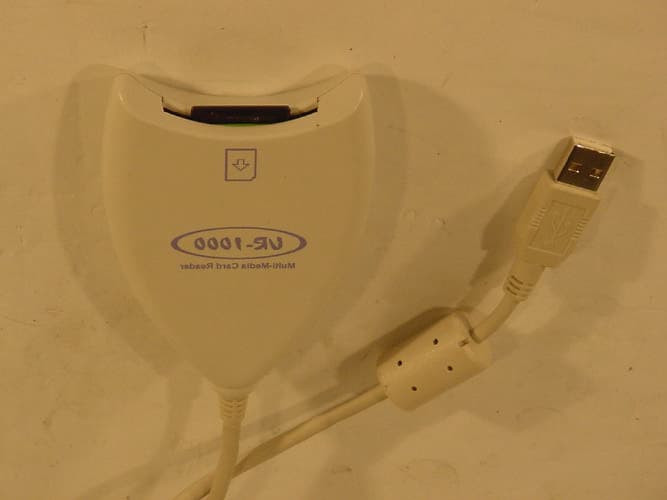
N6MMAYCOMUR1000
Jun 24, 2002USB Reader
Equipment Class
JBP - Part 15 Class B Computing Device Peripheral
N6MMAYCOMMP50
Apr 25, 2002MP3 Player
Equipment Class
JBP - Part 15 Class B Computing Device Peripheral
N6MFR-100
May 10, 20015 Band Communications Receiver
Equipment Class
CSR - Scanning Receiver
N6MMAYCOMMP-2000
Jan 17, 2001Digital Audio Player
Equipment Class
JBP - Part 15 Class B Computing Device Peripheral
N6MEH-465
Jul 27, 2000Family Radio Transceiver
Equipment Class
FRF - Part 95 Family Radio Face Held Transmitter