N6MMAYCOMMP50MP3 Player
Maycom Co Ltd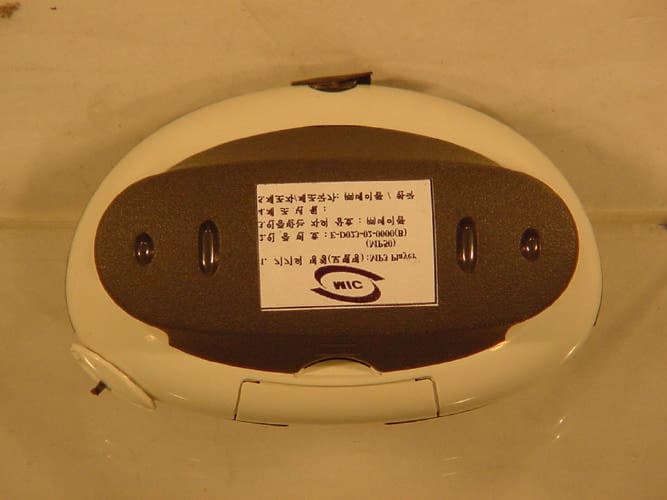
Click to zoom
Application Details
- Equipment Class
- JBP - Part 15 Class B Computing Device Peripheral
- Date of Grant
- Apr 25, 2002
- Application Purpose
- Original Equipment
- Date of Application
- Apr 25, 2002
- Equipment Note
- MP3 Player
- Company
- Maycom Co Ltd
- Country
- South Korea
Documents & Files
Document Text
Text extracted from the exhibit documents filed with the FCC. Open a document above to read the original.
Users Manual
maycom MP-50 User's Guide 3 Information to user : PART 15, PARAGRAPH 15.21 AND 15.105(b) Changes or modifications not expressly approved by the party responsible for compliance could void the user’s authority to operate the equipment FCC Notice NOTE : This equipment has been tested and found to comply with the limits for a Class B digital device, pursuant to Part 15 of the FCC Rules. These limits are designed to provide reasonable protection against harmful interference in a residential installation. This equipment generates, uses and can radiate radio frequency energy and, if not installed and used in accordance with the instructions, may cause harmful interference to radio communications. However, there is no guarantee that interference will not occur in a particular installation. If this equipment does cause harmful interference to radio or television reception, which can be determined by turning the equipment off and on, the user is encouraged to try to correct the interference by one or more of the following measures: - Reorient or relocate the receiving antenna. - Increase the separation between the equipment and receiver - Connect the equipment into an outlet on a circuit different from that to which the receiver is connected. Consult the dealer or an experienced radio/TV technician for help. 4 About your maycom MP-50 Player.............................................................4 Unpacking your maycom MP-50 Player.....................................................5 At a glance...................................................................................................6 Specifications..............................................................................................7 Installing Batteries.......................................................................................8 Exchanging Covers......................................................................................9 Installing the USB driver in Windows......................................................10 Copying files to the MP-50 Player in Windows........................................17 Macintosh Operation.................................................................................19 Operating the MP-50 Player......................................................................21 Keylock.....................................................................................................22 The Menu Key...........................................................................................22 The Menu / Menu Tree / Equalizer...........................................................23 Play Modes................................................................................................24 Using the MMC Expansion Slot...............................................................25 Inserting a MultiMediaCard......................................................................25 Selecting the source for playback..............................................................26 Removing a MultiMediaCard....................................................................27 Installing Music Match Jukebox (Windows)............................................28 Encoding MP3 files from Audio CDs (Windows)....................................32 Static discharge..........................................................................................33 Storing & Handling...................................................................................34 Troubleshooting.........................................................................................34 Contents 5 The maycom MP-50 Player is the most convenient and easy-to-use way to enjoy music whereever you are. In order to make the most of your MP-50 Player read this user ́s guide thoroughly. About your maycom MP-50 Player 6 The following components are in the MP-50 Player box: MP-50 MP3 Player Additional Cover Stereo Headphones ‚ Owner ́s Manual CD-Rom USB Cable Carrying case (Optional) Clip (Optional) Note: All pictures are symbol pictures only. The actual look of items may vary. Unpacking your MP-50 Player 7 Front view Back view No Description Key pressed for approx. 2 seconds 1 MMC (MultiMediaCard) Door - 2 Display artist & title (ID3 tags) Activate/Deactivate Keylock 3 Headphones Jack - 4 Previous Track Rewind within track 5 Stop Power On/Off 6 USB Jack - 7 A-B Repeat Format (erase) internal memory 8 Menu Key / Volume up/down - 9 Next Track Fast Forward within track 10 Display Window - 11 Play/Pause Select internal memory/MMC 12 Battery Cover - At a glance 8 MP-50 Player • Maximum audio output power: 2x15mW • Signal to noise ratio: >90dB • Frequency response: 20 Hz – 20 KHz • Maximum total harmonic distortion: 0.3% • Headphone impedance: 16 ohm • Power consumption at 128 kbps MP3 decoding at volume level 15, no EQ: approx. 90mA • Playing time with new set of batteries: approx. 8-10 hours • Dimensions (mm): W86 x D55 x H32 • Weight without batteries: 52g • Power Supply: min. 2.4 VDC (2 pcs AAA Batteries or rechargeable batteries - not included) • Internal memory: 64 MB • Maximum supported MP3 bitrate: 256 kbps • Supported ID3 Tags: v2.2/v2.3 Minimum system requirements Windows • Operating system: Windows 98 SE or better • CPU: Pentium 166 MHz or faster • RAM: 32 MB or more • CD-ROM drive • USB interface Minimum system requirements Macintosh • Operating systems: - Mac OS 8.6 or better - Mac OS X 10.1 or better • CPU: Mac 604 Processor 120 MHz or faster • RAM: 32 MB or more • CD-ROM drive • USB interface Specifications 9 Install 2 AAA batteries* into your MP-50. You may use alkaline batteries or NiMh rechargable batteries (NOT NiCd). 1) To release battery cover press down where indicated. 2) Open the cover. 3) Insert batteries according to polarity diagram. 4) Replace the battery cover. A new set of alkaline batteries provides an MP3 play time of approximately 8-10 hours. *not included Installing Batteries 10 1) Open the MMC door. At …
Text truncated - open the document above for the full version.
External Photos
VIEW OF FRONT VIEW OF REAR
ID Label/Location Info
LABEL AND LOCATION
Internal Photos
VIEW OF INSIDE FRONT VIEW OF MAIN BOARD REAR VIEW OF MAIN BOARD VIEW OF MAIN BOARD with Plastic Case1 VIEW OF MAIN BOARD with Plastic Case2
Contact Information
Applicant
Su-won Bae(President)
Test Firm
SGS Korea Co., Ltd.Julia Choi
Technical Specifications
| # | Rule Parts | Frequency Range | Power Output |
|---|---|---|---|
| 1 | 15B | - | - |
Other Applications from Maycom Co Ltd
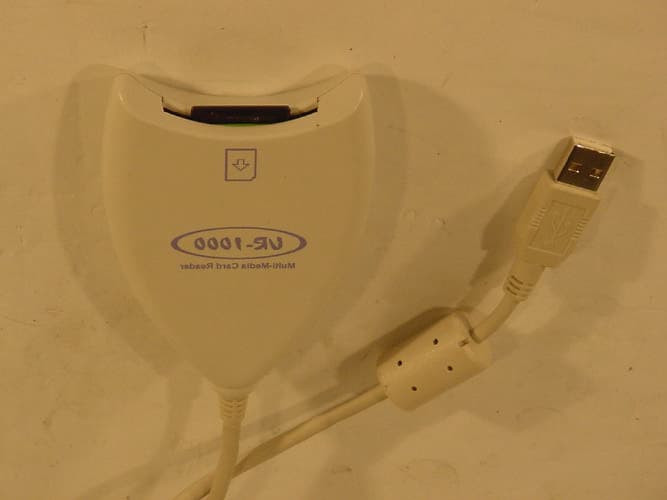
N6MMAYCOMUR1000
Jun 24, 2002USB Reader
Equipment Class
JBP - Part 15 Class B Computing Device Peripheral
N6MMAYCOMVR-2000
Jun 13, 2001Digital Voice Recorder
Equipment Class
JBP - Part 15 Class B Computing Device Peripheral
N6MFR-100
May 10, 20015 Band Communications Receiver
Equipment Class
CSR - Scanning Receiver
N6MMAYCOMMP-2000
Jan 17, 2001Digital Audio Player
Equipment Class
JBP - Part 15 Class B Computing Device Peripheral
N6MEH-465
Jul 27, 2000Family Radio Transceiver
Equipment Class
FRF - Part 95 Family Radio Face Held Transmitter