N7TAC1200TAngelcare Baby Monitor
Angelcare Canada Inc.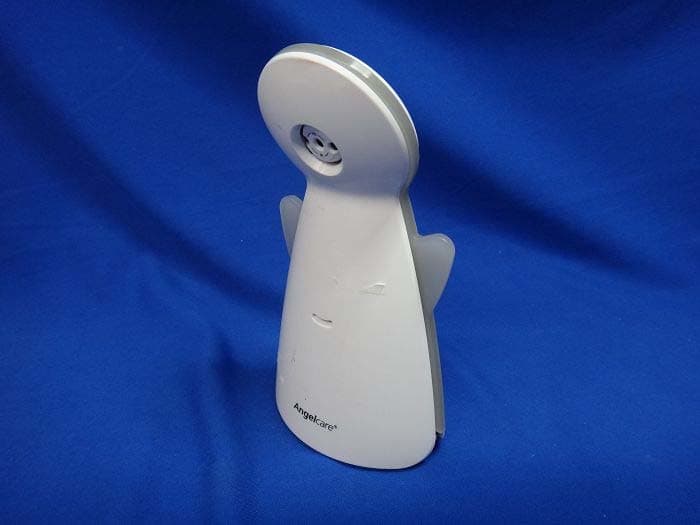
Click to zoom
Application Details
- Equipment Class
- DTS - Digital Transmission System
- Date of Grant
- Sep 29, 2013
- Application Purpose
- Original Equipment
- Date of Application
- Sep 29, 2013
- Equipment Note
- Angelcare Baby Monitor
- Frequency Range
- 2422.00000000 - 2452.00000000
- Company
- Angelcare Canada Inc.
- Country
- Canada
Documents & Files
Document Text
Text extracted from the exhibit documents filed with the FCC. Open a document above to read the original.
Users Manual
EASY SETUP Prepare one hardboard Thickness: 6 mm (1/4’’) Minimum dimensions: 33 cm (13’’) x 33 cm (13’’) Maximum dimensions: equal to the mattress size IN THE BOX: NOT INCLUDED: 1 AC AdapterNursery UnitSensor Pad Miniature Philips Screwdriver 4 AAA Alkaline Batteries IMPORTANT The hardboard must be larger than Sensor Pad surface area. STEP 1 – INSTALL APPLICATION 1) Scan QR Code with your smartphone OR Search for Angelcare baby monitor in your App Store. 2) Open application and accept PUSH Notifications. 3) Sign up and create your account. STEP 2 - INSTALL NURSERY UNIT 1) Plug in your Nursery Unit. 2) Press Nursery Unit Power Button and wait for activation sound (30 seconds). 3) Rotate Camera Button to top position. + 4X E N OR Shortly after signing up, Angelcare will send you a automatically generated password by email. Power light will turn from white to red and from red to white until a twinkling sound confirms complete activation. 1.1 1.3 2.1 2.3 2.2 03Bmf2_QuickInstallation_AC1200_EN_11807.indd 12013-08-22 9:46 AM VIA WIRELESS SETUP 1) Select arrow to add camera. 2) Type in your network name and password. Use your wireless network name and password to successfully set up your camera(s). 3) QR Code will be displayed on your device screen. 1) Press and hold Neck Button until you hear a twinkling sound (3 seconds). 2) Place Nursery Unit and device approximately 6 inch apart until you hear a twinkling sound. (Align QR code with camera lens) 3) Wait for 30 seconds for camera to connect. Another twinkling sound will confirm camera connection: Success Message will appear on your screen. 1) Edit your camera name. 2) Select your camera. 3) Modify your settings. STEP 3 - SET UP CAMERA STEP 4 - CONNECT STEP 5 - EXPLORE THE APPLICATION Power light will turn red during the connecting waiting period. 3.1 5.1 4.3 3.2 5.2 1 4.14.2 6 in 5.3 Application Settings Camera Settings NOTE: If the connection is not successful, you will hear a failed sound. Please try to connect again. VIA ACCESS POINT SETUP (No Internet connection needed) 1) Set camera to AP mode (switch underneath camera) 2) Select Angelcare camera via your WiFi settings device using password: 12345678 3) Restart the app (if it does not work immediately) OR (IF YOU DON’T HAVE AN INTERNET CONNECTION) 03Bmf2_QuickInstallation_AC1200_EN_11807.indd 22013-08-22 9:46 AM FEDERAL COMMUNICATIONS COMMISSION INTERFERENCE STATEMENT This equipment has been tested and found to comply with the limits for a Class B digital device, pursuant to part 15 of the FCC Rules. These limits are designed to provide reasonable protection against harmful interference in a residential installation. This equipment generates, uses and can radiate radio frequency energy and, if not installed and used in accordance with the instructions, may cause harmful interference to radio communications. However, there is no guarantee that interference will not occur in a particular installation. If this equipment does cause harmful interference to radio or television reception, which can be determined by turning the equipment off and on, the user is encouraged to try to correct the interference by one or more of the following measures: -Reorient or relocate the receiving antenna. -Increase the separation between the equipment and receiver. -Connect the equipment into an outlet on a circuit different from that to which the receiver is connected. -Consult the dealer or an experienced radio/ TV technician for help. CAUTION: Any changes or modifications not expressly approved by the grantee of this device could void the user's authority to operate the equipment. This device complies with Part 15 of the FCC Rules. Operation is subject to the following two conditions: (1) this device may not cause harmful interference, and (2) this device must accept any interference received, including interference that may cause undesired operation. RF exposure warning This equipment must be installed and operated in accordance with provided instructions and the antenna(s) used for this transmitter must be installed to provide a separation distance of at least 20 cm from all persons and must not be co-located or operating in conjunction with any other antenna or transmitter. End-users and installers must be provide with antenna installation instructions and transmitter operating conditions for satisfying RF exposure compliance. Canada, Industry Canada (IC) Notices This Class B digital apparatus complies with Canadian ICES-003 and RSS-210. Operation is subject to the following two conditions: (1) this device may not cause interference, and (2) this device must accept any interference, including interference that may cause undesired operation of the device. Canada, avis d'Industry Canada (IC) Cet appareil numérique de classe B est conforme aux normes canadiennes ICES-003 et RSS-210. Son fonctionnement est soumis aux deux conditions suivantes : (1) cet appareil ne doit pas causer d'interférence et (2) cet appareil doit accepter toute interférence, notamment les interférences qui peuvent affecter son fonctionnement. Radio Frequency (RF) Exposure Information The radiated output power of the Wireless Device is below the Industry Canada (IC) radio frequency exposure limits. The Wireless Device should be used in such a manner such that the potential for human contact during normal operation is minimized. This device has also been evaluated and shown compliant with the IC RF Exposure limits under mobile exposure conditions. (antennas are greater than 20cm from a person's body). Informations concernant l'exposition aux fréquences radio (RF) La puissance de sortie émise par l’appareil de sans fil est inférieure à la limite d'exposition aux fréquences radio d'Industry Canada (IC). Utilisez l’appareil de sans fil de façon à minimiser les contacts humains lors du fonctionnement normal. Ce périphérique a également été évalué et démontré conforme aux limites d'exposition aux RF d'IC dans des conditions d'exposition à de…
Text truncated - open the document above for the full version.
External Photos
Report No.: 137088R-RFUSP28V01 Page : 1 of 3 Attachment 2 : EUT Detailed Photographs (1) EUT Photo (2) EUT Photo Report No.: 137088R-RFUSP28V01 Page : 2 of 3 (3) EUT Photo (4) EUT Photo Report No.: 137088R-RFUSP28V01 Page : 3 of 3 (5) EUT Photo
ID Label/Location Info
Angelcare Monitors Inc. FCC ID.: N7TAC1200T 9975, Av. De Catania, Local B, Brossard, Quebc, J4Z 3V6, Canada Tel : 1-450-462-2000 FCC ID Label
ID Label/Location Info
Angelcare Monitors Inc. FCC ID.: N7TAC1200T 9975, Av. De Catania, Local B, Brossard, Quebec, J4Z 3V6, Canada Tel : 1-450-462-2000 The FCC ID Label will be placed on the equipment as shown in the photograph below.
Internal Photos
Report No.: 137088R-RFUSP28V01 Page : 1 of 12 Attachment 2 : EUT Detailed Photographs (4) EUT Photo (5) EUT Photo WLAN Module Antenna Report No.: 137088R-RFUSP28V01 Page : 2 of 12 (6) EUT Photo (7) EUT Photo Report No.: 137088R-RFUSP28V01 Page : 3 of 12 (8) EUT Photo (9) EUT Photo (WLAN Module) Report No.: 137088R-RFUSP28V01 Page : 4 of 12 (10) EUT Photo (11) EUT Photo Report No.: 137088R-RFUSP28V01 Page : 5 of 12 (12) EUT Photo (13) EUT Photo Report No.: 137088R-RFUSP28V01 Page : 6 of 12 (14) EUT Photo (15) EUT Photo Report No.: 137088R-RFUSP28V01 Page : 7 of 12 (16) EUT Photo (17) EUT Photo Report No.: 137088R-RFUSP28V01 Page : 8 of 12 (18) EUT Photo (19) EUT Photo Report No.: 137088R-RFUSP28V01 Page : 9 of 12 (20) EUT Photo (Antenna) (21) EUT Photo Report No.: 137088R-RFUSP28V01 Page : 10 of 12 (22) EUT Photo (23) EUT Photo Report No.: 137088R-RFUSP28V01 Page : 11 of 12 (24) EUT Photo (25) EUT Photo Report No.: 137088R-RFUSP28V01 Page : 12 of 12 (26) EUT Photo
RF Exposure Info
Report No. 137088R-RFUSP28V01 Page: 1 of 3 RF Exposure Evaluation declaration Product Name Angelcare Baby Monitor Model No. AC1200 FCC ID N7TAC1200T Applicant Angelcare Monitors Inc. Address 9975, Av. De Catania, Local B, Brossard, Quebec, J4Z 3V6, Canada Date of Receipt Jun. 28, 2013 Date of Declaration Jul. 30, 2013 Report No. 137088R-RFUSP28V01 The declaration results relate only to the samples calculated. The declaration shall not be reproduced except in full without the written approval of QuieTek Corporation. This report must not be used to claim product endorsement by TAF any agency of the U.S. Government Report No. 137088R-RFUSP28V01 Page: 2 of 3 1. RF Exposure Evaluation 1.1. Limits According to FCC 1.1310: The criteria listed in the following table shall be used to evaluate the environment impact of human exposure to radio frequency (RF) radiation as specified in 1.1307(b) LIMITS FOR MAXIMUM PERMISSIBLE EXPOSURE (MPE) Frequency Range (MHz) Electric Field Strength (V/m) Magnetic Field Strength (A/m) Power Density (mW/cm 2 ) Average Time (Minutes) (A) Limits for Occupational/ Control Exposures 300-1500 -- -- F/300 6 1500-100,000 -- -- 5 6 (B) Limits for General Population/ Uncontrolled Exposures 300-1500 -- -- F/1500 6 1500-100,000 -- -- 1 30 F= Frequency in MHz Friis Formula Friis transmission formula: Pd = (Pout*G)/(4*pi*r 2 ) Where Pd = power density in mW/cm 2 Pout = output power to antenna in mW G = gain of antenna in linear scale Pi = 3.1416 R = distance between observation point and center of the radiator in cm Pd id the limit of MPE, 1 mW/cm 2 . If we know the maximum gain of the antenna and the total power input to the antenna, through the calculation, we will know the distance r where the MPE limit is reached. 1.2. Test Procedure Software provided by client enabled the EUT to transmit and receive data at lowest, middle and highest channel individually. The temperature and related humidity: 18°Cand 78% RH. Report No. 137088R-RFUSP28V01 Page: 3 of 3 1.3. Test Result of RF Exposure Evaluation Product : Angelcare Baby Monitor Test Item : RF Exposure Evaluation Test Site : No.3 OATS Operation Frequency 2412 – 2462MHz, 2422-2452MHz Maximum Conducted output power 23.79dBm Antenna gain 2.8dBi Output Power Into Antenna & RF Exposure Evaluation Distance: Output Power to Antenna (mW) Power Density at R = 20 cm (mW/cm2) 239.3316 0.090726 Power density in column 4 is much lower than the limit (1 mW/cm 2 ).
Test Report
Report No. 137088R-RFUSP28V01 Page : 1 of 133 FCC Test Report Product Name Angelcare Baby Monitor Model No AC1200 FCC ID. N7TAC1200T Applicant Angelcare Monitors Inc. Address 9975, Av. De Catania, Local B, Brossard, Quebec, J4Z 3V6, Canada Date of Receipt Jun. 28, 2013 Issue Date Jul. 30, 2013 Report No. 137088R-RFUSP28V01 Report Version V1.0 The test results relate only to the samples tested. The test report shall not be reproduced except in full without the written approval of QuieTek Corporation. This report must not be used to claim product endorsement by TAF or any agency of the U.S. Government Report No. 137088R-RFUSP28V01 Page : 2 of 133 Test Report Certification Issue Date: Jul. 30, 2013 Report No.: 137088R-RFUSP28V01 Product Name Angelcare Baby Monitor Applicant Angelcare Monitors Inc. Address 9975, Av. De Catania, Local B, Brossard, Quebec, J4Z 3V6, Canada Manufacturer Angelcare Monitors Inc. Model No. AC1200 FCC ID. N7TAC1200T EUT Rated Voltage AC 100-240V, 50/60Hz EUT Test Voltage AC 120V/60Hz Trade Name Angelcare Applicable Standard FCC CFR Title 47 Part 15 Subpart C: 2012 ANSI C63.4: 2003, ANSI C63.10: 2009 Test Result Complied The test results relate only to the samples tested. The test report shall not be reproduced except in full without the written approval of QuieTek Corporation. This report must not be used to claim product endorsement by TAF or any agency of the U.S. Government Documented By : ( Senior Adm. Specialist / Joanne Lin ) Tested By : ( Assistant Engineer / Nowal Kuo ) Approved By : ( Manager / Vincent Lin ) Report No. 137088R-RFUSP28V01 Page : 3 of 133 TABLE OF CONTENTS Description Page 1. GENERAL INFORMATION .....................................................................................................5 1.1. EUT Description............................................................................................................................5 1.2. Operational Description ................................................................................................................7 1.3. Tested System Details....................................................................................................................8 1.4. Configuration of Tested System ....................................................................................................8 1.5. EUT Exercise Software .................................................................................................................8 1.6. Test Facility ...................................................................................................................................9 2. Conducted Emission..................................................................................................................10 2.1. Test Equipment............................................................................................................................10 2.2. Test Setup ....................................................................................................................................10 2.3. Limits ..........................................................................................................................................11 2.4. Test Procedure .............................................................................................................................11 2.5. Uncertainty ..................................................................................................................................11 2.6. Test Result of Conducted Emission.............................................................................................12 3. Peak Power Output ...................................................................................................................14 3.1. Test Equipment............................................................................................................................14 3.2. Test Setup ....................................................................................................................................14 3.3. Limits ..........................................................................................................................................14 3.4. Test Procedure .............................................................................................................................14 3.5. Uncertainty ..................................................................................................................................14 3.6. Test Result of Peak Power Output...............................................................................................15 4. Radiated Emission .....................................................................................................................18 4.1. Test Equipment............................................................................................................................19 4.2. Test Setup ....................................................................................................................................20 4.3. Limits ..........................................................................................................................................21 4.4. Test Procedure .............................................................................................................................22 4.5. Uncertainty ..................................................................................................................................22 4.6. Test Result of Radiated Emission................................................................................................23 5. RF antenna conducted test........................................................................................................39 5.1. Test Equipment............................................................................................................................39 5.2. Test Setup…
Text truncated - open the document above for the full version.
Test Setup Photos
Report No.: 137088R-RFUSP28V01 Page : 1 of 3 Attachment 1: EUT Test Setup Photographs Front View of Conducted Test Back View of Conducted Test Report No.: 137088R-RFUSP28V01 Page : 2 of 3 Front View of Radiated Test Back View of Radiated Test Report No.: 137088R-RFUSP28V01 Page : 3 of 3 Front View of Radiated Test (Horn) Back View of Radiated Test (Horn)
Contact Information
Applicant
Mark Buckle(Technical Manager)
Technical Contact
QuieTek CorporationMaggie Chen
[email protected]886-2-8601-3788
No. 5-22, Rueishu Keng, Linkou Dist., · New Taipei City · Taiwan
Test Firm
DEKRA Testing and Certification Co., Ltd.Sky Hsu
Technical Specifications
| # | Rule Parts | Frequency Range | Power Output |
|---|---|---|---|
| 2 | 15C | 2.42 GHz - 2.45 GHz | 200.00 mW |
Other Applications from Angelcare Canada Inc.
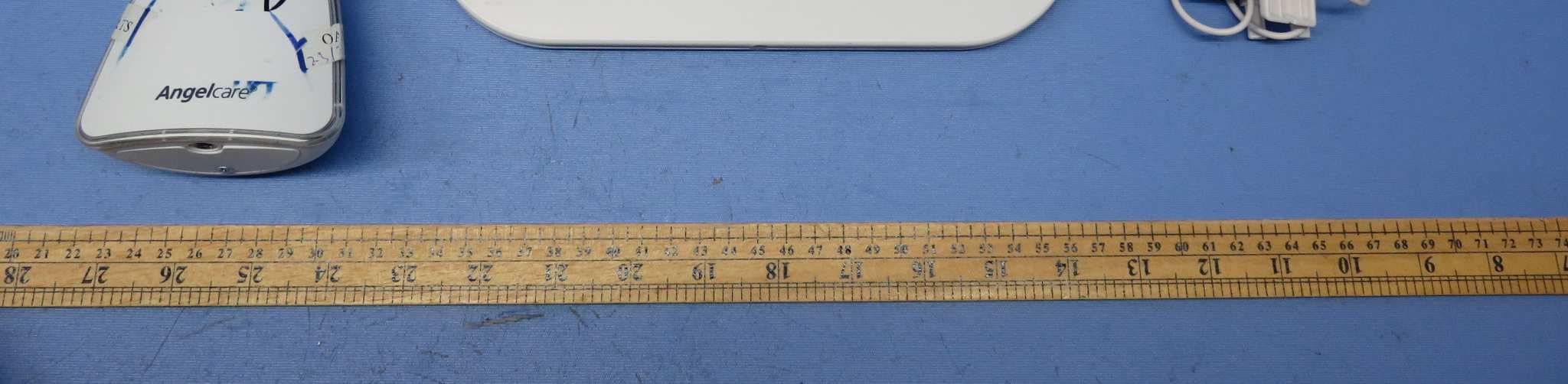
N7TAC1300T
Dec 02, 2015Video Baby Monitor - Baby Unit
Equipment Class
DSS - Part 15 Spread Spectrum Transmitter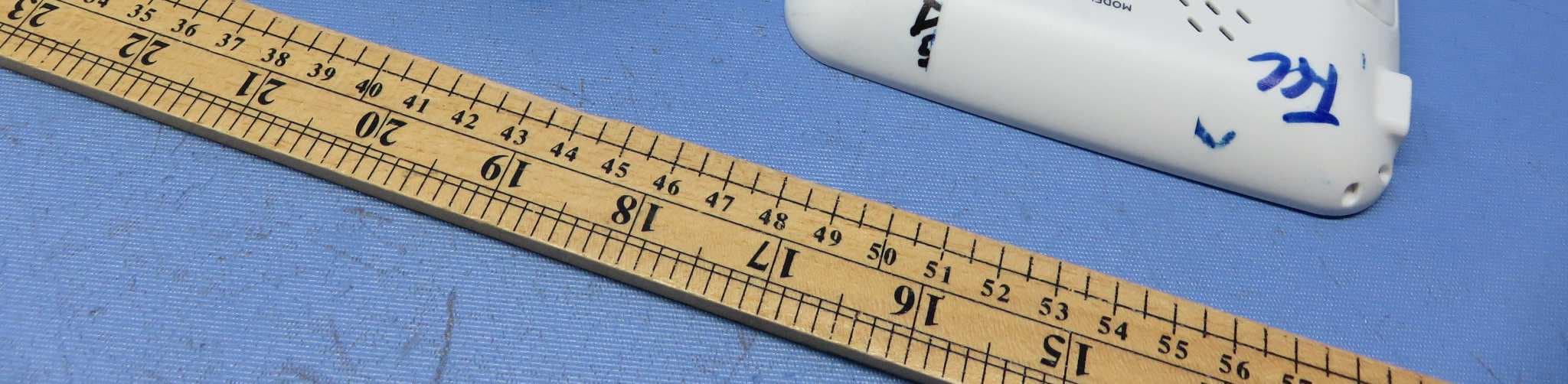
N7TAC1300R
Dec 02, 2015Video Baby Monitor - Parent Unit
Equipment Class
DSS - Part 15 Spread Spectrum Transmitter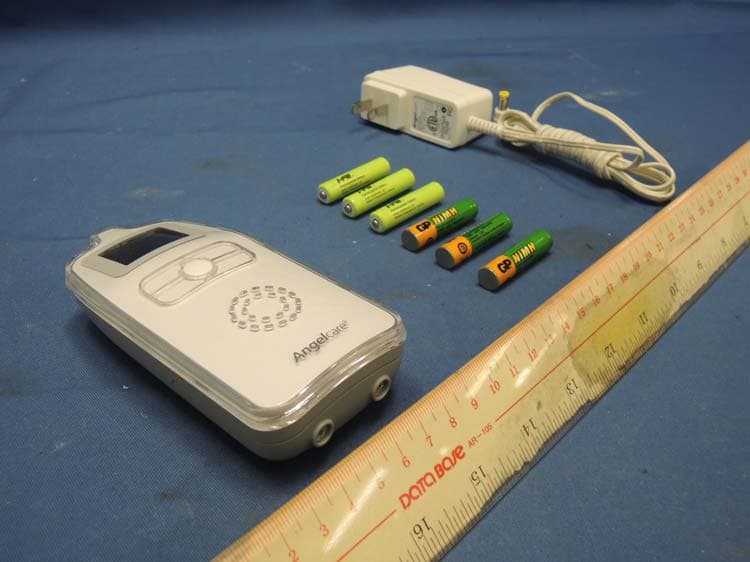
N7TAC423R
Jan 09, 2014900MHz Superheterodyne Receiver (Parent Unit)
Equipment Class
CYY - Communications Receiver used w/Pt 15 Transmitter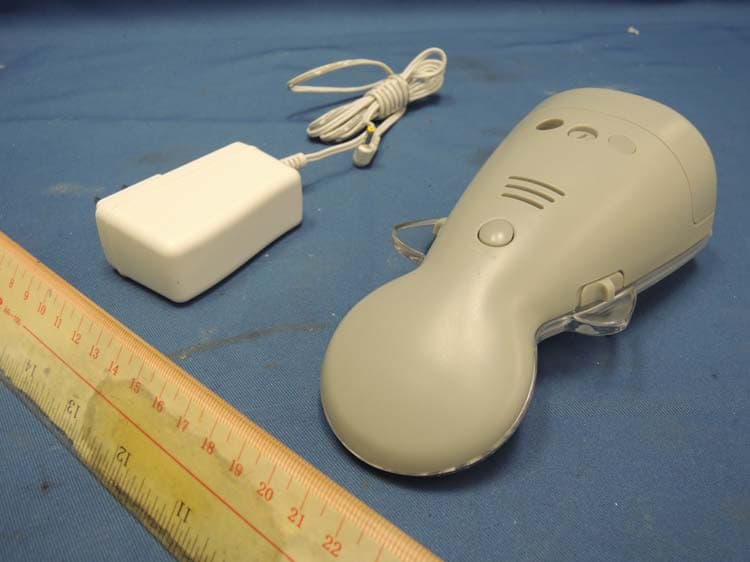
N7TAC423T
Jan 09, 2014900MHz Analog Modulation Baby Monitor (Baby Unit)
Equipment Class
DXX - Part 15 Low Power Communication Device Transmitter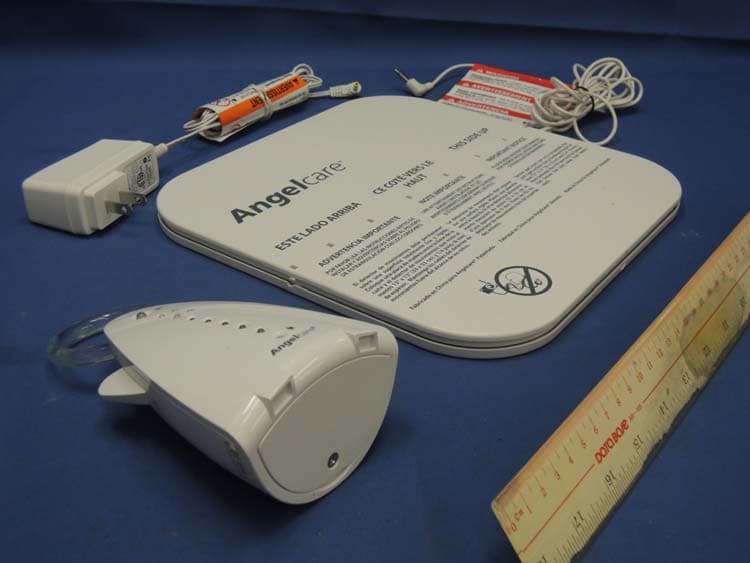
N7TAC701T
Jan 01, 20141.9GHz DECT Baby Monitor - Baby Unit
Equipment Class
PUB - Part 15 Unlicensed PCS Base Station