N7TAC301Movement and Sound Monitor
Angelcare Canada Inc.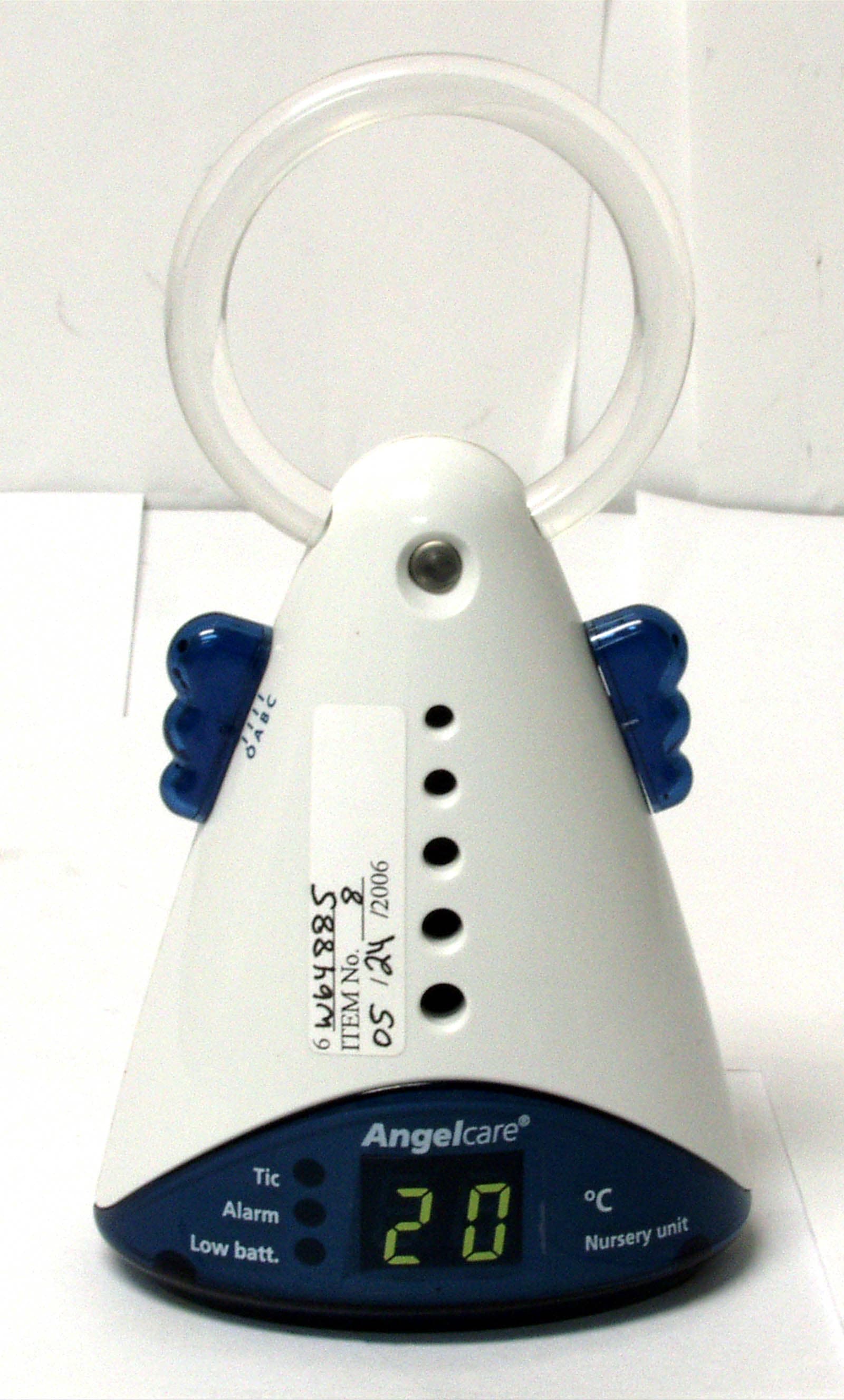
Click to zoom
Application Details
- Equipment Class
- DXX - Part 15 Low Power Communication Device Transmitter
- Date of Grant
- Jul 20, 2006
- Application Purpose
- Original Equipment
- Date of Application
- Jul 20, 2006
- Equipment Note
- Movement and Sound Monitor
- Frequency Range
- 2400.20000000 - 2404.00000000
- Company
- Angelcare Canada Inc.
- Country
- Canada
Documents & Files
Document Text
Text extracted from the exhibit documents filed with the FCC. Open a document above to read the original.
Users Manual
AC301 AC301-R Digital 2.4GHz Movement & Sound Monitor Movement & Sound Monitor (Rechargeable) Numérique 2.4 GHz Moniteur de mouvements et sons Moniteur de mouvements et sons (Rechargeable) ManAC301 angl-fra 14 july06.qxd 7/14/06 9:29 AM Page 1 2 IMPORTANT NOTICE POSITION OF SENSOR PADS UNDER MATTRESS IN RANGE FUNCTION The in range function is DEACTIVATED when turning on the monitor (See instructions). AC301 - RECHARGEABLE Only use RECHARGEABLE batteries in the parents unit. DIGITAL CODING SYSTEM This monitor is equipped with a digital coding system which eliminates interferences. The codes are written on the box and in the battery compartment. For use of 2 Angelcare movement and sound monitor in same household or when interferences occur with an Angelcare in another household, ensure the 2 monitors have 2 different digital coding system USE OF THE ANGELCARE MONITOR WITH 2 SENSOR PADS Connect the two sensor pads using the shorter wires.Position sensor pads as illustrated below. If you are using a bassinette or a small crib, position the one sensor pad with 2 cords in the middle of the crib under the mattress.Connect the long sensor pad cord to the nursery unit.The printed side of sensor pads MUST be face up.DO NOT tuck thick bedding under the edges of the mattress. USE OF THE ANGELCARE MONITOR WITH 2 PARENT UNITS Make sure all 3 units (the 2 parent units and the nursery unit) are on the same channel either A, B or C. MIDDLE OF THE CRIB ManAC301 angl-fra 14 july06.qxd 7/14/06 9:29 AM Page 2 3 TABLE OF CONTENTS 5 Easy Steps to Operate Your Angelcare ® Monitor . . . . . . . . . . . . . . . . . . . . . . . . . . . . . . . . . . . . . . . . . . . . . . . . . . . . . . .3 Instructions . . . . . . . . . . . . . . . . . . . . . . . . . . . . . . . . . . . . . . . . . . . . . . . . . . . . . . . . . . . . . . . . . . . . . . . . . . . . . . . . . . .5 Testing Your Angelcare ® Monitor . . . . . . . . . . . . . . . . . . . . . . . . . . . . . . . . . . . . . . . . . . . . . . . . . . . . . . . . . . . . . . . . . . . .5 Operating tips . . . . . . . . . . . . . . . . . . . . . . . . . . . . . . . . . . . . . . . . . . . . . . . . . . . . . . . . . . . . . . . . . . . . . . . . . . . . . . . . . .5 Troubleshooting . . . . . . . . . . . . . . . . . . . . . . . . . . . . . . . . . . . . . . . . . . . . . . . . . . . . . . . . . . . . . . . . . . . . . . . . . . . . . . . .6 Warranty . . . . . . . . . . . . . . . . . . . . . . . . . . . . . . . . . . . . . . . . . . . . . . . . . . . . . . . . . . . . . . . . . . . . . . . . . . . . . . . . . . . . . .7 Distributors . . . . . . . . . . . . . . . . . . . . . . . . . . . . . . . . . . . . . . . . . . . . . . . . . . . . . . . . . . . . . . . . . . . . . . . . . . . . . . . . . . .14 Figure 1 7.5 Volt AC Adapters (2) Sensor P ad Figure 6 Figure 4 Figure 5 CorrectIncorrect POSITION OF SENSOR PAD UNDER MATTRESS CribCrib or Figure 2 Figure 3 SECURE SENSOR PAD CORD TO CRIB LEG USING A TIE WRAP. RUN SENSOR PAD CORD ON FLOOR TO ENSURE CORD IS OUT OF BABY’S REACH. Model # AC301 . Model # AC301 . Adapter socket Ba tter y compartment (3 AAA batteries) Belt clip Movement sensitivity adjustment dial Battery compartment (4 AAA batteries) Antenna/Night Light Volume control selector Low battery indicator Power On/Off & Channel A, B or C selector - Tic indicator - Alarm indicator - Low battery indica tor Nursery tempera ture indicator Functions : - Night light power On/Off button - In range On/Off button Power ON/OFF & Channel A, B or C selector Alarm indicator In range indicator Speaker Functions: • Movement • Sound/Movement/tic • Sound & Movement • Sound Adapter socketSensor Pad Socket NURSERY UNIT (TRANSMITTER) PARENTS UNIT (RECEIVER) Antenna Sound level indicators Power indicator B Figure 1C Incorrect K eep at least 38 cm ( 15 inches) a part Correct A Sensor PadSensor Pad ManAC301 angl-fra 14 july06.qxd 7/14/06 9:29 AM Page 3 4 5 EASY STEPS TO OPERATE YOUR ANGELCARE ® MONITOR Note: • Test your Angelcare ® Monitor BEFOREfirst-time use and then on a periodic basis. •When monitor is in use, DO NOT use crib mobile or other crib accessories that produce vibrations. Alarm will not sound as monitor is still detecting mo vement. •The Angelcare ® Monitor is perfectly safe. The Sensor Pad and its cord is entirely passive. They carry no electrical current and do not radiate any form of energy. The Nursery Unit emits only very low power radio signals through its antenna. These signals do not present a safety hazard. • Your monitor can be used in any crib or sleeping area (that has no motion or vibration) designed to safely hold a baby. • To monitor twins, you need two AC301 Movement & Sound Monitors or one AC301 Movement & Sound Monitor and one AC300 Movement only monitor . Y ou should ha ve one nursery unit on Movement function and the other nursery unit on Sound/Movement/Tic or Sound/Movement. You can use only one parent unit on the same channel. The sound monitor of one AC301 is sufficient to monitor both babies in the same room. Do not use the Angelcare ® to monitor movement of two babies in one crib or bassinet. STEP 1. SENSOR PAD Position Sensor Pad as illustrated (Figures 1 and 2). Connect the long Sensor Pad cord to the Nursery Unit (Figure 4). The printed side of Sensor Pad MUSTface up.DO NOTtuck thick bedding under the edges of the mattress. The Sensor Pad must rest on a COMPLETELY FLAT AND RIGID SURFACE. Place a piece of 6 mm (1/4”) plywood to cover the full size of the crib base. Make sure the sensor pad’s cord passes underneath the mattress as shown in figure 1. STEP 2. NURSERY UNIT (TRANSMITTER) • Insert 4 AAA batteries into Nursery Unit (for battery backup in case of power failure). • Connect Sensor Pad to Nursery Unit (Figures 4 and 6). • On the back of the Nursery Unit, select 1 of the 4 functions of how you want to monitor your baby from the Parents Unit: Movement:To use the movement only function. This does not transmit any sound to the parent unit. Sound/Movem…
Text truncated - open the document above for the full version.
Users Manual
7 LIMITED WARRANTY Angelcare ® warrants to the original owner of this product that the Angelcare ® Movement & Sound Monitor (Model AC301) and the Angelcare ® Rechargeable Movement & Sound Monitor (Model AC301-R) is free from defects in materials and workmanship for a period of one (1) year from the date of the original purchase. If this monitoring system fails to function properly when used as directed under normal conditions, within the one year period, Angelcare ® will either repair or replace the product at our option free of charge, when it is returned complete and in its original packaging, prepaid postage, and insured to your distributor (see page 14). The product must be accompanied by a proof of purchase, either a bill of sale, receipted invoice, or other proof that the monitoring system is within the warranty period. Angelcare ® will bear the cost of repairing or replacing the product and shipping it back to you. This warranty does not apply to a product that has been damaged as a result of improper maintenance, accidents, improper voltage supply or other misuse. The warranty is also void if the owner repairs or modifies the product in any way. Angelcare ® is not liable for any incidental or consequential damages with regard to this product. The warranty also excludes any liability other than what is stated above. No other warranties are given. LEGAL RIGHTS VARY FROM COUNTRY TO COUNTRY. SOME COUNTRIES DO NOT ALLOW THE EXCLUSION OR LIMITATION OF INCIDENTAL OR CONSEQUENTIAL DAMAGES, SO THE ABOVE LIMITATIONS MAY NOT APPLY TO YOU. WE ARE NOT IN ANY WAY RESPONSIBLE FOR ANY OUTCOME RESULTING FROM USE. IMPORTANT! This Angelcare ® Monitor is a personal care product. Please do not return this product to the store. If you have questions or need help, please call your distributor (see page 14) before returning this product to the retailer. INFORMATION TO USER This device complies with Part 15 of the FCC Rules. Operation is subject to the following two conditions: (1) This device may not cause harmful interference, and (2) This device must accept any interference received,including interference that may cause undesired operation. This equipment has been tested and found to comply with the limits for Class B Digital Device, pursuant to Part 15 of the FCC Rules. These limits are designed to provide reasonable protection against harmful interference in a residential installation.This equipment generates and can radiate radio frequency energy and, if not installed and used in accordance with the instructions, may cause harmful interference to radio communications. However, there is no guarantee that interference will not occur in a particular installation. If this equipment does cause harmful interference to radio or television reception, which can be determined by turning the equipment off and on, the user is encouraged to try to correct the interference by one or more of the following measures. • Reorient or relocate the receiving antenna • Increase the separation between the equipment and receiver • Connect the equipment into an outlet on a circuit different from that to which the receiver is connected • Consult the dealer or an experienced radio/TV technician for help Any changes or modifications not expressly approved by the party responsible for compliance could void the user’s authority to operate the equipment. Maximum power consumption of the monitor is: • parent unit:80 mA max. • nursery unit: 120 mA max. User Guide Statement Angelcare Monitors Inc.declares that the AC301 and AC301-R are in conformity with all essential requirements and other relevant provisions of the R&TTE Directive (1999/5/EC). This product is marked on Nursery unit FCC ID: N7TAC301; IC: 5786A-AC301A in accordance with RSS 210, Issue 6 . ManAC301 angl-fra 14 july06.qxd 7/14/06 9:29 AM Page 7 AVIS IMPORTANT POSITION DES DÉTECTEURS SOUS LE MATELAS MILIEU DU LIT FONCTION HORS PORTÉE La fonction hors portée est DÉSACTIVÉE lorsqu’on allume l’appareil (voir les instructions). AC301 - RECHARGEABLE N’utilisez que des piles RECHARGEABLES dans l'unité des parents. SYSTÈME NUMÉRIQUE DE CODIFICATION Ce moniteur est muni d’un système numérique de codification éliminant les interférences. Ce code est inscrit sur la boîte et à l’intérieur du boîtier pour piles. Pour l’utilisation de 2 moniteurs de mouvements et sons Angelcare dans la maison ou lorsque des interférences avec un autre appareil Angelcare situé dans une autre maison, assurez-vous que les 2 appareils sont identifiées de codes différents. UTILISATION DU MONITEUR ANGELCARE MUNI DE DEUX DÉTECTEURS DE MOUVEMENTS Branchez les deux détecteurs de mouvements ensemble en utilisant les plus petits câbles. Placez les deux détecteurs de mouvements tel qu’illustré plus bas.Si vous utilisez un petit lit de bébé,installez seulement le détecteur avec 2 câbles au milieu du lit, sous le matelas. Branchez le plus long câble à l’unité du nourrisson. Le coté imprimé des détecteurs de mouvements DOIT être vers le haut. NE placez AUCUN article de literie entre le matelas du bébé et les détecteurs de mouvements. UTILISATION DU MONITEUR ANGELCARE MUNI DE DEUX UNITÉS DE PARENTS Veuillez vous assurer que les 3 unités (les 2 unités des parents et l’unité du nourrisson) sont sur le même canal soit A,B ou C. 8 ManAC301 angl-fra 14 july06.qxd 7/14/06 9:29 AM Page 8 9 Détecteur de mouvements UNITÉ DU NOURRISSON (ÉMETTEUR) TABLE DES MATIÈRES 5 étapes faciles à suivre pour utiliser votre moniteur Angelcare ® . . . . . . . . . . . . . . . . . . . . . . . . . . . . . . . . . . . . . . . . . .10 Mises en garde . . . . . . . . . . . . . . . . . . . . . . . . . . . . . . . . . . . . . . . . . . . . . . . . . . . . . . . . . . . . . . . . . . . . . . . . . . . . . . . .11 Instructions . . . . . . . . . . . . . . . . . . . . . . . . . . . . . . . . . . . . . . . . . . . . . . . . . . . . . . . . . . . . . . . . . . . . . . . . . . . . . . . . . .11 Vérification de votre moniteur Angelcare ® . . . . . . . . .…
Text truncated - open the document above for the full version.
Cover Letter(s)
DATE Nemko Canada Inc 303 River Road Ottawa, Ontario, Canada K1V 1H2 Attn: Director of Certification Authority to Act as Agent On our behalf, I appointNemko Canada Inc 303 River Road Ottawa (ONT)K1V 1H2 to act as our agent in the preparation of this application for equipment certification. I certify that submitted documents properly describe the device or system for which equipment certification is sought. I also certify that each unit manufactured, imported or marketed, as defined in the Federal Communications Commission’s regulations will have affixed to it a label identical to that submitted for approval with this application. For instances where our authorized agent signs the application for certification on our behalf, I acknowledge that all responsibility for complying with the terms and conditions for certification, as specified by Nemko Canada Inc, still resides with Angelcare Monitors Inc 550 ch du Golf, suite 202 Verdun (QC) H3E 1A8( applicant name and address). Dated this 27 Day of June 2006 Agency agreement expiration date: Usually Give 8 - 12 Months By: Sylvie Charette SignaturePrinted Title: General Manager On behalf of : Angelcare Monitors inc. Telephone: 514-761-0511 Documents PDF Complete Click Here & Upgrade Expanded Features Unlimited Pages Special Offers Login | Register Home Products Support Purchase Download Company Special Offers Product Information Download Demo FAQ PDF Complete® Welcomes Hewlett-Packard Customers ... Hewlett-Packard customers save 43% Purchase a Single User License for $39.87 Quantity discounts are available. click here for details. click here to Register for your discount. l Download a no-obligation demo and see how easy it is to create PDF documents. l Need more information? Click here for answers to Frequently Asked Questions. Click here to reach Customer Support Available during normal business hours. System Requirements: Windows 2000, Windows XP, Windows 2003 / Office 2000 and later / Outlook 2000 and later Microsoft and the Office logo are trademarks or registered trademarks of Microsoft Corporation in the United States and/or other countries. Home | Products | Support | Purchase | Download | Company Copyright (c) 2005 PDF Complete, Inc. | Terms Of Use | Privacy Statement http://www.pdfcomplete.com/cms/hppl/tabid/108/Default.aspx?r=q8b3uige226/28/2006 10:02:22 AM
Cover Letter(s)
DATE12/07/2006 EquipmentAuthorisationDivision FederalCommunicationsCommission 7435OaklandMillsRoad Columbia,MD21046 FCCID:N7TAC301 ProductName:Anaelcaremovementandsoundmonitor ReauestforConfidentialitv PursuanttoSections0.457and0.459of thecommissions'rules,weherebyrequestthat thefollowingdocumentsbeheldconfidential: .Schematic .BlockDiagram .Operationaldescription Thesematerialscontaintradesecretsandproprietaryinformationandarenot customarilyreleasedtothepublic.Thepublicdisclosureofthisinformationmightbe harmfultothecompanyandprovideunjustifiedbenefitstoourcompetitors. By: DayofJuly 2006Dated this ~SylvieCharette SignaturePrinted Title: Onbehalfof: AngelcareMonitorsinc Telephone:514-761-0511 t
Test Report
FCC Part 15 Subpart C, 15.249 : August 2005 Test Report: 6W64885 Applicant: Angelcare 550 Chemin du Golf, Suite 202 Nun's Island, Quebec H3E 1A8 Apparatus: AC301 Movement & Sound Monitor FCC ID: N7TAC301 In Accordance With: FCC Part 15 Subpart C, 15.249 Operation in the 902-928MHz, 2400 - 2483.5 MHz, 5725-5850MHz and 24.0-24.25 GHz Tested By: Nemko Canada Inc. 303 River Road Ottawa, Ontario K1V 1H2 Authorized By: Jin Xu, Wireless Specialist Date: July 13, 2006 Total Number of Pages: 20 Nemko Canada Inc. REPORT SUMMARY Report Number: 6W64885 FCC ID: N7TAC301 Specification: FCC Part 15 Subpart C, 15.249 Page 2 of 20 Report Summary These tests were conducted on a sample of the equipment for the purpose of demonstrating compliance with Part 15, Subpart C. Radiated tests were conducted in accordance with ANSI C63.4-2003. Radiated emissions are made on an open area test site. A description of the test facility is on file with the FCC. The assessment summary is as follows: Apparatus Assessed: AC301 Movement & Sound Monitor Specification: FCC Part 15 Subpart C, 15.249 Compliance Status: Complies Exclusions: None Non-compliances: None Report Release History: Original Release Author: Jason Nixon, Telecom Specialist Note that the results contained in this report relate only to the items tested and were obtained in the period between the date of initial receipt of samples and the date of issue of the report. This test report has been completed in accordance with the requirements of ISO/IEC 17025. Nemko Canada Inc. authorizes the applicant to reproduce this report provided it is reproduced in its entirety and for use by the company’s employees only. Any use which a third party makes of this report, or any reliance on or decisions to be made based on it, are the responsibility of such third parties. Nemko Canada Inc. accepts no responsibility for damages, if any, suffered by any third party as a result of decisions made or actions based on this report. Nemko Canada Inc. REPORT SUMMARY Report Number: 6W64885 FCC ID: N7TAC301 Specification: FCC Part 15 Subpart C, 15.249 Page 3 of 20 TABLE OF CONTENTS Report Summary......................................................................................................................................... 2 Section 1 : Equipment Under Test............................................................................................................. 4 1.1 Product Identification .................................................................................................................................4 1.2 Samples Submitted for Assessment............................................................................................................4 1.3 Theory of Operation ...................................................................................................................................4 1.4 Technical Specifications of the EUT ..........................................................................................................5 1.5 Block Diagram of the EUT.........................................................................................................................5 Section 2 : Test Conditions......................................................................................................................... 6 2.1 Specifications .............................................................................................................................................6 2.2 Deviations From Laboratory Test Procedures ............................................................................................6 2.3 Test Environment .......................................................................................................................................6 2.4 Test Equipment...........................................................................................................................................6 Section 3 : Observations ............................................................................................................................. 7 3.1 Modifications Performed During Assessment ............................................................................................7 3.2 Record Of Technical Judgements ...............................................................................................................7 3.3 EUT Parameters Affecting Compliance .....................................................................................................7 3.4 Test Deleted................................................................................................................................................7 3.5 Additional Observations .............................................................................................................................7 Section 4 : Results Summary ..................................................................................................................... 8 4.1 FCC Part 15 Subpart C : Test Results ........................................................................................................9 Appendix A : Test Results ........................................................................................................................ 10 Clause 15.207(a) Powerline Conducted Emissions .............................................................................................10 Clause 15.209(a) Radiated Emissions within Restricted Bands ..........................................................................13 Clause 15.215(c) 20dB Bandwidth ......................................................................................................................14 Clause 15.249(a) Radiated emissions not in Restricted Bands ............................................................................15 Clause 15.249(d) Spurious emissions (except Harmonics).............................................................................…
Text truncated - open the document above for the full version.
Test Setup Photos
Conducted Emissions Setup: Spurious Emissions Setup:
Contact Information
Applicant
Mark Buckle(Technical Manager)
Technical Contact
Angelcare Monitors Inc.Roxane Popoviciu
[email protected]514 761 0511
550 ch du Golf, suite 202 · Verdun · Canada
Non-Technical Contact
Angelcare Monitors Inc.Roxane Popoviciu
[email protected]514 761 0511
Test Firm
Nemko Canada Inc. (Ottawa)Charles Neal
Technical Specifications
| # | Rule Parts | Frequency Range | Power Output |
|---|---|---|---|
| 1 | 15C | 2.40 GHz - 2.40 GHz | - |
Other Applications from Angelcare Canada Inc.
N7TAC1300T
Dec 02, 2015Video Baby Monitor - Baby Unit
Equipment Class
DSS - Part 15 Spread Spectrum Transmitter
N7TAC1300R
Dec 02, 2015Video Baby Monitor - Parent Unit
Equipment Class
DSS - Part 15 Spread Spectrum Transmitter
N7TAC423R
Jan 09, 2014900MHz Superheterodyne Receiver (Parent Unit)
Equipment Class
CYY - Communications Receiver used w/Pt 15 Transmitter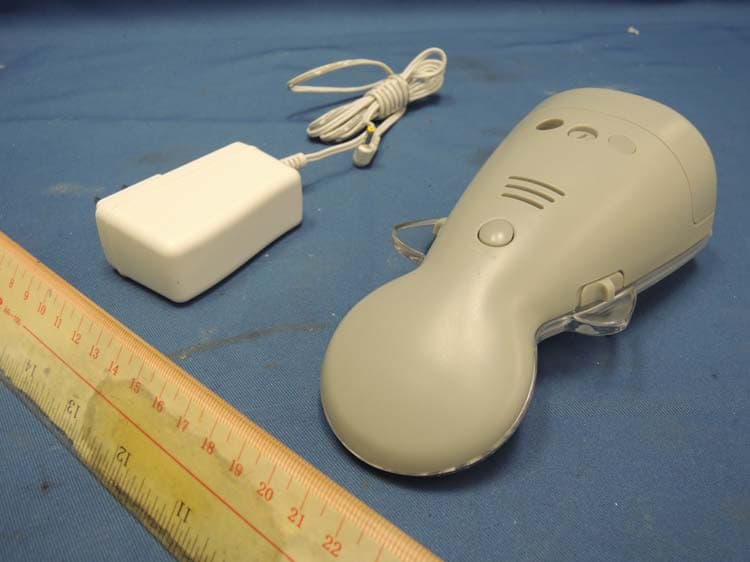
N7TAC423T
Jan 09, 2014900MHz Analog Modulation Baby Monitor (Baby Unit)
Equipment Class
DXX - Part 15 Low Power Communication Device Transmitter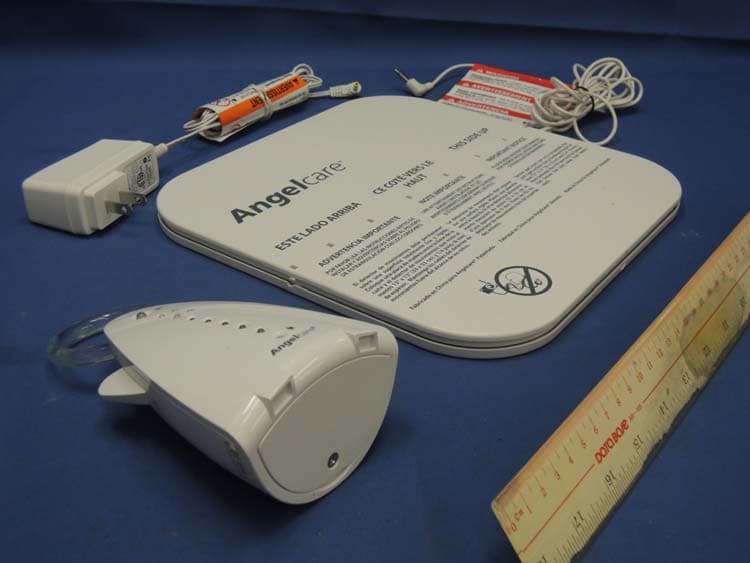
N7TAC701T
Jan 01, 20141.9GHz DECT Baby Monitor - Baby Unit
Equipment Class
PUB - Part 15 Unlicensed PCS Base Station