N7ZIA300ADSL PCI Network Interface Card
Turbocomm Tech Inc.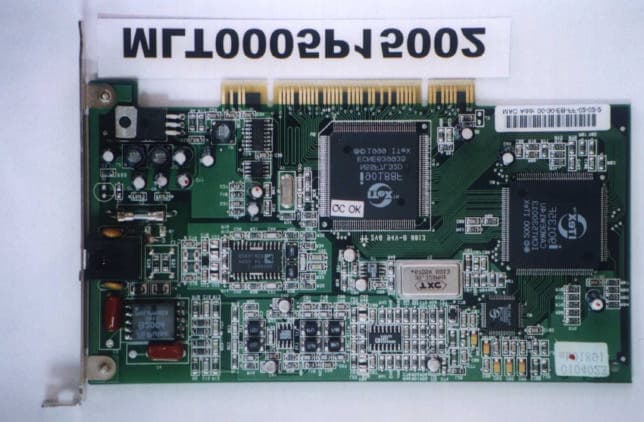
Click to zoom
Application Details
- Equipment Class
- JBP - Part 15 Class B Computing Device Peripheral
- Date of Grant
- Jun 11, 2000
- Application Purpose
- Original Equipment
- Date of Application
- May 22, 2000
- Equipment Note
- ADSL PCI Network Interface Card
- Company
- Turbocomm Tech Inc.
- Country
- Taiwan
Documents & Files
Document Text
Text extracted from the exhibit documents filed with the FCC. Open a document above to read the original.
Users Manual
Model : IA-300 ADSL PC Network Interface Modem Installation Guide Microsoft Windows 95, 98, and NT4.0 44-060017-000 V1.0 December 8, 1999 TABLE OF CONTENTS System Requirements.................................................................................................1 Before Installation........................................................................................................1 Hardware Installation....................................................................................................1 Software Installation and Service configuration................................................................1 Point to Point Protocol over ATM (PPPoA) or (RFC 2364)..........................................1 Windows 95A....................................................................................................2 Windows 95B.....................................................................................................3 Windows 98, 98A..............................................................................................4 Windows NT 4.0.................................................................................................6 PPPoA ADSL Network Connection......................................................................8 IP Protocol over ATM (IPoA) or (RFC 1577) for Windows 98 2nd Edition........................9 Bridged Ethernet over ATM (BEoA ) or (RFC 1483)....................................................11 Windows 95A...................................................................................................11 Windows 95B...................................................................................................12 Windows 98, 98A.............................................................................................13 Bridged Ethernet ADSL Service Configuration......................................................14 Windows NT 4.0...............................................................................................15 Editing Bridged Ethernet ADSL Service Configuration..........................................17 Appendix A - Diagnostic Tools....................................................................................18 Accessing the Diagnostic Tools.........................................................................18 Hardware Diagnostics.......................................................................................18 Configuring the Connection Service....................................................................19 Trouble Shooting..............................................................................................19 Connector Pinout.............................................................................................20 Appendix B – Upgrade Microsoft DUN Version 1.3........................................................21 Appendix C – Verifying Dial-Up Networking (DUN) Status..............................................22 Appendix D – Removing IA-300 Drivers........................................................................23 Windows 95, 98..............................................................................................23 Windows NT4.0...............................................................................................23 Appendix E – Verifying/Changing the ADSL Mode........................................................24 Appendix F – System Requirements & Compliance Information.....................................25 Appendix G – Copyright & Regulatory Information.........................................................26 Model : IA-300 Installation Guide Page 1 SYSTEM REQUIRMENTS Make sure your PC system meets ALL of the following minimum hardware and software requirements: Hardware: q IBM PC/AT or compatible q Pentium 100Mhz or faster q 30Mbytes available hard disk space or more q 2x CD-ROM drive or better q 32Mbyte available system memory or more Software: Your Operating System must be one of the following: ̧ Microsoft Windows 95.x – 95A, 95B ̧ Microsoft Windows 98.x – 98, 98A ̧ Microsoft Windows 98 2 nd Edition ̧ Microsoft NT – NT 4.0 Service Pack 3 BEFORE INSTALLATION If you are installing PPPoA service for Win95A, 95B or Bridged Ethernet service for Win95A, you need to upgrade your Dial-Up Networking (DUN) application to version 1.3 or above. Please refer to Appendix A on how to upgrade your system’s DUN. HARDWARE INSTALLATION WARNING! To avoid possible damage to your IA-300 card you need to use an anti-static grounding device or hold onto the metal chassis of the PC to provide anti-static grounding. 1. Shut down the system and switch the power off. 2. Unplug the AC power cable from the PC. 3. Remove the cover from the PC chassis. 4. Unscrew the “slot cover bracket” from an unused PCI slot. 5. Insert the card into an empty PCI slot. 6. Firmly press the IA-300 card into the slot and secure the card to the chassis with the chassis bracket screw. 7. Connect one end of a phone cable to the RJ-11 port on the IA-300 card and plug the other end of the cable into the ADSL data service. 8. Plug the power cable back into the PC system. 9. Power-up the PC and proceed to software installation. SOFTWARE INSTALLATION AND SERVICE CONFIGURATION NOTE: You may need the Microsoft Windows Operating System installation files (CAB files) to complete the installation. The CAB files are contained in the Microsoft’s system CD. Some systems may have already installed the CAB files to the hard drive, but you should have the Microsoft CD handy just in case. TO INSTALL POINT TO POINT PROTOCOL OVER ATM (RFC 2364) SERVICE Win95A go to page 2 Win95B go to page 3 Win98, 98A go to page 4 NT 4.0 go to page 6 TO INSTALL BRIDGED ETHERNET PROTOCOL OVER ATM (RFC 1483) SERVICE Win95A go to page 11 Win95B go to page 12 Win98, 98A go to page 13 NT 4.0 go to page 15 TO INSTALL CLASSICAL IP PROTOCOL OVER ATM (RFC 1577) SERVICE Win98 SE go to page 9 Model : IA…
Text truncated - open the document above for the full version.
Cover Letter(s)
4F-2, #171, Sung-Teh, Rd., Taipei, Taiwan Tel:+886-2-2759-8868 Fax:+886-2-2759-8869 MESSERS: Max Light Technology Co.,Ltd DATE: 05 /10/2000 POWER OF ATTORNEY SUBJECT: FCC APPLICATION We, the undersigned, hereby authorize Max Light Technology Co.,Ltd. To act on our behalf in all matters relating to application for equipment authorization of our model: IA300 ncluding the signing of all documents relating to these matters. Any and all acts carried out by Max Light Technology Co.,Ltd. On our behalf shall have the same effect as acts of our own. Applicant: TURBOCOMM TECH.INC. By: MR. LOBO CHANG Signature Printed Title: Manager
External Photos
MAX LIGHT Report Number: MLT0005P15002 FCC ID: N7ZIA300 Technology Lab MAX LIGHT Report Number: MLT0005P15002 FCC ID: N7ZIA300 Technology Lab MAX LIGHT Report Number: MLT0005P15002 FCC ID: N7ZIA300 Technology Lab
ID Label/Location Info
MAX LIGHT Report Number: MLT0005P15002 FCC ID: N7ZIA300 Technology Lab Label Format: Label Position: This device complies with Part15 of the FCC Rules. Operation is subject to the following two conditions: (1) This device may not cause harmful interference,and (2) This device must accept any interference received ,including. Interference that may cause undesired operation. Model: IA300/IA-300 FCC ID: N7ZIA300 MADE IN TAIWAN Equipment Lable 3cmX2cm Rear View
Test Report
Product : ADSL PCI Network Interface Card Applicant : TURBOCOMM TECH. INC. FCC ID : N7ZIA300 Model : IA-300 / IA300 Report No. : MLT0005P15002 Test Date : May 10.2000 Test By Max Light Technology Co.,Ltd. Room 5, 8F, No.125, Section 3 Roosevelt Road, Taipei, Taiwan., R.O.C. Tel: 886-2-2363-2447 Fax: 886-2-2363-2597 T T h h e e t t e e s s t t r r e e p p o o r r t t c c o o n n s s i i s s t t s s o o f f 2 2 1 1 p p a a g g e e s s i i n n t t o o t t a a l l . . I I t t m m a a y y b b e e d d u u p p l l i i c c a a t t e e d d c c o o m m p p l l e e t t e e l l y y f f o o r r l l e e g g a a l l u u s s e e w w i i t t h h t t h h e e a a l l l l o o w w a a n n c c e e o o f f t t h h e e a a p p p p l l i i c c a a n n t t . . I I t t s s h h a a l l l l n n o o t t b b e e r r e e p p r r o o d d u u c c e e d d e e x x c c e e p p t t i i n n f f u u l l l l , , w w i i t t h h o o u u t t t t h h e e w w r r i i t t t t e e n n a a p p p p r r o o v v a a l l o o f f o o u u r r l l a a b b o o r r a a t t o o r r y y . . MAX LIGHT MEASUREMENT REPORT Page: 2/21 Report Number: MLT0005P15002 FCC ID: N7ZIA300 Technology Lab Table of Contents : I. General 4. II. Conducted Emissions Requirements 9. III. Radiated Emissions Requirements 14. Appendix I (EUT Test Setup) 20. MAX LIGHT MEASUREMENT REPORT Page: 3/21 Report Number: MLT0005P15002 FCC ID: N7ZIA300 Technology Lab CERTIFICATION We here by verify that : The test data, data evaluation, test procedures and equipment configurations shown in this report were made in accordance with the procedures given in ANSI C63.4-1992. All test were conducted by MLT(Max Light Technology Co.,Ltd) Room 5, 8F, No.125, Section 3 Roosevelt Road, Taipei, Taiwan, R.O.C Also, we attest to the accuracy of each. We further submit that the energy emitted by the sample EUT tested as described in the report is in compliance with Class B radiated and conducted emission limit of FCC Rules Part 15 Subpart B. EUT: ADSL PCI Network Interface Card Applicant: TURBOCOMM TECH. INC. 4F-2, No.171, Sung-Tech Road, Taipei ,Taiwan Manufacturer: TURBOCOMM TECH. INC. No.369,Sec.3 Chun Cheng East Road, Wu Chuan Tsun,Ta Yuan Hsiang,Tao Yaun Hsien,Taiwan,R.O.C. Model No: IA-300 / IA300 FCC ID: N7ZIA300 Prepared by :Approved by : Country Huang Roger Chen MAX LIGHT MEASUREMENT REPORT Page: 4/21 Report Number: MLT0005P15002 FCC ID: N7ZIA300 Technology Lab I. GENERAL 1.1 Introduction The following measurement report is submitted on behalf of TURBOCOMM TECH. INC. In support of a Class B Digital Device certification in accordance with Part2 Subpart J and Part 15 Subpart A And B of the Commission’s and Regulations. 1.2 Description of EUT EUT: ADSL PCI Network Interface Card Applicant: TURBOCOMM TECH. INC. 4F-2, No.171, Sung-Tech Road, Taipei ,Taiwan Manufacturer: TURBOCOMM TECH. INC. No.369,Sec.3 Chun Cheng East Road, Wu Chuan Tsun,Ta Yuan Hsiang,Tao Yaun Hsien,Taiwan,R.O.C. Model No: IA-300 / IA300 FCC ID : N7ZIA300 Power Type: Powered by PC Phone Cable: RJ-11Cx2(Nonshielded, 7’ long ,Plastic hoods) During testing the EUT was operated at Tx or Rx mode for each emission measured(P.S Run “Ping (IP Address) –T –L 1000” comment in Dos Mode). This was done in order to ensure that maximum emission levels were attained. MAX LIGHT MEASUREMENT REPORT Page: 5/21 Report Number: MLT0005P15002 FCC ID: N7ZIA300 Technology Lab 1.3 Description of Support Equipment In order to construct the minimum system which required by the ANSI C63.4-1991, following equipments were used as the support units. Computer: COMPAQ Model No.: 3284 Serial No.: L708BKTB4154 FCC ID: EJH3284 Keyboard: COMPAQ Model No.: KPQ-E99ZC-13 Serial No.: 237743-334 FCC ID: CMYKPQ7285 Monitor: COMPAQ Model No.: 303U Serial No.: 704AG19TG099 FCC ID: BJMCM14UH Mouse: COMPAQ Model No.: 196694-301 Serial No.: 1SH67CHE03360 FCC ID: EMJMUSJJ Printer: PANASONIC Model No.: KX-P1080I Serial No.: 7CKAKE98933 FCC ID: ACJ5Z6KX-P10801 ADSL Simulator: ITEX Model No.: ITEX CO – GEAR(SAM) Serial No.: N/A MAX LIGHT MEASUREMENT REPORT Page: 6/21 Report Number: MLT0005P15002 FCC ID: N7ZIA300 Technology Lab Modem: Askey (External Fax / Data Modem) Model No.: WS1414VE Serial No.: IAH-10811 FCC ID: H8N1414VE MAX LIGHT MEASUREMENT REPORT Page: 7/21 Report Number: MLT0005P15002 FCC ID: N7ZIA300 Technology Lab 1.4 Configuration of System Under Test During testing the EUT(ADSL PCI Network Interface Card ) install in the COMPAQ PC. So there is no need for additional I/O card. A mouse was connected to the mouse port and a printer was connected to the parallel port. A external modem connected the serial port and the external modem connected with two unterminated telephone cables on the line and phone jack. The line jack of EUT was connected to a simulator of ADSL. 1.5 Test Procedure All measurements contained in this report were performed according to the techniques described in Measurement procedure ANSI C63.4-1992 "Measurement of unIntentional Radiators." Power Supply PC Monitor Printer To ADSL Simulator Keyboard Mouse EUT RS-232 RS-232 Modem MAX LIGHT MEASUREMENT REPORT Page: 8/21 Report Number: MLT0005P15002 FCC ID: N7ZIA300 Technology Lab 1.6 General Test Condition The conditions under which the EUT operates were varied to determine their effect on the equipment's emission characteristics. The final configuration of the test system and the mode of operation used during these tests was chosen as that which produced the highest emission levels. However, only those conditions which the EUT was considered likely to encounter in normal use were investigated. The system's radiated and conducted emissions were investigated while the computer alternately transferred data to the EUT (1000 bytes). Run “Ping (IP Address -T –L 1000)” comment which sent a continuous stream of 1000 Bytes data to EUT and transferred data to and from the EUT was proven to worst case emissions. The system's physical layout and cabling was randomly arranged to ensure that maximum emission lev…
Text truncated - open the document above for the full version.
Contact Information
Applicant
Ken Hsu(Senior Engineer)
Technical Contact
Max Light Technology Co.,LtdCountry Huang
[email protected]886-2-26633486
P.O.Box 5-86,Shen Keng · Taipei Hsien · Taiwan
Non-Technical Contact
Max Light Technology Co.,LtdCountry Huang
[email protected]886-2-26633486
Technical Specifications
| # | Rule Parts | Frequency Range | Power Output |
|---|---|---|---|
| 1 | 15B | - | - |
Other Applications from Turbocomm Tech Inc.

N7ZRT-900W
Jun 07, 2006Wireless AP
Equipment Class
DTS - Digital Transmission System
N7ZWVM-1101
May 11, 2006Wireless Video Module
Equipment Class
NII - Unlicensed National Information Infrastructure TX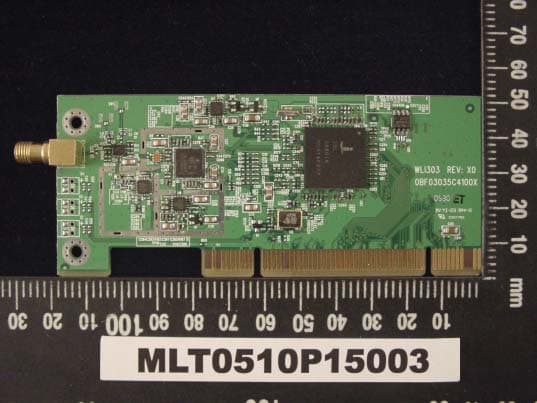
N7ZWLI303
Dec 01, 2005WIRELESS LAN 802.11/b,g
Equipment Class
DTS - Digital Transmission System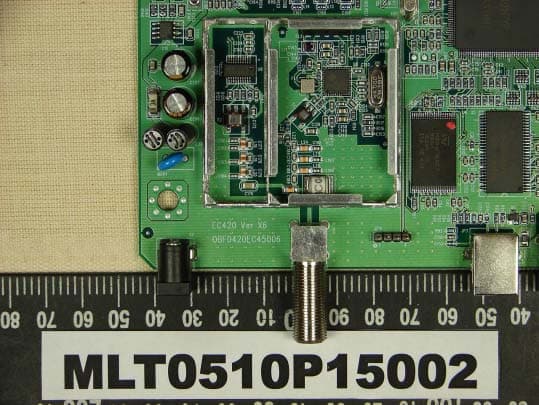
N7ZEC420
Oct 23, 2005CABLE MODEM
Equipment Class
JBP - Part 15 Class B Computing Device Peripheral
N7ZRT-710S
Jan 01, 2002Broadband Sharing Router
Equipment Class
JBP - Part 15 Class B Computing Device Peripheral