NCBSLTMWireless Lan
Wave Wireless Networking
Click to zoom
Application Details
- Equipment Class
- DSS - Part 15 Spread Spectrum Transmitter
- Date of Grant
- Oct 03, 2000
- Application Purpose
- Original Equipment
- Date of Application
- Jun 20, 2000
- Equipment Note
- Wireless Lan
- Frequency Range
- 2421.00000000 - 2422.00000000
- Company
- Wave Wireless Networking
- Country
- United States
Documents & Files
Document Text
Text extracted from the exhibit documents filed with the FCC. Open a document above to read the original.
Users Manual
SPEEDLANSPEEDLAN SPEEDLANSPEEDLAN SPEEDLAN TM 6000 OPERATOR’S MANUAL Version 1.0 Last revised June, 2000 Division 941-358-9283 941-355-0219 FAX 800-721-9283 www.speedlan.com [email protected] 1748 Independence Blvd. C-5 Sarasota, FL 34234 SPEEDLAN TM 3 PRODUCT LICENSE AGREEMENT It is important for users of Wave Wireless hardware and software to take time to read this License Agreement associated with this software PRIOR TO ITS USE. The Customer or Reseller has paid a License fee to Wave Wireless for use of this software on one bridge or bridge/router. This License does not extend to any copyrights to the program nor does it license use of the program on more than one bridge or bridge/router nor to make copies of the program for distribution or resale. A product registration card is included with the product manual. Please complete the card within 10 days of receipt of the software/hardware and return it to Wave Wireless. Registration is required for warranty service, technical support and notification of product updates and revisions. License Agreement: The Customer or Reseller is granted a non-exclusive License to use the licensed program on a single bridge or bridge/router subject to the terms and conditions as set forth in this agreement. The Customer or Reseller may not copy, modify or transfer the reference manual or other documentation or any copy thereof except as expressly provided in this agreement. The Copyright and all intellectual/industrial rights of this program and associated material remain the property of Wave Wireless. THE CUSTOMER OR RESELLER MAY NOT USE, COPY, SUBLICENSE, ASSIGN OR TRANSFER THE LICENSED MATERIALS OR ANY COPIES THEREOF IN WHOLE OR IN PART, EXCEPT AS EXPRESSLY PROVIDED IN THIS LICENSE AGREEMENT. The Customer or Reseller shall not reverse assemble or reverse compile the Licensed product or any copy thereof in whole or in part. RETURN POLICIES AND WARRANTIES Initial One Year Warranty Term: Each Wave Wireless product is warranted against defects in material and workmanship for a period of one year from date of shipment. During the warranty period Wave Wireless will, at its option, repair or replace products that prove to be defective. If equipment fails, the Customer or Reseller shall notify Wave Wireless and request a Return Material Authorization (RMA) number. For warranty service or repair, this product must be returned to Wave Wireless. All returns to Wave Wireless MUST have a valid RMA number written clearly on the outside of the box or the shipment will be refused. The buyer shall pay all return shipping charges during the one-year warranty. All outbound shipments will be made via ground shipment by Wave Wireless or via air courier with the customer’s account number with the exception of Extended/“Spare in the Air” Warranty holders. Extended Warranty Policies (Includes “Spare in the Air”) At any time during the first year following an equipment purchase, an Extended Warranty Policy may be purchased for 10% of the original list price. Terms of the Extended Warranty include “Spare in the Air” privileges to allow the use of parts or a spare unit temporarily. “Spare in the Air” Loaner Unit or Parts Replacement Policies For an additional 10% of list price, the customer may purchase a “Spare in the Air” policy. This policy gives the customer the right to a loaner replacement unit shipped within 24 hours of acceptance of the RMA by Wave. All outbound shipments will be made via overnight air courier (during the first year). “Spare in the Air” Policy Steps for Warranty or Extended Warranty Loaner Service: 1.Customer obtains RMA approval 2.Overnight shipment of spare unit or parts to customer within 24 hours of approved RMA. Customer swaps unit or part(s) with phone assistance, if required. 3.Customer returns part(s) to Wave Wireless. All returns to Wave Wireless MUST have a valid RMA number written clearly on the outside of the box or the shipment will be refused. 4.After 14 days from the issuance of an RMA, an invoice for the list price of the unit or components will be issued for any equipment that has not been returned. This will be credited upon the return of the defective or replacement part or unit to Wave Wireless. Extended Warranty Pricing Schedule 1 st year: 10% of published equipment list price 2 nd year: 15% of published equipment list price 3 rd year: 15% of published equipment list price *If all three years are purchased simultaneously, the cost will be 10% per year or 30% of list. Years 2 & 3 can be purchased during the initial year of coverage if the equipment was under extended warranty during the first year or if a physical on-site equipment inspection is performed and equipment is evaluated in warrantable condition by Wave Wireless personnel at prevailing or site service call rates. Onsite Services Onsite services for troubleshooting and repair are billed at daily rate, plus expenses, unless otherwise agreed upon. Use of spectrum analyzers or other test equipment may raise the daily rate. Rental Unit Loaner Customer may rent a unit at an agreed upon daily rate, plus shipping expenses, in lieu of purchasing a spare or “Spare in the Air” policy. Rental days are counted from date shipped until the date the unit is received in return by Wave Wireless. Refurbishing Fees Any product returned that requires refurbishing, is damaged due to inadequate or improper packaging protection, or that has not been returned with original packing materials may be subject to a refurbishing fee. Bench Test and Repair Time A unit is returned as defective and through bench testing is determined that the unit is not defective, Wave Wireless, at its discretion, may charge bench test time at a rate of $85 U.S. per hour for testing and troubleshooting. Out of warranty repairs will be performed at a rate of $85 U.S. per hour plus parts. All shipping charges will be the responsibility of the customer. SPEEDLAN TM 4 Return for Credit All returns to Wave Wireless MUST have…
Text truncated - open the document above for the full version.
Users Manual
SPEEDLAN TM 51 6. Click Add to enter another IP address/port pair. The Input IP Address/Port Pair dialog box appears. Then enter the following information as appropriate. Then, click OK to close this dialog box. •Public IP Address – This is the IP address for the outside network. All requests for a particular IP address from the outside or public network will be translated to the appropriate private IP address. For a more detailed definition, see page 64. •Public Port – This item will allow you to assign a particular port that you would like to have one of the private IP addresses to be able to respond to. Here are a few of the more common ports used: FTP - 21 SMTP – 25 DNS – 53 WWW – 80 NNTP - 119 •Private Server IP Address - This is the IP address of the server or workstation (or computer) where you want to get the “received message” for this port assignment. •Private Server Port – This is the port of where you want to have the server receive the messages. 7. Click Delete to permanently remove the IP address/port pair selected. Click Edit to modify the IP address/port pair selected. Click OK. You will return to the Outgoing Network Address Translation Setup dialog box. 8. After you have finished entering the appropriate information, click OK. 9. Now save the changes to the bridge or router. From the File menu, choose Save Config. 10. A message box appears informing you that the information will be saved to the bridge or router. Click Ye s. 11. The Configurator confirms that the configuration has been saved. Click OK. Restart the computer for changes. SPEEDLAN TM 52 SPEEDLAN TM IP ROUTER SETUP SPEEDLAN TM 55 IP-Router Setup Disable ARP-Cache Aging - Use this option if you want to keep a permanant record of the IP to Ethernet addresses table for each computer directly connected to an interface on the bridge. This feature is helpful when used in conjuntion with a corporate-wide SNMP monitoring tool to create a database of all Ethernet-to-IP address combinations on your network. A standard IP router and the bridge will age their ARP cache entries. It will time out and delete the ARP entries after a certain specified period (usually 10 minutes). The SPEEDLAN TM has the option of not aging (deleting) any ARP cache entries. This will not normally cause any IP network problems but could result in a large ARP cache table. Since the typical bridge/router can hold over 10,000 ARP entries this is not normally a problem. Default TTL - IP hosts on the Internet send out packets with a default “Time To Live” parameter. If you wish to override the factory default of 64 attempts, you can specify your new default value here. Preferred IP Address - From time to time routers will transmit unsolicited IP packets such as SNMP Traps, Syslog, RIP, or IP ARP packets. Most routers randomly use one of the IP addresses from one of the router’s interfaces as the source IP address for these packets. On the brouter you can specify the source IP address that you prefer to use for these packets. Default Router Interface - This entry should be set to the interface to which the default router is connected. Default Router (IP Ad- dress)-This entry should be set to the IP address of the default router that this SPEEDLAN TM is to use when it does not know where to route a particu- lar IP packet. IP Routing - IP Routing in the General Setup Menu must be enabled for this menu to appear. This menu must be completed before saving any configuration in which IP Routing has been enabled. Saving the configura- tion with incomplete entries in the route table will render the SPEEDLAN TM inoperable. SPEEDLAN TM 56 Wave Wireless brouters support what is known as RIP (Routing Information Protocol). RIP allows users to permit network equipment to communicate with each other to handle the routing plan of your network. Send RIP Default Route - Enabling this feature instructs the brouter to inform the network (via RIP) that it is the default router for that network. This feature should only be enabled if this brouter is the only default router on the local network. Send RIP Routes - Enabling this feature instructs the brouter to forward all route information gathered and stored by this brouter through the interface(s) selected. This is normally used in conjunction with Listen to RIP which instructs the brouter to gather RIP information from other RIP devices on your network. RIP Routing Add/Indirect - This button activates a menu which is used to specify the indirect routes for this bridge/router. These routes are sometimes refered to as static routes. You can use indirect routes to define the way to get to subnets that are attached to other routers in your network. As an example, if subnet 198.17.74.0 is attached to router 128.146.11.20, in order for this brouter to route packets to 198.17.74.1 you should specify an entry that is set up as: IP Address = 198.17.74.0; IP Mask = FFFFFF00; Next Hop = 128.146.11.20 with Cost = 1. Add/Direct - This button activates a menu which is used to specify the direct routes for each of the interfaces on the brouter. Direct routes are those that are directly connected to the inter- faces. As an example, if interface 1 is to have subnet 128.146.6.0 connected to it and an IP address of 128.146.6.1 with a subnet mask of 255.255.255.0, an entry in this menu should be set up as: IP Address = 128.146.6.1; IP Mask = FFFFFF00; and In- terface = 1. Listen to RIP - This function enables the brouter to listen for and update its RIP information. The routes gathered in this manner come from other RIP-enabled routers on your network. This feature is normally used in conjuntion with Send RIP Routes, which instructs the brouter to pass along all RIP information it has gathered to other RIP devices on your network. SPEEDLAN TM 57 Enable Proxy ARP - This feature allows the brouter to be used as the proxy host for users on the local network. This instructs the brouter to act as a “proxy” for the local destination host. This …
Text truncated - open the document above for the full version.
Users Manual
SPEEDLAN TM 116 COMMON ETHERNET BROADCAST ADDRESSES This table contains common uses for the Ethernet Broadcast Address and the Ethernet Protocols that use it. This table is for reference only. FF-FF-FF-FF-FF-FF 0600 XNS packets, Hello or gateway search? 6 packets every 15 seconds, per XNS station FF-FF-FF-FF-FF-FF 0800 IP (e.g. RWHOD via UDP) as needed FF-FF-FF-FF-FF-FF 0804 CHAOS FF-FF-FF-FF-FF-FF 0806 ARP (for IP and CHAOS) as needed FF-FF-FF-FF-FF-FF 0BAD Banyan FF-FF-FF-FF-FF-FF 1600 VALID packets, Hello or gateway search? 1 packet every 30 seconds, per VALID station FF-FF-FF-FF-FF-FF 8035 Reverse ARP FF-FF-FF-FF-FF-FF 807C Merit Internodal (INP) FF-FF-FF-FF-FF-FF 809B EtherTalk Phase I FF-FF-FF-FF-FF-FF 9001 3Com (ex Bridge) Name Service FF-FF-FF-FF-FF-FF 9002 3Com PCS/TCP Hello,approximately 1 per minute per workstation
Cover Letter(s)
TIMCO ENGINEERING, INC. 849 N.W. STATE ROAD 45 P.O. BOX 370 NEWBERRY, FLORIDA 32669 PHONE: 888-472-2424 OR 352-472-5500 FAX: 352-472-2030 EMAIL: [email protected] or [email protected] August 29, 2000 Mr. Joe Dichoso Federal Communications Commission Authorization and Evaluation Division 7435 Oakland Mills Road Columbia, MD 21046 REF: Speedcom Wireless International Corp.’s FCC ID: NCBSLTM Confirmation #: EA97983, Correspondence ID: 15297 Dear Joe: With reference to your correspondence ID 15297: 1. The schematics of the radio were to be sent to you from the manufacturer. 2. There is no amplifier in this device. 4. I’ve uploaded the operational description. 5. I’ve uploaded information regarding the cables used for testing. 6. The professional installation information is included in the user’s manual (Exhibit 5A and 5B of the original report). 7. Lucent sent photos of both sides of the RF board with the shielding removed. 8. Lucent sent the process gain measurement data. If you have any questions, please advise. Regards, Sharon Hoffman/TIMCO ENGINEERING, INC.
Cover Letter(s)
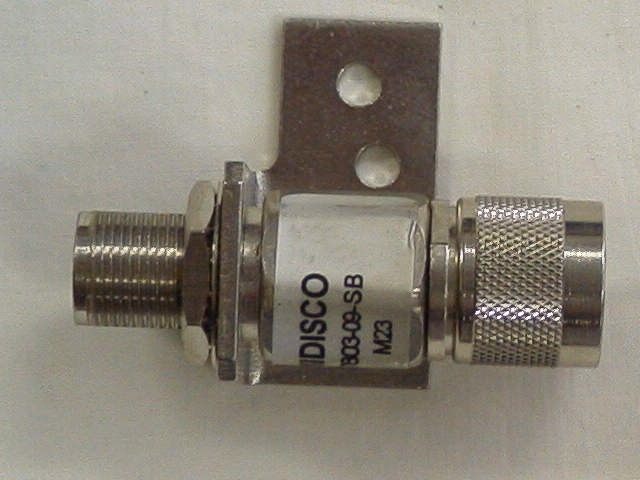
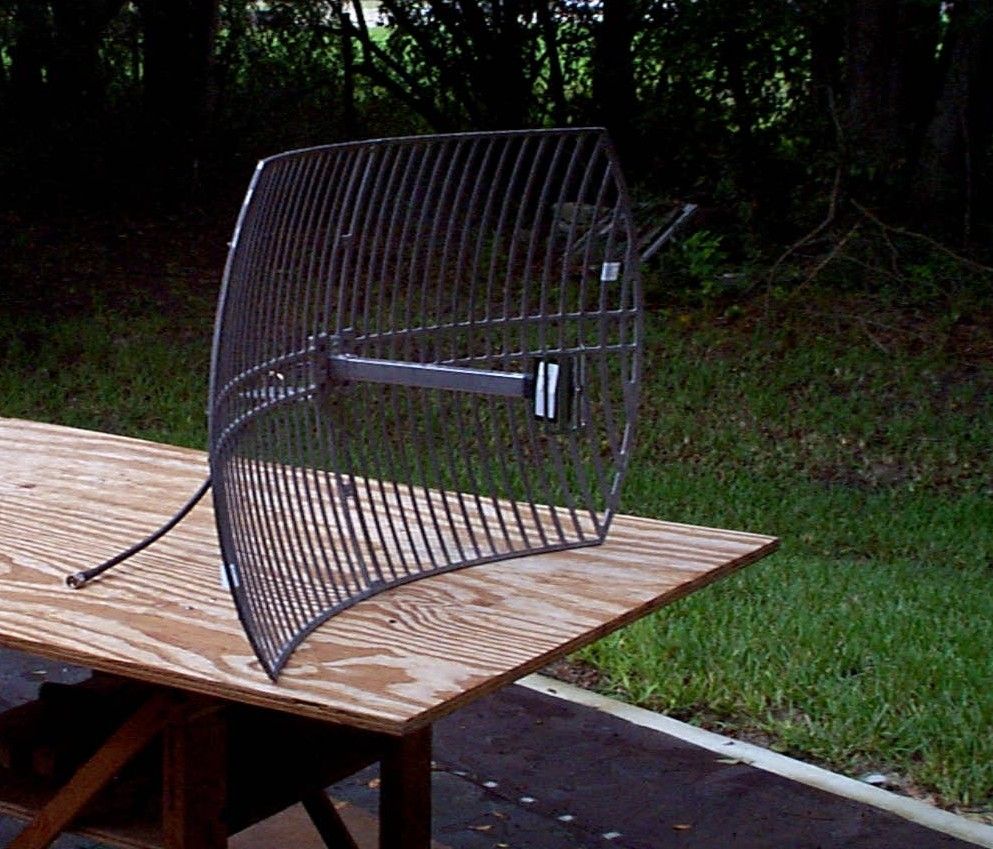
TIMCO ENGINEERING, INC. 849 N.W. STATE ROAD 45 P.O. BOX 370 NEWBERRY, FLORIDA 32669 PHONE: 888-472-2424 OR 352-472-5500 FAX: 352-472-2030 EMAIL: [email protected] or [email protected] September 7, 2000 Mr. Joe Dichoso Federal Communications Commission Authorization and Evaluation Division 7435 Oakland Mills Road Columbia, MD 21046 REF: Speedcom Wireless International Corp.’s FCC ID: NCBSLTM Confirmation #: EA97983, Correspondence ID: 15541 Dear Joe: With reference to your correspondence ID 15541: 1. This device was not tested with an amplifier; therefore, no schematics of the amplifier are required. 2. The manufacturer was to send schematics of the radio. If you have not yet received them, please advise so I can follow up with them. 3. The manufacturer was to send the processing gain information. If you have not yet received this information, please advise so I can follow up with them. 4. I have uploaded the photos of the lightning arrester and the antenna. As above, there is no amplifier. 5. The operation description has already been sent on 8/29 under an earlier correspondence ID. 6. The verification of the length of the cables has already been sent on 8/29 under an earlier correspondence ID. 7. The professional installation information has already been sent on 8/29 under an earlier correspondence ID. 8. I have uploaded a revised Page 4 of the user’s manual which contains the point to point installation instructions. 9. I have uploaded the confidential letter. Should you have any questions or require any further information, please advise. Regards, Sharon Hoffman/TIMCO ENGINEERING, INC.
Cover Letter(s)
August 11, 2000 Federal Communicatio ns Co mmission Authorization and Evaluation Division 7435 Oakland Mills Road Columbia, Maryland 21046 Subject: Speedcom Wireless International Corp., FCC ID: NCBSLTM , Conf.No. EA 97983 Correspondence Ref. No.15541. To Whom It May Concern: This will serve as a request for confidentiality for the schematics for the radio. The schematics will be sent directly from the manufacturers to the FCC upon Request. Once the review of the application is complete and the schematics are no longer needed, they must be returned to the manufacturer, where they were sent fro m. Should you have any questions or require any further information with regards to this, please feel free to contact me. Sincerely, William Gamin Development Coordinator Wave Wireless Networking 941-358-9283 ext. 318 [email protected]
Operational Description
SPEEDLAN TM 4 Return for Credit All returns to Wave Wireless MUST have a valid RMA number written clearly on the outside of the box or the shipment will be refused. No returns for credit after 30 days will be approved. Products must be returned undamaged and in original packaging or they will be subject to a minimum 20% restocking/refurbishing fee. Return freight charges must be prepaid. At the option of Wave Wireless, products may be returned for repair or replaced provided the goods have not been modified or repair attempted by someone other than Wave Wireless. Limitation of Warranty The foregoing warranty shall not apply to defects resulting from improper or inadequate maintenance by the buyer, buyer supplied interfacing, unauthorized modification or misuse, operation outside of the environmental specifications for the product, or improper site preparation or maintenance. Systems must be protected from electrical brownouts and surges by a quality UPS such as an APC Smart brand or Tripp Lite Omni or similar, or warranty shall be null and void. Warranties do not apply to any product that has been (i) altered, except expressly approved by Wave Wireless in accordance with its instructions, (ii) damaged by improper electrical power or environment, abuse, misuse, accident, or negligence. Repairs in the case of damage from “acts of God” are covered on a time and materials basis. The warranty shall not apply if Wave Wireless prebuilt U.S. FCC approved antenna assemblies have been altered and installed by any persons other than professional wireless installers. THE FOREGOING WARRANTIES ARE EXCLUSIVE REMEDIES AND ARE IN LIEU OF ALL OTHER WARRANTIES, EXPRESS OR IMPLIED, INCLUDING, WITHOUT LIMITATION, ANY WARRANTY OF MERCHANTABILITY OR FITNESS FOR A PARTICULAR PURPOSE. No statement, including, without limitation, representations regarding capacity, suitability for use or performance of products, whether made by Wave Wireless employees or otherwise, shall be deemed to be a warranty by Wave Wireless for any purpose or give rise to any liability for Wave Wireless unless expressly contained in writing. Resellers will have complete responsibility and liability for performance of its agreements with its customers and Resellers shall indemnify and hold Wave Wireless harmless from and against all liability arising out of such agreements. Wave Wireless warrants that the firmware for use with the unit will execute its programming instructions when properly installed on the unit. Wave Wireless does not warrant that the operation of the unit or firmware will be uninterrupted or error-free. Wave Wireless shall not be obligated to remedy any software defect that cannot be repeated. Wave Wireless is not responsible for equipment non-performance due to outside radio interference caused by any source. Exclusive Remedies The remedies provided herein are the buyer’s sole and exclusive remedies. Wave Wireless shall not be liable for any direct, indirect, special, incidental or consequential damages, whether based on contract, tort or any legal theory. OTHER IMPORTANT STATEMENTS AND WARNINGS Copyright/Liability SPEEDLAN TM . Copyright ©1999/2000 SPEEDCOM International Corporation, dba Wave Wireless Networking, All rights reserved. No part of this publication may be reproduced, transmitted, transcribed, stored in a retrieval system, or translated into any language in any form by any means without the written permission of SPEEDCOM International Corporation, dba Wave Wireless Networking. SPEEDCOM International, dba Wave Wireless Networking shall not be liable for errors contained herein or for incidental or consequential damages in connection with the furnishing, performance, or use of this material. SPEEDCOM International, dba Wave Wireless Networking reserves the right to revise this publication from time to time and make changes in content without obligation to notify any person of such revision changes. Contents of this publication may be preliminary and/or may be changed at any time without notice and shall not be regarded as a warranty. Trademarks Wave Wireless Networking’s name and all trademarks in this document are property of SPEEDCOM International Corporation, except for Microsoft® Corporation Windows 95®, Windows 98®, and Windows NT®. FCC STATEMENT (FOR USA ONLY) FEDERAL COMMUNICATIONS COMMISSION Radio Frequency Interference Statement for Spread Spectrum Devices Warning: This equipment generates, uses, and can radiate radio frequency energy. If it is not installed and used in accordance with the instruction manual, it may cause interference to radio communications. It has been tested and found to comply with the limits for a Class A computing device pursuant to Part 15 of FCC Rules, which are designed to provide reasonable protection against such interference when operated in a commercial environment. Operation of this equipment in a residential area will probably cause interference, in which case the user at his own expense will be required to take whatever measures may be required to correct the interference. This is a 2.4 GHz DSSS point-to-point system. The conducted output is 36 mW, with Gant = 24 dBi. In order to comply with FCC RF Exposure requirements, this device must be installed such that a minimum separation distance of 1 meter (3.5’) is always maintained between the antenna and all persons. Electronic Emission Notices All the spread spectrum devices sold in this catalog comply with Part 15 of the FCC rules. Operation is subject to the following two conditions: 1. This device may not cause harmful interference. 2. This device must accept any interference received, including interference that may cause undesired operation. If this equipment causes interference to radio reception (which can be determined by unplugging the power cord from the equipment) try these measures: (1) Re-orient the receiving antenna, (2) Relocate the equipment with respect to the receiver, (3) Plug the equipment and receive…
Text truncated - open the document above for the full version.
RF Exposure Info
SPEEDLAN 4100 & 4200 4 Limitation of Warranty The foregoing warranty shall not apply to defects resulting from improper or inadequate maintenance by the buyer, buyer supplied interfacing, unauthorized modification or misuse, operation outside of the environmental specifications for the product, or improper site preparation or maintenance. Systems must be protected from electrical brownouts and surges by a quality UPS such as an APC Smart brand or Tripp Lite Omni or similar, or warranty shall be null and void. Warranties do not apply to any product that has been (i) altered, except expressly approved by Wave Wireless in accordance with its instructions, (ii) damaged by improper electrical power or environment, abuse, misuse, accident, or negligence. Repairs in the case of damage from “acts of God” are covered on a time and materials basis. The warranty shall not apply if Wave Wireless prebuilt U.S. FCC approved antenna assemblies have been altered and installed by any persons other than professional wireless installers. THE FOREGOING WARRANTIES ARE EXCLUSIVE REMEDIES AND ARE IN LIEU OF ALL OTHER WARRANTIES, EXPRESS OR IMPLIED, INCLUDING, WITHOUT LIMITATION, ANY WARRANTY OF MERCHANTABILITY OR FITNESS FOR A PARTICULAR PURPOSE. No statement, including, without limitation, representations regarding capacity, suitability for use or performance of products, whether made by Wave Wireless employees or otherwise, shall be deemed to be a warranty by Wave Wireless for any purpose or give rise to any liability for Wave Wireless unless expressly contained in writing. Resellers will have complete responsibility and liability for performance of its agreements with its customers and Resellers shall indemnify and hold Wave Wireless harmless from and against all liability arising out of such agreements. Wave Wireless warrants that the firmware for use with the unit will execute its programming instructions when properly installed on the unit. Wave Wireless does not warrant that the operation of the unit or firmware will be uninterrupted or error-free. Wave Wireless shall not be obligated to remedy any software defect that cannot be repeated. Wave Wireless is not responsible for equipment non-performance due to outside radio interference caused by any source. Exclusive Remedies The remedies provided herein are the buyer’s sole and exclusive remedies. Wave Wireless shall not be liable for any direct, indirect, special, incidental or consequential damages, whether based on contract, tort or any legal theory. OTHER IMPORTANT STATEMENTS AND WARNINGS Copyright/Liability SPEEDLAN 4100 & 4200. Copyright ©1999/2000.Wave Wireless Networking, a SPEEDCOM Wireless Company. All rights reserved. No part of this publication may be reproduced, transmitted, transcribed, stored in a retrieval system, or translated into any language in any form by any means without the written permission Wave Wireless, a SPEEDCOM Wireless Company Wave Wireless Networking, a SPEEDCOM Wireless Company, shall not be liable for errors contained herein or for incidental or consequential damages in connection with the furnishing, performance, or use of this material. Wave Wireless Networking, a SPEEDCOM Wireless Compnay, reserves the right to revise this publication from time to time and make changes in content without obligation to notify any person of such revision changes. Contents of this publication may be preliminary and/or may be changed at any time without notice and shall not be regarded as a warranty. Trademarks Wave Wireless Networking’s name and all trademarks in this document are property of SPEEDCOM Wireless, except for Microsoft® Corporation Windows 95®, Windows 98®, and Windows NT®. FCC STATEMENT (FOR USA ONLY) FEDERAL COMMUNICATIONS COMMISSION Radio Frequency Interference Statement for Spread Spectrum Devices Warning: This equipment generates, uses, and can radiate radio frequency energy. If it is not installed and used in accordance with the instruction manual, it may cause interference to radio communications. It has been tested and found to comply with the limits for a Class A computing device pursuant to Part 15 of FCC Rules, which are designed to provide reasonable protection against such interference when operated in a commercial environment. Operation of this equipment in a residential area will probably cause interference, in which case the user at his own expense will be required to take whatever measures may be required to correct the interference. Electronic Emission Notices All the spread spectrum devices sold in this catalog comply with Part 15 of the FCC rules. Operation is subject to the following two conditions: 1.This device may not cause harmful interference. 2.This device must accept any interference received, including interference that may cause undesired operation. If this equipment causes interference to radio reception (which can be determined by unplugging the power cord from the equipment) try these measures: (1) Re-orient the receiving antenna, (2) Relocate the equipment with respect to the receiver, (3) Plug the equipment and receiver into different branch circuits, or (4) Consult your dealer or an experienced technician for additional suggestions. DANGER!!! Rooftop or tower antenna installations are extremely dangerous and incorrect installation may result in injury, damage, or death. Rooftop and tower installations must be performed by professional antenna installers only. WARNING! This is a 2.4 GHz point-to-point system. The conducted output is 36mW with Gant = 24 dBi. This system is used exclusively for fixed point-to-point operations. It is prohibited to transmit the same information from multiple co-located antennas. This equipment must be professionally installed. In order to comply with FCC RF Exposure requirements, this device must be installed in such that a minimum separation distance of 1 meter (3.5’) is always maintained between the antenna and all persons. The operator and professional inst…
Text truncated - open the document above for the full version.
Test Report
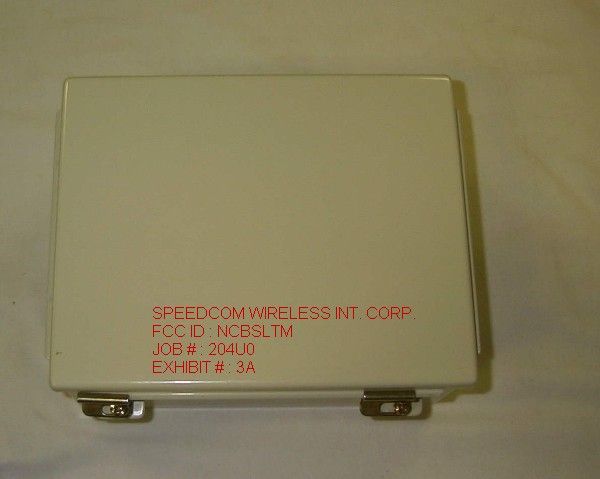
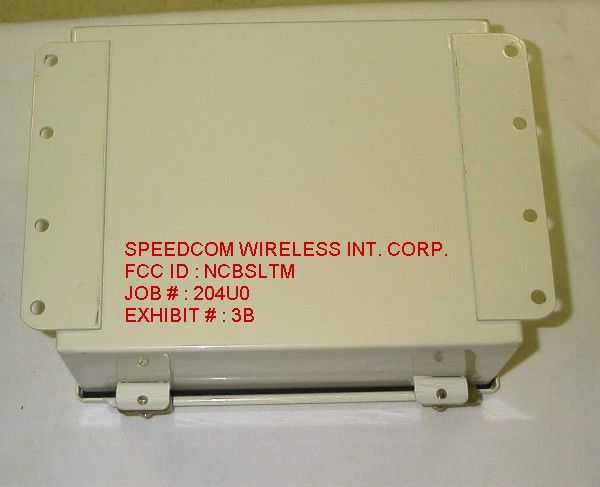
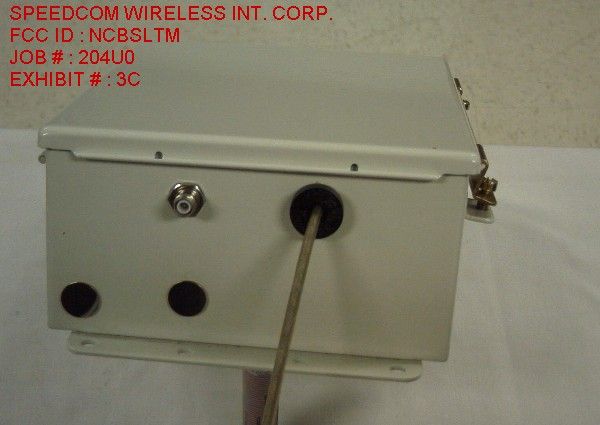
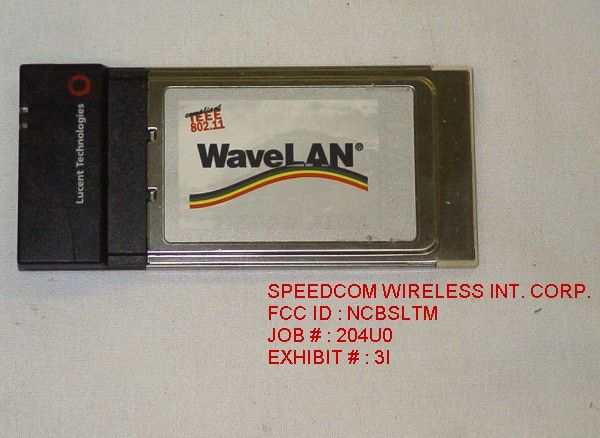
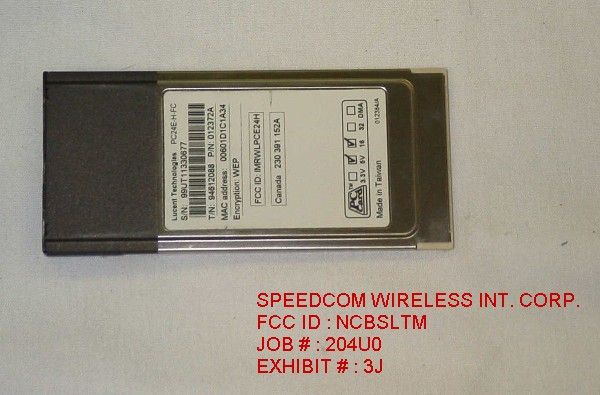
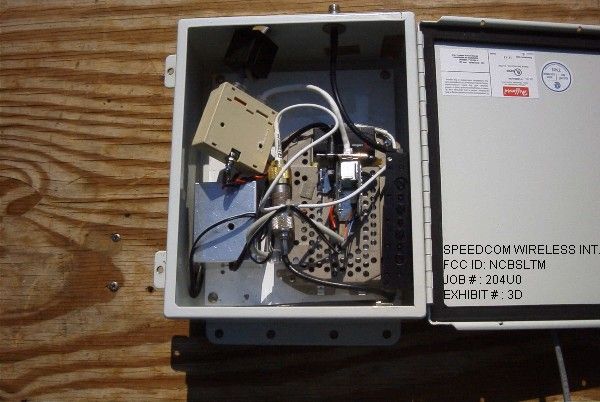
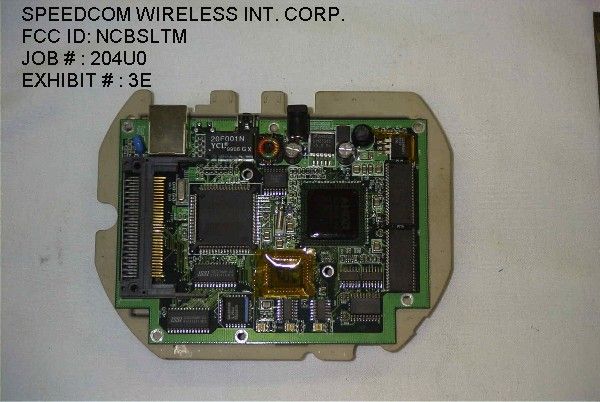
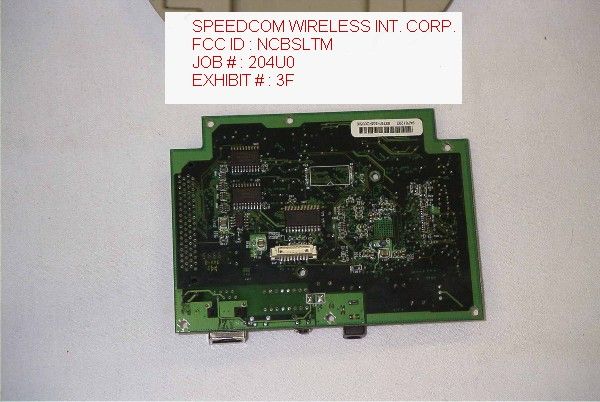
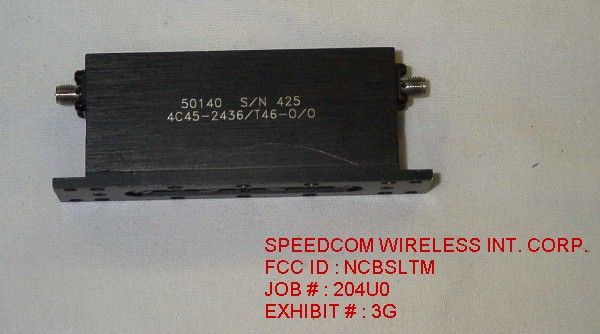
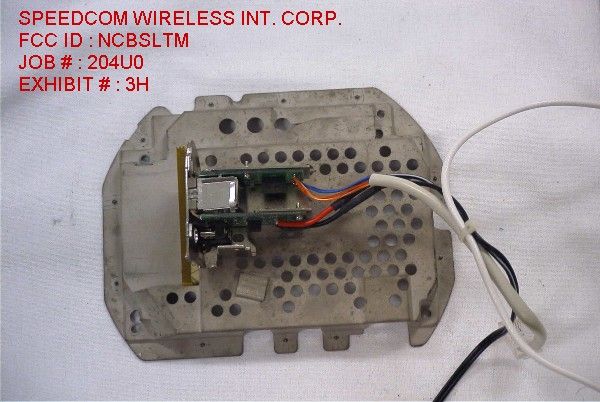
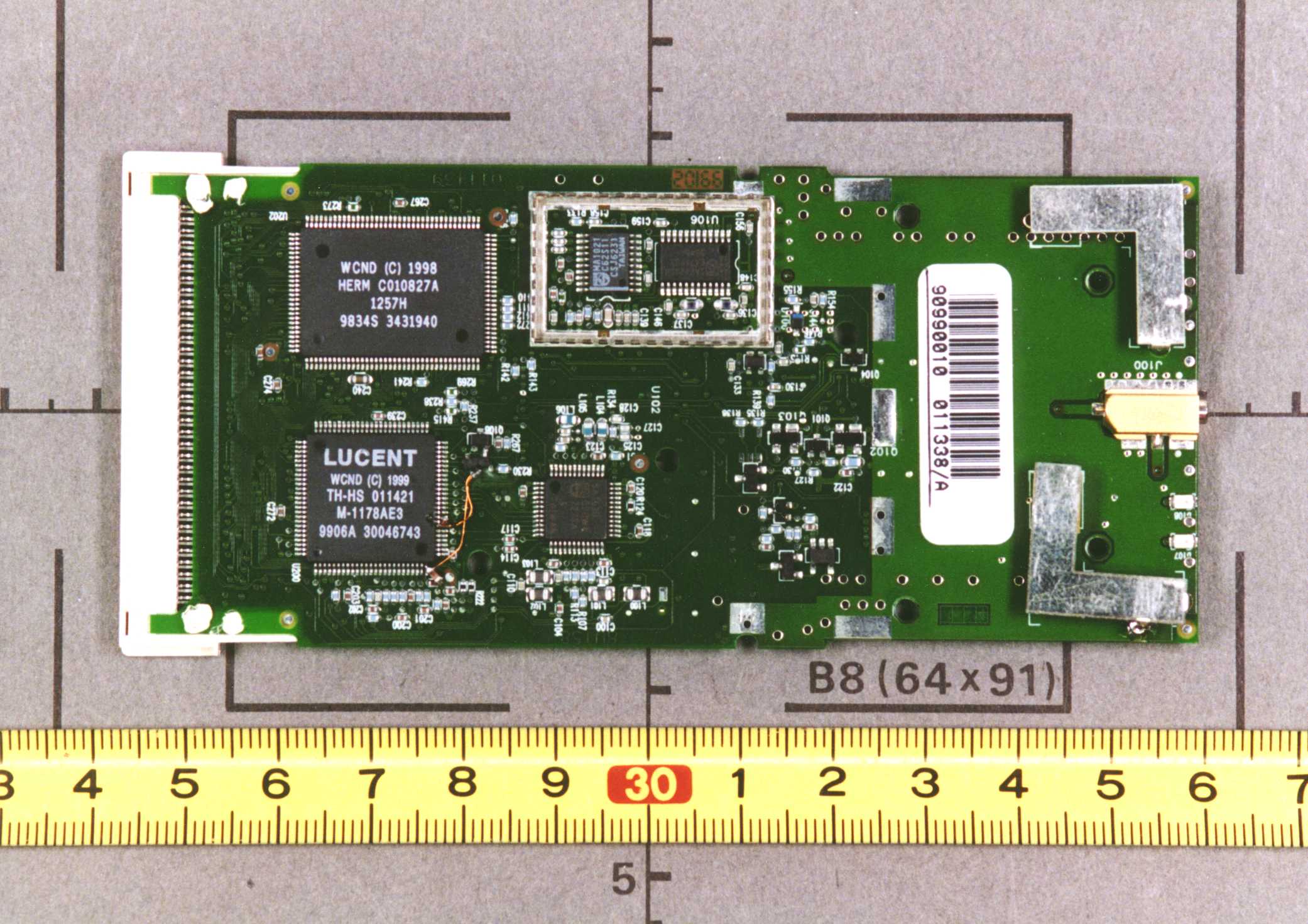
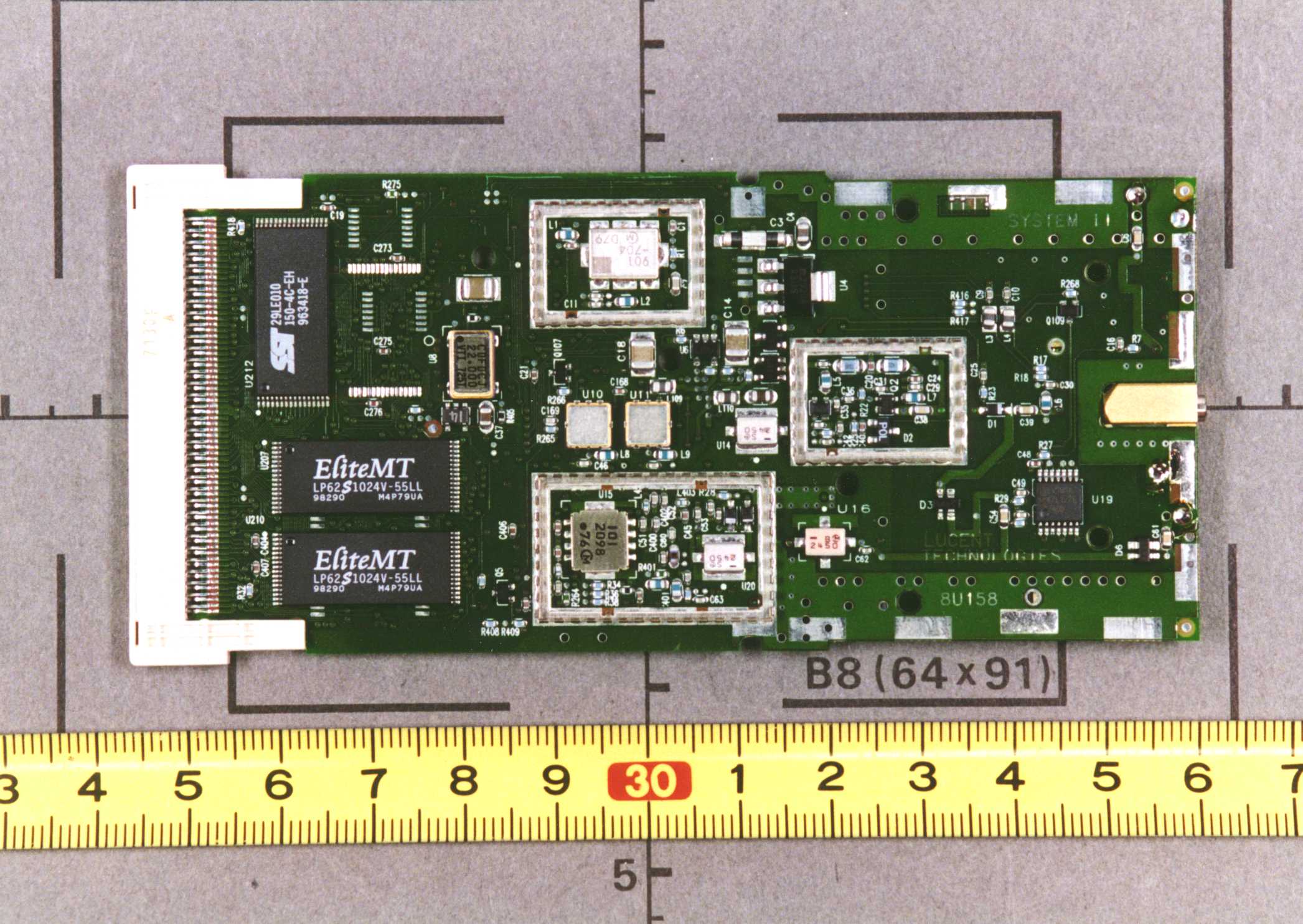
APPLICANT: SPEEDCOM WIRELESS INTERNATIONAL CORP. FCC ID: NCBSLTM TABLE OF CONTENTS TEST REPORT CONTAINING: PAGE 1.............LETTER REQUESTING CONFIDENTIALLY AND LETTER OF EXPLANATION PAGE 2.............LIST OF TEST EQUIPMENT AND TEST PROCEDURES PAGE 3.............PRODUCT DESCRIPTION PAGE 4.............POWERLINE CONDUCTED INTERFERENCE PAGE 5.............OCCUPIED BANDWIDTH AND POWER OUTPUT PAGE 6.............METHOD OF MEASURING RF CONDUCTED AND SPURIOUS EMISSIONS AT ANTENNA TERMINALS DATA PAGE 7.............RADIATION INTERFERENCE TEST DATA PAGE 8.............METHOD OF MEASURING RADIATED SPURIOUS EMISS. PAGE 9.............POWER SPECTRAL DENSITY PAGE 10.............PROCESSING GAIN INFORMATION EXHIBIT ATTACHMENTS: EXHIBIT 1...........FCC ID LABEL SAMPLE EXHIBIT 2...........SKETCH OF FCC ID LABEL LOCATION EXHIBIT 3A..........TOP VIEW EXTERNAL PHOTO EXHIBIT 3B..........BOTTOM VIEW EXTERNAL PHOTO EXHIBIT 3C..........SIDE VIEW EXTERNAL PHOTO EXHIBIT 3D..........INTERNAL CHASSIS VIEW PHOTO EXHIBIT 3E..........COMPONENT SIDE INTERNAL COMPUTER PHOTO EXHIBIT 3F..........COPPER SIDE INTERNAL COMPUTER PHOTO EXHIBIT 3G..........FILTER PHOTO EXHIBIT 3H..........INTERFACE BOARD WITH SHIELD PHOTO EXHIBIT 3I..........TOP VIEW OF RADIO EXHIBIT 3J..........BOTTOM VIEW OF RADIO EXHIBIT 4...........BLOCK DIAGRAM EXHIBIT 5...........INSTRUCTION MANUAL EXHIBIT 6A-6B.......POWERLINE CONDUCTED PLOTS EXHIBIT 7...........6dB BANDWIDTH PLOT EXHIBIT 8...........SPECTRAL DENSITY PLOT EXHIBIT 9...........BANDEDGE PLOT APPLICANT: SPEEDCOM WIRELESS INTERNATIONAL CORP. FCC ID: NCBSLTM REPORT NO.: T:\CUS\S\SPEED\SPE204U0\204U0.RPT TABLE OF…
Text truncated - open the document above for the full version.
Contact Information
Applicant
John Dyndul(Product Certification Manager)
Technical Contact
Timco Engineering, Inc.Eric F Dobson
[email protected]888-472-2424
P.O. Box 370 · Newberry, Florida · United States
Non-Technical Contact
Timco Engineering, Inc.Eric F Dobson
[email protected]888-472-2424
Test Firm
Timco Engineering, Inc.S Sanders
Technical Specifications
| # | Rule Parts | Frequency Range | Power Output |
|---|---|---|---|
| 1 | 15C | 2.42 GHz - 2.42 GHz | 30.00 mW |
Other Applications from Wave Wireless Networking
NCBSL9101A
Dec 11, 2003Spread Spectrum Transmitter
Equipment Class
DTS - Digital Transmission System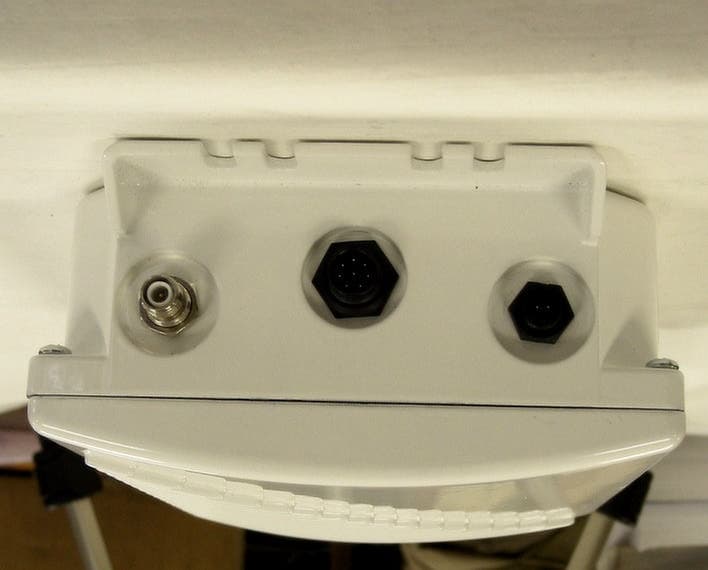
NCBSL9102A
Dec 09, 2003SPREAD SPECTRUM TRANSMITTER
Equipment Class
DTS - Digital Transmission System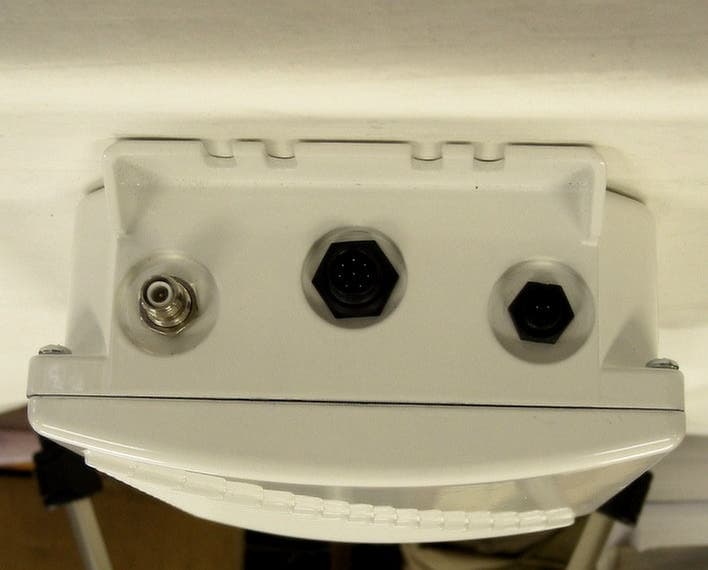
NCBSL9102
May 08, 2002Spread Spectrum Transmitter
Equipment Class
DTS - Digital Transmission System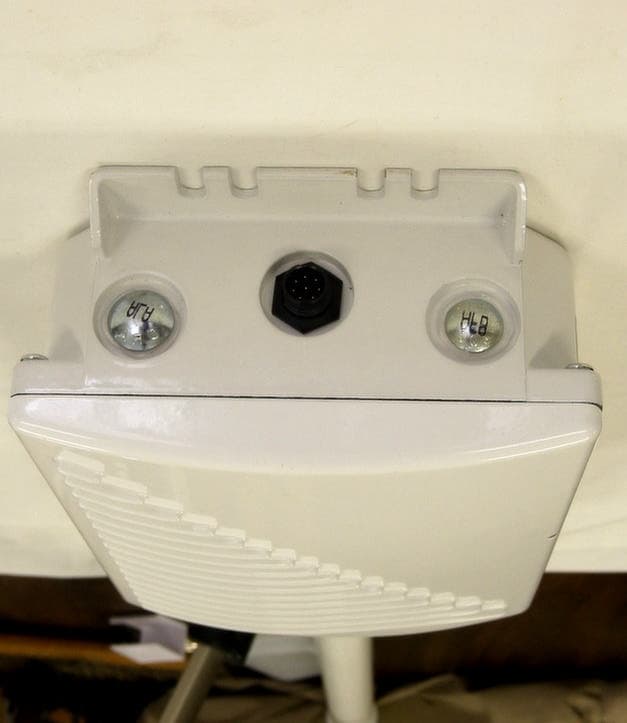
NCBSL9101
May 06, 2002Spread Spectrum Transmitter
Equipment Class
DTS - Digital Transmission System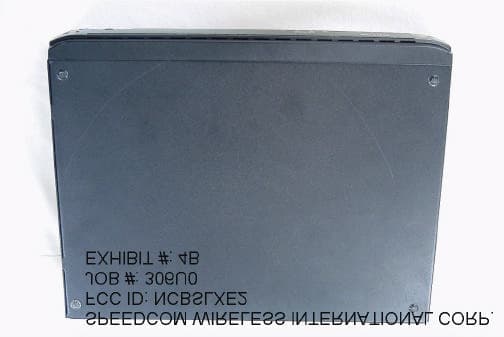
NCBSLXE2
Apr 11, 2002Spread Spectrum Transmitter
Equipment Class
DSS - Part 15 Spread Spectrum Transmitter