NCMOGI03353.75G USB Modem
Option (Crescent NV)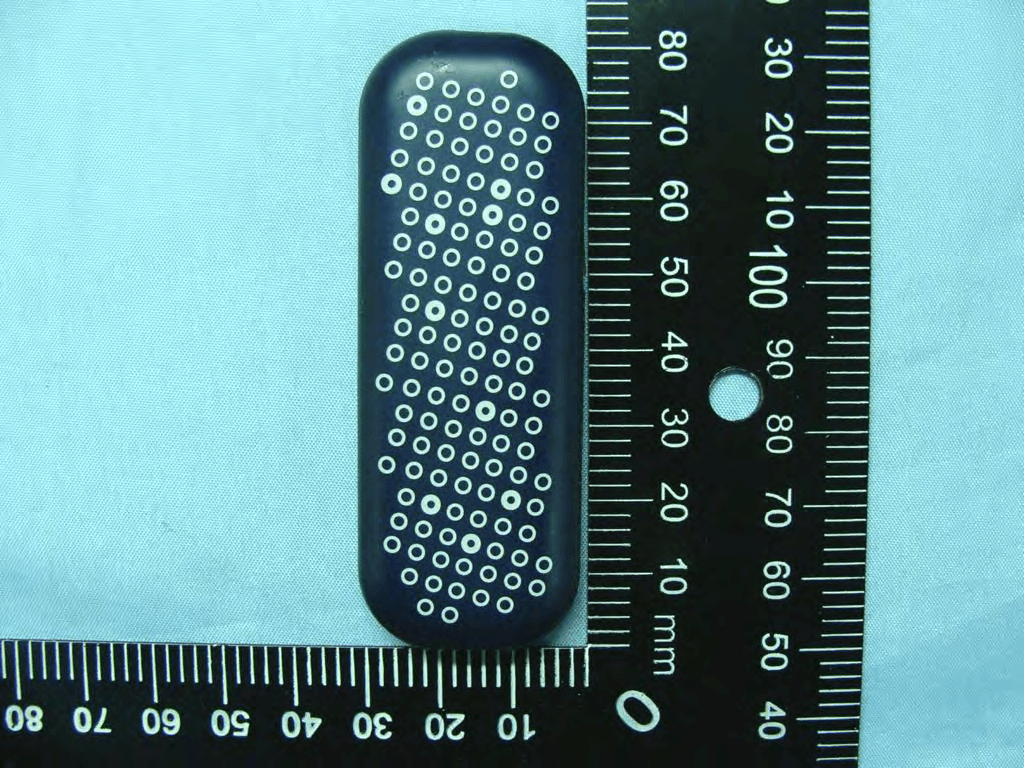
Click to zoom
Application Details
- Equipment Class
- JBP - Part 15 Class B Computing Device Peripheral
- Date of Grant
- Mar 21, 2010
- Application Purpose
- Original Equipment
- Date of Application
- Mar 21, 2010
- Equipment Note
- 3.75G USB Modem
- Company
- Option (Crescent NV)
- Country
- Belgium
Documents & Files
Document Text
Text extracted from the exhibit documents filed with the FCC. Open a document above to read the original.
Users Manual
Safety & Certification Leaflet Page: 1 of 4 Option ® Copyright: This document may not be duplicated, nor distributed to third parties without prior and written permission of Option ® nv. iCON ® XY FCC-ID: NCMOGI0335 Safety & Certification Leaflet Your iCON ® XY is like a mobile phone Your iCON ® XY uses the same technology as a mobile phone. It is important that you always obey all safety regulations related to mobile phone use. If you have any doubt about the safe operation of youriCON ® XY you should remove the iCON ® XY from the PC and seek advice from authorized personnel. Handle with care This device is designed to be plugged directly into the USB port of a computer, however, every precaution should be taken to avoid stress on the devic e should the computer be lifted, moved, relocated or packaged. Should regular movement of this nature be envisaged, an extender cable (sometimes supplied with the device) should be used so as to avoid damage to the device. It should be noted that any damage sustained as a result of the aforementioned mishandling will be regarded as “User Damage” and shall render the product warranty null and void. 1. Safety Measurements Please be sure to read the following safety information. Failure to do so could put yourself and others at risk. 1.1 General recommendations for use Always handle the iCON ® XY with care and keep it in a clean and dust-free location. Do not expose the device to sources of naked flames or incandescent heat. Do not allow the iCON ® XY to come into contact with liquids (e.g. spray water or rain) or moisture and avoid exposing it to high levels of humidity. Do not drop or throw the iCON ® XY and do not attempt to bend it. Do not paint your device. Do not attempt to take the iCON ® XY apart yourself. There is a risk of injury. Your warranty would also be voided. Do not touch the antenna of the iCON ® XY unnecessarily. This applies to both internal and external designs. 1.2 On the move: Handle the iCON ® XY with care during a journey. We recommend that you disconnect the device from your notebook and place it in your luggage for safe keeping. 1.3 Ambient temperature: Do not expose the iCON ® XY or its antenna to ambient temperatures outside the permissible range of 0 to +40 degrees Celsius. 1.4 Explosive atmo spheres: Always keep your computer switched off in potentially explosive atmospheres. It may be rare, but your computer is capable of producing sparks that could cause an explosion or a fire. Areas of potentially explosive atmospheres are always clearly signed. These include petrol stations, the lower deck of boats, petrol and chemical storage depots, loading stations, or any place in which the air is contaminated by chemicals or particles such as dust, wood fibres, flour or metal dust, etc. Do not transport or stow your computer and its accessories in a compartment of a vehicle that contains flammable gas, moisture or explosive devices. 1.5 Demolition zones – construction sites:Switch off your notebook in demolition zones. This will help to prevent interference with the radio signal used in demolition operations. 1.6 Prohibited use on aeroplanes: The use of a wireless communications device in an aeroplane may cause interference and is prohibited. Remove the iCON ® XY if you intend to use your notebook during the flight. Alternatively, you could activate the flight mode of PARAM_APP_NAME. Do not use on the ground before take-off without the express permission of the flight crew. Safety & Certification Leaflet Page: 2 of 4 Option ® Copyright: This document may not be duplicated, nor distributed to third parties without prior and written permission of Option ® nv. 1.7 Prohibited use in hospitals: Make sure that you are not in breach of any local restrictions or regulations. Authorities often request that you switch off all electronic devices in the immediate vicinity of hospitals. This is a recommendation that Option ® fully supports. If the iCON ® XY is used in the proximity of sensitive electronic equipment, the device could interfere with this equipment. If you intend to use your notebook in this kind of environment, you must remove the iCON ® XY beforehand. 1.8 Interference from radio signals: Option ® takes into account the findings of health authorities and expert committees that have investigated the potentially undesirable effects of the radio-frequency radiation emitted by the iCON ® XY. 1.9 Immunity to interference: Electromagnetic interference is a disturbance of the normal workings of a device, based on how the device responds to radio signals from an external source. Occasionally, for example, you may hear a brief noise emitted by audio equipment, such as a radio or loudspeaker. However, these audible signals do not affect the equipment's ability to perform correctly. European Commission Directive 2004/108/EC regulates all types of electronic equipment, their interference signal levels, and their immunity to interference signals from external sources. Any item of equipment that complies with this directive will, in all probability, be unaffected by interference signals. However, all wireless communication devices are capable of receiving interference signals that could affect their performance. 1.10 Pacemakers, implanted defibrillators & other medical implant devices It may be that some types of pacemaker or implanted defibrillator suffer interference when the iCON ® XY is operated in the immediate proximity of the implant. Before you operate the iCON ® XY, you should therefore seek the advice of a doctor who has specialist knowledge of your type of implant. Health authorities in many countries offer advisory services for the safe use of medical equipment and implants and they will be able to inform you, for example, about the safe distance to be kept between your mobile device or radio and the implant. Companies that distribute or supply Option ® hardware take into account the advice of health authorities or national …
Text truncated - open the document above for the full version.
Users Manual
0682 Option nv - Gaston Geenslaan 14 - 3001 Leuven Belgium T +32 16 317 411 - F +32 16 207 164 - www.option.com EN USB Modem for mobile internetconnection > Memory stick (microSD card not included) > Exchangeable top/bottom deco covers > Up to 7.2Mbps download & 5.76Mbps > upload (HSUPA/HSDPA/UMTS/EDGE/ GPRS/GSM) Zero-CD > ® uCAN > ® ready ES USB Modem for mobile internetconnection > Memory stick (microSD card not included) > Exchangeable top/bottom deco covers > Up to 7.2Mbps download & 5.76Mbps > upload (HSUPA/HSDPA/UMTS/EDGE/ GPRS/GSM) Zero-CD > ® uCAN > ® ready DA USB Modem for mobile internetconnection > Memory stick (microSD card not included) > Exchangeable top/bottom deco covers > Up to 7.2Mbps download & 5.76Mbps > upload (HSUPA/HSDPA/UMTS/EDGE/ GPRS/GSM) Zero-CD > ® uCAN > ® ready RU > USB Modem for mobile internetconnection Memory stick (microSD card not included) > Exchangeable top/bottom deco covers > Up to 7.2Mbps download & 5.76Mbps > upload (HSUPA/HSDPA/UMTS/EDGE/ GPRS/GSM) Zero-CD > ® uCAN ® ready DE USB Modem for mobile internetconnection > Memory stick (microSD card not included) > Exchangeable top/bottom deco covers > Up to 7.2Mbps download & 5.76Mbps > upload (HSUPA/HSDPA/UMTS/EDGE/ GPRS/GSM) Zero-CD > ® uCAN > ® ready IT USB Modem for mobile internetconnection > Memory stick (microSD card not included) > Exchangeable top/bottom deco covers > Up to 7.2Mbps download & 5.76Mbps > upload (HSUPA/HSDPA/UMTS/EDGE/ GPRS/GSM) Zero-CD > ® uCAN > ® ready SV USB Modem for mobile internetconnection > Memory stick (microSD card not included) > Exchangeable top/bottom deco covers > Up to 7.2Mbps download & 5.76Mbps > upload (HSUPA/HSDPA/UMTS/EDGE/ GPRS/GSM) Zero-CD > ® uCAN > ® ready PL USB Modem for mobile internetconnection > Memory stick (microSD card not included) > Exchangeable top/bottom deco covers > Up to 7.2Mbps download & 5.76Mbps > upload (HSUPA/HSDPA/UMTS/EDGE/ GPRS/GSM) Zero-CD > ® uCAN > ® ready FR USB Modem for mobile internetconnection > Memory stick (microSD card not included) > Exchangeable top/bottom deco covers > Up to 7.2Mbps download & 5.76Mbps > upload (HSUPA/HSDPA/UMTS/EDGE/ GPRS/GSM) Zero-CD > ® uCAN > ® ready NL USB Modem for mobile internetcon- > nection Memory stick (microSD card not included) > Exchangeable top/bottom deco covers > Up to 7.2Mbps download & 5.76Mbps > upload (HSUPA/HSDPA/UMTS/EDGE/ GPRS/GSM) Zero-CD > ® uCAN > ® ready NO USB Modem for mobile internetconnection > Memory stick (microSD card not included) > Exchangeable top/bottom deco covers > Up to 7.2Mbps download & 5.76Mbps > upload (HSUPA/HSDPA/UMTS/EDGE/ GPRS/GSM) Zero-CD > ® uCAN > ® ready FI USB Modem for mobile internetconnection > Memory stick (microSD card not included) > Exchangeable top/bottom deco covers > Up to 7.2Mbps download & 5.76Mbps > upload (HSUPA/HSDPA/UMTS/EDGE/ GPRS/GSM) Zero-CD > ® uCAN > ® ready iCON ® XY 81,5 mm 66,1 mm 28,1 mm 16,6 mm EN Quick start guideDE Quick start guideFR Quick start guide A: Preparing for the first useA: Vorbereitung zur InbetriebnahmeA : Préparation avant la première utilisation A-1 Open the bottom cover of the iCON XY by lifting the cover at the point indicated by the arrow in the diagram (back of the device). Insert the SIM card and the optional microSD card (not included) into the corresponding card slots as shown in the diagram. Place the bottom cover on by inserting it into the slot at the front edge and then press the cover down (back) until it clicks into place. IMPORTANT! Only insert/take out SIM or Micro-SD card while the iCON ® XY is not powered. A-2 Push the button on the top of the stick to fully extend (180 degrees) the unique USB Connector. The iCON XY can also be used with the USB connector in 90 degrees, by pushing the USB connector back. Push the connector all the way back inside the stick when not in use A-3 Insert the iCON ® XYstick into a free USB port on your computer. When inserting the stick into your computer the software (uCAN Connect) and driver installation will start automatically as it includes the uniqueZero-CD ® feature from Option ® . Simply follow the on-screen instructions for the installations. When asked to select your mobile operator, please choose the same name as written on your SIM card. A-1 Open the bottom cover of the iCON XY by lifting the cover at the point indicated by the arrow in the diagram (back of the device). Insert the SIM card and the optional microSD card (not included) into the corresponding card slots as shown in the diagram. Place the bottom cover on by inserting it into the slot at the front edge and then press the cover down (back) until it clicks into place. IMPORTANT! Only insert/take out SIM or Micro-SD card while the iCON ® XY is not powered. A-2 Push the button on the top of the stick to fully extend (180 degrees) the unique USB Connector. The iCON XY can also be used with the USB connector in 90 degrees, by pushing the USB connector back. Push the connector all the way back inside the stick when not in use A-3 Insert the iCON ® XYstick into a free USB port on your computer. When inserting the stick into your computer the software (uCAN Connect) and driver installation will start automatically as it includes the uniqueZero-CD ® feature from Option ® . Simply follow the on-screen instructions for the installations. When asked to select your mobile operator, please choose the same name as written on your SIM card. A-1 Open the bottom cover of the iCON XY by lifting the cover at the point indicated by the arrow in the diagram (back of the device). Insert the SIM card and the optional microSD card (not included) into the corresponding card slots as shown in the diagram. Place the bottom cover on by inserting it into the slot at the front edge and then press the cover down (back) until it clicks into place. IMPORTANT! Only insert/take out SIM or Micro-SD card while the iCON ® XY is not powered. A-2 Push the button on the top of the stick to fully extend (180 degrees) the unique U…
Text truncated - open the document above for the full version.
External Photos
Photographs of EUT Report No.: EP012030-03 Model Name: GI0335 Marketing Name: GI0335 SPORTON INTERNATIONAL INC. Page Number : 1 of 29 TEL : 886-3-327-3456 Issued Date : Feb. 23, 2010 FAX : 886-3-328-4978 Report Version : Rev. 01 FCC ID : NCMOGI0335 1. External Photograph of EUT Photographs of EUT Report No.: EP012030-03 Model Name: GI0335 Marketing Name: GI0335 SPORTON INTERNATIONAL INC. Page Number : 2 of 29 TEL : 886-3-327-3456 Issued Date : Feb. 23, 2010 FAX : 886-3-328-4978 Report Version : Rev. 01 FCC ID : NCMOGI0335 Photographs of EUT Report No.: EP012030-03 Model Name: GI0335 Marketing Name: GI0335 SPORTON INTERNATIONAL INC. Page Number : 3 of 29 TEL : 886-3-327-3456 Issued Date : Feb. 23, 2010 FAX : 886-3-328-4978 Report Version : Rev. 01 FCC ID : NCMOGI0335 Photographs of EUT Report No.: EP012030-03 Model Name: GI0335 Marketing Name: GI0335 SPORTON INTERNATIONAL INC. Page Number : 4 of 29 TEL : 886-3-327-3456 Issued Date : Feb. 23, 2010 FAX : 886-3-328-4978 Report Version : Rev. 01 FCC ID : NCMOGI0335 Photographs of EUT Report No.: EP012030-03 Model Name: GI0335 Marketing Name: GI0335 SPORTON INTERNATIONAL INC. Page Number : 5 of 29 TEL : 886-3-327-3456 Issued Date : Feb. 23, 2010 FAX : 886-3-328-4978 Report Version : Rev. 01 FCC ID : NCMOGI0335 Photographs of EUT Report No.: EP012030-03 Model Name: GI0335 Marketing Name: GI0335 SPORTON INTERNATIONAL INC. Page Number : 6 of 29 TEL : 886-3-327-3456 Issued Date : Feb. 23, 2010 FAX : 886-3-328-4978 Report Version : Rev. 01 FCC ID : NCMOGI0335 Photographs of EUT Report No.: EP012030-03 Model Name: GI0335 Marketing Name: GI0335 SPORTON INTERNATIONAL INC. Page Number : 7 of 29 TEL : 886-3-327-3456 Issued Date : Feb. 23, 2010 FAX : 886-3-328-4978 Report Version : Rev. 01 FCC ID : NCMOGI0335 Photographs of EUT Report No.: EP012030-03 Model Name: GI0335 Marketing Name: GI0335 SPORTON INTERNATIONAL INC. Page Number : 8 of 29 TEL : 886-3-327-3456 Issued Date : Feb. 23, 2010 FAX : 886-3-328-4978 Report Version : Rev. 01 FCC ID : NCMOGI0335 720510
ID Label/Location Info
Label Location Label Location
Internal Photos
Photographs of EUT Report No.: EP012030-03 Model Name: GI0335 Marketing Name: GI0335 SPORTON INTERNATIONAL INC. Page Number : 9 of 29 TEL : 886-3-327-3456 Issued Date : Feb. 23, 2010 FAX : 886-3-328-4978 Report Version : Rev. 01 FCC ID : NCMOGI0335 2. Internal Photograph of EUT Photographs of EUT Report No.: EP012030-03 Model Name: GI0335 Marketing Name: GI0335 SPORTON INTERNATIONAL INC. Page Number : 10 of 29 TEL : 886-3-327-3456 Issued Date : Feb. 23, 2010 FAX : 886-3-328-4978 Report Version : Rev. 01 FCC ID : NCMOGI0335 Photographs of EUT Report No.: EP012030-03 Model Name: GI0335 Marketing Name: GI0335 SPORTON INTERNATIONAL INC. Page Number : 11 of 29 TEL : 886-3-327-3456 Issued Date : Feb. 23, 2010 FAX : 886-3-328-4978 Report Version : Rev. 01 FCC ID : NCMOGI0335 Photographs of EUT Report No.: EP012030-03 Model Name: GI0335 Marketing Name: GI0335 SPORTON INTERNATIONAL INC. Page Number : 12 of 29 TEL : 886-3-327-3456 Issued Date : Feb. 23, 2010 FAX : 886-3-328-4978 Report Version : Rev. 01 FCC ID : NCMOGI0335 Photographs of EUT Report No.: EP012030-03 Model Name: GI0335 Marketing Name: GI0335 SPORTON INTERNATIONAL INC. Page Number : 13 of 29 TEL : 886-3-327-3456 Issued Date : Feb. 23, 2010 FAX : 886-3-328-4978 Report Version : Rev. 01 FCC ID : NCMOGI0335 Photographs of EUT Report No.: EP012030-03 Model Name: GI0335 Marketing Name: GI0335 SPORTON INTERNATIONAL INC. Page Number : 14 of 29 TEL : 886-3-327-3456 Issued Date : Feb. 23, 2010 FAX : 886-3-328-4978 Report Version : Rev. 01 FCC ID : NCMOGI0335 Photographs of EUT Report No.: EP012030-03 Model Name: GI0335 Marketing Name: GI0335 SPORTON INTERNATIONAL INC. Page Number : 15 of 29 TEL : 886-3-327-3456 Issued Date : Feb. 23, 2010 FAX : 886-3-328-4978 Report Version : Rev. 01 FCC ID : NCMOGI0335 Photographs of EUT Report No.: EP012030-03 Model Name: GI0335 Marketing Name: GI0335 SPORTON INTERNATIONAL INC. Page Number : 16 of 29 TEL : 886-3-327-3456 Issued Date : Feb. 23, 2010 FAX : 886-3-328-4978 Report Version : Rev. 01 FCC ID : NCMOGI0335 Photographs of EUT Report No.: EP012030-03 Model Name: GI0335 Marketing Name: GI0335 SPORTON INTERNATIONAL INC. Page Number : 17 of 29 TEL : 886-3-327-3456 Issued Date : Feb. 23, 2010 FAX : 886-3-328-4978 Report Version : Rev. 01 FCC ID : NCMOGI0335 Photographs of EUT Report No.: EP012030-03 Model Name: GI0335 Marketing Name: GI0335 SPORTON INTERNATIONAL INC. Page Number : 18 of 29 TEL : 886-3-327-3456 Issued Date : Feb. 23, 2010 FAX : 886-3-328-4978 Report Version : Rev. 01 FCC ID : NCMOGI0335 Photographs of EUT Report No.: EP012030-03 Model Name: GI0335 Marketing Name: GI0335 SPORTON INTERNATIONAL INC. Page Number : 19 of 29 TEL : 886-3-327-3456 Issued Date : Feb. 23, 2010 FAX : 886-3-328-4978 Report Version : Rev. 01 FCC ID : NCMOGI0335 Photographs of EUT Report No.: EP012030-03 Model Name: GI0335 Marketing Name: GI0335 SPORTON INTERNATIONAL INC. Page Number : 20 of 29 TEL : 886-3-327-3456 Issued Date : Feb. 23, 2010 FAX : 886-3-328-4978 Report Version : Rev. 01 FCC ID : NCMOGI0335 Photographs of EUT Report No.: EP012030-03 Model Name: GI0335 Marketing Name: GI0335 SPORTON INTERNATIONAL INC. Page Number : 21 of 29 TEL : 886-3-327-3456 Issued Date : Feb. 23, 2010 FAX : 886-3-328-4978 Report Version : Rev. 01 FCC ID : NCMOGI0335 Photographs of EUT Report No.: EP012030-03 Model Name: GI0335 Marketing Name: GI0335 SPORTON INTERNATIONAL INC. Page Number : 22 of 29 TEL : 886-3-327-3456 Issued Date : Feb. 23, 2010 FAX : 886-3-328-4978 Report Version : Rev. 01 FCC ID : NCMOGI0335 Photographs of EUT Report No.: EP012030-03 Model Name: GI0335 Marketing Name: GI0335 SPORTON INTERNATIONAL INC. Page Number : 23 of 29 TEL : 886-3-327-3456 Issued Date : Feb. 23, 2010 FAX : 886-3-328-4978 Report Version : Rev. 01 FCC ID : NCMOGI0335 Photographs of EUT Report No.: EP012030-03 Model Name: GI0335 Marketing Name: GI0335 SPORTON INTERNATIONAL INC. Page Number : 24 of 29 TEL : 886-3-327-3456 Issued Date : Feb. 23, 2010 FAX : 886-3-328-4978 Report Version : Rev. 01 FCC ID : NCMOGI0335 Photographs of EUT Report No.: EP012030-03 Model Name: GI0335 Marketing Name: GI0335 SPORTON INTERNATIONAL INC. Page Number : 25 of 29 TEL : 886-3-327-3456 Issued Date : Feb. 23, 2010 FAX : 886-3-328-4978 Report Version : Rev. 01 FCC ID : NCMOGI0335 Photographs of EUT Report No.: EP012030-03 Model Name: GI0335 Marketing Name: GI0335 SPORTON INTERNATIONAL INC. Page Number : 26 of 29 TEL : 886-3-327-3456 Issued Date : Feb. 23, 2010 FAX : 886-3-328-4978 Report Version : Rev. 01 FCC ID : NCMOGI0335 Photographs of EUT Report No.: EP012030-03 Model Name: GI0335 Marketing Name: GI0335 SPORTON INTERNATIONAL INC. Page Number : 27 of 29 TEL : 886-3-327-3456 Issued Date : Feb. 23, 2010 FAX : 886-3-328-4978 Report Version : Rev. 01 FCC ID : NCMOGI0335 WWAN Antenna Photographs of EUT Report No.: EP012030-03 Model Name: GI0335 Marketing Name: GI0335 SPORTON INTERNATIONAL INC. Page Number : 28 of 29 TEL : 886-3-327-3456 Issued Date : Feb. 23, 2010 FAX : 886-3-328-4978 Report Version : Rev. 01 FCC ID : NCMOGI0335 WWAN Antenna Photographs of EUT Report No.: EP012030-03 Model Name: GI0335 Marketing Name: GI0335 SPORTON INTERNATIONAL INC. Page Number : 29 of 29 TEL : 886-3-327-3456 Issued Date : Feb. 23, 2010 FAX : 886-3-328-4978 Report Version : Rev. 01 FCC ID : NCMOGI0335 720510 WWAN Antenna
Test Report
SPORTON INTERNATIONAL INC. Page Number : 1 of 19 TEL : 886-3-327-3456 Report Issued Date : Feb. 24, 2010 FAX : 886-3-328-4978 Report Version : Rev. 02 FCC ID : NCMOGI0335 FCC Test Report Report No. : FD012030-03 FCC Test Report APPLICANT : Option NV EQUIPMENT : 3.75G USB modem BRAND NAME : Option MODEL NAME : GI0335 MARKETING NAME : GI0335 FCC ID : NCMOGI0335 STANDARD : FCC 47 CFR FCC Part 15 Subpart B CLASSIFICATION : Certification The product was received on Jan. 28, 2010 and completely tested on Feb. 13, 2010. We, SPORTON INTERNATIONAL INC., would like to declare that the tested sample has been evaluated in accordance with the procedures given in ANSI C63.4-2003 and shown the compliance with the applicable technical standards. The test results in this report apply exclusively to the tested model / sample. Without written approval of SPORTON INTERNATIONAL INC., the test report shall not be reproduced except in full. Reviewed by: Roy Wu / Manager SPORTON INTERNATIONAL INC. No. 52, Hwa Ya 1 st Rd., Hwa Ya Technology Park, Kwei-Shan Hsiang, Tao Yuan Hsien, Taiwan, R.O.C. SPORTON INTERNATIONAL INC. Page Number : 2 of 19 TEL : 886-3-327-3456 Report Issued Date : Feb. 24, 2010 FAX : 886-3-328-4978 Report Version : Rev. 02 FCC ID : NCMOGI0335 FCC Test Report Report No. : FD012030-03 TABLE OF CONTENTS REVISION HISTORY .......................................................................................................................................... 3 SUMMARY OF TEST RESULT ......................................................................................................................... 4 1. GENERAL DESCRIPTION .......................................................................................................................... 5 1.1. Applicant ............................................................................................................................................ 5 1.2. Manufacturer ..................................................................................................................................... 5 1.3. Feature of Equipment Under Test ..................................................................................................... 5 1.4. Test Site ............................................................................................................................................ 6 1.5. Applied Standards ............................................................................................................................. 6 1.6. Ancillary Equipment List .................................................................................................................... 6 2. TEST CONFIGURATION OF EQUIPMENT UNDER TEST ........................................................................ 7 2.1. Test Mode ......................................................................................................................................... 7 2.2. Connection Diagram of Test System ................................................................................................ 8 2.3. Test Software .................................................................................................................................... 8 3. TEST RESULT ............................................................................................................................................. 9 3.1. Test of AC Conducted Emission Measurement ................................................................................ 9 3.2. Test of Radiated Emission Measurement ....................................................................................... 13 4. LIST OF MEASURING EQUIPMENT ........................................................................................................ 17 5. UNCERTAINTY OF EVALUATION ........................................................................................................... 18 APPENDIX A. PHOTOGRAPHS OF EUT APPENDIX B. SETUP PHOTOGRAPHS SPORTON INTERNATIONAL INC. Page Number : 3 of 19 TEL : 886-3-327-3456 Report Issued Date : Feb. 24, 2010 FAX : 886-3-328-4978 Report Version : Rev. 02 FCC ID : NCMOGI0335 FCC Test Report Report No. : FD012030-03 REVISION HISTORY REPORT NO. VERSION DESCRIPTION ISSUED DATE FD012030-03 Rev. 01 Initial issue of report Feb. 23, 2010 FD012030-03 Rev. 02 Updated Classification Type Feb. 24, 2010 SPORTON INTERNATIONAL INC. Page Number : 4 of 19 TEL : 886-3-327-3456 Report Issued Date : Feb. 24, 2010 FAX : 886-3-328-4978 Report Version : Rev. 02 FCC ID : NCMOGI0335 FCC Test Report Report No. : FD012030-03 SUMMARY OF TEST RESULT Report Section FCC Rule IC Rule Description Limit Result Remark 3.1 15.107 7.2.2 AC Conducted Emission < 15.107 limits < RSS-Gen table 2 limits PASS Under limit 10.5 dB at 0.15 MHz 3.2 15.109 7.2.3.2 Radiated Emission < 15.109 limits or < RSS-Gen table 1 limits (Section 6) PASS Under limit 3.28 dB at 59.43 MHz SPORTON INTERNATIONAL INC. Page Number : 5 of 19 TEL : 886-3-327-3456 Report Issued Date : Feb. 24, 2010 FAX : 886-3-328-4978 Report Version : Rev. 02 FCC ID : NCMOGI0335 FCC Test Report Report No. : FD012030-03 1. General Description 1.1. Applicant Option NV Gaston Geenslaan 14 – 3001 Leuven – Belgium 1.2. Manufacturer Quanta Computer Inc. No. 211, Wen Hwa 2nd Road, Kuei Shan Hsiang, Tao Yuan Shien, Taiwan 1.3. Feature of Equipment Under Test Product Feature & Specification Equipment 3.75G USB modem Brand Name Option Model Name GI0335 Marketing Name GI0335 FCC ID NCMOGI0335 Tx Frequency Range GSM850 : 824 MHz ~ 849 MHz GSM1900 : 1850 MHz ~ 1910 MHz Rx Frequency Range GSM850 : 869 MHz ~ 894 MHz GSM1900 : 1930 MHz ~ 1990 MHz Antenna Type Fixed Internal Antenna HW Version 1.1.0.0 SW Version 091209_GK8PON_M0.03 Type of Modulation GSM / GPRS : GMSK EDGE : 8PSK EUT Stage Production Unit Remark: The above EUT's information was declared by manufacturer. Please refer to the specifications or user's manual for more detailed description. SPORT…
Text truncated - open the document above for the full version.
Test Setup Photos
SPORTON INTERNATIONAL INC. Page Number : B1 of B4 TEL : 886-3-327-3456 Report Issued Date : Feb. 24, 2010 FAX : 886-3-328-4978 Report Version : Rev. 02 FCC ID : NCMOGI0335 FCC Test Report Report No. : FD012030-03 Appendix B. Setup Photographs <Conducted Emission> Mode 1 Front View Rear View SPORTON INTERNATIONAL INC. Page Number : B2 of B4 TEL : 886-3-327-3456 Report Issued Date : Feb. 24, 2010 FAX : 886-3-328-4978 Report Version : Rev. 02 FCC ID : NCMOGI0335 FCC Test Report Report No. : FD012030-03 Side View SPORTON INTERNATIONAL INC. Page Number : B3 of B4 TEL : 886-3-327-3456 Report Issued Date : Feb. 24, 2010 FAX : 886-3-328-4978 Report Version : Rev. 02 FCC ID : NCMOGI0335 FCC Test Report Report No. : FD012030-03 <Radiated Emission> Mode 2 Front View Rear View SPORTON INTERNATIONAL INC. Page Number : B4 of B4 TEL : 886-3-327-3456 Report Issued Date : Feb. 24, 2010 FAX : 886-3-328-4978 Report Version : Rev. 02 FCC ID : NCMOGI0335 FCC Test Report Report No. : FD012030-03 Remote View
Contact Information
Applicant
Joost van der Velden(CEO)
Test Firm
Sporton International Inc.Alex Chen
Technical Specifications
| # | Rule Parts | Frequency Range | Power Output |
|---|---|---|---|
| 1 | 15B | - | - |
Other Applications from Option (Crescent NV)

NCM-CG2132
Sep 21, 2022LoRaWAN 86x/9xx Expansion card
Equipment Class
DTS - Digital Transmission System
NCM-WT500
Jun 06, 2021Water and Temperature Sensor
Equipment Class
DSS - Part 15 Spread Spectrum Transmitter
NCMOCG2101
Feb 27, 2013CloudGate 802.11abgn Wireless LAN Card
Equipment Class
NII - Unlicensed National Information Infrastructure TX
NCMOMO6792
Feb 24, 2013GTM679W
Equipment Class
JBP - Part 15 Class B Computing Device PeripheralNCMOGI0644
Jun 17, 2012GSM/UMTS/WLAN USB Modem GI0644
Equipment Class
PCB - PCS Licensed Transmitter