NLMDIGIMAXV3Digital Camera
Hanwha Techwin Co., Ltd.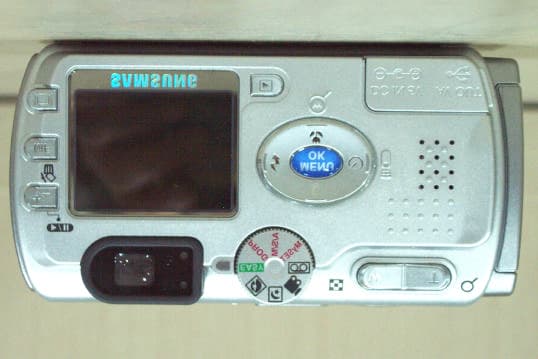
Click to zoom
Application Details
- Equipment Class
- JBP - Part 15 Class B Computing Device Peripheral
- Date of Grant
- Feb 27, 2003
- Application Purpose
- Original Equipment
- Date of Application
- Feb 27, 2003
- Equipment Note
- Digital Camera
- Company
- Hanwha Techwin Co., Ltd.
- Country
- South Korea
Documents & Files
Document Text
Text extracted from the exhibit documents filed with the FCC. Open a document above to read the original.
Users Manual
2 Use this camera in the following order Instructions Set up the camera driver Before connecting the USB cable to the PC and this camera, you have to set up the camera driver. Install the camera driver that is contained in the Application S/W CD- ROM. (p.110) Take a picture (p.26) Insert the supplied USB cable into the PC USB port and the camera USB connection terminal.(p.99) Check the camera power. If the power is turned off, slide the camera switch to power it on. Take a picture Insert the USB cable Check the camera power Check [Removable Disk] Do not insert the cigar jack plug to the DC input connection point as this results in electric shock or severe damage to your camera. Open Window’s EXPLORER and search for [Removable Disk]. READY 3 Contents Getting to know your camera 5 About the symbols 6 Caution 6 Warning 7 Danger 8 Special features 9 This digital camera can be used for 10 Manufacturer's contents 12 Identification of features 13 Front & Top 13 Back & Bottom 13 Side 14 5-function button 14 Mode dial 15 Connecting to Power 17 Inserting the memory card 20 Instructions on how to use the memory card 21 Selecting the date and time 23 Language 25 LCD monitor indicator 27 Starting recording mode 29 Using the camera button to adjust the camera 32 LCD button 32 SHUTTER button 32 WIDE / TELE button 33 UP/ Voice memo button 35 MACRO / SUPER MACRO button 36 FLASH button 37 SELF-TIMER / REMOTE button 40 MENU/ OK button 42 MF button 43 +/- button 44 Using the LCD monitor to adjust the camera 46 How to use the menu 48 Size 49 Quality 50 A/S/M 51 Metering 53 Shooting 54 White Balance 56 Effect 57 Sharpness 58 My SET mode menu 59 Mode 59 Change 60 Starting the play mode 62 LCD monitor indicator 64 Information button 65 READY RECORDING PLAY 4 Contents Thumbnail & Wide / Tele & Trimming button 65 Thumbnail / Enlargement / Trimming button 66 UP / Voice memo button 67 DOWN / LEFT / RIGHT button 68 MENU / OK button 68 DELETE button 69 PLAY & PAUSE button 70 Setting up the play back function using the LCD monitor 71 Slide show 72 Protect 73 Resize 74 Delete all 75 DPOF : Standard 76 DPOF : Index 77 DPOF : Cancel 78 Setup menu 79 File 80 Power off 81 Language 82 Format 83 Date set 85 Time set 86 Date type 87 Imprint 88 Sound 89 LCD brightness 90 Video 91 Connecting to an external monitor 92 Quick view 93 MyCAM menu 94 Start up image 94 Start up sound 95 Shutter sound 95 List of camera function 96 Starting PC mode 99 Important notes 101 Warning indicator 102 Before contacting a service center 103 Specifications 106 Software Notes 108 About the software 108 Setting up the application software 110 Removing the USB Driver for Windows 98SE 116 Removable Disk 118 Removing the removable disk 119 Setting up the USB Driver for MAC 121 Using the USB Driver for MAC 121 Digimax Viewer 122 MGI PhotoSuite III SE 123 FAQ 138 SOFTWARE READY 5 Thank you for buying a Samsung Digital Camera. Prior to using this camera, please read the user manual thoroughly. Keep the manual in a safe place. Getting to know your camera About the symbols This manual contains instructions on using this camera that will help you to use this camera safely and correctly. This will help prevent danger and injury to others. DANGER DANGER indicates an imminently hazardous situation which, if not avoided, will result in death or serious injury. WARNING WARNING indicates a potentially hazardous situation, which, if not avoided, could result in death or serious injury. CAUTION CAUTION indicates a potentially hazardous situation, which, if not avoided, may result in a minor or moderate injury. NOTICE NOTICE indicates a factor, which, if not avoided, may result in camera malfunction or poor image quality. INFORMATION INFORMATION indicates a factor, which should assist further in the operation of the camera. 6 About the symbols The camera mode icons will be marked on the right side of the title bar. The title is available only in the marked camera mode. Refer to below. Caution Leaking, overheating, or burst batteries could result in fire or injury. Use batteries with the correct specification for the camera. Do not short circuit, heat or dispose of batteries in fire. Do not use old batteries with new ones, or mix brands of batteries. Ensure the batteries are positioned correctly with regard to polarity (+ / -). When the camera is not in use for long periods, always unplug the camera from its power source. Do not fire the flash while it is in contact with hands or objects. Do not touch the flash after using it continuously. It may cause burns. Do not move the camera while it is switched on, if you are using the AC Power Adapter. After use, always switch off the camera before unplugging the adapter from the AC Power wall socket. Then make sure that any connector cords or cables to other devices are disconnected before moving the camera. Failure to do so may damage the cords or cables and cause a fire or electric shock. IconMode dialCamera working modeIconMode dialCamera working mode Easy mode Program mode Portrait modeNight mode Aperture priority modeShutter priority mode Manual modeMovie clip mode User set modeVoice recording mode Play mode READY 7 Do not use the flash in close proximity to people or animals. Positioning the flash too close to your subject’s eyes, may cause eyesight damage. When taking photographs, never point the lens of the camera directly into very strong light. This may result in permanent damage to the camera or your eyesight. Do not leave this camera in places subject to extremely high temperatures, such as a sealed vehicle, direct sunlight or other places of extreme variances in temperature. Exposure to extreme temperatures may adversely affect the camera’s internal components and could cause a fire. When in use, do not cover the camera or AC Power Adapter. This may cause heat to build up and distort the camera body or cause a fire. Always use the camera and its accessories in a well-ventilated area. For safety reasons keep this…
Text truncated - open the document above for the full version.
External Photos
CERTiTEK Standards Laboratory Co., Ltd. 386-1, Ho-Dong, Yongin-City, Kyungki-Do, Korea 449-100 Tel: +82-31-339-9970 Fax: +82-31-339-9855 http://www.certitek.com/ Test Report No.: CTK02-F170 Date: February 27, 2003 Page 1 of 2 This Report shall not be reproduced except in full without the written approval of CERTiTEK Form No.: CTK-FF1.2 CERTiTEK EUT External Photographs CERTiTEK Standards Laboratory Co., Ltd. 386-1, Ho-Dong, Yongin-City, Kyungki-Do, Korea 449-100 Tel: +82-31-339-9970 Fax: +82-31-339-9855 http://www.certitek.com/ Test Report No.: CTK02-F170 Date: February 27, 2003 Page 2 of 2 This Report shall not be reproduced except in full without the written approval of CERTiTEK Form No.: CTK-FF1.2 CERTiTEK
ID Label/Location Info
CERTiTEK Standards Laboratory Co., Ltd. 386-1, Ho-Dong, Yongin-City, Kyungki-Do, Korea 449-100 Tel: +82-31-339-9970 Fax: +82-31-339-9855 http://www.certitek.com/ Test Report No.: CTK02-F170 Date: February 27, 2003 Page 1 of 1 This Report shall not be reproduced except in full without the written approval of CERTiTEK Form No.: CTK-FF1.2 CERTiTEK Photographs related to Label
Internal Photos
CERTiTEK Standards Laboratory Co., Ltd. 386-1, Ho-Dong, Yongin-City, Kyungki-Do, Korea 449-100 Tel: +82-31-339-9970 Fax: +82-31-339-9855 http://www.certitek.com/ Test Report No.: CTK02-F170 Date: February 27, 2003 Page 1 of 5 This Report shall not be reproduced except in full without the written approval of CERTiTEK Form No.: CTK-FF1.2 CERTiTEK EUT Internal Photographs CERTiTEK Standards Laboratory Co., Ltd. 386-1, Ho-Dong, Yongin-City, Kyungki-Do, Korea 449-100 Tel: +82-31-339-9970 Fax: +82-31-339-9855 http://www.certitek.com/ Test Report No.: CTK02-F170 Date: February 27, 2003 Page 2 of 5 This Report shall not be reproduced except in full without the written approval of CERTiTEK Form No.: CTK-FF1.2 CERTiTEK CERTiTEK Standards Laboratory Co., Ltd. 386-1, Ho-Dong, Yongin-City, Kyungki-Do, Korea 449-100 Tel: +82-31-339-9970 Fax: +82-31-339-9855 http://www.certitek.com/ Test Report No.: CTK02-F170 Date: February 27, 2003 Page 3 of 5 This Report shall not be reproduced except in full without the written approval of CERTiTEK Form No.: CTK-FF1.2 CERTiTEK PCB CERTiTEK Standards Laboratory Co., Ltd. 386-1, Ho-Dong, Yongin-City, Kyungki-Do, Korea 449-100 Tel: +82-31-339-9970 Fax: +82-31-339-9855 http://www.certitek.com/ Test Report No.: CTK02-F170 Date: February 27, 2003 Page 4 of 5 This Report shall not be reproduced except in full without the written approval of CERTiTEK Form No.: CTK-FF1.2 CERTiTEK CERTiTEK Standards Laboratory Co., Ltd. 386-1, Ho-Dong, Yongin-City, Kyungki-Do, Korea 449-100 Tel: +82-31-339-9970 Fax: +82-31-339-9855 http://www.certitek.com/ Test Report No.: CTK02-F170 Date: February 27, 2003 Page 5 of 5 This Report shall not be reproduced except in full without the written approval of CERTiTEK Form No.: CTK-FF1.2 CERTiTEK
Test Report
CERTiTEK Standards Laboratory Co., Ltd. 386-1, Ho-Dong, Yongin-City, Kyungki-Do, Korea 449-100 Tel: +82-31-339-9970 Fax: +82-31-339-9855 http://www.certitek.com/ Test Report No.: CTK02-F170 Date: February 27, 2003 Page 1 of 14 This Report shall not be reproduced except in full without the written approval of CERTiTEK Form No.: CTK-FF1.2 CERTiTEK EMC TEST REPORT For FCC Test Report No. : CTK02-F170 Date of Issue : February 27, 2003 Model/Type No: : Digimax V3 and Digimax 3500 super Kind of Product : Digital Camera Applicant : Samsung Techwin Co.,Ltd. Applicant Address : #145-3, Sandaewon 1-Dong, Sungnam-Shi, Kyonggi-Do, Korea Manufacturer : 1. Samsung Techwin Co.,Ltd. 2. TIANJIN SAMSUNG OPTO-ELECTRONICS Co., Ltd. Manufacturer Address : 1. #145-3, Sandaewon 1-Dong, Sungnam-Shi, Kyonggi-Do, Korea 2. No.7, Pingchang Rd, Nankai Dist., Tianjin, P.R. Contact Person : Mr. G. S. Kim (Manager) Telephone : +82-31-740-8253 Received Date : December 16, 2002 Test period : Start: February 18, 2003 End: February 25, 2003 Test Results : In Compliance Not in Compliance The test results presented in this report relate only to the object tested. CERTiTEK Standards Laboratory Co., Ltd. is accredited by Korea Laboratory Accreditation Scheme (KOLAS) which signed the International Laboratory Accreditation Cooperation (ILAC) Mutual Recognition Arrangement (MRA) for the above test item(s) and test method(s). Tested by Reviewed by Joon Pak EMC Test Engineer James Hong EMC Technical Manager Date: February 27, 2003 Date: February 27, 2003 CERTiTEK Standards Laboratory Co., Ltd. 386-1, Ho-Dong, Yongin-City, Kyungki-Do, Korea 449-100 Tel: +82-31-339-9970 Fax: +82-31-339-9855 http://www.certitek.com/ Test Report No.: CTK02-F170 Date: February 27, 2003 Page 2 of 14 This Report shall not be reproduced except in full without the written approval of CERTiTEK Form No.: CTK-FF1.2 CERTiTEK REPORT REVISION HISTORY Date Revision Page No February 27, 2003 Issued (CTK02-F170) All This report shall not be reproduced except in full, without the written approval of CERTiTEK Standards Laboratory Co., Ltd. This document may be altered or revised by CERTiTEK Standards Laboratory Co., Ltd. personnel only, and shall be noted in the revision section of the document. Any alteration of this document not carried out by CERTiTEK Standards Laboratory Co., Ltd. will constitute fraud and shall nullify the document. CERTiTEK Standards Laboratory Co., Ltd. 386-1, Ho-Dong, Yongin-City, Kyungki-Do, Korea 449-100 Tel: +82-31-339-9970 Fax: +82-31-339-9855 http://www.certitek.com/ Test Report No.: CTK02-F170 Date: February 27, 2003 Page 3 of 14 This Report shall not be reproduced except in full without the written approval of CERTiTEK Form No.: CTK-FF1.2 CERTiTEK TABLE OF CONTENTS 1.0 General Product Description...................................................................................4 1.1 Model Differences.................................................................................................4 1.2 Device Modifications..............................................................................................4 1.3 EUT Configuration(s).............................................................................................5 1.4 Test Software.......................................................................................................5 1.5 EUT Operating Mode(s)..........................................................................................5 1.6 Calibration Details of Equipment Used for Measurement..............................................6 1.7 Test Facility.........................................................................................................6 1.8 Measurement Procedure........................................................................................6 1.9 Laboratory Accreditations and Listings......................................................................7 2.0 Emissions Test Regulations.....................................................................................8 2.1 Conducted Voltage Emissions..................................................................................9 2.2 Radiated Electric Field Emissions...........................................................................10 Configurations.........................................................................................................11 APPENDIX A - TEST DATA..........................................................................................12 Conducted Voltage Emissions (Quasi-Peak reading)..................................................12 Radiated Electric Field Emissions (Quasi-Peak reading)..............................................14 CERTiTEK Standards Laboratory Co., Ltd. 386-1, Ho-Dong, Yongin-City, Kyungki-Do, Korea 449-100 Tel: +82-31-339-9970 Fax: +82-31-339-9855 http://www.certitek.com/ Test Report No.: CTK02-F170 Date: February 27, 2003 Page 4 of 14 This Report shall not be reproduced except in full without the written approval of CERTiTEK Form No.: CTK-FF1.2 CERTiTEK 1.0 General Product Description 1.0.1 Tested Equipment Unless otherwise indicated, all tests were conducted on Model Digimax V3 and Digimax 3500 super. Tests performed on Model Digimax V3 were considered to be representative of Model(s) Digimax 3500 super. 1.0.2 Equipment Size, Mobility and Identification Dimensions: 105.5 by 54.6 by 38.0 mm in Mobility: Hand-Held Table-top Floor-standing - Serial No.: Not applicable 1.0.3 Electrical Ratings Input: Adaptor – AC 100-250V, 50/60Hz EUT - DC 5.0V Output: Adaptor – DC 5.0V, 2.0A EUT - Not applicable 1.0.4 Test Voltage & Frequency (Using the adaptor) Unless indicated otherwise on the individual data sheet or test results, the test voltage and frequency was as indicated below. Voltage: AC 120V Frequency: 60Hz 1.0.5 Clock & Other Frequencies Utilized DSP : 13.5MHz HOST CPU : 5.00MHz TG&CDS&AGC : 45.00MHz 1.1 Model Differences Digimax V3 and Digimax 3500 super are identic…
Text truncated - open the document above for the full version.
Test Setup Photos
CERTiTEK Standards Laboratory Co., Ltd. 386-1, Ho-Dong, Yongin-City, Kyungki-Do, Korea 449-100 Tel: +82-31-339-9970 Fax: +82-31-339-9855 http://www.certitek.com/ Test Report No.: CTK02-F170 Date: February 27, 2003 Page 1 of 4 This Report shall not be reproduced except in full without the written approval of CERTiTEK Form No.: CTK-FF1.2 CERTiTEK APPENDIX B - Test Setup Photos and Configuration Conducted Voltage Emissions CERTiTEK Standards Laboratory Co., Ltd. 386-1, Ho-Dong, Yongin-City, Kyungki-Do, Korea 449-100 Tel: +82-31-339-9970 Fax: +82-31-339-9855 http://www.certitek.com/ Test Report No.: CTK02-F170 Date: February 27, 2003 Page 2 of 4 This Report shall not be reproduced except in full without the written approval of CERTiTEK Form No.: CTK-FF1.2 CERTiTEK CERTiTEK Standards Laboratory Co., Ltd. 386-1, Ho-Dong, Yongin-City, Kyungki-Do, Korea 449-100 Tel: +82-31-339-9970 Fax: +82-31-339-9855 http://www.certitek.com/ Test Report No.: CTK02-F170 Date: February 27, 2003 Page 3 of 4 This Report shall not be reproduced except in full without the written approval of CERTiTEK Form No.: CTK-FF1.2 CERTiTEK Radiated Electric Field Emissions CERTiTEK Standards Laboratory Co., Ltd. 386-1, Ho-Dong, Yongin-City, Kyungki-Do, Korea 449-100 Tel: +82-31-339-9970 Fax: +82-31-339-9855 http://www.certitek.com/ Test Report No.: CTK02-F170 Date: February 27, 2003 Page 4 of 4 This Report shall not be reproduced except in full without the written approval of CERTiTEK Form No.: CTK-FF1.2 CERTiTEK
Contact Information
Applicant
JEISOON KANG(Principal Research Engineer)
Test Firm
CTK Co., Ltd.Jang-Hee Hong
Technical Specifications
| # | Rule Parts | Frequency Range | Power Output |
|---|---|---|---|
| 1 | 15B | - | - |
Other Applications from Hanwha Techwin Co., Ltd.
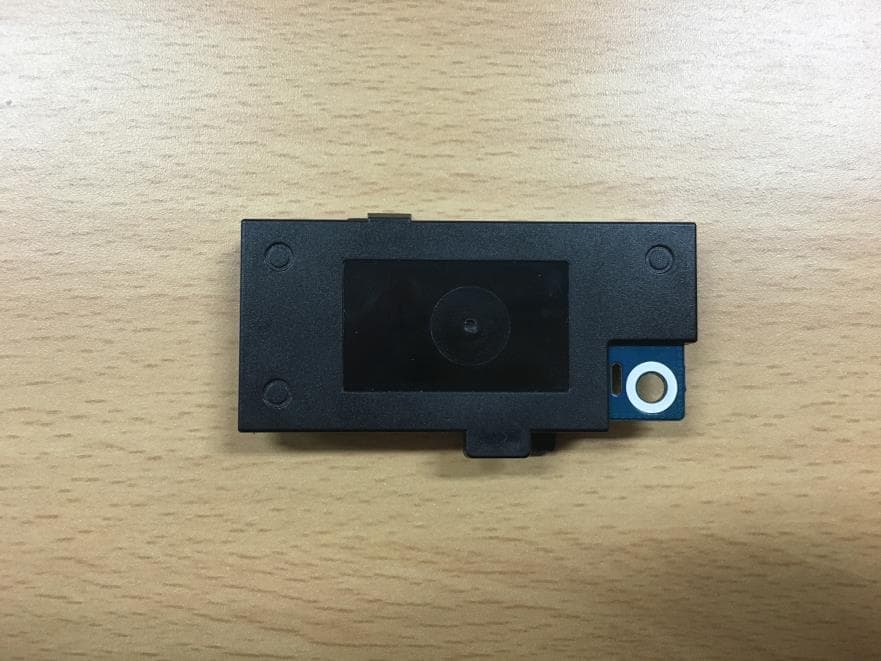
NLMSWLQ93T
Dec 22, 2015WiFi Module
Equipment Class
NII - Unlicensed National Information Infrastructure TX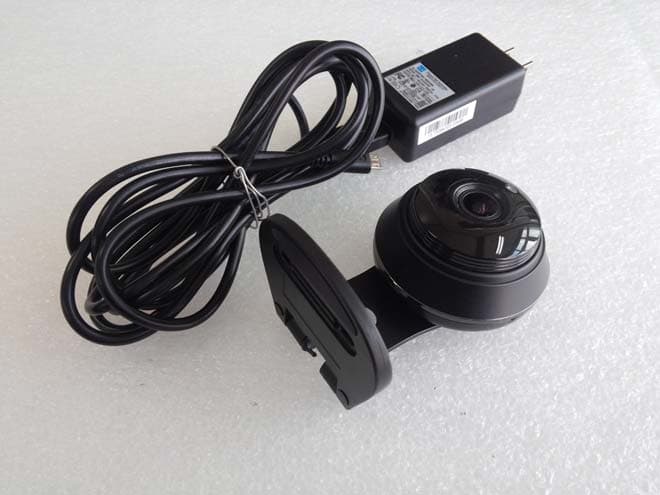
NLMSNHV6414BN
Nov 19, 2015SMART HOME CAMERA
Equipment Class
DTS - Digital Transmission System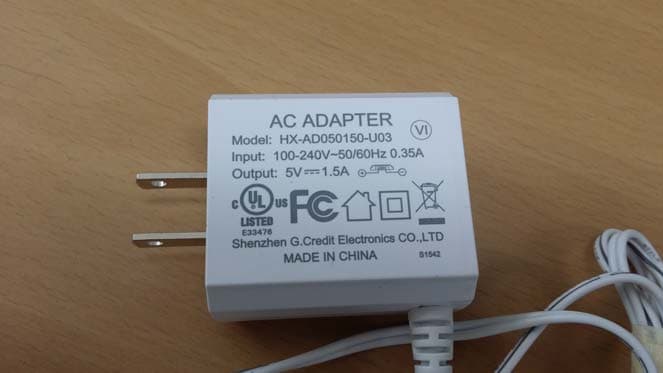
NLMSEP1003RWN
Nov 16, 2015Wireless Baby Camera
Equipment Class
DSS - Part 15 Spread Spectrum Transmitter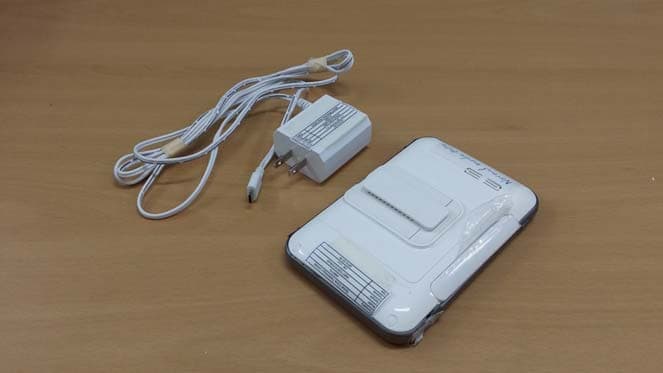
NLMSEW3043WN
Nov 16, 2015Wireless Baby Monitor
Equipment Class
DSS - Part 15 Spread Spectrum Transmitter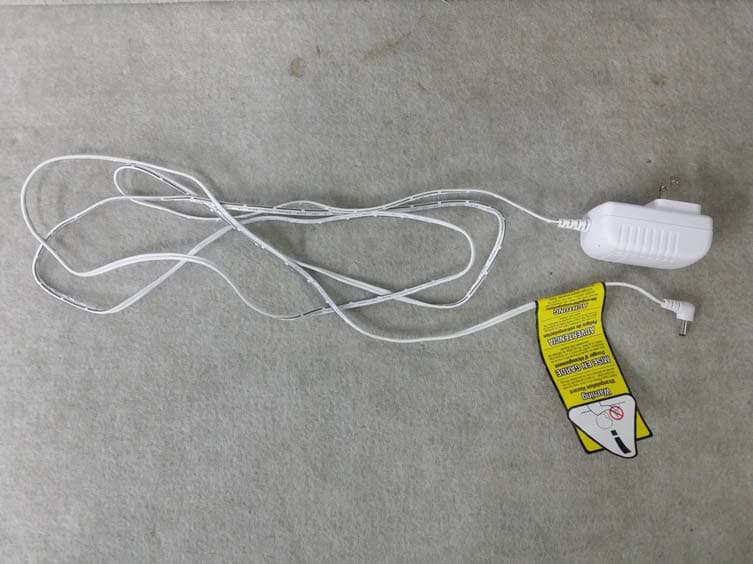
NLMSEW3036W
Jun 16, 2015Baby Monitor
Equipment Class
DSS - Part 15 Spread Spectrum Transmitter