NLMDIGIMAXV700Digital Camera
Hanwha Techwin Co., Ltd.
Click to zoom
Application Details
- Equipment Class
- JBP - Part 15 Class B Computing Device Peripheral
- Date of Grant
- Jan 16, 2005
- Application Purpose
- Original Equipment
- Date of Application
- Jan 16, 2005
- Equipment Note
- Digital Camera
- Company
- Hanwha Techwin Co., Ltd.
- Country
- South Korea
Documents & Files
Document Text
Text extracted from the exhibit documents filed with the FCC. Open a document above to read the original.
Users Manual
Thank you for buying a Samsung Camera. This manual will guide you through using the camera, including capturing images, downloading images and using the software applications. Please read this manual carefully before using your new camera. Figures and images used in this manual are based on the Samsung Digimax V700. ENGLISH V100 2 Instructions Use this camera in the following order Insert the USB cable Set up the camera driver Before connecting the camera to a PC, via the USB cable, you will need to set up the camera driver. Install the camera driver that is contained in Application software CD-ROM.(p.90) Take a picture (p.19) Insert the supplied USB cable into the PC’s USB port and the camera’s USB connection terminal.(p.98) Check the camera’s power. If the power is turned off, press the camera button to turn it on. Take a picture Check the camera’s power Check [Removable Disk] Open Windows EXPLORER and search for [Removable Disk].(p.99) If you use a card reader to copy the images on the memory card to your PC, the images could be damaged. When transferring the images taken with the camera to your PC, be sure to use the supplied USB cable to connect the camera to your PC. Please note that the manufacturer holds no responsibility for loss or damage of images on the memory card due to the use of a card reader. NOTE: This equipment has been tested and found to comply with the limits for a Class B digital device, pursuant to part 15 of the FCC Rules. These limits are designed to provide reasonable protection against harmful interference in a residential installation. This equipment generates, uses and can radiate radio frequency energy and, if not installed and used in accordance with the instructions, may cause harmful interference to radio communications. However, there is no guarantee that interference will not occur in a particular installation. If this equipment does cause harmful interference to radio or television reception, which can be determined by turning the equipment off and on, the user is encouraged to try to correct the interference by one or more of the following measures: - Reorient or relocate the receiving antenna. - Increase the separation between the equipment and receiver. - Connect the equipment into an outlet on a circuit different from that to which the receiver is connected. - Consult the dealer or an experienced radio/TV technician for help. CAUTION : Changes or modifications not expressly approved by the party responsible for compliance could void the user’s authority to operate the equipment. Getting to know your camera5 About the icons5 Danger6 Warning6 Caution7 An FCC warning7 System chart8 Identification of features10 Front & Top10 Back & Bottom11 Side/ 5-function button 12 Mode dial12 Connecting to a Power Source15 Using the batteries15 Removing the battery15 Using the AC power adapter (SAC-51, 5.0V)16 Instructions on how to use the memory card17 Maintenance of the memory card17 Preserving the memory card data17 Inserting the memory card19 Removing the memory card19 When Using the Camera for the First Time20 LCD monitor indicator21 Starting the recording mode22 How to use the AUTO mode22 How to use the PROGRAM mode23 How to use the A/S/M mode23 How to use the MySET mode24 How to use the VOICE RECORDING mode24 How to use the MOVIE CLIP mode25 NIGHT SCENE mode25 How to use the SCENE mode26 Things to Watch Out for When Taking Pictures27 Using the camera buttons to adjust the camera28 POWER button 28 SHUTTER button/ Jog dial 28 ZOOM W/T button28 Voice memo/ UP button31 Macro/ Down button (Focusing)32 Focus lock33 FLASH/ LEFT button 34 Self-timer/ Remote/ Right button36 MENU/ OK button 38 S button 38 MF button 44 LCD button45 AEL button (Automatic Exposure Lock) 45 Using the LCD monitor to adjust the camera settings 46 How to use the menu48 Size 48 Quality 49 Metering 50 Effect 50 Sharpness 51 Continuous shot 51 Save / Load a specific camera configuration(MySET) 52 Scene53 Starting play mode54 Playing back a still image54 3 Contents READY RECORDING PLAY 4 Contents Playing back a movie clip55 Playing back a recorded voice55 LCD monitor indicator56 Using the camera buttons to adjust the camera57 Thumbnail/ Enlargement button 57 Voice memo / Up button58 Play & Pause/ Down button59 LEFT/ RIGHT/ MENU/ OK button60 LCD button 60 Delete button61 Setting up the play back function using the LCD monitor62 Deleting images64 Protecting images 65 Starting the slide show66 Resize67 Rotating an image68 DPOF 68 DPOF : STANDARD69 DPOF : INDEX69 DPOF : PRINT SIZE70 DPOF : CANCEL70 PictBridge71 PictBridge: Picture Selection72 PictBridge: Print Setting73 PictBridge: Picture Printing74 PictBridge : DPOF AUTO PRINT75 PictBridge : RESET75 Setup menu76 File name77 Auto power off78 Language79 Formatting a memory card79 Setting up the Date/ Time/ Date type80 Imprinting the recording date80 Function lamp81 Sound 82 LCD brightness82 Selecting Video out type83 Quick view84 Connecting an External Device (USB)84 Initialisation(RESET ALL)85 Setting up the MYCAM menu86 Start up image86 Start up sound87 Shutter sound87 Important notes88 Warning indicator90 Before contacting a service centre91 Specifications94 Software Notes96 System Requirements96 About the software97 Setting up the application software98 Starting PC Mode107 Removing the USB Driver for Windows 98SE110 Removable Disk111 Removing the removable disk112 Setting up the USB Driver for MAC113 Using the USB Driver for MAC113 Digimax Viewer 2.1114 Using PhotoImpression115 Digimax Reader116 FAQ118 SETUP SOFTWARE 5 Getting to know your camera Thank you for buying a Samsung Digital Camera. Prior to using this camera, please read the user manual thoroughly. When you require After Sales service, please bring the camera and the cause of the camera malfunction (such as Batteries, Memory card etc.) to the A/S centre. Please check that the camera is operating properly prior to when you intend to use it (e.g. for a trip or an important event) to av…
Text truncated - open the document above for the full version.
Block Diagram
CCD-7M (ICX489) 15V, -7.5V ZOOM LENS TFT-LCD (SEC 2") USB JACK POWER Block AV OUT VIDEO Filter AFE (HD49343HNP) 3.3V 67.5Mhz STROBO BLOCK KEY SWITCH 표시 LED (AF, STROBO) FLASH-8MB (K9F6408UOB) DDR DRAM-256Mb (K4H561638B) COACH-VII (ZR36442) 3.3V 1.8V 2.5V 12 MHz S D C A R D MiC LENS M. DRIVER (FOCUS,ZOOM, IRIS,SHUTTER) 4.2V,3.3V LCD_Reset F lash _Reset Coach_Reset TG_Reset TG + VD CXD3630GA 3.3V , 15V, -7.5V EEPROM (M24C08) I2C Protocol Speaker Audio Amp. 12Bit D3-73 Block Diagram 15.4Mhz 108 MHz
External Photos
1 CERTiTEK Standards Laboratory Co., Ltd. 386-1, Ho-Dong, Yongin-City, Kyungki-Do, Korea 449-100 Tel: +82-31-339-9970 Fax: +82-31-339-9855 http://www.certitek.com/ CERTiTEK EUT External Photographs Test Report No.: 2004120017 Date: December 28, 2004 Page 1 of 3 This Report shall not be reproduced except in full without the written approval of CERTiTEK Form No.: CTK-FF1.2 2 CERTiTEK Standards Laboratory Co., Ltd. 386-1, Ho-Dong, Yongin-City, Kyungki-Do, Korea 449-100 Tel: +82-31-339-9970 Fax: +82-31-339-9855 http://www.certitek.com/ CERTiTEK Test Report No.: 2004120017 Date: December 28, 2004 Page 2 of 3 This Report shall not be reproduced except in full without the written approval of CERTiTEK Form No.: CTK-FF1.2 3 CERTiTEK Standards Laboratory Co., Ltd. 386-1, Ho-Dong, Yongin-City, Kyungki-Do, Korea 449-100 Tel: +82-31-339-9970 Fax: +82-31-339-9855 http://www.certitek.com/ CERTiTEK Test Report No.: 2004120017 Date: December 28, 2004 Page 3 of 3 This Report shall not be reproduced except in full without the written approval of CERTiTEK Form No.: CTK-FF1.2
ID Label/Location Info
1 CERTiTEK Standards Laboratory Co., Ltd. 386-1, Ho-Dong, Yongin-City, Kyungki-Do, Korea 449-100 Tel: +82-31-339-9970 Fax: +82-31-339-9855 http://www.certitek.com/ CERTiTEK Photographs related to Label Test Report No.: 2004120017 Date: December 28, 2004 Page 1 of 1 This Report shall not be reproduced except in full without the written approval of CERTiTEK Form No.: CTK-FF1.2
Internal Photos
1 CERTiTEK Standards Laboratory Co., Ltd. 386-1, Ho-Dong, Yongin-City, Kyungki-Do, Korea 449-100 Tel: +82-31-339-9970 Fax: +82-31-339-9855 http://www.certitek.com/ CERTiTEK EUT Internal Photographs Test Report No.: 2004120017 Date: December 28, 2004 Page 1 of 7 This Report shall not be reproduced except in full without the written approval of CERTiTEK Form No.: CTK-FF1.2 2 CERTiTEK Standards Laboratory Co., Ltd. 386-1, Ho-Dong, Yongin-City, Kyungki-Do, Korea 449-100 Tel: +82-31-339-9970 Fax: +82-31-339-9855 http://www.certitek.com/ CERTiTEK PCB Test Report No.: 2004120017 Date: December 28, 2004 Page 2 of 7 This Report shall not be reproduced except in full without the written approval of CERTiTEK Form No.: CTK-FF1.2 3 CERTiTEK Standards Laboratory Co., Ltd. 386-1, Ho-Dong, Yongin-City, Kyungki-Do, Korea 449-100 Tel: +82-31-339-9970 Fax: +82-31-339-9855 http://www.certitek.com/ CERTiTEK Test Report No.: 2004120017 Date: December 28, 2004 Page 3 of 7 This Report shall not be reproduced except in full without the written approval of CERTiTEK Form No.: CTK-FF1.2 4 CERTiTEK Standards Laboratory Co., Ltd. 386-1, Ho-Dong, Yongin-City, Kyungki-Do, Korea 449-100 Tel: +82-31-339-9970 Fax: +82-31-339-9855 http://www.certitek.com/ CERTiTEK Test Report No.: 2004120017 Date: December 28, 2004 Page 4 of 7 This Report shall not be reproduced except in full without the written approval of CERTiTEK Form No.: CTK-FF1.2 5 CERTiTEK Standards Laboratory Co., Ltd. 386-1, Ho-Dong, Yongin-City, Kyungki-Do, Korea 449-100 Tel: +82-31-339-9970 Fax: +82-31-339-9855 http://www.certitek.com/ CERTiTEK Test Report No.: 2004120017 Date: December 28, 2004 Page 5 of 7 This Report shall not be reproduced except in full without the written approval of CERTiTEK Form No.: CTK-FF1.2 6 CERTiTEK Standards Laboratory Co., Ltd. 386-1, Ho-Dong, Yongin-City, Kyungki-Do, Korea 449-100 Tel: +82-31-339-9970 Fax: +82-31-339-9855 http://www.certitek.com/ CERTiTEK Test Report No.: 2004120017 Date: December 28, 2004 Page 6 of 7 This Report shall not be reproduced except in full without the written approval of CERTiTEK Form No.: CTK-FF1.2 7 CERTiTEK Standards Laboratory Co., Ltd. 386-1, Ho-Dong, Yongin-City, Kyungki-Do, Korea 449-100 Tel: +82-31-339-9970 Fax: +82-31-339-9855 http://www.certitek.com/ CERTiTEK Test Report No.: 2004120017 Date: December 28, 2004 Page 7 of 7 This Report shall not be reproduced except in full without the written approval of CERTiTEK Form No.: CTK-FF1.2
Test Report
1 CERTiTEK Standards Laboratory Co., Ltd. 386-1, Ho-Dong, Yongin-City, Kyungki-Do, Korea 449-100 Tel: +82-31-339-9970 Fax: +82-31-339-9855 http://www.certitek.com/ CERTiTEK EMC TEST REPORT For FCC Test Report No. : 2004120017 Date of Issue : December 28, 2004 FCC ID : NLMDIGIMAXV700 Model/Type No. : Digimax V700 Kind of Product : Digital Camera Applicant : Samsung Techwin Co., Ltd. Applicant Address : 145-3, Sangdaewon 1-Dong, Jungwon-Gu, Sungnam-City, Kyungki-Do, Korea Manufacturer : Samsung Techwin Co., Ltd. Manufacturer Address : 42, Sungju-dong, Changwon City, Kyungnam, Korea Contact Person : Mr. LEE BYOUNG KYU/Research Engineer Telephone : +82-31-740-8469 Received Date : December 16, 2004 Test period : Start : December 17, 2004 End : December 17, 2004 Test Results : In Compliance Not in Compliance The test results presented in this report relate only to the object tested. CERTiTEK Standards Laboratory Co., Ltd. is accredited by Korea Laboratory Accreditation Scheme (KOLAS) which signed the International Laboratory Accreditation Cooperation (ILAC) Mutual Recognition Arrangement (MRA) for the above test item(s) and test method(s). Tested by Reviewed by Young-Joon, Park EMC Test Engineer James Hong EMC Technical Manager Date: December 28, 2004 Date: December 28, 2004 Test Report No.: 2004120017 Date: December 28, 2004 Page 1 of 14 This Report shall not be reproduced except in full without the written approval of CERTiTEK Form No.: CTK-FF1.2 2 CERTiTEK Standards Laboratory Co., Ltd. 386-1, Ho-Dong, Yongin-City, Kyungki-Do, Korea 449-100 Tel: +82-31-339-9970 Fax: +82-31-339-9855 http://www.certitek.com/ CERTiTEK REPORT REVISION HISTORY Date Revision Page No December 28, 2004 Issued (2004120017) All This report shall not be reproduced except in full, without the written approval of CERTiTEK Standards Laboratory Co., Ltd. This document may be altered or revised by CERTiTEK Standards Laboratory Co., Ltd. Personnel only, and shall be noted in the revision section of the document. Any alteration of this document not carried out by CERTiTEK Standards Laboratory Co., Ltd. will constitute fraud and shall nullify the document. Test Report No.: 2004120017 Date: December 28, 2004 Page 2 of 14 This Report shall not be reproduced except in full without the written approval of CERTiTEK Form No.: CTK-FF1.2 3 CERTiTEK Standards Laboratory Co., Ltd. 386-1, Ho-Dong, Yongin-City, Kyungki-Do, Korea 449-100 Tel: +82-31-339-9970 Fax: +82-31-339-9855 http://www.certitek.com/ CERTiTEK TABLE OF CONTENTS REPORT REVISION HISTORY ..........................................................................................2 1.0 General Product Description...............................................................................4 1.1Model Differences.............................................................................................4 1.2Device Modifications.........................................................................................4 1.3EUT Configuration(s).........................................................................................5 1.4Test Software...................................................................................................5 1.5EUT Operating Mode(s).....................................................................................5 1.6Calibration Details of Equipment Used for Measurement.........................................6 1.7Test Facility......................................................................................................6 1.8Measurement Procedure ....................................................................................6 1.9Laboratory Accreditations and Listings .................................................................7 2.0Emissions Test Regulations.................................................................................8 2.1Conducted Voltage Emissions.............................................................................9 2.2Radiated Electric Field Emissions.......................................................................10 Configurations ...........................................................................................................11 APPENDIX A - TEST DATA ............................................................................................12 Conducted Voltage Emissions (Quasi-Peak reading) ...................................................12 Radiated Electric Field Emissions (Quasi-Peak reading)...............................................14 Test Report No.: 2004120017 Date: December 28, 2004 Page 3 of 14 This Report shall not be reproduced except in full without the written approval of CERTiTEK Form No.: CTK-FF1.2 4 CERTiTEK Standards Laboratory Co., Ltd. 386-1, Ho-Dong, Yongin-City, Kyungki-Do, Korea 449-100 Tel: +82-31-339-9970 Fax: +82-31-339-9855 http://www.certitek.com/ CERTiTEK 1.0 General Product Description 1.0.1 Tested Equipment Unless otherwise indicated, all tests were conducted on Model Digimax V700. Tests performed on Model were considered to be representative of Model(s) . 1.0.2 Equipment Size, Mobility and Identification Dimensions: 105(W) by 56.5(H) by 30.2(D) mm in Mobility: Hand-held Table-top Built-in Traveling Floor-standing Serial No.: Prototype 1.0.3 Electrical Ratings Adapter Input: AC 100-250V, 50/60Hz,0.3A Output: DC 3.3V, 2.0A EUT Input: DC 3.3V Output: - 1.0.4 Test Voltage & Frequency Unless indicated otherwise on the individual data sheet or test results, the test voltage and frequency was as indicated below. Voltage: 120Vac Frequency: 60Hz 1.0.5 Clock & Other Frequencies Utilized 12MHz, 15.4MHz, 67.5MHz, 108MHz 1.1 Model Differences Not applicable 1.2 Device Modifications The following modifications were necessary for compliance: Not applicable Test Report No.: 2004120017 Date: December 28, 2004 Page 4 of 14 This Report shall not be reproduced except in full without the written approval of CERTiTEK Form No.: CTK-FF1.2 5 CERTiTEK Standards La…
Text truncated - open the document above for the full version.
Test Setup Photos
1 CERTiTEK Standards Laboratory Co., Ltd. 386-1, Ho-Dong, Yongin-City, Kyungki-Do, Korea 449-100 Tel: +82-31-339-9970 Fax: +82-31-339-9855 http://www.certitek.com/ CERTiTEK APPENDIX B - Test Setup Photos and Configuration Conducted Voltage Emissions Test Report No.: 2004120017 Date: December 28, 2004 Page 1 of 2 This Report shall not be reproduced except in full without the written approval of CERTiTEK Form No.: CTK-FF1.2 2 CERTiTEK Standards Laboratory Co., Ltd. 386-1, Ho-Dong, Yongin-City, Kyungki-Do, Korea 449-100 Tel: +82-31-339-9970 Fax: +82-31-339-9855 http://www.certitek.com/ CERTiTEK Radiated Electric Field Emissions Test Report No.: 2004120017 Date: December 28, 2004 Page 2 of 2 This Report shall not be reproduced except in full without the written approval of CERTiTEK Form No.: CTK-FF1.2
Contact Information
Applicant
JEISOON KANG(Principal Research Engineer)
Test Firm
CTK Co., Ltd.Jang-Hee Hong
Technical Specifications
| # | Rule Parts | Frequency Range | Power Output |
|---|---|---|---|
| 1 | 15B | - | - |
Other Applications from Hanwha Techwin Co., Ltd.
NLMSWLQ93T
Dec 22, 2015WiFi Module
Equipment Class
NII - Unlicensed National Information Infrastructure TX
NLMSNHV6414BN
Nov 19, 2015SMART HOME CAMERA
Equipment Class
DTS - Digital Transmission System
NLMSEP1003RWN
Nov 16, 2015Wireless Baby Camera
Equipment Class
DSS - Part 15 Spread Spectrum Transmitter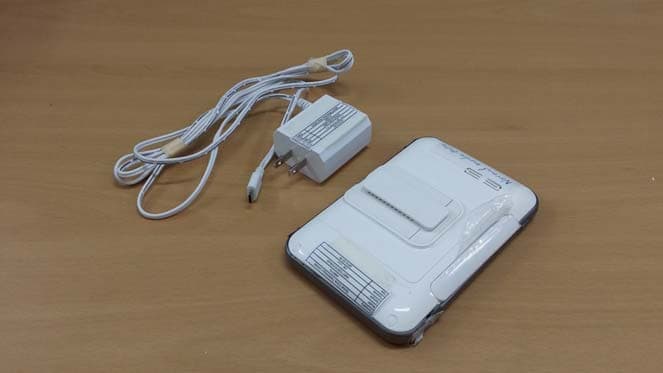
NLMSEW3043WN
Nov 16, 2015Wireless Baby Monitor
Equipment Class
DSS - Part 15 Spread Spectrum Transmitter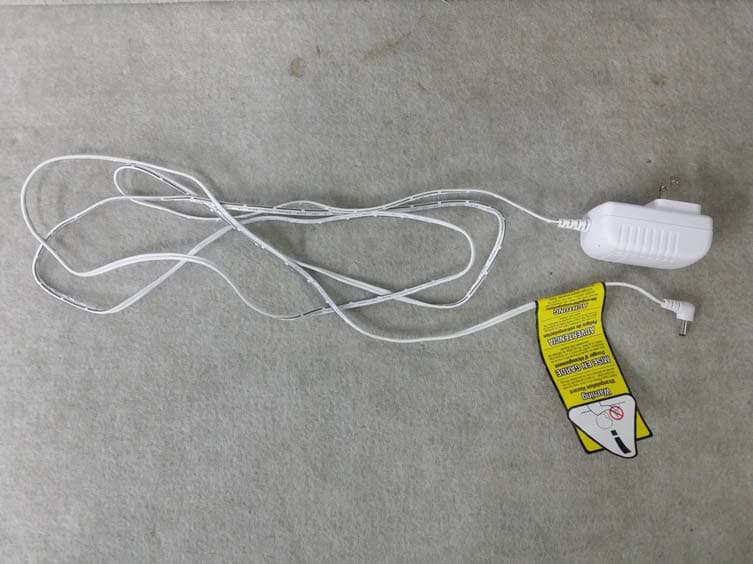
NLMSEW3036W
Jun 16, 2015Baby Monitor
Equipment Class
DSS - Part 15 Spread Spectrum Transmitter