NLMSEB1019RWBaby Camera
Hanwha Techwin Co., Ltd.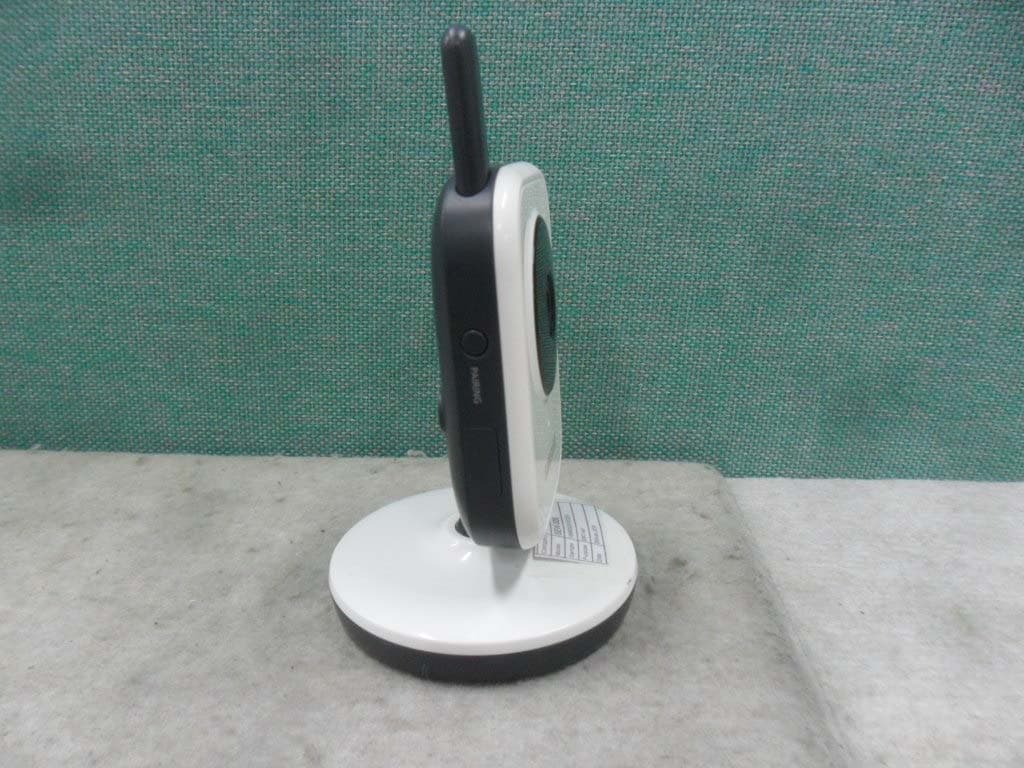
Click to zoom
Application Details
- Equipment Class
- DSS - Part 15 Spread Spectrum Transmitter
- Date of Grant
- Apr 26, 2015
- Application Purpose
- Original Equipment
- Date of Application
- Apr 26, 2015
- Equipment Note
- Baby Camera
- Frequency Range
- 2410.87500000 - 2471.62500000
- Company
- Hanwha Techwin Co., Ltd.
- Country
- South Korea
Documents & Files
Document Text
Text extracted from the exhibit documents filed with the FCC. Open a document above to read the original.
Users Manual
SEW-3036W If you have additional questions or need further assistance, contact Samsung support at (877) 349-3149. To extend your one year warranty by three months, be sure to go to www.samsungsv.com and register your product. BabyVIEW User Manual IMPORTANT SAFETY INSTRUCTIONS 1. Read these instructions. 2. Keep these instructions. 3. Heed all warnings. 4. Follow all instructions. 5. Do not use this apparatus near water. 6. Clean only with dry cloth. 7. Do not block any ventilation openings, Install in accordance with the manufacturer’s instructions. 8. Do not install near any heat sources such as radiators, heat registers, stoves, or other apparatus (including amplifiers) that produce heat. 9. Do not defeat the safety purpose of the polarized or grounding-type plug. A polarized plug has two blades with one wider than the other. A grounding type plug has two blades and a third grounding prong. The wide blade or the third prong are provided for your safety. If the provided plug does not fit into your outlet, consult an electrician for replacement of the obsolete outlet. 10. Protect the power cord from being walked on or pinched particularly at plugs, convenience receptacles, and the point where they exit from the apparatus. 11. Only use attachments/ accessories specified by the manufacturer. 12. Use only with the cart, stand, tripod, bracket, or table specified by the manufacturer, or sold with the apparatus. When a cart is used, use caution when moving the cart/apparatus combination to avoid injury from tip-over. 13. Unplug this apparatus during lighting storms or when unused for long periods of time. 14. Refer all servicing to qualified service personnel. Servicing is required when the apparatus has been damaged in any way, such as power-supply cord or plug is damaged, liquid has been spilled or objects have fallen into the apparatus, the apparatus has been exposed to rain or moisture, does not operate normally, or has been dropped. Copyright ©2012 Samsung Techwin Co., Ltd. All rights reserved. Trademark is the registered logo of Samsung Techwin Co., Ltd. The name of this product is the registered trademark of Samsung Techwin Co., Ltd. Other trademarks mentioned in this manual are the registered trademark of their respective company. Restriction Samsung Techwin Co., Ltd shall reserve the copyright of this document. Under no circumstances, this document shall be reproduced, distributed or changed, partially or wholly, without formal authorization of Samsung Techwin. Disclaimer Samsung Techwin makes the best to verify the integrity and correctness of the contents in this document, but no formal guarantee shall be provided. Use of this document and the subsequent results shall be entirely on the user’s own responsibility. Samsung Techwin reserves the right to change the contents of this document without prior notice. BabyVIEW User Manual SPECIFY SERVICE INSTRUCTIONS AND WARRANTY TERMS FCC Caution : Any Changes or modifications not expressly approved by the party responsible for compliance could void the user’s authority to operate the equipment. This device complies with part 15 of the FCC Rules. Operation is subject to the following two conditions : (1) This device may not cause harmful interference, and (2) this device must accept any interference received, including interference that may cause undesired operation. Note : This equipment has been tested and found to comply with the limits for a Class B digital device, pursuant to part 15 of the FCC Rules. These limits are designed to provide reasonable protection against harmful interference in a residential installation. This equipment generates, uses and can radiate radio frequency energy and, if not installed and used in accordance with the instructions, may cause harmful interference to radio communications. However, there is no guarantee that interference will not occur in a particular installation. If this equipment does cause harmful interference to radio or television reception, which can be determined by turning the equipment off and on, the user is encouraged to try to correct the interference by one or more of the following measures: • Reorient or relocate the receiving antenna. • Increase the separation between the equipment and monitor. • Connect the equipment into an outlet on a circuit different from that to which the monitor is connected. • Consult the dealer or an experienced radio/TV technician for help. WARNING • STRANGULATION HAZARD - Keep cord out of child's reach. NEVER place camera or cords within 3 feet of crib or playpen. Never use extension cords with AC Adapters. Only use the AC Adapters provided. • Some adult assembly or installation required. • This product contains small parts that may cause choking. Keep small parts away from children. • This product is NOT intended to replace proper supervision of children. You MUST check your child’s activity regularly, as this product will not alert parents to silent activities of a child. • Before using this product, read and follow all instructions contained in this booklet, and read and follow all instructions and warnings on the product. • NEVER use the transmitter or monitor near water, including near a bathtub, sink, laundry tub, wet basement, etc. • This product is intended for indoor use only. • This product is not intended for use as a medical monitor and its use should not replace adult supervision. • The transmitter detects normal sound levels within a range of 2 to 3 meters (6 to 10 feet) from a child. If the child moves outside of this range, if may not be able to detect sounds from him or her. • It is essential that you check the operating range and condition of the transmitter monitor on initial installation, and on a regular basis after that. • Check reception regularly. Test monitor before use and after changing camera location. The wireless signal transfer range may be shortened if an obstacle such as a concrete wall is in between the camera and monitor. …
Text truncated - open the document above for the full version.
Users Manual
10 · Overview Getting to know your Monitoring system Wireless Monitor After opening the box, fully charge the monitor before use. After initial charge, recharge as needed. Front Controls SEW-3036W Monitor Antenna Receives and sends signals from or to the camera. 3.5” LCd Screen Displays video from the camera. Sound Level Leds Flashes when sound is detected. MeNu Button Press to access from video monitor mode to menu mode operation. In menu mode, press this button will go back to monitor mode with save from selection. SLeeP Button Used to turn on / off the screen by press this button. User can turn on the video again by pressing any buttons. Microphone Transmits audio to the camera when [TALK] button is pressed down and held like a walkie talkie. Navigation Controls / oK/ZooM Button Use the controls to move and select while in Viewing Mode, Menu Mode and Zoom Mode. Power Led Indicator turns green when powered. When battery is charging, this LED will in green color. oVerVIeW Navigation Controls / SEW-3036W Button Viewing Mode: The following controls are used while watching live video from the camera: • Press the [$] or [%] buttons to increase or decrease the volume. • Press the [+] button to switch to the next connected camera’s screen. • Press the [ SEW-3036W ] button to zoom in / out the screen. Menu Mode: Use the [$/%/_/+] button arrows to navigate in Menu Mode. Press the [ SEW-3036W ] button to confirm the menu selection. Zoom Mode: While in zooming, use [$/%/_/+] button to move the screen around. English · 11 04 overview Back Controls n `You must have more than one camera configured on the system when using the functions that requires more than one camera. Side Controls dC 6V Power Input Connect the included AC power adapter to power and/or charge the monitor battery. (when the monitor is not placed in the optional Charge cradle). Power and Vox oN / oFF Slide Switch Set this switch to ON or OFF to turn on/off the wireless monitor, and set to VOX to turn on the VOX mode. TALK Button Press down and hold the button to talk back to the camera currently being displayed on the LCD screen. Speaker Produces the sound transmitted from the camera(s). Belt Clip When you carry the monitor, use the belt hanger to hold the monitor onto your belt. Kick Stand Use to hold the monitor onto a table. - ON - VOX - OFF DC IN 6V 12 · Overview Wireless Camera Front & Back Controls Side Controls Power Led LED turns on when powered. PAIrING Button Press this button to pair with a monitor. Power Slide Switch Turns the camera ON or OFF. PAIRINGPAIRING Night vision sensor Detects light levels where the camera is placed. Ir Leds Infrared LED’s provide viewing in no / low light conditions. Microphone Receives sounds for the area near the camera, and transmits sound from the camera to the monitor. Camera Antenna Sends & receives signals to or from the monitor. dC 6V Power Input Connect the adapter to the camera. DC IN 6V - ON - OFF DC IN 6V - ON - OFF Speaker Produces the sound transmitted from the monitor. English · 13 05 Installation How to Install CAUTION: If you use the system to watch a young child, do not place the camera in the child's reach. Wireless Monitor 1. Place the monitor in a place that will have clear reception with your camera(s). 2. Pull out the stand. n `Do not pull up the stand lever with an excessive force. Wireless Camera Before you install the camera, carefully plan where and how it will be positioned, and where you will route the cable that connects the camera to the power adapter. Before starting permanent installation, verify its performance by observing the image on the monitor when camera is positioned in the same location/position where it will be permanently installed and the monitor is placed in the location where it will be used most of the time. Installation Warnings Aim the camera(s) to best optimize the viewing area: Select a location for the camera that provides a clear view of the area you want to monitor, which is free from dust, and is not in line-of-sight to a strong light source or direct sunlight. Avoid installing the camera where there are thick walls or obstructions between the camera and the monitor. STRANGULATION HAZARD - Keep cord out of child's reach. NEVER place camera or cords within 3 feet of crib or playpen. Never use extension cords with AC Adapters. Only use the AC Adapters provided. 1. Carefully unpack the camera. If you are installing cameras that did not come with the system, please see the pairing camera section of this manual for details on installation. 2. Mount the camera to the wall. Mark the position of the screw holes on the wall, and drill holes and insert 2 screws, then firmly attach the camera to the wall by placing the stand over the installed screws and pushing the base downwards. n `To install on a concrete wall, drill a hole and use plastic anchor to fix. `Use the drilling template to drill holes on the wall for camera installation. (Page 17) `The camera can also be placed on a flat surface, such as a table or shelf, and no mounting hardware is required. 3. Adjust the viewing angle of the camera. n `You can install additional cameras (maximum of 4 cameras). When adding cameras that were not included in the original box, you will need to pair up the cameras with the monitor. InstallatIon 14 · Appendix Specifications ItemDetails System General Operating Frequency Range2400 MHz~2483.5 MHz Transmitting Power17dBm Max Monitor Sensitivity-88dBm Type of Spread Spectrum TXFHSS Type of ModulationGFSK Data Rate3Mbps Transmission rangeOutdoor 250 m (Eye of Sight) WeightGross weight: 861g, Net weight: 415g Wireless Camera Image Sensor Type1/5” Color CMOS Image Sensor Effective PixelH: 640, V: 480 White BalanceAuto LensEFL=3.0mm, F=2.8 Viewing Angle (Diagonal)56 degree IR LED Type/ Night Vision8pcs IR LED – 940nm /5m Loud Speaker Output80dBA Power Requirement6V ±10% Power Consumption480mA Condition Night vision mode and talk back. VOX level detectionHigh: 5…
Text truncated - open the document above for the full version.
Cover Letter(s)
Samsung Techwin Co.,Ltd. 1204,Changwon-daero,Seongsan-gu,Chang-won-si,Gyeongsangnam-do,Korea Tel. +82-70-7147-8361 / Fax. +82-31-277-2784 Date: April 9, 2015 To: TIMCO Engineering, Inc Dear Sir/Madam, Re: Project and Product Certification Representative Authorization Letter We, Samsung Techwin Co.,Ltd., hereby authorize TIMCO Engineering, Inc. to act as a Certification Body for certifying for the following project : Product: Wireless Baby Monitor Model name: SEB-1019RW FCC ID: NLMSEB1019RW Variant Model name: - I, the undersigned, hereby certify that we are not subject to a denial of federal benefits, that includes FCC benefits, pursuant to Section 5301 of the Anti-Drug Abuse Act of 1988, 21 U.S.C. 853(a). This authorization is valid until further written notice from the applicant. Sincerely Yours, ______________________________________ NAME : Jeisoon Kang TITLE : Principal Research Engineer E-MAIL: [email protected] FAX : +82-31-277-2784 TEL: +82-70-7147-8361 Samsung Techwin Co.,Ltd.
Cover Letter(s)
Samsung Techwin Co.,Ltd. 1204,Changwon-daero,Seongsan-gu,Chang-won-si,Gyeongsangnam-do,Korea Tel. +82-70-7147-8361 / Fax. +82-31-277-2784 FCC Confidentiality Request Letter Date: April 9, 2015 Federal Communications Commission Authorization and Evaluation Division 7435 Oakland Mills Road Columbia MD 21046 Subject: Permanent Confidentiality Request for FCC ID: NLMSEB1019RW We hereby request confidential treatment of information accompanying this application as outlined below: •B lock diagram •Operation Description •Schematics The above materials contain trade secrets and proprietary information not customarily released to the public. The public disclosure of these materials may be harmful to the applicant and provide unjustified benefits to its competitors. The applicant understands that pursuant to Section 0.457 & 0.459 of the Rules, disclosure of this application and all accompanying documentation will not be made before the date of the Grant for this application. Sincerely Yours, __ ____________________________________ NAME : Jeisoon Kang TITLE : Principal Research Engineer E-MAIL: [email protected] FAX : +82-31-277-2784 TEL: +82-70-7147-8361 Samsung Techwin Co.,Ltd.
Cover Letter(s)
Samsung Techwin Co.,Ltd. 1204,Changwon-daero,Seongsan-gu,Chang-won-si,Gyeongsangnam-do,Korea Tel. +82-70-7147-8361 / Fax. +82-31-277-2784 Date: April 9, 2015 To: TIMCO Engineering Dear Sir/Madam, Re: Letter of Similarity We, Samsung Techwin Co.,Ltd., declare the differences for between original model and variant models. -Product: Baby Camera -Model name: SEB-1019RW -Variant Model name: SEB-101ARW Variant model names are different only for lens. Sincerely Yours, ______________________________________ NAME : Jeisoon Kang TITLE : Principal Research Engineer E-MAIL: [email protected] FAX : +82-31-277-2784 TEL: +82-70-7147-8361 Samsung Techwin Co.,Ltd.
External Photos
http://www.emc2000.co.kr EMC compliance Ltd. Page: 1 of 4 65, Sinwon-ro, Yeongtong-gu, Suwon- si, Gyeonggi-do, 443-390, Korea 82-70-5008-1021 (Main) 82-505-299-8311 (Fax) This test report shall not be reproduced except in full, Without the written approval. External photos of EUT http://www.emc2000.co.kr EMC compliance Ltd. Page: 2 of 4 65, Sinwon-ro, Yeongtong-gu, Suwon- si, Gyeonggi-do, 443-390, Korea 82-70-5008-1021 (Main) 82-505-299-8311 (Fax) This test report shall not be reproduced except in full, Without the written approval. http://www.emc2000.co.kr EMC compliance Ltd. Page: 3 of 4 65, Sinwon-ro, Yeongtong-gu, Suwon- si, Gyeonggi-do, 443-390, Korea 82-70-5008-1021 (Main) 82-505-299-8311 (Fax) This test report shall not be reproduced except in full, Without the written approval. http://www.emc2000.co.kr EMC compliance Ltd. Page: 4 of 4 65, Sinwon-ro, Yeongtong-gu, Suwon- si, Gyeonggi-do, 443-390, Korea 82-70-5008-1021 (Main) 82-505-299-8311 (Fax) This test report shall not be reproduced except in full, Without the written approval.
ID Label/Location Info
WIRELESS BABY MONITOR M/C:SEW-3036WN/US S/N:C8MU********* MODEL:SEW-3036W DC 6V 0.8A FCC ID:NLMSEW3036W MONITOR M/C:SEW-3036WN/US C8MU*********** M/C:SEB-1019RWN/US C8X2************ WIRELESS BABY CAMERA MODEL:SEB-1019RW DC 6V 0.8A FCC ID:NLMSEB1019RW M/C:SEB-1019RWN/US S/N:C8X2*********** CAMERA SEW-3036W WIRELESS BABY MONITOR SEB-1019RW WIRELESS BABY CAMERA SEW-3036WN SEW-3036WN/US 4 8 55726 002438
Internal Photos
http://www.emc2000.co.kr EMC compliance Ltd. Page: 1 of 2 65, Sinwon-ro, Yeongtong-gu, Suwon- si, Gyeonggi-do, 443-390, Korea 82-70-5008-1021 (Main) 82-505-299-8311 (Fax) This test report shall not be reproduced except in full, Without the written approval. Internal photos of EUT http://www.emc2000.co.kr EMC compliance Ltd. Page: 2 of 2 65, Sinwon-ro, Yeongtong-gu, Suwon- si, Gyeonggi-do, 443-390, Korea 82-70-5008-1021 (Main) 82-505-299-8311 (Fax) This test report shall not be reproduced except in full, Without the written approval. Module Antenna
RF Exposure Info
http://www.emc2000.co.kr EMC compliance Ltd. Page: 1 of 2 480-5 Shin-dong, Yeongtong-gu, Suwon-city, Gyunggi-do, 443-390, Korea 82-31-336-9919 (Main) 82-505-299-8311 (Fax) This test report shall not be reproduced except in full, Without the written approval. * RF Exposure 1. Regulation According to §15.247(i), systems operating under the provisions of this section shall be operated in a manner that ensures that the public is not exposed to radio frequency energy levels in excess of the Commission's guidelines. See § 1.1307(b)(1) of this Chapter. Limits for Maximum Permissive Exposure: RF exposure is calculated. Frequency Range Electric Field Strength [V/m] Magnetic Field Strength [A/m] Power Density [㎽/㎠] Av er ag ing Time [minute] Limits for General Population / Uncontrolled Exposure 0.3 ~ 1.34 614 1.63 *(100) 30 1.34 ~ 30 824/f 2.19/f *(180/f 2 ) 30 30 ~ 300 27.5 0.073 0.2 30 300 ~ 1 500 / / f/1 500 30 1 500 ~ 15 000 / / 1.0 30 f=frequency in ㎒, *= plane-wave equivalent power density MPE (Maximum Permissive Exposure) Prediction Predication of MPE limit at a given distance: Equation from page 18 of OET Bulletin 65, Edition 97-01 SPGRRPGS4 4 2 S = power density [㎽/㎠] P = Power input to antenna [㎽] G = Power gain of the antenna in the direction of interest relative to an isotropic radiator R = distance to the center of radiation of the antenna [㎝] http://www.emc2000.co.kr EMC compliance Ltd. Page: 2 of 2 480-5 Shin-dong, Yeongtong-gu, Suwon-city, Gyunggi-do, 443-390, Korea 82-31-336-9919 (Main) 82-505-299-8311 (Fax) This test report shall not be reproduced except in full, Without the written approval. 2. RF Exposure Compliance Issue The information should be included in the user’s manual: This appliance and its antenna must not be co-located or operation in conjunction with any other antenna or transmitter. A minimum separation distance of 20 ㎝ must be maintained between the antenna and the person for this appliance to satisfy the RF exposure requirements. 3. Calculation Result of RF Exposure Channel Target power Tune up tolerance Max tune up power Max tune up power Ant Gain Ant Gain Power Density at 20 ㎝ Limit [㏈] [㏈] [㏈] [㎽] [㏈m] [㎽] [㎽/㎠] [㎽/㎠] Low 13.00 ±3 16.00 39.81 2.00 1.58 0.012 55 1.000 00 4. Target power and tolerance, Max tuneup power Channel Target power tolerance Max tuneup power Low 13.00 ±3 16.00 Middle 11.00 ±3 14.00 High 11.00 ±3 14.00
Test Report
http://www.emc2000.co.kr FCC TEST REPORT Report No.: EMC-FCC-R0227 EMC compliance Ltd. Page: 2 of 36 480-5, Sin-dong, Yeongtong-gu, Suwon-si, Gyeonggi-do, Korea 82-70-5008-1021 (Main) 82-505-299-8311 (Fax) This test report shall not be reproduced except in full, Without the written approval. [ Contents ] 1. Client information ............................................................................................................................................. 3 2. Laboratory information .................................................................................................................................... 4 3. Description of E.U.T. ......................................................................................................................................... 5 3.1 Basic description .......................................................................................................................................... 5 3.2 General description ....................................................................................................................................... 5 3.3 Test frequency ............................................................................................................................................... 6 3.4 Test Voltage .................................................................................................................................................. 6 4. Summary of test results ..................................................................................................................................... 7 4.1 Standards & results ....................................................................................................................................... 7 4.2 Uncertainty ................................................................................................................................................... 7 5. Test results .......................................................................................................................................................... 8 5.1 Antenna Requirement ................................................................................................................................... 8 5.2 Maximum Peak Output Power ...................................................................................................................... 9 5.3 Carrier Frequency Separation ..................................................................................................................... 13 5.4 20 dB Channel Bandwidth .......................................................................................................................... 16 5.5 Number of Hopping Channels .................................................................................................................... 20 5.6 Time of Occupancy(Dwell Time) ............................................................................................................... 22 5.7 Spurious Emission, Band edge and Restricted bands ................................................................................. 25 5.8 Conducted Emission ................................................................................................................................... 34 6. Test equipment used for test ........................................................................................................................... 36 http://www.emc2000.co.kr FCC TEST REPORT Report No.: EMC-FCC-R0227 EMC compliance Ltd. Page: 3 of 36 480-5, Sin-dong, Yeongtong-gu, Suwon-si, Gyeonggi-do, Korea 82-70-5008-1021 (Main) 82-505-299-8311 (Fax) This test report shall not be reproduced except in full, Without the written approval. 1. Client information Applicant: Samsung Techwin Co., Ltd. Address: 84, Jeongdong-ro, Seongsan-gu, Changwon-si, Gyeongsangnam-do, Korea Telephone number: +82-70-7147-8361 Facsimile number: +82-31-277-2784 Contact person: Kang Jea Soon / [email protected] Manufacturer: GCT Address: FLAT/RM 308 3/F KWONG SANG HONG CENTRE 151-153HOI BUN ROAD SWUN TONGI http://www.emc2000.co.kr FCC TEST REPORT Report No.: EMC-FCC-R0227 EMC compliance Ltd. Page: 4 of 36 480-5, Sin-dong, Yeongtong-gu, Suwon-si, Gyeonggi-do, Korea 82-70-5008-1021 (Main) 82-505-299-8311 (Fax) This test report shall not be reproduced except in full, Without the written approval. 2. Laboratory information Address EMC compliance Ltd. 480-5, Sin-dong, Yeongtong-gu, Suwon-si, Gyeonggi-do, Korea Telephone Number: 82-31-336-9919 Facsimile Number: 82-505-299-8311 Certificate KOLAS No.: 231 FCC Site Designation No.: KR0040 FCC Site Registration No.: 687132 VCCI Site Registration No.: R-3327, G-198, C-3706, T-1849 IC Site Registration No.:8035A-2 SITE MAP EMC Compliance Ltd. Suwon city http://www.emc2000.co.kr FCC TEST REPORT Report No.: EMC-FCC-R0227 EMC compliance Ltd. Page: 5 of 36 480-5, Sin-dong, Yeongtong-gu, Suwon-si, Gyeonggi-do, Korea 82-70-5008-1021 (Main) 82-505-299-8311 (Fax) This test report shall not be reproduced except in full, Without the written approval. 3. Description of E.U.T. 3.1 Basic description Applicant Samsung Techwin Co., Ltd. Address of Applicant 84, Jeongdong-ro, Seongsan-gu, Changwon-si, Gyeongsangnam-do, Korea Manufacturer GCT Address of Manufacturer FLAT/RM 308 3/F KWONG SANG HONG CENTRE 151- 153HOI BUN ROAD SWUN TONGI Type of equipment Baby Camera Basic Model SEB-1019RW Variant Model SEB-101ARW Serial number N/A * Variant model names are different only for lens. 3.2 General description Frequency Range 2 410.875 ㎒ ~ 2 471.625 ㎒ Type of Modulation GFSK Type of Antenna Wire Antenna Antenna Gain 2.0 ㏈i Transmit Power 15.13 ㏈m Power supply DC 6.0 V * (AC Adaptor: 5E-AD060080-U) Product SW/HW version BS960020130415_B318 / VM9600-BM00 Radio SW/HW version VM9600-ALL-RF00_RFX2402 Test SW Version N/A RF power setting in TEST SW set default * Declared by the applicant. http://www.emc2000.co.kr FCC TE…
Text truncated - open the document above for the full version.
Test Setup Photos
http://www.emc2000.co.kr EMC compliance Ltd. Page: 1 of 2 480-5, Sin-dong, Yeongtong-gu, Suwon-si, Gyeonggi-do, Korea 82-70-5008-1021 (Main) 82-505-299-8311 (Fax) This test report shall not be reproduced except in full, Without the written approval. Te s t setup photos * 9 ㎑ ~ 30 ㎒ * 30 ㎒ ~ 1 ㎓ http://www.emc2000.co.kr EMC compliance Ltd. Page: 2 of 2 480-5, Sin-dong, Yeongtong-gu, Suwon-si, Gyeonggi-do, Korea 82-70-5008-1021 (Main) 82-505-299-8311 (Fax) This test report shall not be reproduced except in full, Without the written approval. * 1 ㎓ Over * Conducted Emission
Contact Information
Applicant
JEISOON KANG(Principal Research Engineer)
Test Firm
Eurofins KCTL Co., Ltd.Sung-su Lim
Technical Specifications
| # | Rule Parts | Frequency Range | Power Output |
|---|---|---|---|
| 1 | 15C | 2.41 GHz - 2.47 GHz | 33.00 mW |
Other Applications from Hanwha Techwin Co., Ltd.
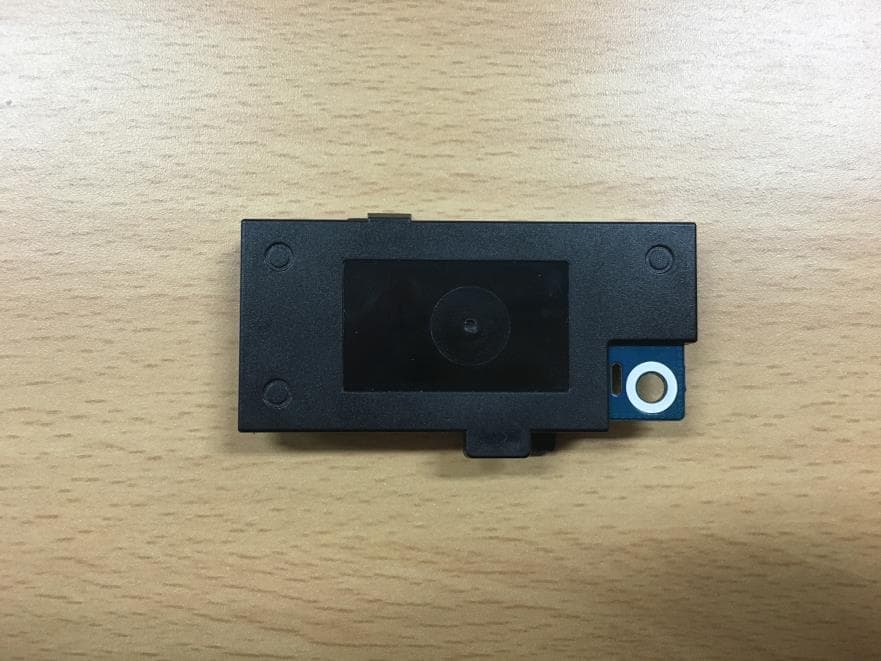
NLMSWLQ93T
Dec 22, 2015WiFi Module
Equipment Class
NII - Unlicensed National Information Infrastructure TX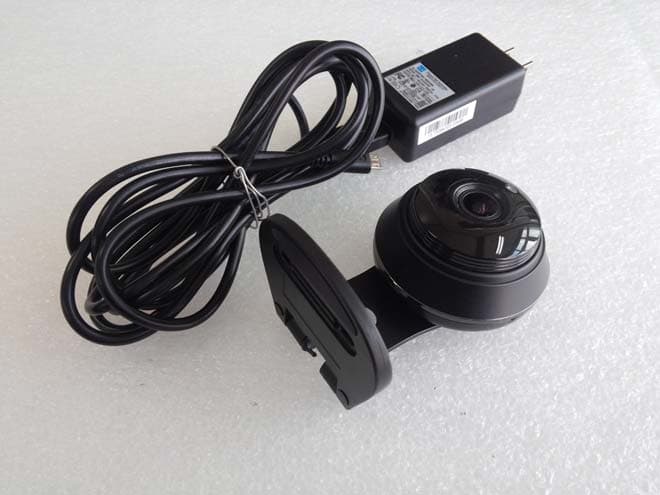
NLMSNHV6414BN
Nov 19, 2015SMART HOME CAMERA
Equipment Class
DTS - Digital Transmission System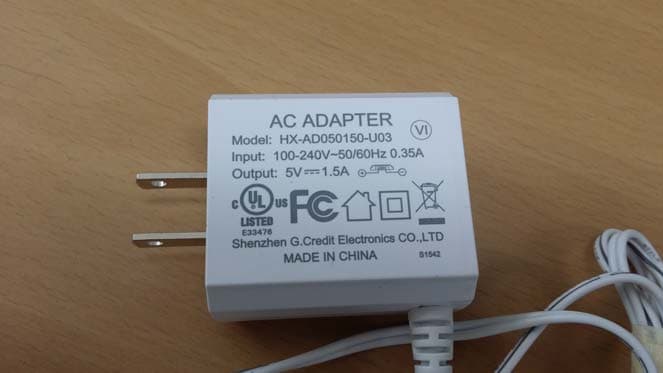
NLMSEP1003RWN
Nov 16, 2015Wireless Baby Camera
Equipment Class
DSS - Part 15 Spread Spectrum Transmitter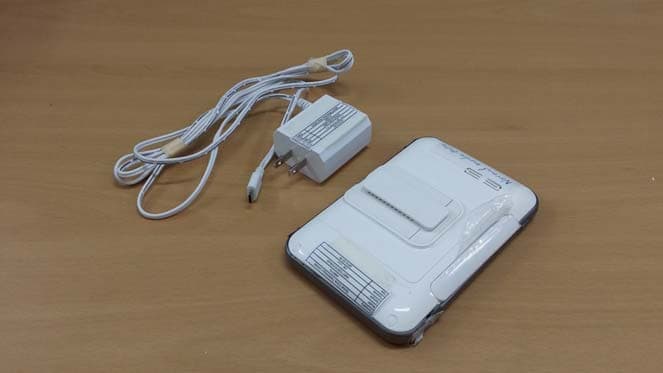
NLMSEW3043WN
Nov 16, 2015Wireless Baby Monitor
Equipment Class
DSS - Part 15 Spread Spectrum Transmitter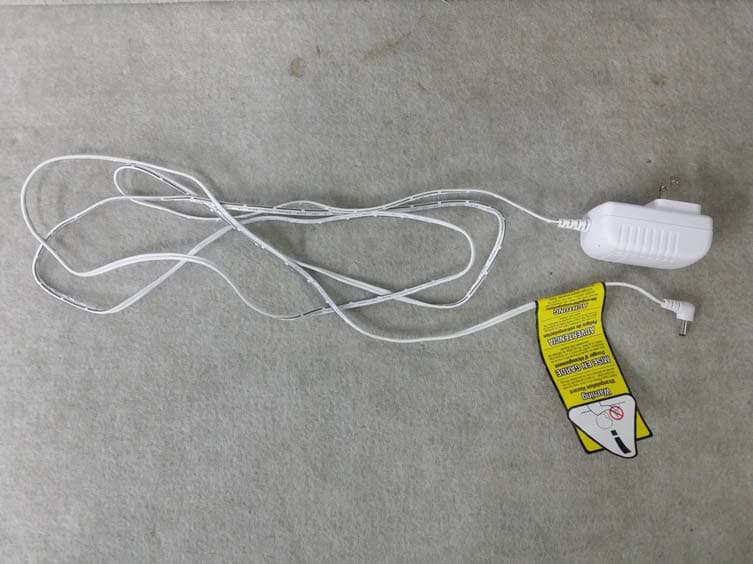
NLMSEW3036W
Jun 16, 2015Baby Monitor
Equipment Class
DSS - Part 15 Spread Spectrum Transmitter