NLMSNHE6411BNHome Smart Camera
Hanwha Techwin Co., Ltd.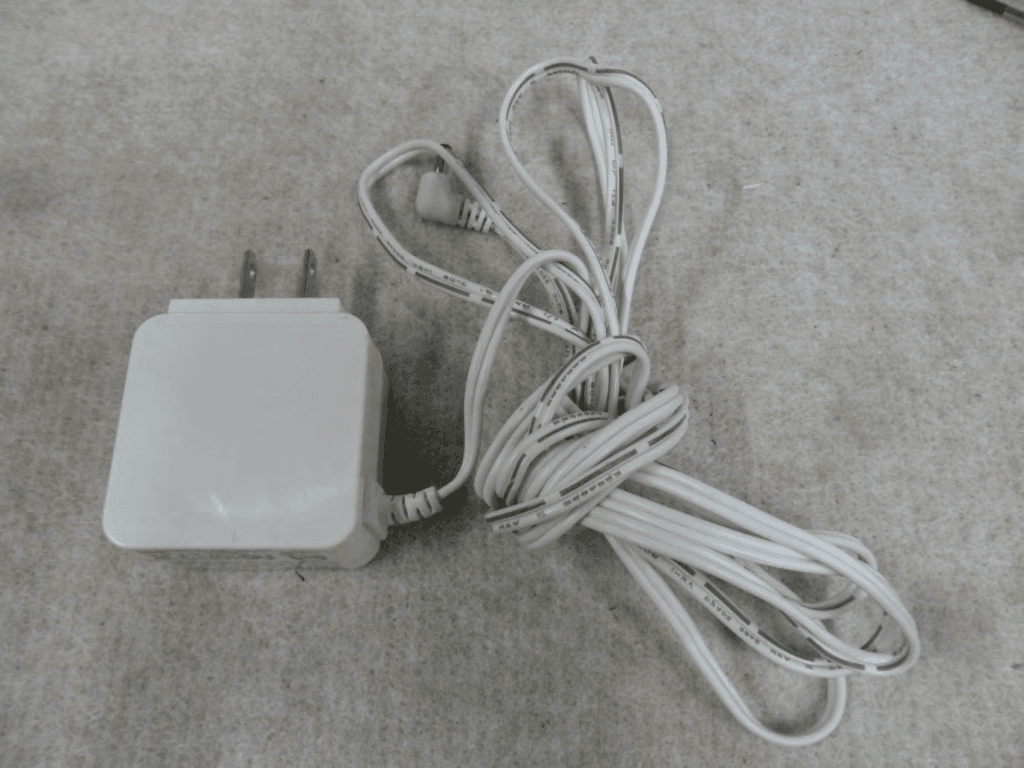
Click to zoom
Application Details
- Equipment Class
- DTS - Digital Transmission System
- Date of Grant
- May 27, 2014
- Application Purpose
- Original Equipment
- Date of Application
- May 27, 2014
- Equipment Note
- Home Smart Camera
- Frequency Range
- 2422.00000000 - 2452.00000000
- Company
- Hanwha Techwin Co., Ltd.
- Country
- South Korea
Documents & Files
Document Text
Text extracted from the exhibit documents filed with the FCC. Open a document above to read the original.
Users Manual
http://www.emc2000.co.kr FCC TEST REPORT Report No.: EMC-FCC-R0165 EMC compliance Ltd. 65, Sinwon-ro, Yeongtong-gu, Suwon-si, Gyeonggi-do, 443-390, Korea 82-31-336-9919 (Main) 82-505-299-8311 (Fax) This test report shall not be reproduced, except in full, Without the written approval. User Manual SAMSUNG SMARTCAM User Manual SNH-E6411BN 0678 ! SPECIFY SERVICE INSTRUCTIONS AND WARRANTY TERMS This device complies with Part 15 of the FCC Rules. Operation is subject to the following two conditions: (1) this device may not cause harmful interference, and (2) this device must accept any interference received, including interference that may cause undesired operation. FCC NOTE: THE MANUFACTURER IS NOT RESPONSIBLE FOR ANY RADIO OR TV INTERFERENCE CAUSED BY UNAUTHORIZED MODIFICATIONS TO THIS EQUIPMENT. SUCH MODIFICATIONS COULD VOID THE USER'S AUTHORITY TO OPERATE THE EQUIPMENT. Operational Description The operational description shall fulfil the requirements of Rule Part 2.1033(b)(4). The rule part requires, "A brief description of the circuit functions of the device along with a statement describing how the device operates. This statement should contain a description of the ground system and antenna, if any, used with the device". The above requirement has been further interpreted by the FCC to mean that the description shall: a. be an operational or technical description of how the device operates, is modulated and meets requirements; b. describe the EUT completely. What is it (in plain English as well as technical terms)? Give a clear, concise functional description of device operation. c. always describe the signal, such as modulation type, pulse repetition rate, signal type and information being sent. Describe all modulation types and all data rates. Instructions & Warranty The manufacturer is not responsible for any loss or radio/TV interference caused by unauthorized modification of the product. Such modification will void the warranty of the product as well as the user’s right of use. WARNING • The product must be assembled and installed by an adult. • Before using, read all instructions on this manual thoroughly and follow operational instructions, warnings on this manual and printed on the product. • To avoid entangled power cord, do not place it around the baby bed or other infant furniture. Keep this product and its power cord out of children’s reach. Copyright ©2014 Samsung Techwin Co., Ltd. All rights reserved. Trademark is the registered logo of Samsung Techwin Co., Ltd. The name of this product is the registered trademark of Samsung Techwin Co., Ltd. Other trademarks mentioned in this manual are the registered trademark of their respective company. Restriction Samsung Techwin Co., Ltd shall reserve the copyright of this document. Under no circumstances, this document shall be reproduced, distributed or changed, partially or wholly, without formal authorization of Samsung Techwin. Disclaimer Samsung Techwin makes the best to verify the integrity and correctness of the contents in this document, but no formal guarantee shall be provided. Use of this document and the subsequent results shall be entirely on the user’s own responsibility. Samsung Techwin reserves the right to change the contents of this document without prior notice. Samsung SmartCam User Manual • Especially, the power cord should be installed carefully while keeping it out of children’s reach. • Never use the product near bath tub, sink, washing machine and in wet basement to avoid moisture. • The product is designed for indoor use. • The product is not designed for medical monitoring, and requires a grown-up’s protective supervision on its use. • To avoid overheating of the product, do not expose the product to direct sunlight; do not install or use near a heat source such as heater, radiator, cooking devices (ex: electric stove or oven) and other warming devices (ex: audio amplifier, TV, etc.). • Make sure to keep ventilated while using the product. Avoid pillar or furniture that may block ventilation, when installing the product. • Make sure to use the power adaptor provided. If used with unidentified adaptor, it may damage the product. The power adaptor must be used with regular household electric supply. • Avoid sharp, pointed objects around the adaptor’s cable, not to damage the cable. • Be warned and never hold the cable’s stripped part when connecting / disconnecting the adaptor to/from the wall outlet. • To avoid entangled cable lines, avoid using cable extension for adaptor’s power cord. • The product’s servicing is allowed only to authorized Samsung Techwin’s service personnel. • When using the product for children’s care, be careful to keep the product out of children’s reach. • The product partially contains component which might cause respiration difficulty. Accessories and small parts of the product should be stored keeping out of children’s reach. • The product is not designed to replace responsibility of human supervision on children. • The product is not equipped with device of immediate notification to adult with accidental/sudden children‘s move; it requires periodic checks and human supervision. • This appliance and its antenna must not be collocated or operation in conjunction with any other antenna or transmitter. A minimum separation distance of 20 cm must be maintained between the antenna and the person for this appliance to satisfy the RF exposure requirements. Contents GeTTinG STARTeD Features ...............................................................4 What’s Included ......................................................5 Part names and functions ..........................................6 inSTALLATion & neTwoRk ConneCTion Installation ............................................................8 Network Connection and Settings .................................9 MoniToRinG Registration ............................................................11 Live Video ...........................…
Text truncated - open the document above for the full version.
Users Manual
17 03 Monitoring Monitoring options ItemDescription a Default CameraSet the default camera to monitor in the camera list. b Delete CameraDelete the registered camera. c Cancel remembering camera password Cancel remembering the camera password. d Night Vision If Night Vision is set <ON>, it will automatically switch to black and white mode in the dark condition and then the IR lamp will automatically operate. If Night Vision is set <OFF>, it does not switch to night vision mode and it will operate in color mode. ItemDescription e Motion zone settingIt detects motion within the range set by a user. f FlipYou can flip over the video image. g Manual recording A user can directly save videos in their SD card. `30 minute long video is saved. `If there is an ongoing event now or overwrite to SD card is not checked, and there is storage space of 10% remaining, you cannot perform manual recording. h Network Speed Set the network speed (low/mid/high). `If the bandwidth provided by your internet service provider is smaller than the recommended value, then the video might get fuzzy or temporary disconnections or delays in the live video may be caused. i Capture ImageLive video is saved as one image. j Sound When enabled, you can hear what’s happening around the camera. `Some internet service providers do not support audio outputs in relay mode. k Full screen The video is displayed on the full screen. `The system supports Internet Explorer only. `If you double-click the screen, the full screen mode is terminated. l BrightnessYou can adjust the brightness of the screen image. m Hide/unhide detailed menu Click on the [ ] icon to unhide or hide detailed setting menu. n Audio Adjust the volume of the built-in microphone and speaker of the camera as appropriate. If you set the mic setting to '0', you will not hear the live audio, and it will not be recorded in your SD card. Note that the Two-way audio transfer function is available only with the smart phone application. l m k n f h j i e d g bca 18 · English ❖ network Speed Profile NameResolutionFrame rate Recommended bandwidth Low Speed NetworkVGA20 fps0.7Mbps Mid Speed NetworkHD(720P)15 fps1Mbps High Speed NetworkFull HD(1080P)30 fps2.8Mbps n `What is relay mode? If the network condition is unstable, the camera cannot make a normal connection (P2P), so it will set up a connection in relay mode. In this case, you will see the video for the first seven minutes only. `Relay mode is added feature where the video from the camera is transmitted to Samsung server then retransmitted to the user's computer. `If you have trouble connection to the camera, visit "http://www.samsungsmartcam. com", go to support page, and refer to “Troubleshooting” on it. `It is recommended to use one browser at one time. `The Night Vision video produces a different visibility according to the distance between camera and subject. ❖ Motion detection area setting 1) Click the < > icon. 2) Drag it to the screen to set the detection area. 3) Click on <ok>. If you want to delete the set ar ea, click on <Delete All>. n `The <Motion Detection> function needs to be activated in order to use the motion zone function. Setup Basic info a b c d f e 19 03 Monitoring ItemDescription a Serial numberYou can confirm the serial number. b Camera password Click the <Modify>, you can change the Camera password. Enter the current camera password, and type a new Camera password. c Camera NameClick the <Modify>, you can change the camera name. d Firmware Version You can check the current version and the latest version of your camera S/W. e Status LEDYou can turn on/off the LED in your camera. f Flickerless You can reduce the occurrence of screen shaking due to the frequency mismatches with the neighboring lighting. n `If you change the camera password, you will be logged out and return to the camera password input page. `Keep the camera password in a safe place as it is used for viewing the live screen of the camera or for changing the display settings. ❖ Firmware update If the currently used S/W is not of the latest version, update it. If you are using the latest version, then the firmware will not be activated. 1) Click <Firmware >. 2) Click the < > icon to update the firmware. 3) When the firmware update is finished, the camera will reboot. n `If you want to update the firmware, it is recommended to use a wired network connection. `If the power goes off during updates, it may not operate properly. `The duration of the firmware update depends on the size of the firmware file and the network connection speed. 20 · English network ItemDescription a Dynamic IP Address If you select <Dynamic IP Address>, the IP address will be obtained automatically. b Static IP Address You must manually provide the information of: IP address, subnet mask, gateway, DNS server address. n `If any of the manual settings is wrong, the network settings will not be applied. `If you have both cable and wireless network connections simultaneously, the cable network connection is prioritized. `If you switch from the current wireless connection to the cable connection, the network will switch to cable connection accordingly. `For more information about the router or the wireless connection, refer to the documentation of the router or contact the router manufacturer. <Wired Network> b a 21 03 Monitoring ItemDescription a Wireless On/ Wireless Off You can select to activate or deactivate the wireless network connection. b AP (Access Point) list You will see a list of APs (Access Point) available. Select a desired one from the list of APs (Access Point). c AP (Access Point) password If you select a secured AP (Access Point), you must enter the password before you can access the network. For the password, contact your network administrator. d Hidden SSID If your SSID is hidden, select the type of security you have. Enter the name of the SSID and the password. n `If you select a non-secured AP (Access Point), you just can access the network…
Text truncated - open the document above for the full version.
Cover Letter(s)
Date: May 19, 2014 To: SIEMIC , INC. 775 Montague Expressway, Milpitas, CA 95035 USA Dear Sir/Madam, Re: Project a nd Product Certification Representative Authorization Letter We, Samsung Techwin Co., Ltd. hereby authorize SIEMIC, INC. to act as a Certification Body for certifying for the following project : - Product : Home Smart Camera - Model name : SNH-E6411BN - FCC ID : NLMSNHE6411BN We affirm that between SIEMIC and Samsung Techwin Co., Ltd. any difference in understanding, including test plan, measurement methods, applicable standards and relevant procedures and processes have been resolved prior to commencement of testing activities. I, the undersigned, hereby certify that we are not subject to a denial of federal benefits, that includes FCC benefits, pursuant to Section 5301 of the Anti-Drug Abuse Act of 1988, 21 U.S.C. 853(a). This author ization is valid until further written notice from the applicant. Sincerely Yours, Samsung Techwin Co., Ltd. 84, Jeongdong-ro, Seongsan-gu, Changwon-si, Gyeongsangnam-do, Korea Tel. +82-70-7147-8361/ Fax. +82 - 31-277-2784 ______________________________________ Jeisoon , Kang /Principal Research Engineer /Samsung Techwin Co., Ltd.
Cover Letter(s)
Samsung Techwin Co., Ltd. 84, Jeongdong-ro, Seongsan-gu, Changwon-si, Gyeongsangnam-do, Korea Tel. +82-70-7147-8361/ Fax. +82 -31- 277-2784 FCC Confidentiality Request Letter Date: May 19, 2014 Federal Communications Commission Authorization and Evaluation Division 7435 Oakland Mills Road Columbia MD 21046 Subject: Permanent Confidentiality Request for FCC ID: NLMSNHE6411BN We hereby request confidential treatment of information accompanying this a pplication as out lined below: •Block diagram •Sch ematics •Operation Description The above materi als contain trade secrets and proprietary information not customarily released to the public. The public disclosure of these materials may be harmful to the applicant and provide unjustified benefits to its competitors. The applicant unde rstands that pursuant to Section 0.457 & 0.459 of the Rules, disclosure of this application and all accompanying documentation will not be made before the date of the Grant for this application. Sincerely Yo urs, ______________________________________ Jeisoon, Kang /Principal Research Engineer /Samsung Techwin Co., Ltd.
External Photos
http://www.emc2000.co.kr FCC TEST REPORT Report No.: EMC-FCC-R0165 External photos of EUT - Front - Rear EMC compliance Lt d. 65, Sinwon-ro, Yeongtong-gu, Suwon-si, Gyeonggi-do, 44 3- 390, Kor ea 82-31 -336-9919 (Main) 82-505-299-8311 (Fax) This test report shall not be reproduced, except in full, Without the written approval. http://www.emc2000.co.kr FCC TEST REPORT Report No.: EMC-FCC-R0165 - To p - Bottom EMC compliance Lt d. 65, Sinwon-ro, Yeongtong-gu, Suwon-si, Gyeonggi-do, 44 3- 390, Kor ea 82-31 -336-9919 (Main) 82-505-299-8311 (Fax) This test report shall not be reproduced, except in full, Without the written approval. http://www.emc2000.co.kr FCC TEST REPORT Report No.: EMC-FCC-R0165 - Left - Right EMC compliance Lt d. 65, Sinwon-ro, Yeongtong-gu, Suwon-si, Gyeonggi-do, 44 3- 390, Kor ea 82-31 -336-9919 (Main) 82-505-299-8311 (Fax) This test report shall not be reproduced, except in full, Without the written approval. http://www.emc2000.co.kr FCC TEST REPORT Report No.: EMC-FCC-R0165 - Adaptor #1 - Adoptor #2 EMC compliance Lt d. 65, Sinwon-ro, Yeongtong-gu, Suwon-si, Gyeonggi-do, 44 3- 390, Kor ea 82-31 -336-9919 (Main) 82-505-299-8311 (Fax) This test report shall not be reproduced, except in full, Without the written approval.
ID Label/Location Info
http://www.emc2000.co.kr FCC TEST REPORT Report No.: EMC-FCC-R0165 EMC compliance Ltd. 65, Sinwon-ro, Yeongtong-gu, Suwon-si, Gyeonggi-do, 443-390, Korea 82-31-336-9919 (Main) 82-505-299-8311 (Fax) This test report shall not be reproduced, except in full, Without the written approval. FCC ID Label info
Internal Photos
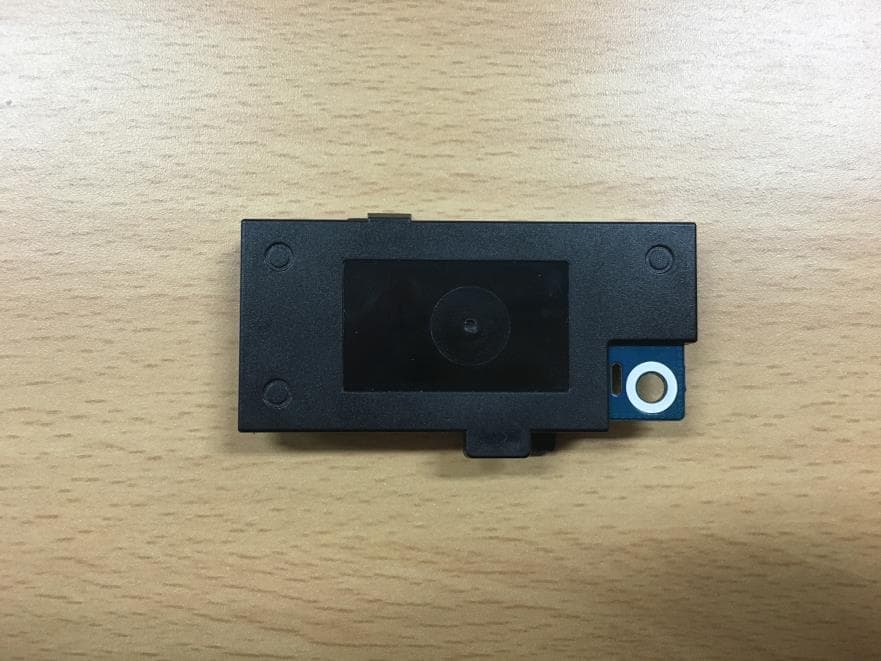
http://www.emc2000.co.kr FCC TEST REPORT Report No.: EMC-FCC-R0165 EMC compliance Ltd. 65, Sinwon-ro, Yeongtong-gu, Suwon-si, Gyeonggi-do, 443-390, Korea 82-31-336-9919 (Main) 82-505-299-8311 (Fax) This test report shall not be reproduced except in full, Without the written approval. Internal photos of EUT - Inside of Product http://www.emc2000.co.kr FCC TEST REPORT Report No.: EMC-FCC-R0165 EMC compliance Ltd. 65, Sinwon-ro, Yeongtong-gu, Suwon-si, Gyeonggi-do, 443-390, Korea 82-31-336-9919 (Main) 82-505-299-8311 (Fax) This test report shall not be reproduced except in full, Without the written approval. - Main Board Top - Main Board Bottom http://www.emc2000.co.kr FCC TEST REPORT Report No.: EMC-FCC-R0165 EMC compliance Ltd. 65, Sinwon-ro, Yeongtong-gu, Suwon-si, Gyeonggi-do, 443-390, Korea 82-31-336-9919 (Main) 82-505-299-8311 (Fax) This test report shall not be reproduced except in full, Without the written approval. - Module Location #1 - Module Location #2 Wifi Module Wifi Module http://www.emc2000.co.kr FCC TEST REPORT Report No.: EMC-FCC-R0165 EMC compliance Ltd. 65, Sinwon-ro, Yeongtong-gu, Suwon-si, Gyeonggi-do, 443-390, Korea 82-31-336-9919 (Main) 82-505-299-8311 (Fax) This test report shall not be reproduced except in full, Without the written approval. - IR LED Board Top - IR LED Board Bottom http://www.emc2000.co.kr FCC TEST REPORT Report No.: EMC-FCC-R0165 EMC compliance Ltd. 65, Sinwon-ro, Yeongtong-gu, Suwon-si, Gyeonggi-do, 443-390, Korea 82-31-336-9919 (Main) 82-505-299-8311 (Fax) This test report shall not be reproduced except in full, Without the written approval. - Antenna
RF Exposure Info
http://www.emc2000.co.kr EMC compliance Ltd. Page: 1 of 2 65, Sinwon-ro, Yeongtong-gu, Suwon- si, Gyeonggi-do, 443-390, Korea 82-31-336-9919 (Main) 82-505-299-8311 (Fax) This test report shall not be reproduced except in full, Without the written approval. * RF Exposure 1. Regulation According to §15.247(i), systems operating under the provisions of this section shall be operated in a manner that ensures that the public is not exposed to radio frequency energy levels in excess of the Commission's guidelines. See § 1.1307(b)(1) of this Chapter. Limits for Maximum Permissive Exposure: RF exposure is calculated. Frequency Range Electric Field Strength [V/m] Magnetic Field Strength [A/m] Power Density [㎽/㎠] Av e r ag ing Time [minute] Limits for General Population / Uncontrolled Exposure 0.3 ~ 1.34 614 1.63 *(100) 30 1.34 ~ 30 824/f 2.19/f *(180/f 2 ) 30 30 ~ 300 27.5 0.073 0.2 30 300 ~ 1 500 / / f/1 500 30 1 500 ~ 15 000 / / 1.0 30 f=frequency in ㎒, *= plane-wave equivalent power density MPE (Maximum Permissive Exposure) Prediction Predication of MPE limit at a given distance: Equation from page 18 of OET Bulletin 65, Edition 97-01 SPGRRPGS4 4 2 S = power density [㎽ /㎠] P = Power input to antenna [㎽] G = Power gain of the antenna in the direction of interest relative to an isotropic radiator R = distance to the center of radiation of the antenna [㎝] EUT: Maximum peak output power = 168.27 [㎽] (22.26 ㏈m) Antenna gain = 1.73 (2.39 ㏈i) 100 ㎽, at 20 cm from an antenna 6 [㏈i] S = PG/4πR² = 100 × 3.98 / (4 × π × 400) = 0.079 18 [㎽/㎠] < 1.0 [㎽/㎠] 168.27 ㎽, at 20 cm from an antenna 2.39 [㏈i] S = PG/4πR² = 0.058 04 [㎽/㎠] < 1.0 [㎽/㎠] 2. RF Exposure Compliance Issue The information should be included in the user’s manual: This appliance and its antenna must not be co-located or operation in conjunction with any other antenna or transmitter. A minimum separation distance of 20 cm must be maintained between the antenna and the person for this appliance to satisfy the RF exposure requirements. http://www.emc2000.co.kr EMC compliance Ltd. Page: 2 of 2 65, Sinwon-ro, Yeongtong-gu, Suwon- si, Gyeonggi-do, 443-390, Korea 82-31-336-9919 (Main) 82-505-299-8311 (Fax) This test report shall not be reproduced except in full, Without the written approval. 3. Calculation Result of RF Exposure * 802.11b Channel Frequency Ant Gain power power Power Density at 20 ㎝ [㎒] [㏈m] [㎽] [㎽/㎠] Lowest 2 412 1.73 18.52 71.12 0.024 53 Middle 2 437 1.73 17.57 57.15 0.019 71 Highest 2 462 1.73 17.45 55.59 0.019 17 * 802.11g Channel Frequency Ant Gain power power Power Density at 20 ㎝ [㎒] [㏈m] [㎽] [㎽/㎠] Lowest 2 412 1.73 22.26 168.27 0.058 04 Middle 2 437 1.73 21.26 133.66 0.046 10 Highest 2 462 1.73 21.22 132.43 0.045 68 * 802.11n HT20 Channel Frequency Ant Gain power power Power Density at 20 ㎝ [㎒] [㏈m] [㎽] [㎽/㎠] Lowest 2 412 1.73 21.38 137.40 0.047 39 Middle 2 437 1.73 20.44 110.66 0.038 17 Highest 2 462 1.73 20.34 108.14 0.037 30 * 802.11n HT40 Channel Frequency Ant Gain power power Power Density at 20 ㎝ [㎒] [㏈m] [㎽] [㎽/㎠] Lowest 2 422 1.73 20.58 114.29 0.039 42 Middle 2 437 1.73 20.05 101.16 0.034 89 Highest 2 452 1.73 20.17 103.99 0.035 87
Test Report
http://www.emc2000.co.kr FCC TEST REPORT Report No.: EMC-FCC-R0165 EMC compliance Ltd. Page: 2 of 61 65, Sinwon-ro, Yeongtong-gu, Suwon- si, Gyeonggi-do, 443-390, Korea 82-31-336-9919 (Main) 82-505-299-8311 (Fax) This test report shall not be reproduced except in full, Without the written approval. [ Contents ] 1. Client information ............................................................................................................................................. 3 2. Laboratory information .................................................................................................................................... 4 3. Description of E.U.T. ......................................................................................................................................... 5 3.1 Basic description ........................................................................................................................................... 5 3.2 General description ....................................................................................................................................... 5 3.3 Test frequency ............................................................................................................................................... 6 3.4 Test Voltage ................................................................................................................................................... 6 4. Summary of test results ..................................................................................................................................... 7 4.1 Standards & results ....................................................................................................................................... 7 4.2 Uncertainty ................................................................................................................................................... 7 5. Test results .......................................................................................................................................................... 8 5.1 Antenna Requirement ................................................................................................................................... 8 5.2 Maximum Peak Output Power ...................................................................................................................... 9 5.3 Peak Power Spectral Density ...................................................................................................................... 15 5.4 6 dB Bandwidth(DTS Channel Bandwidth) .............................................................................................. 21 5.5 Spurious Emission, Band Edge, and Restricted bands ................................................................................ 31 5.6 Conducted Emission ................................................................................................................................... 58 6. Test equipment used for test ........................................................................................................................... 61 http://www.emc2000.co.kr FCC TEST REPORT Report No.: EMC-FCC-R0165 EMC compliance Ltd. Page: 3 of 61 65, Sinwon-ro, Yeongtong-gu, Suwon- si, Gyeonggi-do, 443-390, Korea 82-31-336-9919 (Main) 82-505-299-8311 (Fax) This test report shall not be reproduced except in full, Without the written approval. 1. Client information Applicant: Samsung Techwin Co., Ltd. Address: #42 Seongju-Dong, Changwon-Shi, Kyungsangnam-Do, Korea Telephone number: +82-31-277-3695 Facsimile number: +82-31-277-2784 Contact person: Kang, Jei Soon / [email protected] Manufacturer: Shen Zhen G.credit Electronics CO.LTD Address: Zhida Industrial Park, West LongPing Road, Central City, Long Gang District, Shenzhen, China http://www.emc2000.co.kr FCC TEST REPORT Report No.: EMC-FCC-R0165 EMC compliance Ltd. Page: 4 of 61 65, Sinwon-ro, Yeongtong-gu, Suwon- si, Gyeonggi-do, 443-390, Korea 82-31-336-9919 (Main) 82-505-299-8311 (Fax) This test report shall not be reproduced except in full, Without the written approval. 2. Laboratory information Address EMC compliance Ltd. 65, Sinwon-ro, Yeongtong-gu, Suwon- si, Gyeonggi-do, 443-390, Korea Telephone Number: 82-31-336-9919 Facsimile Number: 82-505-299-8311 Certificate KOLAS No.: 231 FCC Site Registration No.: 687132 VCCI Site Registration No.: R-3327, G-198, C-3706, T-1849 IC Site Registration No.:8035A-2 SITE MAP EMC Compliance Ltd. Suwon city http://www.emc2000.co.kr FCC TEST REPORT Report No.: EMC-FCC-R0165 EMC compliance Ltd. Page: 5 of 61 65, Sinwon-ro, Yeongtong-gu, Suwon- si, Gyeonggi-do, 443-390, Korea 82-31-336-9919 (Main) 82-505-299-8311 (Fax) This test report shall not be reproduced except in full, Without the written approval. 3. Description of E.U.T. 3.1 Basic description Applicant: Samsung Techwin Co., Ltd. Address of Applicant #42 Seongju-Dong, Changwon-Shi, Kyungsangnam-Do, Korea Manufacturer Shen Zhen G.credit Electronics CO.LTD Address of Manufacturer Zhida Industrial Park, West LongPing Road, Central City, Long Gang District, Shenzhen, China Type of equipment Home Smart Camera Basic Model SNH-E6411BN Serial number Proto Type 3.2 General description Frequency Range 2 412 ㎒ ~ 2 462 ㎒ (802.11b/g/n_HT20) 2 422 ㎒ ~ 2 452 ㎒ (802.11n_HT40) Communication IEEE 802.11b/g/n_HT20, HT40 Type of Modulation CCK, OFDM Number of Channels 11 ch (802.11b/g/n_HT20), 9 ch(802.11n_HT40) Type of Antenna Wire type Antenna Gain 2.39 ㏈i Transmit Power 22.26 ㏈m Power supply DC 9 V http://www.emc2000.co.kr FCC TEST REPORT Report No.: EMC-FCC-R0165 EMC compliance Ltd. Page: 6 of 61 65, Sinwon-ro, Yeongtong-gu, Suwon- si, Gyeonggi-do, 443-390, Korea 82-31-336-9919 (Main) 82-505-299-8311 (Fax) This test report shall not be reproduced except in full, Without the written approval. 3.3 Test frequency For all test items, the low, middle and high channels of the mo…
Text truncated - open the document above for the full version.
Test Setup Photos
http://www.emc2000.co.kr FCC TEST REPORT Report No.: EMC-FCC-R0165 EMC compliance Ltd. 65, Sinwon-ro, Yeongtong-gu, Suwon-si, Gyeonggi-do, 443-390, Korea 82-31-336-9919 (Main) 82-505-299-8311 (Fax) This test report shall not be reproduced, except in full, Without the written approval. Test setup photos - 9 ㎑ ~ 30 ㎒ - 30 ㎒ ~ 1 ㎓ http://www.emc2000.co.kr FCC TEST REPORT Report No.: EMC-FCC-R0165 EMC compliance Ltd. 65, Sinwon-ro, Yeongtong-gu, Suwon-si, Gyeonggi-do, 443-390, Korea 82-31-336-9919 (Main) 82-505-299-8311 (Fax) This test report shall not be reproduced, except in full, Without the written approval. Test setup photos - 1 ㎓ Over http://www.emc2000.co.kr FCC TEST REPORT Report No.: EMC-FCC-R0165 EMC compliance Ltd. 65, Sinwon-ro, Yeongtong-gu, Suwon-si, Gyeonggi-do, 443-390, Korea 82-31-336-9919 (Main) 82-505-299-8311 (Fax) This test report shall not be reproduced, except in full, Without the written approval. Test setup photos (AC Line) - Front - Rear
Contact Information
Applicant
JEISOON KANG(Principal Research Engineer)
Test Firm
EMC Compliance Ltdchangmin kim
Technical Specifications
| # | Rule Parts | Frequency Range | Power Output |
|---|---|---|---|
| 2 | 15C | 2.42 GHz - 2.45 GHz | 114.00 mW |
Other Applications from Hanwha Techwin Co., Ltd.
NLMSWLQ93T
Dec 22, 2015WiFi Module
Equipment Class
NII - Unlicensed National Information Infrastructure TX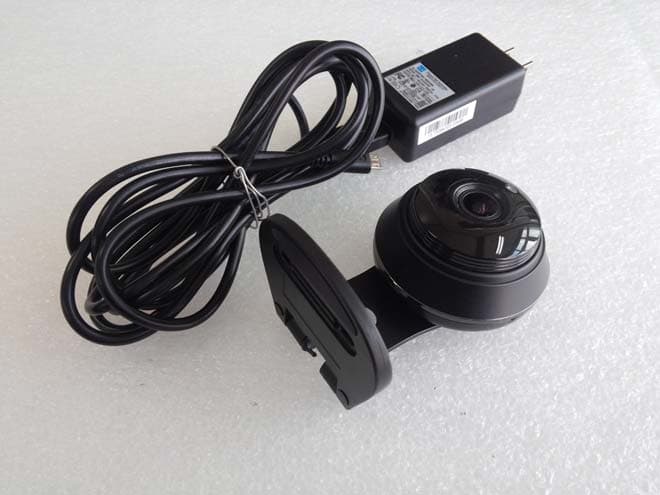
NLMSNHV6414BN
Nov 19, 2015SMART HOME CAMERA
Equipment Class
DTS - Digital Transmission System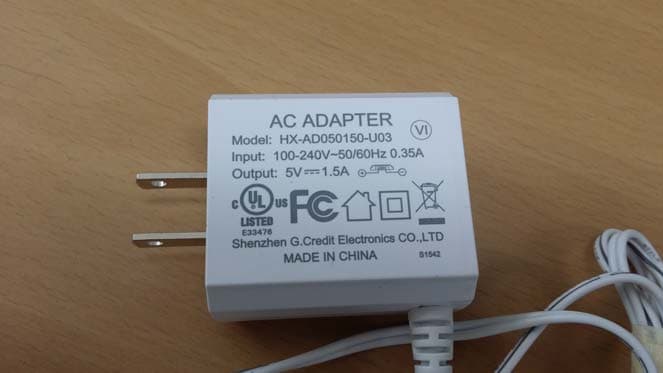
NLMSEP1003RWN
Nov 16, 2015Wireless Baby Camera
Equipment Class
DSS - Part 15 Spread Spectrum Transmitter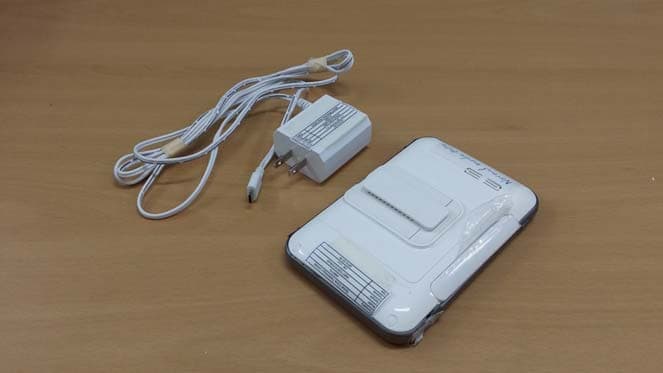
NLMSEW3043WN
Nov 16, 2015Wireless Baby Monitor
Equipment Class
DSS - Part 15 Spread Spectrum Transmitter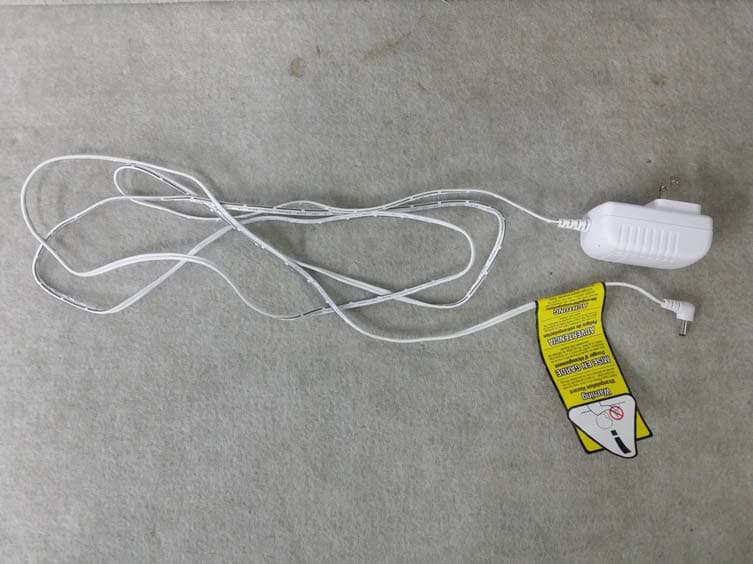
NLMSEW3036W
Jun 16, 2015Baby Monitor
Equipment Class
DSS - Part 15 Spread Spectrum Transmitter