O9C-BJNGAFB0008Wireless LAN Access Point
Hewlett Packard Enterprise
Click to zoom
Application Details
- Equipment Class
- JBP - Part 15 Class B Computing Device Peripheral
- Date of Grant
- Jul 30, 2015
- Application Purpose
- Original Equipment
- Date of Application
- Jun 07, 2015
- Equipment Note
- Wireless LAN Access Point
- Company
- Hewlett Packard Enterprise
- Country
- United States
Documents & Files
Document Text
Text extracted from the exhibit documents filed with the FCC. Open a document above to read the original.
Users Manual
The HP 525-R is a Wi-Fi Alliance authorized Wi-Fi CERTIFIED 802.11a/b/g/n/ac product. The Wi-Fi CERTIFIED Logo is a certification mark of the Wi-Fi Alliance. 1 HP 525-R Wireless Dual Radio Outdoor 802.11ac Access Point quick start guide This quick start guide shows you how to install and get started using the HP 525-R Wireless Dual Radio Outdoor 802.11ac Access Point (RMN BJNGA-FB0008) JH306A (AM), JH307A (WW), hereafter referred to as the HP 525-R. Hardware overview Back view 1: 5GHz radio port 2: 2.4GHz radio port Front view Bottom views 3: Fiber port(reserved) 4: Copper port 5: Console port 1 1 2 2 3 4 5 The HP 525-R is a Wi-Fi Alliance authorized Wi-Fi CERTIFIED 802.11a/b/g/n/ac product. The Wi-Fi CERTIFIED Logo is a certification mark of the Wi-Fi Alliance. 2 Package contents The HP 525-R, mounting bracket, pole-mounting plate, bolt, weatherproof connector, sealing nut, grounding cable, sealing plug, wall anchor kit, MAC address label, and documentation. Ports One Gigabit Ethernet port: Auto-sensing 1000Base-T Ethernet port with RJ-45 connector. One console port: Console port with RJ-45 connector. Radio and antennas The HP 525-R supports dual band concurrent 802.11n(2.4GHz) and 802.11ac(5GHz). It has two external antennas for each radio supporting 2x2 MIMO with two spatial streams at a total maximum rate of up to 1.16 Gbps. Status LEDs Power ETH1(10 /100M) ETH1(10 00M) 2.4G 5G Description Off Off Off Off Off The HP525-R has no power. Yellow On Off Off Off Off Power applied.If the power LED Status LEDs power 2.4GHz radio 5GHz radio Fiber port(reserved) 10/100M ethernet port 1000M ethernet port The HP 525-R is a Wi-Fi Alliance authorized Wi-Fi CERTIFIED 802.11a/b/g/n/ac product. The Wi-Fi CERTIFIED Logo is a certification mark of the Wi-Fi Alliance. 3 Power ETH1(10 /100M) ETH1(10 00M) 2.4G 5G Description remains orange after several minutes, the software failed to load. Green, flashing every 2 seconds (0.5Hz) Off Off Off Off The AP is starting up. Green, flashing every 1 second (1Hz) Off Off Off Off The AP is looking for an IP address or building the list of VLANS on which to perform discovery. Power, Eth1 (10M/100M) and Eth1 (1000M) LEDs flashing green in sequence Off Off The AP has obtained an IP address and is attempting to discover a controller. Green On Eth1 (10M/100M) and Eth1 (1000M) LEDs flashing green alternately Off Off The AP has found a controller and is attempting to establish a tunnel with it. Green On Off Off Any Any The Ethernet interface is not connected or there is no activity. Green On Green On Off Any Any The Ethernet interface is active on a valid 10/100Mbps copper link. Green On Off Green On Any Any The Ethernet interface is active on a valid 1000Mbps copper link. Green On Any Any Gree n On Any The 2.4GHz Radio interface has clients. Green On Any Any Any Gree n On The 5GHz Radio interface has clients. Powering the HP 525-R The HP 525-R can be powered by using a PoE injector, or a PoE-enabled switch that supports 802.3at and provides 10/100 Mbps or 10/100/1000 Mbps Ethernet ports. Before you connect power to the AP, verify that the power supply is steady. The HP 525-R is a Wi-Fi Alliance authorized Wi-Fi CERTIFIED 802.11a/b/g/n/ac product. The Wi-Fi CERTIFIED Logo is a certification mark of the Wi-Fi Alliance. 4 Important information to read before installing Professional installation is required. Before installing or using the AP, consult with a professional installer trained in RF installation and knowledgeable in local regulations including building and wiring codes, safety, channel, power, and license requirements for the intended country. The end user is responsible for ensuring that installation and use comply with local safety and radio regulations. To avoid possible bodily injury or equipment damage, read the following safety recommendations before you install an HP 525-R. The recommendations do not cover every possible hazardous condition. To mount the AP onto a pole by using the mounting bracket, make sure the pole is straight up. Install the AP at the height and location as planned. To install the AP on a building roof, select a location with no or least exposure to the sun. Take protection measures if required. When you mount the AP onto a pole on a building roof, do not overhang the AP beyond the building roof. When you install the AP, make sure the side with the copper and fiber ports face downwards. Route the cables downwards from the AP. Protect the iron mounting parts from oxidation. You can spray antirust paint on the iron mounting parts. Installation Pole-mounting the AP 1. Use the long hex-head bolts and the pole-mounting plate to attach the mounting bracket to the pole. The HP 525-R is a Wi-Fi Alliance authorized Wi-Fi CERTIFIED 802.11a/b/g/n/ac product. The Wi-Fi CERTIFIED Logo is a certification mark of the Wi-Fi Alliance. 5 Figure 1 Installing the mounting bracket to the pole 2. Screw two M6× 12 hex-head bolts into the bolt holes in the upper part of the AP rear. Do not screw the bolts all the way. The HP 525-R is a Wi-Fi Alliance authorized Wi-Fi CERTIFIED 802.11a/b/g/n/ac product. The Wi-Fi CERTIFIED Logo is a certification mark of the Wi-Fi Alliance. 6 Figure 2 Installing the bolts into the bolt holes 3. As shown in Figure 3, insert the two bolts into the keyhole slots on the mounting bracket. Then slide the AP onto the bracket to secure the AP in place. The HP 525-R is a Wi-Fi Alliance authorized Wi-Fi CERTIFIED 802.11a/b/g/n/ac product. The Wi-Fi CERTIFIED Logo is a certification mark of the Wi-Fi Alliance. 7 Figure 3 Installing the AP 4. Screw the remaining two M6 × 12 hex-head bolts into the bolt holes in the lower part of the mounting bracket. Then fasten the four M6 × 12 hex-head bolts. Figure 4 Fastening the four M6 × 12 hex-head bolts The HP 525-R is a Wi-Fi Alliance authorized Wi-Fi CERTIFIED 802.11a/b/g/n/ac product. The Wi-Fi CERTIFIED Logo is a certification mark of the Wi-Fi Alliance. 8 Wall-mounting the AP 1. …
Text truncated - open the document above for the full version.
Cover Letter(s)
Hewlett Packard Company Declaration of Authorization We Name: Hewlett Packard Company Address: 153 Taylor Street Littleton Massachusetts, United States 01460-1407 Declare that: Name Representative of agent: Robin Wu Agent Company name: MRT Technology (Suzhou) Co., Ltd Address: D8 Building, Youxin Industrial Park, No.2 Tian'edang Rd., Wuzhong Economic Development Zone, City: Suzhou Country China is authorized to apply for Certification of the following product(s): Product description: Wireless LAN Access Point Type designation: BJNGA-FB0008, JH306A Trademark: HP on our behalf. Date: Apr 13, 2015 Name: Richard Scott Signature:
Cover Letter(s)
Hewlett Packard Company Date: Apr 13, 2015 Federal Communications Commission Authorization and Evaluation Division FCC ID: O9C-BJNGAFB0008 Confidentiality Request Pursuant to Sections 0.457 and 0.459 of the Commission’s Rules, we hereby request confidential treatment of information accompanying this application as outlined below: 1. Block Diagram 2. Schematics 3. Operational Description The above materials contain trade secrets and proprietary information not customarily released to the public. The public disclosure of these matters might be harmful to the applicant and provide unjustified benefits to its competitors. In additional to above mentioned documents, pursuant to Public Notice DA 04-1705 of the Commission’s policy, in order to comply with the marketing regulations in 47 DFR § 2.803 and the importation rules in 47 CFR §2.1204, while ensuring that business sensitive information remains confidential until the actual marketing of newly authorized devices. We are requesting the commission to grant 180 days short-term confidentiality request on the following: Attachments: 1. External Photo 2. Internal Photo 3. Test Setup Photo 4. User Manual The applicant understands that pursuant to Rule 0.457, disclosure of this application and all accompanying documentation will not be made before the date of the Grant for this application. Sincerely, ---------------------------------------------------------- Name: Richard Scott Hewlett Packard Company
External Photos
1 of 14 External Photo (1) EUT Photo (2) EUT Photo (3) EUT Photo (4) EUT Photo (5) EUT Photo (6) EUT Photo (7) EUT Photo (8) EUT Photo (9) EUT Photo (10) EUT Photo (11) EUT Photo (12) EUT Photo (13) EUT Photo (14) EUT Photo (15) EUT Photo (16) EUT Photo (17) EUT Photo (18) EUT Photo (19) EUT Photo (20) EUT Photo (21) EUT Photo (22) EUT Photo (23) EUT Photo (24) EUT Photo (25) EUT Photo (26) EUT Photo (27) EUT Photo
ID Label/Location Info
Label Location IC: 2299L-BJNGAFB0008 FCC ID: O9C-BJNGAFB0008 Wu fangqing JH306A HPB70415031001 C0 M0 Y0 K100 50# ,加强背胶 1 2 3 4 5 6 7 8 A B C D E F 1 2 3 4 5 6 7 8 A B C D E F A3 RELEASE LEVEL: FILE NAME: REV ECO No DESCRIPTION + - 0.1 + - 0.01 + - 0.05 + - 0.2 铭牌 Ni hanqiong Mao zhigao 2015.03.10 2015.03.10 2015.03.10 0 0 二维码内容为:9801A0SM1A0 JH306A FB0008
Internal Photos
1 of 12 Internal Photo (1) EUT Photo (2) EUT Photo (3) EUT Photo (4) EUT Photo (5) EUT Photo (6) EUT Photo (7) EUT Photo (8) EUT Photo (9) EUT Photo (10) EUT Photo (11) EUT Photo (12) EUT Photo (13) EUT Photo (14) EUT Photo (15) EUT Photo (16) EUT Photo (17) EUT Photo (18) EUT Photo (19) EUT Photo (20) EUT Photo (21) EUT Photo (22) EUT Photo (23) EUT Photo (24) EUT Photo
Test Report
MRT Technology (Suzhou) Co., Ltd Report No.: 1503RSU02004 Phone: +86-512-66308358 Report Version: V01 Fax: +86-512-66308368 Issue Date: 06-01-2015 Web: www.mrt-cert.com FCC ID: O9C-BJNGAFB0008 Page Number: 1 of 31 FCC ID: O9C-BJNGAFB0008 APPLICANT: Hewlett Packard Company Application Type: Certification Product: Wireless LAN Access Point Model No.: BJNGA-FB0008, JH306A Brand Name: HP FCC Classification: FCC Class B Digital Device (JBP) FCC Rule Part(s): FCC Part 15 Subpart B Test Procedure(s): ANSI C63.4: 2009 Test Date: Mar.16 ~ May. 29, 2015 MEASUREMENT REPORT FCC Part 15B Reviewed By : ( Robin Wu ) Approved By : ( Marlin Chen ) The test results relate only to the samples tested. This equipment has been shown to be capable of compliance with the applicable technical standards as indicated in the measurement report and was tested in accordance with the measurement procedures specified in ANSI C63.4-2009. Test results reported herein relate only to the item(s) tested. The test report shall not be reproduced except in full without the written approval of MRT Technology (Suzhou) Co., Ltd. Report No.: 1503RSU02004 FCC ID: O9C-BJNGAFB0008 Page Number: 2 of 31 Revision History Report No. Version Description Issue Date 1503RSU02004 Rev. 01 Initial report 06-01-2015 Report No.: 1503RSU02004 FCC ID: O9C-BJNGAFB0008 Page Number: 3 of 31 CONTENTS Description Page §2.1033 General Information ......................................................................................................... 4 1. INTRODUCTION ..................................................................................................................... 5 1.1. Scope ........................................................................................................................... 5 1.2. MRT Test Location ....................................................................................................... 5 2. PRODUCT INFORMATION ..................................................................................................... 6 2.1. Equipment Description .................................................................................................. 6 2.2. Description of Available Antennas ................................................................................ 7 2.3. Device Capabilities ....................................................................................................... 7 2.4. Test Configuration ........................................................................................................ 8 2.5. Test Software ............................................................................................................... 9 2.6. EMI Suppression Device(s)/Modifications ..................................................................... 9 2.7. Labeling Requirements ............................................................................................... 10 3. DESCRIPTION OF TEST ....................................................................................................... 11 3.1. Evaluation Procedure .................................................................................................. 11 3.2. AC Line Conducted Emissions .................................................................................... 11 3.3. Radiated Emissions .................................................................................................... 12 4. TEST EQUIPMENT CALIBRATION DATE ............................................................................ 13 5. MEASUREMENT UNCERTAINTY ......................................................................................... 14 6. TEST RESULT ...................................................................................................................... 15 6.1. Summary .................................................................................................................... 15 6.2. Conducted Emission Measurement ............................................................................ 16 6.2.1. Test Limit ................................................................................................................ 16 6.2.2. Test Setup ............................................................................................................... 16 6.2.3. Test Result of Conducted Emissions ....................................................................... 17 6.3. Radiated Emission Measurement ............................................................................... 21 6.3.1. Test Limit ................................................................................................................ 21 6.3.2. Test Setup ............................................................................................................... 21 6.3.3. Test Result of Radiated Emissions .......................................................................... 23 7. CONCLUSION ....................................................................................................................... 31 Report No.: 1503RSU02004 FCC ID: O9C-BJNGAFB0008 Page Number: 4 of 31 §2.1033 General Information Applicant: Hewlett Packard Company Applicant Address: 153 Taylor Street Littleton Massachusetts, United States 01460-1407 Manufacturer: Hewlett Packard Company Manufacturer Address: 153 Taylor Street Littleton Massachusetts, United States 01460-1407 Test Site: MRT Technology (Suzhou) Co., Ltd Test Site Address: D8 Building, Youxin Industrial Park, No.2 Tian’edang Rd., Wuzhong Economic Development Zone, Suzhou, China MRT FCC Registration No.: 809388 Model No.: BJNGA-FB0008, JH306A FCC ID: O9C-BJNGAFB0008 Test Device Serial No.: N/A Production Pre-Production Engineering FCC Classification: FCC Class B Digital Device (JBP) Test Facility / Accreditations Measurements were performed at MRT Laboratory located in Tian’edang Rd., Suzhou, China. MRT facility is a FCC registered (MRT Reg. No. 809388) test facility wi…
Text truncated - open the document above for the full version.
Test Setup Photos
1 of 13 FCC 15B Test Setup Photo Te s t Mode: Mode 1 Description: Front View of Conducted Emission Te s t Mode: Mode 1 Description: Back View of Conducted Emission Te s t Mode: Mode 2 Description: Front View of Conducted Emission Te s t Mode: Mode 2 Description: Back View of Conducted Emission Te s t Mode: Mode 1 Description: Radiated disturbance Test Setup for 30MHz ~ 1GHz Te s t Mode: Mode 1 Description: Radiated disturbance Test Setup for 1GHz ~ 18GHz Te s t Mode: Mode 2 Description: Radiated disturbance Test Setup for 30MHz ~ 1GHz Te s t Mode: Mode 2 Description: Radiated disturbance Test Setup for 1GHz ~ 18GHz FCC Part15C&15E Test Setup Photo Description: Front view of Conducted Emission Test Setup Description: Back view of Conducted Emission Test Setup Description: Radiated Emission Test Setup for 9kHz ~ 30MHz for ANT 1# Description: Radiated Emission Test Setup for 30MHz ~ 1GHz for ANT 1# Description: Radiated Emission Test Setup for 1GHz ~ 18GHz for ANT 1# Description: Radiated Emission Test Setup for 18GHz ~ 40GHz for ANT 1# Description: Radiated Emission Test Setup for 9kHz ~ 30MHz for ANT 2# Description: Radiated Emission Test Setup for 30MHz ~ 1GHz for ANT 2# Description: Radiated Emission Test Setup for 1GHz ~ 18GHz for ANT 2# Description: Radiated Emission Test Setup for 18GHz ~ 40GHz for ANT 2# Description: Radiated Emission Test Setup for 9kHz ~ 30MHz for ANT 3# Description: Radiated Emission Test Setup for 30MHz ~ 1GHz for ANT 3# Description: Radiated Emission Test Setup for 1GHz ~ 18GHz for ANT 3# Description: Radiated Emission Test Setup for 18GHz ~ 40GHz for ANT 3# Description: Radiated Emission Test Setup for 9kHz ~ 30MHz for ANT 4# Description: Radiated Emission Test Setup for 30MHz ~ 1GHz for ANT 4# Description: Radiated Emission Test Setup for 1GHz ~ 18GHz for ANT 4# Description: Radiated Emission Test Setup for 18GHz ~ 40GHz for ANT 4#
Contact Information
Applicant
Jim Taylor(Manager, Hardware Support Engineering)
Technical Contact
MRT Technology (Suzhou) Co., LtdRobin Wu
[email protected]86-512-66308358
D8 Building, Youxin Industrial Park, No.2 · Suzhou · China
Non-Technical Contact
MRT Technology (Suzhou) Co., LtdRobin Wu
[email protected]86-512-66308358
Test Firm
MRT Technology (Suzhou) Co., LtdWu Jian
[email protected]86-512-66308358
Technical Specifications
| # | Rule Parts | Frequency Range | Power Output |
|---|---|---|---|
| 1 | 15B | - | - |
Other Applications from Hewlett Packard Enterprise

O9C-BJNGABB0038
Oct 29, 2015HPE MSR954-W 1GbE+SFP LTE (AM) Rtr
Equipment Class
DTS - Digital Transmission System
O9C-BJNGAFB0005
Nov 06, 2014Unified Wired-WLAN Walljack
Equipment Class
JBP - Part 15 Class B Computing Device Peripheral
O9C-BJNGAFB0004
Sep 04, 2014Wireless LAN Access Point
Equipment Class
JBP - Part 15 Class B Computing Device Peripheral
O9C-BJNGAFB0003
Jul 02, 2014Unified Wired-WLAN Walljack
Equipment Class
DTS - Digital Transmission System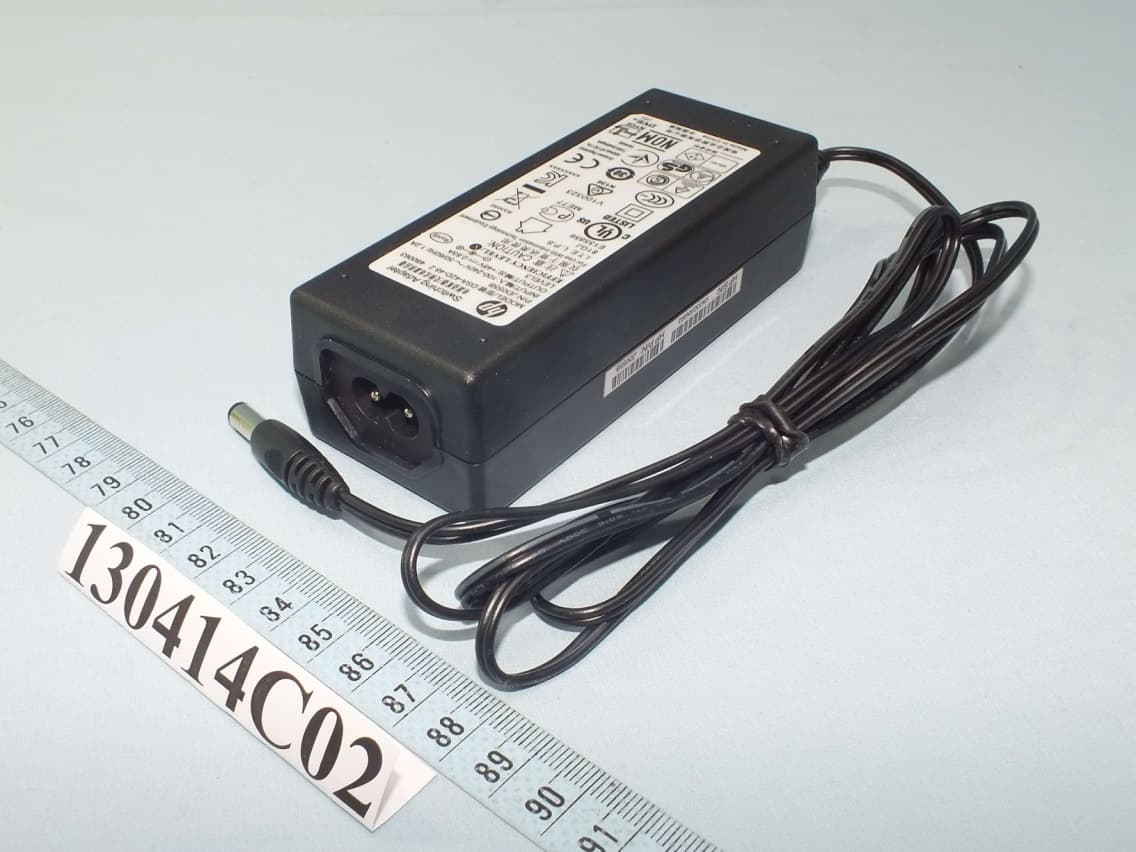
O9C-BJNGAFB0002
Aug 13, 2013HP 425 Wireless 802.11n (AM) AP
Equipment Class
DTS - Digital Transmission System