OH2512Paradigm 512
Medtronic MiniMed, Inc.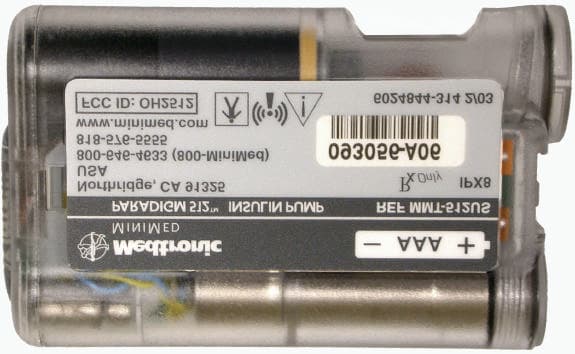
Click to zoom
Application Details
- Equipment Class
- DXX - Part 15 Low Power Communication Device Transmitter
- Date of Grant
- Jun 26, 2003
- Application Purpose
- Original Equipment
- Date of Application
- Jun 26, 2003
- Equipment Note
- Paradigm 512
- Frequency Range
- 916.50000000 - 916.50000000
- Company
- Medtronic MiniMed, Inc.
- Country
- United States
Documents & Files
Document Text
Text extracted from the exhibit documents filed with the FCC. Open a document above to read the original.
Users Manual
Paradigm ® 512 Model MMT-512 User Guide mp6024875_012_a.book Page 1 Monday, June 23, 2003 10:54 AM © 2003, Medtronic MiniMed. All rights reserved.BD Logic™ is a trademark of Becton, Dickinson and CompanyDual Wave ™ is a trademark of Medtronic MiniMed. Easy Bolus ™ is a trademark of Medtronic MiniMed. Energizer ® is a trademark of Eveready Battery Company. Glucagon Emergency Kit ® is a trademark of Eli Lilly and Company. Paradigm ® is a trademark of Medtronic MiniMed. Paradigm Link ™ is a trademark of Medtronic MiniMed. Quick-serter ® is a trademark of Medtronic MiniMed. Quick-set ® Plus is a trademark of Medtronic MiniMed. Silhouette ® is a trademark of Medtronic MiniMed. Sof-set ® is a trademark of Medtronic MiniMed. Square Wave ™ is a trademark of Medtronic MiniMed. U.S., international, and foreign patent applications are pending. 6024875-012 5/03 mp6024875_012_a.book Page 2 Monday, June 23, 2003 10:54 AM PLEASE READ THIS ENTIRE USER GUIDE BEFORE YOU TRY TO OPERATE YOUR PUMP. mp6024875_012_a.book Page i Monday, June 23, 2003 10:54 AM mp6024875_012_a.book Page ii Monday, June 23, 2003 10:54 AM Table of contents i Table of contents Glossary ........... ............ ............. .......... i Your personal information ............... ............v Basal rate ....................... ......................... ......................... ..................... ............... v Insulin type ................... ......................... ......................... ..................... .............. vi Carb ratios (meal bolus info) ....... ......................... ......................... .............. vi BG targets ....... ..................... ..................... ..................... ..................... .............. vi Insulin sensitivity .. .......................... ......................... ......................... .............. vi Introduction .............. ............... ......... vii Purpose ................. ......................... .......................... ......................... ................. vii Accessories .................. ......................... ......................... ..................... ............. vii How to wear your pump . ................... ................ ................ ................ ........... vii How to use this guide ........................ ......................... ..................... ............ viii Chapter 1 Before you begi n... ................... 1 Availability ................ ............... ............... ................ ............. ............. ............. ........... 1 Assistance ........... ............... ............... ............... ................ ............... ............. ........... 1 Emergency kit .............. ................ ............... ............... ................ ............... ............. 1 Reservoir and infusion sets ..... ............... ............... ................ ............... ............ 2 Practice, practice, practice... .. .................. ................ ............. ............. ............ 2 Chapter 2 The basics... .. ............. .......... 3 Your pump ........... ......................... .......................... ......................... ................... 3 Install battery .............. ......................... ......................... ..................... ............... 4 Pump buttons ..... ......................... .......................... ......................... ................... 6 mp6024875_012_a.book Page i Monday, June 23, 2003 10:54 AM ii Table of contents The pump screen ............. ......................... ..................... ..................... ..............7 Is my pump on? ............ ............... ............... ................ ............... ............... ............. 7 Scroll bar .................. ................ ............... ............... ............. ............. ............. ........... 7 Screen backlight .......... ............... ............... ................ ............... ............... ............. 7 Beep/vibrate ................ .......................... ......................... ..................... ..............7 HOME screen .... ......................... ......................... ......................... ...................... 8 Operating modes ............. ..................... ..................... ..................... ................. 8 Menus .................. ......................... ......................... ......................... .......................9 STATUS screen ........... .......................... ..................... ..................... ................10 Alert conditions ........... .......................... ......................... ..................... ............. 11 What to do.... ........ ............... ................ ............... ............... ............. ............. .......... 11 Low reservoir alert ................................................................................................11Low battery alert ...................................................................................................11 Alerts for special features ........ ......................... .......................... ................ 12 If you remove your pump... ........... .......................... ..................... ................ 12 Pump settings .............. ............... ............... ................ ............... ............... ............12 Insulin ............. ................ ............... ............... ................ ............... ............... .............. 12 Chapter 3 Basic programming ...................13 Setting the time and date ......... ......................... .......................... ................ 13 BG reminder ...... ......................... ......................... ......................... ..................... 14 Bolus .................... ......................... ..............…
Text truncated - open the document above for the full version.
Users Manual
Basic programming 21 Bolus details You can view the details for any of the deliveries in the BOLUS HISTORY screen. The details include: ➠ bolus type: N (Normal), S (Square), D (Dual), DS (Dual Square portion), DN (Dual Normal portion). ➠ programmed bolus amount ➠ delivered bolus amount ➠ Bolus Wizard information (if used) To see the details for any bolus, do these steps: 1. In the BOLUS HISTORY screen, select the bolus that you want to review and press ACT . 2. The details for that bolus will appear on the screen. Scroll through the details. 3. Exit when you are done. If Bolus Wizard calculated your bolus, this information will also appear in the BOLUS DETAIL screen. MiniMed BOLUS HISTORY 05SEP ACT 05SEP 06:30P01:05P 4.8S 0.2N MiniMed BOLUS DETAIL(User Entry:Type: 4.0U) Normal (Delivered: 0.7U) Last 05:48P 0.7N MiniMed (User Entry:Type: 4.0U) Normal (Stopped at: 0.7U) MiniMed (Delivered:Type: 4.0U) Normal (delivery is active)(delivery stopped)(delivery completed) Bolus Wizard: Food intake: 45gr (Meter) BG: 160 Food: 3.0U Correction: 2.0U Active Ins: 1.0U Est total: 4.0U Est time: 12:03P (values shown are for example only) BOLUS DETAILBOLUS DETAIL mp6024875_012_a.book Page 21 Monday, June 23, 2003 10:54 AM 22 Chapter 3 Maximum bolus limit The maximum bolus (max bolus) is a safety feature that limits the amount of insulin that can be delivered in a single bolus. The factory setting is 10.0 units. You can specify the limit from 0.0 to 25.0 units. It is important to dis- cuss this feature with your healthcare professi onal to determine your maximum bolus amount. To set the maximum bolus limit, do these steps: 1. Go to the MAX BOLUS SETUP screen. Main > Bolus > Max Bolus 2. Set your maximum bolus limit and press ACT . 3. Your maximum bolus is set. Exit the menus. Example #1: Max bolusShelby takes very small doses of insulin for her meal bol uses. As a safety limit, she and her healthcare profes- sional reset her pump with a maximum bolus of 5.0 units. Example #2: Max bolusDavid is a growing teenager. He loves to eat big meals an d requires very large doses of insulin for his food. He reset his pump with a maximum bolus of 20.0 units so he can take more insulin when he needs to. (flashing) MiniMed MAX BOLUS SETUP 10.0 U 0-25 x __ MAX BOLUS SETUP 15.0 U 0-25 ACT MiniMed BOLUS MENU Use Bolus WizardManual BolusBolus History ESC MiniMed mp6024875_012_a.book Page 22 Monday, June 23, 2003 10:54 AM Basic programming 23 Basal Basal insulin is required to maintain your target gluc ose values when you are not eating. Your healthcare pro- fessional will calculate this rate for you. Your basal insu lin should account for approximately one half of the body’s total daily insulin requirements. Your pump mimics your pa ncreas by delivering insuli n continuously over 24-hours. You can set your insulin pump to change rates during the day to match your needs. Your needs depend on your lifestyle and insulin requirements. Some people only use one rate throughout the day, while others find they need more. Your basal rates are made up of insulin deliveri es that have start and stop times. Once set, these rates make up your 24-hour basal pattern and are repeated daily. Start and stop times When you set your basal rate(s) in the BASAL MENU, your pump prompts you to set the start time for each basal delivery. The stop time is the time that one basal rate stops and the next basal rate starts (see figure). It is recommended that you record your basal rates on paper. The Quick Ref-erence card is provided with your pump for this purpose. For best results, setting or changing your basal rate(s) should be discussed with your healthcare profes-sional. (midnight) *12:00 a.m. 7:00 a.m. 3:00 p.m. 12:00 a.m. 15:00 00:00 or or Basal rate 1 Basal rate 2 Basal rate 3 stop #1 start #2 stop #2 start #3 start #1 stop #3 or 07:00 or 00:00 * For Basal Rate 1, the start time canno t be changed (only the rate can be changed). Basal Rate 1 always starts at 12 a.m. or 00:00, depending on the time format selected. ■ The start time of one basal rate is the stop time of the previous rate. This gives you continuous basal insulin through a 24-hour period. ■ You cannot set a start time for one basa l rate to overlap the next basal rate. The addition of a new basal rate will erase any basal rates that follow. mp6024875_012_a.book Page 23 Monday, June 23, 2003 10:54 AM 24 Chapter 3 Your basal settings You must program your basal settings before you can deli ver basal insulin. Keep a written record of your basal settings. It is recommended that you set your basal rates wi th the assistance of your healthcare professional. If you plan to take off your pump for an extended perio d of time, i.e. more than a day, set the basal rate to 0.0U/H. This will ensure that the insuli n delivery records in your pump are accurate. Refer to the section, “If you remove your pump” in chapter 2 for more information. Basal programming and delivery To set your basal rates, do these steps: NOTE - You cannot make chan ges to your basal rate settings while a percent (%) temp basal is active. 1. Go to the BASAL MENU. Main > Basal 2. Select Set/Edit Basal and press ACT . 3. The SET BASAL RATE 1 screen will appear. Enter your first basal rate amount and press ACT . NOTE - The start time for your first basal rate is midnight (12:00A) and cannot be changed. 4. The screen will change to SET START TIME 2. If you only need one basal rate for the entire 24-hour day (12:00A to 12:00A), do these steps: a. Press ACT or ESC without setting a start time. b. The BASAL RATE screen will appear with your basal data. Your daily basal rate is now programmed. It will deliver daily from 12:00A to 12:00A. c. Exit the menus. If you need to program more than one basal rate for the day, do these steps: BASAL MENU Set/Edit Temp BasalSet/Edit BasalBasal Review ACT MiniMed ACT EDIT BASAL MiniMed StandardPattern APattern B 4.40U 0.00U - - -.- -U (If using patterns, you will first select the basal you wa…
Text truncated - open the document above for the full version.
Users Manual
119 Chapter 12 Pump specifications This section provides detailed informat ion on specifications related to your pump. The safety features of your pump are individually listed and described. Alarms and error messages Indicators: audible tone (beep) or vibration (silent)All alarms and errors show messages on the pump’s screen and provide instructions on what to do. Unresolved alarms will escalate to siren mode for added safety. Alarm history Maximum records shown: 36 Backlight LCD (Liquid Crystal Display) typeTime-out: 7 seconds (in the HOME screen); 30 seconds (after the last button press). Basal Delivery: 0.05 – 35 units/hour (Maximum units: 35/hour)Factory maximum settin g: 2.0 units/hour Increments: 0.05 units3 patterns maximum, each with 48 rates maximum BG target Maximum targets: 8 range: 80 – 160 mg/dL (4.4 – 8.9 mmol/L) warning limits: less than 90 or greater than 140 mg/dL (less than 5.0 or greater than 7.8 mmol/L) mp6024875_012_a.book Page 119 Monday, June 23, 2003 10:54 AM 120 Chapter 12 Bolus delivery Bolus history Maximum records shown: 24 Bolus units Increments: 0.1 units Bolus Wizard (see end of this section for information) Carb ratiosCarb units (The food entry when using Bolus Wizard) grams: 0 – 300 (increments: 1 gram) exchanges: 0.0 – 20 (increments: 0.5 exch) Daily totals Maximum records shown: 14 days of data 999.9 units Accuracy: +0/–0.05 units Default screen The HOME screen. If no buttons are pressed for 30 seconds (60 seconds for status type screens) , the pump returns to this screen. Delivery accuracy Delivery accuracy: ±5%. Displa cement (piston) accuracy: ±2% Insulin delivered/stroke Fluid delivered/stroke Time betweendelivery strokes Delivery rate(per minute) 0.05u 0.5 uL 2 seconds 1.5u Maximum ratio settings: 8 range: 3 – 75 grams/u 0.2 – 5.0 u/exch warning limits: less than 5 or greater than 50 grams/u less than 0.3 or greater than 3.0 u/exch mp6024875_012_a.book Page 120 Monday, June 23, 2003 10:54 AM Pump specifications 121 Drive motor The pump motor has a unique, patented design with an in tegrated safety ch eck system. The syst em delivers in precise increments. Dual Wave bolus Delivers a Normal bolus followed by a Squa re Wave bolus (limited by maximum bolus). Easy bolus Features programming using audible tones (or vibrate puls es) in user-determined increments. Beep mode range: 0 to maximum bolus; Vibrate mode range: 0 to 20 steps or maximum bolus, whichever comes first. Default step increment: 0.1 unitStep size < maximum bolus.Adjustable step size: 0.1 to 2.0 units per step.Accessible from the remote control or pump buttons. Infusion pressure Maximum infusion pressure and occlusion pressure: 13.7 PSI. (insulin) sensitivity Maximum settings: 8Factory default: 50 mg/dL (2.8 mmol/L) Insulin type Pump users can select one: U100 fast acting (default) U100 regular acting Low resv (reservoir) warning Values are based on displayed amount, not actual amount.range: 10 – 250 mg/dL (0.5 – 13.9 mmol/L) warning limits: less than 20 or greater than 100 mg/dL (less than 1.1 or greater than 5.6 mmol/L) time: 2 – 24-hours, and @1:00 hour before empty 08:00 hours (default wh en time is selected) units: 5 – 50 units, and @ 1/2 amount remaining 20 units (factory default) mp6024875_012_a.book Page 121 Monday, June 23, 2003 10:54 AM 122 Chapter 12 Meter value The BG measurement received from Paradigm Link meter. Appears in the ENTER BG sc reen during bolus program- ming. Appears on the screen when the pump is idle at the HOME screen. Expiration: 12 minutes;Range: 20 – 600 mg/dLmaximum meter entries: 3 Normal bolus Range 0.1 – 25.0 units of insulin (limited by maximum bolus setting). Occlusion detection When occlusion is detected, the “no deli very alarm” will occur. The occlusion alarm is triggered by an average of 2.35 units of “missed” insulin. This table shows occlusion detection for 3 different situations when using U100 insulin. Percent temp basal Default value: 100% of basal programming Power supply The pump is powered by a standard 1.5 V AAA alkaline ba ttery (Energizer brand reco mmended for best results). Prime function Fixed prime: 0.1 – 25.0 units (limited by maximum bolus)Manual prime limit: warning at 30 units, then at each 10 units thereafter. Fill rate: 1 to 5 units/second. Prime insulin is not counted in daily totals but is recorded separately in the prime history. Rate Minimum time before alarm Typical time before alarm Maximum time before alarm bolus delivery (1.5 u/minute) 2 6 seconds 94 seconds 2.5 minutes basal delivery (1.0 u/h) 40 minutes 141 minutes 4 hours basal delivery (0.05 u/h) 13 hours 47 hours 81 hours mp6024875_012_a.book Page 122 Monday, June 23, 2003 10:54 AM Pump specifications 123 Prime history Maximum records shown: 20 (manual and fixed) Program safety checks Over 50 independent safety systems are cont inuously monitoring all pump operations. Maximum infusion with single fault condition: 0.0074 ml. Pump size The dimensions of the pump are: 2 x 3 x 0.77 in ches, 0.8 inches (2.0 cm) in battery area [5 cm x 7.6 cm x 2 cm.]. Pump weight Less than 100 grams Remote control Uses radio signals to allow users to program No rmal boluses or to suspend/resume their pumps. Reservoir The user-filled reservoir is made from impact -resistant, insulin-compatible polypropylene. Volume: up to 176 units of insulin. Square Wave bolus Delivers bolus insulin over a dura tion of 30 minutes up to 8 hours (limited by the max bolus setting). mp6024875_012_a.book Page 123 Monday, June 23, 2003 10:54 AM 124 Chapter 12 Status screen ➠ Time and insulin type (always appears) ➠ Status of pump (i.e., Rewind, Suspended, Low Reservoir, Set Time, etc.) ➠ Block: (if active) ON ➠ BG meter value : (most recent BG value received) (appears if BG meter is enabled) XXXmg/dLtime and date (received) ➠ Last bolus information: type and units delivered (‘S’-Square, ‘N’-Normal, ‘D’-Dual) delivery time and date ➠ basal pattern information (if active) Pattern A or B ➠ Current temp basal in…
Text truncated - open the document above for the full version.
Internal Photos
MMT-512 Internal Photos
Test Report
TÜV AMERICA, INC. 10040 Mesa Rim Road San Diego, CA 92121-2912 Phone 858 546 3999 FAX 858 546 0364 Report No. SC302357-03 Page 1 of 11 Rev.No 1.0 MEASUREMENT AND TECHNICAL REPORT MEDTRONIC MINIMED 18000 Devonshire Street Northridge, CA 91325 DATE: 10 June 2003 This Report Concerns: Original Grant: X Class II Change: Equipment Type: Paradigm 512, Model MMT-512 Deferred grant requested per 47 CFR 0.457(d)(1)(ii)? Yes: Defer until: No: X Company Name agrees to notify the Commission by: N/A of the intended date of announcement of the product so that the grant can be issued on that date. Transition Rules Request per 15.37? Yes: No: X* (*) FCC Part 15, Paragraph(s) 15.249(c) Report Prepared by: TÜV AMERICA, INC 10040 Mesa Rim Road San Diego, CA 92121-2912 Phone: 858 546 3999 Fax: 858 546 0364 TÜV AMERICA, INC. 10040 Mesa Rim Road San Diego, CA 92121-2912 Phone 858 546 3999 FAX 858 546 0364 Report No. SC302357-03 Page 2 of 11 Rev.No 1.0 TABLE OF CONTENTS Pages 1.0 GENERAL INFORMATION 3 - 6 1.1 Product Description 3 - 5 1.2 Related Submittal Grant 6 1.3 Tested System Details 6 1.4 Test Methodology 6 1.5 Test Facility 6 1.6 Part 2 Requirements 6 2.0 SYSTEM TEST CONFIGURATION 7 2.1 Justification 7 2.2 EUT Exercise Software 7 2.3 Special Accessories 7 2.4 Equipment Modifications 7 2.5 Configuration of Test System 7 3.0 RADIATED EMISSIONS EQUIPMENT/DATA 8 - 10 4.0 ATTESTATION STATEMENT 11 TÜV AMERICA, INC. 10040 Mesa Rim Road San Diego, CA 92121-2912 Phone 858 546 3999 FAX 858 546 0364 Report No. SC302357-03 Page 3 of 11 Rev.No 1.0 1.0 GENERAL INFORMATION 1.1 Product Description General Equipment Description -- NOTE: This information will be input into your test report as shown below. EUT Description Insulin Infusion Pump EUT Name Paradigm 512 Model No.: MMT-512 Serial No.: -- Product Options: -- Configurations to be tested: -- Power Requirements Regulations require testing to be performed at typical power ratings in the countries of intended use. (i.e., European power is typically 230 VAC 50 Hz or 400 VAC 50 Hz, single and three phase, respectively) Voltage: 1.5 VDC (If battery powered, make sure battery life is sufficient to complete testing.) # of Phases: DC Current (Amps/phase(max)): 1 A Current (Amps/phase(nominal)): 120 uA Other -- Other Special Requirements -- Typical Installation and/or Operating Environment (ie. Hospital, Small Business, Industrial/Factory, etc.) -- EUT Power Cable Permanent OR Removable Length (in meters): Shielded OR Unshielded n Not Applicable TÜV AMERICA, INC. 10040 Mesa Rim Road San Diego, CA 92121-2912 Phone 858 546 3999 FAX 858 546 0364 Report No. SC302357-03 Page 4 of 11 Rev.No 1.0 EUT Interface Ports and Cables Interface Shielding Type Type Termination Connector Type Port Termination EXAMPLE: RS232 o ̋ 2 ̋ o Foil over braid Coaxial Metallized 9-pin D-Sub Characteristic Impedance 6 ̋ o -- EUT Software Revision Level: -- Description: -- EUT Operating Modes to be Tested -- list the operating modes to be used during test. It is recommended the equipment be tested while operating in a typical operation mode. FCC testing of personal computers and/or peripherals requires that a simple program generate a complete line of upper case H’s. Provide a general description of all software, firmware, and PLD algorithms used in the equipment. List all code modules as described above, with the revision level used during testing. Consult with your TÜV Product Service Representative if additional assistance is required. 1. -- EUT System Components -- List and describe all components which are part of the EUT. For FCC testing a minimum configuration is required. (ie. Mouse, Printer, Monitor, External Disk Drive, Motherboard, etc.) Description Model # Serial # FCC ID # -- TÜV AMERICA, INC. 10040 Mesa Rim Road San Diego, CA 92121-2912 Phone 858 546 3999 FAX 858 546 0364 Report No. SC302357-03 Page 5 of 11 Rev.No 1.0 Support Equipment -- List and describe all support equipment which is not part of the EUT. (i.e. peripherals, simulators, etc) Description Model # Serial # FCC ID # -- Oscillator Frequencies Frequency Derived Frequency Component # / Location Description of Use 10.00 MHz Crystal D7053178-006 RF uC Oscillator 916.50 MHz RF Hybrid D7053178-006 Carrier Radio Frequency 32.768 KHz Crystal 7053210-002 ASIC Oscillator 4.00 MHz Resonator 7053210-002 Motor uC Oscillator 4.91 MHz Resonator 7053213-002 H8 uC Oscillator Power Supply Manufacturer Model # Serial # Type -- Switched-mode: (Frequency) Linear Other: Power Line Filters Manufacturer Model # Location in EUT -- Critical EMI Components (Capacitors, ferrites, etc.) Description Manufacturer Part # or Value Qty Component # / Location -- EMC Critical Detail -- Describe other EMC Design details used to reduce high frequency noise. -- TÜV AMERICA, INC. 10040 Mesa Rim Road San Diego, CA 92121-2912 Phone 858 546 3999 FAX 858 546 0364 Report No. SC302357-03 Page 6 of 11 Rev.No 1.0 1.2 Related Submittal Grant None 1.3 Tested System Details The FCC ID’s for all equipment, plus descriptions of all cables used in the tested system are: None 1.4 Test Methodology Purpose of Test: To demonstrate compliance with the following tests. TEST FCC CFR 47# PASS/FAIL Radiated Emissions 15.249(c) Pass Both Conducted and Radiated testing were performed according to the procedures in FCC/ANSI C63.4 and CSA 108.8-M1983. Radiated testing was performed at an antenna-to-EUT distance of 3 meters (1 - 25 GHz). 1.5 Test Facility The open area test site and conducted measurement data were tested by: TÜV AMERICA, INC 10040 Mesa Rim Road San Diego, CA 92121-2912 Phone: 858 546 3999 Fax: 858 546 0364 The Test Site Data and performance comply with ANSI C63.4 and are registered with the FCC, 7435 Oakland Mills Road, Columbia Maryland 21046. All Measurement Data is acquired according to the content of FCC Measurement Procedure and ANSI C63.4, unless supplemented with additional requirements as noted in the test report. TÜV AMERICA, INC. 10040 Mesa Rim Road San Diego, CA 921…
Text truncated - open the document above for the full version.
Contact Information
Applicant
Jonathan Tabalujan(Sr. Electrical Engineer)
Test Firm
TUV AmericaJames Owen
Technical Specifications
| # | Rule Parts | Frequency Range | Power Output |
|---|---|---|---|
| 1 | 15C | 916.5 MHz - 916.5 MHz | - |
Other Applications from Medtronic MiniMed, Inc.
OH2BLEGST2
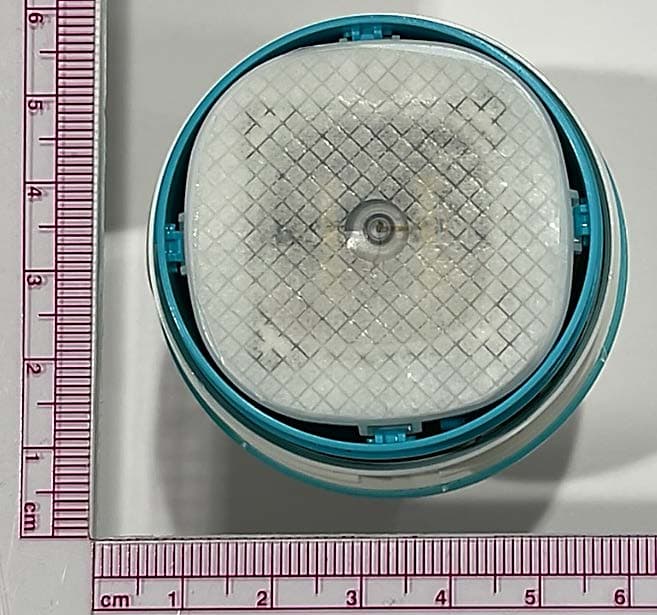
Jul 08, 2024Disposable glucose sensor transmitter
Equipment Class
DTS - Digital Transmission System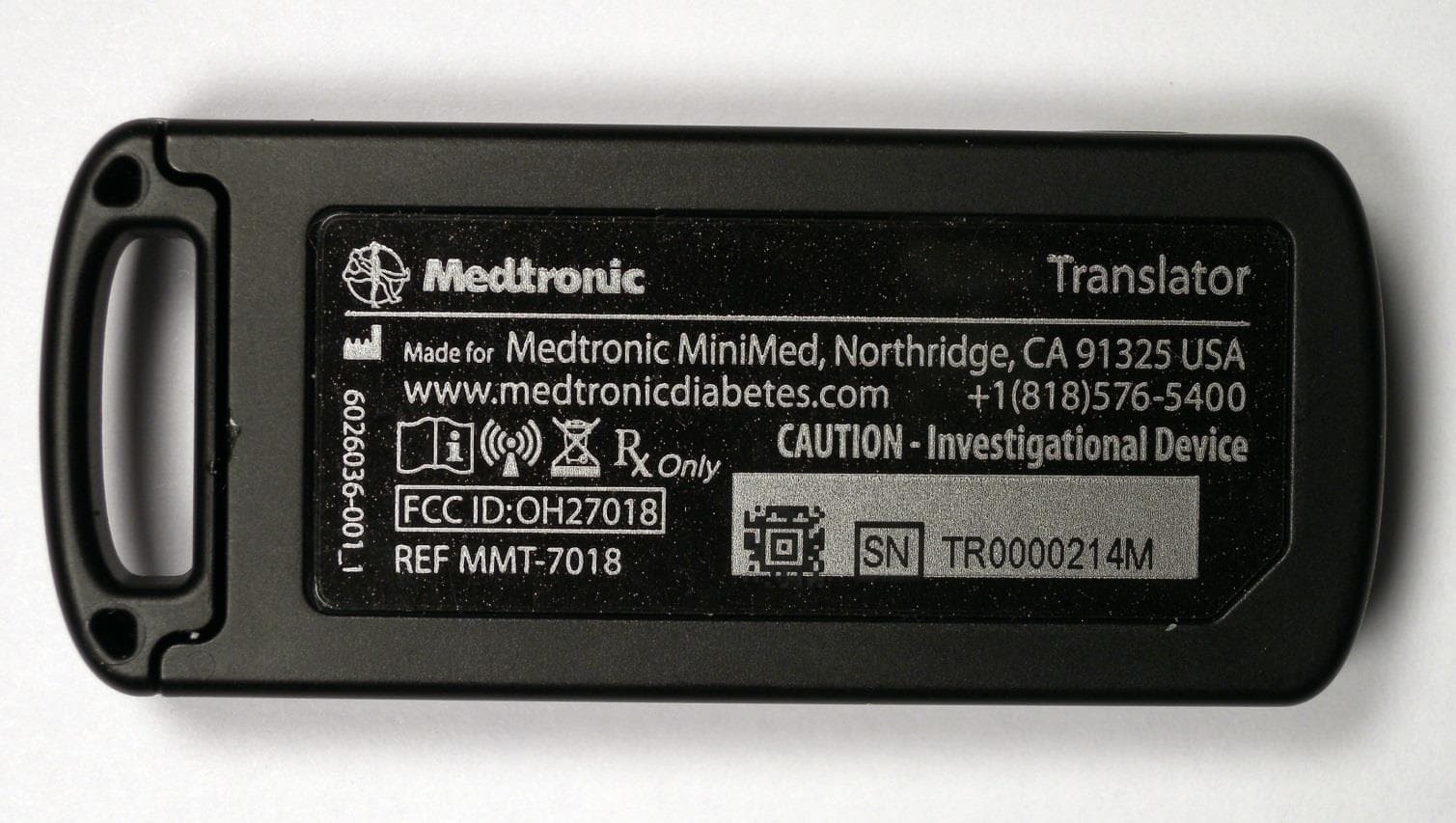
OH27018
Jul 09, 2015The Paradigm Translator allows RF intercommunication between Medtronic Minimed Paradigm series insulin pumps and commercially available smartphones running Medtronic application software.
Equipment Class
DXT - Part 15 Low Power Transceiver, Rx Verified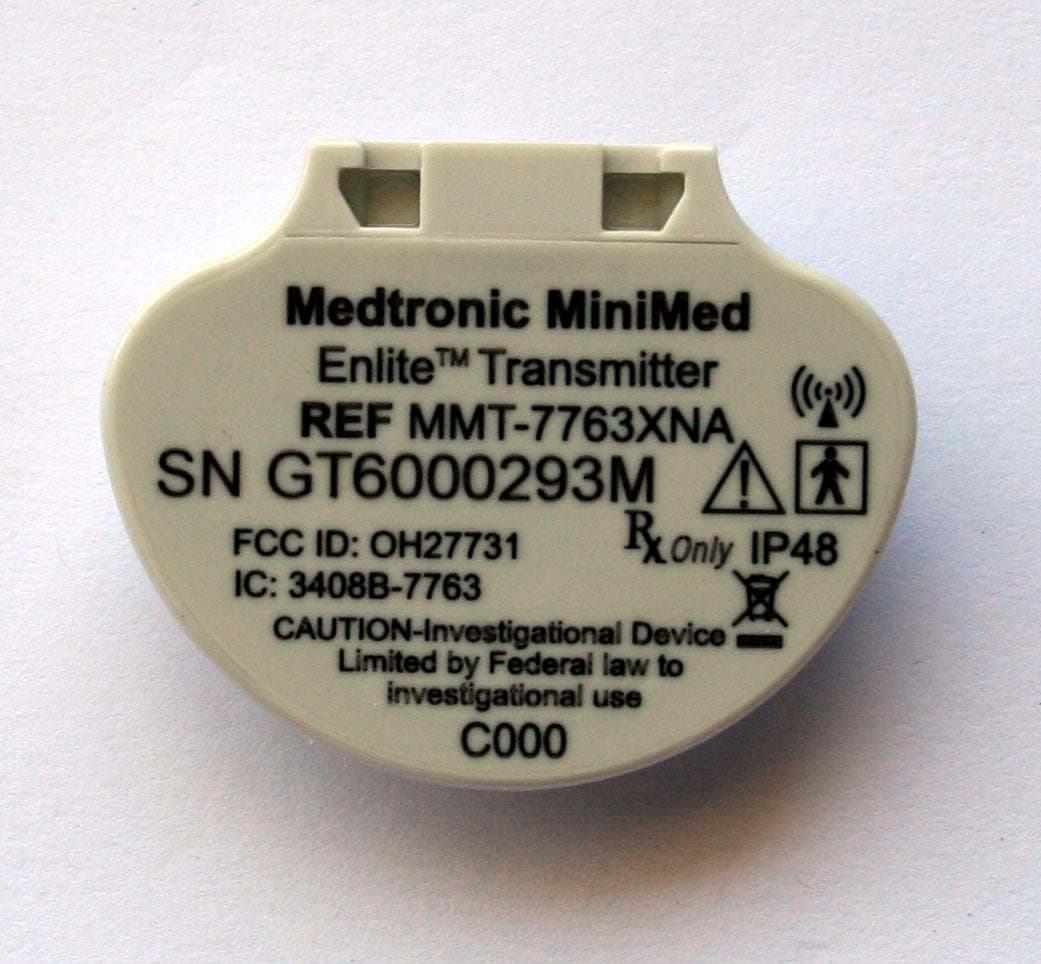
OH27731
Mar 10, 2015The Guardian Link transmitter is a component of the continuous glucose monitoring system for the MiniMed 600 series insulin pumps. The transmitter collects data from the glucose sensor and then wirelessly sends the data to the insulin pump.
Equipment Class
DTS - Digital Transmission System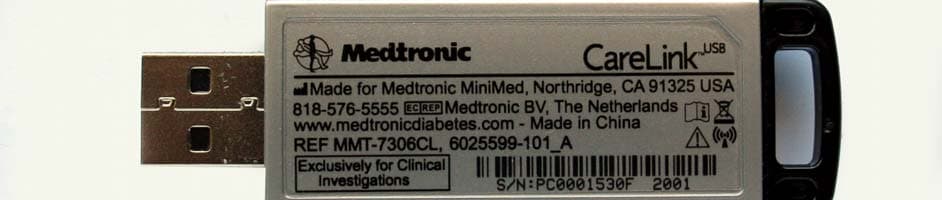
OH27306
Feb 08, 2015CareLINK USB
Equipment Class
DTS - Digital Transmission System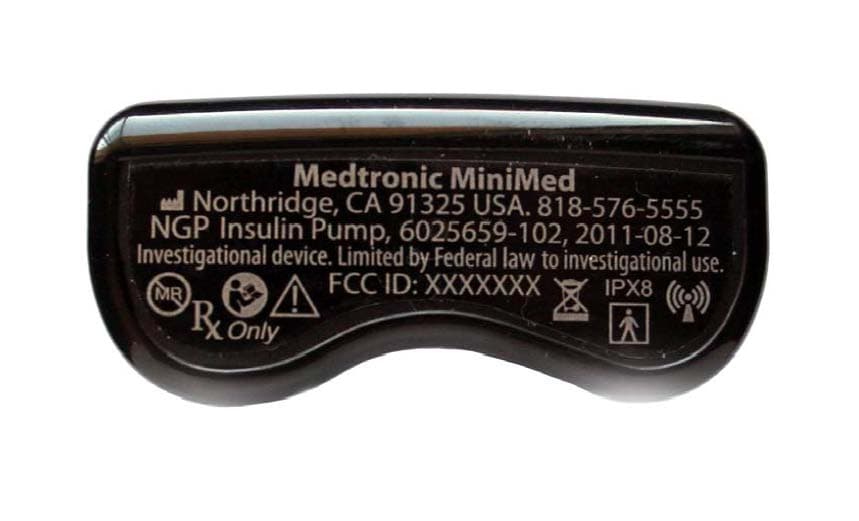
OH21510
Sep 24, 2014620G/630G/640G/670G Insulin Delivery Pump
Equipment Class
DTS - Digital Transmission System