OH27304ComLink
Medtronic MiniMed, Inc.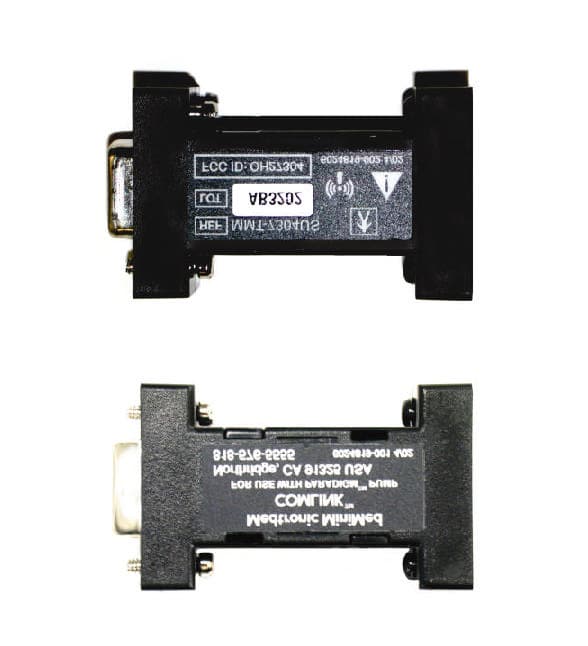
Click to zoom
Application Details
- Equipment Class
- DXX - Part 15 Low Power Communication Device Transmitter
- Date of Grant
- Sep 30, 2002
- Application Purpose
- Original Equipment
- Date of Application
- Sep 30, 2002
- Equipment Note
- ComLink
- Frequency Range
- 916.30000000 - 916.85000000
- Company
- Medtronic MiniMed, Inc.
- Country
- United States
Documents & Files
Document Text
Text extracted from the exhibit documents filed with the FCC. Open a document above to read the original.
Users Manual
©2002, Medtronic MiniMed, All rights reserved. Paradigm™, ComLink™, Solutions™, and Com-Station™ are trademarks of Medtronic MiniMed.U.S., international, and foreign patent applications pending.6024796-011 9/02 Symbol Meaning j Reference/Model Number l Lot number w Attention: See Instructions for Use y Type BF equipment L Radio frequency device & Storage temperature rangeKeep away from magnetic fields Northridge, CA 91325USA800-826-2099 • 818-576-5555 (24-hour Help Line)800-843-6687 (To order supplies)www.minimed.com ComLink ™ User Guide Radio frequency information The following information is provided in accordance with Federal Communications Commission (FCC) regulations.This device complies with Pa rt 15 of the FCC Rules. Operation is subject to the following two conditions: (1) This device may not cause harmful interfer-ence, and (2) this device must accept any interference received, including interference that may cause undesirable operation. This device has been tested and found to comply with the limits for a Class B digital device, pursuant to Part 15 of the FCC Rules. These limits are designed to provide reasonable protecti on against harmful interference in a residential installation. This equipmen t generates, uses and can radiate radio frequency energy and, if not insta lled and used in accordance with the instructions, may cause harmful interferenc e to radio or television reception. However, there is no guarantee that interference will not occur in a particular installation. If this equipment does cause harmful interference to radio or tele-vision reception, which can be determined by turning the equipment off and on, the user is encouraged to try to correct the interference by one or more of the following: • Reorient or relo cate the ComLink • Move the ComLink as far as possible from the equipment • Call Medtronic MiniMed Clinical Services Note: Device meets C anadian RT&T requirements. Help line Medtronic MiniMed provides a C linical Services help line for assistance in troubleshooting ComLink problems from 8:00am-5:00pm Pacific Time. Using ComLink and Com-Station on one PC If you already ha ve a Medtronic MiniMed Com-Station (MMT-7301) connected to your PC, you can connect the ComLink to the other serial com port. If a second com port is not available on your PC, contact Medtronic MiniMed Clinical Services for assistance. NOTE: Refer to your Medtronic MiniMedCom-Station User Guide for detailed information on using the Com-Station. Department Telephone Number Clinical Servic es 800-826-2099 818-576-5555 Customer Services (sales) 800-843-6687 Medtronic MiniMed web site www.minimed.com 1 6 Troubleshooting If you are unable to download y our pump, check the following: • Close any personal desktop assistant (PDA) hot snyc application running on the PC task bar. • Move the ComLink away from the PC. • Check to make sure all the c ables are connected properly and securely. • Check to make sure the ComLink is connected to the serial com port selected in the PC software. • Make sure the pump serial number is entered correctly in the PC software. • Make sure the pump battery is not low by checking the Status screen on the pump. If low, replace the bat-tery. • Make sure that the ComLink is not connected to the Com-Station. Cleaning • Disconnect the ComLink from the cable. • Use a soft cloth with a solution of 70 percent isopropyl alcohol and wipe down the ComLink. Take care not to get the isopropyl alcohol on the connector or inside the enclosure. • Allow to dry and reconnect to the cable. Introduction The Medtronic MiniMed ComLink (MMT-7304) is used to download your Medtronic MiniMed Paradigm insulin pump (MMT-511) into Medtronic MiniMed diabetes data management software, Solutions Pumps & Meters 4.0A and higher.The included communication interfac e cable can also be used to download third-party glucose meters into your Solutions Pumps & Meters software (MMT-7311). Refer to your software User Guide for instructions. Contents • ComLink (MMT-7304) • Communication InterfaceCable (MMT-7324) • User Guide • Warranty Card • Registration Card CommunicationInterfaceCable ComLink 5 2 Connecting ComLink to PC Download pump 1. Make sure that a bolus is not in progress on the pump. If a bolus is being delivered, allow bolus to finish before download-ing pump. Any bolus delivery in progress on the pump will be cancelled during the download process. 2. Extend the cable (provided) the fu ll length away from the PC to minimize possible communication interference from the PC. 3. Position the pump within six (6) feet of the ComLink to down- load. 4. Enter the first six (6) digits of the pump serial number into the PC software program. The number is located on the rear of your pump. 5. In the PC software, set the communications port setting to the serial port that the cable is attached to (example: COM1, COM2). 6. Refer to the User Guide provi ded with your Medtronic MiniMed PC software program for detai led information on downloading your pump. CAUTIONS: The pump will be in “SUSPEND” dur- ing downloading. Make sure the pump is taken out of “SUSPEND” when downloading is complete. Do not use the pump remote control when the pump is in communication with the ComLink. NOTE: If the pump battery is low the pump will not send data to the ComLink. Check the STATUS screen in the pump to verify that the battery is not low. Replace battery if low. 1 2 3 4
Block Diagram
10.0 MHz Crystal Oscillator Microcontroller Antenna 916.50 MHz RF Transceiver PC COM 1 Port
Test Report
TÜV AMERICA, INC. 10040 Mesa Rim Road San Diego, CA 92121-2912 Phone 858 546 3999 FAX 858 546 0364 Report No. SC204504-03 Page 1 of 22 Rev.No 1.0 MEASUREMENT AND TECHNICAL REPORT MEDTRONIC MINIMED 18000 Devonshire Street Northridge, CA 91325 DATE: 26 September 2002 This Report Concerns: Original Grant: X Class II Change: Equipment Type: ComLink, Model MMT-7304 Deferred grant requested per 47 CFR 0.457(d)(1)(ii)? Yes: Defer until: No: X Company Name agrees to notify the Commission by: N/A of the intended date of announcement of the product so that the grant can be issued on that date. Transition Rules Request per 15.37? Yes: No: X* (*) FCC Part 15, Paragraph(s) 15.231(a), 15.231(b), 15.231(c) Report Prepared by: TÜV AMERICA, INC 10040 Mesa Rim Road San Diego, CA 92121-2912 Phone: 858 546 3999 Fax: 858 546 0364 TÜV AMERICA, INC. 10040 Mesa Rim Road San Diego, CA 92121-2912 Phone 858 546 3999 FAX 858 546 0364 Report No. SC204504-03 Page 2 of 22 Rev.No 1.0 TABLE OF CONTENTS Pages 1.0 GENERAL INFORMATION 3 - 7 1.1 Product Discription 3 1.2 Related Submittal Grant 7 1.3 Tested System Details 7 1.4 Test Methodology 7 1.5 Test Facility 7 2.0 SYSTEM TEST CONFIGURATION 8 2.1 Justification 8 2.2 EUT Exercise Software 8 2.3 Special Accessories 8 2.4 Equipment Modifications 8 2.5 Configuration of Test System 8 3.0 DEACTIVATION EQUIPMENT/DATA 9 - 11 4.0 RADIATED SPURIOUS EMISSIONS EQUIPMENT/DATA 12 - 15 4.1 Field Strength Calculation 13 5.0 EMISSIONS BANDWIDTH EQUIPMENT/DATA 16 - 18 6.0 DUTY CYCLE MEASUREMENTS EQUIPMENT/DATA 19 - 21 7.0 ATTESTATION STATEMENT 22 TÜV AMERICA, INC. 10040 Mesa Rim Road San Diego, CA 92121-2912 Phone 858 546 3999 FAX 858 546 0364 Report No. SC204504-03 Page 3 of 22 Rev.No 1.0 1.0 GENERAL INFORMATION 1.1 Product Description General Equipment Description -- NOTE: This information will be input into your test report as shown below. EUT Description: Computer peripheral for RF downloads of insulin therapy from insulin pump EUT Name: ComLink Model No.: MMT-7304 Serial No.: -- Product Options: Transmit/Receive Configurations to be tested: Transmit/Receive EUT Specifications and Requirements Length: 2.25” Width: 0.65” Height: 1.30” Weight: 21.4 grams Power Requirements Regulations require testing to be performed at typical power ratings in the countries of intended use. (i.e., European power is typically 230 VAC 50 Hz or 400 VAC 50 Hz, single and three phase, respectively) Voltage: 3.5 to 15.0 VDC (If battery powered, make sure battery life is sufficient to complete testing.) # of Phases: -- Current (Amps/phase(max)): 23.0ma during RF Transmit Current (Amps/phase(nominal)): -- Other: EUT is powered by computer Com port. Other Special Requirements -- Typical Installation and/or Operating Environment (ie. Hospital, Small Business, Industrial/Factory, etc.) Hospital, Doctors Office, Home TÜV AMERICA, INC. 10040 Mesa Rim Road San Diego, CA 92121-2912 Phone 858 546 3999 FAX 858 546 0364 Report No. SC204504-03 Page 4 of 22 Rev.No 1.0 EUT Power Cable Permanent OR Removable Length (in meters): -- Shielded OR Unshielded n Not Applicable EUT Interface Ports and Cables Interface Shielding Type Type Termination Connector Type Port Termination EXAMPLE: RS232 o n 2 n o Foil over braid Coaxial Metallized 9- pin D-Sub Characteristic Impedance 6 n o RS232 1 -- -- Metallized 9- pin D-Sub Characteristic Impedance 1.83 n EUT Software. Revision Level: Test Software Revision A Description: RF Immunity: P/N 9027568 RF Emissions: P/N 9027569 EUT Operating Modes to be Tested -- list the operating modes to be used during test. It is recommended the equipment be tested while operating in a typical operation mode. FCC testing of personal computers and/or peripherals requires that a simple program generate a complete line of upper case H’s. Provide a general description of all software, firmware, and PLD algorithms used in the equipment. List all code modules as described above, with the revision level used during testing. Consult with your TÜV Product Service Representative if additional assistance is required. 1. For FCC Emissions: “Continuous Transmit Mode” 2. For Radiated Immunity: “ Continuous Communications Mode” TÜV AMERICA, INC. 10040 Mesa Rim Road San Diego, CA 92121-2912 Phone 858 546 3999 FAX 858 546 0364 Report No. SC204504-03 Page 5 of 22 Rev.No 1.0 EUT System Components -- List and describe all components which are part of the EUT. For FCC testing a minimum configuration is required. (ie. Mouse, Printer, Monitor, External Disk Drive, Motherboard, etc.) Description Model # Serial # FCC ID # -- Support Equipment -- List and describe all support equipment which is not part of the EUT. (i.e. peripherals, simulators, etc) Description Model # Serial # FCC ID # Any PC or Laptop Computer -- -- -- MMT-511 Insulin Pump 511 -- OH2511 Oscillator Frequencies Frequency Derived Frequency Component # / Location Description of Use 10.0MHz -- Crystal Y1 Oscillator for microcontroller 916.5MHz -- RF Transceiver at U3 RF Transceiver Power Supply Manufacturer Model # Serial # Type -- Switched-mode: (Frequency) Linear Other: Power Line Filters Manufacturer Model # Location in EUT -- Critical EMI Components (Capacitors, ferrites, etc.) Description Manufacturer Part # or Value Qty Component # / Location -- EMC Critical Detail -- Describe other EMC Design details used to reduce high frequency noise. -- TÜV AMERICA, INC. 10040 Mesa Rim Road San Diego, CA 92121-2912 Phone 858 546 3999 FAX 858 546 0364 Report No. SC204504-03 Page 6 of 22 Rev.No 1.0 System Configuration Block Diagram -- Provide a line drawing identifying the EUT, simulators, support equipment, I/O cables, power cables, and any other pertinent components to be used during testing. Use a dashed line to separate the equipment in the testing field versus equipment outside testing field. Laptop or PC COM Port ComLink MMT511 Insulin Pump 1.8m RS232 Cable TÜV AMERICA, INC. 10040 Mesa Rim Road San Diego, CA 92121-2912 Phone 858 546 3999 FAX 858 546 0364 Report No. …
Text truncated - open the document above for the full version.
Contact Information
Applicant
Jonathan Tabalujan(Sr. Electrical Engineer)
Test Firm
TUV AmericaJames Owen
Technical Specifications
| # | Rule Parts | Frequency Range | Power Output |
|---|---|---|---|
| 1 | 15C | 916.3 MHz - 916.85 MHz | - |
Other Applications from Medtronic MiniMed, Inc.
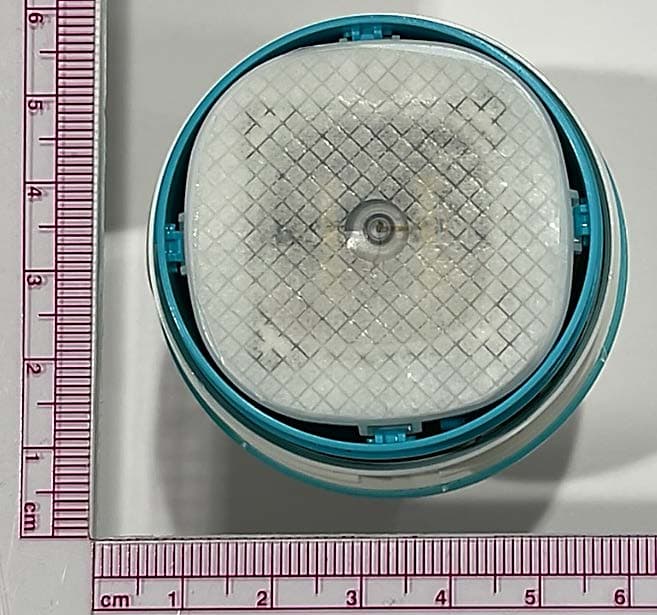
OH2BLEGST2
Jul 08, 2024Disposable glucose sensor transmitter
Equipment Class
DTS - Digital Transmission System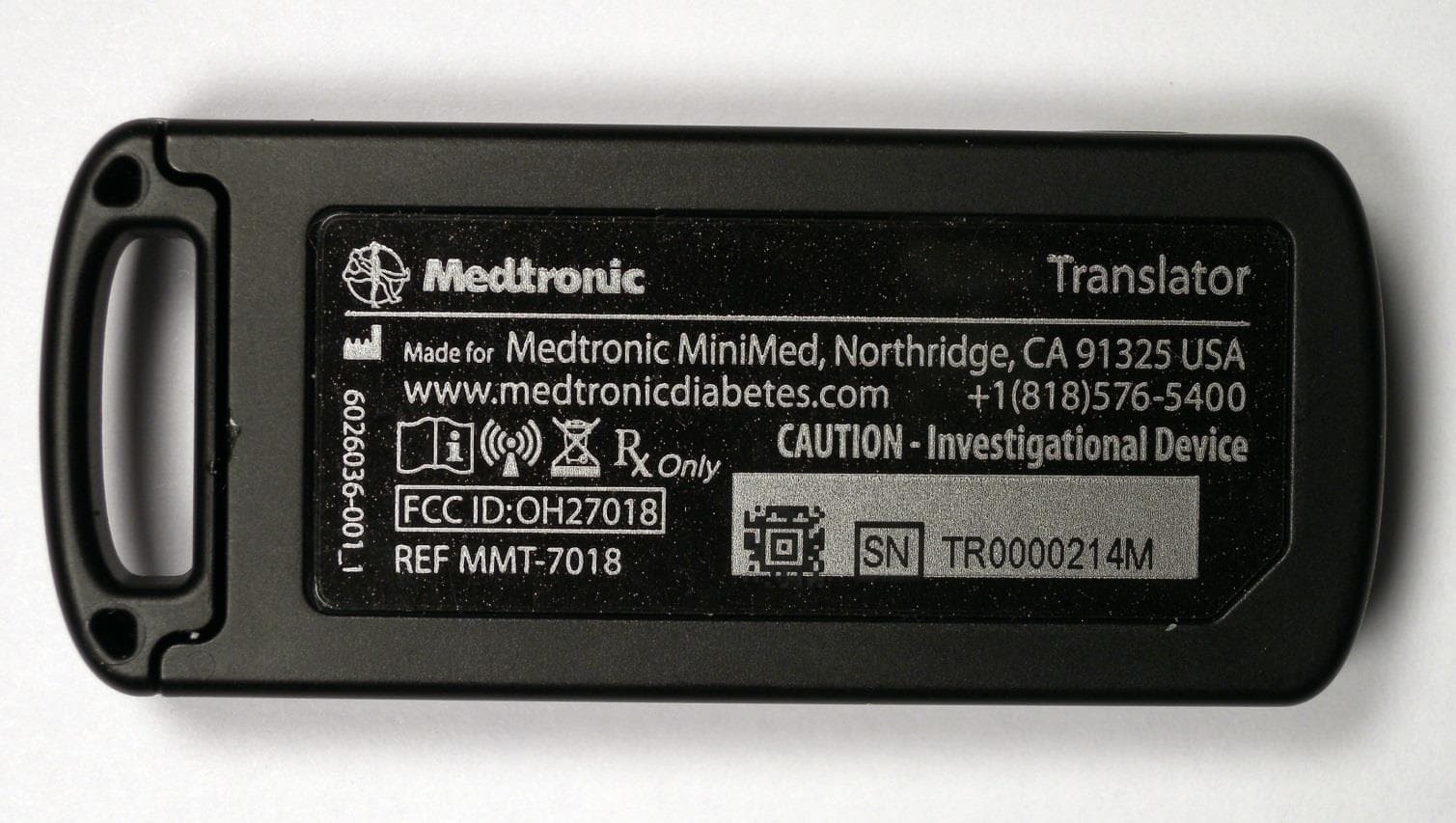
OH27018
Jul 09, 2015The Paradigm Translator allows RF intercommunication between Medtronic Minimed Paradigm series insulin pumps and commercially available smartphones running Medtronic application software.
Equipment Class
DXT - Part 15 Low Power Transceiver, Rx Verified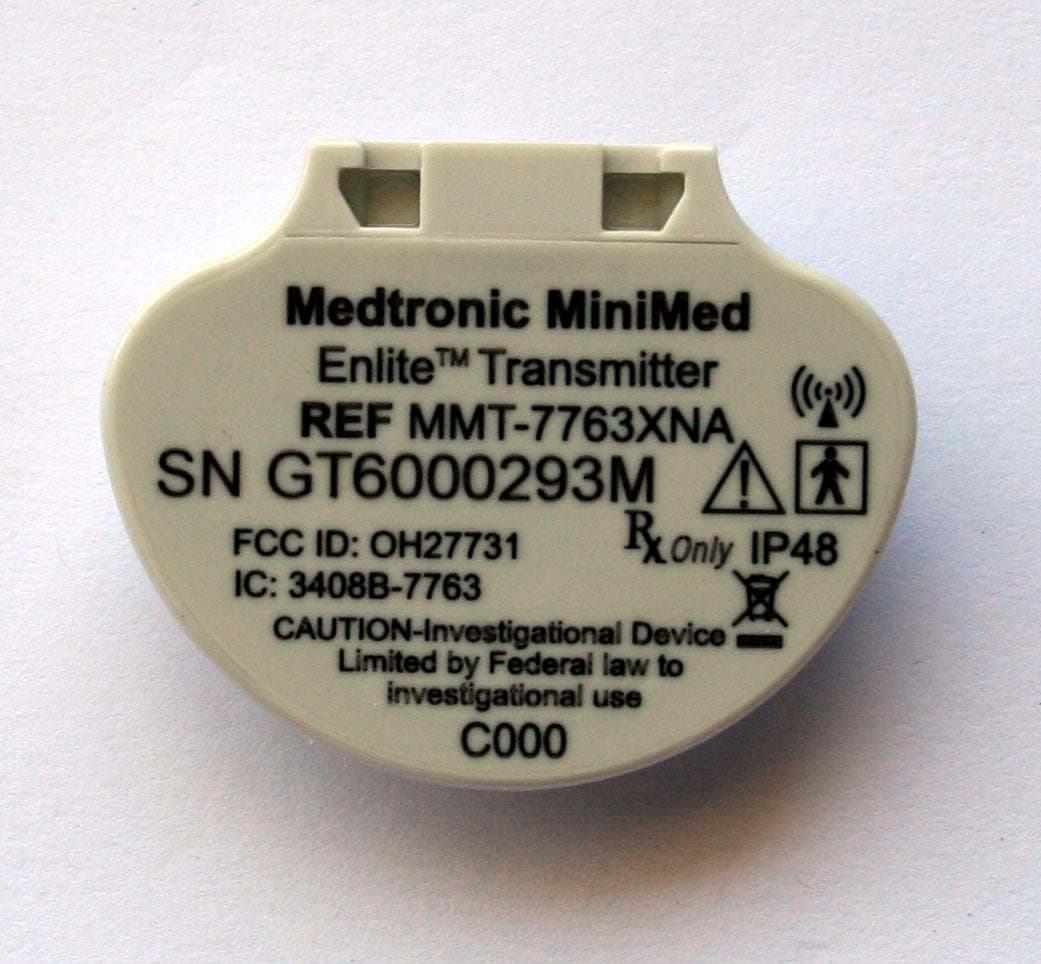
OH27731
Mar 10, 2015The Guardian Link transmitter is a component of the continuous glucose monitoring system for the MiniMed 600 series insulin pumps. The transmitter collects data from the glucose sensor and then wirelessly sends the data to the insulin pump.
Equipment Class
DTS - Digital Transmission System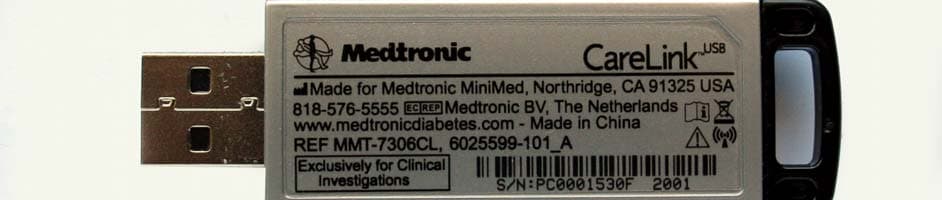
OH27306
Feb 08, 2015CareLINK USB
Equipment Class
DTS - Digital Transmission System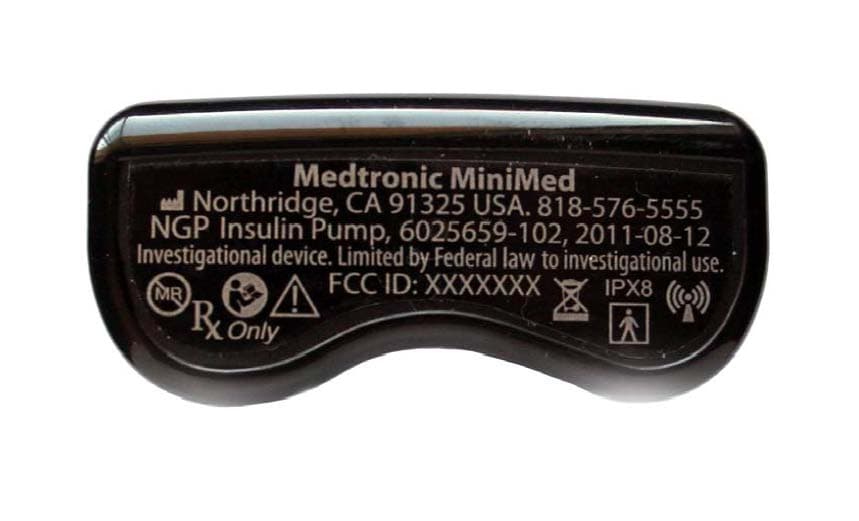
OH21510
Sep 24, 2014620G/630G/640G/670G Insulin Delivery Pump
Equipment Class
DTS - Digital Transmission System