OJR-HT2009Baby bluetooth speaker
E-CORE TECHNOLOGY (CHINA) CO., LTD.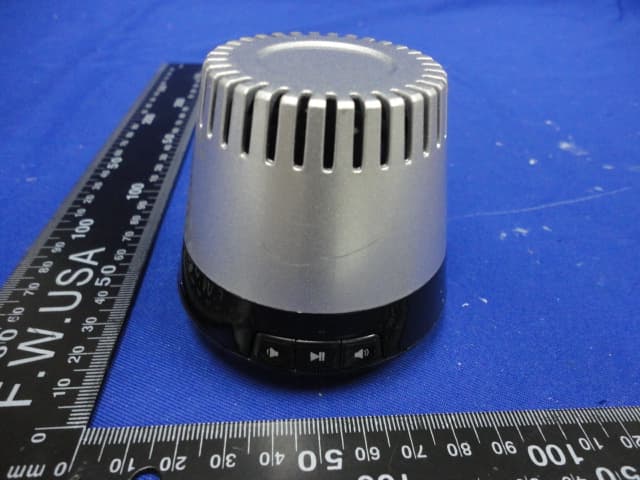
Click to zoom
Application Details
- Equipment Class
- DSS - Part 15 Spread Spectrum Transmitter
- Date of Grant
- Jul 11, 2012
- Application Purpose
- Original Equipment
- Date of Application
- Jul 11, 2012
- Equipment Note
- Baby bluetooth speaker
- Frequency Range
- 2402.00000000 - 2480.00000000
- Country
- China
Documents & Files
Document Text
Text extracted from the exhibit documents filed with the FCC. Open a document above to read the original.
Users Manual
1 / 4 User’s Manual Thank you for purchasing our Baby Bluetooth speaker. Read carefully and follow all instructions in this User's Manual before you use the Baby speaker. Keep this User's Manual in a convenient location for future reference. Safety Instructions This product is specially designed based on the full attention to safety, in order to make sure the accident-free operation, please abide the guidelines listed below: z Always position the unit on a stable and level surface. Unstable surface can cause the unit to topple and fall, resulting in possible damage or injury. z Do not drop, unpack, open, beat, curve, prink and burn the unit. z Avoid using the unit nearby basins or sinks where it may come in contact with water. z Do not place any ware with full water on the top of the unit, such as vase, glass, pot, and please avoid placing candle on the speaker surface as well. z Protect the using of the unit from any overheating devices (such as radiator, heating installation, cooking stove or other heating devices) z Regardless of what reasons cause the unit damage, please ask for the maintenance personnel to repair z If you want to do the cleaning, please turn off the unit and unplug the power cable from the outlet first. z Set the volume properly to prevent injury to the unit and your health. Package Contents 1. Baby bluetooth speaker main unit x 1 2. Protection bag x 1 3. USB cable for charging x 1 4. 3.5mm to 3.5mm aux cable x 1 5. User’s manual x 1 Fit Models z Apply to:all iPhone and iPad series, Smartphones, Laptop, Tablets and other Bluetooth devices. z Work with any device with standard 3.5mm earphone jack via the included aux cable for connecting, such as MP3,PSP, Mobile phone...,etc. Outstanding Features Baby Bluetooth speaker is a hands-free bluetooth speaker device. This unit is compatible with all wireless Bluetooth devices such as the iPad2, iPhone4, Smartphones, Laptops, Tablets and other Bluetooth devices, makes your life full of fun. Compact, portable ,perfect pocket sized design is perfect for travel. Additionally, the “AUX IN” function let the unit work with any device with standard 3.5mm earphone jack, this function provides you more entertainment options. z Ultra-compact, high performance Bluetooth speaker and speakerphone in the palm of your hand z Speaker phone, microphone built-in, and shift to phone call mode automatically z Working range is up to 8m, z Portable design, rechargeable battery built-in and via USB lead for charging z User friendly design, one button and one time for pairing z Aux in, work with any device with standard 3.5mm earphone jack Part Names 2 / 4 Main unit Basic Operation z Power on/power off 1. Power on the unit: Slide the ON/OFF switch to the “ ON” to power on the unit, the red power indicator lights up at once. 2. Power off the unit:Slide the ON/OFF switch to the “ OFF” to power off the unit, the red power indicator goes out in the meanwhile. z Connection 1. Work with phone (1) Power on the unit, and coming with a short Bluetooth hint sound form the unit, the Bluetooth function is on, the blue Bluetooth indicator lights up at the same time, these show the unit is coming into a pairing status. (2) Turn on the Bluetooth function in your phone, and go to search the Bluetooth device, then, your phone will find the unit Bluetooth name” BiJELA HT2009”, enter the password “0000”, the phone will remind you it has been paired successfully. (3) After the first successful pair, your phone and the unit can auto-pair each other without enter the password on the premise that no change for another unit, you just chose the Bluetooth name” BiJELA HT2009”in your phone Bluetooth list for connection, and then you phone will connect the unit swiftly. 2. Work with tablet PC (1) Please refer to the above phone connection operation steps. 3. Work with laptop/ notebook computer /PC (1) As the Bluetooth version for laptop/ notebook computer /PC is various, so the connection methods are different, if you can not connect with the unit for play on first use, you shall install a new version of the Bluetooth driver in your laptop in advance. Please reference the instructions of laptop for details. z Play mode 1. Bluetooth mode: play the audio signal from Bluetooth device connected with the unit. 2. AUX mode: play the audio signal from the audio device with “AUX IN” port. Note: When the Aux cable and Bluetooth device are connected to the unit at the same time, the Aux will go first and the Bluetooth signal will be cut off. z Play the music Play the audio signal from Bluetooth device 1. Follow the above connection steps to pair the Bluetooth device and the unit. 1. Speaker driver unit 2. Volume - 3. Multi-function button (play/pause button & answer key) 4. Volume + 5. Red power indicator 6. Blue Bluetooth indicator 7. USB charging port 8. AUX IN 9. Sub-woofer driver unit 10. Microphone hole 11. ON/OFF power switch 3 / 4 2. Enter in the Bluetooth device audio play menu, choose your favorite music to play. 3. Press the multi-function button to pause or play your music as you need. AUX IN: 1. Plug one end of the supplied aux cable to the “AUX IN” port in the back of unit, and then plug the other end of the cable to audio device. 2. Choose directly your favorite music in the audio device to play 3. Press the multi-function button to pause or play your music as you need. z Adjusting the volume 1. Press the volume button on the unit or control the Bluetooth device volume directly to adjust the volume. z Hands free function 1. The unit will play your phone ringtone when there comes a call to your phone 2. At this time, the multi-function button is the answer key, press the answer key, you can answer the call through the microphone hole hands-freely z Charge 1. Use USB cable for charging: connect one end of the supplied USB cable to PC, and connect the other end to the USB charging port on the unit, then the unit can be fully charged after about 1.5 hour. 2. Use power adapter…
Text truncated - open the document above for the full version.
Cover Letter(s)
SCS-F18: Project and Product Certification Representative Authorization Letter Page 1 of 2 Rev 3.0 775 Montague Expressway Milpitas, CA 95035 Tel: 408-526-1188 Fax: 408-526-1088 Email: [email protected] Project and Product Certification Representative Authorization Letter Revision History Reason for Amendment (current / obsolete) From To Approved Date Initial Release (obsolete) 1.0 1.0 Nov-14-2006 Revised wording (obsolete) 1.0 2.0 Sept–25-2007 Updated company template (current) 2.0 3.0 Jan-31-2012 SCS-F18: Project and Product Certification Representative Authorization Letter Page 2 of 2 Rev 3.0 E-CORE TECHNOLOGY (CHINA) CO.,LTD 3rd bldg, Weidonglong Ind. Park, Heping East Rd, Longhua, Shenzhen, 518109, China T: +86 755 2809 5400 / 2967 4909 F: +86 755 8170 8411 2012/7/2 To: SIEMIC, INC. 775 Montague Expressway, Milpitas, CA 95035 USA Dear Sir/Madam, Re: Project and Product Certification Representative Authorization Letter We, __ E-CORE TECHNOLOGY (CHINA) CO.,LTD _hereby authorize SIEMIC, INC. to act as a Certification Body for certifying for the following project(s): Product description: Baby bluetooth speaker model name: HT2009; HL2015A;HL2003A We affirm that between SIEMIC and _ E-CORE TECHNOLOGY (CHINA) CO.,LTD _ , any difference in understanding, including test plan, measurement methods, applicable standards and relevant procedures and processes have been resolved prior to commencement of testing activities. Sincerely, Client’s signature : Client’s name / title : LC.Liu / RD MANAGER Contact information / address: 3rd Building, Weidonglong Industry. Heping East Road, Longhua, Shenzhen, China
Cover Letter(s)
SCS-F19: Confidentiality Request Letter Page 1 of 2 Rev 3.0 775 Montague Expressway Milpitas, CA 95035 Tel: 408-526-1188 Fax: 408-526-1088 Email: [email protected] Confidentiality Request Letter Revision History Reason for Amendment (current / obsolete) From To Approved Date Initial Release (obsolete) 1.0 1.0 Nov-14-2006 Adding CFR 2.459 (obsolete) 1.0 2.0 August – 11 - 2008 Updated company template & Added text box (current) 2.0 3.0 Jan-31-2012 SCS-F19: Confidentiality Request Letter Page 2 of 2 Rev 3.0 E-CORE TECHNOLOGY (CHINA) CO.,LTD 3rd bldg, Weidonglong Ind. Park, Heping East Rd, Longhua, Shenzhen, 518109, China T: +86 755 2809 5400 / 2967 4909 F: +86 755 8170 8411 2012/7/2 To: Federal Communications Commission Authorization and Evaluation Division 7435 Oakland Mills Road Columbia, MD Subject: Permanent Confidentiality Request for FCC ID: OJR-HT2009 We hereby request confidential treatment of information accompanying this application as outlined below: - Block Diagram - Schematics - Operational Description The above materials contain trade secrets and proprietary information not customarily released to the public. The public disclosure of these materials may be harmful to the applicant and provide unjustified benefits to its competitors. The applicant understands that pursuant to Section 0.457 & 0.459 of the Rules, disclosure of this application and all accompanying documentation will not be made before the date of the Grant for this application. Sincerely, Client’s signature : Client’s name / title : LC.Liu / RD MANAGER Contact information / address: 3rd Building, Weidonglong Industry. Heping East Road, Longhua, Shenzhen, China
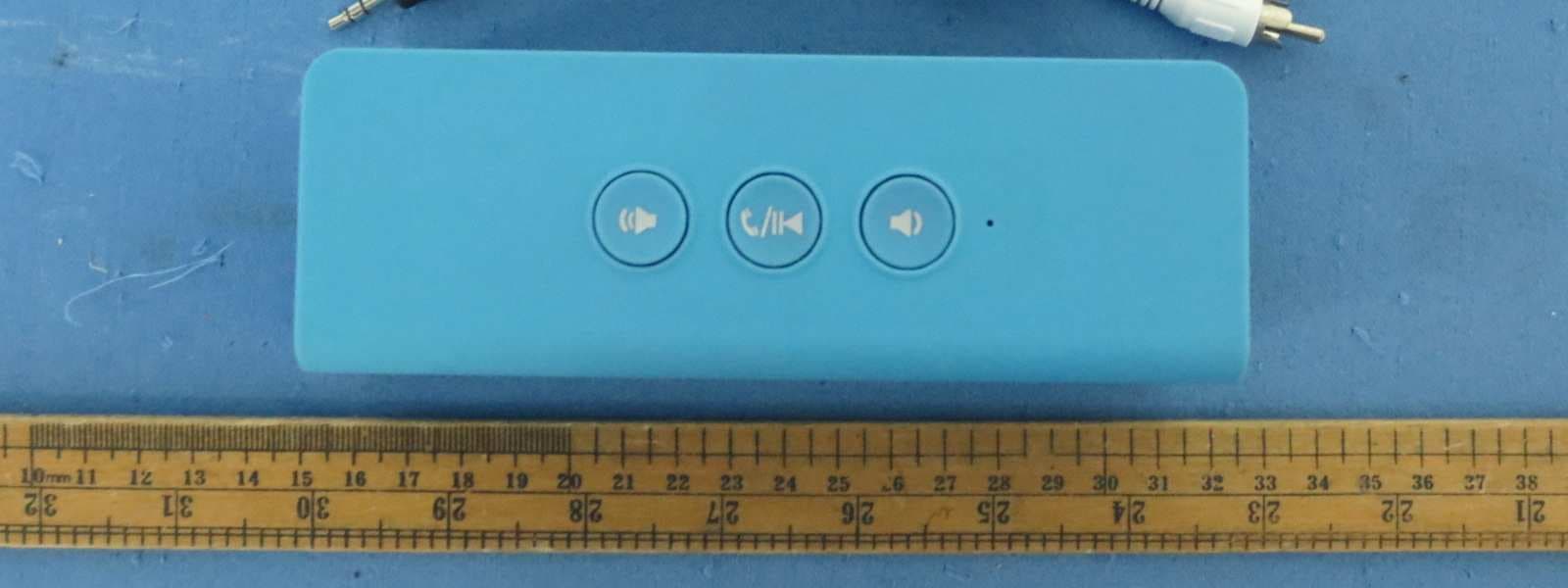
External Photos
FCC ID: OJR-HT2009 EST Technology Co.,Ltd Report No.ESTE-R1206013 Page 112 of 117 12. PHOTOS OF EUT External Photos M/N:HT2009 FCC ID: OJR-HT2009 EST Technology Co.,Ltd Report No.ESTE-R1206013 Page 113 of 117 External Photos M/N:HT2009
ID Label/Location Info
FCC ID: OJR-HT2009 EST Technology Co.,Ltd Report No.ESTE-R1206013 Page 114 of 117 External Photos M/N:HL2015A Label Location
Internal Photos
FCC ID: OJR-HT2009 EST Technology Co.,Ltd Report No.ESTE-R1206013 Page 116 of 117 Internal Photos FCC ID: OJR-HT2009 EST Technology Co.,Ltd Report No.ESTE-R1206013 Page 117 of 117 Internal Photos Antenna
RF Exposure Info
DONGGUAN ALLLIKE ELECTRONIC CO.,LTD E-CORE TECHNOLOGY (CHINA) CO.,LTD Baby bluetooth speaker Model Number: HT2009 Additional Model: HL2015A;HL2003A FCC ID: OJR-HT2009 Prepared for : E-CORE TECHNOLOGY (CHINA) CO.,LTD 3 rd Building, Weidonglong Industry, Heping East Road, LongHua, Shenzhen, China Prepared By : EST Technology Co., Ltd. Santun(guantai Road), Houjie Town, DongGuan City,GuangDong, China. Tel: 86-769-83081888-808 Report Number: ESTE-R12060014 Date of Test : June 19,2012 ~ June 25,2012 Date of Report : June 28,2012 FCC ID : OJR-HT2009 Portable device According to §15.247(e)(i) and §1.1307(b)(1), systems operating under the provisions of this section shall be operated in a manner that ensures that the public is not exposed to radio frequency energy level in excess of the Commission’s guidelines. According to KDB 447498 (2)(a)(i) Frequency Range Low Frequency (MHz) High Frequency(MHz) Center frequency (MHz) 60/f SAR Limitation (mw) 2402 2480 2441 25 Maximum measured transmitter power Bluetooth Basic Rate Freq (MHz) Conducted Power (mw) Max Antenna Gain (dBi) EIRP (mw) 2402 1.50 0 1.50 2441 1.53 0 1.53 2480 1.88 0 1.88 Maximum measured transmitter power Bluetooth Mode EDR 2Mbps Freq (MHz) Conducted Power (mw) Max Antenna Gain (dBi) EIRP (mw) 2402 1.31 0 1.31 2441 1.26 0 1.26 2480 1.48 0 1.48 Maximum measured transmitter power Bluetooth Mode EDR 3Mbps Freq (MHz) Conducted Power (mw) Max Antenna Gain (dBi) EIRP (mw) 2402 1.34 0 1.34 2441 1.32 0 1.32 2480 1.57 0 1.57 Threshold at which no SAR required is 25 mw. Maximum Tx power is 1.88mw EIRP. Conclusion: No SAR is required. SIMULTANEOUS TRANSMISSION EVALUATION N/A
Test Report
FCC ID: OJR-HT2009 EST Technology Co.,Ltd Report No.ESTE-R1206013 Page 1 of 121 FCC PART 15C TEST REPORT FOR CERTIFICATION On Behalf of E-CORE TECHNOLOGY (CHINA) CO.,LTD Baby bluetooth speaker Model Number: HT2009 Additional Model: HL2015A;HL2003A FCC ID: OJR-HT2009 Prepared for : E-CORE TECHNOLOGY (CHINA) CO.,LTD 3 rd Building, Weidonglong Industry, Heping East Road, LongHua, Shenzhen, China Prepared By : EST Technology Co., Ltd. Santun(guantai Road), Houjie Town, DongGuan City,GuangDong, China. Tel: 86-769-83081888-808 Report Number: ESTE-R1206013 Date of Test : June 19,2012 ~ June 25,2012 Date of Report : June 28,2012 FCC ID: OJR-HT2009 EST Technology Co.,Ltd Report No.ESTE-R1206013 Page 2 of 121 TABLE OF CONTENTS Description Page TEST REPORT VERIFICATION.........................................................................................................................3 1. GENERAL INFORMATION.................................................................................................................5 1.1. Description of Device (EUT) ........................................................................................................... 5 2. SUMMARY OF TEST.........................................................................................................................6 2.1. Summary of test result...................................................................................................................... 6 2.2. Test Facilities ................................................................................................................................... 7 2.3. Assistant equipment used for test ..................................................................................................... 8 2.4. Block Diagram ................................................................................................................................. 8 2.5. Test mode ......................................................................................................................................... 8 2.6. Test Equipment................................................................................................................................. 9 3. MAXIMUM PEAK OUTPUT POWER.................................................................................................10 3.1. Limit ............................................................................................................................................... 10 3.2. Test Procedure ................................................................................................................................ 10 3.3. Test Result ...................................................................................................................................... 10 3.4. Test Data ........................................................................................................................................ 11 4. 20 DB BANDWIDTH.......................................................................................................................17 4.1. Limit ............................................................................................................................................... 17 4.2. Test Procedure ................................................................................................................................ 17 4.3. Test Result ...................................................................................................................................... 17 4.4. Test Data ........................................................................................................................................ 18 5. CARRIER FREQUENCY SEPARATION..............................................................................................24 5.1. Limit ............................................................................................................................................... 24 5.2. Test Procedure ................................................................................................................................ 24 5.3. Test Result ...................................................................................................................................... 24 5.4. Test Data ........................................................................................................................................ 25 6. NUMBER OF HOPPING CHANNEL..................................................................................................31 6.1. Limit ............................................................................................................................................... 31 6.2. Test Procedure ................................................................................................................................ 31 6.3. Test Result ...................................................................................................................................... 31 6.4. Test Data ........................................................................................................................................ 32 7. DWELL TIME.................................................................................................................................35 7.1. Limit ............................................................................................................................................... 35 7.2. Test Result ...................................................................................................................................... 35 7.3. Test Data ........................................................................................................................................ 36 8. RADIATED EMISSIONS....................................................................................................................45 8.1. Limit ................…
Text truncated - open the document above for the full version.
Test Setup Photos
FCC ID: OJR-HT2009 EST Technology Co.,Ltd Report No.ESTE-R1206013 Page 111 of 117 11. TEST SETUP PHOTO Radiated Test (30-1000 MHz) Radiated Test (1000-25000 MHz)
Contact Information
Applicant
LC Liu(RD Manager)
Test Firm
EST Technology Co.,LtdIceman Hu
[email protected]86-769-83081888
Technical Specifications
| # | Rule Parts | Frequency Range | Power Output |
|---|---|---|---|
| 1 | 15C | 2.40 GHz - 2.48 GHz | 1.89 mW |
Other Applications from E-CORE TECHNOLOGY (CHINA) CO., LTD.
OJR-HT1051
Feb 27, 2013Magic SoundBox Bluetooth speaker
Equipment Class
DXX - Part 15 Low Power Communication Device Transmitter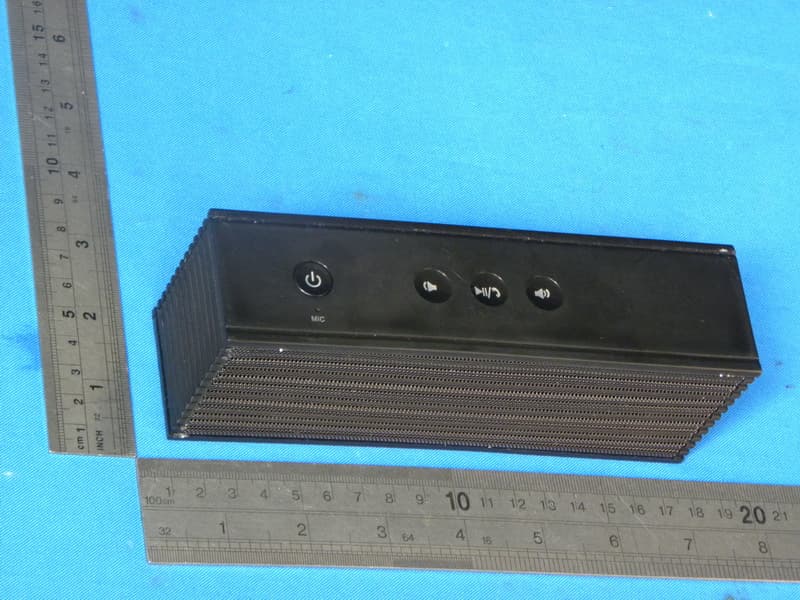
OJR-HT1053
Jan 07, 2013Soundwave Bluetooth speaker
Equipment Class
DSS - Part 15 Spread Spectrum Transmitter
OJR-HT1056
Oct 14, 2012Mini Crescent bluetooth speaker
Equipment Class
DSS - Part 15 Spread Spectrum Transmitter
OJR-HT2011
Sep 16, 2012Pureplay Pro Bluetooth speaker
Equipment Class
DSS - Part 15 Spread Spectrum Transmitter