PBLCDW571AM002WIFI BROADBAND ROUTER
Advance Multimedia Internet Technology Inc.
Click to zoom
Application Details
- Equipment Class
- DTS - Digital Transmission System
- Date of Grant
- Mar 26, 2012
- Application Purpose
- Original Equipment
- Date of Application
- Mar 25, 2012
- Equipment Note
- WIFI BROADBAND ROUTER
- Frequency Range
- 2422.00000000 - 2452.00000000
- Country
- Taiwan
Documents & Files
Document Text
Text extracted from the exhibit documents filed with the FCC. Open a document above to read the original.
Users Manual
1 CDW571AM-002 WiFi Broadband Router User Manual 2 Copyright The contents of this publication may not be reproduced in any part or as a whole, stored, transcribed in an information retrieval system, translated into any language, or transmitted in any form or by any means, mechanical, magnetic, electronic, optical, photocopying, manual, or otherwise, without the prior written permission. Trademarks All products, company, brand names are trademarks or registered trademarks of their respective companies. They are used for identification purpose only. Specifications are subject to be changed without prior notice. FCC Interference Statement This equipment has been tested and found to comply with the limits for a Class B digital device pursuant to Part 15 of the FCC Rules. These limits are designed to provide reasonable protection against radio interference in a commercial environment. This equipment can generate, use and radiate radio frequency energy and, if not installed and used in accordance with the instructions in this manual, may cause harmful interference to radio communications. Operation of this equipment in a residential area is likely to cause interference, in which case the user, at his own expense, will be required to take whatever measures are necessary to correct the interference. CE Declaration of Conformity This equipment complies with the requirements relating to electromagnetic compatibility, EN 55022/A1 Class B. FCC Part 15.21 information for user You are cautioned that changes or modifications not expressly approved by the party responsible for compliance could void your authority to operate the equipment. IMPORTANT NOTE: FCC Radiation Exposure Statement: This equipment complies with FCC radiation exposure limits set forth for an uncontrolled environment. This equipment should be installed and operated with minimum distance 20cm between the radiator & your body. This transmitter must not be co-located or operating in conjunction with any other antenna or transmitter. The antennas used for this transmitter must be installed to provide a separation distance of at least 20 cm from all persons and must not be co-located or operating in conjunction with any other antenna or transmitter. 3 THE DIFFERENT OF THE EACH MODEL IS SHOWN AS BELOW: NO. 1 2 3 4 MODEL CDW571AM-U02 CDE570AM-U02CDE570AM-002; WGR-6013; 4000-R2 CDW571AM-002 USB PORT *1 YES YES NO YES ANTENNA 2.35DBI & 2DBI 2.35DBI & 2DBI 2.35DBI & 2DBI 2.35DBI & 2DBI ADAPTER ADAPTER 1 5VDC, 2A ADAPTER 2 5VDC, 1.2A ADAPTER 1 5VDC, 2A 4 TABLE OF CONTENTS COPYRIGHT ............................................................................................................................. 2 FCC INTERFERENCE STATEMENT ....................................................................................... 2 CHAPTER 1.............................................................................................INTRODUCTION ................................................................................................................................................ 5 1.1 PACKAGE LIST .............................................................................................. 5 1.2 HARDWARE INSTALLATION ........................................................................ 6 CHAPTER 2..........................................GETTING STARTED WITH EASY SETUP UTILITY ................................................................................................................................................ 8 2.1 EASY SETUP BY WINDOWS UTILITY .......................................................... 8 2.2 EASY SETUP BY CONFIGURING WEB PAGES ........................................ 13 CHAPTER 3............................................................................MAKING CONFIGURATION .............................................................................................................................................. 18 3.1 BASIC SETTING............................................................................................. 18 3.2 FORWARDING RULES .................................................................................. 35 3.2.1 VIRTUAL SERVER ............................................................................... 35 3.2.2 SPECIAL AP......................................................................................... 36 3.2.3 MISCELLANEOUS ............................................................................... 37 3.3 SECURITY SETTING........................................................................................ 38 3.4 ADVANCED SETTING ..................................................................................... 44 3.5 TOOL BOX........................................................................................................ 56 CHAPTER 4.....................................................................................TROUBLESHOOTING .............................................................................................................................................. 59 APPENDIX A. SPEC SUMMARY TABLE .............................................................................. 63 APPENDIX B. LICENSING INFORMATION .......................................................................... 64 5 Chapter 1 Introduction The Wi-Fi Combo Router is a high-performance tool that supports wireless networking at home, work, or in a public place. The Wi-Fi Combo Router supports a USB 3G modem card, either WCDMA or EVDO and even HSDPA as well, and supports wireless data transfers up to 300M bps, and wired data transfers up to 1Gbps. The WiFi Combo Router is compatible with industry security features. 1.1 Package List Items Description Contents Quantity 1 Wi-Fi Combo Router 1 2 Power adapter 1 3 CD 1 6 1.2 Hardware Installation A. Hardware configuration 7 B. Installation Steps Note: DO NOT connect the router to power before performing the installation steps below. 8 Step…
Text truncated - open the document above for the full version.
Users Manual
1 CDW571AM-002 WiFi Broadband Router User Manual 2 Copyright The contents of this publication may not be reproduced in any part or as a whole, stored, transcribed in an information retrieval system, translated into any language, or transmitted in any form or by any means, mechanical, magnetic, electronic, optical, photocopying, manual, or otherwise, without the prior written permission. Trademarks All products, company, brand names are trademarks or registered trademarks of their respective companies. They are used for identification purpose only. Specifications are subject to be changed without prior notice. FCC Interference Statement This equipment has been tested and found to comply with the limits for a Class B digital device pursuant to Part 15 of the FCC Rules. These limits are designed to provide reasonable protection against radio interference in a commercial environment. This equipment can generate, use and radiate radio frequency energy and, if not installed and used in accordance with the instructions in this manual, may cause harmful interference to radio communications. Operation of this equipment in a residential area is likely to cause interference, in which case the user, at his own expense, will be required to take whatever measures are necessary to correct the interference. CE Declaration of Conformity This equipment complies with the requirements relating to electromagnetic compatibility, EN 55022/A1 Class B. 3 Table of contents COPYRIGHT ............................................................................................................................. 2 FCC INTERFERENCE STATEMENT ....................................................................................... 2 CHAPTER 1 INTRODUCTION ............................................................................................. 4 1.1 PACKAGE LIST .............................................................................................. 4 1.2 HARDWARE INSTALLATION........................................................................ 5 CHAPTER 2 GETTING STARTED WITH EASY SETUP UTILITY...................................... 7 2.1 EASY SETUP BY WINDOWS UTILITY.......................................................... 7 2.2 EASY SETUP BY CONFIGURING WEB PAGES ........................................ 12 CHAPTER 3 MAKING CONFIGURATION ........................................................................ 16 3.1 BASIC SETTING............................................................................................. 16 3.2 FORWARDING RULES .................................................................................. 33 3.2.1 VIRTUAL SERVER............................................................................... 33 3.2.2 SPECIAL AP......................................................................................... 34 3.2.3 MISCELLANEOUS ............................................................................... 35 3.3 SECURITY SETTING ....................................................................................... 36 3.4 ADVANCED SETTING ..................................................................................... 42 3.5 TOOL BOX........................................................................................................ 54 CHAPTER 4 TROUBLESHOOTING .................................................................................. 57 APPENDIX A. SPEC SUMMARY TABLE .............................................................................. 61 APPENDIX B. LICENSING INFORMATION .......................................................................... 62 4 Chapter 1 Introduction The Wi-Fi Combo Router is a high-performance tool that supports wireless networking at home, work, or in a public place. The Wi-Fi Combo Router supports a USB 3G modem card, either WCDMA or EVDO and even HSDPA as well, and supports wireless data transfers up to 300M bps, and wired data transfers up to 1Gbps. The WiFi Combo Router is compatible with industry security features. 1.1 Package List Items Description Contents Quantity 1 Wi-Fi Combo Router 1 2 Power adapter 1 3 CD 1 5 1.2 Hardware Installation A. Hardware configuration 6 B. Installation Steps Note: DO NOT connect the router to power before performing the installation steps below. Step 1. Plug a USB modem into USB port. Step 2. Insert RJ45 cable into LAN Port on the back panel of the router. Then plug the other end of into computer. Step 3. Plug the power jack into the receptor on the back panel of the router. Then plug the other end into a wall outlet or power strip. 7 Chapter 2 Getting Started with Easy Setup Utility There are two approaches for you to set up the Wi-Fi Combo Router quickly and easily. One is through executing the provided Windows Easy Setup Utility on your PC, and the other is through browsing the device web pages and configuration. 2.1 Easy Setup by Windows Utility Step 1: Install the Easy Setup Utility from the provided CD then follow the steps to configure the device. Step 2: Select Language then click “Next” to continue. Step 3: Then click the “Wizard” to continue. 8 Step 4: Click “Next” to continue. Step 5: Select Wireless Enable, and then click “Next” to continue. Step 6: Enter SSID, Channel and Security options, and then click “Next” to continue. 9 Step 7: Click” Let me select WAN service by myself” to select WAN service manually. Step 8: Select 3G Service by clicking 3G icon to continue. Step 9-1: Select “Auto-Detection” and the Utility will try to detect and configure the required 3G service settings automatically. Click “Next” to continue. 10 Step 9-2: Or you can select “Manual” and manually fill in the required 3G service settings provided by your ISP. Click “Next” to continue. Step 10: Click “Next” to save your setting. Step 11: The Wi-Fi Combo Router is rebooted to make your entire configuration take effect. 11 Step 12: Click “Next” to test the Internet connection or you can ignore test. Step 13…
Text truncated - open the document above for the full version.
Users Manual
1 CDE570AM-U02 WiFi Broadband Router User Manual 2 Copyright The contents of this publication may not be reproduced in any part or as a whole, stored, transcribed in an information retrieval system, translated into any language, or transmitted in any form or by any means, mechanical, magnetic, electronic, optical, photocopying, manual, or otherwise, without the prior written permission. Trademarks All products, company, brand names are trademarks or registered trademarks of their respective companies. They are used for identification purpose only. Specifications are subject to be changed without prior notice. FCC Interference Statement This equipment has been tested and found to comply with the limits for a Class B digital device pursuant to Part 15 of the FCC Rules. These limits are designed to provide reasonable protection against radio interference in a commercial environment. This equipment can generate, use and radiate radio frequency energy and, if not installed and used in accordance with the instructions in this manual, may cause harmful interference to radio communications. Operation of this equipment in a residential area is likely to cause interference, in which case the user, at his own expense, will be required to take whatever measures are necessary to correct the interference. CE Declaration of Conformity This equipment complies with the requirements relating to electromagnetic compatibility, EN 55022/A1 Class B. 3 TABLE OF CONTENTS Copyright...................................................................................................... 2 FCC Interference Statement.................................................................... 2 Chapter 1 Introduction .................................................................................... 5 1.1. Package List...................................................................................... 5 1.2. Hardware Installation....................................................................... 6 Chapter 2 Getting Started................................................................................ 8 2.1. Easy Setup by Windows Utility...................................................... 9 2.2. Easy Setup by Configuring Web UI............................................. 13 Chapter 3 Making Configuration .................................................................. 17 3.1. Basic Setting................................................................................... 18 3.1.1. Network Setup .............................................................................. 18 3.2. NAS Configuration......................................................................... 31 3.2.1. Disk Utility.................................................................................... 31 3.2.2. File Sharing ................................................................................... 31 3.2.2.1. Basic Setting ............................................................................. 31 3.2.2.2. FTP Service............................................................................... 32 3.2.3. Access Control .............................................................................. 32 3.2.3.1. User Configuration.................................................................... 33 3.2.4. iTunes Server ................................................................................ 33 3.3. Download Assistant .......................................................................... 33 3.3.1. FTP................................................................................................ 34 3.3.2. HTTP............................................................................................. 34 3.3.3. BT (Bit Torrent) ............................................................................ 36 3.3.3.1. Start BT download .................................................................... 36 3.3.3.2. BT download status................................................................... 36 3.3.3.3. Stop, Resume and Remove seed ............................................... 37 3.3.4. Download Status ........................................................................... 38 3.3.5. How to access data on the NAS? .................................................. 38 3.3.5.1. Windows User........................................................................... 38 3.3.5.1.1. By network place ...................................................................... 38 3.3.5.1.2. By Web HDD ............................................................................ 39 3.3.5.2. Unix User .................................................................................. 39 3.4. Forwarding Rules........................................................................... 40 3.4.1. Virtual Server.............................................................................. 40 3.4.2. Special AP................................................................................... 41 3.4.3. Miscellaneous............................................................................. 42 3.4.4. Security Setting.......................................................................... 43 3.4.4.1. Packet Filters.......................................................................... 43 3.4.4.2. Domain Filters......................................................................... 45 3.4.4.3. URL Blocking.......................................................................... 45 3.4.4.4. MAC Control............................................................................ 46 3.4.4.5. Miscellaneous......................................................................... 47 3.4.5. Advanced Setting....................................................................... 48 3.4.5.1. System Log............................................................................. 49 3.4.5.2. Dynamic DNS........................................…
Text truncated - open the document above for the full version.
Users Manual
1 User Manual CDE570AM-002 WiFi Broadband Router 2 Copyright The contents of this publication may not be reproduced in any part or as a whole, stored, transcribed in an information retrieval system, translated into any language, or transmitted in any form or by any means, mechanical, magnetic, electronic, optical, photocopying, manual, or otherwise, without the prior written permission. Trademarks All products, company, brand names are trademarks or registered trademarks of their respective companies. They are used for identification purpose only. Specifications are subject to be changed without prior notice. FCC Interference Statement This equipment has been tested and found to comply with the limits for a Class B digital device pursuant to Part 15 of the FCC Rules. These limits are designed to provide reasonable protection against radio interference in a commercial environment. This equipment can generate, use and radiate radio frequency energy and, if not installed and used in accordance with the instructions in this manual, may cause harmful interference to radio communications. Operation of this equipment in a residential area is likely to cause interference, in which case the user, at his own expense, will be required to take whatever measures are necessary to correct the interference. CE Declaration of Conformity This equipment complies with the requirements relating to electromagnetic compatibility, EN 55022/A1 Class B. The specification is subject to change without notice. 3 Table of Contents Chapter 1 Introduction........................................................................... 4 1.1 Packing List................................................................................. 4 1.2 Spec Summary Table................................................................. 5 1.3 Hardware Configuration............................................................. 7 1.4 LED indicators............................................................................. 8 1.5 Button Definition......................................................................... 9 1.6 Procedure for Hardware Installation........................................ 9 Chapter 2 Making Configuration........................................................ 11 2.1 Login to Configure from Wizard............................................. 12 2.2 System Status........................................................................... 16 2.3 Advanced................................................................................... 17 Appendix A FAQ and Troubleshooting............................................. 67 What can I do when I have some trouble at the first time?...... 67 How do I connect router by using wireless?............................... 69 4 C C C h h h a a a p p p t t t e e e r r r 1 1 1 I I I n n n t t t r r r o o o d d d u u u c c c t t t i i i o o o n n n Congratulations on your purchase of this outstanding Wireless Broadband Router. This product is specifically designed for Small Office and Home Office needs. It provides a complete SOHO solution for Internet surfing, and is easy to configure and operate even for non-technical users. Instructions for installing and configuring this product can be found in this manual. Before you install and use this product, please read this manual carefully for fully exploiting the functions of this product. 1.1 Packing List items Description Contents Quantity 1 WiFi Broadband Router 1 2 Power adapter 5V 1.2A 1 3 CD 1 z Wireless broadband router unit z Installation CD-ROM z Power adapter 5 1.2 Spec Summary Table Device Interface CDE570AM-002 Ethernet WAN RJ-45 port, 10/100/1000Mbps, auto-MDI/MDIX 1 Ethernet LAN RJ-45 port, 10/100/1000Mbps, auto-MDI/MDIX 4 Antenna 1.8 dBi Fixed antenna 2 WPS Button For WPS connection 1 Reset Button Reset router setting to factory default 1 LED Indication Power/Status / WAN / LAN1 ~ LAN4/ WiFi ● Power Jack DC Power Jack, powered via external DC 5V/1.2A switching power adapter 1 Wireless LAN (WiFi) Standard IEEE 802.11b/g/n compliance ● SSID SSID broadcast or in stealth mode ● Channel Auto-selection, manually ● Security WEP, WPA, WPA-PSK, WPA2, WPA2-PSK ● WPS WPS (Wi-Fi Protected Setup) ● WMM WMM (Wi-Fi Multimedia) ● Functionality Ethernet WAN PPPoE, DHCP client, Static IP ● WAN Connection Auto-reconnect, dial-on-demand, manually ● One-to-Many NAT Virtual server, special application, DMZ, Super DMZ(IP pass-through) ● NAT Session Support NAT session 20000 SPI Firewall IP/Service filter, URL blocking, Internet Access Control ● DoS Protection DoS (Deny of Service) detection and protection ● Routing Protocol Static route, dynamic route (RIP v1/v2) ● Management SNMP, UPnP IGD, syslog, DDNS ● 6 Administration Web-based UI, remote login, backup/restore setting ● Performance NAT up to 700Mbps and Wireless up to150Mbps Environment & Certification Package Information CDE570AM-002, DC 5V/1.2A power adapter, Quick Installation Guide Device dimension (mm) 156x110x22 Package dimension (246x210x62mm) SP/MP/ZP ● Package dimension (214x146x69mm) PP ○ Package Information Package dimension (290x234x100mm) AP ○ Operation Temp. Temp.: 0~40°C, Humidity 10%~90% non-condensing ● Storage Temp. Temp.: -10~70°C, Humidity: 0~95% non-condensing ● EMI Certification CE/FCC compliance ● RoHS RoHS compliance ● *Specifications are subject to change without prior notice. 7 1.3 Hardware Configuration Auto MDI/MDIX RJ-45 Ports Automatically sense the types of WA N and LAN when connecting to Ethernet Power Jack Antenna Antenna 8 1.4 LED indicators LED status Description Status Green in flash Device status is working. Green RJ45 cable is plugged WAN LED Green in flash Data access Green RJ45 cable is plugged LAN LED Green in flash Data access Green WLAN is on Green in flash Data access WiFi LED Green in fast flash Device is in WPS PBC mode Green in dark Wi-Fi Radio is disabled LAN1~LAN4 LEDs Wi-Fi LED WAN LED WPS Status LED Reset 9 1.5 Button Definition Description WPS…
Text truncated - open the document above for the full version.
Cover Letter(s)
Advance Multimedia Internet Technology Inc. No.28, Lane 31 , Sec. 1 , Huandong Rd. , Sinshih District , Tainan City 74146 , Taiwan Confidentiality Request FCC ID : PBLCDW571AM002 Product : WiFi Broadband Router Model : CDW571AM-002 / CDE570AM-U02 / CDE570AM-002 / WGR-6013 / 4000-R2 Pursuant to Sections 0.457 and 0.459 of the Commission’s Rules, the Applicant hereby requests confidential treatment of information accompanying this Application as outlined below: Schematics Block Diagram The above materials contain trade secrets and proprietary information not customarily released to the public. The public disclosure of these matters might be harmful to the Applicant and provide unjustified benefits to its competitors. The Applicant understands that pursuant to Rule 0.457, disclosure of this Application and all accompanying documentation will not be made before the date of the Grant for this application. Sincerely yours, ___________________________ TEL: 06-5058026 FAX: 06-5058068 E-MAIL: [email protected]
Cover Letter(s)
Advance Multimedia Internet Technology Inc. No.28, Lane 31 , Sec. 1 , Huandong Rd. , Sinshih District , Tainan City 74146 , Taiwan Date: March 9, 2012 Subject: DoC declaration To Whom it may concern, We, as the grantee of this project FCC ID: PBLCDW571AM002, would like to declare that the composite portion categorized as computer peripheral has been authorized under the Declaration of Conformity procedures. Regards, ( Signature Here) Name: Title: Tel: E-mail: Date:
Cover Letter(s)
Advance Multimedia Internet Technology Inc. No.28, Lane 31 , Sec. 1 , Huandong Rd. , Sinshih District , Tainan City 74146 , Taiwan Attestation FCC ID : PBLCDW571AM002 Product : WiFi Broadband Router Model : CDW571AM-002 / CDE570AM-U02 / CDE570AM-002 / WGR-6013 / 4000-R2 Statements: We, the undersigned, hereby certify that only 11 channels from 2412-2462MHz will be used in USA, other channels will be disabled by software. Sincerely yours, _________________________ Name/ Title Company name
Cover Letter(s)
Advance Multimedia Internet Technology Inc. No.28, Lane 31 , Sec. 1 , Huandong Rd. , Sinshih District , Tainan City 74146 , Taiwan Date: 2011/9/21 Federal Communications Commission 7435 Oakland Mills Road Columbia MD 21046 c.c. Compliance Certification Services Certification Division 47173 Benicia Street Fremont, CA 94538, USA To whom it may concern: I, the undersigned, hereby authorize Mr. Alex Chiu / Director of Compliance Certification Services Inc. and hereafter referred to as CCS, to act on our behalf in all manners relating to application for equipment authorization, including signing of all documents relating to these matters. Any and all acts carried out by Mr. Alex Chiu / Director of Compliance Certification Services Inc. on our behalf shall have the same effect as acts of our own. In authorizing CCS as our agent, we still recognize that we are responsible to: a) comply with the relevant provisions of the certification program; b) make all necessary arrangements for the conduct of the evaluation, including provision for examining documentation and access to all areas, records (including internal audit reports) and personnel for the purposes of evaluation (e.g. testing, inspection, assessment, surveillance, reassessment) and resolution of complaints; c) make claims regarding certification only in respect of the scope for which certification has been granted; d) do not use our product certification in such a manner as to bring the Certification Division into disrepute and not make any statement regarding our product certification which the Certification Division may consider misleading or unauthorized; e) upon suspension or cancellation of certification, discontinue use of all advertising matter that contains any reference thereto and return any certification documents as required by the Certification Division; f) use certification only to indicate the products are certified as being in conformity with specified standards; g) endeavor to ensure that no certificate or report nor any part thereof is used in a misleading manner; h) ensure that any reference to our product certification in communication media such as documents, brochures or advertising, complies with the requirements of the Certification Division; i) keep a record of all complaints made known to the us relating to the product’s compliance with requirements of the relevant standard and to make these records available to the Certification Division when requested; j) take appropriate action with respect to such complaints and any deficiencies found in products or services that affect compliance with the requirements for certification; k) document the actions taken. This authorization is valid until further written notice from the applicant. Sincerely Yours, (Please type Name and Title of Person to Receive Grant/Certificate) (Please type Company Name) REMARK: 1. This authorization letter will be sent along with your application when filing with the Certification Division. 2. Please follow the format and type it on company letterhead and send original to us. 3. Authorized signature must be in agreement with grantee code contact in FCC database.
External Photos
Compliance Certification Services Inc. Report No.:T110812402 Date of Issue: August 30, 2011 Page A1 / 25 PHOTOGRAPHS OF EUT External Photo (Model: CDW571AM-U02; CDW571AM-002) Antenna Gain: 2.35 dBi_Case 1 Compliance Certification Services Inc. Report No.:T110812402 Date of Issue: August 30, 2011 Page A2 / 25 Compliance Certification Services Inc. Report No.:T110812402 Date of Issue: August 30, 2011 Page A3 / 25 Antenna Gain: 2 dBi_Case 2 Compliance Certification Services Inc. Report No.:T110812402 Date of Issue: August 30, 2011 Page A4 / 25 Compliance Certification Services Inc. Report No.:T110812402 Date of Issue: August 30, 2011 Page A5 / 25 External Photo (Model: CDE570AM-U02) Antenna Gain: 2.35 dBi_Case 3 Compliance Certification Services Inc. Report No.:T110812402 Date of Issue: August 30, 2011 Page A6 / 25 Compliance Certification Servic…
Text truncated - open the document above for the full version.
Contact Information
Applicant
Fred Lin(Engineer)
Test Firm
Compliance Certification Services Inc.Tommy WU
Technical Specifications
| # | Rule Parts | Frequency Range | Power Output |
|---|---|---|---|
| 2 | 15C | 2.42 GHz - 2.45 GHz | 79.30 mW |
Other Applications from Advance Multimedia Internet Technology Inc.
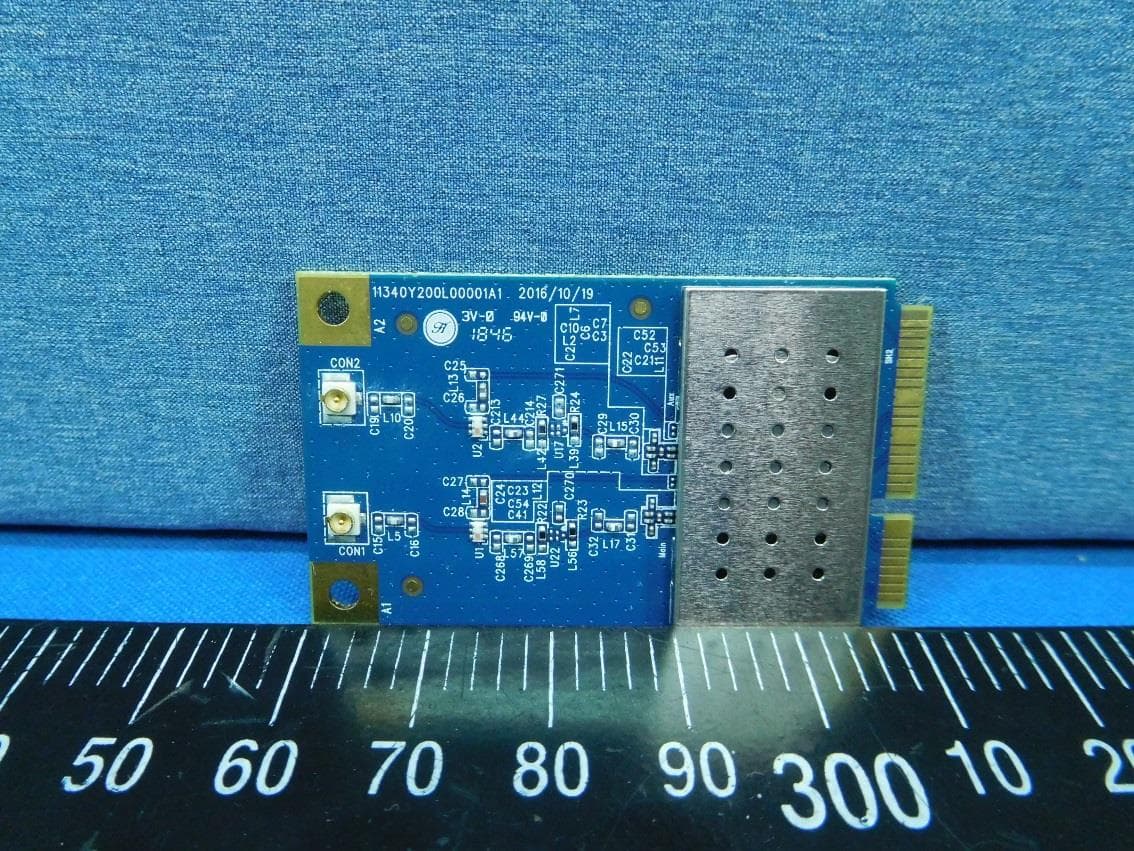
PBLMLC21AAM
Jan 29, 2020WiFi Module
Equipment Class
NII - Unlicensed National Information Infrastructure TX
PBLCDD531AMU03
Apr 25, 2013WiFi ADSL2/2+ RG
Equipment Class
DTS - Digital Transmission System
PBLCDE560AM001
Apr 18, 2013WiFi Combo Router / WiFi Broadband Router
Equipment Class
DTS - Digital Transmission System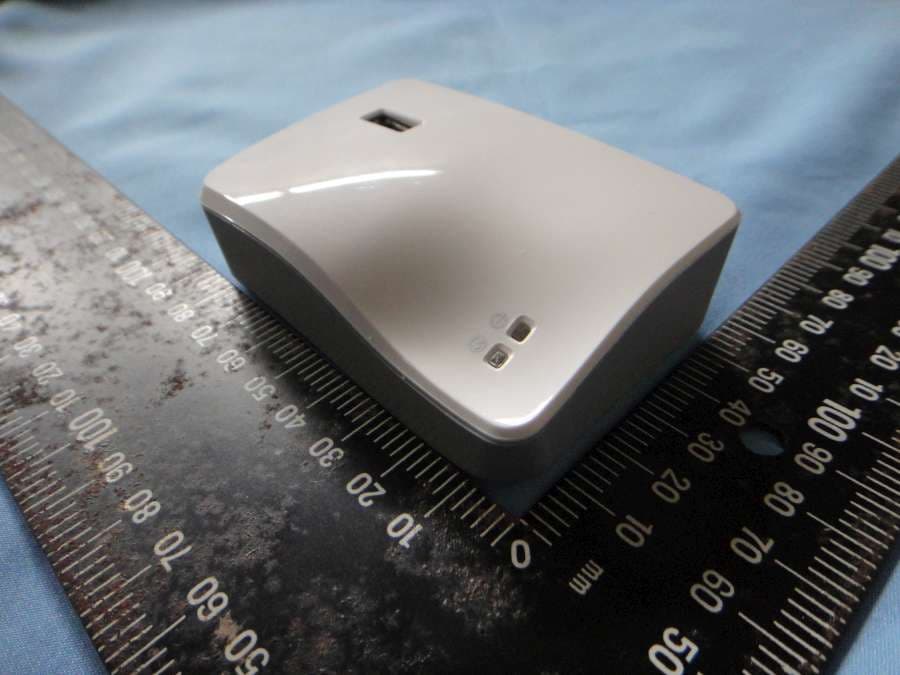
PBLCDM532AM001
Feb 05, 2013WiFi Mobile Router
Equipment Class
DTS - Digital Transmission System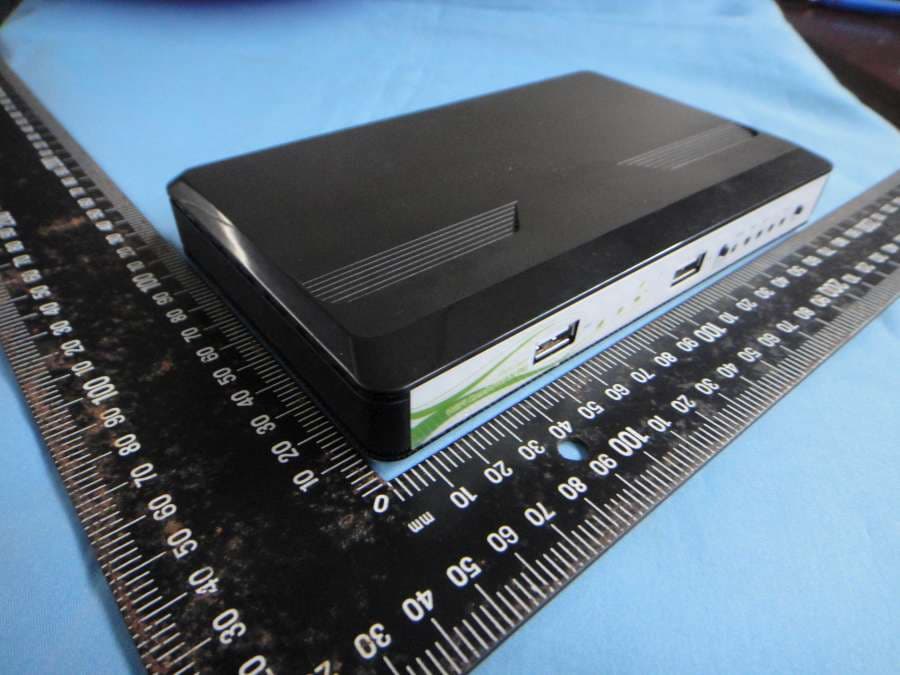
PBLCDW68AAMU01
Nov 01, 2012WiFi Broadband Router
Equipment Class
DTS - Digital Transmission System