PCOBLUEBOXUSBHDUSB HDTV RECEIVER
Sigmacom Co., Ltd.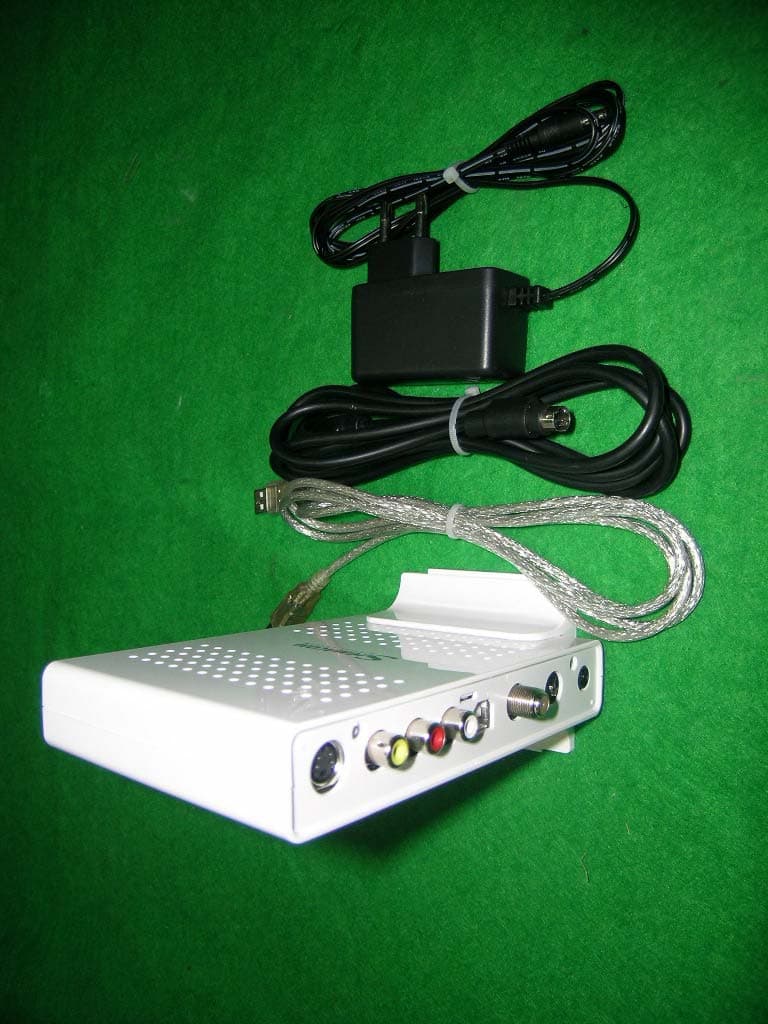
Click to zoom
Application Details
- Equipment Class
- JBP - Part 15 Class B Computing Device Peripheral
- Date of Grant
- Dec 07, 2004
- Application Purpose
- Original Equipment
- Date of Application
- Dec 07, 2004
- Equipment Note
- USB HDTV RECEIVER
- Company
- Sigmacom Co., Ltd.
- Country
- South Korea
Documents & Files
Document Text
Text extracted from the exhibit documents filed with the FCC. Open a document above to read the original.
Users Manual
BlueBox USB HD User’s Manual Version 1.1 Notice This device has been approved by FCC for a home appliance and is suitable for all residential areas. NOTE: THE MANUFACTURER IS NOT RESPONSIBLE FOR ANY RADIO OR TV INTERFERENCE CAUSED BY UNAUTHORIZED MODIFICATIONS TO THIS EQUIPMENT. SUCH MODIFICATIONS COULD VOID THE USER'S AUTHORITY TO OPERATE THE EQUIPMENT. NOTE: This equipment has been tested and found to comply with the limits for a Class B digital device, pursuant to part 15 of the FCC Rules. These limits are designed to provide reasonable protection against harmful interference in a residential installation. This equipment generates, uses and can radiate radio frequency energy and, if not installed an! d used in accordance with the instructions, may cause harmful interference to radio communications. However, there is no guarantee that interference will not occur in a particular installation. If this equipment does cause harmful interference to radio or television reception, which can be determined by turning the equipment off and on, the user is encouraged to try to correct the interference by one or more of the following measures: - Reorient or relocate the receiving antenna. - Increase the separation between the equipment and receiver. - Connect the equipment into an outlet on a circuit different from that to which the receiver is connected. - Consult the dealer or an experienced radio/TV technician for help. Contents Chapter 1 Before getting started } Features of BlueBox USB HD } System requirements } Package contents } Description of each function Chapter 2 Installation } Before installing the BlueBox USB HD } Connecting the antenna and the adapter } Connecting the USB cable } Connecting the external device such as VCR and camcorder } Installing to the device manager } Confirming the device manager } Program installation Chapter 3 Using BlueBox USB HD } Screen menu TV window Control panel and channel pad Adjustments Play list Zoom } Option TV input Channel Screen Sound Still image capture Video capture Time-shift Pre-scheduled recording Sleep Remote control option Other options Chapter 1 Before getting started z Important notice 1. BlueBox USB HD has been designed to work with a USB 2.0 supported PC. Therefore we suggest you to check your main-board of the PC whether it supports the USB 2.0 high seed bandwidth or not. If your PC does not support USB2.0, you need to buy a PCI USB2.0 add-in card for USB 2.0 interface. 2. Make sure that you have plugged into the right USB 2.0 port of your PC. Because your motherboard may have several USB ports for 1.1 and 2.0.(refer to the manual for the main-board) 3. Make sure that your PC has a DXVA supported graphics card. Without this acceleration technology, HDTV broadcasts are not worked correctly because its decoding process requires a huge processing power. Generally NVIDIA Geforce MX440 and ATI Redeon 7200 are the minimum requirement therefore you need to have higher spec. of the graphics card at least. 4. Make sure that your OS(operating system) is MS Windows XP(service pack 1 or higher) BlueBox USB HD is suitable for Microsoft Windows XP OS, service pack 1 or higher. Lower OS versions such as Windows98, Windows2000 and Windows ME may cause a serious system conflict. z Features of BlueBox USB HD ¾ Digital/analog TV reception ¾ High definition TV resolution (1920x1080i) ¾ HDTV broadcast reception on PCs ¾ Terrestrial TV( NTSC) and clear-cable TV(CATV) support ¾ ¾ ¾ ¾ ¾ ¾ ¾ ¾ ¾ z System requirements CPU: Intel Pentium-III 800MHz System memory: 128MB Graphics card: ATI Radeon 7200(32MB) or Nvidia Geforce4 level card CPU: Intel Pentium-IV 1.5GB or higher z Package contents Thank you for purchasing the BLUEBOX USB HD. Please check the package contents when you remove the box. If you find an omitted item in the package, please visit a nearer dealer or A/S center for a quick product exchange. z BlueBox USB HD body / holder HDTV broadcast receiver and holder to stand the receiver z Installation CD Used for installing drivers and application programs for the BlueBox HD USB z User’s manual Used for the installation and usage guide of the BlueBox HD USB z USB cable Used for connecting the BlueBox HD USB to a PC z Power adapter Used for the power input of the BlueBox HD USB z Remote control Used for controlling HDTV broadcast programs z Description of each function Front Back DC-In Used for power input (adapter included) Audio In (L/R) Used for receiving audio signals from the external devices (VCR, camcorder...) Video In Used for receiving video signals (composite) from the external devices (VCR, camcorder...) S-Video In Used for receiving S-Video signals from the external devices (VCR, camcorder...) Antenna input (RF IN) Used for receiving HDTV, analog TV or cable TV signals USB port Used for connecting the BlueBox USB to a PC S-Video In USB port Audio In(L/R) Video In Antenna input Chapter 2 Installation (Before installing the BlueBox USB HD) We would like to recommend you to refer to the following checkpoints for your system. 1. Installation of Windows XP Service pack 1 or 2 Check your system OS in “My computer” (“Properties”. If your system OS has not installed the Service Pack 1 or 2, click “Windows update” and install the SP1 or 2. 2. USB 2.0 patch USB2.0 is a newly wide-spread high speed interface for PCs. Since the USB2.0 device driver in Windows XP service pack1 has been updating, you should check whether your system has a fixed USB driver or not. Select “control panel->add/delete program” and check “Windows XP hotfix-KB822603” has been installed. If not, run “Windows update” to install the appropriate updates. The Hotfix (KB822603) is a bug-fixed patch for USB2.0 detection. (Connecting power and antenna cable) In order for you to receive the HDTV signals, you should connect an air TV cable or CATV cable to the Bluebox USB HD with the power input connection as drawn below. To make sure for the…
Text truncated - open the document above for the full version.
Block Diagram
44 33 22 11 C C B B A A Main TitleSize Page Title Rev Date: Sheet of SIGMACOM Co,Ltd (031) 382-8510 CONFIDENTIAL <Doc> <RevCode> TGTH-1000 A 29 Main TitleSize Page Title Rev Date: Sheet of SIGMACOM Co,Ltd (031) 382-8510 CONFIDENTIAL <Doc> <RevCode> TGTH-1000 A 29 Main TitleSize Page Title Rev Date: Sheet of SIGMACOM Co,Ltd (031) 382-8510 CONFIDENTIAL <Doc> <RevCode> TGTH-1000 A 29 I2C SAA7115H RST# AIN_L1 RESET# PB[7:0] I2C STRI/O TVCVBSAIN_L2 CS53L32 AIN_R1 SDF Bus Audio-R Input TVCVBS TUNER TVAudio CE VIDIN [7:0] AMCLK FX2 8-Mbyte RESET# SDOUT MCLK TVAudio SVideo IPD Input PC5 Micro I2C IVACRST# RESET# I2C Audio-L Input USB 2.0 Port 3470M5 S-Video Input MCI Bus SDRAM Video Input SCLK[7:0] Controller I2S CPLD CX23416 PC3 CVBS [7:0]AIN_R2 LP TS AMP
External Photos
SK TECH CO., LTD. Page 1 of 2 SKT SKTFCE-041204-103 FCC ID : PCOBlueBox USB HD External Photographs of EUT SK TECH CO., LTD. Page 2 of 2 SKT SKTFCE-041204-103 FCC ID : PCOBlueBox USB HD
ID Label/Location Info
SK TECH CO., LTD. Page 1 of 1 SKT SKTFCE-041204-103 FCC ID : PCOBlueBox USB HD FCC ID Sample Label & Location Information USB HDTV Receiver FCC ID : PCOBlueBox USB HD Model No. : BlueBox USB HD Manufacturer : Sigmacom Co., Ltd. This device complies with part 15 of the FCC Rules. Operation is subject to the following two conditions: (1)This device may not cause harmful interference, and (2) this device must accept any interference received, including interference that may cause undesired operation. Made in Korea Label
ID Label/Location Info
SK TECH CO., LTD. Page 1 of 1 SKT SKTFCE-041204-103 FCC ID : PCOBlueBox USB HD FCC ID Label Sample
Internal Photos
SK TECH CO., LTD. Page 1 of 3 SKT SKTFCE-041204-103 FCC ID : PCOBlueBox USB HD Internal Photographs of EUT SK TECH CO., LTD. Page 2 of 3 SKT SKTFCE-041204-103 FCC ID : PCOBlueBox USB HD SK TECH CO., LTD. Page 3 of 3 SKT SKTFCE-041204-103 FCC ID : PCOBlueBox USB HD
Test Report
SK TECH CO., LTD. Page 1 of 16 SKT SKTFCE-041204-103 FCC ID : PCOBlueBox USB HD Certificate of Compliance Test Report No.: SKTFCE-041204-103 NVLAP CODE: 200220-0 Applicant: Sigmacom Co., Ltd. Applicant Address: 4F Anyang Nonghyub B/D 1588-9, Kwanyang-Dong, Dongan-Ku, Anyang-Si, Kyungki-Do, South Korea, 431-060 Manufacturer: Sigmacom Co., Ltd. Manufacturer Address: 4F Anyang Nonghyub B/D 1588-9, Kwanyang-Dong, Dongan-Ku, Anyang-Si, Kyungki-Do, South Korea, 431-060 Product: USB HDTV Receiver FCC ID: PCOBlueBox USB HD Model No.: BlueBox USB HD Serial No.: N/A Multi-listing M/N: N/A Receipt No.: SKTEU04-0750 Date of receipt: Nov. 19, 2004 Date of Issue: Dec. 6, 2004 Testing location: SK TECH CO., LTD. 820-2, Wolmoon-Ri, Wabu-Up, Namyangju-Si, Kyunggi-Do, Korea Test Standards: ANSI C63.4 / 2001 Rule Parts: FCC part 15 Subpart B Equipment Class: Class B Computing Device Peripheral Test Result: The above mentioned product has been tested and passed. Tested by: H.P.Kim / Engineer Approved by: C.H.Jeong / Manager& Chief Engineer 2004-12-06 2004-12-06 Signature Date Signature Date Other Aspects : Abbreviations : · OK, PASS = passed · Fail = failed · N/A = not applicable ☞ •This test report is not permitted to copy partly without our permission. •This test result is dependent on only equipment to be used. •This test result is based on a single evaluation of one sample of the above mentioned. •This test report must not be used by the client to claim product endorsement by NVLAP or any agency of the U.S Government. • We certify that this test report has been based on the measurement standards that is traceable to the national or International standards. NVLAP Lab. Code: 200220-0 SK TECH CO., LTD. Page 2 of 16 SKT SKTFCE-041204-103 FCC ID : PCOBlueBox USB HD 》》 Contents 《《 Contents 2 List of Tables 2 List of Figures 2 1. General 3 2. Test Site 3 2.1 Location 3 2.2 List of Test and Measurement Instruments 4 2.3 Test Date 4 2.4 Test Environment 4 3. Description of the tested samples 5 3.1 Rating and Physical Characteristics 5 3.2 Submitted Documents 5 4. Measurement Conditions 6 4.1 Modes of Operation 6 4.2 List of Peripherals 6 4.3 Test Setup 6 4.4 Uncertainty 7 5. EMISSION Test 10 5.1 Conducted Emissions 10 5.2 Radiated Emissions 15 》List of Tables Table 1 List of test and measurement Equipment 4 Table 2 Test Data, Radiated Emissions 16 》List of Figures Figure 1 Spectral Diagram, LINE-PE 11 Figure 2 Test Data, LINE-PE 12 Figure 3 Spectral Diagram, NEUTRAL-PE 13 Figure 4 Test Data, NEUTRAL-PE 14 SK TECH CO., LTD. Page 3 of 16 SKT SKTFCE-041204-103 FCC ID : PCOBlueBox USB HD 1. General This equipment has been shown to be capable of compliance with the applicable technical standards and was tested in accordance with the measurement procedures as indicated in this report. We attest to the accuracy of data. All measurements reported herein were performed by SK Tech Co., Ltd. and were made under Chief Engineer’s supervision. We assume full responsibility for the completeness of these measurements and vouch for the qualifications of all persons taking them. 2. Test Site SK TECH Co., Ltd. 2.1 Location 820-2, Wolmoon Ri, Wabu-Up, Namyangju-Si, Kyunggi-Do, Korea The test site is in compliance with ISO/IEC 17025 for general requirements for the competence of testing and calibration laboratories. This laboratory is accredited by NVLAP for NVLAP Lab. Code: 200220-0 and DATech for DAR-Registration No.:DAT-P-076/97-01 SK TECH CO., LTD. Page 4 of 16 SKT SKTFCE-041204-103 FCC ID : PCOBlueBox USB HD 2.2 List of Test and Measurement Instruments Table 1 : List of Test and Measurement Equipment z Conducted Disturbance Kind of Equipment Type S/N Calibrated until EMI Receiver ESHS10 862970/019 10.2005 Artificial Mains Network ESH2-Z5 834549/011 08.2005 EMI Receiver ESHS10 835871/002 10.2005 Artificial Mains Network ESH3-Z5 836679/018 08.2005 z Radiated Disturbance Kind of Equipment Type S/N Calibrated until EMI Receiver ESVS 10 825120/013 10.2005 EMI Receiver ESVS 10 834468/008 10.2005 Spectrum Analyzer R3361A 11730187 10.2005 Amplifier 8447F 3113A05153 08.2005 Log Periodic Antenna UHALP9107 1819 10.2005 Biconical Antenna BBA9106 91031626 10.2005 Open Site Cable N/A N/A N/A Antenna Turntable Driver 5907 N/A N/A Antenna Turntable controller 5906 N/A N/A Amp & Receiver connection cable N/A N/A N/A Amp & Spectrum connection cableN/A N/A N/A 50Ω Switcher MP59B 6100214538 N/A 2.3 Test Date Date of Application : Nov. 19, 2004 Date of Test : Nov . 22, 2004 ~ Nov. 24, 2004 2.4 Test Environment See each test item’s description. SK TECH CO., LTD. Page 5 of 16 SKT SKTFCE-041204-103 FCC ID : PCOBlueBox USB HD 3. Description of the tested samples The EUT is USB HDTV Receiver. 3.1 Rating and Physical Characteristics • Digital/analog TV reception • High definition TV resolution (1920x1080i) • HDTV broadcast reception on PCs • Terrestrial TV( NTSC) and clear-cable TV(CATV) support • High performance MP@HL MPEG-II decode • Various aspect ratio support(16:9 , 4:3, letter box and pan and scan mode) • Random or serial HD-stream file playback • External A/V input(Video, Stereo Audio, S-Video) support(NTSC/PAL) • SPDIF output with a sound card 3.2 Submitted Documents - 731 form, FCC ID label sample, FCC ID label location information, External photos, Internal photos, Test set-up photos, Operational description, Block diagrams, Schematics, Users Manual. SK TECH CO., LTD. Page 6 of 16 SKT SKTFCE-041204-103 FCC ID : PCOBlueBox USB HD 4. Measurement Conditions The operating voltage of EUT is 110 V, 60 Hz 4.1 Modes of Operation The EUT was in the following operation mode during all testing; Using NTSC pattern generator LCD displayed color bar through the EUT. 4.2 List of Peripherals Equipment Manufacturer Model No. Serial No. FCC ID PC Samsung ZMP35 X71498DX900234E - NTSC Pattern generator LEADER Electronics Corp. 401YB 0100064 - LCD Monitor LG 1510TFT Rev B 304KG04862 - Printer EPSON PRECISION (PHILIPPINES), INC. EPSON STYLUS PHOTO 830 ELTK014633 - …
Text truncated - open the document above for the full version.
Test Setup Photos
SK TECH CO., LTD. Page 1 of 2 SKT SKTFCE-041204-103 FCC ID: PCOBlueBox USB HD Test set up photos Photograph 1: Setup for Conducted Emissions SK TECH CO., LTD. Page 2 of 2 SKT SKTFCE-041204-103 FCC ID: PCOBlueBox USB HD Photograph 2: Setup for Radiated Emissions
Contact Information
Applicant
MYUNG-DO MOON(Senior Engineer)
Test Firm
SK Tech Co., Ltd.Jae-Yeong Hyun
Technical Specifications
| # | Rule Parts | Frequency Range | Power Output |
|---|---|---|---|
| 1 | 15B | - | - |
Other Applications from Sigmacom Co., Ltd.

PCO-WMT-1000I
Apr 17, 2006WiViEW
Equipment Class
JBP - Part 15 Class B Computing Device Peripheral
PCO-WMT-1000O
Apr 17, 2006WiViEW
Equipment Class
NII - Unlicensed National Information Infrastructure TX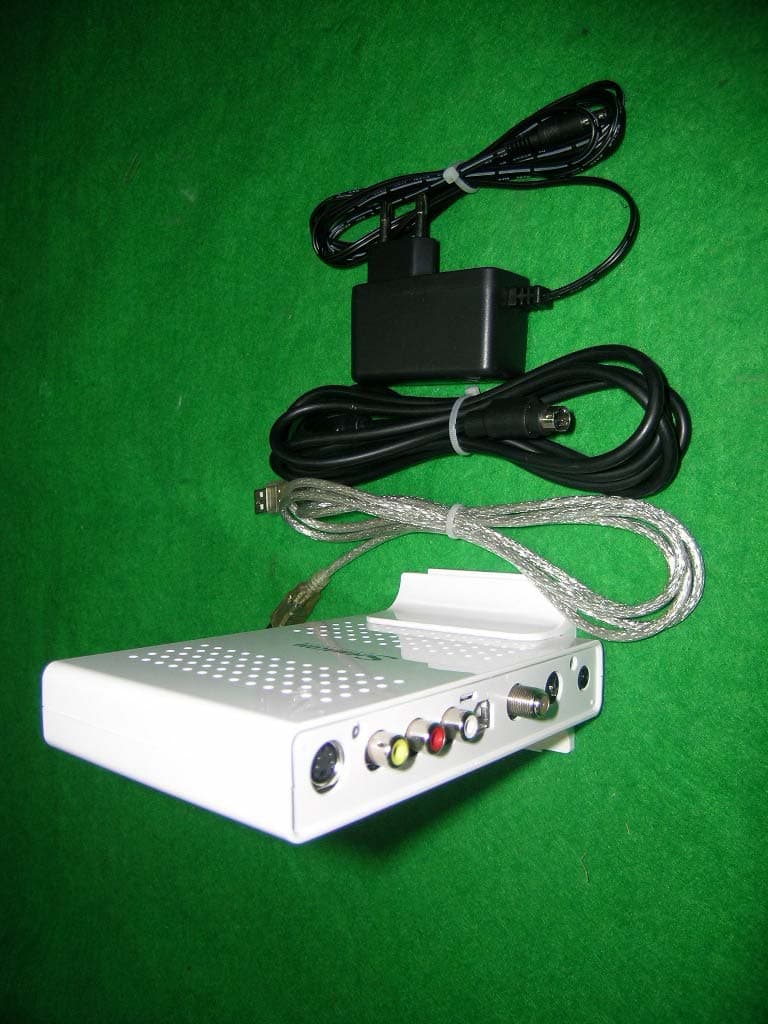
PCOUSBHD
Dec 07, 2004USB HDTV RECEIVER
Equipment Class
JBP - Part 15 Class B Computing Device Peripheral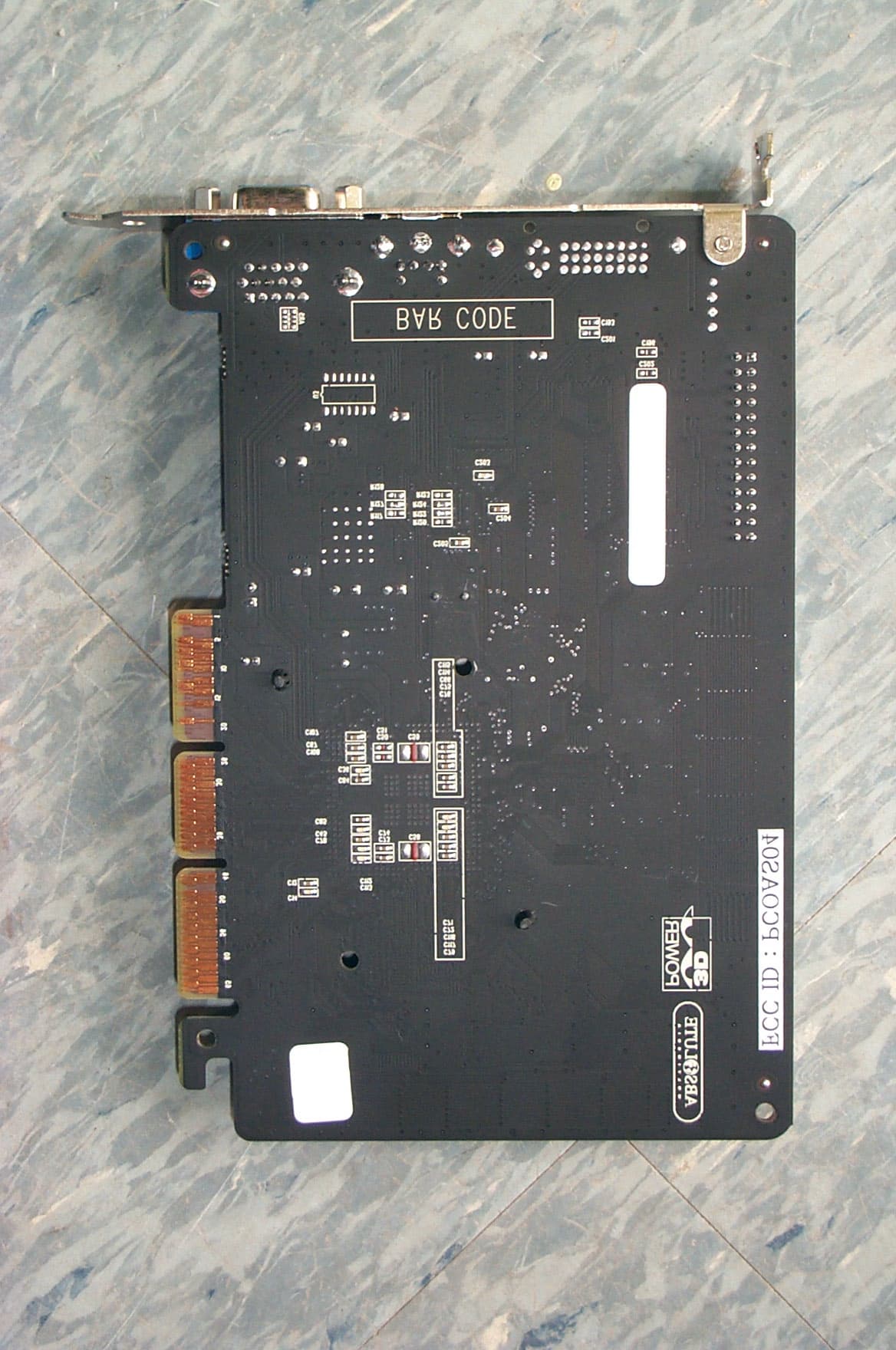
PCOAS04
Jul 19, 2001VGA Card
Equipment Class
JBP - Part 15 Class B Computing Device Peripheral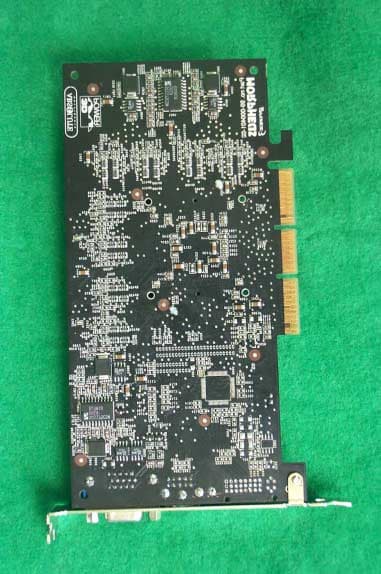
PCOAS03
Jun 03, 2001VGA Card
Equipment Class
JBP - Part 15 Class B Computing Device Peripheral