PGCAD-1111ADSL Add-on Card
UAT Inc.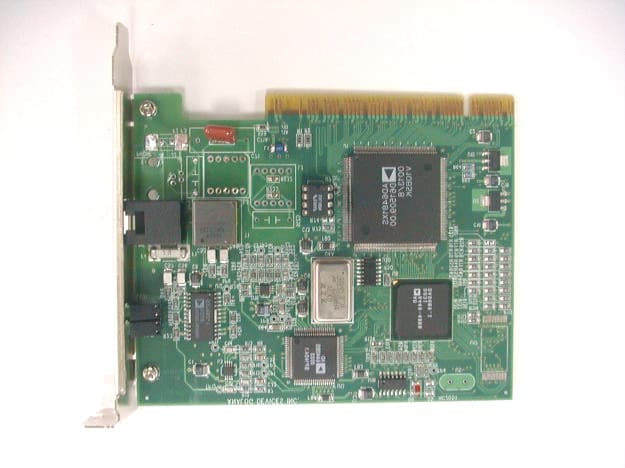
Click to zoom
Application Details
- Equipment Class
- JBP - Part 15 Class B Computing Device Peripheral
- Date of Grant
- Apr 16, 2001
- Application Purpose
- Original Equipment
- Date of Application
- Apr 16, 2001
- Equipment Note
- ADSL Add-on Card
- Company
- UAT Inc.
- Country
- Taiwan
Documents & Files
Document Text
Text extracted from the exhibit documents filed with the FCC. Open a document above to read the original.
Users Manual
EXHIBIT C User Manual ADSL PCI USER MANUAL This document contains confidential information and is proprietary to UAT Inc. No part of this document may be reproduced in any form or by any means without the prior permission of UAT Inc. All specifications are subject to change without notice Version: 1.0 Date:01/17/2000 Installation Guide For UAT ADSL PCI Modem 2 Welcome to ADI PCI ADSL Modem !! Introduce yourself to the new world of fast Internet. UAT provides a whole new fast and simple environment access. The UAT ADSL board features the following ??Plug and Play PCI 2.1 interface ??Rate Adaptive ADSL technology that adapts to your connection condition ??Receive rates up to 10Mbps (downstream) and transmit rates up to 1Mbps(upstream) System Requirement To use the PCI ADSL Modem, your PC must have: ??Pentium 66MHz CPU or faster ??2MB free space on your hard drive ??256 color VGA, or higher resolution ??Microsoft NT4 ( with Service Pack 5 or latest) or Microsoft Windows 95/98 or 98 (with latest Service Pack) ??Floppy driver ??CD-ROM drive Installation Guide For UAT ADSL PCI Modem 3 Hardware Installation Familiarizing yourself with your ADSL Board Your ADSL board only has one RJ-11 connector for data connection. POTS splitter or microfilters can be plugged outside form the board using multiple port phone jacks. Installing the ADSL Board To install the board 1. Switch off your computer and all the attached devices 2. Touch a metal part of your computer to ground yourself. 3. Remove the computer cover. 4. Locate a free PCI slot on the computer motherboard, remove the metal plate from the slot and put the screw aside 5. Align the ADSL Board with the PCI slot and insert the board as shown 6. Secure the ADSL Board to the PCI slot with the screw which was removed from the metal plate 7. Connect your ADSL Board to your wall’s telephone jack which is connected to your ADSL service. 8. Replace the computer’s cover 9. Plug the power cord into the power outlet and switch on the computer. Installation Guide For UAT ADSL PCI Modem 4 Driver install for Windows 98 To install UAT PCI device drivers for Windows 98: 1. Start Windows 95/98 on your computer with the PCI board installed 2. Windows 95/98 will open a window called “Add New Hardware Wizard” to indicate that it found a “ PCI ATM Controller” board 3. Click “ Next “ then select the bullet next to “Display a list of all the drivers...” Installation Guide For UAT ADSL PCI Modem 5 4. Select floppy disk or CD-ROM (recommended), which contains “E/driver / PCI/ 00-11-23/cpe sw pci lab01/PPPoE/98ME” for windows 98 to install the USB firmware loader. Click on “ Next” to continue. 5. Windows 98 detects the ADI PCI ADSL driver. Click on “Next” to continue. Installation Guide For UAT ADSL PCI Modem 6 6. Follow the installation dialogs to install the driver. Installation Guide For UAT ADSL PCI Modem 7 7. Now restart the computer as the system asks. ADIMON PCI User Interface GUI After the PC being restarted, please check the bottom on the right side for the “ADIMON” icon! Double click the icon to get the following window. You can check the Line status as well as the line type in this Window. Installation Guide For UAT ADSL PCI Modem 8 Copyright & Regulatory Information This manual and software described in it are copyrighted with all rights reserved. This manual may not be copied, in whole or in part, without written consent. All product names are trademarks and or registered trademarks of their respective companies. FCC Statement This equipment has been tested and found to comply with the limits for a Class B digital device, pursuant to Part 15 of the FCC Rules. These limits are designed to provide reasonable protection against harmful interference in a residential installation. This equipment generates, uses and can radiate radio frequency energy and, if not installed and used in accordance with the instructions, may cause harmful interference to radio communications. However, there is no guarantee that interference will not occur in a particular installation. If this equipment does cause harmful interference to radio or television reception, which can be determined by turning the equipment off and on, the user is encouraged to try to correct the interference by one or more of the following measure: ??Reorient or relocated the receiving antenna. ??Increase the separation between the equipment and receiver. ??Connect the equipment into a different outlet circuit from than the receiver. ??Consult an experienced radio/TV technician for help. CAUTION: Any changes of modifications not expressly approved by the grantee of this device could void the users authority to operate the equipment. Installation Guide For UAT ADSL PCI Modem 9 UAT Inc. 2F, No. 5, Alley 22, Lane 513, Jui Kuang Rd., Nei Hu, Taipei, Taiwan, R.O.C Tel: (886) 2 8797 8488 Fax: (886) 2 2657 0997
Block Diagram
EXHIBIT E Block Diagram A A B B C C D D E E 44 33 22 11 AD 6481 INTEGRATOR AD 6449 DMT Processor AD 6440 Analog Front End AD 8016 ADSL Line Hybrid Circuit, Drivers & Filters UTOPIA IDMA VCXO 35.328MHz PCI BUS <Doc>A AD-1110 A4 09Tuesday, February 06, 2001 Title SizeDocument NumberRev Date:Sheet of UAT Inc.
Cover Letter(s)
RE: UAT Inc., FCC ID:PGCAD-1111, AN01T1232From: trc168 [[email protected]] Sent: Wednesday, March 28, 2001 11:37 PM To: Mike Kuo Subject: Re: UAT Inc., FCC ID:PGCAD-1111, AN01T1232 Dear Miko Kuo : Anser #1"The user manual has been modified as the attachmant(U1215605C.PDF). Thanks very much. ----- Original Message ----- From: Mike Kuo To: '[email protected]' ; '[email protected]' Sent: Wednesday, March 14, 2001 11:11 AM Subject: RE: UAT Inc., FCC ID:PGCAD-1111, AN01T1232 -----Original Message----- From: Mike Kuo Sent: Friday, March 09, 2001 10:51 AM To: '[email protected]'; '[email protected]' Subject: UAT Inc., FCC ID:PGCAD-1111, AN01T1232 Question #1: The user manual does not contain the information requested under Section 15.105 (b) and 15.21 of FCC rules. Please revise the user manual. Best Regards Mike Kuo / TCB Certifier [email protected] The items indicated above must be submitted before processing can continue on the above referenced application. Failure to provide the requested information within 60 days of the original e-mail date may result in application dismissal and forfeiture of the filing fee. Also, please note that partial responses increase processing time and should not be submitted. Any questions about the content of this correspondence should be directed to the e-mail address listed below the name of the sender. ========================= Mike Kuo Compliance Certification Services 561F Monterey Road Morgan Hill CA 95037 Telephone number:408-463-0885 EXT:105 Fax number :408-463-0888 E-Mail:[email protected]
ID Label/Location Info
EXHIBIT A Sample Label LABEL Format: This device complies with Part 15 of the FCC Rules Operation is subject to the following two conditions: (1) This device may not cause harmful interference, and (2) This device must accept any interference received, including interference that may cause undesired operation. FCC ID : PGCAD-1111 Model No.: AD-1111 LABEL Size: 45 X30 mm LABEL Position: LABEL
Internal Photos
EXHIBIT F Photographs of EUT
Test Report
EXHIBIT B Test Report Test Report --------------------------------------------------------------------------- 2/13 Report No.: U1215605 Training Research Co., Ltd., TEL: 886-2-26461146, Fax: 886-2-26461778 Contents Chapter 1 Introduction Description of EUT.....................................................................................................................3 Configuration of Test Setup.........................................................................................................4 List of Support Equipment...........................................................................................................5 Chapter 2 Conducted Emission Test Test Condition and Setup............................................................................................................7 Conducted Test Placement..........................................................................................................8 Chapter 3 Radiated Emission Test Test Condition and Setup............................................................................................................9 Radiated Test Placement............................................................................................................10 Appendix A : Conducted test result..................................................................................................................11 Appendix B : Radiated test result.....................................................................................................................12 Test Report --------------------------------------------------------------------------- 3/13 Report No.: U1215605 Training Research Co., Ltd., TEL: 886-2-26461146, Fax: 886-2-26461778 Chapter 1 Introduction Description of EUT: The EUT features the following: • Plug and Play PCI 2.1 interface • Rate Adaptive ADSL technology that adapts to your phone line conditions • Receive line rate up to 10Mbps (downstream) and transmit line rate up to 1Mbps(upstream). Test method: The applicant provides the testing program. Pretest was found that the emission of operating mode is worse than standby mode. So, The final test is made at the operating mode. There is a DSL Lab test system for ADSL located at the far end side. While testing, the EUT was active all the way. During the pretest, two types: “AD-1110” and “AD-1111” were tested. The radiated pretest was found that the “AD-1111” type was the worse one. The test placement as the photographs showed is the worst case emission placed. (If the emission is close to the ambient, the resolution BW and view resolution will be reduced and the data will be recorded by detection of maximum hold peak mode.) The testing configuration of test setup is showing in the next page. Test Report --------------------------------------------------------------------------- 4/13 Report No.: U1215605 Training Research Co., Ltd., TEL: 886-2-26461146, Fax: 886-2-26461778 Configuration of test setup To Far-end DSL Lab test system Connections: PC: *Power port --- via a 185cm long, non-shield, no ferrite bead, power cable to the AC power source. *Serial port --- via a 76cm shielded RS-232 cable to an external modem. *Printer port --- a printer with 1.80m length data cable. *Monitor port --- a monitor with 1.80m long of data cable. *Keyboard port --- a keyboard with 1.50m length data cable. *Mouse port --- a mouse with 1.50m length data cable. *USB port A --- a joystick with 1.50m long, shielded and no ferrite bead data cable. *USB port B --- a joystick with 1.50m long, shielded and no ferrite bead data cable. (Each port on PC is connected with suitable device) EUT: *Phone port --- via a 2.1m long, non-shielded, no ferrite core, RJ-11 cable to the telephone. *Line port -- via a 30m long, non-shielded, no ferrite core, RJ-11 cable to the line jack of Far-end DSL Lab test system. USB Joystick Printer Mouse keyboard Monitor PC modem USB Joystick telephone EUT Power souse Test Report --------------------------------------------------------------------------- 5/13 Report No.: U1215605 Training Research Co., Ltd., TEL: 886-2-26461146, Fax: 886-2-26461778 List of support equipment Conducted test: PC : HP Brio 85xx 6/350 Model No. : D6928A Serial No. : SG91801432 FCC ID : N/A : 3872H013 Power type : 100 ~ 230VAC / 50 ~ 60Hz, 5A, Switching Power cord : Non-shielded, 2.33m long, Plastic, No ferrite core Monitor : HP Model No. : D2821 Serial No. : TW 73512262 FCC ID : A3KMO64 Power type : AC 110~120 / 220~240 VAC, Switching Power cord : Non-Shielded, 3m long, no ferrite core Data cable : Shielded, 1.8m long, with ferrite core Keyboard : HP Model No. : SK-2501K Serial No. : M990308909 FCC ID : GYUR38SK : 3862A621 Power type : By PC Data cable : Shielded, 1.73m long, with ferrite core Mouse : HP Model No. : M-S34 Serial No. : LZB90714106 FCC ID : DZL211029 : 4862A011 Power type : By PC Power cord : Non-shielded, 1.88m long, No ferrite core Test Report --------------------------------------------------------------------------- 6/13 Report No.: U1215605 Training Research Co., Ltd., TEL: 886-2-26461146, Fax: 886-2-26461778 Modem : ACEEX Model No. : DM-1414V FCC ID : IFAXDM1414 Power type : 120VAC, 60Hz/ 9VAC, 1A Power cord : Non-shielded, 1.9m long, no ferrite cord Data cable : RS232, Shielded, 1.2m long, no ferrite core RJ11C x 2, 7’ long non-shielded, no ferrite core Printer : HP Model No. : C2642A Serial No. : SG69A196GV FCC ID : B94C2642X Power type : 220VAC, 50Hz Power cord : Non-shielded, 2m long, no ferrite core Data cable : Shielded, 1.84m long, no ferrite core (1.7m) USB Joystick : Padix Model No. : QF-606U, QF-707U Serial No. : N/A, 8100848 FCC ID : N/A, Doc Approval Power type : Powered by PC Power Cable : Shielded, 1.5M long, No ferrite bead data cable DSL Lab test system: AWARE Model No. : ADS-005002 Serial No. : 006060 Power type : Switching Adaptor Power cord : Shielded, 2.1m long, no ferrite bead Test Report ------------------------------------------------------…
Text truncated - open the document above for the full version.
Test Setup Photos
Test Report --------------------------------------------------------------------------- 8/13 Report No.: U1215605 Training Research Co., Ltd., TEL: 886-2-26461146, Fax: 886-2-26461778 Conducted Test Placement: (Photographs) Test Report --------------------------------------------------------------------------- 10/13 Report No.: U1215605 Training Research Co., Ltd., TEL: 886-2-26461146, Fax: 886-2-26461778 Radiated Test Placement: (Photographs)
Contact Information
Applicant
Tom Chen(Manager, R & D)
Technical Contact
Training Research Co., Ltd.Jacob Lin
[email protected]8862-2646-1146
2, Lane 194, Huan-Ho Street, Hsichih · Taipei Hsien · Taiwan
Test Firm
Training Research Co., Ltd.Jack Tsai
Technical Specifications
| # | Rule Parts | Frequency Range | Power Output |
|---|---|---|---|
| 1 | 15B | - | - |
Other Applications from UAT Inc.
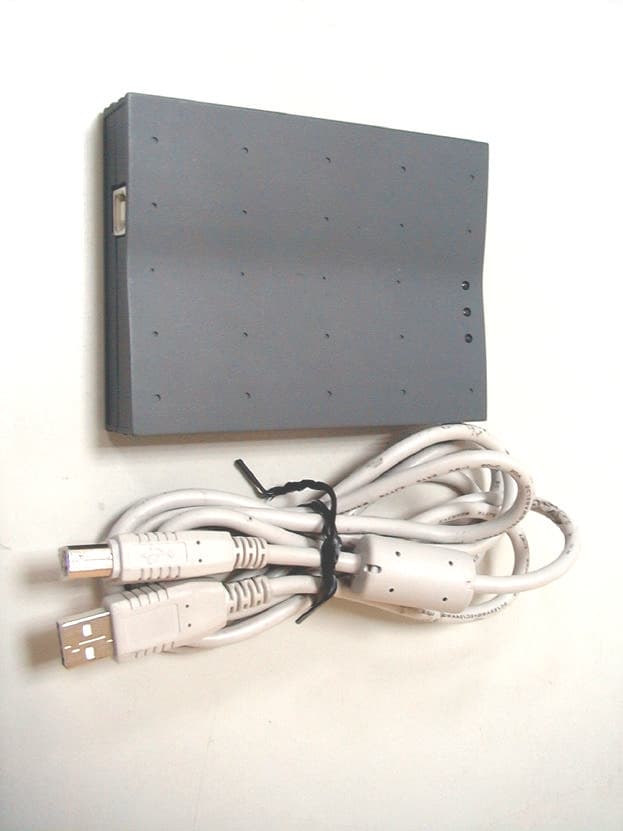
PGCWL-2111
Dec 13, 2001Wireless LAN USB Adaptor
Equipment Class
DTS - Digital Transmission System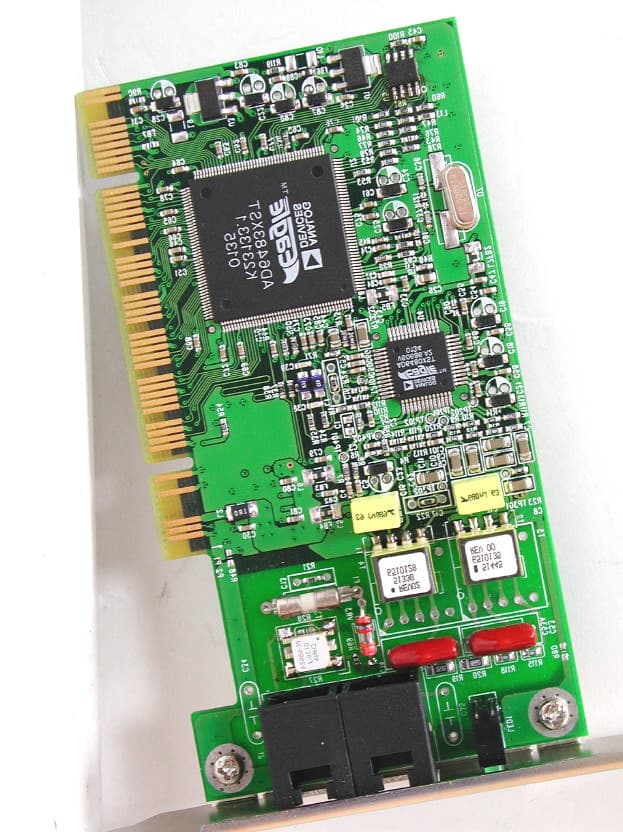
PGCAD-1310
Nov 29, 2001ADI ADSL Modem
Equipment Class
JBP - Part 15 Class B Computing Device Peripheral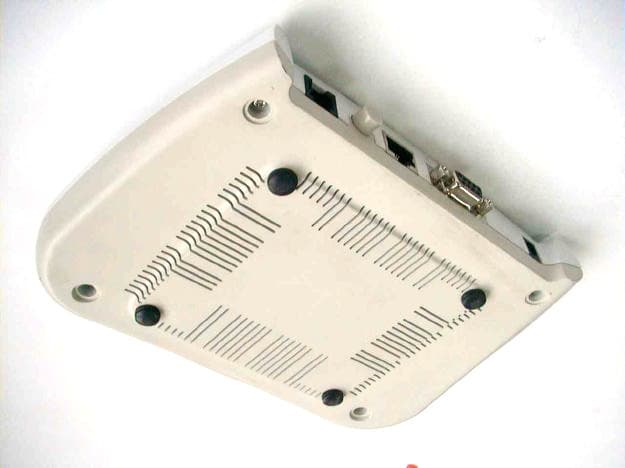
PGCAR-1150
Oct 10, 2001ADSL Router
Equipment Class
JBP - Part 15 Class B Computing Device Peripheral
PGCWL-3111
Sep 11, 2001Wireless Access Point
Equipment Class
DTS - Digital Transmission System
PGCAD-9711
Apr 16, 2001ADSL Add-on Card
Equipment Class
JBP - Part 15 Class B Computing Device Peripheral