PKWWPG12Presentation Player
Cisco-Linksys, LLC
Click to zoom
Application Details
- Equipment Class
- DSS - Part 15 Spread Spectrum Transmitter
- Date of Grant
- Oct 16, 2002
- Application Purpose
- Original Equipment
- Date of Application
- Oct 16, 2002
- Equipment Note
- Presentation Player
- Frequency Range
- 2412.00000000 - 2462.00000000
- Company
- Cisco-Linksys, LLC
- Country
- United States
Documents & Files
Document Text
Text extracted from the exhibit documents filed with the FCC. Open a document above to read the original.
Users Manual
Linksys Wireless Presentation Gateway User Manual D i s c l a i m e T r a d e m a r k s D i s c l a i m e r T r a d e m a r k s CHAPTER 1 Overview Introduction Product Features Product Overview Moblized, Cable-less Presentation Simple and Easy User Experience Project screens of remote computers Operated by a remote controller Application Scheme Wireless, Instant Screen Projection Remote Display and Control Immediate, PC-less Presentation Specifications Software Functions Main System Network Remote controller CHAPTER 2 Installation Introduction Packing List Install the Hardware What you should do System Info STEP 1: Locating Wireless Presentation Gateway STEP 2: Web-based Administration Interface STEP 3: Prepare to make presentations CHAPTER 3 Getting Started Wireless Instant Display Get Connected Select and Switch Computer Scrteen from the WPG Slide Show File Upload Show the Slide Now CHAPTER 4 Remote Controller CHAPTER 5 Appendix Appendix: User Notice Chapter 1: Overview Introduction Wireless Presentation Gateway is an innovative appliance designed for networked, cable-less presentations. Featuring built-in wireless and wired LAN capabilities, Wireless Presentation Gateway will immediately upgrade your existing data projector from an isolated island to a versatile network citizen in the information world. Product Features ! Network presentation via wireless and wired LAN ! Provide gateway services for one to many wireless communications ! Appliance design, absolutely installation and maintenance free ! Just plug-in, connect your projector to the network in a flash ! Directly project the screens of remote computers via network ! Resident graphic viewer for immediate slide show ! Easy-to-use graphic user interfaces ! Operated by a user-friendly Infra-red remote controller Product Overview Moblized, Cable-less Presentation Wireless Presentation Gateway brings you to a whole new stage of making presentations! No matter you are bringing along a wireless LAN PC or transporting presentations through wired LAN, Wireless Presentation Gateway allows you to deliver presentations without inserting cables. It will save the time and hassle on system setups and adjustments in every meeting. It also eliminates the occasional embarrassments caused by failed links between projectors and computers. Simple and Easy User Experience Making presentation has never been easier with Wireless Presentation Gateway! For first time use, you only need to do simple configurations on the main system but don’t need to install any driver or software on your personal computer. After that, all you need to do is turning on the power and you will be ready-to-present immediately. Moreover, you barely need to learn any new software operations. Simply use your familiar Windows Explore to activate the functions. Project screens of remote computers Unlike conventional network projectors that can only support static image files, Wireless Presentation Gateway offers fully live demo function by simultaneously displaying and controlling remote computers over network. When presenters want to demonstrate the functions of a software, an OS, or even some Internet browsing, there are no needs to install everything on a new computer or lug the remote computers to the conference room. Operated by a remote controller Wireless Presentation Gateway can be operated by a hand-held remote controller. Most of the controls of the system are duplicated on the hotkeys of the controller. In addition, it is supplied with mouse functions that allows the remote control to act like a mouse. This means that you can control presentations just like sitting in front of a PC. To facilitate presenters, a head-mounted laser beam pointer is also built-in. Application Scheme Wireless, Instant Screen Projection Wireless Presentation Gateway comes with wireless LAN capability. With it, you can project the screen of your notebook computer without physically connecting to a projector by a burdensome VGA cable. Thus, you no longer have to worry about passing the signal cable from presenter to presenter. As Wireless Presentation Gateway provides gateway services, many computers can connect to it wirelessly at the same time. Remote Display and Control Wireless Presentation Gateway is also equipped with an RJ-45 Ethernet interface. It can be easily connected to your corporate network. By using its well-design remote display function, you can project the screens of remote computers from the conference room. The projected screen can be switched among different remote computers freely. Immediate, PC-less Presentation With built-in image viewer and internal storage, Wireless Presentation Gateway eliminates the need to have a PC in the same room as the projector. All you need to do is preloading the presentation images into the system in advance, and then you can deliver PC-less presentation during the meeting. The viewer accepts JPEG, GIF, BMP and PNG file format. Specifications Software Functions ! Instant wireless display " One to many gateway services # Plug and play ! Resident viewer for immediate slide show # Supports thumbnail browsing # Supports JPEG, GIF BMP and PNG graphic formats ! Provide remote display function to project the screens of remote computers # Free to switch screens between computers # Presenters can add, delete, clear connections as they need ! Friendly graphic user interface to let users have a simple experience while enjoying powerful functions. ! File upload: enable pre-loading presentation files to the storage of Wireless Presentation Gateway main system. File transfer is automatically conducted while doing file uploading. Main System ! Construction: Heavy-duty steel ! I/O interfaces: one Ethernet and one VGA interfaces ! Internal Storage: 32MB ! Dimensions (W X H X D): 208 x 144 x 33 mm ! Weight: 0.8kg Network ! LAN: Ethernet 100Base-TX at 100 Mbps (IEEE 802.3u) ! Wireless LAN: 802.11b WLAN 11Mbps per sec Remote controller ! System: Infra-red rem…
Text truncated - open the document above for the full version.
Cover Letter(s)
17401 Armstrong Ave, Irvine, CA 92614 U.S.A PHOENIX TEST-LAB GmbH Product Certification Königswinkel 10 D 32825 Blomberg To Whom It May Concern: Please be advised that The Linksys Group, Inc. authorizes ERSO/ITRI company to act on our behalf, until otherwise notified, for applications submitted to PHOENIX TEST-LAB GmbH (PTL). We certify that we are not subject to denial of federal benefits, that includes FCC benefits, pursuant to Section 5301 of the Anti-Drug Abuse ACT of 1988, U.S.C.862. Further, no party, as defined in 47 CFR 1.2002 (b), to the application is subject to denial of federal benefits, that includes FCC benefits. Thank you for your attention to this matter. Signatory
Cover Letter(s)
17401 Armstrong Ave, Irvine, CA 92614 U.S.A Confidentiality Request Company: :: :The Linksys Group, Inc. FCC ID: :: :PKW-WPG12 Product: :: :Presentation Model: :: :WPG12 Pursuant to Sections 0.457 and 0.459 of the Commission’s Rules, the Applicant hereby requests confidential treatment of information accompanying this Application as outlined below. Schematics / Block Diagram / Operational Descriptions The above materials contain trade secrets and proprietary information not customarily released to the public. The public disclosure of these matters might be harmful to the Applicant and provide unjustified benefits to its competitors. The Applicant understands that pursuant to Rule 0.457, disclosure of this Application And all accompanying documentation will not be made before the date of the Grant for this application. Sincerely, Signature:
External Photos
Company: PHIHONGPage : 1 of 5 Product : Adapter for the Presentation PlayerModel : PSA11R-050 Company: PHIHONGPage : 2 of 5 Product : Adapter for the Presentation PlayerModel : PSA11R-050 Company: PHIHONGPage : 3 of 5 Product : Adapter for the Presentation PlayerModel : PSA11R-050 Company: PHIHONGPage : 4 of 5 Product : Adapter for the Presentation PlayerModel : PSA11R-050 Company: PHIHONGPage : 5 of 5 Product : Adapter for the Presentation PlayerModel : PSA11R-050 Company: DVE.Page : 1 of 5 Product : Adapter for the Presentation PlayerModel : DSA-0151F-05 Company: DVE.Page : 2 of 5 Product : Adapter for the Presentation PlayerModel : DSA-0151F-05 Company: DVE.Page : 3 of 5 Product : Adapter for the Presentation PlayerModel : DSA-0151F-05 Company: DVE.Page : 4 of 5 Product : Adapter for the Presentation PlayerModel : DSA-0151F-05 Company: DVE.Page : 5 of 5 Product : Adapter for the Presentation PlayerModel : DSA-0151F-05 Product : Remoter for the Presentation PlayerPage : 1 of 6 Product : Remoter for the Presentation PlayerPage : 2 of 6 Product : Remoter for the Presentation PlayerPage : 3 of 6 Product : Remoter for the Presentation PlayerPage : 4 of 6 Product : Remoter for the Presentation PlayerPage : 5 of 6 Product : Remoter for the Presentation PlayerPage : 6 of 6
ID Label/Location Info
Company : The Linksys Group, Inc.Model : WPG12 Product : Presentation Player Presentation Player Model No: WPG12 FCC ID: :: :PKW-WPG12 This device complies with part 15 of the FCC Rules. Operation is subject to the following two conditions: [1] this device may not cause harmful interference and [2] this device must accept any interference received, including interference that may cause undesired operation. S/N: :: : Made in Taiwan
ID Label/Location Info
Industrial Technology Research Institute Electronics Research & Service Organization Bldg. 17, 195-4 Sec. 4, Chung Hsing Rd., Chutung,Hsinchu, 310 Taiwan,Republic Of China TEL : 886-3-5917069 FAX : 886-3-5825720 We the company ITRI has the information from company The Linksys Group, Inc. that the material of the device Presentation Player is made of Plastic material Sign/date
Internal Photos
Company: The Linksys Group, Inc.Page : 1 of 7 Product : Presentation PlayerModel : WPG12 Company: The Linksys Group, Inc.Page : 2 of 7 Product : Presentation PlayerModel : WPG12 Company: The Linksys Group, Inc.Page : 3 of 7 Product : Presentation PlayerModel : WPG12 Company: The Linksys Group, Inc.Page : 4 of 7 Product : Presentation PlayerModel : WPG12 Company: The Linksys Group, Inc.Page : 5 of 7 Product : Presentation PlayerModel : WPG12 Company: The Linksys Group, Inc.Page : 6 of 7 Product : Presentation PlayerModel : WPG12 Company: The Linksys Group, Inc.Page : 7 of 7 Product : Presentation PlayerModel : WPG12
Test Report
FCC ID PKW-WPG12 Report No.510-9107-016F Page 1 of 38 Industrial Technology Research Institute Electronics Research & Service Organization Bldg. 17, 195-4 Sec. 4, Chung Hsing Rd., Chutung,Hsinchu, 310 Taiwan,Republic Of China TEL : 886-3-5917069 FAX : 886-3-5825720 ELECTROMAGNETIC COMPATIBILITY TEST REPORT Company The Linksys Group, Inc. Address 17401 Armstrong Ave, Irvine, CA 92614 U.S.A. Sample Name Presentation Player Model NO WPG12 Date Received JUL. 12, 2002 Date Tested JUL. 12-AUG. 12, 2002 MEASUREMENT REQUIREMENT USED 47 CFR Part 15, Subpart B and Subpart C (Section 15.247), ANSI C63.4-1992 WE HEREBY CERTIFY THAT: The measurements shown in the attachment were made in accordance with the procedures indicated, and the energy emitted by the equipment was found to be within the limits applicable. We assume full responsibility for the accuracy and completeness of these measurements and vouch for the qualifications of all persons taking them. Notes 1. This report will be invalid if duplicated or photocopied in part. 2. This report refers only to the specimen(s) submitted to test, and is invalid as seperately used. 3. This report is invalid without examination stamp and signature of this institute. 4. The tested specimen(s) will be preserved for thirty days from the data issued. 5. The report must not be used to claim product certification, approval, or endorsement by NVLAP, NIST, or any agency of the federal government. FCC ID PKW-WPG12 Report No.510-9107-016F Page 2 of 38 Industrial Technology Research Institute Electronics Research & Service Organization Bldg. 17, 195-4 Sec. 4, Chung Hsing Rd., Chutung,Hsinchu, 310 Taiwan,Republic Of China TEL : 886-3-5917069 FAX : 886-3-5825720 TABLE OF CONTENTS TITLEPAGE NO. 1. GENERAL INFORMATION.......................................................................................................4 1.1 GENERAL DESCRIPTION OF EUT & POWER....................................................................4 1.2 DESCRIPTION OF PERIPHERALS......................................................................................5 1.3 EUT & PERIPHERALS SETUP DIAGRAM..........................................................................5 1.4 EUT OPERATING CONDITION...........................................................................................5 1.5 DESCRIPTION OF TEST SITE.............................................................................................6 1.6 SUMMARY OF TEST RESULTS..........................................................................................6 2. CONDUCTED POWERLINE TEST............................................................................................7 2.1 TEST EQUIPMENTS............................................................................................................7 2.2 TEST SETUP........................................................................................................................7 2.3 CONDUCTED POWER LINE EMISSION LIMIT..................................................................8 2.4 TEST PROCEDURE.............................................................................................................8 2.5 UNCERTAINTY OF CONDUCTED EMISSION...................................................................8 2.6 CONDUCTED RF VOLTAGE MEASUREMENT..................................................................9 2.6 CONDUCTED RF VOLTAGE MEASUREMENT..................................................................10 2.7 PHOTOS OF CONDUCTION TEST......................................................................................11 3. RADIATED EMISSION TEST....................................................................................................12 3.1 TEST EQUIPMENTS............................................................................................................12 3.2 TEST SETUP........................................................................................................................12 3.3 RADIATION LIMIT.............................................................................................................13 3.4 TEST PROCEDURES...........................................................................................................14 3.5 UNCERTAINTY OF RADIATED EMISSION.......................................................................14 3.6 RADIATED RF NOISE MEASUREMENT............................................................................15-23 3.7 PHOTOS OF OPEN SITE......................................................................................................24 4. 6dB BANDWIDTH MEASUREMENT.......................................................................................25 4.1 TEST EQUIPMENTS............................................................................................................25 4.2 TEST SETUP........................................................................................................................25 4.3 LIMITS OF 6dB BANDWIDTH MEASUREMENT................................................................25 4.4 TEST PROCEDURE.............................................................................................................25 4.5 UNCERTAINTY OF CONDUCTED EMISSION...................................................................25 4.6 TEST RESULTS...................................................................................................................26 4.7 PHOTO OF 6DB BANDWIDTH MEASURERMENT............................................................27 5. MAXIMUM PEAK OUTPUT POWER..................................................................28 5.1 TEST EQUIPMENTS............................................................................................................28 5.2 TEST SETUP........................................................................................................................28 5.3 LIMITS OF MAXIMUM PEAK OUTPUT POWER.…
Text truncated - open the document above for the full version.
Test Setup Photos
FCC ID :PKW-WPG12 Report No.:510-9107-016F Page 1 of 3 Industrial Technology Research Institute Electronics Research & Service Organization Bldg. 17, 195-4 Sec. 4, Chung Hsing Rd., Chutung,Hsinchu, 310 Taiwan,Republic Of China TEL : 886-3-5917069 FAX : 886-3-5825720 2.7 PHOTOS OF CONDUCTION TEST FCC ID :PKW-WPG12 Report No.:510-9107-016F Page 2 of 3 Industrial Technology Research Institute Electronics Research & Service Organization Bldg. 17, 195-4 Sec. 4, Chung Hsing Rd., Chutung,Hsinchu, 310 Taiwan,Republic Of China TEL : 886-3-5917069 FAX : 886-3-5825720 3.7 PHOTOS OF OPEN SITE FCC ID :PKW-WPG12 Report No.:510-9107-016F Page 3 of 3 Industrial Technology Research Institute Electronics Research & Service Organization Bldg. 17, 195-4 Sec. 4, Chung Hsing Rd., Chutung,Hsinchu, 310 Taiwan,Republic Of China TEL : 886-3-5917069 FAX : 886-3-5825720 3.7 PHOTOS OF OPEN SITE
Contact Information
Applicant
Ms Jennifer Yu(Associate Engineer)
Technical Contact
Bromax Communications Inc.Jia Ming Wu
[email protected]+886-3-5972988#8562
No. 99, Park Avenue III · Hsinchu · Taiwan
Test Firm
Compliance Certification Services Inc.Paul Liau
Technical Specifications
| # | Rule Parts | Frequency Range | Power Output |
|---|---|---|---|
| 1 | 15C | 2.41 GHz - 2.46 GHz | 50.00 mW |
Other Applications from Cisco-Linksys, LLC

PKW-WMP54GV2
May 29, 2003Wireless-G PCI Adapter
Equipment Class
DTS - Digital Transmission System
PKW-BEFW11S4V4
May 21, 2003Wireless Access Point Router
Equipment Class
DTS - Digital Transmission System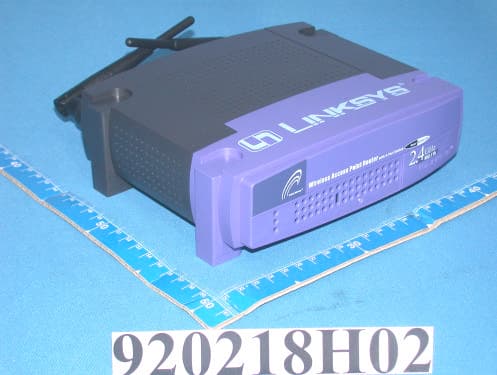
PKW-BEFW11S4V32
Apr 13, 2003Wireless Access Point Router with 4-Port Switch
Equipment Class
DTS - Digital Transmission System
PKW-WSB24-2
Apr 03, 2003Wireless Signal Booster
Equipment Class
DTS - Digital Transmission System
PKW-BEFCMUH4
Apr 01, 2003Cable Gateway
Equipment Class
DTS - Digital Transmission System