PPQ-DSD300SPEAKER DOCK
LITE-ON TECHNOLOGY CORP.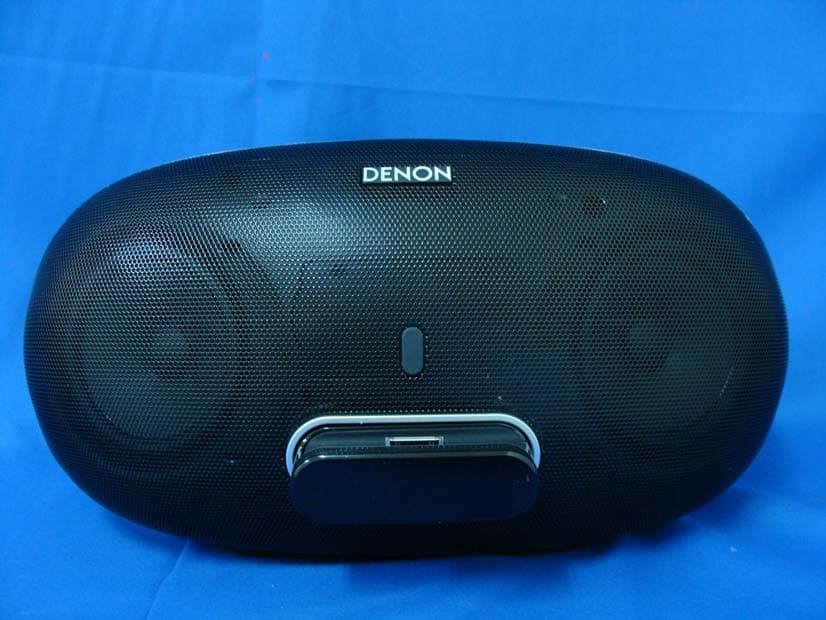
Click to zoom
Application Details
- Equipment Class
- DTS - Digital Transmission System
- Date of Grant
- Jul 25, 2012
- Application Purpose
- Original Equipment
- Date of Application
- Jul 24, 2012
- Equipment Note
- SPEAKER DOCK
- Frequency Range
- 2412.00000000 - 2462.00000000
- Company
- LITE-ON TECHNOLOGY CORP.
- Country
- Taiwan
Documents & Files
Document Text
Text extracted from the exhibit documents filed with the FCC. Open a document above to read the original.
Users Manual
DSD-300 PORTABLE SPEAKER DOCK Owner’s Manual I n SAFETY PRECAUTIONS CAUTION RISK OF ELECTRIC SHOCK DO NOT OPEN CAUTION: TO REDUCE THE RISK OF ELECTRIC SHOCK, DO NOT REMOVE COVER (OR BACK). NO USER-SERVICEABLE PARTS INSIDE. REFER SERVICING TO QUALIFIED SERVICE PERSONNEL. The lightning flash with arrowhead symbol, within an equilateral triangle, is intended to alert the user to the presence of uninsulated “dangerous voltage” within the product’s enclosure that may be of sufficient magnitude to constitute a risk of electric shock to persons. The exclamation point within an equilateral triangle is intended to alert the user to the presence of important operating and maintenance (servicing) instructions in the literature accompanying the appliance. WARNING: TO REDUCE THE RISK OF FIRE OR ELECTRIC SHOCK, DO NOT EXPOSE THIS APPLIANCE TO RAIN OR MOISTURE. CAUTION: To completely disconnect this product from the mains, disconnect the plug from the wall socket outlet. The mains plug is used to completely interrupt the power supply to the unit and must be within easy access by the user. Rechargeable battery precautions • Do not toss the rechargeable battery into a fire, and do not heat up the battery. Doing so could cause battery heat generation, battery fires, and battery rupture. • Do not subject the rechargeable battery to strong impact forces, such as stabbing it with sharp objects (a nail, etc.), tapping it with a hammer, or stepping on it. Doing so could cause battery heat generation, battery fires, and battery rupture. • Do not place foreign objects inside the Portable Speaker Dock. Doing so could cause fires and electrical shocks. • Do not charge, use, or place the Portable Speaker Dock in high-temperature locations such as near heaters and stove burners, in areas exposed to direct sunlight, or inside a car on a hot day. Doing so could cause battery heat generation, battery fires, and battery rupture. Such actions could also affect the performance and shorten the life of the internal rechargeable battery. • Stop using the Portable Speaker Dock immediately, and contact the sales outlet or DENON in the event that abnormal odors or heat generation occurs while using, charging, or storing the Portable Speaker Dock, or if other abnormalities such as discoloration, etc., are detected. • Always observe the following precautions: • Do not place the Portable Speaker Dock in a microwave oven or in a high- pressure container. • Do not place the Portable Speaker Dock on top of an electromagnetic cooker. • Do not attempt to recharge the internal rechargeable battery by connecting it to a power outlet or a car's cigarette lighter socket. • Strictly observe the recharging procedure and conditions specified by DENON. • If fluid should leak from the rechargeable battery and get into the eyes, do not rub the eyes. Instead, rinse the eyes thoroughly with tap water, etc., and see a doctor without delay for treatment. Leaving the eyes untreated could cause vision impairment. • Do not use the Portable Speaker Dock near medical devices, automatic doors, or fire alarms, etc. Signals from the Portable Speaker Dock could interfere with the operation of those devices, possibly causing malfunctions and accidents. • If recharging fails to complete even though the prescribed recharging time period has elapsed, stop the recharging operation. Continuing to recharge the battery could cause battery heat generation, battery fires, and battery rupture. IMPORTANT SAFETY INSTRUCTIONS 1. Read these instructions. 2. Keep these instructions. 3. Heed all warnings. 4. Follow all instructions. 5. Do not use this apparatus near water. 6. Clean only with dry cloth. 7. Do not block any ventilation openings. Install in accordance with the manufacturer’s instructions. 8. Do not install near any heat sources such as radiators, heat registers, stoves, or other apparatus (including amplifiers) that produce heat. 9. Do not defeat the safety purpose of the polarized or grounding-type plug. A polarized plug has two blades with one wider than the other. A grounding type plug has two blades and a third grounding prong. The wide blade or the third prong are provided for your safety. If the provided plug does not fit into your outlet, consult an electrician for replacement of the obsolete outlet. 10. Protect the power cord from being walked on or pinched particularly at plugs, convenience receptacles, and the point where they exit from the apparatus. 11. Only use attachments/accessories specified by the manufacturer. 12. Use only with the cart, stand, tripod, bracket, or table specified by the manufacturer, or sold with the apparatus. When a cart is used, use caution when moving the cart/ apparatus combination to avoid injury from tip-over. 13. Unplug this apparatus during lightning storms or when unused for long periods of time. 14. Refer all servicing to qualified service personnel. Servicing is required when the apparatus has been damaged in any way, such as power-supply cord or plug is damaged, liquid has been spilled or objects have fallen into the apparatus, the apparatus has been exposed to rain or moisture, does not operate normally, or has been dropped. 15. Batteries shall not be exposed to excessive heat such as sunshine, fire or the like. II n NOTES ON USE WARNINGS • Avoid high temperatures. Allow for sufficient heat dispersion when installed in a rack. • Handle the power cord carefully. Hold the plug when unplugging the cord. • Keep the unit free from moisture, water, and dust. • Unplug the power cord when not using the unit for long periods of time. • Do not obstruct the ventilation holes. • Do not let foreign objects into the unit. • Do not let insecticides, benzene, and thinner come in contact with the unit. • Never disassemble or modify the unit in any way. • Ventilation should not be impeded by covering the ventilation openings with items, such as newspapers, tablecloths or curtains. • Naked flame sources such as lighted candles shou…
Text truncated - open the document above for the full version.
Users Manual
18 Playing back files stored on PC or NAS with Cocoon App (Music server) This unit can play back music files and playlists (m3u, wpl) stored on a PC, Digital Media Server (DMS) and on Network Attached Storage (NAS) that supports DLNA. NOTE • Before playing back music files on music servers, this unit must be connected to the network. For how to connect this unit to the network, see “Connecting to a home network (LAN)” (vpage 7). For playable file formats and restrictions, see“Important information” (vpage 19). Applying media sharing settings Here, we apply the settings to share music files stored on a PC and NAS on the network. nSharing media stored in PC If you are using a media server, be sure to apply this setting first. • While this unit is operated by a media control device, “Music server” appears on the display of this unit. • When selecting this unit from the media control device, the name of this unit is displayed as its friendly name. • To check the friendly name, see “Checking the network information” (vpage 23). Settings for playing back with Windows Media Player 12 (Windows 7) NOTE Perform this procedure after changing the control panel display to “Category”. 1 In the PC’s “Control Panel”, select “Network and Internet” - “Choose homegroup and sharing options”. 2 Select the “Stream my pictures, music, and videos to all devices on my home network” check box and select “Choose media streaming options”. 3 Select “Allowed” in the drop-down list for “Cocoon 1”. 4 Select “Allowed” in the drop-down list for “Media programs on this PC and remote connections...”. 5 Click “OK” to finish. Settings for playing back with Windows Media Player 11 1 Start up Windows Media Player 11 on the PC. 2 Select “Media Sharing” in the “Library”. 3 Click the “Share my media” check box, select “Cocoon 1”, and then click “Allow”. 4 As you did in step 3, select the icon of the device (other PCs and mobile devices) you want to use as a media controller, and then click “Allow”. 5 Click “OK” to finish. Sharing media stored in NAS Change settings on the NAS to allow this unit and other devices (PCs and mobile devices) used as media controllers to access the NAS. For details, see the owner’s manual that came with the NAS. 19 Playing back files stored on PC or NAS with Cocoon App (Music server) About playback When you start playback on PC, NAS, or DMS, the input source for this unit automatically switches to “Music server”, and audio is output from this unit. The name of the currently played back track and its artist name appear on the display of this unit. When this unit is operating, you can perform operations such as playing back and stopping files through DMC operations. You can also adjust or mute the volume. Pressing while this unit is playing back stops the playback on this unit and switches to “Preset 1”. • When using a server that supports transcoding such as Windows Media Player (version 11 or higher), you can play back WMA Lossless files. • Depending on the played back file, the track name or artist name may not be displayed. NOTE The music display order depends on the specifications of your PC, NAS, or DMS. nMusic server operation buttons Operation buttonsFunction +, –Volume up / down 13 Mute On/Off Switching the input source X Power on/standby Important information • The network audio playback function of this unit connects to the server using technologies shown below. • Windows Media Player Network Sharing Service • File types that this unit can play back and specifications are shown below. GSupported file typesH Supported file typesMusic server z1 WMA (Windows Media Audio) P MP3 (MPEG-1 Audio Layer-3) P WAV P MPEG-4 AAC P z2 FLAC (Free Lossless Audio Codec) P A server or server software compatible with distribution in the corresponding formats is required to play music files via a network. z1 Music server • This unit is compatible with MP3 ID3-Tag (Ver. 2) standard. • This unit is compatible with WMA META tags. z2 Only files that are not protected by copyright can be played on this unit. Content downloaded from pay sites on the Internet are copyright protected. Also, files encoded in WMA format when ripped from a CD, etc. on a computer may be copyright protected, depending on the computer’s settings. NOTE File types that this unit does not support are not displayed. GSpecifications of supported filesH Sampling frequencyBit rateExtension WMA (Windows Media Audio)32/44.1/48 kHz48 – 192 kbps.wma MP3 (MPEG-1 Audio Layer-3)32/44.1/48 kHz32 – 320 kbps.mp3 WAV32/44.1/48 kHz–.wav MPEG-4 AAC32/44.1/48 kHz16 – 320 kbps .aac/ .m4a/ .mp4 FLAC (Free Lossless Audio Codec)32/44.1/48/88.2/96 kHz–.flac 20 Menu map Setting itemsDetailed itemsDescriptionPage Language Language Sets the language for display the menu. 21 Clock Clock Auto Adjust(On)Automatically performs the clock setting from the time information on the Internet. 21 Time Zone(+12H)Sets your local time zone (for Auto Adjust). 21 Summer Time(Off)Sets the Summer Time information (for Auto Adjust). 22 Auto Adjust NowObtains the current time. 22 Manual AdjustAdjusts the clock manually. 22 Max Vol Level Max Vol Level Make a setting for maximum volume. 23 Network Info. Network Info. Display network information. Friendly Name / DHCP=On or Off / IP Address / Primary DNS / Secondary DNS / MAC Address 23 WPS WPS(PIN) Sets the wireless connection using WPS (PIN code method). 23 Firmware Update Firmware Update Starts the firmware update. 24 Factory Reset Factory Reset Reset to the defaults.– Exit Exit To exit the menu, select “Exit”. – How to make detailed settings Menu operation NOTE Use buttons on this unit for menu operations. Buttons on the remote control do not work. 1 Press + and – at the same time. Menu Language • The selected item appears on the display. 2 Press + or – to select the menu to be set. 3 Press 13 to enter the setting. • To return to the previous item, use + or – to select “Exit”, and press 13. • To exit the menu, select “Exit” in the top menu, a…
Text truncated - open the document above for the full version.
Cover Letter(s)
Lite-On Technology Corp. FCC ID.: PPQ-DSD300 4F,90,Chien 1 Road,Chung-Ho,Taipei Hsien 235,Taiwan,R.O.C. Tel : 886-2-2222-6181 Lite-On Technology Corp. 4F,90,Chien 1 Road,Chung-Ho,Taipei Hsien 235,Taiwan,R.O.C. Tel : 886-2-2222-6181 Fax: 886-2-2223-6749 Federal Communications Commission July 10 , 2012 Authorization and Evaluation Division Confidentiality Request Pursuant to Sections 0.457 and 0.459 of the Commission’s Rules, the Applicant Hereby requests confidential treatment of information accompanying this Application As outlined below: Schematics: (DSD-300) Schem Block Diagram: (DSD-300) BlkDia Operational Description: (DSD-300) OPDes The above materials contain trade secrets and proprietary information not customarily Released to the public. The public disclosure of these matters might be harmful to the Applicant and provide unjustified benefits to its competitors. The Applicant understands that pursuant to Rule 0.457, disclosure of this Application and all accompanying documentation will not be made before the date of the Grant for this application. Sincerely, TC Wu / Director Lite-On Technology Corp.
Cover Letter(s)
Lite-On Technology Corp. 4F,90,Chien 1 Road,Chung-Ho,Taipei Hsien 235,Taiwan,R.O.C. TEL No: 02-2222-6181 FAX No.: 02-2223-6749 Attestation for FCC Declaration of Conformity FCC ID: PPQ-DSD300 Data: July 10, 2012 Please be notified that we, the undersigned, Lite-On Technology Corp. declares that the product which bears the above FCC ID is also compliant with the FCC requirements for DoC. The test report number supporting the DoC is 124522R-ITUSP02V02. Testing in regards to this report was done by QuieTek Corporation, located at 2F, No.345, Xinhu 2nd Rd., Neihu District,Taipei City 114,Taiwan,R.O.C. which has been accredited in accordance to all of the requirements of 47CFR 2.948 (d) and (e) of the FCC rules and KDB349827. Sincerely, TC Wu / Director Lite-On Technology Corp. Tel: 02-2222-6181 Fax: 02-2223-6749 Email: [email protected]
Cover Letter(s)
RF_160, Issue 02 Lite-On Technology Corp. Declaration of Authorization We Name: Lite-On Technology Corp....................................... Address: 4F, 90, Chien 1 Road, Chung Ho,Taipei Hsien 235,Taiwan,R.O.C. ...... City: Taipei ........................................................................... Country: Taiwan .......................................................................... Declare that: Name Representative of agent: Gene Chang (1) Agent Company name: QuieTek Corp. Address: Fl.2, No.345, Xin-hu 2 nd Rd., Nei-hu District City: Taipei Country Taiwan is authorized to apply for Certification of the following product(s): Product description: SPEAKER DOCK Type designation: DSD-300 Trademark: DENON on our behalf. Date: ......2012/07/10........ City: ...... Taipei .............. Name: ......TC Wu ........ (2) Function: ...... Director ......... Signature: Notes: (1): Required for FCC application (2): For FCC it must be the Grantee Code “owner” or the authorized agent.
External Photos
Report No.: 124522R-RFUSP42V01 Page : 1 of 29 Attachment 2 : EUT Detailed Photographs (1) EUT Photo (2) EUT Photo Report No.: 124522R-RFUSP42V01 Page : 2 of 29 (3) EUT Photo (4) EUT Photo
ID Label/Location Info
Lite-On Technology Corp. FCC ID.: PPQ-DSD300 4F,90,Chien 1 Road,Chung-Ho,Taipei Hsien 235,Taiwan,R.O.C. Tel : 886-2-2222-6181 FCC ID Label
ID Label/Location Info
Lite-On Technology Corp. FCC ID.: PPQ-DSD300 4F,90,Chien 1 Road,Chung-Ho,Taipei Hsien 235,Taiwan,R.O.C. Tel : 886-2-2222-6181 The FCC ID and Doc Label will be placed on the equipment as shown in the photograph below.
Internal Photos
Report No.: 124522R-RFUSP42V01 Page : 3 of 29 (5) EUT Photo (6) EUT Photo Report No.: 124522R-RFUSP42V01 Page : 4 of 29 (7) EUT Photo (8) EUT Photo Report No.: 124522R-RFUSP42V01 Page : 5 of 29 (9) EUT Photo (10) EUT Photo Report No.: 124522R-RFUSP42V01 Page : 6 of 29 (11) EUT Photo (12) EUT Photo Report No.: 124522R-RFUSP42V01 Page : 7 of 29 (13) EUT Photo (14) EUT Photo Report No.: 124522R-RFUSP42V01 Page : 8 of 29 (15) EUT Photo (16) EUT Photo Report No.: 124522R-RFUSP42V01 Page : 9 of 29 (17) EUT Photo (18) EUT Photo Report No.: 124522R-RFUSP42V01 Page : 10 of 29 (19) EUT Photo (20) EUT Photo Report No.: 124522R-RFUSP42V01 Page : 11 of 29 (21) EUT Photo (22) EUT Photo Report No.: 124522R-RFUSP42V01 Page : 12 of 29 (23) EUT Photo (24) EUT Photo Report No.: 124522R-RFUSP42V01 Page : 13 of 29 (25) EUT Photo (26) EUT Photo Report No.: 124522R-RFUSP42V01 Page : 14 of 29 (27) EUT Photo (28) EUT Photo Report No.: 124522R-RFUSP42V01 Page : 15 of 29 (29) EUT Photo (30) EUT Photo Report No.: 124522R-RFUSP42V01 Page : 16 of 29 (31) EUT Photo (32) EUT Photo Report No.: 124522R-RFUSP42V01 Page : 17 of 29 (33) EUT Photo (34) EUT Photo Report No.: 124522R-RFUSP42V01 Page : 18 of 29 (35) EUT Photo (36) EUT Photo Report No.: 124522R-RFUSP42V01 Page : 19 of 29 (37) EUT Photo (38) EUT Photo Report No.: 124522R-RFUSP42V01 Page : 20 of 29 (39) EUT Photo (40) EUT Photo Report No.: 124522R-RFUSP42V01 Page : 21 of 29 (41) EUT Photo (42) EUT Photo Report No.: 124522R-RFUSP42V01 Page : 22 of 29 (43) EUT Photo (44) EUT Photo Report No.: 124522R-RFUSP42V01 Page : 23 of 29 (45) EUT Photo (46) EUT Photo Report No.: 124522R-RFUSP42V01 Page : 24 of 29 (47) EUT Photo (48) EUT Photo Report No.: 124522R-RFUSP42V01 Page : 25 of 29 (49) EUT Photo (50) EUT Photo Report No.: 124522R-RFUSP42V01 Page : 26 of 29 (51) EUT Photo (52) EUT Photo Report No.: 124522R-RFUSP42V01 Page : 27 of 29 (53) EUT Photo (54) EUT Photo Report No.: 124522R-RFUSP42V01 Page : 28 of 29 (55) EUT Photo (56) EUT Photo Report No.: 124522R-RFUSP42V01 Page : 29 of 29 (57) EUT Photo
RF Exposure Info
Report No. 124522R-RFUSP42V01 Page: 1 of 8 RF Exposure Evaluation declaration Product Name : SPEAKER DOCK Model No. : DSD-300 FCC ID : PPQ-DSD300 Applicant : Lite-On Technology Corp. Address : 4F,90,Chien 1 Road,Chung-Ho,Taipei Hsien 235,Taiwan,R.O.C. Date of Receipt : Apr. 25., 2012 Date of Declaration: July 10, 2012 Report No. : 124522R-RFUSP42V01 The declaration results relate only to the samples calculated. The declaration shall not be reproduced except in full without the written approval of QuieTek Corporation. This report must not be used to claim product endorsement by NVLAP any agency of the U.S. Government Report No. 124522R-RFUSP42V01 Page: 2 of 8 1. RF Exposure Evaluation 1.1. Limits According to FCC 1.1310: The criteria listed in the following table shall be used to evaluate the environment impact of human exposure to radio frequency (RF) radiation as specified in 1.1307(b) LIMITS FOR MAXIMUM PERMISSIBLE EXPOSURE (MPE) Frequency Range (MHz) Electric Field Strength (V/m) Magnetic Field Strength (A/m) Power Density (mW/cm 2 ) Average Time (Minutes) (A) Limits for Occupational/ Control Exposures 300-1500 -- -- F/300 6 1500-100,000 -- -- 5 6 (B) Limits for General Population/ Uncontrolled Exposures 300-1500 -- -- F/1500 6 1500-100,000 -- -- 1 30 F= Frequency in MHz Friis Formula Friis transmission formula: Pd = (Pout*G)/(4*pi*r 2 ) Where Pd = power density in mW/cm 2 Pout = output power to antenna in mW G = gain of antenna in linear scale Pi = 3.1416 R = distance between observation point and center of the radiator in cm Pd id the limit of MPE, 1 mW/cm 2 . If we know the maximum gain of the antenna and the total power input to the antenna, through the calculation, we will know the distance r where the MPE limit is reached. 1.2. Test Procedure Software provided by client enabled the EUT to transmit and receive data at lowest, middle and highest channel individually. The temperature and related humidity: 18°Cand 78% RH. Report No. 124522R-RFUSP42V01 Page: 3 of 8 1.3. Test Result of RF Exposure Evaluation Product : SPEAKER DOCK Test Item : RF Exposure Evaluation Test Site : No.3 OATS 802.11b (1Mbps) Output Power Into Antenna & RF Exposure Evaluation Distance_20cm (6.54dBi): Channel Frequency (MHz) Output Power to Antenna (mW) Power Density at R = 20 cm (mW/cm2) 1 2412.00 96.1612 0.086244 6 2437.00 105.9254 0.095002 11 2462.00 111.4295 0.099938 The RF exposure at 20 cm is below limit. 802.11g (6Mbps) Output Power Into Antenna & RF Exposure Evaluation Distance_20cm (6.54dBi): Channel Frequency (MHz) Output Power to Antenna (mW) Power Density at R = 20 cm (mW/cm2) 1 2412.00 208.9296 0.187383 6 2437.00 304.0885 0.272728 11 2462.00 204.6445 0.183540 The RF exposure at 20 cm is below limit.
Test Report
Report No. 124522R-RFUSP42V01 Page : 1 of 83 Test Report Product Name SPEAKER DOCK Model No DSD-300 FCC ID. PPQ-DSD300 Applicant Lite-On Technology Corp. Address 4F,90,Chien 1 Road,Chung-Ho,Taipei Hsien 235,Taiwan,R.O.C. Date of Receipt Apr. 25, 2012 Issue Date July 18, 2012 Report No. 124522R-RFUSP42V01 Report Version V1.0 The test results relate only to the samples tested. The test report shall not be reproduced except in full without the written approval of QuieTek Corporation. This report must not be used to claim product endorsement by NVLAP any agency of the U.S. Government Report No. 124522R-RFUSP42V01 Page : 2 of 83 Test Report Certification Issue Date: July 18, 2012 Report No.: 124522R-RFUSP42V01 Product Name SPEAKER DOCK Applicant Lite-On Technology Corp. Address 4F,90,Chien 1 Road,Chung-Ho,Taipei Hsien 235,Taiwan,R.O.C. Manufacturer DONG GUAN G-COM COMPUTER CO., LTD Model No. DSD-300 FCC ID. PPQ-DSD300 EUT Rated Voltage DC 20V EUT Test Voltage AC 120V/60Hz Trade Name DENON Applicable Standard FCC CFR Title 47 Part 15 Subpart C: 2010 ANSI C63.4: 2003 Test Result Complied The test results relate only to the samples tested. The test report shall not be reproduced except in full without the written approval of QuieTek Corporation. This report must not be used to claim product endorsement by NVLAP any agency of the U.S. Government Documented By : ( Senior Adm. Specialist / Genie Chang ) Tested By : ( Assistant Engineer / Vincent Chu ) Approved By : ( Manager / Vincent Lin ) Accredited by NIST (NVLAP) NVLAP Lab Code: 200533-0 Report No. 124522R-RFUSP42V01 Page : 3 of 83 TABLE OF CONTENTS Description Page 1. GENERAL INFORMATION .....................................................................................................5 1.1. EUT Description............................................................................................................................5 1.2. Operational Description ................................................................................................................7 1.3. Tested System Details....................................................................................................................8 1.4. Configuration of Tested System ....................................................................................................8 1.5. EUT Exercise Software .................................................................................................................9 1.6. Test Facility .................................................................................................................................10 2. Conducted Emission.................................................................................................................. 11 2.1. Test Equipment............................................................................................................................11 2.2. Test Setup ....................................................................................................................................11 2.3. Limits ..........................................................................................................................................12 2.4. Test Procedure .............................................................................................................................12 2.5. Uncertainty ..................................................................................................................................12 2.6. Test Result of Conducted Emission.............................................................................................13 3. Peak Power Output ...................................................................................................................17 3.1. Test Equipment............................................................................................................................17 3.2. Test Setup ....................................................................................................................................17 3.3. Limits ..........................................................................................................................................17 3.4. Test Procedure .............................................................................................................................17 3.5. Uncertainty ..................................................................................................................................17 3.6. Test Result of Peak Power Output...............................................................................................18 4. Radiated Emission .....................................................................................................................20 4.1. Test Equipment............................................................................................................................20 4.2. Test Setup ....................................................................................................................................21 4.3. Limits ..........................................................................................................................................22 4.4. Test Procedure .............................................................................................................................23 4.5. Uncertainty ..................................................................................................................................23 4.6. Test Result of Radiated Emission................................................................................................24 5. RF antenna conducted test........................................................................................................34 5.1. Test Equipment............................................................................................................................34 5.2. Test Setup ........…
Text truncated - open the document above for the full version.
Test Setup Photos
Report No.: 124522R-RFUSP42V01 Page : 1 of 3 Attachment 1: EUT Test Setup Photographs Front View of Conducted Test Back View of Conducted Test Report No.: 124522R-RFUSP42V01 Page : 2 of 3 Front View of Radiated Test Back View of Radiated Test Report No.: 124522R-RFUSP42V01 Page : 3 of 3 Front View of Radiated Test (Horn) Back View of Radiated Test (Horn)
Contact Information
Applicant
TC Wu(Deputy Director(R & D Division))
Technical Contact
Test Firm
DEKRA Testing and Certification Co., Ltd.Sky Hsu
Technical Specifications
| # | Rule Parts | Frequency Range | Power Output |
|---|---|---|---|
| 1 | 15C | 2.41 GHz - 2.46 GHz | 300.00 mW |
Other Applications from LITE-ON TECHNOLOGY CORP.
PPQ-WPB8326
Sep 05, 2025Indoor Wi-Fi 7 2x2 Tri-Band Enterprise Access Point
Equipment Class
6ID - 15E 6 GHz Low Power Indoor Access Point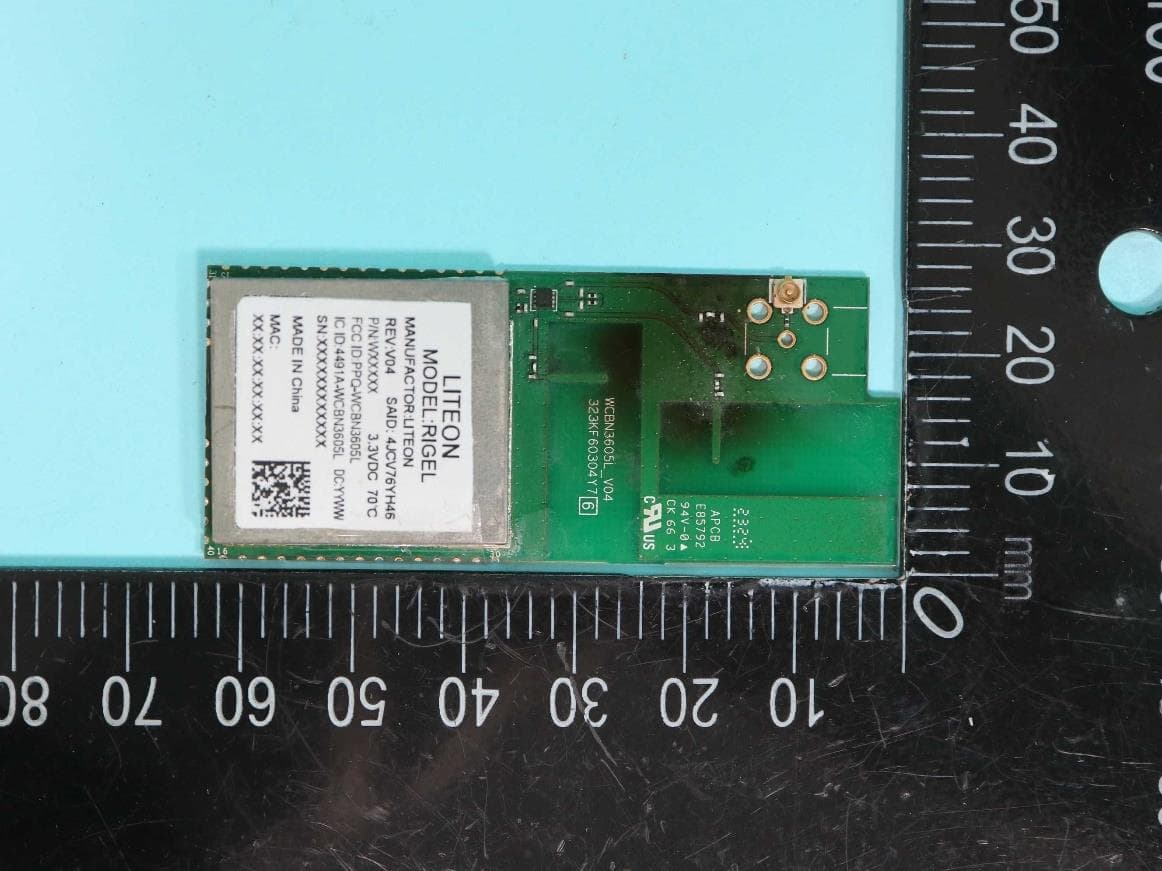
PPQ-WCBN3605L
Aug 30, 2023802.11b/g/n 1Tx1R + BT5.0 IOT Combo Module
Equipment Class
DTS - Digital Transmission System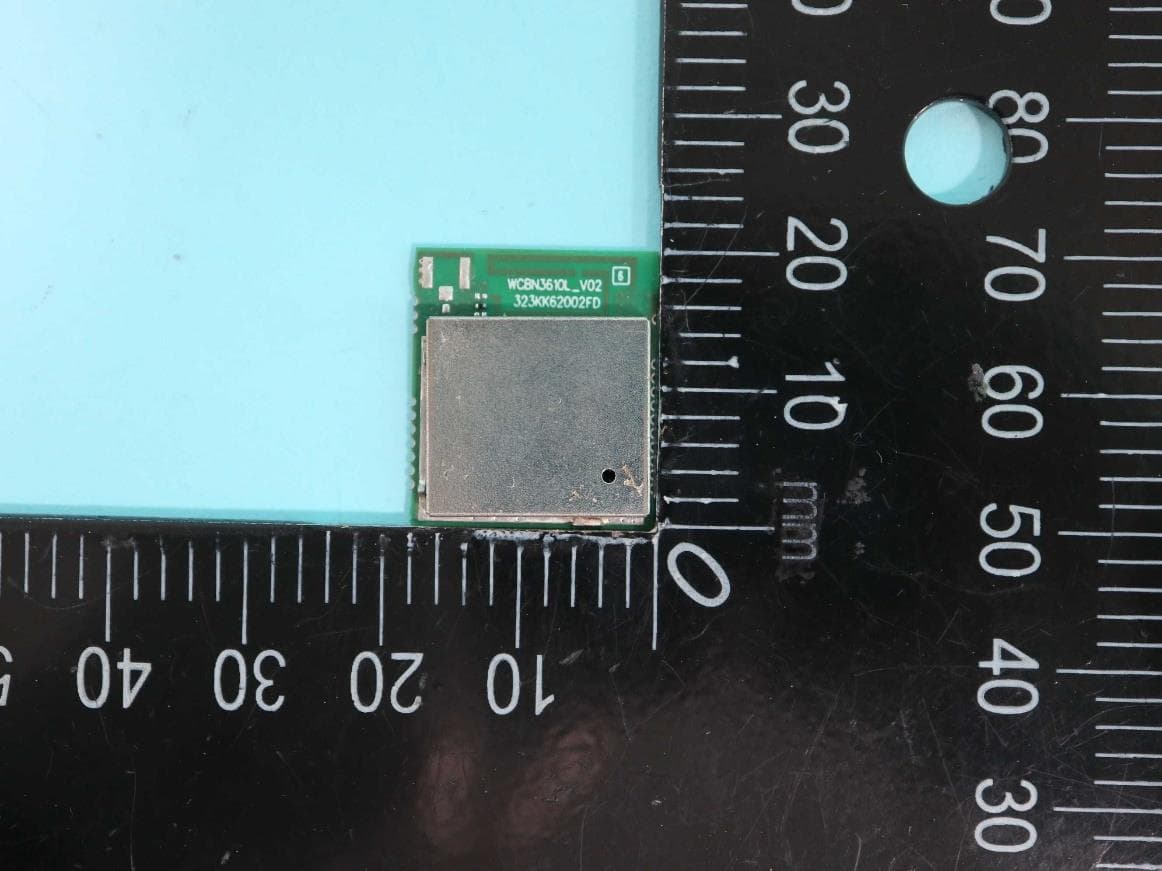
PPQ-WCBN3610L
Jul 24, 2023802.11 b/g/n, 1T1R 2.4G Wireless IoT Module
Equipment Class
DTS - Digital Transmission System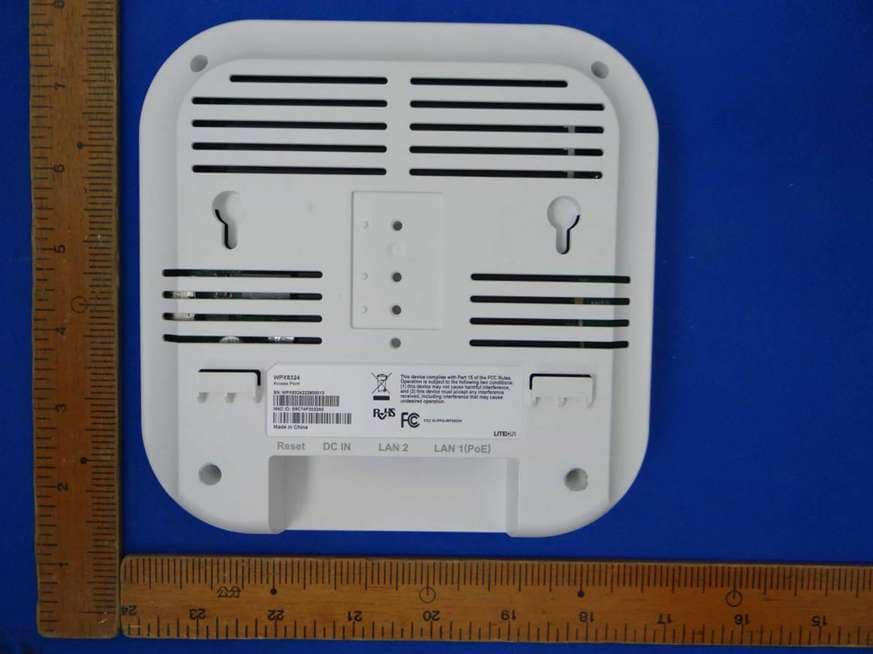
PPQ-WPX8324
Jan 30, 2023Access Point
Equipment Class
DTS - Digital Transmission System
PPQ-WM6321
Dec 16, 2021WM6321
Equipment Class
NII - Unlicensed National Information Infrastructure TX