PXK-HL2512Eclipse
ECORE TECHNOLOGY COMPANY LIMITED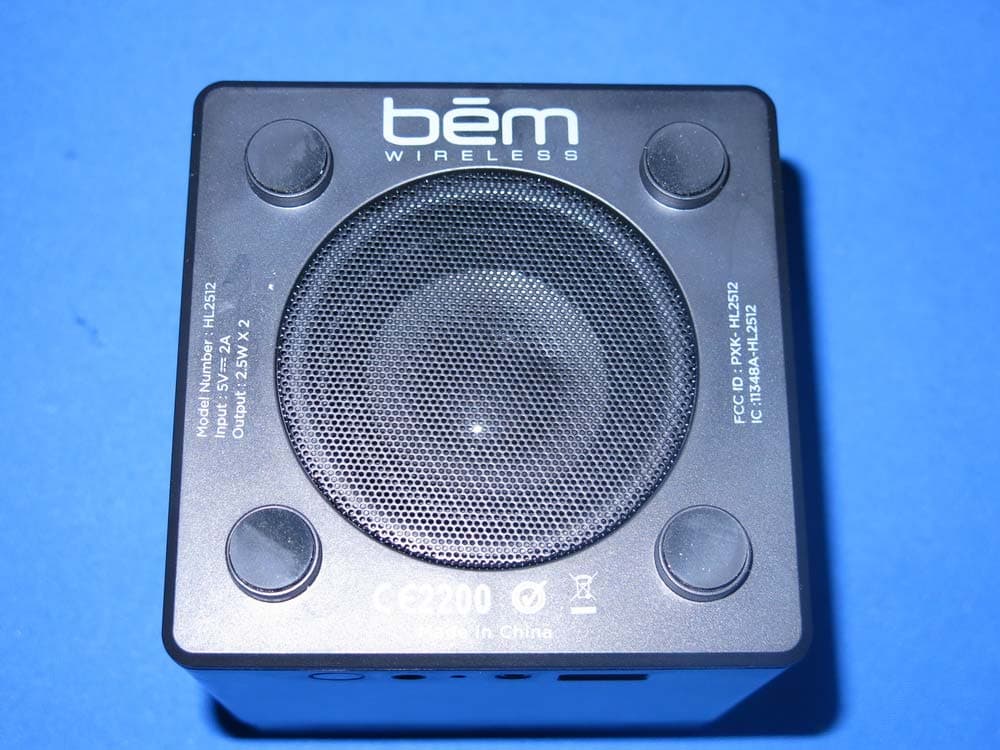
Click to zoom
Application Details
- Equipment Class
- DSS - Part 15 Spread Spectrum Transmitter
- Date of Grant
- Dec 22, 2014
- Application Purpose
- Original Equipment
- Date of Application
- Dec 21, 2014
- Equipment Note
- Eclipse
- Frequency Range
- 2402.00000000 - 2480.00000000
- Country
- China
Documents & Files
Document Text
Text extracted from the exhibit documents filed with the FCC. Open a document above to read the original.
Users Manual
eclipse ® Page 3 Page 18 Page 34. English Canadian Françis Español Contents 3 Light / Multi-Function Button Press down on light to Snooze / Play / Pause / Answer LCD Screen Thank you for choosing the Eclipse Speaker. Take a moment to familiarize yourself with its controls and its many functions, featuring a push down light that lets you snooze, play / pause music and answer the phone. Meet the Eclipse Speaker Sun Icon Light on / off button changes light and LCD display brightness Double Bell Icon Choose one or two alarms Bell Icon Alarm and light mode settings Musical Note Icon Switch between Bluetooth and Aux play modes Minus / Plus Icons Adjust volume, alarm and time settings 4 If any of these were missing or damaged, please visit bemwireless.com to obtain a replacement. USB Port For charging your smart- phone, tablet or MP3 player Aux Input Use the included Aux Cable to play audio from any device with a headphone output Bluetooth Indicator Clock Setting Choose between AM / PM, and set hours and minutes DC Input Connect the Power Adapter here Power Adapter x 1 Aux Cable x 1 5 Product Interface: LCD Screen AM/PM Buzzer Audio ModesAlarm 1/2 Sun Icon 6 Getting Started Step 1: Power Up Connect your Eclipse to an outlet using the included power adapter. The light will come on and the LCD screen will light up. (The light defaults to HIGH.) Press to change the light brightness and cycle between: HIGH – MEDIUM – LOW – OFF You can also change the brightness of the LCD display. (The LCD brightness defaults to HIGH.) Press and hold and cycle between: MEDIUM – LOW – OFF – HIGH Step 2: Audio Modes Press to select an audio mode, Bluetooth or Aux. (Bluetooth is the default play mode when the speaker is turned on for the first time.) 7 AUX Mode: The Eclipse can be connected to any device that has a standard 3.5mm headphone jack by using the included aux cable. Use the controls on the attached device to play / pause. Bluetooth Mode: Play audio wirelessly from a connected Bluetooth device. When the Bluetooth mode is selected, the word Bluetooth displays on the LCD screen. Go to the Bluetooth settings on your mobile phone, tablet or computer and select the device named “Eclipse”. A tone sounds to confirm the device has paired successfully. From now on, this device will connect automatically with the Eclipse Speaker. Step 3: Set the Clock 1. Press and hold on the back of the speaker to shift between 12 hour and 24 hour time. (When in 12 hour mode, PM displays on the LCD screen during PM hours. When in 24 hour mode, nothing displays during the AM or PM hours.) 2. Press and the hours will blink on the LCD screen, press + / - to adjust the hour. Getting Started (cont.) 8 3. Press again and minutes will blink on the LCD screen, press + / - to adjust the minutes. 4. Press and hold for 3 seconds to set and confirm the time setting. Step 4: Set the Alarm The Eclipse Speaker features dual alarms that can be set for two different times. Once you decide which alarm you wish to activate (1 or 2), go to Step 2 to set the alarm time. Step 1: Choose 1 or 2 alarms 1. Press once to select and display the Alarm 1 icon on the LCD screen. Once Alarm 1 displays, you can set the alarm time (go to Step 2). 2. Press twice to select and display the Alarm 2 icon on the LCD screen. Once Alarm 2 displays, you can set the alarm time (go to Step 2). 3. After the alarm times are set, press three times to select and display BOTH Alarm 1 and 2 icons on the LCD screen. 4. Press a fourth time to turn BOTH alarms and the icons off. 9 Step 2: Set alarm time and sound mode Set the alarm time and the sound mode of the activated alarm (1 or 2). (You cannot set the alarm if Alarm 1 and 2 are both activated or both off.) 1. Press to begin setting your alarm. The hours blink on the LCD screen, press + / - to adjust the hour. 2. Press a 2nd time, the minutes blink on the LCD screen, press + / - to adjust the minutes. 3. Press a 3rd time, flashes on the LCD screen, press + / - to shift between turning the light on or off when the alarm sounds. (A blinking indicates the light will slowly become bright when the alarm goes off. 4. Press and hold for 3 seconds to confirm the alarm settings. The alarm lasts for 3 minutes. Press any button on the front of the speaker to silence it. Note that the light stays on. Using the Snooze Function When the alarm sounds, press down on the light to activate the snooze function, which postpones the alarm for 9 minutes. (The snooze function only works once the alarm starts.) Getting Started (cont.) 10 Push Down Multi-Function Light Pushing down on the multi-function light lets you snooze, play / pause music and answer the phone. Snooze When the alarm sounds, push down on the light to activate the snooze function. The alarm will start again in 9 minutes. Play / Pause Music After pairing your mobile phone to the Eclipse Speaker via Blue- tooth, the speaker phone function is activated. •Make a Call: Calls you make will automatically transfer to the speakerphone. If not, push down on the light. •Answer a Call: Push down on the light to answer an incoming call. •End a Call: During a call, push down on the light to end it. •Reject a Call: Push down on the light and hold to reject an incoming call. •Redial the Last Number: Push down on the light twice to call the last number dialed. Operation Details 11 Issue: Pairing is unsuccessful after multiple attempts Solution: •Check if the Bluetooth indicator light is on. If the indicator light is off, press the power button to turn the unit on. If the Bluetooth indicator light still doesn’t come on after pressing the power button, please charge the unit. •Check for other nearby Bluetooth devices that may interfere with pairing and turn devices off. •Power off, then power on the unit to restart the Bluetooth function on the speaker or your Bluetooth device. •Unplug any cables plugged into the AUX IN port. Restart all devices and then attempt pairing again. Issue: Interference or stati…
Text truncated - open the document above for the full version.
Cover Letter(s)
SCS-F18: Project and Product Certification Representative Authorization Letter Page 1 of 2 Rev 5.0 775 Montague Expressway Milpitas, CA 95035 Tel: 408-526-1188 Fax: 408-526-1088 Email: [email protected] Project and Product Certification Representative Authorization Letter Reason for Amendment (current / obsolete) Revision History Approved Date From To Initial Release (obsolete) 1.0 1.0 Nov-14-2006 Revised wording (obsolete) 1.0 2.0 Sept–25-2007 Updated company template (obsolete) 2.0 3.0 Jan-31-2012 Updated letter information (obsolete) 3.0 4.0 May-23-2014 Added FCC ID field (current) 4.0 5.0 Sept 16 2014 SCS-F18: Project and Product Certification Representative Authorization Letter Page 2 of 2 Rev 5.0 ECORE TECHNOLOGY COMPANY LIMITED (2014-12-12) To: SIEMIC, INC. 775 Montague Expressway, Milpitas, CA 95035 USA Dear Sir/Madam, Re: Product Certification Representative Authorization Letter We, _____ ECORE TECHNOLOGY COMPANY LIMITED _____hereby authorize SIEMIC, Inc. to act as a Certification Body for certifying for the following project(s): Product Name: Eclipse Model Number: HL2512 FCC ID: PXK-HL2512 Sincerely, Liuchengliu Manager North of Bingang East Road, Huahu Development Zone, Ezhou city, Hubei Province, China
Cover Letter(s)
SCS-F19: Confidentiality Request Letter Page 1 of 2 Rev 3.0 775 Montague Expressway Milpitas, CA 95035 Tel: 408-526-1188 Fax: 408-526-1088 Email: [email protected] Confidentiality Request Letter Reason for Amendment (current / obsolete) Revision History Approved Date From To Initial Release (obsolete) 1.0 1.0 Nov-14-2006 Adding CFR 2.459 (obsolete) 1.0 2.0 August – 11 - 2008 Updated company template & Added text box (current) 2.0 3.0 Jan-31-2012 SCS-F19: Confidentiality Request Letter Page 2 of 2 Rev 3.0 ECORE TECHNOLOGY COMPANY LIMITED (2014-12-12) To: Federal Communications Commission Authorization and Evaluation Division 7435 Oakland Mills Road Columbia, MD Subject: Permanent Confidentiality Request for FCC ID: PXK-HL2512 We hereby request confidential treatment of information accompanying this application as outlined below: - Block Diagram - Schematics - Operational Description The above materials contain trade secrets and proprietary information not customarily released to the public. The public disclosure of these materials may be harmful to the applicant and provide unjustified benefits to its competitors. The applicant understands that pursuant to Section 0.457 & 0.459 of the Rules, disclosure of this application and all accompanying documentation will not be made before the date of the Grant for this application. Sincerely, Liuchengliu Manager North of Bingang East Road, Huahu Development Zone, Ezhou city, Hubei Province, China
ID Label/Location Info
Model Number : HL2512Input : 5V 2AOutput : 2.5W X 2FCC ID : PXK- HL2512IC :11348A-HL2512 Made in China Model Number : HL2512Input : 5V 2AOutput : 2.5W X 2FCC ID : PXK- HL2512IC :11348A-HL2512 Made in China
ID Label/Location Info
Label Location on EUT
Internal Photos
Antenna
RF Exposure Info
RF EXPOSURE EVALUATION According to FCC 1.1310: The criteria listed in the following table shall be used to evaluate the environment impact of human exposure to radio frequency(RF) Radiation as specified in §1.1307(b) FCC ID:PXK-HL2512 EUT Specification EUT Eclipse Frequency band (Operating) WLAN: 2.412GHz ~ 2.462GHz WLAN: 5.18GHz ~ 5.32GHz / 5.50GHz ~ 5.70GHz WLAN: 5.745GHz ~ 5825GHz Others Device category Portable (<20cm separation) Mobile (>20cm separation) Others ___ Exposure classification Occupational/Controlled exposure (S = 5mW/cm2) General Population/Uncontrolled exposure (S=1mW/cm2) Antenna diversity Single antenna Multiple antennas Tx diversity Rx diversity Tx/Rx diversity Max. output power -0.91dBm (0.000811W) Antenna gain (Max) 0 dBi Evaluation applied MPE Evaluation SAR Evaluation Limits for Maximum Permissible Exposure(MPE) Frequency Range(MHz) Electric Field Strength(V/m) Magnetic Field Strength(A/m) Power Density(mW/cm 2 ) Average Time (A) Limits for Occupational/Control Exposures 300-1500 -- -- F/300 6 1500-100000 -- -- 5 6 (B) Limits for General Population/Uncontrol Exposures 300-1500 -- -- F/1500 6 1500-100000 -- -- 1 30 Friis transmission formula: Pd=(Pout*G)\(4*pi*R2) Where Pd= Power density in mW/cm 2 Pout=output power to antenna in Mw G= gain of antenna in linear scale Pi=3.1416 R= distance between observation point and center of the radiator in cm Pd the limit of MPE, 1mW/cm2. If we know the maximum gain of the antenna and total power input to the antenna, through the calculation, we will know the distance where the MPE limit is reached. Measurement Result Channel Frequency (MHz) Measurement Peak Output Power(dBm) GFSK Π/4-DQPSK 8DPSK 2402 -1.21 -2.25 -1.95 2441 -0.91 -1.97 -1.61 2480 -1.05 -2.20 -1.82 Channel Frequency (MHz) Tune up tolerance (dBm) Max tune up conducted power(dBm) Output Peak power (mW) Ant. Gain (dBi) Ant. Gain (nume ric) Power density at 20cm (mW/cm 2 ) Power density Limits (mW/cm 2 ) 2402 -1±1 0 1.00 0 1 0.000199 1 2441 0±1 1 1.26 0 1 0.000250 1 2480 -1±1 0 1.00 0 1 0.000199 1 2402 -2±1 -1 0.79 0 1 0.000158 1 2441 -2±1 -1 0.79 0 1 0.000158 1 2480 -2±1 -1 0.79 0 1 0.000158 1 2402 -2±1 -1 0.79 0 1 0.000158 1 2441 -1±1 0 1.00 0 1 0.000199 1 2480 -1±1 0 1.00 0 1 0.000199 1 Signature Sam Lv Manager Date: 2014-12-16
Test Report
TRF No. FCC Part 15.247/A Page 1 of 72 Report No. KAD141107021E Ver.1.0 ELECTROMAGNETIC EMISSIONS COMPLIANCE REPORT INTENTIONAL RADIATOR CERTIFICATION TO FCC PART 15 SUBPART C REQUIREMENT OF Eclipse Model No.: HL2512 Trade Mark: FCC ID: PXK-HL2512 Report No.: KAD141107021E Issue Date: December 15, 2014 Prepared for ECORE TECHNOLOGY COMPANY LIMITED North of Bingang East Road, Huahu Development Zone, Ezhou city, Hubei Province, China Prepared by DONGGUAN EMTEK CO., LTD. No.281, Guantai Road, Nancheng District, Dongguan, Guangdong, China TEL: 86-769-22807078 FAX: 86-769-22807079 This report shall not be reproduced, except in full, without the written approval of DONGGUAN EMTEK CO., LTD. TRF No. FCC Part 15.247/A Page 2 of 72 Report No. KAD141107021E Ver.1.0 VERIFICATION OF COMPLIANCE Applicant: ECORE TECHNOLOGY COMPANY LIMITED North of Bingang East Road, Huahu Development Zone, Ezhou city, Hubei Province, China Manufacturer: ECORE TECHNOLOGY COMPANY LIMITED North of Bingang East Road, Huahu Development Zone, Ezhou city, Hubei Province, China Product Description: Eclipse Trade Mark: Model Number: HL2512 Kind of Device: Bluetooth Ver. 2.1+EDR File Number: KAD141107021E Date of Test: November 07, 2014 to December 09, 2014 We hereby certify that: The above equipment was tested by DONGGUAN EMTEK CO., LTD. The test data, data evaluation, test procedures, and equipment configurations shown in this report were made in accordance with the procedures given in ANSI C63.4 (2009) and the energy emitted by the sample EUT tested as described in this report is in compliance with conducted and radiated emission limits of FCC Rules Part 15.247(2014). The test results of this report relate only to the tested sample identified in this report. Approved By Sam Lv / Q.A. Manager DONGGUAN EMTEK CO., LTD. TRF No. FCC Part 15.247/A Page 3 of 72 Report No. KAD141107021E Ver.1.0 Modified Information Version Summary Revision Date Report No. Ver.1.0 Original Report / KAD141107021E TRF No. FCC Part 15.247/A Page 4 of 72 Report No. KAD141107021E Ver.1.0 Table of Contents 1. GENERAL INFORMATION ................................................................................................ 6 1.1 PRODUCT DESCRIPTION ................................................................................................................... 6 1.2 RELATED SUBMITTAL(S) / GRANT (S) ................................................................................................ 6 1.3 TEST METHODOLOGY ....................................................................................................................... 6 1.4 SPECIAL ACCESSORIES .................................................................................................................... 6 1.5 EQUIPMENT MODIFICATIONS ............................................................................................................ 7 1.6 TEST FACILITY ................................................................................................................................. 7 2. SYSTEM TEST CONFIGURATION .................................................................................... 8 2.1 EUT CONFIGURATION ...................................................................................................................... 8 2.2 EUT EXERCISE ................................................................................................................................ 8 2.3 TEST PROCEDURE ........................................................................................................................... 8 2.4 LIMITATION....................................................................................................................................... 9 2.5 CONFIGURATION OF TESTED SYSTEM ............................................................................................ 12 3. SUMMARY OF TEST RESULTS ..................................................................................... 13 4. DESCRIPTION OF TEST MODES ................................................................................... 14 5. CONDUCTED EMISSIONS TEST .................................................................................... 15 5.1 MEASUREMENT PROCEDURE: ........................................................................................................ 15 5.2 TEST SET-UP (BLOCK DIAGRAM OF CONFIGURATION) ................................................................... 15 5.3 MEASUREMENT EQUIPMENT USED: ................................................................................................ 15 5.4 MEASUREMENT RESULT: ................................................................................................................ 15 5.5 CONDUCTED MEASUREMENT PHOTOS: .......................................................................................... 18 6. RADIATED EMISSION TEST ........................................................................................... 19 6.1 MEASUREMENT PROCEDURE ......................................................................................................... 19 6.2 TEST SET-UP (BLOCK DIAGRAM OF CONFIGURATION) ................................................................... 20 6.3 MEASUREMENT EQUIPMENT USED: ................................................................................................ 21 6.4 MEASUREMENT RESULT ................................................................................................................. 22 6.5 RADIATED MEASUREMENT PHOTOS: .............................................................................................. 32 7. CHANNEL SEPARATION TEST ...................................................................................... 33 7.1 MEASUREMENT PROCEDURE ......................................................................................................... 33 7.2 TEST SET-UP (BLOCK DIAGRAM OF CONFIGURATION) ..................................…
Text truncated - open the document above for the full version.
Contact Information
Applicant
Liucheng Liu(Manager)
Test Firm
EMTEK (DONGGUAN) CO.,LTDSam Lv
Technical Specifications
| # | Rule Parts | Frequency Range | Power Output |
|---|---|---|---|
| 1 | 15C | 2.40 GHz - 2.48 GHz | 811.00 µW |
Other Applications from ECORE TECHNOLOGY COMPANY LIMITED
PXK-HL2750
Oct 31, 2015Speaker Mojo II
Equipment Class
DSS - Part 15 Spread Spectrum Transmitter
PXK-EXO200
Jul 01, 2015EXO-200
Equipment Class
DTS - Digital Transmission System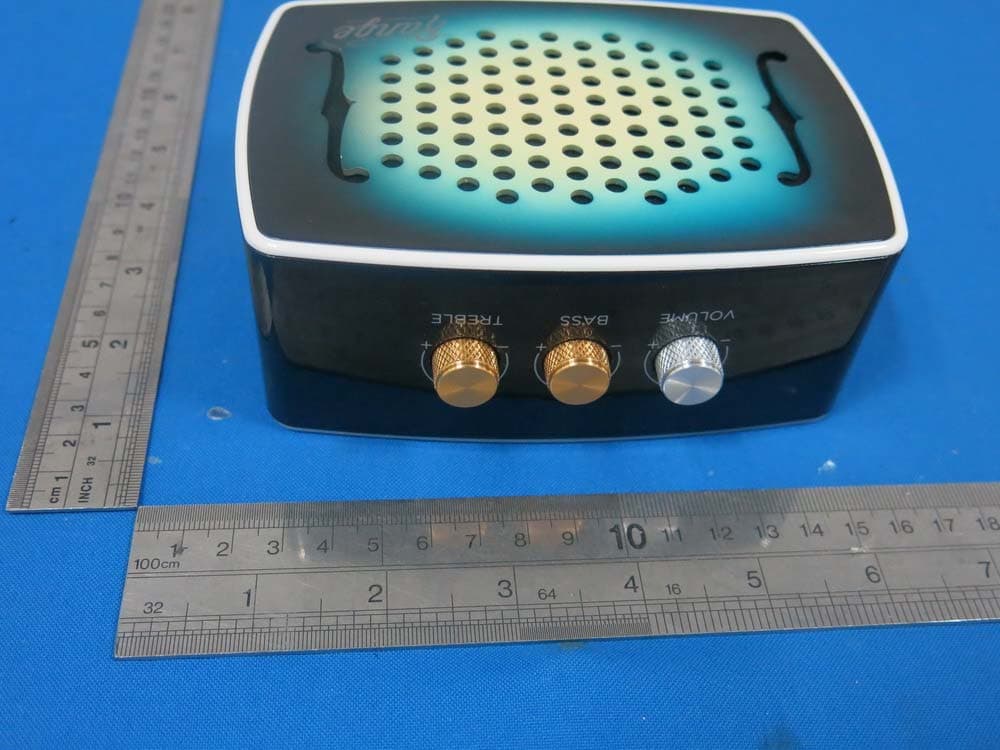
PXK-HL2515
Dec 22, 2014Strum
Equipment Class
DTS - Digital Transmission System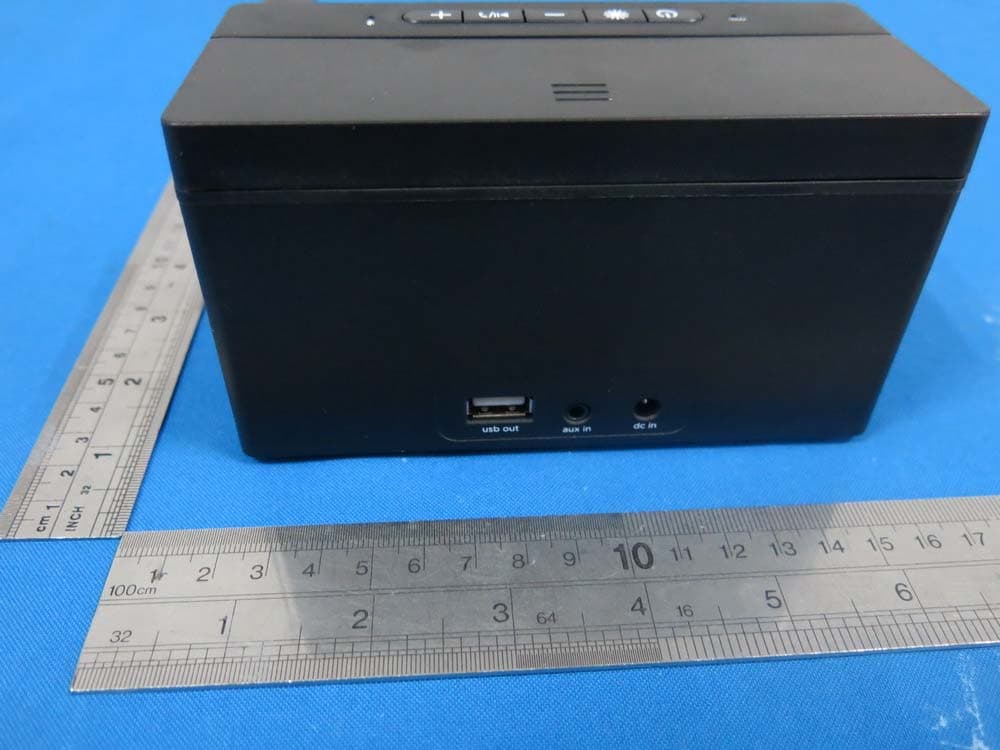
PXK-HL2507
Dec 22, 2014Express Speaker
Equipment Class
DTS - Digital Transmission System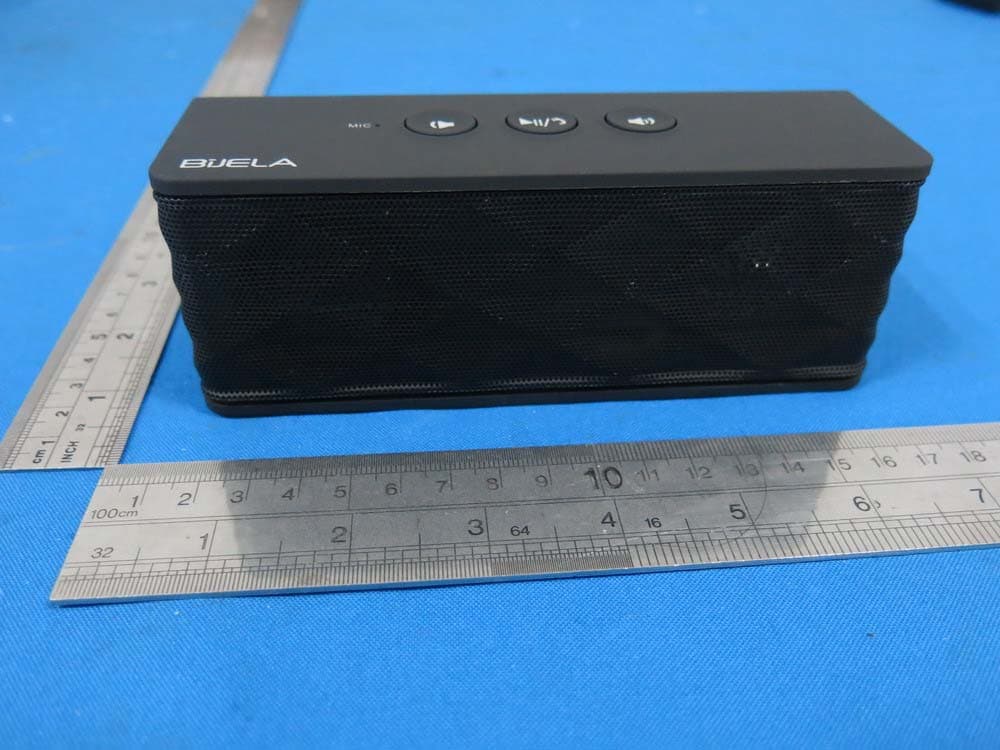
PXK-HT1051
Sep 09, 2014Magic SoundBox Bluetooth speaker
Equipment Class
DSS - Part 15 Spread Spectrum Transmitter