PYZSTORIUMUSB Drive
Hanbit Electronics Co., LTD.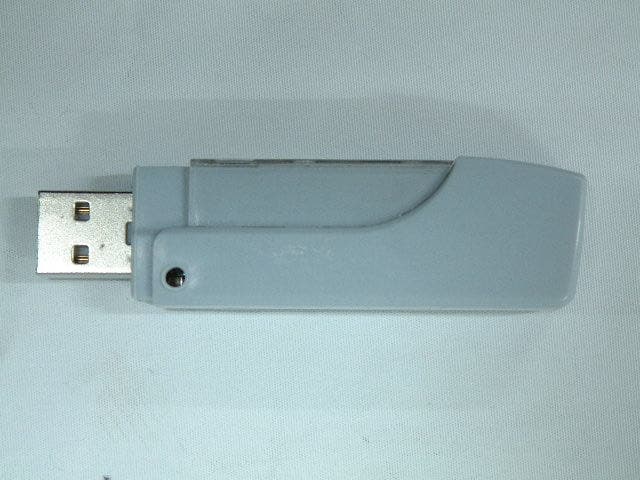
Click to zoom
Application Details
- Equipment Class
- JBP - Part 15 Class B Computing Device Peripheral
- Date of Grant
- Nov 07, 2002
- Application Purpose
- Original Equipment
- Date of Application
- Nov 07, 2002
- Equipment Note
- USB Drive
- Company
- Hanbit Electronics Co., LTD.
- Country
- South Korea
Documents & Files
Document Text
Text extracted from the exhibit documents filed with the FCC. Open a document above to read the original.
Users Manual
USB STORiUM DRIVE HANBiT Electronics Co., LTD. [www.hbe.co.kr] Portable Flash Memory Disk Drive USER’S MANUAL [ INDEX ] 1. Installation for Windows98 .........................................3 2. Format ....................................................................5 3. Password ............................................................... 6 4. Change password ....................................................8 5. USB STORiUM N Drive Specification .......................... 9 6. Warranty Card .........................................................10 Contents Please check whether the package contains following items ! 1. USB STORiUM N DRIVE x 1EA 2. Installation CD-ROM x 1EA 3. Neck Strap x 1EA 4. User’s Manual & Warranty Card x 1EA . 1. Driver Installation 1.1 Windows2000/ME/XP,Linux 2.4X,Mac OS9.X/Mac OS X operating system: Just insert STORiUM NDrive into USB port, then system will install the hardware automatically. * Notice * Please wait for 3~5minutes until a pointer of a mouse is stopped before you insert STORiUM N Drive into USB port or remove it from USB port. When you insert STORiUM NDrive into USB port before the pointer of mouse is stopped, the functions of STORiUM NDrive would be damaged. * The write protect switch must be on the "open" position in all procedures to install the STORiUM NDrive. 1.2 Installation Method for Windows 98. * Installation Method 1. The procedures to install before plugging STORiUM NDrive into USB port. 1.2.1 Please insert your STORiUM NDriver CD,then you can find the folder named "Win98DRIVE" in the folder named “N DRIVE” and double click the "DrvSetup” file required for installation. 1.2.2 Click "98 Driver Install" button. 1.2.3 Press “OK”button to continue. 1.2.4 Plug USB STORiUM NDrive into the USB port. 1.2.5 Press again “OK”button on the “PlugIn Device" wizard and then click “EXIT”button on the “Drive Install" wizard. 1.2.6 Now all the drivers have been installed into your system, you should see the Removable Disk icon appearing in the window when you activate "My Computer" icon. * Installation Method 2. The procedures to install after plugging STORiUM NDrive into USB port. 1.2.7 Plug STORiUM NDrive into USB port,then add new hardware wizard occurs. 1.2.8 Select “Search for the best driver for your device.(Recommended)” and click “Next”button. 1.2.9 Check “Specify a location”, click “Browse..” and select the driver folder named "Win98DRIVE" in the folder named “N DRIVE” from driver CD. 1.2.10 After searching driver, click “Next” button. 1.2.11 When Windows has finished the installation of STORiUM NDrive, the wizard as below appears. If installation is to be continued,press “Finish”button. 1.2.12 Open “My Computer” to check the new storage exist. "Removable Disk"will appear in "My Computer"automatically,then you can operate USB STORiUM NDrive just as your local hard disk. 1.3 How to patch security function for Windows ME. * Please follow the procedures below to patch security function, before plugging the USB STORiUM NDrive into USB port. 1.3.1 Please insert STORiUM NDrive CD,then you can find the folder named "WIN98DRIVE" in the folder named “N DRIVE” and double click "DrvSetup”file. 1.3.2 Click "Me Driver Patch" button. 1.3.3 Press “OK” button to continue. 1.3.4 Please insert USB STORiUM NDrive into USB port again for using it when a pointer of a mouse is stopped(3~5minutes),after taking USB STORiUM NDrive out. 2. Format Function * Recommend to do format the USB STORiUM NDrive when it is used for the first time. * Method of format is same in all OS supported including Windows98. * Method to reset the password when it is lost. (When the data storaged is deleted, the password will be set up ‘0000’ automatically) 2.1 Insert the STORiUM NDrive into the USB port. 2.2 Find the file “Manager” from directory “\\ N Drive\STORiUM Manager” of the attached CD- ROM, and then click it. The wizard as below appears. 2.3 Click “Quick Format” or “Full Format” and press “Formatting” button. (It takes a lot of time to format if you click “Full Format”) - Quick Format : format only the data block of memory in the STORiUM NDrive. - Full Format : format the all data block of memory in the STORiUM NDrive. * Note: Recommend to do format using the file “Manager” from directory “\\ N Drive\STORiUM Manager” of the attached CD-ROM. 2.4 You can use the STORiUM NDrive normally, after finishing format’s execution. (The password will be set up ‘0000’ automatically, after formatting) 3. Password Function 3.1 Insert the STORiUM NDrive into the USB port, after finishing format’s execution. 3.2 Execute the file “Manager” from directory “\\ N Drive\STORiUM Manager” of the attached CD-ROM. 3.3 lf you want to use password function, click “Using Password” and press “O.K” button.Unplug the STORiUM NDrive from the USB port and plug it again to the USB port of the PC after waiting for 3~5 minutes until the icon is not worked. 3.4 You should see the Removable Disk icon appearing in the window when you activate "My Computer"icon after plugging the STORiUM NDrive into the USB port. 3.5 To input the password “0000”, the screen,executed “PassMan”, is displayed as below. Prass “APPLY”button to continue. (The basic passwordl be set up ‘0000’ automatically) 3.6 If you have followed the all procedures, you can easily access the STORiUM NDrive after inputting the password “0000”. 4. Changing Password 4.1 Plug the STORiUM NDrive into the USB port for changing password. 4.2 Execute “PassMan” on the Removable Disk icon and the password ,set up already,can be changed by clicking “Change Password”. * Old password : Input the password, set up already. * New Password : Input a new Password you want to change. * Confirm Password : Confirm the new password again. 5. Using booting disk * Note (For Window98) : Do click “Make Bootable Disk” for using the function of booting disk when the question for option to make booting appears during setting Windows 98 up. 5.1 Just double click the file “Manager…
Text truncated - open the document above for the full version.
Block Diagram
STORiUM N Drive Block Diagram 12MHz 22pF22pF PLL ECC DMA Voltage Regulator 80C51 Voltage Regulator USB Contr. Data RAM Program ROM Flash MemoryInterface Y1 or Y2 47 48 Internal Bus 22 22 D+ D- GND Shield1 Shield2 VCC U1 USB Controller PP2201-02 5V 5V L1 8bit Data Line D0 –D7 3.3V U2 U3 U4U5 NAND Flash Memory (K9K1G08U0M - YCB0) Control 220 220 RE WE CE0 CE1CE2CE3 35 5V SW1 3 2 6 Extension Board R4 R3 5V R1 330 D1 R2 1M NAND Flash Memory (K9K1G08U0M - YCB0) NAND Flash Memory (K9K1G08U0M - YCB0) NAND Flash Memory (K9K1G08U0M - YCB0) TC2 1uF
External Photos
Test report Our reference : KEL02-F09039 Page : B1 of Appendix Issued date : 2002-10-29 Appendix-B : External Photographs of E.U.T <FRONT VIEW OF EUT> <REAR VIEW OF EUT>
ID Label/Location Info
Test report Our reference : KEL02-F09039 Page : D1 of Appendix Issued date : 2002-10-29 Appendix-D : FCC ID label location information and Sample - FCC ID label location information The label included following statement will be attached on the bottom side of product. - FCC ID label sample
Internal Photos
Test report Our reference : KEL02-F09039 Page : C1 of Appendix Issued date : 2002-10-29 Appendix-C : Internal Photographs of E.U.T <INTERNAL VIEW OF E.U.T> Test report Our reference : KEL02-F09039 Page : C2 of Appendix Issued date : 2002-10-29 <FRONT VIEW OF MAIN BOARD> Test report Our reference : KEL02-F09039 Page : C3 of Appendix Issued date : 2002-10-29 <REAR VIEW OF MAIN BOARD>
Test Report
CERTIFICATE OF COMPLIANCE 352 Youngduk-Ri, Kihung-Eup, Yongin-City, Kyunggi-Do, Korea 449-908 TEL : (82)31-206-4693 FAX : (82)31-206-3051 http://www.kesilab.com [email protected] http://www.koreaemc.co.kr [email protected] (CLASS B) CERTIFICATION OF COMPLIANCE is hereby issued to the named Applicant and is VALID ONLY for the equipment identified below: Date of Tested : Oct. 16. 2002 Applicant’s Name : HANBit Electronics Co., Ltd. Applicant’s Address : 414-5, Woncheon-Dong, Paldal-Gu, Suwon-City, Kyoungki-Do, Korea Manufacturer’s Name : HANBit Electronics Co., Ltd. Manufacturer’s Address : 414-5, Woncheon-Dong, Paldal-Gu, Suwon-City, Kyoungki-Do, Korea Declares that the product Product Description : USB DRIVE Brand Name : HANBit Model Number : STORiUM N Drive FCC ID : PYZSTORIUM Conforms to FCC Rules and Regulations Part 15 Subpart B requirements. This product herewith complies with the requirements of the FCC Rules and Regulations as listed below: Part 15.107: Conducted Emissions. Part 15.109: Radiated Spurious Emissions. TESTED and CERTIFIED by: KOREA EMC LABORATORY 352 Youngduk-Ri, Kihung-Eup, Yongin-Si, Kyunggi-Do, 449-908, KOREA Date : Oct. 29. 2002 Report No : KEL02-F09039 Authorized Signature : M. S. CHO / President Test report Our reference : KEL02-F09039 Page : 2 of 13 Issued date : 2002-10-29 Korea EMC Laboratory TABLE OF CONTENTS DESCRIPTION Page 0. VERIFICATION OF COMPLIANCE 3 1. GENERAL INFORMATION 1.1 Product Description 4 1.2 Related Submittal(s)/Grant(s) 4 1.3 Tested System Details 4 1.4 System Configuration 4 1.5 General Setup of the test Shield room 5 1.6 Test Facility 5 2. Measurement Procedure 2.1 System test configuration 6 2.1.1 Video mode Justification 6 2.1.2 EUT Exercise S/W 6 2.2 Special Accessories 6 2.3 Equipment Modification 6 2.4 System Configuration Diagram 6 2.5 Preliminary testing 7 2.6 Shielded Enclosure 7 2.7 Data Reporting Format 7 2.8 Operating Condition 7 2.9 Conditioning of the EUT 7 2.10 Power Line Conducted Emissions 8 2.11 Open field Radiated Emissions Tests 8 3. Measurement Data 3.1 Conducted Emission Data 9 3.2 Conducted Emission Graph 10 3.3 Radiated Emission Data 11 3.4 Summary 12 4. Labeling Requirement 13 Appendix - A : Test set-up Photographs (Conducted and Radiated) - B : External Photographs of E.U.T - C : Internal Photographs of E.U.T - D : FCC ID label location information and sample - E : Block Diagram - F : User’s Manual Test report Our reference : KEL02-F09039 Page : 3 of 13 Issued date : 2002-10-29 Korea EMC Laboratory 0 . VERIFICATION OF COMPLIANCE Equipment Under Test : USB DRIVE Model Number : STORiUM N Drive Serial Number : Prototype Manufacturer : HANBit Electronics Co., Ltd. 414-5, Woncheon-Dong, Paldal-Gu, Suwon-City, Kyoungki-Do, Korea Type of Test : FCC CLASS B Report Number : KEL02-F09039 Date Tested : Oct. 16. 2002 Tested By : S. J. LEE The results show that the sample equipment tested as described in this reports is in compliance with the CLASS B conducted and radiated emission limits of FCC Rules Part 15, Subpart B. Test report Our reference : KEL02-F09039 Page : 4 of 13 Issued date : 2002-10-29 Korea EMC Laboratory 1. GENERAL INFORMATION 1.1 PRODUCT DESCRIPTION The STORiUM N Drive is a USB DRIVE made by HANBit Electronics Co., Ltd. in Korea. Refer to the user's manual for more information. ITEM SPECIFICATION Speed Read : 942 kbyte/sec Write : 885 kbyte/sec Dimension 21.2 x 80 x 10.5 cm Capacity 256 MB 1.2 Related Submittal(s)/Grant(s) N/A 1.3 Tested System Details Type Model Name FCC ID Serial NO Manufacturer USB DRIVE STORiUM N Drive PYZSTORIUM Prototype HANBit Electronics Co., Ltd. NOTE PC SQ10 DoC A82691ET600040 SAMSUNG Adapter AD-4212(K) DoC NONE SAMSUNG Speaker 188825-301 NONE COMPAQ MIC RM-1000 NONE HANIL 1.4 System Configuration Type Model Name Serial NO Manufacturer Remark MAIN BOARD DS0208051 NONE HANBit Electronics Co., Ltd. KOREA Test report Our reference : KEL02-F09039 Page : 5 of 13 Issued date : 2002-10-29 Korea EMC Laboratory 1.5 General Set-up of the Test Shielded Room The EUT was set up in accordance with the suggested configuration given in FCC measurement Procedure ANSI C63.4 2000. The measurement are performed in the shielded room which dimension is 3.0*7.0*2.5(m). The EUT was placed on a non conductive table which is 1.0*1.5(m), 80 cm above an earthed ground plane and is kept at least 1m from any other earthed ground plane except the rear of table top being removed 40 cm from a vertical conducting plane. Power to the EUT was provided through the LISN(NSLK8128,Schwarzbeck) which has the Impedance vs Frequency Characteristic in accordance with the conducted setup photographs in Appendix-A Impedance Characteristic of LISN. Peripheral equipment required to provide a functional system(support equipment) for EUT testing was powered through another LISN(KNW-407, KYORITSU). Power to the LISN was filtered to eliminate ambient signal interference. A coaxial type connector which provides a 50 Ohm terminating impedance was provided for the test instrument. The excess length of the power cord was wrapped in the two non metallic pegs attached to the top of the LISN. The two pegs are 9 cm high, approximately 2.0 cm in diameter and that are spaced 6 cm on the center apart. 1.6 Test Facility Location: Korea EMC Laboratory 352 Yungduck-Ri Kihung-Eup,Yongin-City Kyungki-Do,Korea Site : - 3/10m Open Fielded Radiated - Indoor Line Conducted Room(Shielded) The Open Field Radiated and Indoor Line Conducted sites are constructed and calibrated to meet the FCC requirements in documents ANSI C63.4 2000. Korea EMC Lab. was refiled in FCC in Feb. 2001. INSTRUMENTATION Description Model Manufacturer Serial No Due Cal. TEST RECEIVER ESVS10 Rohde & Schwarz 825120/006 '2003.10.04 TEST RECEIVER ESH-2 Rohde & Schwarz 893268/004 '2003.06.05 TEST RECEIVER ESPC Rohde & Schwarz 844006/038 '2003.05.10 SPECTRUM ANALYZER 8566B Hewlett-Packard 2421A00473 '2003.03.19 BICONICAL VHA9103 SCHWARZBECK 1271 '2003.06.10 LOG-PERIODIC 314…
Text truncated - open the document above for the full version.
Test Setup Photos
Test report Our reference : KEL02-F09039 Page : A1 of Appendix Issued date : 2002-10-29 Appendix-A : Test Setup Photographs - Conducted Setup Photographs LINE CONDUCTED SETUP PHOTOGRAPH - FRONT VIEW LINE CONDUCTED SETUP PHOTOGRAPH - REAR VIEW Test report Our reference : KEL02-F09039 Page : A2 of Appendix Issued date : 2002-10-29 - Radiated Setup Photograph RADIATED EMISSION SETUP PHOTOGRAPH - FRONT VIEW ( 30 - 300 MHz ) RADIATED EMISSION SETUP PHOTOGRAPH - REAR VIEW ( 30 - 300 MHz ) Test report Our reference : KEL02-F09039 Page : A3 of Appendix Issued date : 2002-10-29 RADIATED EMISSION SETUP PHOTOGRAPH - FRONT VIEW ( 300- 1000 MHz ) RADIATED EMISSION SETUP PHOTOGRAPH - REAR VIEW ( 300 - 1000 MHz )
Contact Information
Applicant
Hyun Soo Kim(Engineer)
Test Firm
Korea EMC Laboratory Co., LtdMan-sung Cho
Technical Specifications
| # | Rule Parts | Frequency Range | Power Output |
|---|---|---|---|
| 1 | 15B | - | - |
Other Applications from Hanbit Electronics Co., LTD.
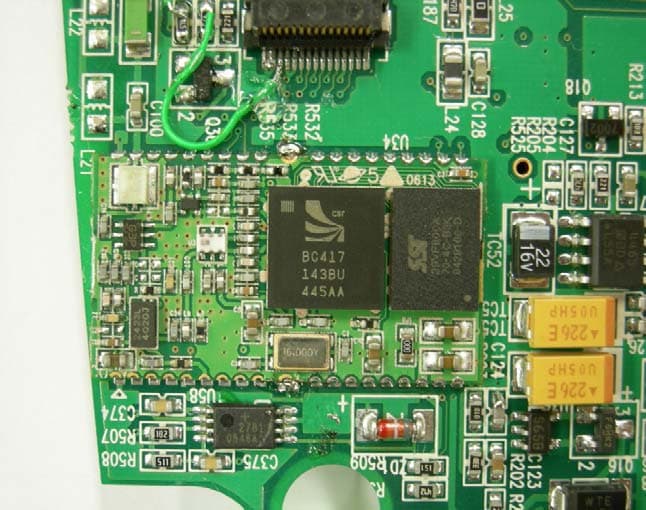
PYZHPAX20256
Sep 21, 2006Handheld Web Computer
Equipment Class
DTS - Digital Transmission System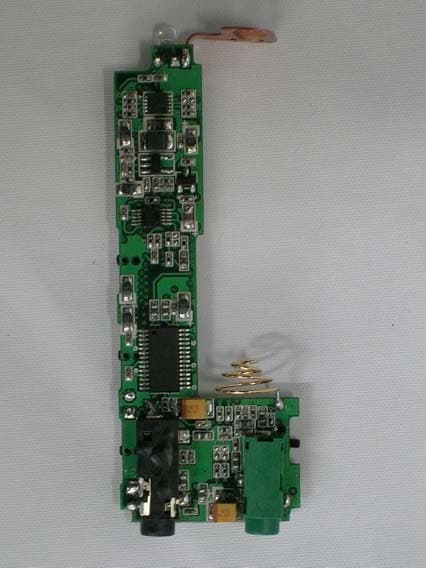
PYZXD403
May 24, 2004mp3 player
Equipment Class
JBP - Part 15 Class B Computing Device Peripheral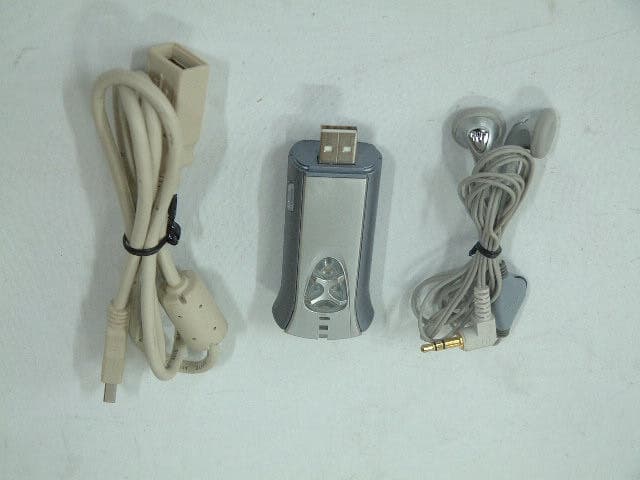
PYZMP3N306
Nov 20, 2003MP3 Player
Equipment Class
JBP - Part 15 Class B Computing Device Peripheral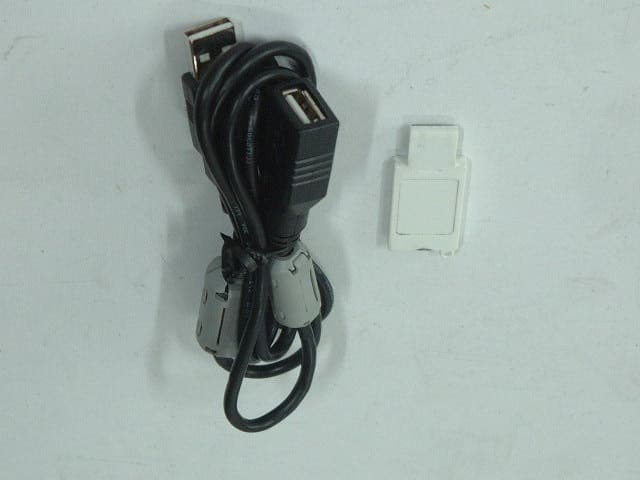
PYZHSD329TN
Nov 19, 2003USB STORAGE DEVICE
Equipment Class
JBP - Part 15 Class B Computing Device Peripheral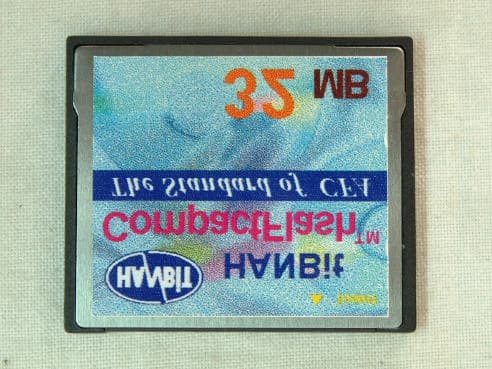
PYZHANBIT-CFC
Dec 11, 2001Internet Phone
Equipment Class
JBP - Part 15 Class B Computing Device Peripheral